steering Lexus GS450h 2014 Service Manual
[x] Cancel search | Manufacturer: LEXUS, Model Year: 2014, Model line: GS450h, Model: Lexus GS450h 2014Pages: 890, PDF Size: 40.62 MB
Page 277 of 890
276
GS450h_OM_OM30D52U_(U)
4-5. Using the driving support systems
■Temporary cancelation of the LKA system functions
If any of the following occurs, the LKA system functions will be temporarily canceled.
The functions will resume after the necessary operating conditions have returned.
●The steering wheel is turned as far as necessary to cause the vehicle to change
lanes.
●When the system detects no-handed driving. (The lane keeping assist function will
be temporarily canceled, but the lane departure warning function will continue.)
●The turn signal lever is operated.
●The vehicle speed deviates from the operating range of the LKA system functions.
(The buzzer will beep twice when the lane keeping assist function is being can-
celed.)
●When the lane lines cannot be recognized while driving. (The buzzer will beep
twice when the lane keeping assist function is being canceled.)
●The wiper switch is set on high speed mode or is set on AUTO mode with wipers
operating at high speed. (The lane keeping assist function will be temporarily can-
celed, but the lane departure warning function will continue.)
●If the vehicle crosses a line for approximately half a minute or more. (The lane keep-
ing assist function will be temporarily canceled, but the lane departure warning
function will continue.)
●When the lane departure warning function is activated.
The lane departure warning function will not operate again for a several seconds
after it has been activated, even if the vehicle leaves the lane again.
■The lane departure warning
It may be difficult to feel the sensory warning depending on the road conditions.
■No-handed driving warning
If the steering wheel is not operated for approximately 15 seconds on a straight road
or approximately 5 seconds on a curve, the buzzer will beep twice, indicators on the
multi-information display will flash, and the lane keeping assist function will be tem-
porarily canceled. If you drive the vehicle with your hands lightly touching the steer-
ing wheel, this may also be detected as no-handed driving.
■After the vehicle has been parked in the sun
The LKA system functions may not be available and a warning message (→P. 76 1 )
will be displayed for a while after driving has started. In such cases, turn the LKA sys-
tem off and turn it on again after normal temperature returns. When the temperature
in the cabin decreases and the temperature around the camera sensor ( →P. 2 7 1 )
becomes suitable for its operation, the functions will begin to operate.
GS450h_OM_OM30D52U_(U).book Page 276 Monday, July 29, 2013 12:07 PM
Page 279 of 890
278
GS450h_OM_OM30D52U_(U)
4-5. Using the driving support systems
●When driving on winding roads or roads that are uneven
●When driving on rough or unpaved roads
■When changing the tires
Depending on the tires used, sufficient performance may not be maintainable.
■Warning messages for LKA
Warning messages are used to indicate a system malfunction or to inform the driver
of the need for caution while driving. (→P. 7 5 0 , 76 1 )
CAUTION
■Before using the LKA system
Do not rely solely on the LKA system. The LKA system does not drive the vehicle
automatically, nor does it reduce the amount of care you need to take. As such, the
driver must always assume full responsibility for understanding his/her surround-
ings, for operating the steering wheel to correct the driving line, and for driving
safely.
Inappropriate or negligent driving could lead to an accident.
■To avoid operating the LKA by mistake
Switch the LKA off using the “LKA” switch when not in use.
GS450h_OM_OM30D52U_(U).book Page 278 Monday, July 29, 2013 12:07 PM
Page 304 of 890
GS450h_OM_OM30D52U_(U)
3034-5. Using the driving support systems
4
Driving
CAUTION
■When using the rear view monitor system
The rear view monitor system is a supplemental device intended to assist the driver
when backing up. When backing up, be sure to check visually behind and all
around the vehicle before proceeding.
Observe the following precautions to avoid an accident that could result in death
or serious injuries.
●Never depend on the rear view monitor system entirely when backing up. The
image and the position of the guide lines displayed on the screen may differ from
the actual state.
Use caution, just as you would when backing up any vehicle.
●Be sure to back up slowly, depressing the brake pedal to control vehicle speed.
●The instructions given are only guidelines.
When and how much to turn the steering wheel will vary according to traffic con-
ditions, road surface conditions, vehicle condition, etc. when parking. It is neces-
sary to be fully aware of this before using the rear view monitor system.
●When parking, be sure to check that the parking space will accommodate your
vehicle before maneuvering into it.
●Do not use the rear view monitor system in the following cases:
• On icy or slick road surfaces, or in snow
• When using tire chains or the compact spare tire
• When the trunk lid is not closed completely
• On roads that are not flat or straight, such as curves or slopes.
●In low temperatures, the screen may darken or the image may become faint. The
image could distort when the vehicle is moving, or you may become unable to
see the image on the screen. Be sure to check direct visually and with the mirrors
all around the vehicle before proceeding.
●If the tire sizes are changed, the position of the fixation guide lines displayed on
the screen may change.
●The camera uses a special lens. The distances between objects and pedestrians
that appear in the image displayed on the screen will differ from the actual dis-
tances. (→P. 2 9 7 )
GS450h_OM_OM30D52U_(U).book Page 303 Monday, July 29, 2013 12:07 PM
Page 307 of 890
306
GS450h_OM_OM30D52U_(U)
4-5. Using the driving support systems
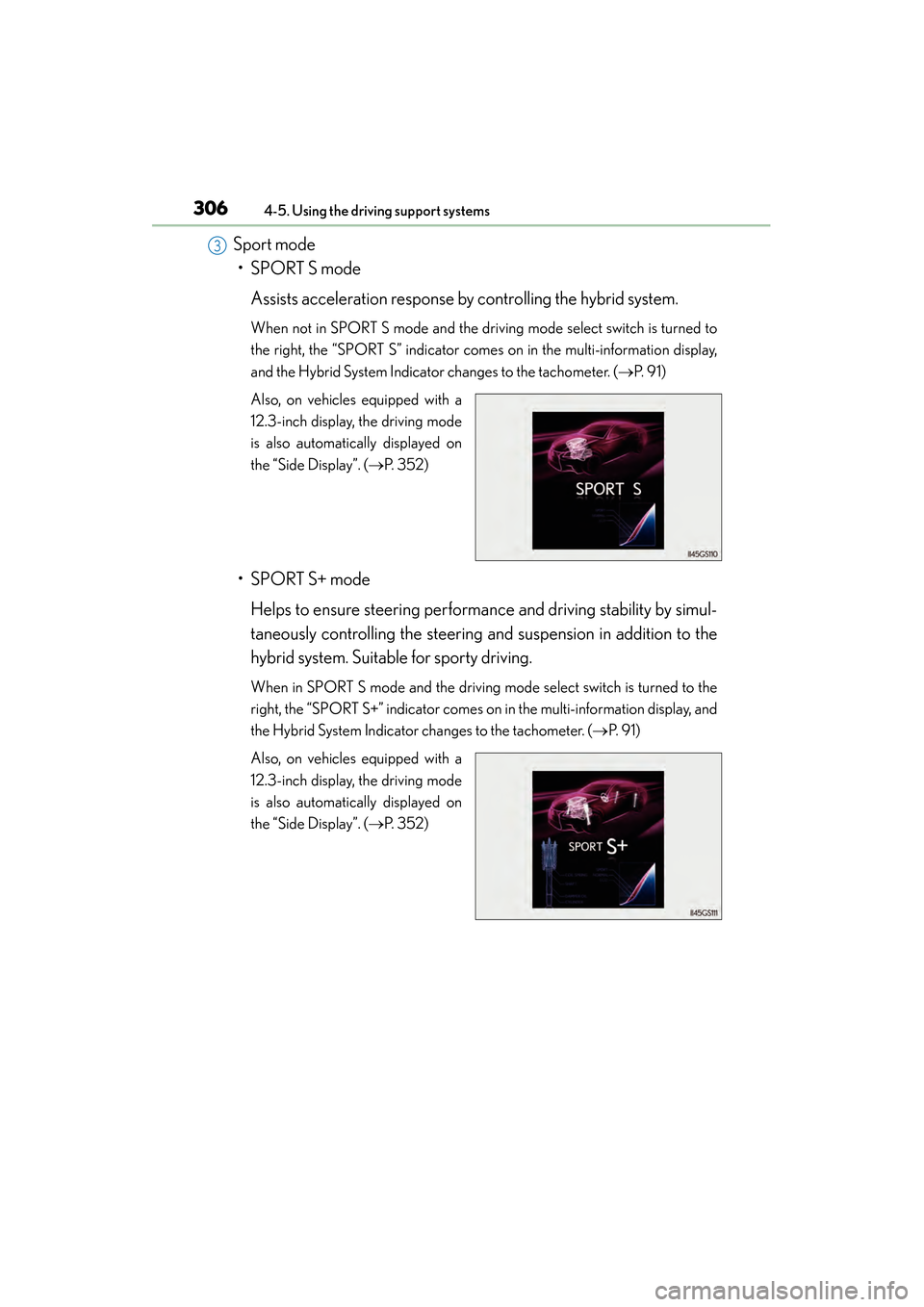
Sport mode• SPORT S mode
Assists acceleration response by controlling the hybrid system.
When not in SPORT S mode and the driv ing mode select switch is turned to
the right, the “SPORT S” indicator come s on in the multi-information display,
and the Hybrid System Indicator changes to the tachometer. ( →P. 9 1 )
Also, on vehicles equipped with a
12.3-inch display, the driving mode
is also automatically displayed on
the “Side Display”. ( →P. 3 5 2 )
• SPORT S+ mode
Helps to ensure steering performance and driving stability by simul-
taneously controlling the steering and suspension in addition to the
hybrid system. Suitable for sporty driving.
When in SPORT S mode and the driving mode select switch is turned to the
right, the “SPORT S+” indicator comes on in the multi-information display, and
the Hybrid System Indicator changes to the tachometer. ( →P. 9 1 )
Also, on vehicles equipped with a
12.3-inch display, the driving mode
is also automatically displayed on
the “Side Display”. ( →P. 3 5 2 )
3
GS450h_OM_OM30D52U_(U).book Page 306 Monday, July 29, 2013 12:07 PM
Page 309 of 890
308
GS450h_OM_OM30D52U_(U)
4-5. Using the driving support systems
Driving assist systems
◆ABS (Anti-lock Brake System)
Helps to prevent wheel lock when the brakes are applied suddenly, or if
the brakes are applied while driving on a slippery road surface
◆Brake assist
Generates an increased level of braking force after the brake pedal is
depressed when the system detects a panic stop situation
◆VSC (Vehicle Stability Control)
Helps the driver to control skidding when swerving suddenly or turning
on slippery road surfaces
◆TRAC (Traction Control)
Helps to maintain drive power and prevent the drive wheels from spin-
ning when starting the vehicle or accelerating on slippery roads
◆EPS (Electric Power Steering)
Employs an electric motor to reduce the amount of effort needed to
turn the steering wheel
To help enhance driving safety and performance, the following systems
operate automatically in response to various driving situations. Be
aware, however, that these systems are supplementary and should not
be relied upon too heavily when operating the vehicle.
GS450h_OM_OM30D52U_(U).book Page 308 Monday, July 29, 2013 12:07 PM
Page 310 of 890
GS450h_OM_OM30D52U_(U)
3094-5. Using the driving support systems
4
Driving
◆AVS (Adaptive Variable Suspension system)
By independently controlling the damping force of the shock absorbers
for each of the 4 wheels according to the road and driving conditions,
this system helps riding comfort with superior steering stability, and
helps good vehicle posture
When SPORT S+ mode is selected by the driving mode select switch,
the damping force is suitable for sporty driving ( →P. 305)
◆VDIM (Vehicle Dynamics Integrated Management)
Provides integrated control of the ABS, brake assist, TRAC, VSC and
EPS
Helps to maintain vehicle stability when swerving on slippery road sur-
faces by controlling the brakes, hybrid system output, steering assist,
and steering ratio
◆PCS (Pre-Collision System) (if equipped)
→ P. 315
GS450h_OM_OM30D52U_(U).book Page 309 Monday, July 29, 2013 12:07 PM
Page 313 of 890
312
GS450h_OM_OM30D52U_(U)
4-5. Using the driving support systems
■When the message is displayed on the multi-information display showing that
TRAC has been disabled even if the VSC OFF switch has not been pressed
TRAC cannot be operated. Contact your Lexus dealer.
■Sounds and vibrations caused by the ABS, brake assist, VSC and TRAC systems
●A sound may be heard from the engine compartment when the brake pedal is
depressed repeatedly, when the hybrid system is started or just after the vehicle
begins to move. This sound does not indicate that a malfunction has occurred in
any of these systems.
●Any of the following conditions may occur when the above systems are operating.
None of these indicates that a malfunction has occurred.
• Vibrations may be felt through the vehicle body and steering.
• A motor sound may be heard after the vehicle comes to a stop.
■EPS operation sound
When the steering wheel is operated, a motor sound (whirring sound) may be heard.
This does not indicate a malfunction.
■Reactivation of the TRAC/VSC systems
Even after the TRAC/VSC systems have been turned off, turning the hybrid system
off and then on again will automatically reactivate the TRAC/VSC systems.
■Reactivation of the TRAC system linked to vehicle speed
When only the TRAC system is turned off, the TRAC system will turn on when vehi-
cle speed increases. However, when both TRAC/VSC systems are turned off, the
systems will not turn on even when vehicle speed increases.
■Reduced effectiveness of the EPS system
The effectiveness of the EPS system is reduced to prevent the system from overheat-
ing when there is frequent steering input over an extended period of time. The steer-
ing wheel may feel heavy as a result.
* Should this occur, refrain from excessive
steering input or stop the vehicle and turn the hybrid system off. The EPS system
should return to normal within 10 minutes.
*: If the LKA (Lane-Keeping Assist) system cannot operate in this case, a warning
message will be shown on the multi-information display.
GS450h_OM_OM30D52U_(U).book Page 312 Monday, July 29, 2013 12:07 PM
Page 319 of 890

318
GS450h_OM_OM30D52U_(U)
4-5. Using the driving support systems
■The pre-collision system is operational when
The PCS OFF switch is not pressed and the following conditions are met:
●Pre-collision warning:
• Vehicle speed is greater than about 10 mph (15 km/h).
• The speed at which your vehicle is approaching the obstacle or the vehicle run-ning ahead of you is greater than about 10 mph (15 km/h).
●Pre-collision seat belts (operating conditions A):
• Vehicle speed is greater than about 19 mph (30 km/h).
• The system detects sudden braking or skidding.
• The front occupants are wearing a seat belt.
●Pre-collision seat belts (operating conditions B):
• Vehicle speed is greater than about 4 mph (5 km/h).
• The speed at which your vehicle is approaching the obstacle or the vehicle run-ning ahead of you is greater than about 19 mph (30 km/h).
• The front occupants are wearing a seat belt.
●Pre-collision brake assist:
• Vehicle speed is greater than about 19 mph (30 km/h).
• The speed at which your vehicle is approaching the obstacle or the vehicle run- ning ahead of you is greater than about 19 mph (30 km/h).
• The brake pedal is depressed.
●Pre-collision braking:
• Vehicle speed is greater than about 10 mph (15 km/h).
• The speed at which your vehicle is approaching the obstacle or the vehicle run- ning ahead of you is greater than about 10 mph (15 km/h).
●Suspension control:
• Vehicle speed is greater than about 4 mph (5 km/h).
• The speed at which your vehicle is approaching the obstacle or the vehicle run-ning ahead of you is greater than about 19 mph (30 km/h).
●Pre-collision alert braking:
• The system determines that the driver is not facing forward, or that the driver’seyes are closed.
• Vehicle speed is greater than about 25 mph (40 km/h).
• The speed at which your vehicle is approaching the vehicle running ahead of you is greater than about 25 mph (40 km/h).
• The steering is not being turned.
GS450h_OM_OM30D52U_(U).book Page 318 Monday, July 29, 2013 12:07 PM
Page 347 of 890
346
GS450h_OM_OM30D52U_(U)
4-6. Driving tips
CAUTION
■Driving with snow tires
Observe the following precautions to reduce the risk of accidents.
Failure to do so may result in a loss of vehicle control and cause death or serious
injury.
●Use tires of the specified size.
●Maintain the recommended level of air pressure.
●Do not drive in excess of 75 mph (120 km/h), regardless of the type of snow tires
being used.
●Use snow tires on all, not just some wheels.
●Do not use LKA (Lane-Keeping Assist) system.
■Driving with tire chains
Observe the following precautions to reduce the risk of accidents.
Failure to do so may result in the vehicle being unable to be driven safely, and may
cause death or serious injury.
●Do not drive in excess of the speed limit specified for the tire chains being used,
or 30 mph (50 km/h), whichever is lower.
●Avoid driving on bumpy road surfaces or over potholes.
●Avoid sudden acceleration, abrupt steering, sudden braking and shifting opera-
tions that cause sudden engine braking.
●Slow down sufficiently before entering a curve to ensure that vehicle control is
maintained.
●Do not use LKA (Lane-Keeping Assist) system.
GS450h_OM_OM30D52U_(U).book Page 346 Monday, July 29, 2013 12:07 PM
Page 349 of 890
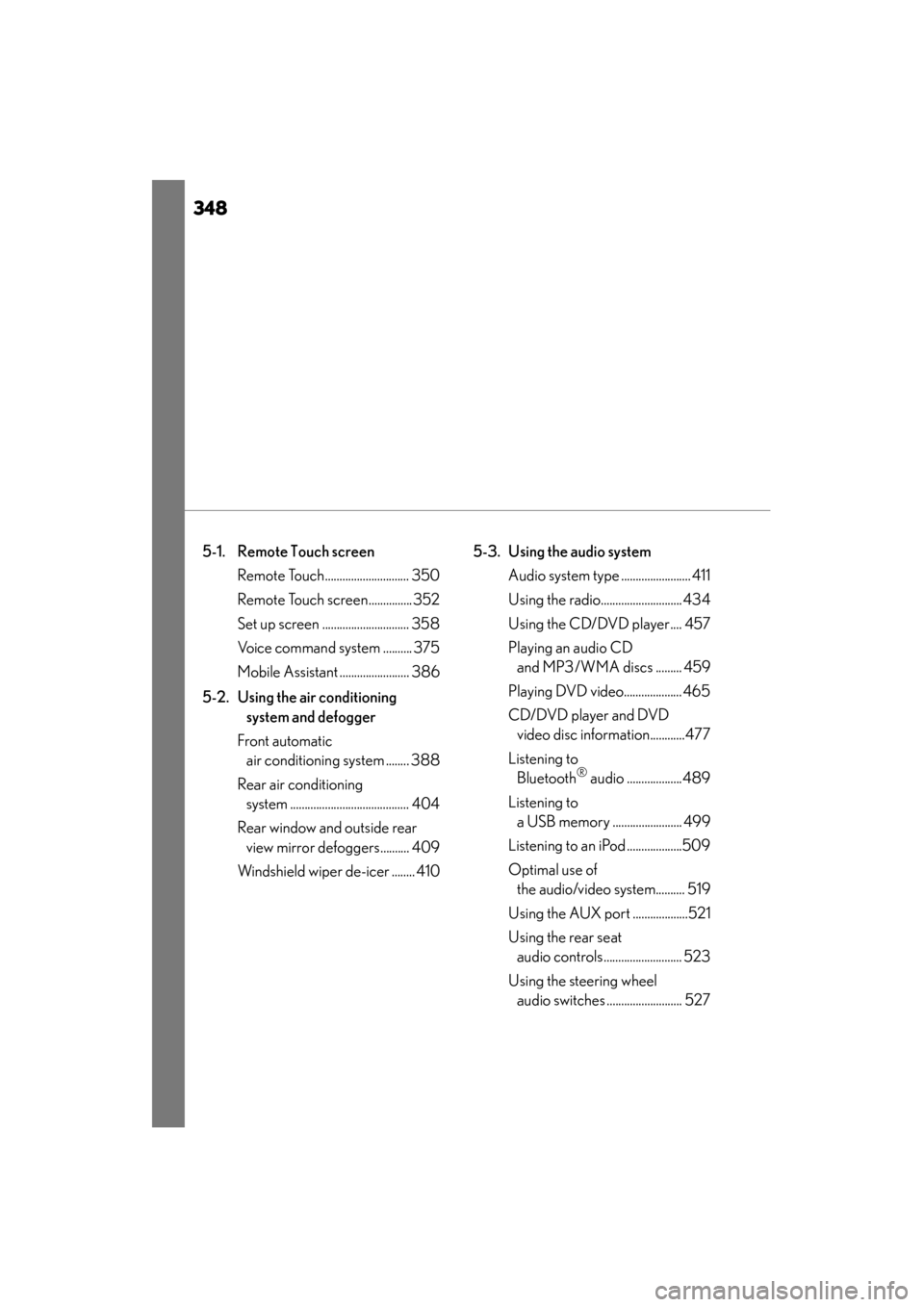
348
GS450h_OM_OM30D52U_(U)
5-1. Remote Touch screen Remote Touch............................. 350
Remote Touch screen............... 352
Set up screen .............................. 358
Voice command system .......... 375
Mobile Assistant ........................ 386
5-2. Using the air conditioning system and defogger
Front automatic air conditioning system ........ 388
Rear air conditioning system ......................................... 404
Rear window and outside rear view mirror defoggers.......... 409
Windshield wiper de-icer ........ 410 5-3. Using the audio system
Audio system type ........................ 411
Using the radio............................ 434
Using the CD/DVD player.... 457
Playing an audio CD and MP3/WMA discs ......... 459
Playing DVD video.................... 465
CD/DVD player and DVD video disc information............477
Listening to Bluetooth
® audio ...................489
Listening to a USB memory ........................ 499
Listening to an iPod ...................509
Optimal use of the audio/video system.......... 519
Using the AUX port ...................521
Using the rear seat audio controls........................... 523
Using the steering wheel audio switches .......................... 527
GS450h_OM_OM30D52U_(U).book Page 348 Monday, July 29, 2013 12:07 PM