alarm Lexus GS450h 2016 Owner's Manual / LEXUS 2016 GS450H OWNERS MANUAL (OM30E99U)
[x] Cancel search | Manufacturer: LEXUS, Model Year: 2016, Model line: GS450h, Model: Lexus GS450h 2016Pages: 544, PDF Size: 11.6 MB
Page 2 of 544
TABLE OF CONTENTS2
GS450h_OM_OM30E99U_(U)
For your information ................................... 8
Reading this manual................................... 12
How to search ..............................................13
Pictorial index ............................................... 14
1-1. For safe useBefore driving................................. 26
For safety drive............................... 28
Seat belts .......................................... 30
SRS airbags ..................................... 35
Front passenger occupant classification system.................. 46
Safety information for children ................................... 52
Child restraint systems ............... 53
Installing child restraints..............57
Exhaust gas precautions ............ 65
1-2. Hybrid system Hybrid system features............... 66
Hybrid system precautions....... 70
1-3. Theft deterrent system Immobilizer system ....................... 74
Alarm .................................................. 77 2. Instrument cluster
Warning lights and indicators .............................. 80
Gauges and meters ..................... 86
Multi-information display .......... 93
Head-up display ............................ 101
Energy monitor/ consumption screen ................ 107
3-1. Key information Keys .................................................... 116
3-2. Opening, closing and locking the doors and trunk
Doors ................................................120
Trunk.................................................. 126
Smart access system with push-button start .............133
3-3. Adjusting the seats Front seats........................................ 141
Driving position memory..........143
Head restraints ............................ 148
3-4. Adjusting the steering wheel and mirrors
Steering wheel ............................... 151
Inside rear view mirror .............. 152
Outside rear view mirrors........154
3-5. Opening, closing the windows and moon roof
Power windows............................ 158
Moon roof ........................................ 161
1For safety and security
2Instrument cluster
3Operation of
each component
Page 25 of 544
25
GS450h_OM_OM30E99U_(U)
For safety and security1
1-1. For safe use Before driving................................. 26
For safety drive............................... 28
Seat belts .......................................... 30
SRS airbags ..................................... 35
Front passenger occupant classification system.................. 46
Safety information for children.................................... 52
Child restraint systems ............... 53
Installing child restraints ............. 57
Exhaust gas precautions ............ 65
1-2. Hybrid system Hybrid system features............... 66
Hybrid system precautions ....... 70
1-3. Theft deterrent system Immobilizer system ....................... 74
Alarm ..................................................77
Page 77 of 544
771-3. Theft deterrent system
GS450h_OM_OM30E99U_(U)
1
For safety and security
Alarm
The alarm uses light and sound to give an alert when an intrusion is detected.
The alarm is triggered in the following situations when the alarm is set:
●A locked door or trunk is unlocked or opened in any way other than using the
entry function, wireless remote control or mechanical key. (The doors will lock
again automatically.)
●The hood is opened.
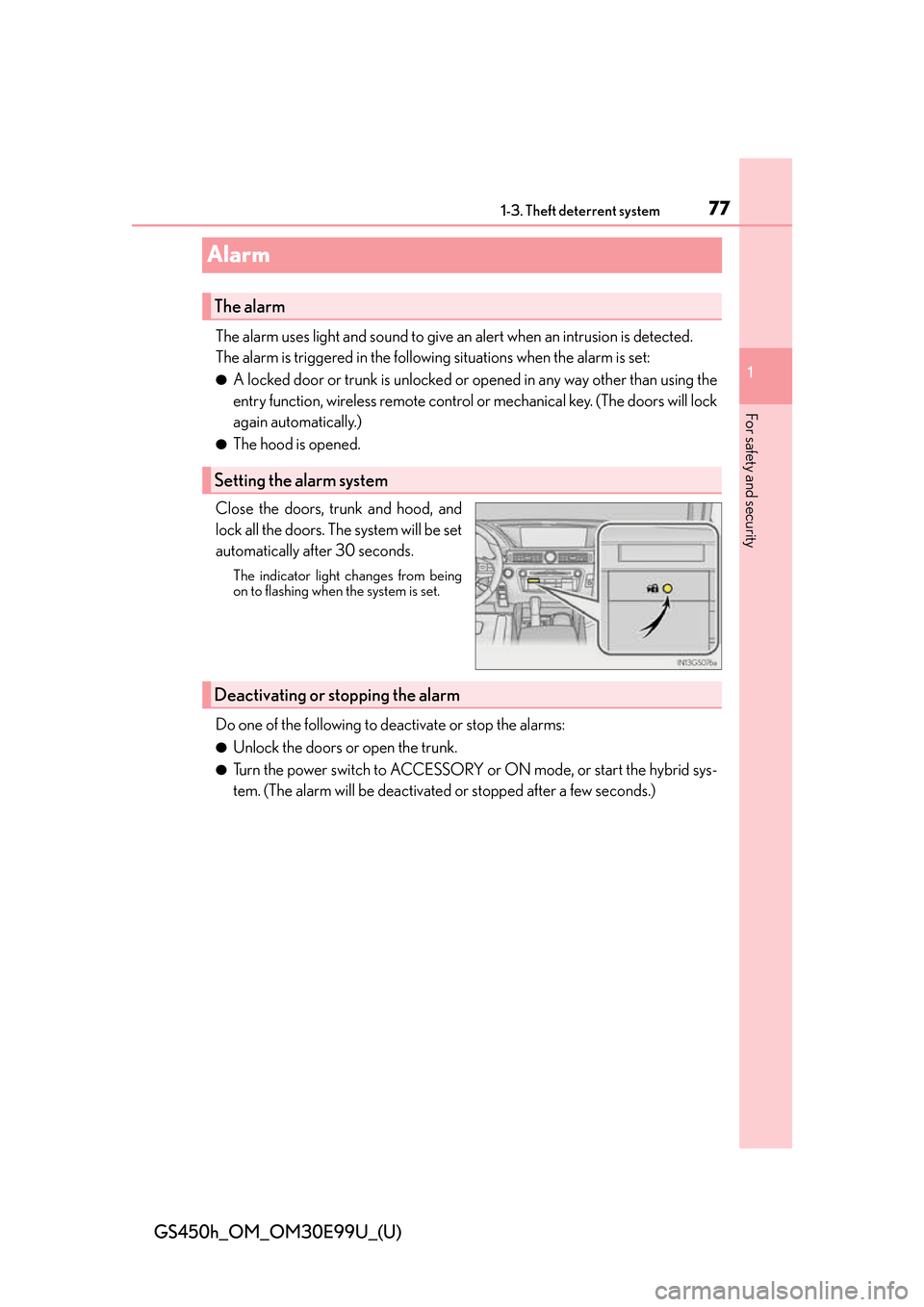
Close the doors, trunk and hood, and
lock all the doors. The system will be set
automatically after 30 seconds.
The indicator light changes from being
on to flashing when the system is set.
Do one of the following to de activate or stop the alarms:
●Unlock the doors or open the trunk.
●Turn the power switch to ACCESSORY or ON mode, or start the hybrid sys-
tem. (The alarm will be deactivated or stopped after a few seconds.)
The alarm
Setting the alarm system
Deactivating or stopping the alarm
Page 78 of 544
781-3. Theft deterrent system
GS450h_OM_OM30E99U_(U)
■System maintenance
The vehicle has a maintenance-free type alarm system.
■Items to check before locking the vehicle
To prevent unexpected triggering of the alarm and vehicle theft, make sure of the follow-
ing:
●Nobody is in the vehicle.
●The windows and moon roof are closed before the alarm is set.
●No valuables or other personal items are left in the vehicle.
■Triggering of the alarm
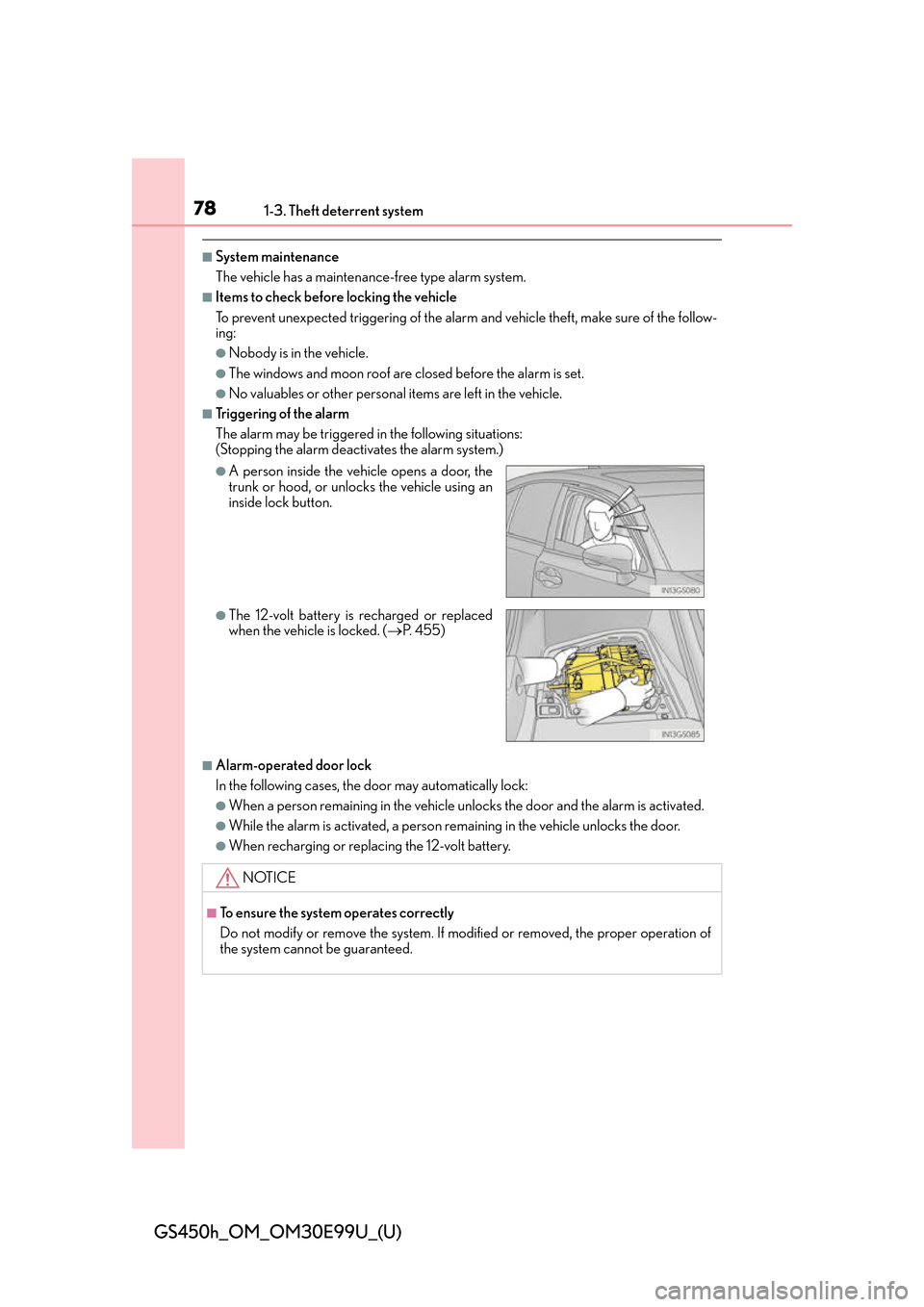
The alarm may be triggered in the following situations:
(Stopping the alarm deactivates the alarm system.)
■Alarm-operated door lock
In the following cases, the door may automatically lock:
●When a person remaining in the vehicle unlocks the door and the alarm is activated.
●While the alarm is activated, a person remaining in the vehicle unlocks the door.
●When recharging or replacing the 12-volt battery.
●A person inside the vehicle opens a door, the
trunk or hood, or unlocks the vehicle using an
inside lock button.
●The 12-volt battery is recharged or replaced
when the vehicle is locked. (P. 4 5 5 )
NOTICE
■To ensure the system operates correctly
Do not modify or remove the system. If modified or removed, the proper operation of
the system cannot be guaranteed.
Page 116 of 544
116
GS450h_OM_OM30E99U_(U)
3-1. Key information
Keys
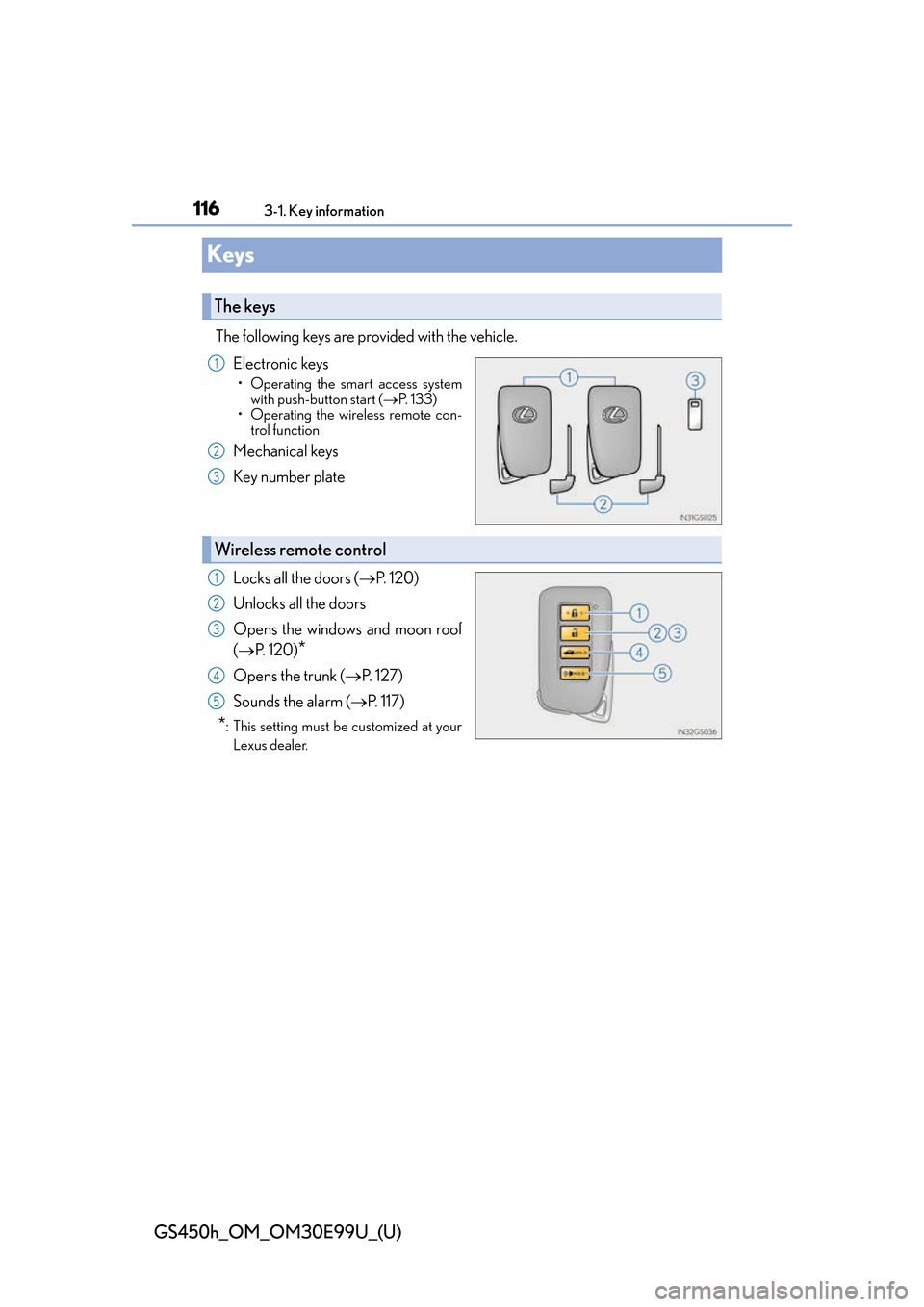
The following keys are provided with the vehicle.Electronic keys
• Operating the smart access systemwith push-button start ( P. 1 3 3 )
• Operating the wireless remote con-
trol function
Mechanical keys
Key number plate
Locks all the doors ( P. 1 2 0 )
Unlocks all the doors
Opens the windows and moon roof
( P. 1 2 0 )
*
Opens the trunk ( P. 1 2 7 )
Sounds the alarm ( P. 117)
*: This setting must be customized at your
Lexus dealer.
The keys
1
2
3
Wireless remote control
1
2
3
4
5
Page 117 of 544
GS450h_OM_OM30E99U_(U)
1173-1. Key information
3
Operation of each component
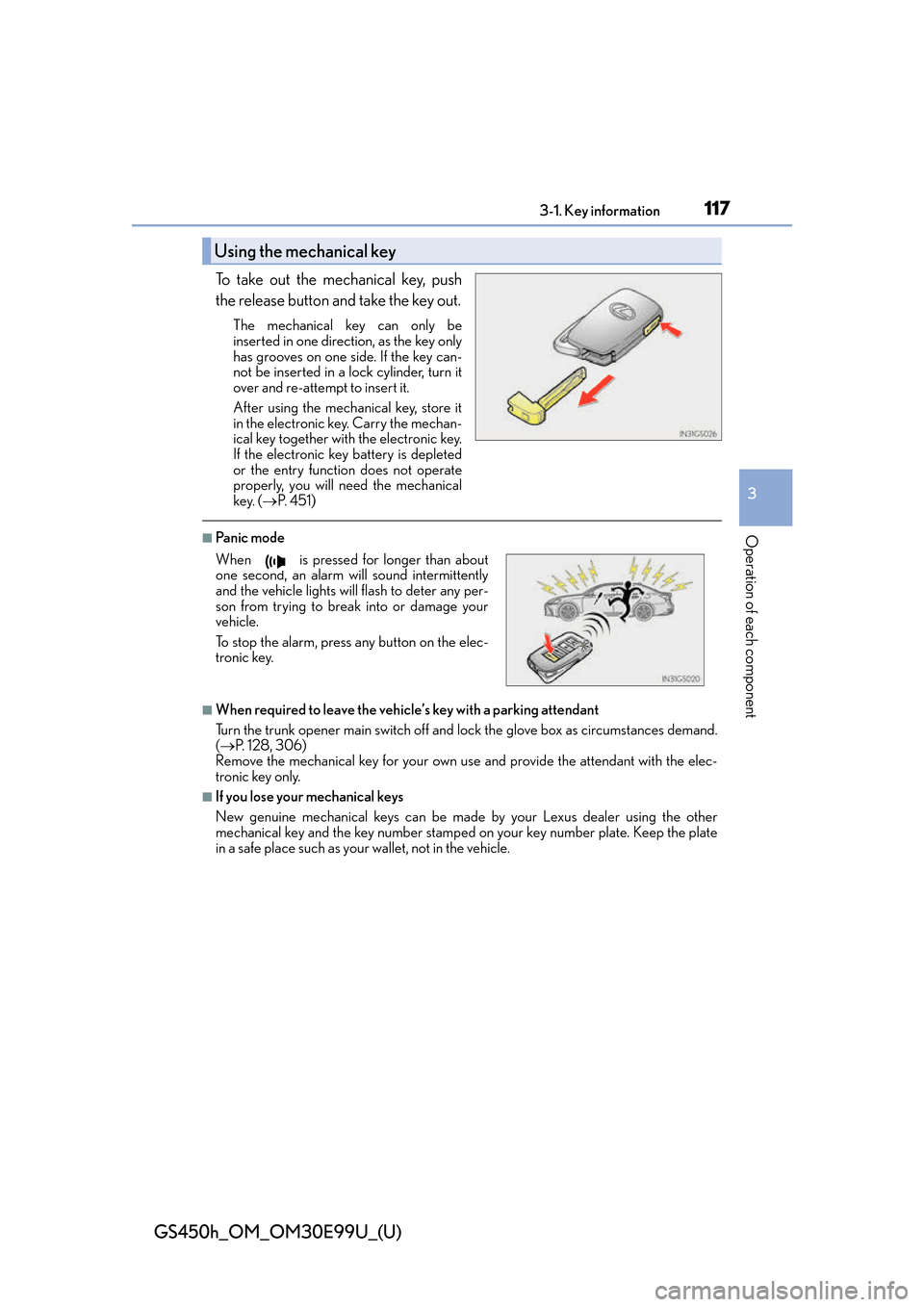
To take out the mechanical key, push
the release button and take the key out.
The mechanical key can only be
inserted in one direction, as the key only
has grooves on one side. If the key can-
not be inserted in a lock cylinder, turn it
over and re-attempt to insert it.
After using the mechanical key, store it
in the electronic key. Carry the mechan-
ical key together with the electronic key.
If the electronic key battery is depleted
or the entry function does not operate
properly, you will need the mechanical
key. (P. 4 5 1 )
■Panic mode
■When required to leave the vehicle’s key with a parking attendant
Turn the trunk opener main switch off and lock the glove box as circumstances demand.
( P. 1 2 8 , 3 0 6 )
Remove the mechanical key for your own use and provide the attendant with the elec-
tronic key only.
■If you lose your mechanical keys
New genuine mechanical keys can be made by your Lexus dealer using the other
mechanical key and the key number stamped on your key number plate. Keep the plate
in a safe place such as your wallet, not in the vehicle.
Using the mechanical key
When is pressed for longer than about
one second, an alarm will sound intermittently
and the vehicle lights will flash to deter any per-
son from trying to break into or damage your
vehicle.
To stop the alarm, press any button on the elec-
tronic key.
Page 118 of 544
118
GS450h_OM_OM30E99U_(U)
3-1. Key information
■When riding in an aircraft
When bringing an electronic key onto an aircraft, make sure you do not press any but-
tons on the electronic key while inside the aircraft cabin. If you are carrying an electronic
key in your bag etc., ensure that the buttons are not likely to be pressed accidentally.
Pressing a button may cause the electronic key to emit radio waves that could interfere
with the operation of the aircraft.
■Electronic key battery depletion
●The standard battery life is 1 to 2 years.
●If the battery becomes low, an alarm will sound in the cabin when the hybrid system
stops. ( P. 4 3 5 )
●As the electronic key always receives ra dio waves, the battery will become depleted
even if the electronic key is not used. The following symptoms indicate that the elec-
tronic key battery may be depleted. Replace the battery when necessary. ( P. 377)
• The smart access system with push-button start or the wireless remote control does
not operate.
• The detection area becomes smaller.
• The LED indicator on the key surface does not turn on.
●To avoid serious deterioration, do not leave the electronic key within 3 ft. (1 m) of the
following electrical appliances that produce a magnetic field:
•TVs
• Personal computers
• Cellular phones, cordless phones and battery chargers
• Recharging cellular phones or cordless phones
• Table lamps
• Induction cookers
■Replacing the battery
P. 3 7 7
■Confirmation of the registered key number
The number of keys already registered to the vehicle can be confirmed. Ask your Lexus
dealer for details.
■If a wrong key is used
The key cylinder rotates freely to isolate inside mechanism.
Page 121 of 544
GS450h_OM_OM30E99U_(U)
1213-2. Opening, closing and locking the doors and trunk
3
Operation of each component
■Operation signals
A buzzer sounds and the emergency flashers flash to indicate that the doors have been
locked/unlocked. (Locked: once; Unlocked: twice)
■Security feature
If a door is not opened within approximately 60 seconds after the vehicle is unlocked, the
security feature automatically locks the vehicle again.
■Welcome light illumination control
The side marker, parking, tail and license plat e lights automatically turn on at night when
the doors are unlocked using the entry functi on or wireless remote control if the light
switch is in the “AUTO” position.
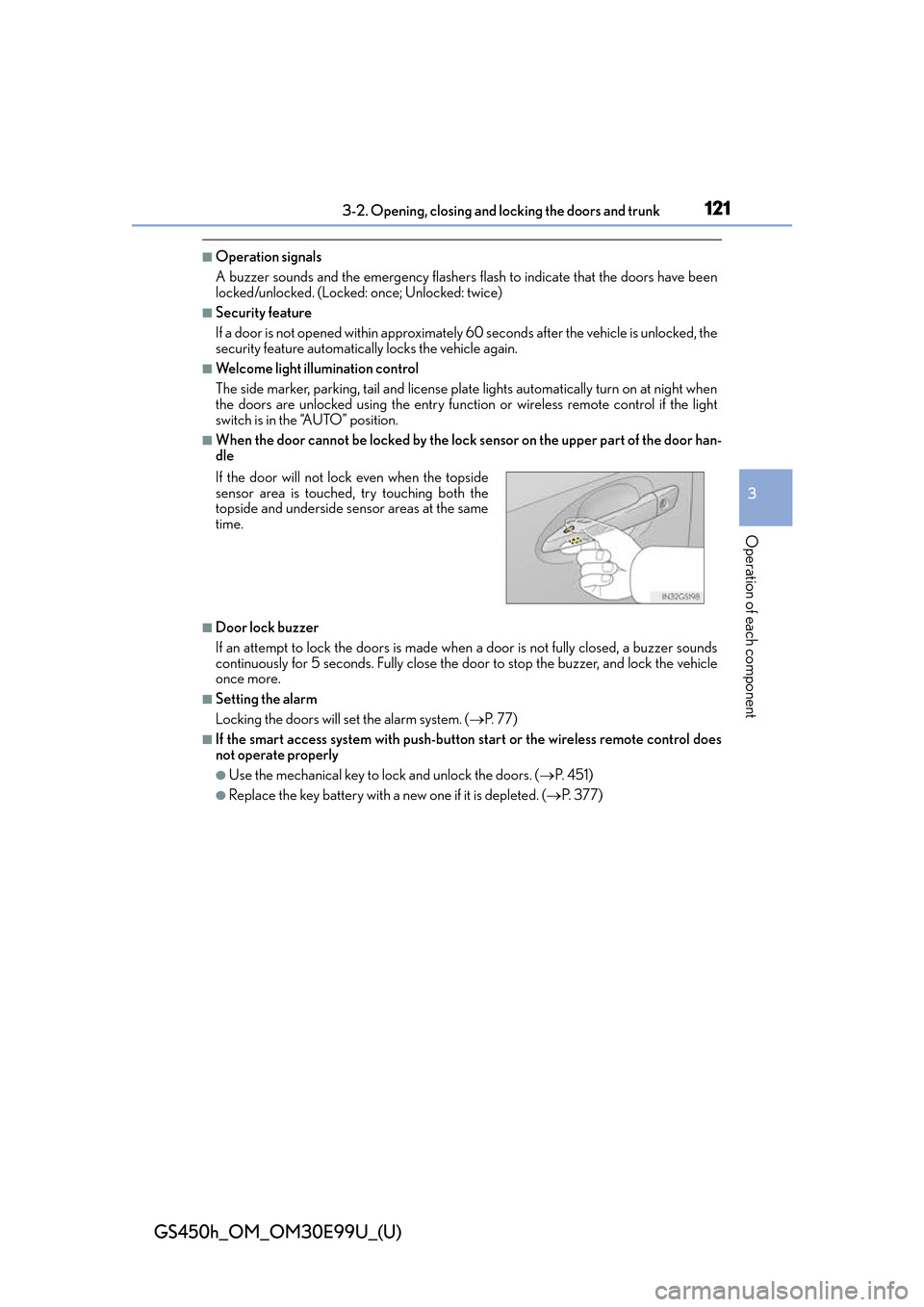
■When the door cannot be locked by the lock sensor on the upper part of the door han-
dle
■Door lock buzzer
If an attempt to lock the doors is made when a door is not fully closed, a buzzer sounds
continuously for 5 seconds. Fully close the door to stop the buzzer, and lock the vehicle
once more.
■Setting the alarm
Locking the doors will set the alarm system. ( P. 77)
■If the smart access system with push-butto n start or the wireless remote control does
not operate properly
●Use the mechanical key to lock and unlock the doors. ( P. 4 5 1 )
●Replace the key battery with a new one if it is depleted. ( P. 377)
If the door will not lock even when the topside
sensor area is touched, try touching both the
topside and underside sensor areas at the same
time.
Page 124 of 544
124
GS450h_OM_OM30E99U_(U)
3-2. Opening, closing and locking the doors and trunk
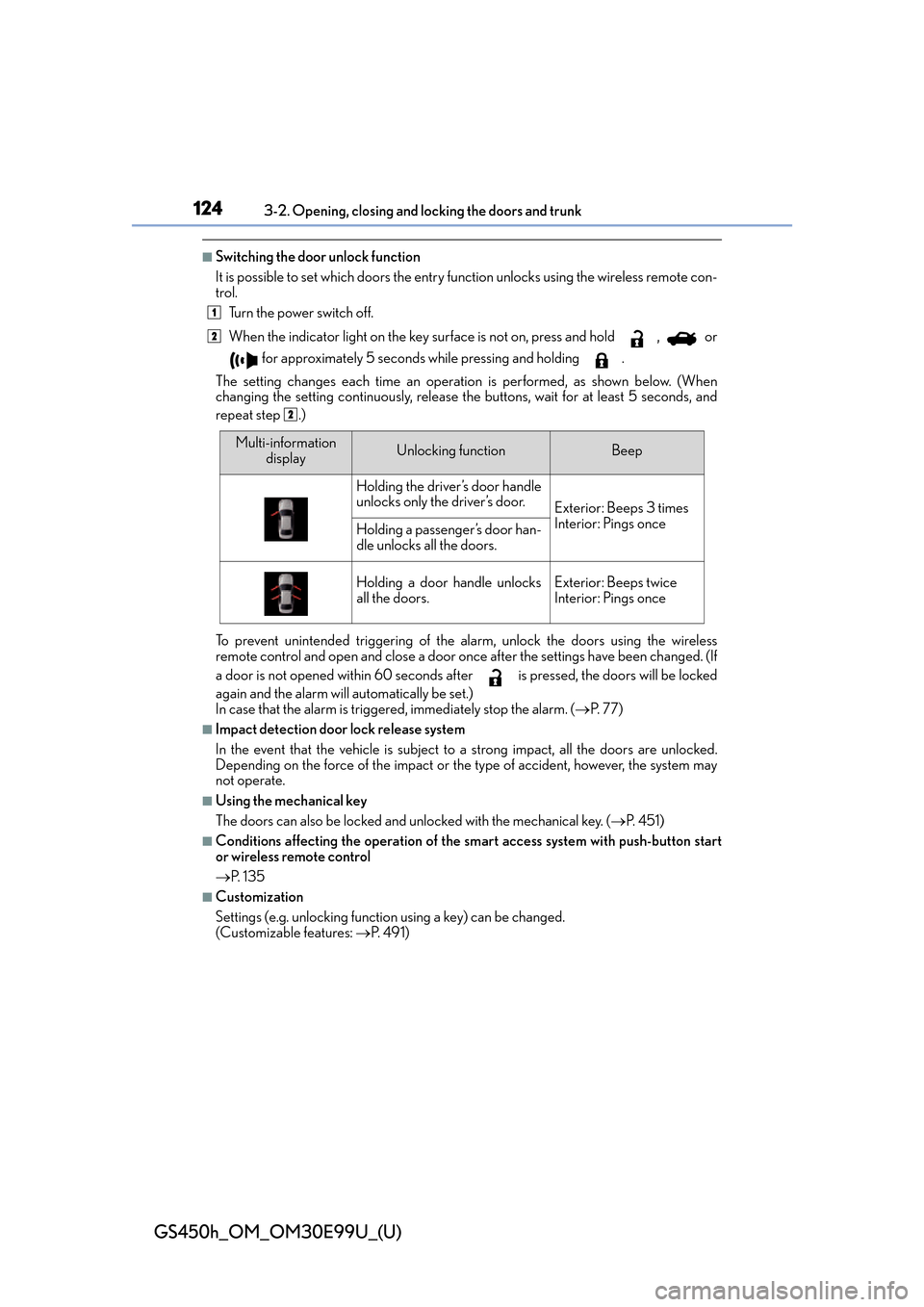
■Switching the door unlock function
It is possible to set which doors the entry fu nction unlocks using the wireless remote con-
trol.
Turn the power switch off.
When the indicator light on the key su rface is not on, press and hold , or
for approximately 5 seconds while pressing and holding .
The setting changes each time an operatio n is performed, as shown below. (When
changing the setting continuously, release the buttons, wait for at least 5 seconds, and
repeat step .)
To prevent unintended triggering of the alarm, unlock the doors using the wireless
remote control and open and close a door once after the settings have been changed. (If
a door is not opened within 60 seconds af ter is pressed, the doors will be locked
again and the alarm will automatically be set.)
In case that the alarm is triggered, immediately stop the alarm. ( P. 77)
■Impact detection door lock release system
In the event that the vehicle is subject to a strong impact, all the doors are unlocked.
Depending on the force of the impact or the type of accident, however, the system may
not operate.
■Using the mechanical key
The doors can also be locked and unlocked with the mechanical key. ( P. 4 5 1 )
■Conditions affecting the operation of the sm art access system with push-button start
or wireless remote control
P. 1 3 5
■Customization
Settings (e.g. unlocking function using a key) can be changed.
(Customizable features: P. 4 9 1 )
1
2
2
Multi-information
displayUnlocking functionBeep
Holding the driver’s door handle
unlocks only the driver’s door.
Exterior: Beeps 3 times
Interior: Pings once
Holding a passenger’s door han-
dle unlocks all the doors.
Holding a door handle unlocks
all the doors.Exterior: Beeps twice
Interior: Pings once
Page 128 of 544
128
GS450h_OM_OM30E99U_(U)
3-2. Opening, closing and locking the doors and trunk
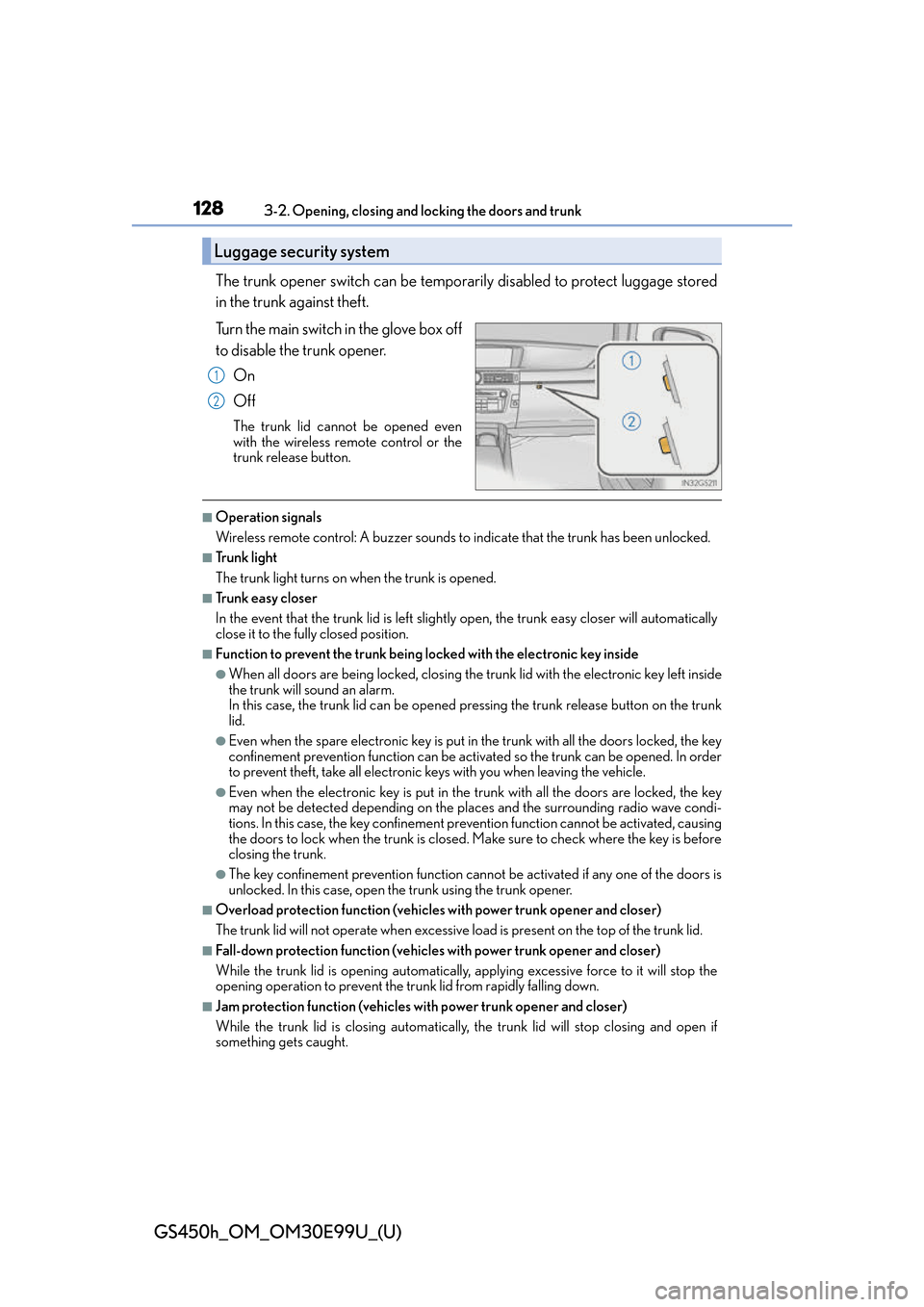
The trunk opener switch can be temporar ily disabled to protect luggage stored
in the trunk against theft.
Turn the main switch in the glove box off
to disable the trunk opener.
On
Off
The trunk lid cannot be opened even
with the wireless remote control or the
trunk release button.
■Operation signals
Wireless remote control: A buzzer sounds to indicate that the trunk has been unlocked.
■Tr u n k l i g h t
The trunk light turns on when the trunk is opened.
■Tr u n k e a s y c l o s e r
In the event that the trunk lid is left slightly open, the trunk easy closer will automatically
close it to the fully closed position.
■Function to prevent the trunk being lo cked with the electronic key inside
●When all doors are being locked, closing the tr unk lid with the electronic key left inside
the trunk will sound an alarm.
In this case, the trunk lid can be opened pressing the trunk release button on the trunk
lid.
●Even when the spare electronic key is put in the trunk with all the doors locked, the key
confinement prevention function can be activ ated so the trunk can be opened. In order
to prevent theft, take all electronic keys with you when leaving the vehicle.
●Even when the electronic key is put in the trunk with all the doors are locked, the key
may not be detected depending on the plac es and the surrounding radio wave condi-
tions. In this case, the key confinement prevention function cannot be activated, causing
the doors to lock when the trunk is closed. Make sure to check where the key is before
closing the trunk.
●The key confinement prevention function canno t be activated if any one of the doors is
unlocked. In this case, open the trunk using the trunk opener.
■Overload protection function (vehicles with power trunk opener and closer)
The trunk lid will not operate wh en excessive load is present on the top of the trunk lid.
■Fall-down protection function (vehicles with power trunk opener and closer)
While the trunk lid is opening automatically, ap plying excessive force to it will stop the
opening operation to prevent the tr unk lid from rapidly falling down.
■Jam protection function (vehicles with power trunk opener and closer)
While the trunk lid is closing automatically, the trunk lid will stop closing and open if
something gets caught.
Luggage security system
1
2