clock Lexus GS450h 2016 Owner's Manual / LEXUS 2016 GS450H OWNERS MANUAL (OM30E99U)
[x] Cancel search | Manufacturer: LEXUS, Model Year: 2016, Model line: GS450h, Model: Lexus GS450h 2016Pages: 544, PDF Size: 11.6 MB
Page 4 of 544
TABLE OF CONTENTS4
GS450h_OM_OM30E99U_(U)
5-1. Remote Touch screenRemote Touch/12.3-inch display.......................................... 280
5-2. Using the air conditioning system and defogger
Front automatic air conditioning system......... 285
Rear air conditioning system .......................................... 296
Heated steering wheel/ seat heaters/seat
ventilators................................... 299
5-3. Using the interior lights Interior lights list ......................... 302• Interior lights .......................... 303
• Personal lights ....................... 303
5-4. Using the storage features List of storage features ............305• Glove box ............................... 306
• Console box .......................... 306
• Cup holders ........................... 307
• Auxiliary boxes ..................... 309
Trunk features ............................... 310 5-5. Using the other interior features
Other interior features ..............312• Sun visors ..................................312
• Vanity mirrors ..........................312
• Clock ..........................................313
• Power outlets ...........................313
• Armrest......................................315
•Rear sunshade/ rear door sunshades.............316
• Coat hooks.............................. 318
• Assist grips .............................. 318
• Garage door opener ...........319
LEXUS Enform Safety Connect...................................... 326
6-1. Maintenance and care Cleaning and protecting the vehicle exterior ................ 332
Cleaning and protecting the vehicle interior.................. 336
6-2. Maintenance Maintenance requirements ... 339
General maintenance................341
Emission inspection and maintenance (I/M)
programs .................................... 344
5Interior features
6Maintenance and care
Page 87 of 544
GS450h_OM_OM30E99U_(U)
872. Instrument cluster
2
Instrument cluster
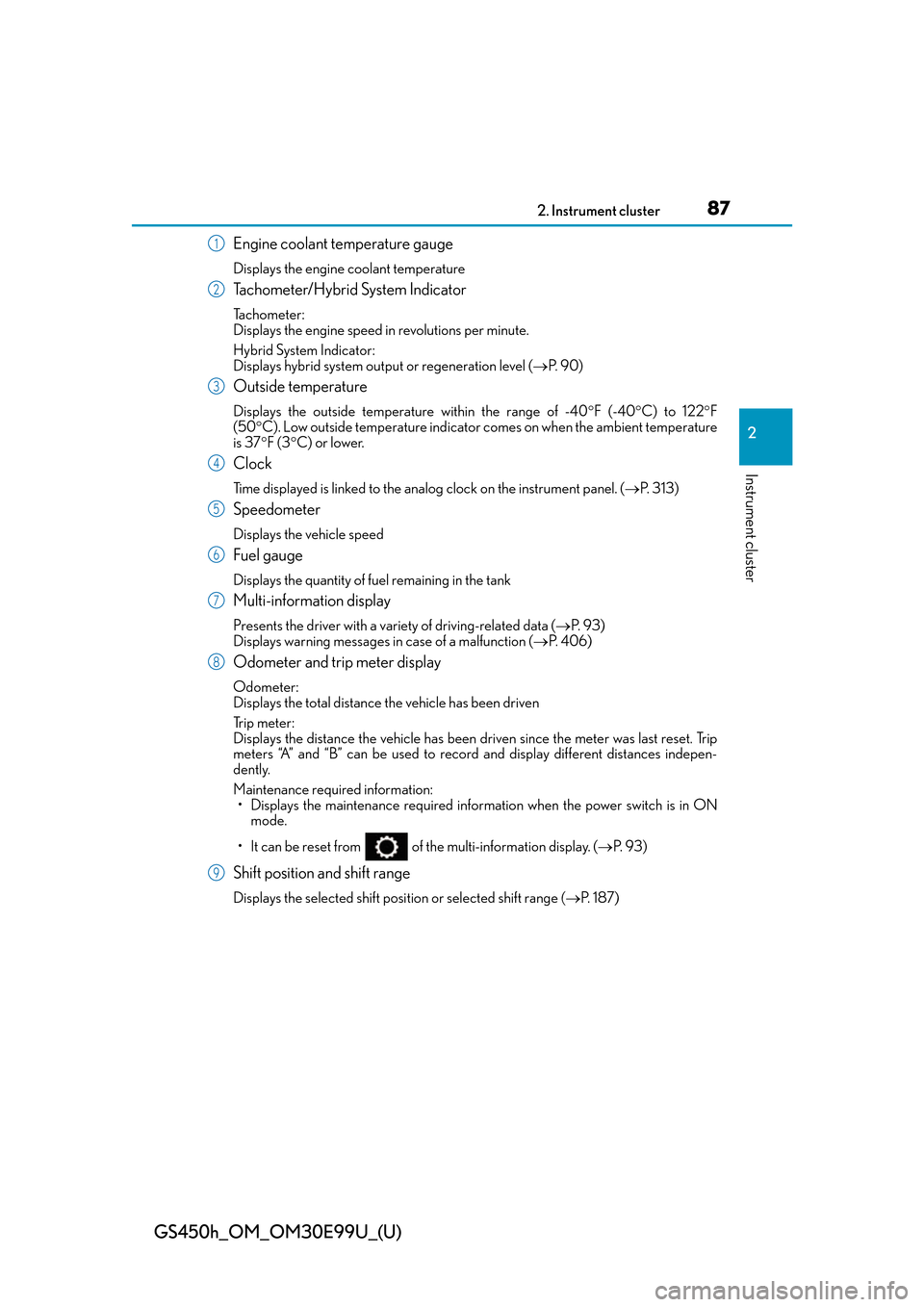
Engine coolant temperature gauge
Displays the engine coolant temperature
Tachometer/Hybrid System Indicator
Tachometer:
Displays the engine speed in revolutions per minute.
Hybrid System Indicator:
Displays hybrid system output or regeneration level (P. 9 0 )
Outside temperature
Displays the outside temperature within the range of -40 F (-40 C) to 122 F
(50 C). Low outside temperature indicator comes on when the ambient temperature
is 37 F (3 C) or lower.
Clock
Time displayed is linked to the analog clock on the instrument panel. (P. 313)
Speedometer
Displays the vehicle speed
Fuel gauge
Displays the quantity of fuel remaining in the tank
Multi-information display
Presents the driver with a variety of driving-related data ( P. 9 3 )
Displays warning messages in case of a malfunction ( P. 4 0 6 )
Odometer and trip meter display
Odometer:
Displays the total distance the vehicle has been driven
Tr i p m e t e r :
Displays the distance the vehicle has been driven since the meter was last reset. Trip
meters “A” and “B” can be used to record and display different distances indepen-
dently.
Maintenance required information: • Displays the maintenance required inform ation when the power switch is in ON
mode.
• It can be reset from of the multi-information display. ( P. 9 3 )
Shift position and shift range
Displays the selected shift position or selected shift range (P. 1 8 7 )
1
2
3
4
5
6
7
8
9
Page 91 of 544
GS450h_OM_OM30E99U_(U)
912. Instrument cluster
2
Instrument cluster
■Tachometer
Hybrid System Indicator switches to the tachometer when driving mode is in sport mode.
The settings of the tachometer display can be changed on the multi-information display.
( P. 9 3 )
■Engine speed
On hybrid vehicles, engine speed is precisely controlled in order to help improve fuel
efficiency and reduce exhaust emissions etc.
There are times when the engine speed that is displayed may differ even when vehicle
operation and driving conditions are the same.
■Outside temperature display
●In the following situations, the correct outside temperature may not be displayed, or the
display may take longer than normal to change.
• When stopped, or driving at low speeds (less than 12 mph [20 km/h])
• When the outside temperature has changed suddenly (at the entrance/exit of a
garage, tunnel, etc.)
• When the vehicle is parked in direct sunlight
●When “--” or “E” is displayed, the system may be malfunctioning.
Take your vehicle to your Lexus dealer.
■Pop-up display
In some situations, a pop-up display will be temporarily displayed on the multi-informa-
tion display or the odometer/trip meter/ maintenance required information screen.
The pop-up display function can be set on/off. ( P. 4 9 2 )
■Liquid crystal display
Small spots or light spots may appear on the display. This phenomenon is characteristic
of liquid crystal displays, and there is no problem continuing to use the display.
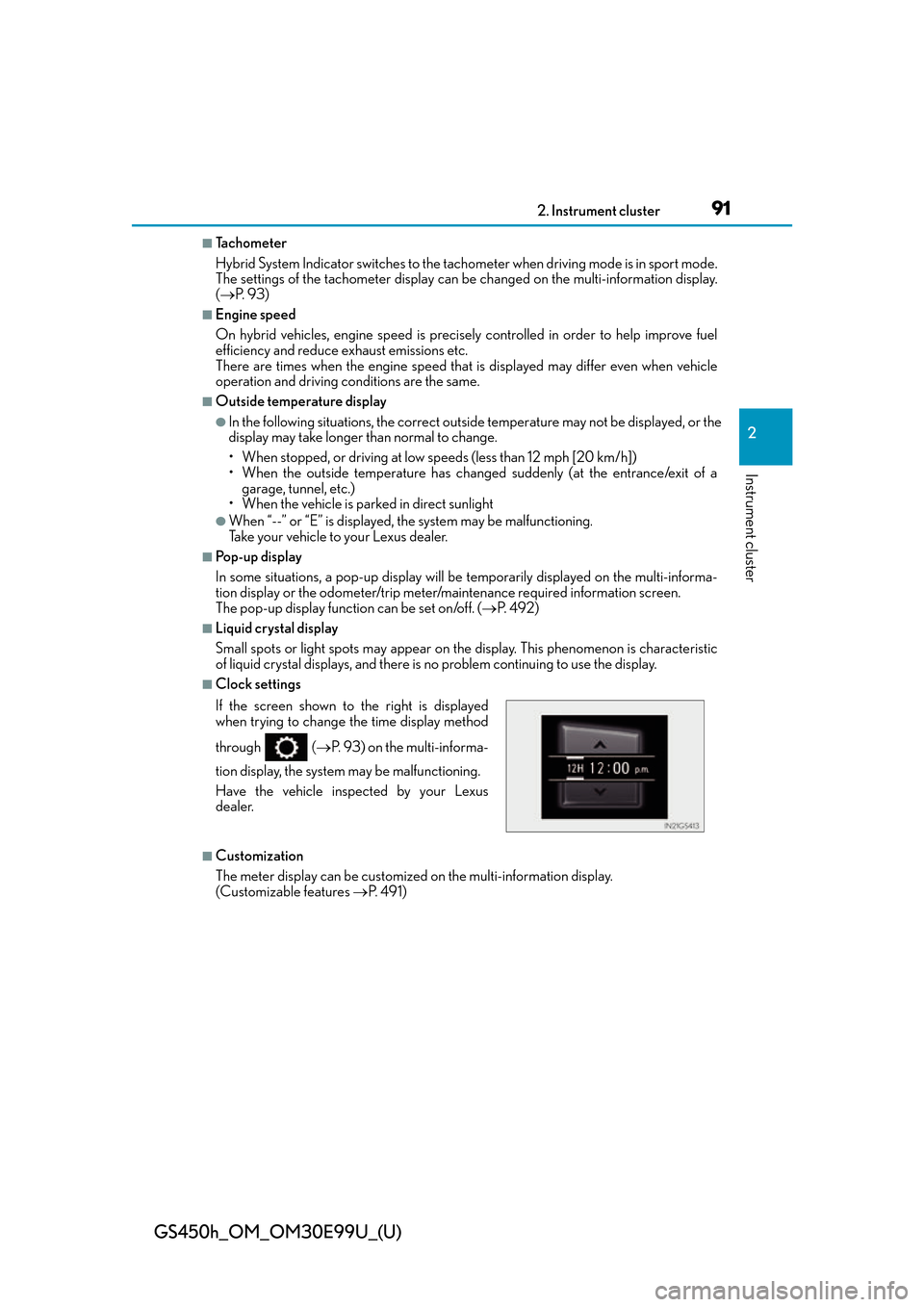
■Clock settings
■Customization
The meter display can be customized on the multi-information display.
(Customizable features P. 4 9 1 )
If the screen shown to the right is displayed
when trying to change the time display method
through (
P. 93) on the multi-informa-
tion display, the system may be malfunctioning.
Have the vehicle inspected by your Lexus
dealer.
Page 97 of 544
GS450h_OM_OM30E99U_(U)
972. Instrument cluster
2
Instrument cluster
■Display off
A blank screen is displayed
*1: Displayed when the item is set in “Drive Info 1”, “Drive Info 2” or “Drive Info 3”.
( P. 4 9 2 )
*2: The function can be reset by pressing th e of the meter control switches for longer
than 1 second when the item to reset is displayed.
If there is more than one item that can be reset, the item selection screen will appear.
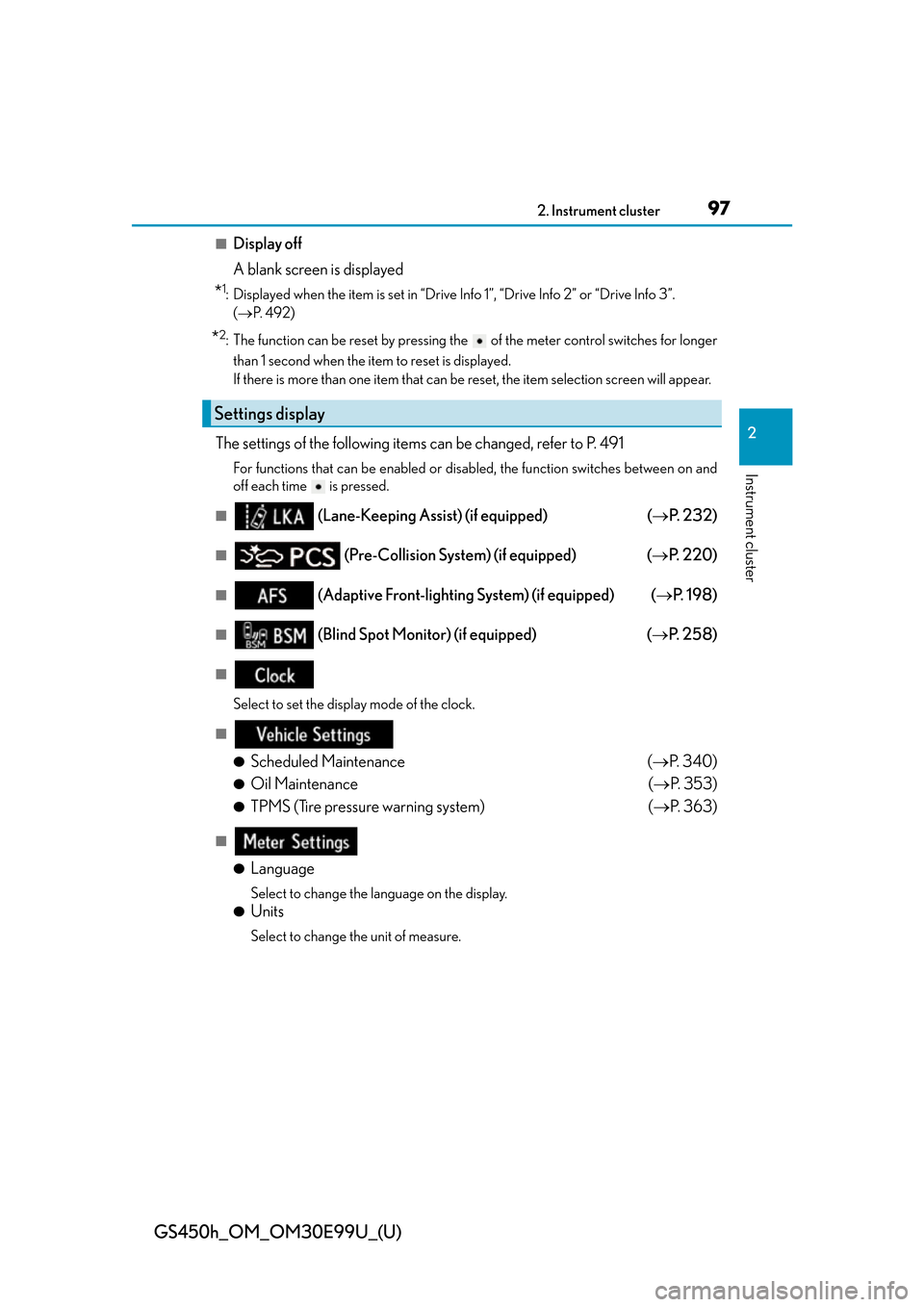
The settings of the following items can be changed, refer to P. 491
For functions that can be enabled or disabled, the function switches between on and
off each time is pressed.
■ (Lane-Keeping Assist) (if equipped) ( P. 232)
■ (Pre-Collision System) (if equipped) ( P. 220)
■ (Adaptive Front-lighting System) (if equipped) ( P. 1 9 8 )
■ (Blind Spot Monitor) (if equipped) ( P. 2 5 8 )
■
Select to set the display mode of the clock.
■
●
Scheduled Maintenance ( P. 3 4 0 )
●Oil Maintenance ( P. 3 5 3 )
●TPMS (Tire pressure warning system) ( P. 363)
■
●
Language
Select to change the la nguage on the display.
●Units
Select to change the unit of measure.
Settings display
Page 279 of 544
279
GS450h_OM_OM30E99U_(U)
5Interior features
5-1. Remote Touch screen Remote Touch/12.3-inch display ......................................... 280
5-2. Using the air conditioning system and defogger
Front automatic air conditio ning system ........ 285
Rear air conditioning system .......................................... 296
Heated steering wheel/ seat heaters/seat
ventilators ...................................299 5-3. Using the interior lights
Interior lights list .........................302• Interior lights ..........................303
• Personal lights .......................303
5-4. Using the storage features List of storage features ............305• Glove box ...............................306
• Console box...........................306
• Cup holders ........................... 307
• Auxiliary boxes .....................309
Trunk features ............................... 310
5-5. Using the other interior features Other interior features ............. 312• Sun visors ................................. 312
• Vanity mirrors ......................... 312
• Clock ......................................... 313
• Power outlets .......................... 313
• Armrest ..................................... 315
•Rear sunshade/ rear door sunshades ............ 316
• Coat hooks .............................. 318
• Assist grips............................... 318
• Garage door opener .......... 319
LEXUS Enform Safety Connect ...................................... 326
Page 313 of 544
GS450h_OM_OM30E99U_(U)
3135-5. Using the other interior features
5
Interior features
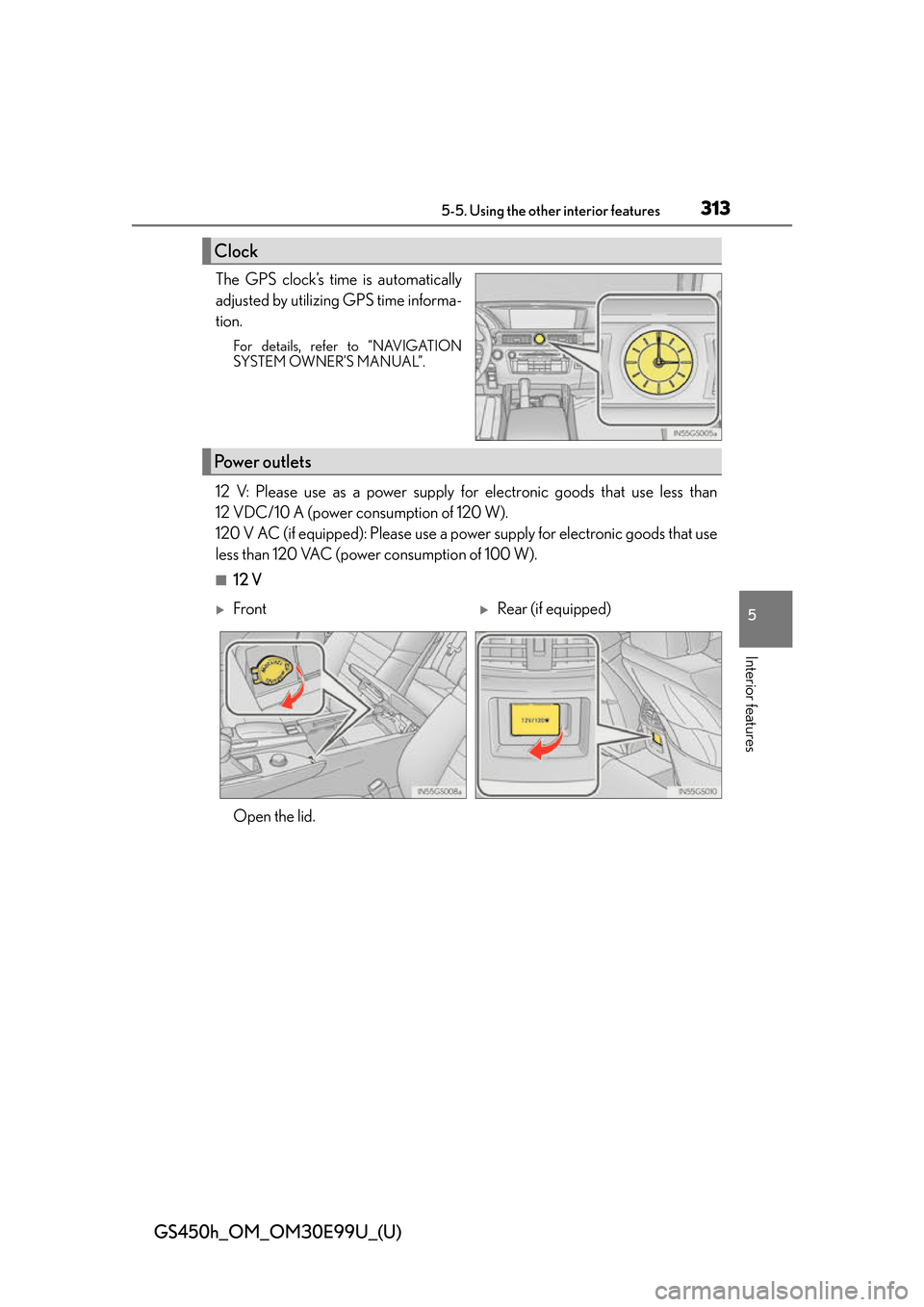
The GPS clock’s time is automatically
adjusted by utilizing GPS time informa-
tion.
For details, refer to “NAVIGATION
SYSTEM OWNER’S MANUAL”.
12 V: Please use as a power supply for electronic goods that use less than
12 VDC/10 A (power consumption of 120 W).
120 V AC (if equipped): Please use a power supply for electronic goods that use
less than 120 VAC (power consumption of 100 W).
■12 V
Clock
Power outlets
FrontRear (if equipped)
Open the lid.
Page 352 of 544
352
GS450h_OM_OM30E99U_(U)
6-3. Do-it-yourself maintenance
■Adding engine oil
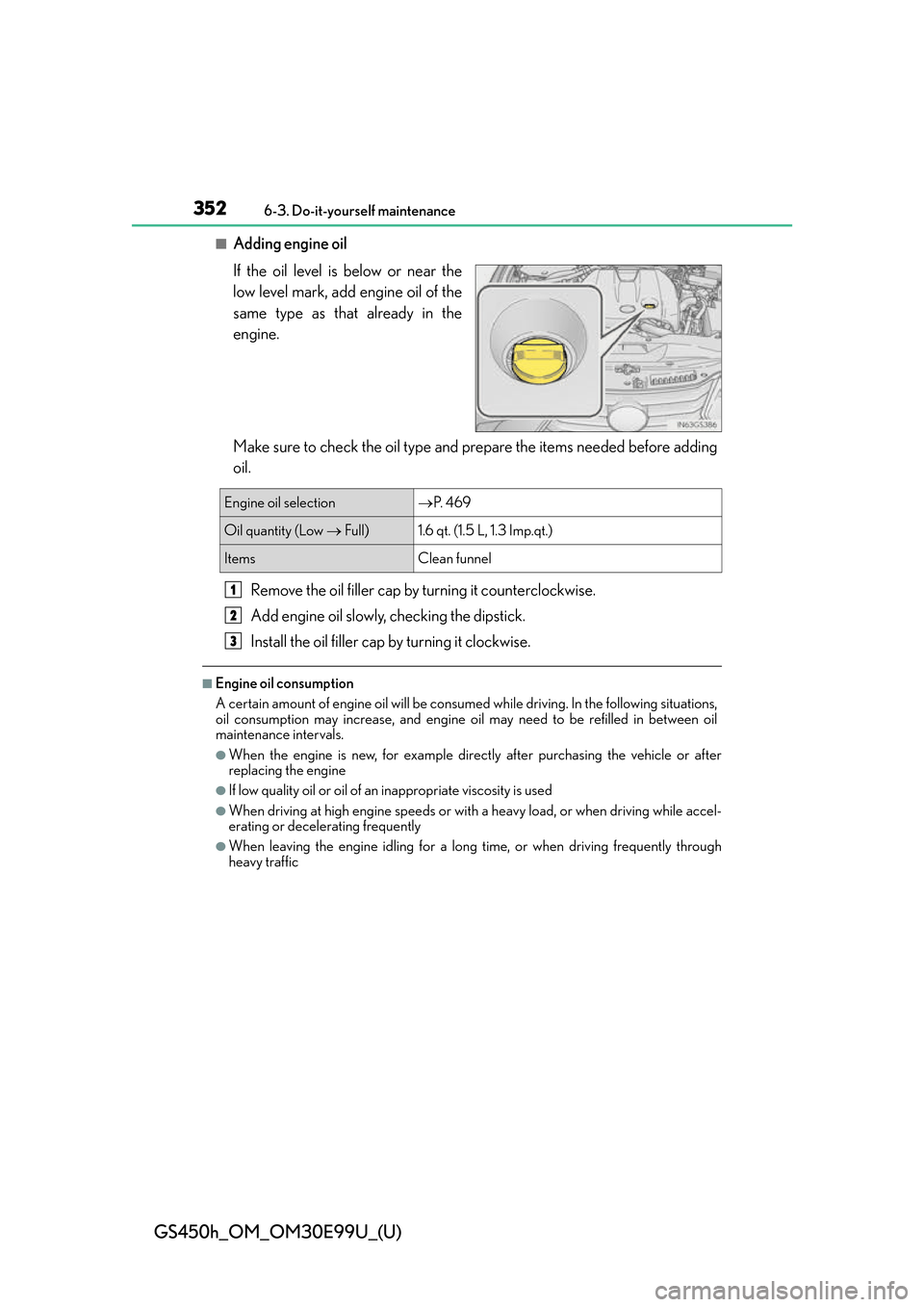
If the oil level is below or near the
low level mark, add engine oil of the
same type as that already in the
engine.
Make sure to check the oil type and prepare the items needed before adding
oil.Remove the oil filler cap by turning it counterclockwise.
Add engine oil slowly, checking the dipstick.
Install the oil filler cap by turning it clockwise.
■Engine oil consumption
A certain amount of engine oil will be consum ed while driving. In the following situations,
oil consumption may increase, and engine o il may need to be refilled in between oil
maintenance intervals.
●When the engine is new, for example directly after purchasing the vehicle or after
replacing the engine
●If low quality oil or oil of an inappropriate viscosity is used
●When driving at high engine speeds or with a heavy load, or when driving while accel-
erating or decelerating frequently
●When leaving the engi ne idling for a long time, or when driving frequently through
heavy traffic
Engine oil selection P. 4 6 9
Oil quantity (Low Full) 1.6 qt. (1.5 L, 1.3 Imp.qt.)
Items Clean funnel
1
2
3
Page 387 of 544
GS450h_OM_OM30E99U_(U)
3876-3. Do-it-yourself maintenance
6
Maintenance and care
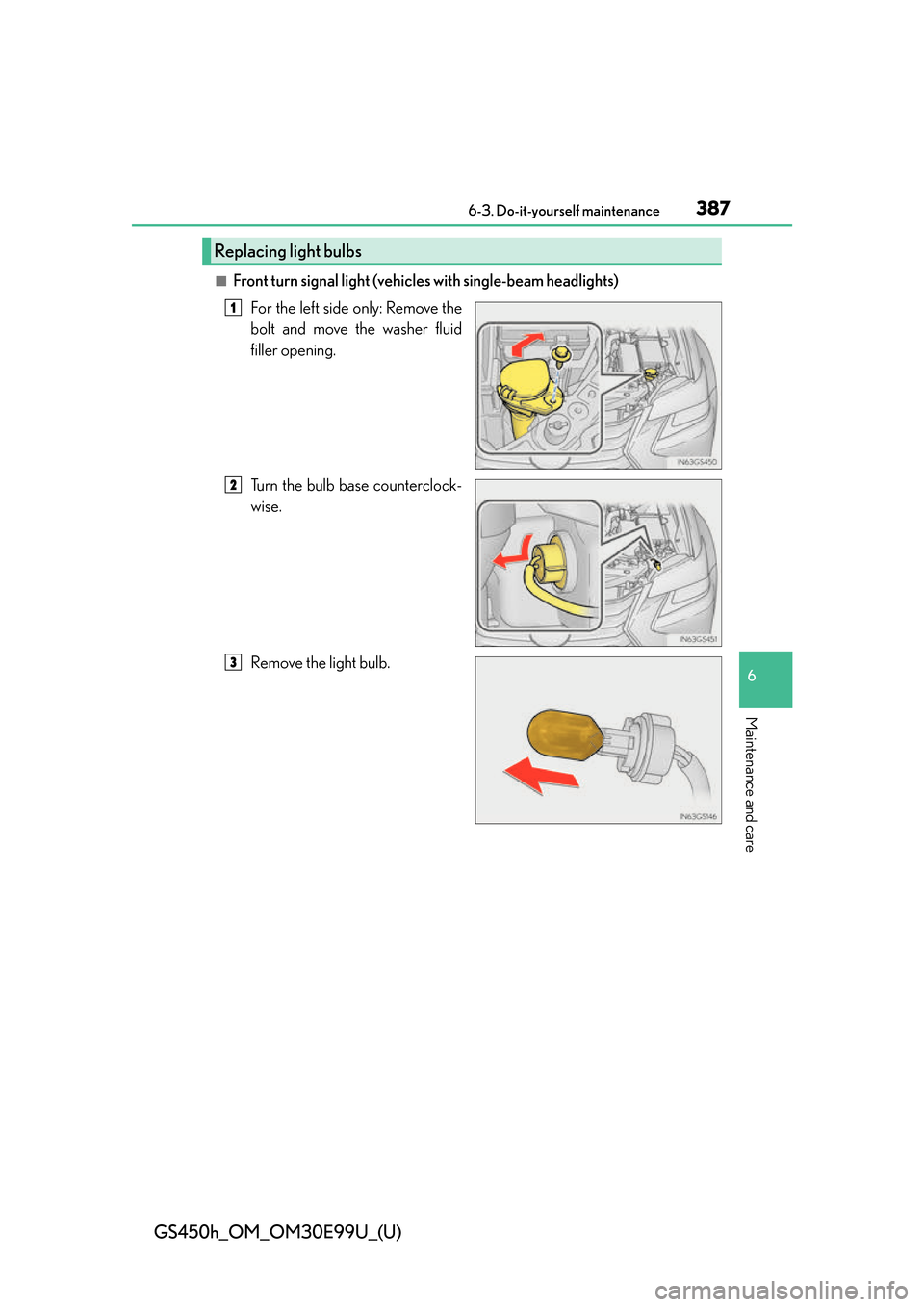
■Front turn signal light (vehicles with single-beam headlights)For the left side only: Remove the
bolt and move the washer fluid
filler opening.
Turn the bulb base counterclock-
wise.
Remove the light bulb.
Replacing light bulbs
1
2
3
Page 450 of 544
4507-2. Steps to take in an emergency
GS450h_OM_OM30E99U_(U)
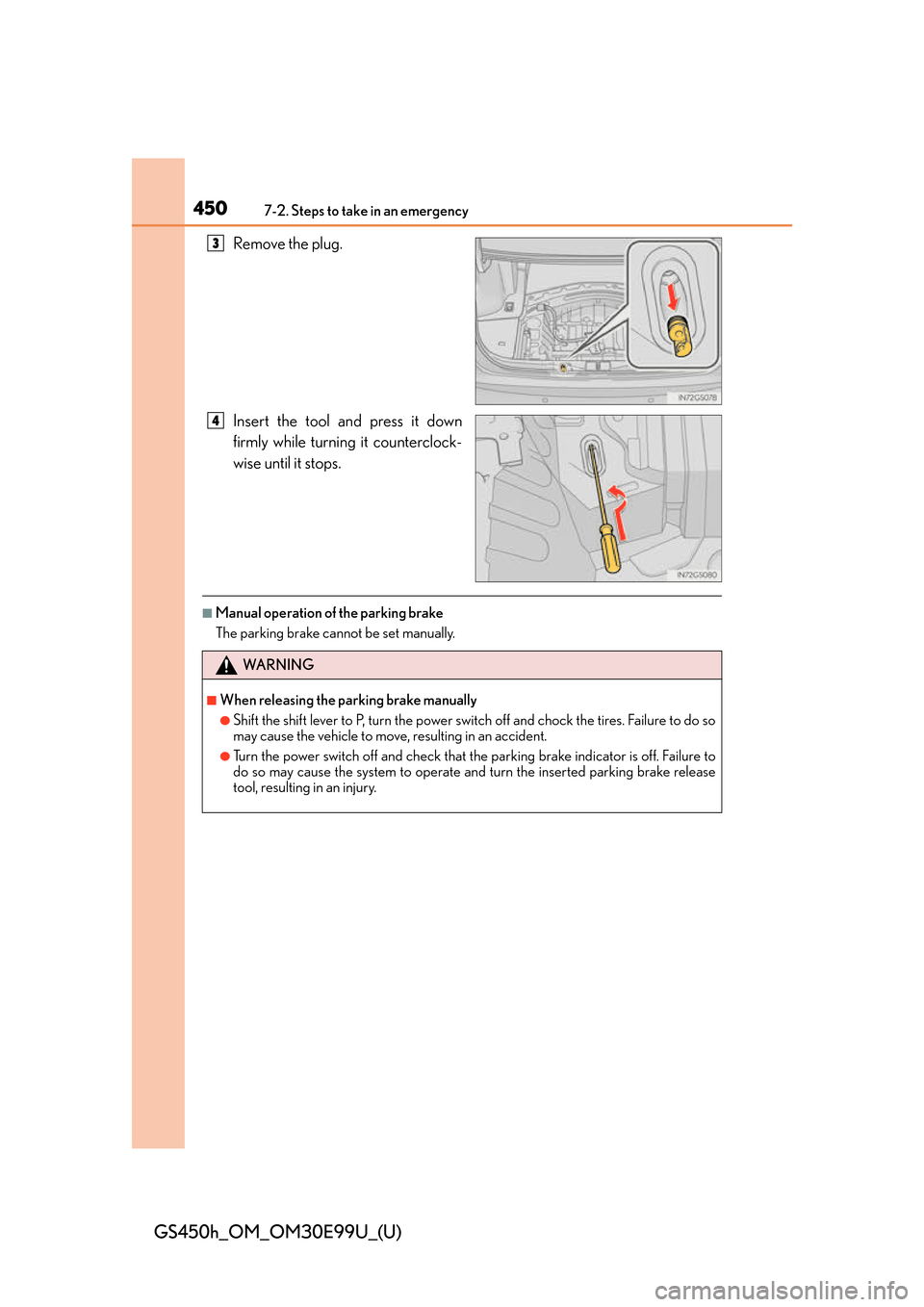
Remove the plug.
Insert the tool and press it down
firmly while turning it counterclock-
wise until it stops.
■Manual operation of the parking brake
The parking brake cannot be set manually.
3
4
WA R N I N G
■When releasing the parking brake manually
●Shift the shift lever to P, turn the power switch off and chock the tires. Failure to do so
may cause the vehicle to move, resulting in an accident.
●Turn the power switch off and check that the parking brake indicator is off. Failure to
do so may cause the system to operate and turn the inserted parking brake release
tool, resulting in an injury.
Page 451 of 544
451
GS450h_OM_OM30E99U_(U)
7
When trouble arises
7-2. Steps to take in an emergency
If the electronic key does not operate properly
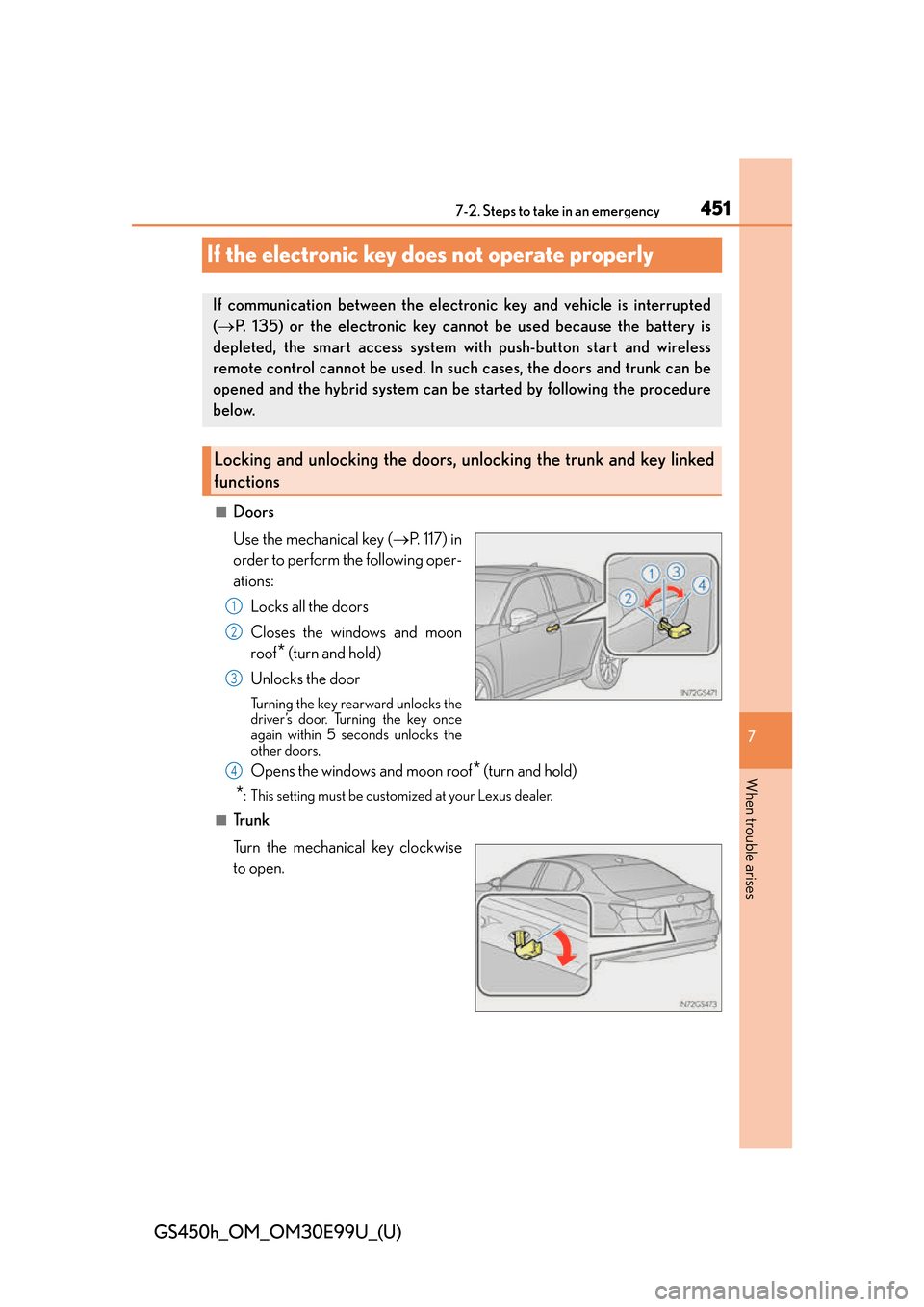
■Doors
Use the mechanical key ( P. 1 1 7 ) i n
order to perform the following oper-
ations:
Locks all the doors
Closes the windows and moon
roof
* (turn and hold)
Unlocks the door
Turning the key rearward unlocks the
driver’s door. Turning the key once
again within 5 seconds unlocks the
other doors.
Opens the windows and moon roof* (turn and hold)
*: This setting must be customized at your Lexus dealer.
■Tr u n k
Turn the mechanical key clockwise
to open.
If communication between the electronic key and vehicle is interrupted
( P. 135) or the electronic key cannot be used because the battery is
depleted, the smart access system with push-button start and wireless
remote control cannot be used. In su ch cases, the doors and trunk can be
opened and the hybrid system can be started by following the procedure
below.
Locking and unlocking the doors, un locking the trunk and key linked
functions
1
2
3
4