radio Lexus GS450h 2016 Owner's Manual / LEXUS 2016 GS450H OWNERS MANUAL (OM30E99U)
[x] Cancel search | Manufacturer: LEXUS, Model Year: 2016, Model line: GS450h, Model: Lexus GS450h 2016Pages: 544, PDF Size: 11.6 MB
Page 8 of 544
8
GS450h_OM_OM30E99U_(U)
For your information
Please note that this manual applies to all models and explains all equipment, including
options. Therefore, you may find some expl anations for equipment not installed on your
vehicle.
All specifications provided in this manual are current at the time of printing. However,
because of the Lexus policy of continual pr oduct improvement, we reserve the right to
make changes at any time without notice.
Depending on specifications, the vehicle show n in the illustrations may differ from your
vehicle in terms of color and equipment.
Approximately five hours after the hybrid system is turned off, you may hear sound com-
ing from under the vehicle for several minutes. This is the sound of a fuel evaporation
leakage check and, it does not indicate a malfunction.
A wide variety of non-genuine spare parts and accessories for Lexus vehicles are cur-
rently available in the market. You should know that Toyota does not warrant these prod-
ucts and is not responsible for their performance, repair, or replacement, or for any
damage they may cause to, or adverse effect they may have on, your Lexus vehicle.
This vehicle should not be modified with non-genuine Lexus products. Modification with
non-genuine Lexus products could affect its performance, safety or durability, and may
even violate governmental regulations. In addition, damage or performance problems
resulting from the modification may not be covered under warranty.
The installation of a mobile two-way radio sy stem in your vehicle could affect electronic
systems such as:
●Multiport fuel injection system/sequential multiport fuel injection system
●Dynamic radar cruise control with full-speed range system
●Dynamic radar cruise control system
●Cruise control system
●Anti-lock brake system
●Vehicle dynamics in tegrated management
●SRS airbag system
●Seat belt pretensioner system
Be sure to check with your Lexus dealer fo r precautionary measures or special instruc-
tions regarding insta llation of a mobile two-way radio system.
High voltage parts and cables on the hybrid vehicles emit approximately the same
amount of electromagnetic waves as the conventional gasoline powered vehicles or
home electronic appliances despite of their electromagnetic shielding.
Unwanted noise may occur in the rece ption of the mobile two-way radio.
Main Owner’s Manual
Noise from under vehicle after turning off the hybrid system
Accessories, spare parts and modification of your Lexus
Installation of a mobile two-way radio system
Page 41 of 544
411-1. For safe use
GS450h_OM_OM30E99U_(U)
1
For safety and security
WA R N I N G
■SRS airbag precautions
●Do not hang coat hangers or other hard objects on the coat hooks. All of these items
could become projectiles and may cause death or serious injury, should the SRS cur-
tain shield ai rbags deploy.
●If a vinyl cover is put on the area where the SRS knee airbag will deploy, be sure to
remove it.
●Do not use seat accessories which cover th e parts where the SRS side airbags inflate
as they may interfere with inflation of th e airbags. Such accessories may prevent the
side airbags from activating correctly, disa ble the system or cause the side airbags to
inflate accidentally, resulting in death or serious injury.
●Do not strike or apply signif icant levels of force to the area of the SRS airbag compo-
nents.
Doing so can cause the SRS airbags to malfunction.
●Do not touch any of the component parts immediately after the SRS airbags have
deployed (inflated) as they may be hot.
●If breathing becomes difficult after the SRS airbags have deployed, open a door or
window to allow fresh air in, or leave the vehicl e if it is safe to do so. Wash off any resi-
due as soon as possible to prevent skin irritation.
●If the areas where the SRS airbags are stored, such as the steering wheel pad, door of
the glove box and front and rear pillar garn ishes are damaged or cracked, have them
replaced by your Lexus dealer.
●Do not place anything, such as a cushion, on the front passenger’s seat. Doing so will
disperse the passenger’s weight, which prevents the sensor from detecting the pas-
senger’s weight properly. As a result, th e SRS front airbags for the front passenger
may not deploy in the event of a collision.
■Modification and disposal of SRS airbag system components
Do not dispose of your vehicle or perform any of the following modifications without
consulting your Lexus dealer. The SRS airb ags may malfunction or deploy (inflate)
accidentally, causing de ath or serious injury.
●Installation, removal, disassembl y and repair of the SRS airbags
●Repairs, modifications, removal or replac ement of the steering wheel, instrument
panel, dashboard, glove box, seats or seat upholstery, front, side and rear pillars or
roof side rails
●Repairs or modifications of the front fend er, front bumper, or side of the occupant
compartment
●Installation of a grille guar d (bull bars, kangaroo bar, etc.), snow plows, winches or
roof luggage carrier
●Modifications to the vehicle’s suspension system
●Installation of electronic devices such as mobile two-way radios and CD players
●Modifications to your vehicle for a person with a physical disability
Page 71 of 544
711-2. Hybrid system
GS450h_OM_OM30E99U_(U)
1
For safety and security
When a certain level of impact is detected by the impact sensor, the emergency
shut off system blocks the high voltage current and stops the fuel pump to mini-
mize the risk of electrocution and fuel leakage. If the emergency shut off system
activates, your vehicle will not restart. To restart the hybrid system, contact your
Lexus dealer.
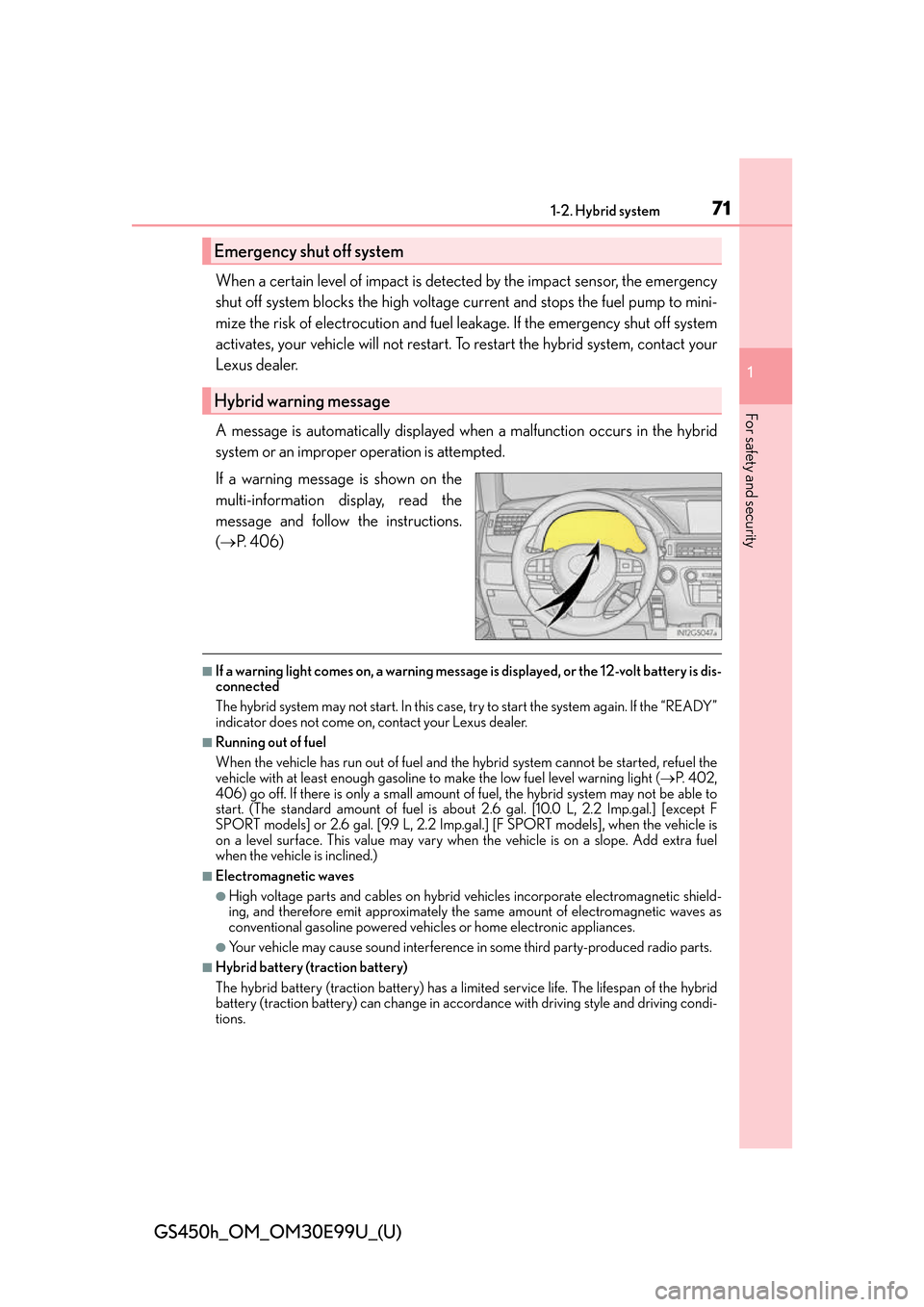
A message is automatically displayed when a malfunction occurs in the hybrid
system or an improper operation is attempted.
If a warning message is shown on the
multi-information display, read the
message and follow the instructions.
( P. 4 0 6 )
■If a warning light comes on, a warning message is displayed, or the 12-volt battery is dis-
connected
The hybrid system may not start. In this case, try to start the system again. If the “READY”
indicator does not come on, contact your Lexus dealer.
■Running out of fuel
When the vehicle has run out of fuel and the hybrid system cannot be started, refuel the
vehicle with at least enough gasoline to make the low fuel level warning light (P. 4 0 2 ,
406) go off. If there is only a small amount of fuel, the hybrid system may not be able to
start. (The standard amount of fuel is about 2.6 gal. [10.0 L, 2.2 Imp.gal.] [except F
SPORT models] or 2.6 gal. [9.9 L, 2.2 Imp.gal.] [F SPORT models], when the vehicle is
on a level surface. This value may vary when the vehicle is on a slope. Add extra fuel
when the vehicle is inclined.)
■Electromagnetic waves
●High voltage parts and cables on hybrid ve hicles incorporate electromagnetic shield-
ing, and therefore emit approximately the same amount of electromagnetic waves as
conventional gasoline powered vehicl es or home electronic appliances.
●Your vehicle may cause sound interference in some third party-produced radio parts.
■Hybrid battery (traction battery)
The hybrid battery (traction battery) has a limited service life. The lifespan of the hybrid
battery (traction battery) can change in accordance with driving style and driving condi-
tions.
Emergency shut off system
Hybrid warning message
Page 99 of 544
GS450h_OM_OM30E99U_(U)
992. Instrument cluster
2
Instrument cluster
■G-force display
●The G-force values may not be zero even when the vehicle is parked, such as when it is
parked on an incline.
●Depending on the vehicle usage conditions, the brake fluid pressure display may not
reach its maximum reading even though the brake pedal is fully depressed.
●If a 12-volt battery terminal is disconnected and reconnected, the steering amount dis-
play may be disabled temporarily. After driv ing the vehicle for a while, the display will
be enabled.
●Depending on the condition of the vehicle, the brake fluid pressure display may change
even when the brake pedal is not depressed.
■System check display
After turning the power switch to ON mode, opening image is displayed while system
operation is checked. When the system check is complete, the normal screen will return.
■Suspension of the settings display
In the following situations, th e settings display using the meter control switches will be
suspended.
●When a warning message appears on the multi-information display
●When the vehicle begins to move
■Tire inflation pressure
●It may take a few minutes to display the tire inflation pressure after the power switch is
turned to ON mode. It may also take a few minutes to display the tire inflation pressure
after inflation pressure has been adjusted.
●“---” may be displayed if the tire information cannot be determined due to unfavorable
radio wave conditions.
●Tire inflation pressure changes with temperat ure. The displayed values may also be dif-
ferent from the values measured using a tire pressure gauge.
■When disconnecting and reconnec ting 12-volt battery terminals
The drive information will be reset.
■Liquid crystal display
P. 9 1
Page 118 of 544
118
GS450h_OM_OM30E99U_(U)
3-1. Key information
■When riding in an aircraft
When bringing an electronic key onto an aircraft, make sure you do not press any but-
tons on the electronic key while inside the aircraft cabin. If you are carrying an electronic
key in your bag etc., ensure that the buttons are not likely to be pressed accidentally.
Pressing a button may cause the electronic key to emit radio waves that could interfere
with the operation of the aircraft.
■Electronic key battery depletion
●The standard battery life is 1 to 2 years.
●If the battery becomes low, an alarm will sound in the cabin when the hybrid system
stops. ( P. 4 3 5 )
●As the electronic key always receives ra dio waves, the battery will become depleted
even if the electronic key is not used. The following symptoms indicate that the elec-
tronic key battery may be depleted. Replace the battery when necessary. ( P. 377)
• The smart access system with push-button start or the wireless remote control does
not operate.
• The detection area becomes smaller.
• The LED indicator on the key surface does not turn on.
●To avoid serious deterioration, do not leave the electronic key within 3 ft. (1 m) of the
following electrical appliances that produce a magnetic field:
•TVs
• Personal computers
• Cellular phones, cordless phones and battery chargers
• Recharging cellular phones or cordless phones
• Table lamps
• Induction cookers
■Replacing the battery
P. 3 7 7
■Confirmation of the registered key number
The number of keys already registered to the vehicle can be confirmed. Ask your Lexus
dealer for details.
■If a wrong key is used
The key cylinder rotates freely to isolate inside mechanism.
Page 119 of 544
GS450h_OM_OM30E99U_(U)
1193-1. Key information
3
Operation of each component
NOTICE
■To prevent key damage
●Do not drop the keys, subject them to strong shocks or bend them.
●Do not expose the keys to high temperatures for long periods of time.
●Do not get the keys wet or wash them in an ultrasonic washer etc.
●Do not attach metallic or magnetic materials to the keys or place the keys close to
such materials.
●Do not disassemble the keys.
●Do not attach a sticker or anything else to the surface of the electronic key.
●Do not place the keys near objects that pr oduce magnetic fields, such as TVs, audio
systems and induction cookers.
●Do not place the keys near medical electrical equipment such as low-frequency ther-
apy equipment or microwave therapy equipm ent, and do not receive medical atten-
tion with the keys on your person.
■Carrying the electronic key on your person
Carry the electronic key 3.9 in. (10 cm) or mo re away from electric appliances that are
turned on. Radio waves emitted from electric appliances within 3. 9 in. (10 cm) of the
electronic key may interfere with the key, causing the key to not function properly.
■In case of a smart access system with push-button start malfunction or other key-
related problems
Take your vehicle with all the electronic keys provided with your vehicle to your Lexus
dealer.
■When an electronic key is lost
If the electronic key remains lost, the risk of vehicle theft increases significantly. Visit
your Lexus dealer immediately with all re maining electronic keys that was provided
with your vehicle.
Page 128 of 544
128
GS450h_OM_OM30E99U_(U)
3-2. Opening, closing and locking the doors and trunk
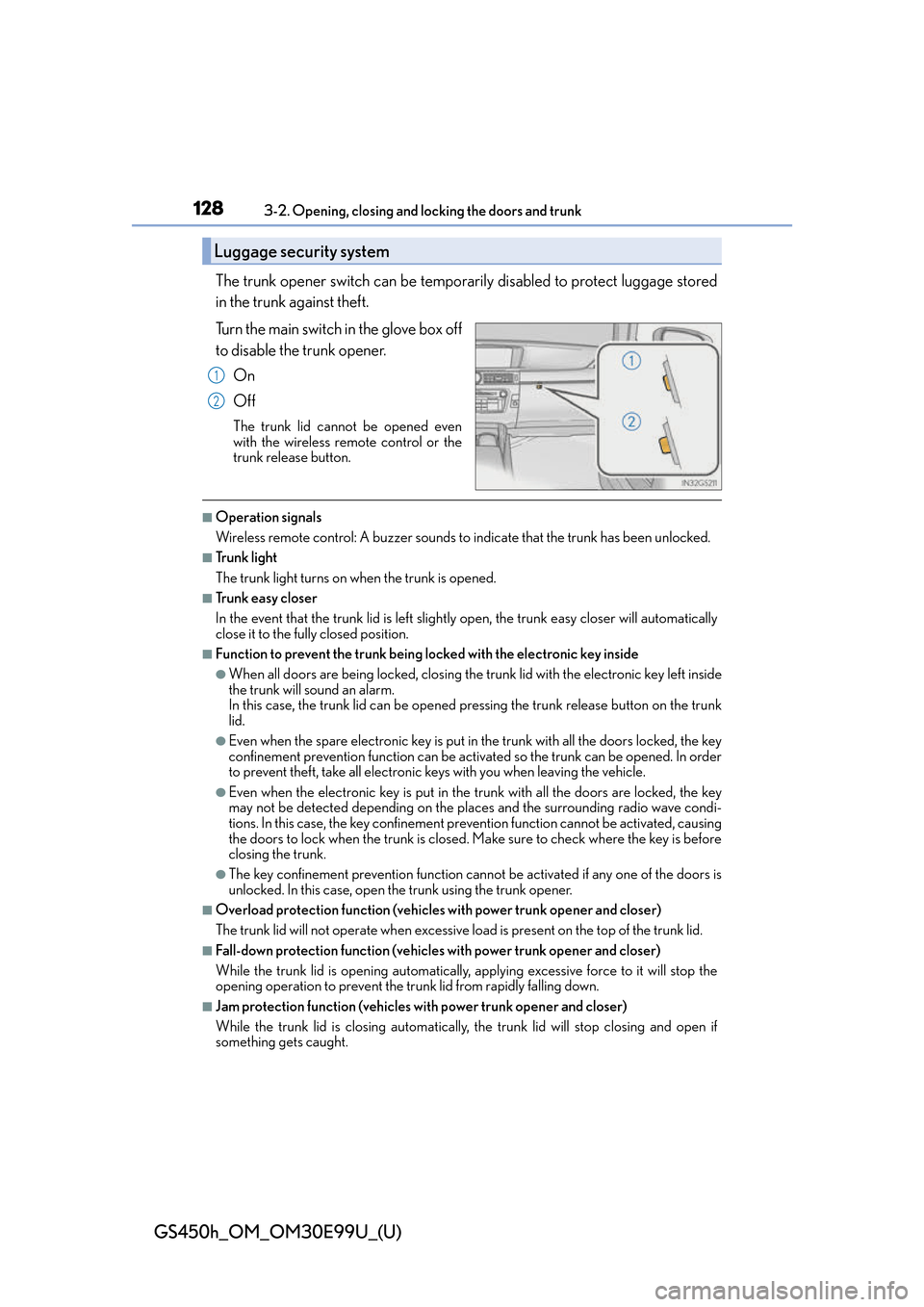
The trunk opener switch can be temporar ily disabled to protect luggage stored
in the trunk against theft.
Turn the main switch in the glove box off
to disable the trunk opener.
On
Off
The trunk lid cannot be opened even
with the wireless remote control or the
trunk release button.
■Operation signals
Wireless remote control: A buzzer sounds to indicate that the trunk has been unlocked.
■Tr u n k l i g h t
The trunk light turns on when the trunk is opened.
■Tr u n k e a s y c l o s e r
In the event that the trunk lid is left slightly open, the trunk easy closer will automatically
close it to the fully closed position.
■Function to prevent the trunk being lo cked with the electronic key inside
●When all doors are being locked, closing the tr unk lid with the electronic key left inside
the trunk will sound an alarm.
In this case, the trunk lid can be opened pressing the trunk release button on the trunk
lid.
●Even when the spare electronic key is put in the trunk with all the doors locked, the key
confinement prevention function can be activ ated so the trunk can be opened. In order
to prevent theft, take all electronic keys with you when leaving the vehicle.
●Even when the electronic key is put in the trunk with all the doors are locked, the key
may not be detected depending on the plac es and the surrounding radio wave condi-
tions. In this case, the key confinement prevention function cannot be activated, causing
the doors to lock when the trunk is closed. Make sure to check where the key is before
closing the trunk.
●The key confinement prevention function canno t be activated if any one of the doors is
unlocked. In this case, open the trunk using the trunk opener.
■Overload protection function (vehicles with power trunk opener and closer)
The trunk lid will not operate wh en excessive load is present on the top of the trunk lid.
■Fall-down protection function (vehicles with power trunk opener and closer)
While the trunk lid is opening automatically, ap plying excessive force to it will stop the
opening operation to prevent the tr unk lid from rapidly falling down.
■Jam protection function (vehicles with power trunk opener and closer)
While the trunk lid is closing automatically, the trunk lid will stop closing and open if
something gets caught.
Luggage security system
1
2
Page 135 of 544
GS450h_OM_OM30E99U_(U)
1353-2. Opening, closing and locking the doors and trunk
3
Operation of each component
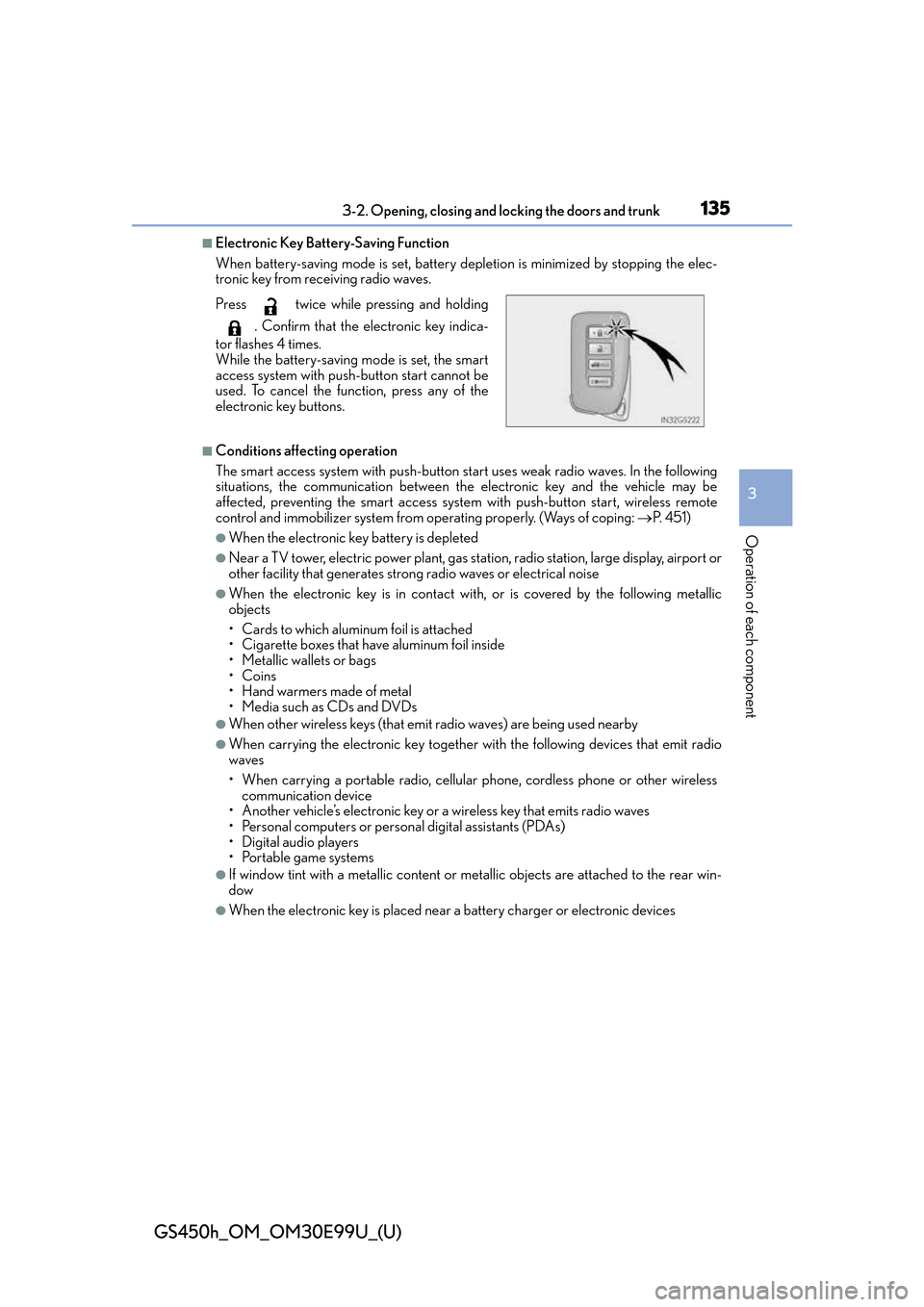
■Electronic Key Battery-Saving Function
When battery-saving mode is set, battery depletion is minimized by stopping the elec-
tronic key from receiving radio waves.
■Conditions affecting operation
The smart access system with push-button start uses weak radio waves. In the following
situations, the communication between th e electronic key and the vehicle may be
affected, preventing the smart access system with push-button start, wireless remote
control and immobilizer system from operating properly. (Ways of coping: P. 4 5 1 )
●When the electronic key battery is depleted
●Near a TV tower, electric powe r plant, gas station, radio station, large display, airport or
other facility that generates strong radio waves or electrical noise
●When the electronic key is in contact wi th, or is covered by the following metallic
objects
• Cards to which aluminum foil is attached
• Cigarette boxes that have aluminum foil inside
• Metallic wallets or bags
•Coins
•Hand warmers made of metal
• Media such as CDs and DVDs
●When other wireless keys (that emit radio waves) are being used nearby
●When carrying the electronic key together with the following devices that emit radio
waves
• When carrying a portable radio, cellular phone, cordless phone or other wireless
communication device
• Another vehicle’s electronic key or a wireless key that emits radio waves
• Personal computers or personal digital assistants (PDAs)
• Digital audio players
• Portable game systems
●If window tint with a metallic content or me tallic objects are attached to the rear win-
dow
●When the electronic key is placed near a battery charger or electronic devices
Press twice while pressing and holding
. Confirm that the electronic key indica-
tor flashes 4 times.
While the battery-saving mode is set, the smart
access system with push-button start cannot be
used. To cancel the function, press any of the
electronic key buttons.
Page 136 of 544
136
GS450h_OM_OM30E99U_(U)
3-2. Opening, closing and locking the doors and trunk
■Note for the entry function
●Even when the electronic key is within the effective range (detection areas), the system
may not operate properly in the following cases:
• The electronic key is too close to the window or outside door handle, near the
ground, or in a high place when the doors are locked or unlocked.
• The electronic key is near the ground or in a high place, or too close to the rear
bumper center when the trunk is opened.
• The electronic key is on the instrument pa nel, rear package tray or floor, or in the
door pockets or glove box when the hybrid system is started or power switch modes
are changed.
●Do not leave the electronic key on top of th e instrument panel or near the door pockets
when exiting the vehicle. Depending on the radio wave reception conditions, it may be
detected by the antenna outs ide the cabin and the door will become lockable from the
outside, possibly trapping the el ectronic key inside the vehicle.
●As long as the electronic key is within the effective range, the doors may be locked or
unlocked by anyone. However, only the door s detecting the electronic key can be used
to unlock the vehicle.
●Even if the electronic key is not inside the ve hicle, it may be possible to start the hybrid
system if the electronic key is near the window.
●The doors may unlock or lock if a large amou nt of water splashes on the door handle,
such as in the rain or in a car wash when th e electronic key is within the effective range.
(The doors will automatically be locked after approximately 60 seconds if the doors
are not opened and closed.)
●If the wireless remote control is used to lo ck the doors when the electronic key is near
the vehicle, there is a possibility that the door may not be unlocked by the entry func-
tion. (Use the wireless remote control to unlock the doors.)
●Touching the door lock sensor while wearin g gloves may delay or prevent lock opera-
tion.
●If the door handle becomes wet while the el ectronic key is within the effective range,
the door may lock and unlock repeatedly. In that case, follow the following correction
procedures to wash the vehicle:
• Place the electronic key in a location 6 ft. (2 m) or more away from the vehicle. (Take
care to ensure that the key is not stolen.)
• Set the electronic key to battery-saving mode to disable the smart access system with push-button start. ( P. 1 3 5 )
●If the electronic key is insi de the vehicle and a door handle becomes wet during a car
wash, a message may be shown on the mult i-information display and a buzzer will
sound outside the vehicle. To turn off the alarm, lock all the doors.
●The lock sensor may not work properly if it comes into contact with ice, snow, mud, etc.
Clean the lock sensor and attempt to operate it again, or use the lock sensor on the
lower part of the door handle.
●A sudden approach to the effective range or door handle may prevent the doors from
being unlocked. In this case, return the door handle to the original position and check
that the doors unlock before pulling the door handle again.
●Gripping the door handle when wearing a glove may not unlock the door.
●If there is another electronic key in the detection area, it may take slightly longer to
unlock the doors after the door handle is gripped.
Page 137 of 544
GS450h_OM_OM30E99U_(U)
1373-2. Opening, closing and locking the doors and trunk
3
Operation of each component
■When the vehicle is not driven for extended periods
●To prevent theft of the vehicle, do not leave the electronic key within 6 ft. (2 m) of the
vehicle.
●The smart access system with push-button start can be deactivated in advance.
( P. 4 9 1 )
■To operate the system properly
●Make sure to carry the electronic key when operating the system. Do not get the elec-
tronic key too close to the vehicle when op erating the system from the outside of the
vehicle.
Depending on the position and holding condit ion of the electronic key, the key may not
be detected correctly and the system may no t operate properly. (The alarm may go off
accidentally, or the door lock prev ention function may not operate.)
●Do not leave the electronic key inside the trunk.
The key confinement prevention function ma y not operate, depending on the location
of the key (close to a spare tire, the inside edge of the trunk), conditions (inside a metal
bag, close to metallic objects) and the radio waves in the surrounding area. (P. 1 2 8 )
■If the smart access system with push-button start does not operate properly
●Locking and unlocking the doors and open ing the trunk: Use the mechanical key.
( P. 4 5 1 )
●Starting the hybrid system: P. 4 5 2
■Customization
Settings (e. g. smart access system with push-button start) can be changed.
(Customizable features: P. 4 9 1 )
■If the smart access system with push-butto n start has been deactivated in a customized
setting
●Locking and unlocking the d oors and opening the trunk:
Use the wireless remote control or mechanical key. ( P. 120, 127, 451)
●Starting the hybrid system and changing power switch modes: P. 4 5 2
●Stopping the hybrid system: P. 1 8 1