steering Lexus GS450h 2017 Workshop Manual
[x] Cancel search | Manufacturer: LEXUS, Model Year: 2017, Model line: GS450h, Model: Lexus GS450h 2017Pages: 600, PDF Size: 149.98 MB
Page 295 of 600
2954-5. Using the driving support systems
4
Driving
GS450h_300h_OM_OM30F92E_(EE)
●Side road speed signs may be detected and displayed (if positioned in sight of the cam-era sensor) while the vehicle is traveling on the main road.
●Roundabout exit road speed signs may be detected and displayed (if positioned in sight
of the camera sensor) while traveling on a roundabout.
●On some models: The speed information displayed on the meter and that displayed on the navigation system may be different due to the navigation system using map data.
■When driving vehicle in country with different speed unit
Since RSA recognizes signs based on the set unit of the meter, it is necessary to changethe set unit of the meter. Adjust the set unit of the meter to the speed unit of signs in the
current location. (P. 565)
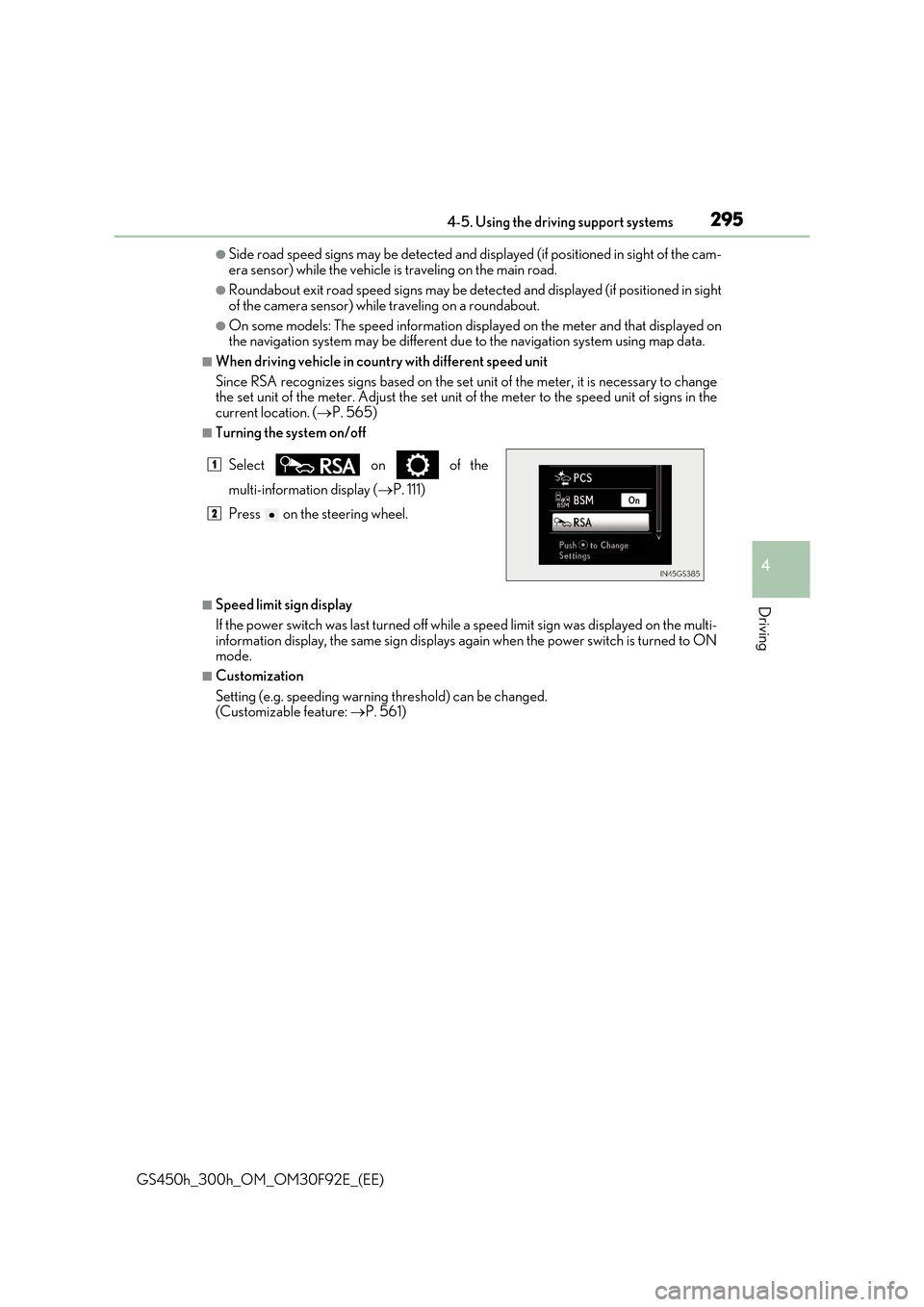
■Turning the system on/off
■Speed limit sign display
If the power switch was last turned off while a speed limit sign was displayed on the multi-
information display, the same sign displays again when the power switch is turned to ON mode.
■Customization
Setting (e.g. speeding warning threshold) can be changed. (Customizable feature: P. 561)
Select on of the
multi-information display (P. 111)
Press on the steering wheel.
1
2
Page 307 of 600
3074-5. Using the driving support systems
4
Driving
GS450h_300h_OM_OM30F92E_(EE)
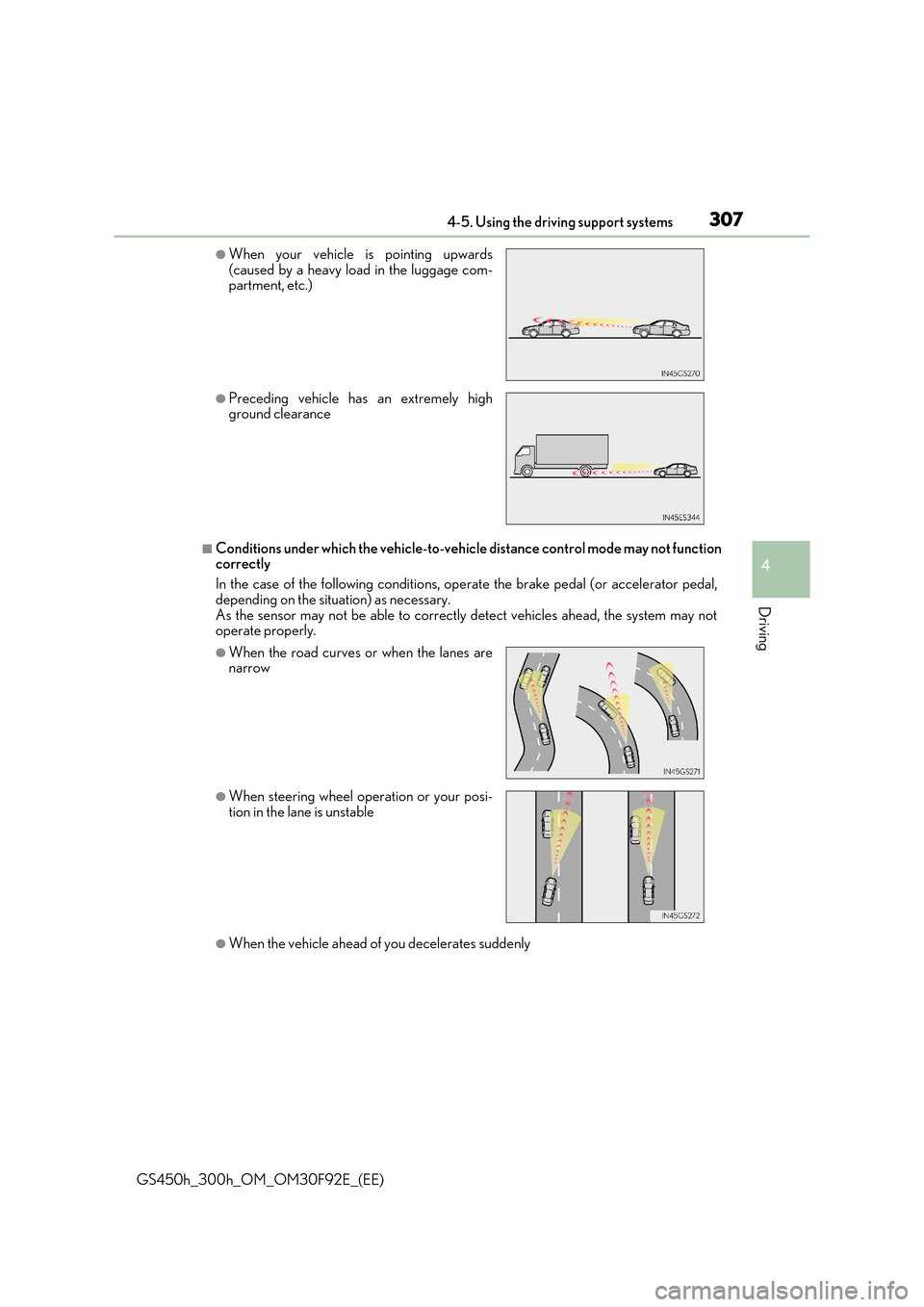
■Conditions under which the vehicle-to-vehicle distance control mode may not function correctly
In the case of the following conditions, operate the brake pedal (or accelerator pedal,
depending on the situation) as necessary. As the sensor may not be able to correctly detect vehicles ahead, the system may notoperate properly.
●When the vehicle ahead of you decelerates suddenly
●When your vehicle is pointing upwards(caused by a heavy load in the luggage com-partment, etc.)
●Preceding vehicle has an extremely highground clearance
●When the road curves or when the lanes arenarrow
●When steering wheel operation or your posi-tion in the lane is unstable
Page 311 of 600
311
4
4-5. Using the driving support systems
Driving
GS450h_300h_OM_OM30F92E_(EE)
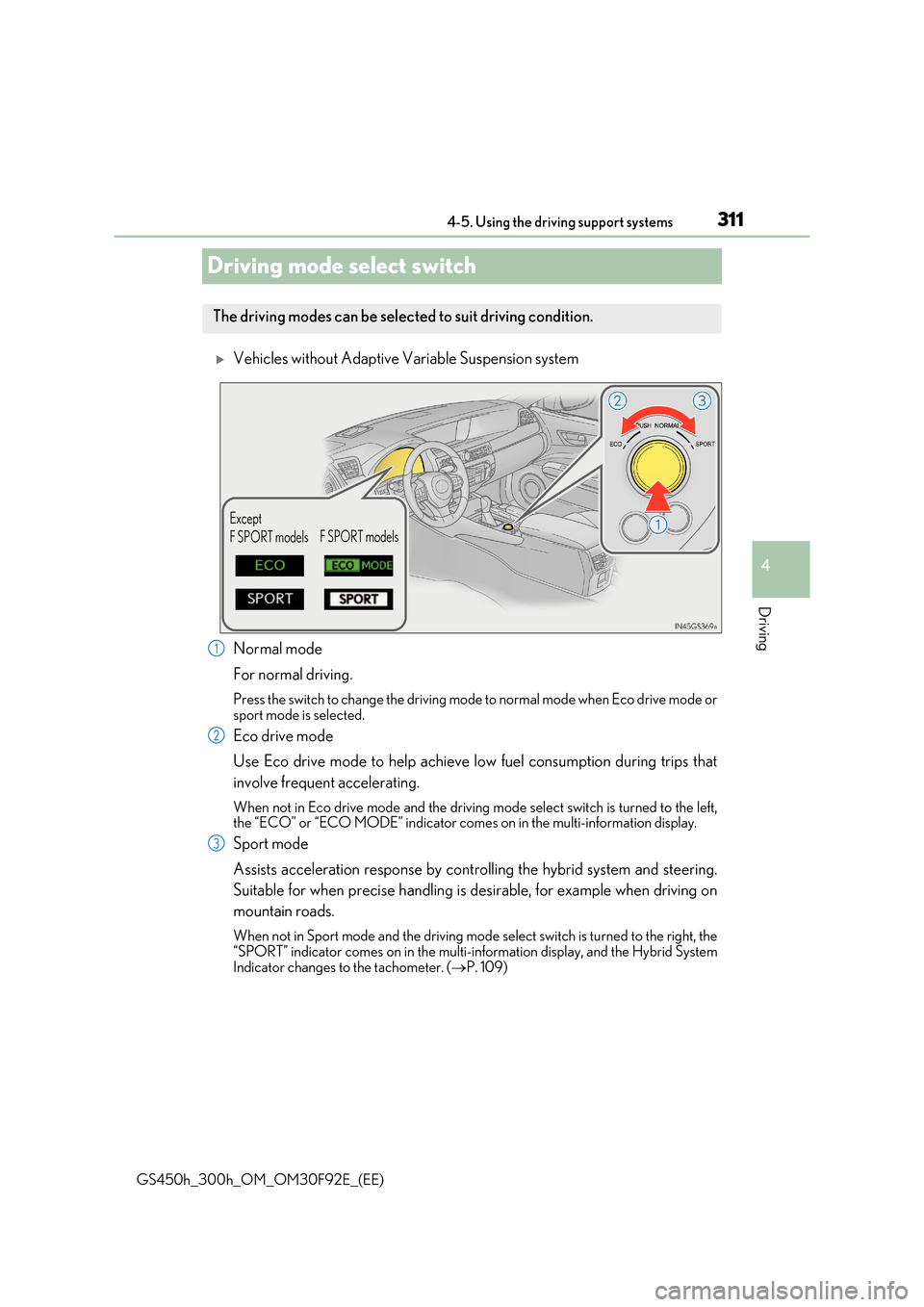
Driving mode select switch
Vehicles without Adaptive Variable Suspension system
Normal mode
For normal driving.
Press the switch to change the driving mode to normal mode when Eco drive mode or
sport mode is selected.
Eco drive mode
Use Eco drive mode to help achieve low fuel consumption during trips that
involve frequent accelerating.
When not in Eco drive mode and the driving mode select switch is turned to the left, the “ECO” or “ECO MODE” indicator come s on in the multi-information display.
Sport mode
Assists acceleration response by controlling the hybrid system and steering.
Suitable for when precise handling is desirable, for example when driving on
mountain roads.
When not in Sport mode and the driving mode select switch is turned to the right, the
“SPORT” indicator comes on in the multi-information display, and the Hybrid System Indicator changes to the tachometer. ( P. 109)
The driving modes can be selected to suit driving condition.
Except
F SPORT models F SPORT models
1
2
3
Page 313 of 600
3134-5. Using the driving support systems
4
Driving
GS450h_300h_OM_OM30F92E_(EE)
Sport mode
•SPORT S mode
Assists acceleration response by controlling the transmission and engine.
When not in SPORT S mode and the driving mode select switch is turned to the
right, the “SPORT S” indicator comes on in the multi-information display, and the Hybrid System Indicator changes to the tachometer. ( P. 109)
•SPORT S+ mode
Helps to ensure steering performance and driving stability by simultane-
ously controlling the steering and suspen sion in addition to the hybrid sys-
tem. Suitable for sporty driving.
When in SPORT S mode and the driving mode select switch is turned to the right, the “SPORT S+” indicator comes on in the multi-information display.
■Operation of the air conditioning system in Eco drive mode
Eco drive mode controls the heating/cooling operations and fan speed of the air condi- tioning system to enhance fuel efficiency ( P. 346). To improve air conditioning perfor-
mance, adjust the fan speed or turn off Eco drive mode.
■Automatic operation of the seat heater during Eco drive mode
Eco drive mode controls the he ating operation and fan speed of the air conditioning sys-
tem to enhance fuel efficiency. If the driving mode select switch is switched to Eco drive mode in cold temperatures, the seat heater w ill be automatically operated to assist heat- ing performance.
■Automatic deactivation of sport mode and customized mode
If the power switch is turned off after driv ing in sport mode or customized mode, the drive mode will be changed to normal mode.
■Driving mode pop-up display (12.3-inch display only)
When the driving mode is changed, the selected driving mode will be temporarily dis- played on the side display. ( P. 344)
3
Page 324 of 600
3244-5. Using the driving support systems
GS450h_300h_OM_OM30F92E_(EE)
Driving assist systems
◆ECB (Electronically Controlled Brake System)
The electronically controlled system generates braking force corresponding
to the brake operation
◆ABS (Anti-lock Brake System)
Helps to prevent wheel lock when the br akes are applied suddenly, or if the
brakes are applied while driving on a slippery road surface
◆Brake assist
Generates an increased level of braking force after the brake pedal is
depressed when the system detects a panic stop situation
◆VSC (Vehicle Stability Control)
Helps the driver to control skidding when swerving suddenly or turning on
slippery road surfaces
◆TRC (Traction Control)
Helps to maintain drive power and prevent the drive wheels from spinning
when starting the vehicle or accelerating on slippery roads
◆VGRS (Variable Gear Ratio Steering) (if equipped)
Adjusts the front wheel turning angle in accordance with the vehicle speed
and steering wheel movement
To help enhance driving safety and performance, the following systems oper-
ate automatically in response to various driving situations. Be aware, however,
that these systems are suppl ementary and should not be relied upon too heav-
ily when operating the vehicle.
Page 325 of 600
3254-5. Using the driving support systems
4
Driving
GS450h_300h_OM_OM30F92E_(EE)
◆DRS (Dynamic Rear Steering) (if equipped)
Contributes to the turning characteristics and responsiveness of the vehicle
by slightly adjusting the rear wheel angle of the vehicle in accordance with
steering wheel movement
◆Hill-start assist control
Helps to prevent the vehicle from rolling backward when starting on an
incline.
◆EPS (Electric Power Steering)
Employs an electric motor to reduce the amount of effort needed to turn the
steering wheel
◆AVS (Adaptive Variable Susp ension system) (if equipped)
By independently controlling the damp ing force of the shock absorbers for
each of the 4 wheels according to the road and driving conditions, this system
helps riding comfort with a high level of stability, and helps good vehicle pos-
ture
When SPORT S+ mode is selected by the driving mode select switch, the
damping force is suitable for sporty driving ( P. 312)
◆LDH (Lexus Dynamic Handling system) (if equipped)
Provides independent control of the VGRS, DRS and EPS. Contributes to
turning characteristics at low speeds, responsiveness at medium speeds and
safety at high speeds by controlling the steering angle of the front and rear
wheels in accordance with the steering wheel operation and vehicle speed
◆VDIM (Vehicle Dynamics Integrated Management)
Provides integrated control of the ABS, brake assist, TRC, VSC, hill-start
assist control, EPS, VGRS (if equipped) and DRS (if equipped) systems
Helps to maintain vehicle stability when swerving on slippery road surfaces by
controlling the brakes, hybrid system output, steering assist, steering ratio and
rear wheel angle
◆Emergency brake signal
When the brakes are applie d suddenly, the stop lights automatically flash to
alert the vehicle behind
Page 327 of 600
3274-5. Using the driving support systems
4
Driving
GS450h_300h_OM_OM30F92E_(EE)
■Turning off both TRC and VSC systems
To turn the TRC and VSC systems off, press and hold for more than 3 seconds while the vehicle is stopped.
The VSC OFF indicator light will come on an d the “Traction Control Turned Off” will
be shown on the multi-information display.*
Press again to turn the systems back on.
*: On vehicles with PCS (Pre-Crash Safety system), pre-crash brake assist and pre-
crash braking will also be disabled. The PCS (Pre-Crash Safety system) warning
light will come on and a message will be di splayed on the multi-information display.
( P. 466)
■When the message is displayed on the multi-information display showing that TRC has
been disabled even if has not been pressed
TRC and hill-start assist control cannot be operated. Contact any authorized Lexus
retailer or Lexus authorized repa irer, or any reliable repairer.
■VGRS is disabled when
VGRS may stop operating in the following situations.
In this event, the steering wheel may move fr om its straight forward position, but it will return when the system restarts.
●The steering wheel is operated for an extended period of time while the vehicle is
stopped or is moving very slowly.
●When force is continuously applied for a long time with the steering wheel turned as far as it will go.
The center position of the steering wheel may change when VGRS is disabled. How- ever, the position will return to normal after VGRS is reactivated.
■When the 12-volt battery is disconnected
The steering wheel may move from its straight forward position, but this will be corrected automatically when driving.
Page 328 of 600
3284-5. Using the driving support systems
GS450h_300h_OM_OM30F92E_(EE)
■Sounds and vibrations caused by the ABS, brake assist, VSC, Hill-start assist control, TRC and VGRS systems
Any of the following conditions may occur when the above systems are operating. None
of these indicates that a malfunction has occurred.
●Vibrations may be felt through the vehicle body and steering.
●A motor sound may be heard after the vehicle comes to a stop.
■ECB operation sound
ECB operating sound may be heard in the follow ing cases, but it does not indicate that a malfunction has occurred.
●Operating sound heard from the engine compartment when the brake pedal is oper-ated.
●Motor sounds of the brake system heard from the front part of the vehicle when the
driver’s door is opened.
●Operating sound heard from the engine compartment when one or two minutes passed after the stop of the hybrid system.
■EPS, VGRS and DRS operation sound
When the steering wheel is operated, a motor sound (whirring sound) may be heard. This does not indicate a malfunction.
■Automatic reactivation of TRC and VSC systems
After turning the TRC and VSC systems off, the systems will be automatically re-enabled in the following situations:
●When the power switch is turned off
●If only the TRC system is turned off, the TR C will turn on when vehicle speed increases If both TRC and VSC systems are turned off, automatic re-enabling will not occur when
vehicle speed increases.
■Reduced effectiveness of the EPS system
The effectiveness of the EPS system is reduced to prevent the system from overheating when there is frequent steering input over an extended period of time. The steeringwheel may feel heavy as a result. Should this occur, refrain from excessive steering input
or stop the vehicle and turn the hybrid system off. The EPS system should return to nor- mal within 10 minutes.
■Operating conditions of hill-start assist control
When the following four conditions are met, the hill-start assist control will operate;
●The shift lever is in a position other than N or P (when starting off forward/backward on an upward incline).
●The vehicle is stopped.
●The accelerator pedal is not depressed.
●The parking brake is not engaged.
Page 339 of 600
339
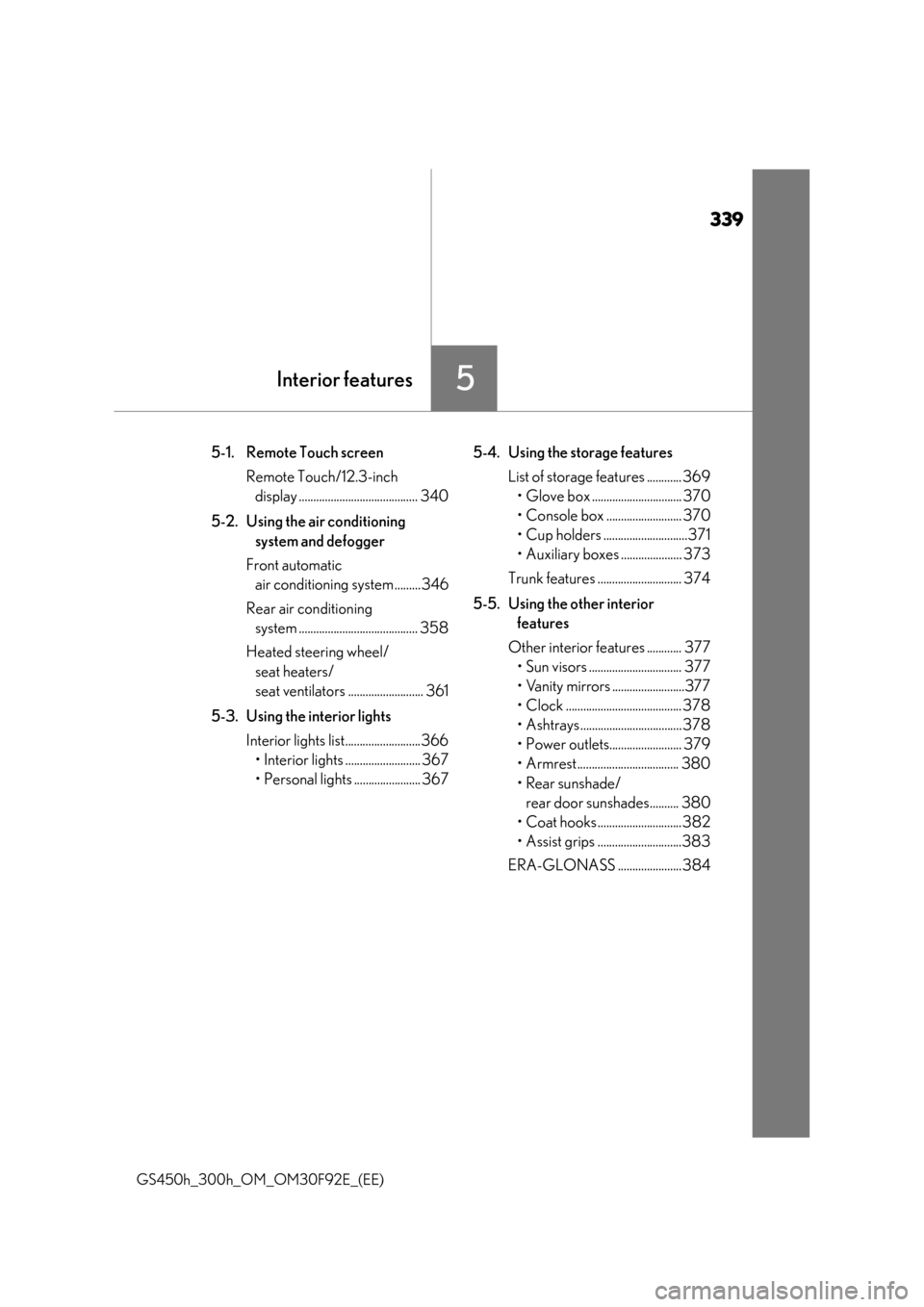
5Interior features
GS450h_300h_OM_OM30F92E_(EE)
5-1. Remote Touch screen
Remote Touch/12.3-inch
display ......................................... 340
5-2. Using the air conditioning
system and defogger
Front automatic
air conditioning system ......... 346
Rear air conditioning
system ......................................... 358
Heated steering wheel/
seat heaters/
seat ventilators .......................... 361
5-3. Using the interior lights
Interior lights list..........................366
• Interior lights .......................... 367
• Personal lights ....................... 367
5-4. Using the storage features
List of storage features ............ 369
• Glove box ............................... 370
• Console box .......................... 370
• Cup holders .............................371
• Auxiliary boxes ..................... 373
Trunk features ............................. 374
5-5. Using the other interior
features
Other interior features ............ 377
• Sun visors ................................ 377
• Vanity mirrors .........................377
• Clock ........................................ 378
• Ashtrays................................... 378
• Power outlets......................... 379
• Armrest................................... 380
• Rear sunshade/
rear door sunshades.......... 380
• Coat hooks .............................382
• Assist grips .............................383
ERA-GLONASS ......................384
Page 361 of 600
361
5
5-2. Using the air conditioning system and defogger
Interior features
GS450h_300h_OM_OM30F92E_(EE)
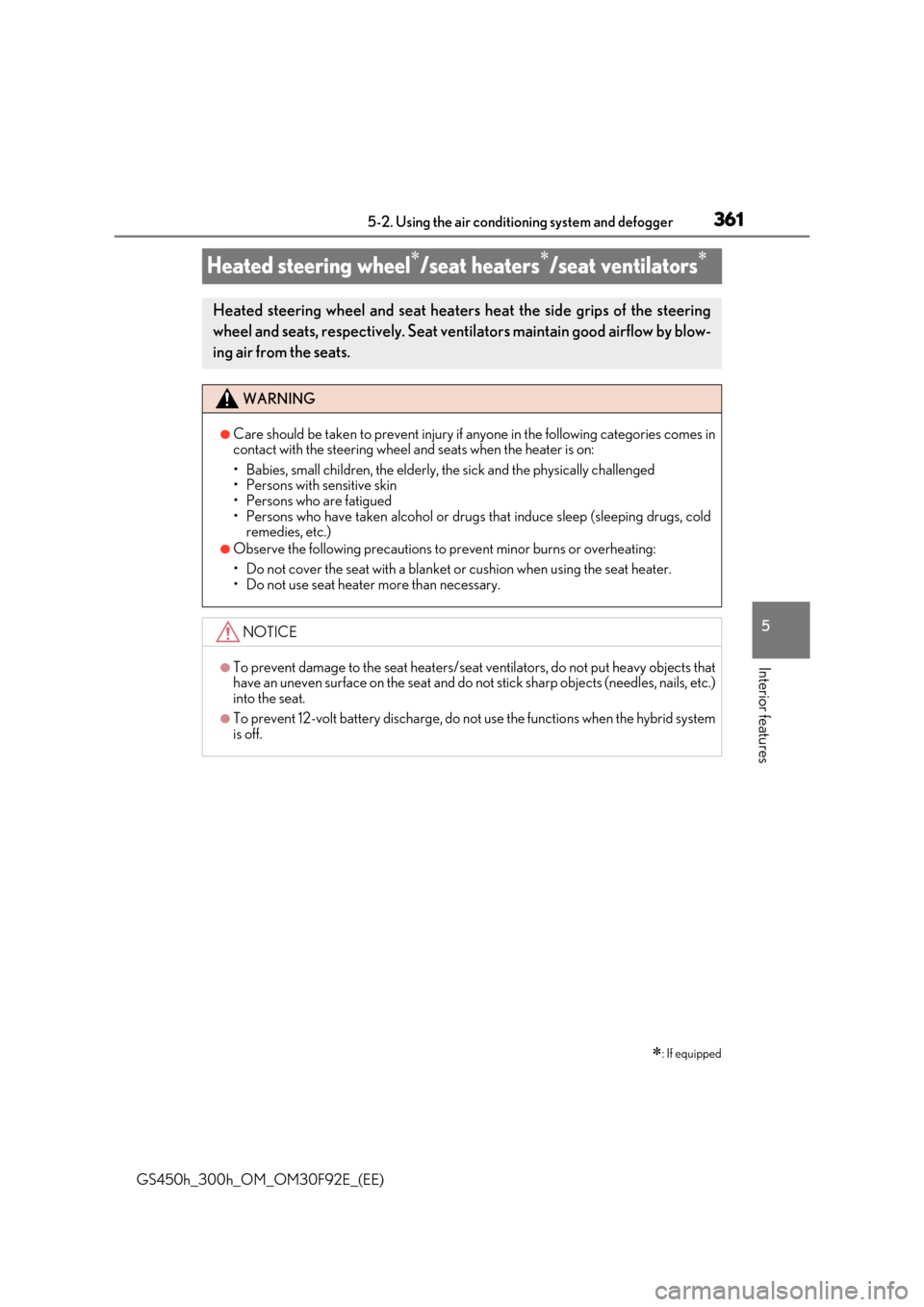
Heated steering wheel/seat heaters/seat ventilators
: If equipped
Heated steering wheel and seat heaters heat the side grips of the steering
wheel and seats, respectively. Seat vent ilators maintain good airflow by blow-
ing air from the seats.
WARNING
●Care should be taken to prevent injury if anyone in the following categories comes in contact with the steering wheel and seats when the heater is on:
• Babies, small children, the elderly, the sick and the physically challenged • Persons with sensitive skin• Persons who are fatigued
• Persons who have taken alcohol or drugs that induce sleep (sleeping drugs, cold remedies, etc.)
●Observe the following precautions to prevent minor burns or overheating:
• Do not cover the seat with a blanket or cushion when using the seat heater. • Do not use seat heater more than necessary.
NOTICE
●To prevent damage to the seat heaters/seat ventilators, do not put heavy objects thathave an uneven surface on the seat and do not stick sharp objects (needles, nails, etc.)into the seat.
●To prevent 12-volt battery discharge, do not use the functions when the hybrid systemis off.