battery Lexus GX460 2010 Owner's Guide
[x] Cancel search | Manufacturer: LEXUS, Model Year: 2010, Model line: GX460, Model: Lexus GX460 2010Pages: 830, PDF Size: 17.01 MB
Page 400 of 830
399
3-1. Using the air conditioning system and defogger
3
Interior features
GX460_CANADA (OM60F29U)
■Customization
Settings (e.g. enable/disable automatic operation of the air conditioning compres-
sor when the “AUTO” switch ON) can be changed.
(Customizable features →P. 7 8 3 )
CAUTION
■To prevent the windshield from fogging up
Do not use during cool air operation in extremely humid weather. The dif-
ference between the temperature of the outside air and that of the windshield can
cause the outer surface of the windshield to fog up, blocking your vision.
NOTICE
■To prevent battery discharge
Do not leave the air conditio ning system on longer than necessary when the engine
is stopped.
GX460_CANADA.book Page 399 Thursday, February 4, 2010 11:54 AM
Page 404 of 830
403
3-1. Using the air conditioning system and defogger
3
Interior features
GX460_CANADA (OM60F29U)
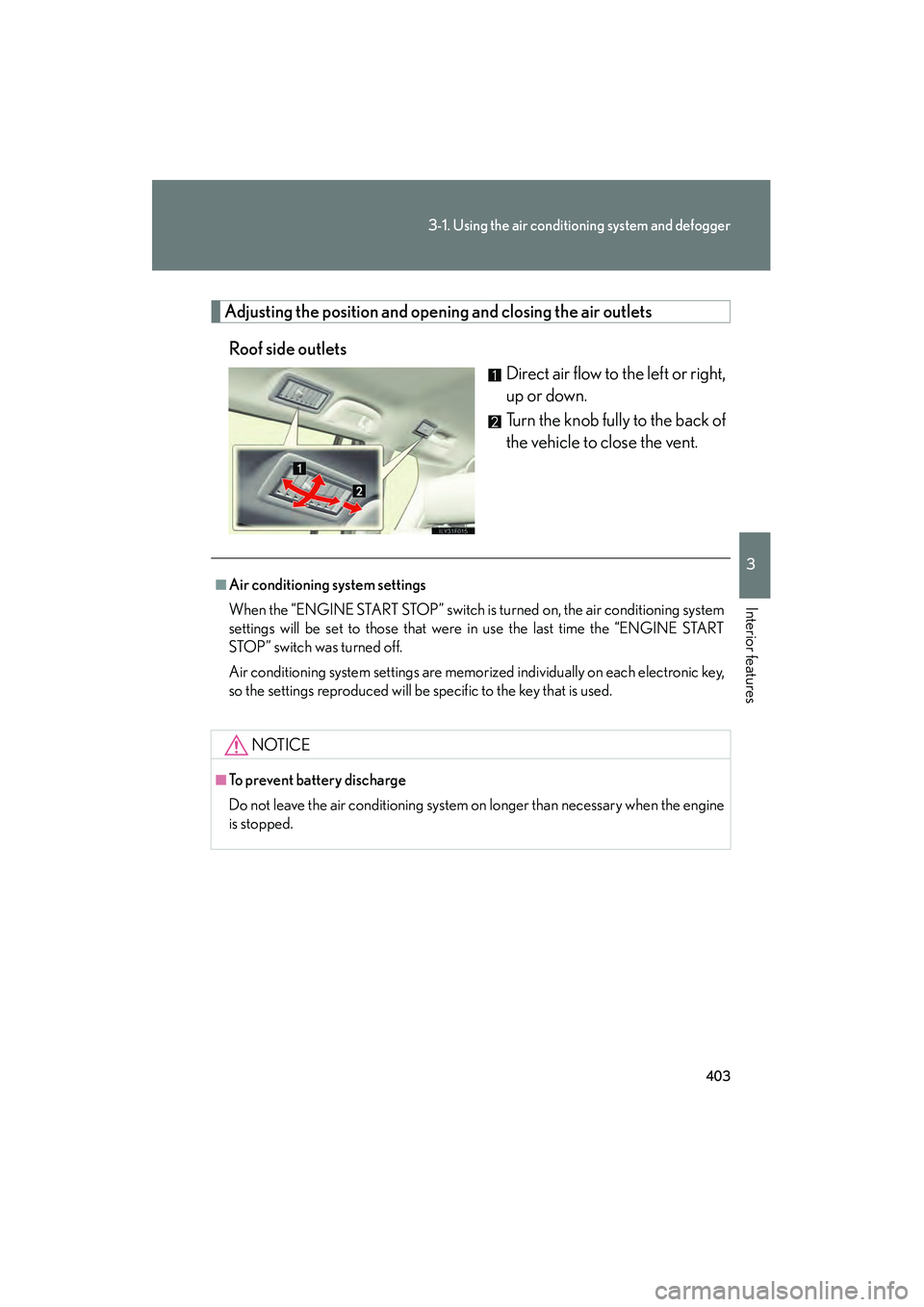
Adjusting the position and open ing and closing the air outlets
Roof side outlets Direct air flow to the left or right,
up or down.
Turn the knob fully to the back of
the vehicle to close the vent.
■Air conditioning system settings
When the “ENGINE START STOP” switch is turned on, the air conditioning system
settings will be set to those that were in use the last time the “ENGINE START
STOP” switch was turned off.
Air conditioning system settings are memorized individually on each electronic key,
so the settings reproduced will be specific to the key that is used.
NOTICE
■To prevent battery discharge
Do not leave the air conditioning system on longer than necessary when the engine
is stopped.
GX460_CANADA.book Page 403 Thursday, February 4, 2010 11:54 AM
Page 408 of 830
407
3-2. Using the audio system
3
Interior features
GX460_CANADA (OM60F29U)
■Using cellular phones
Interference may be heard through the audio system’s speakers if a cellular phone is
being used inside or close to the vehicle while the audio system is operating.
CAUTION
■Certification
●Pa r t 1 5 o f t h e FCC Ru l e s
FCC Warning:
Any unauthorized changes or modifications to this equipment will void the user’s
authority to operate this device.
●Laser products
• Do not take this unit apart or attempt to make any changes by yourself. This is an intricate unit that uses a laser pickup to retrieve information from the
surface of compact discs. The laser is carefully shielded so that its rays remain
inside the cabinet. Therefore, never try to disassemble the player or alter any
of its parts since you may be exposed to laser rays and dangerous voltages.
• This product utilizes a laser. Use of controls or adjustments or performance of procedures other than
those specified herein may result in hazardous radiation exposure.
NOTICE
■To prevent battery discharge
Do not leave the audio system on longer than necessary with the engine off.
■To avoid damaging the audio system
Take care not to spill drinks or other fluids over the audio system.
GX460_CANADA.book Page 407 Thursday, February 4, 2010 11:54 AM
Page 414 of 830
413
3-2. Using the audio system
3
Interior features
GX460_CANADA (OM60F29U)
■When the battery is disconnected
All preset stations are erased.
■Reception sensitivity
●Cargo loaded on the roof luggage carrier, especially metal objects, may
adversely affect the reception of XM® Satellite Radio.
●It is difficult to maintain perfect radio reception at all times due to the continually
changing position of the antenna, differences in signal strength and surrounding
objects, such as trains and transmitters.
●The radio antenna is mounted inside the rear spoiler and the rear window. To
maintain clear radio reception, do not attach metallic window tinting or other
metallic objects to the antenna wire mounted inside the rear window.
■Receiving XM® Satellite Radio
An XM
® Satellite Radio is a tuner designed exclusively to receive broadcasts pro-
vided under a separate subscription. Availability is limited to the 48 contiguous
states and 10 Canadian provinces.
●XM® subscriptions
For detailed information about XM® Satellite Radio or to subscribe:
U.S.A.
Visit on the web at www.xmradio.com
or call 1-877-515-3987.
Canada
Visit on the web at www.xmradio.ca
or call 1-877-515-3987.
●Radio ID
You will need the radio ID when activating XM
® service or reporting a problem.
Select “CH000” using the “TUNE/SEL” knob, and the receiver’s 8-character ID
number will appear.
●Satellite tuner
The tuner supports only Audio Services (Music and Talk) and the accompanying
Te x t I n f o r m a t i o n o f X M
® Satellite Radio.
GX460_CANADA.book Page 413 Thursday, February 4, 2010 11:54 AM
Page 458 of 830
457
3-3. Using the Bluetooth® audio system
3
Interior features
GX460_CANADA (OM60F29U)
■Conditions under which the system will not operate
●If using a portable player that does not support Bluetooth®
●If the portable player is switched off
●If the portable player is not connected
●If the portable player’s battery is low
●If the portable player is behind the seat or in the glove box or console box
●If metal is covering or touching the portable player
■When transferring ownership of the vehicle
Be sure to initialize the system to prevent personal data from being improperly
accessed. (→P. 5 0 1 )
■About Bluetooth®
Bluetooth is a registered trademark of
Bluetooth SIG. Inc.
GX460_CANADA.book Page 457 Thursday, February 4, 2010 11:54 AM
Page 479 of 830

478
3-4. Using the hands-free system (for cellular phone)
GX460_CANADA (OM60F29U)
■Conditions under which the system will not operate
●If using a cellular phone that does not support Bluetooth®
●If the cellular phone is switched off
●If you are outside service range
●If the cellular phone is not connected
●If the cellular phone’s battery is low
●If the cellular phone is behind the seat or in the glove box or console box
●If metal is covering or touching the phone
■Signal status
This display may not correspond exactly with the cellular phone itself.
■When using the hands-free system
●The audio system and voice guidance are muted when making a call.
●If both parties speak at the same time, it may be difficult to hear.
●If the incoming call volume is overly loud, an echo may be heard.
●Try to face toward the microphone as much as possible when speaking.
●In the following circumstances, it may be difficult to hear the other party:
• When driving on unpaved roads
• When driving at high speeds
• When a window is open
• When the air conditioning is blowing directly on the microphone
• When the air conditioning is set to high
GX460_CANADA.book Page 478 Thursday, February 4, 2010 11:54 AM
Page 515 of 830
514
3-5. Using the interior lights
GX460_CANADA (OM60F29U)
■Illuminated entry system
The lights automatically turn on/off according to “ENGINE START STOP” switch
mode, the presence of the electronic key, whether the doors are locked/unlocked,
and whether the doors are open/closed.
■To prevent battery discharge
If the following lights remain on when the door is not fully closed and the personal/
interior light main switch is in the door position, the lights will go off automatically
after 20 minutes:
●Personal/interior light
●Inside door handle lights
●Footwell lights
●Running board lights
■Customization
Settings (e.g. adjust the time elapsed before the interior lights automatically turn
off) can be changed. (Customizable features →P. 7 8 3 )
GX460_CANADA.book Page 514 Thursday, February 4, 2010 11:54 AM
Page 531 of 830
530
3-7. Other interior features
GX460_CANADA (OM60F29U)
CAUTION
■Caution while driving
Keep the cool box closed. In the event of sudden braking or sudden swerving, an
accident may occur due to an occupant being struck by the open cool box or the
items stored inside.
NOTICE
■To prevent battery discharge
Do not leave the cool box on longer than necessary when the engine is stopped.
GX460_CANADA.book Page 530 Thursday, February 4, 2010 11:54 AM
Page 533 of 830
532
3-7. Other interior features
GX460_CANADA (OM60F29U)
Vanity mirror
NOTICE
■To prevent battery discharge
Do not leave the vanity lights on for extended periods while the engine is off.
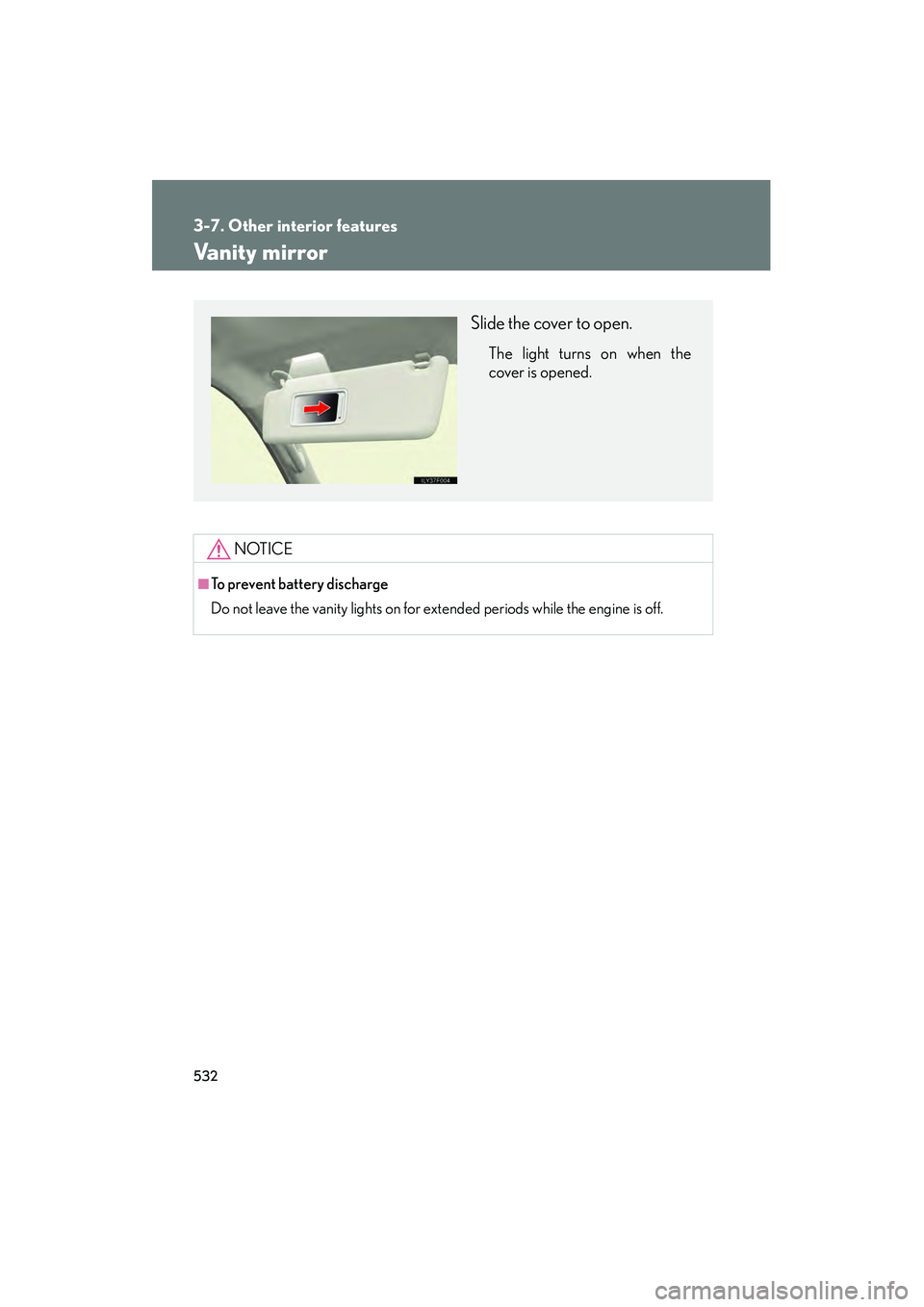
Slide the cover to open.
The light turns on when the
cover is opened.
GX460_CANADA.book Page 532 Thursday, February 4, 2010 11:54 AM
Page 534 of 830
533
3-7. Other interior features
3
Interior features
GX460_CANADA (OM60F29U)
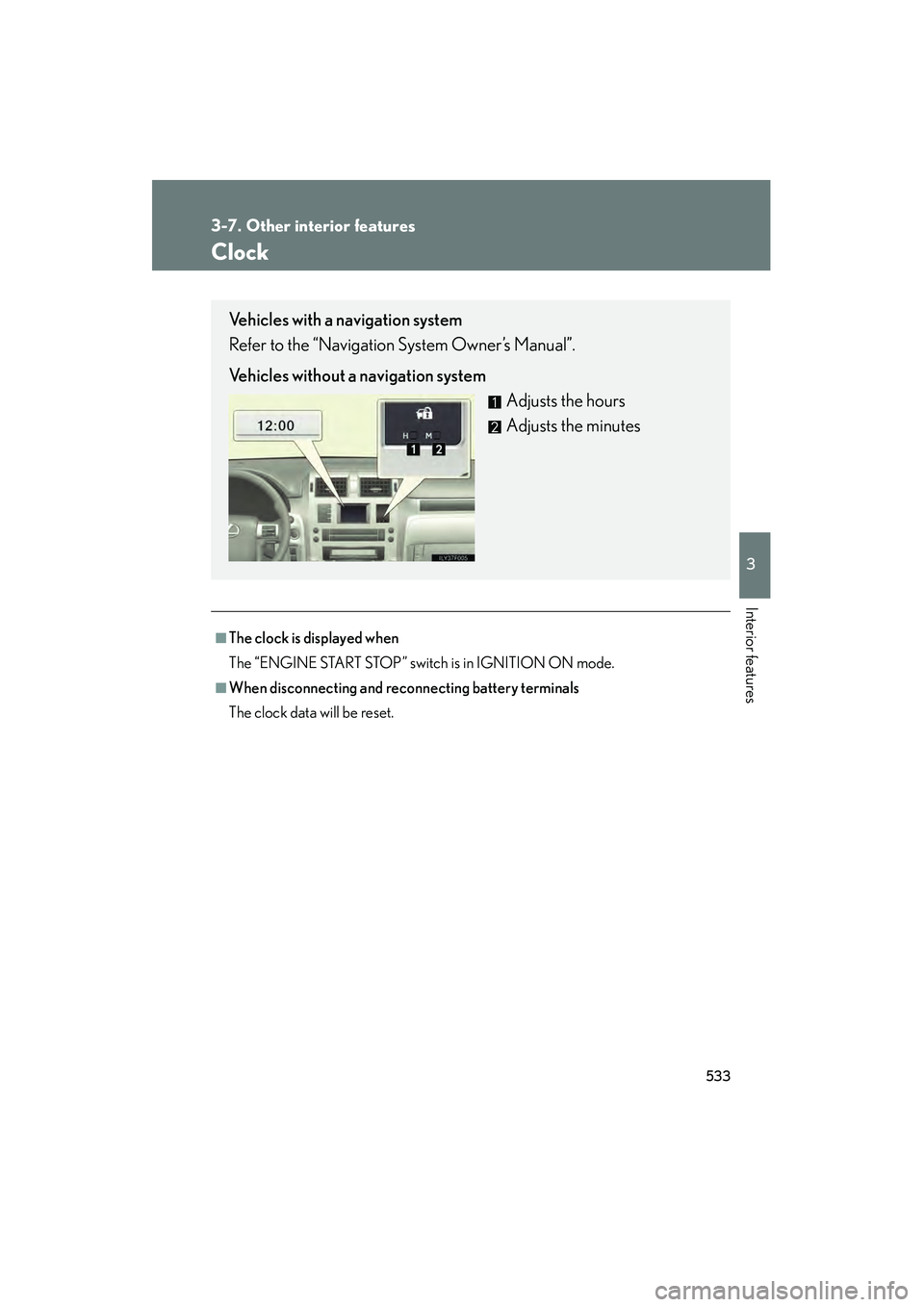
Clock
■The clock is displayed when
The “ENGINE START STOP” switch is in IGNITION ON mode.
■When disconnecting and reconnecting battery terminals
The clock data will be reset.
Vehicles with a navigation system
Refer to the “Navigation System Owner’s Manual”.
Vehicles without a navigation systemAdjusts the hours
Adjusts the minutes
GX460_CANADA.book Page 533 Thursday, February 4, 2010 11:54 AM