lock Lexus GX460 2013 Specifications /
[x] Cancel search | Manufacturer: LEXUS, Model Year: 2013, Model line: GX460, Model: Lexus GX460 2013Pages: 844, PDF Size: 10.42 MB
Page 105 of 844

105
1
Before driving
GX460_OM_OM60J63U_(U)
1-4. Opening and closing the windows and moon roof
Power windows
Window lock switch
Press the switch down to lock the
passenger window switches.
The indicator will come on.
Use this switch to prevent children
from accidentally opening or clos-
ing a passenger window.
The passenger windows can still be
opened and closed using the
power window switches on the
driver’s side even if the lock switch
is on.
The power windows can be opened and closed using the switches.
Operating the switch moves the windows as follows:
Closing
One-touch closing
*
Opening
One-touch opening
*
*
: Pushing the switch in the opposite direction will stop
window travel partway.
Page 107 of 844

107
1-4. Opening and closing the windows and moon roof
1
Before driving
GX460_OM_OM60J63U_(U)
■Door lock linked window operation
●The power windows can be opened and closed using the mechanical key.
( P. 744)
●The power windows can be opened using the wireless remote control.
( P. 4 9 )
■Customization
Settings (e.g. linked door lock operation) can be changed.
(Customizable features P. 7 8 8 )
CAUTION
■Closing the windows
Observe the following precautions.
Failing to do so may result in death or serious injury.
●Check to make sure that all passengers do not have any part of their body in a
position where it could be caught when a window is being operated.
●Do not allow children to operate the power windows.
Closing a power window on someone can cause serious injury, and in some
instances, even death.
■Jam protection function
●Never use any part of your body to intent ionally activate the jam protection func-
tion.
●The jam protection function may not work if something gets caught just before
the window fully closes.
Page 109 of 844

109
1-4. Opening and closing the windows and moon roof
1
Before driving
GX460_OM_OM60J63U_(U)
■The moon roof can be operated when
The “ENGINE START STOP” switch is in IGNITION ON mode.
■Operating the moon roof after turning the engine off
The moon roof can be operated for approximately 45 seconds even after the
“ENGINE START STOP” switch is turned to ACCESSORY mode or turned off. It
cannot, however, be operated once either front door is opened.
■Jam protection function
If an object is detected between the moon roof and the frame while the moon roof is
closing or tilting down, travel is stopped and the moon roof opens slightly.
■Sunshade
The sunshade can be opened and closed manually. However, the sunshade will
open automatically when the moon roof is opened.
■Door lock linked moon roof operation
The moon roof can be opened and closed using the mechanical key. ( P. 744)
Page 112 of 844

112
1-4. Opening and closing the windows and moon roof
GX460_OM_OM60J63U_(U)
■Customization
Settings (e.g. linked door lock operation) can be changed.
(Customizable features P. 7 8 8 )
CAUTION
■Opening the moon roof
Observe the following precautions.
Failing to do so may cause death or serious injury.
●Do not allow any passengers to put their hands or heads outside the vehicle while
it is moving.
●Do not sit on top of the moon roof.
■Closing the moon roof
Observe the following precautions.
Failing to do so may result in death or serious injury.
●Check to make sure that all passengers do not have any part of their body in a
position where it could be caught when the moon roof is being operated.
●Do not allow children to operate the moon roof.
Closing the moon roof on someone can cause death or serious injury.
■Jam protection function
●Never use any part of your body to intent ionally activate the jam protection func-
tion.
●The jam protection function may not work if something gets caught just before
the moon roof fully closes.
Page 121 of 844

121
1
1-6. Theft deterrent system
Before driving
GX460_OM_OM60J63U_(U)
Alarm
The system sounds the alarm and flashes the lights when forced entry is
detected.
■Triggering of the alarm
The alarm is triggered in the following situations when the alarm is
set:
●A locked door or glas s hatch is unlocked or opened in any way
other than using the entry function, wireless remote control or
mechanical key. (The doors wi ll lock again automatically.)
● The hood is opened.
■ Setting the alarm system
Vehicles without a navigation system Close the doors, glass hatch
and hood, and lock all the doors.
The system will be set automati-
cally after 30 seconds.
The indicator light changes from
being on to flashing when the
system is set.
Page 122 of 844
122
1-6. Theft deterrent system
GX460_OM_OM60J63U_(U)
■System maintenance
The vehicle has a maintenance-free type alarm system.
■Items to check before locking the vehicle
To prevent unexpected triggering of the alarm and vehicle theft, make sure of the
following:
●Nobody is in the vehicle.
●The windows and moon roof are closed before the alarm is set.
●No valuables or other personal items are left in the vehicle.
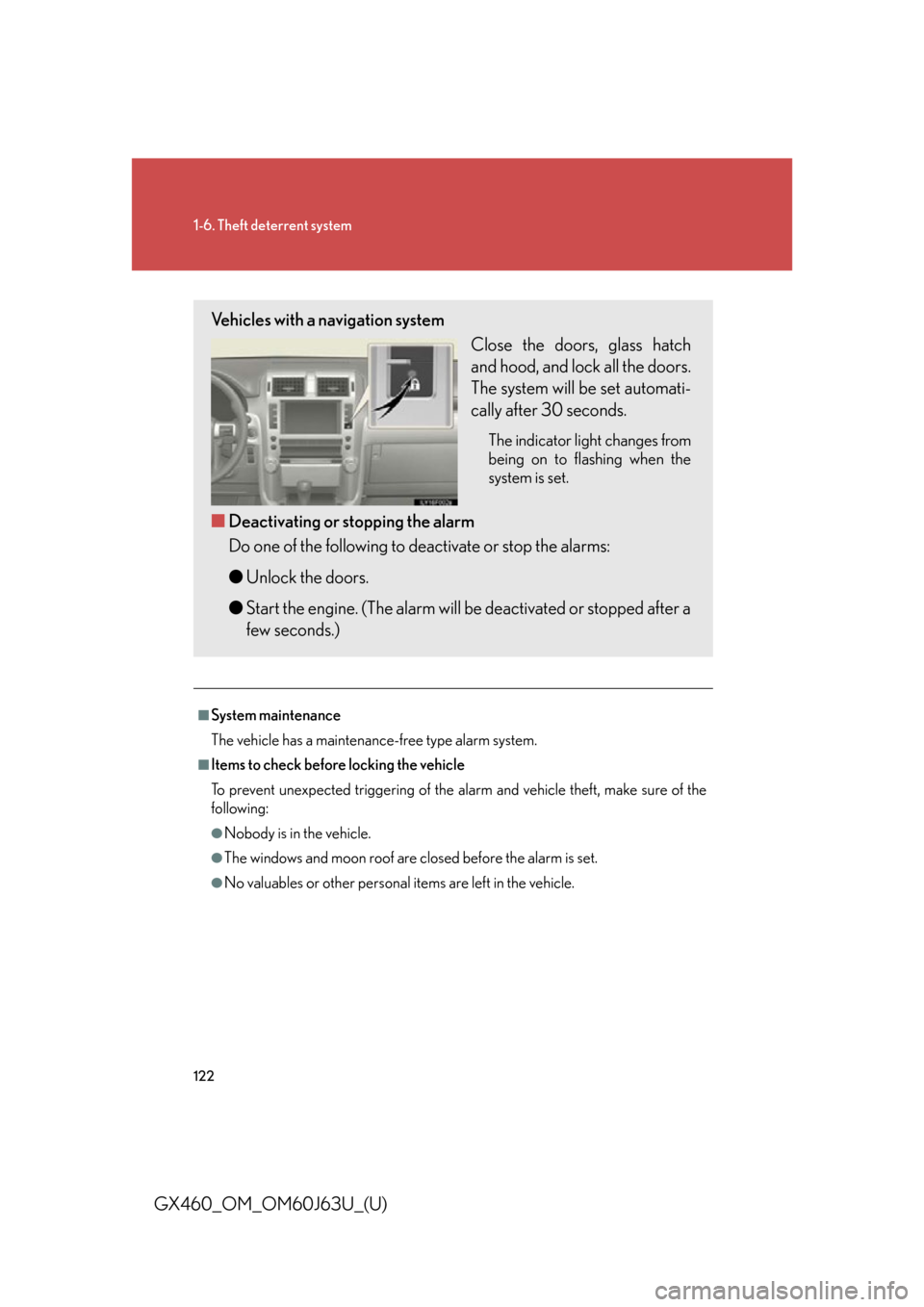
Vehicles with a navigation systemClose the doors, glass hatch
and hood, and lock all the doors.
The system will be set automati-
cally after 30 seconds.
The indicator light changes from
being on to flashing when the
system is set.
■Deactivating or stopping the alarm
Do one of the following to deactivate or stop the alarms:
●Unlock the doors.
● Start the engine. (The alarm will be deactivated or stopped after a
few seconds.)
Page 123 of 844

123
1-6. Theft deterrent system
1
Before driving
GX460_OM_OM60J63U_(U)
■Tr i g g e r i n g o f t h e a l a r m
The alarm may be triggered in the following situations:
(Stopping the alarm deactivates the alarm system.)
■Alarm-operated door lock
●When the alarm is operating, the door s are locked automatically to prevent
intruders.
●Do not leave the key inside the vehicle when the alarm is operating, and make
sure the key is not inside the vehicle when recharging or replacing the battery.
■Alarm memory function
After the alarm is activated, when you unlock any door using a entry function, wire-
less remote control or mechanical key, the tail lights turn on for about 2 seconds to
inform you that the system was activated.
NOTICE
■To ensure the system operates correctly
Do not modify or remove the system. If mo dified or removed, the proper operation
of the system cannot be guaranteed.
●A person inside the vehicle opens a door
or hood.
●The battery is recharged or replaced
when the vehicle is locked.
Page 124 of 844

124
GX460_OM_OM60J63U_(U)
1-7. Safety information
Correct driving posture
Drive with a good posture as follows:
Sit upright and well back in
the seat. (P. 6 7 )
Adjust the position of the seat
forward or backward to
ensure the pedals can be
reached and easily
depressed to the extent
required. ( P. 6 7 )
Adjust the seatback so that
the controls are easily opera-
ble.
Adjust the tilt and telescopic
positions of the steering
wheel downward so the air-
bag is facing your chest.
( P. 9 7 )
Lock the head restraint in
place with the center of the
head restraint closest to the
top of your ears. ( P. 8 6 )
Wear the seat belt correctly.
( P. 8 9 )
Page 125 of 844

125
1-7. Safety information
1
Before driving
GX460_OM_OM60J63U_(U)
CAUTION
■While driving
●Do not adjust the position of the driver’s seat.
Doing so could cause the driver to lose control of the vehicle.
●Do not place a cushion between the driver or passenger and the seatback.
A cushion may prevent correct posture from being achieved, and reduce the
effectiveness of the seat belt and head restraint, increasing the risk of death or
serious injury to the driver or passenger.
●Do not place anything under the front seats.
Objects placed under the front seats may become jammed in the seat tracks and
stop the seat from locking in place. This may lead to an accident, resulting in
death or serious injury. The adjustment mechanism may also be damaged.
■Adjusting the seat position
●Take care when adjusting the seat position to ensure that other passengers are
not injured by the moving seat.
●Do not put your hands under the seat or near the moving parts to avoid injury.
Fingers or hands may become jammed in the seat mechanism.
Page 155 of 844
155
1
1-7. Safety information
Before driving
GX460_OM_OM60J63U_(U)
Installing child restraints
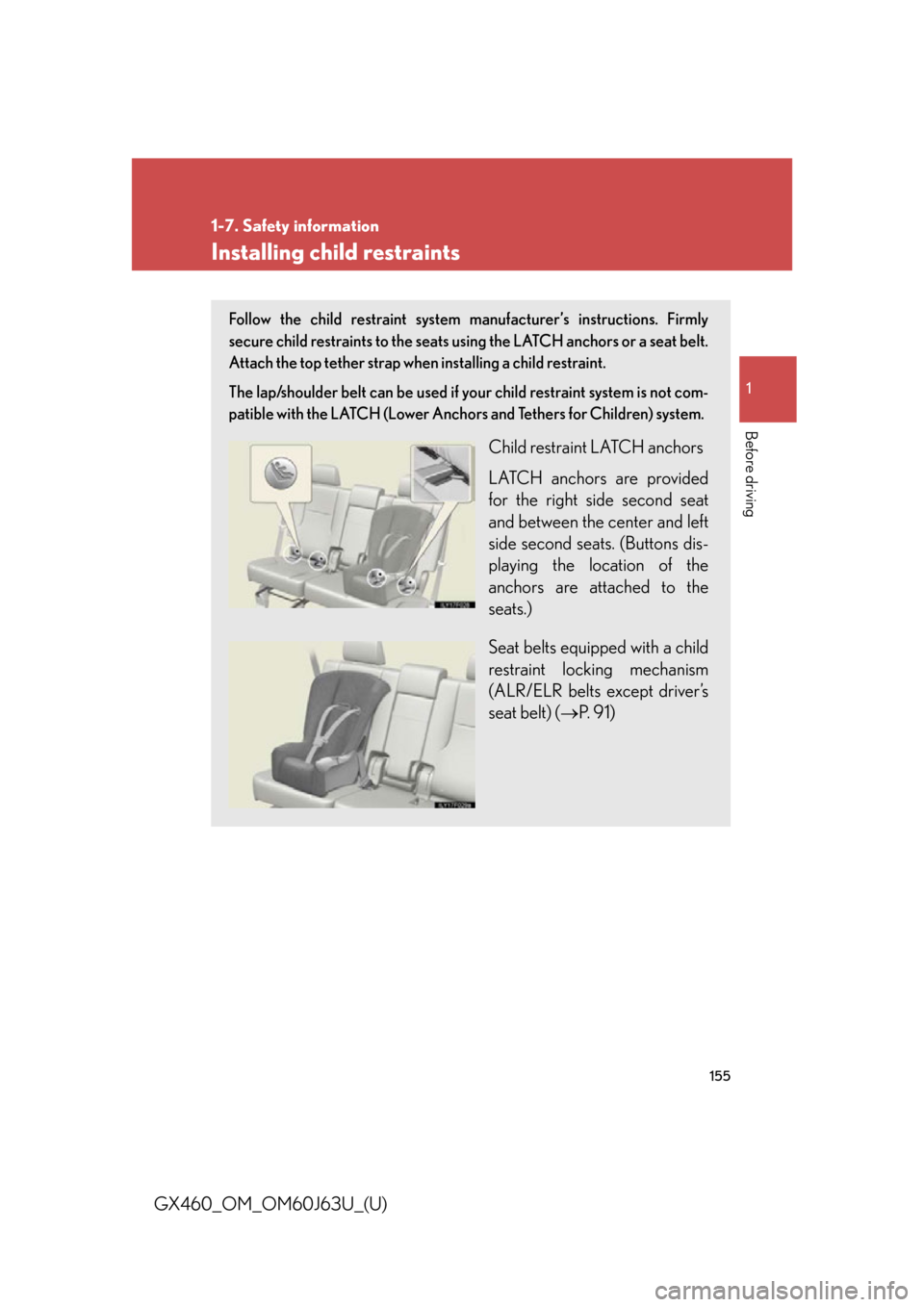
Follow the child restraint system manufacturer’s instructions. Firmly
secure child restraints to the seats using the LATCH anchors or a seat belt.
Attach the top tether strap when installing a child restraint.
The lap/shoulder belt can be used if your child restraint system is not com-
patible with the LATCH (Lower Anchors and Tethers for Children) system.
Child restraint LATCH anchors
LATCH anchors are provided
for the right side second seat
and between the center and left
side second seats. (Buttons dis-
playing the location of the
anchors are attached to the
seats.)
Seat belts equipped with a child
restraint locking mechanism
(ALR/ELR belts except driver’s
seat belt) (P. 9 1 )