air condition Lexus GX460 2017 User Guide
[x] Cancel search | Manufacturer: LEXUS, Model Year: 2017, Model line: GX460, Model: Lexus GX460 2017Pages: 644, PDF Size: 20.93 MB
Page 187 of 644
GX 460 _O M_ OM6 0F 6 8U _(U )
1854-1. Before driving
4
Driving
●After the trailer swaying has stopped:
• Stop in a safe place. Get all occupants out of the vehicle.
• Check the tires of the vehicle and the trailer.
• Check the load in the trailer.Make sure the load has not shifted.
Make sure the tongue weight is appropriate, if possible.
• Check the load in the vehicle. Make sure the vehicle is not overloaded after occupants get in.
If you cannot find any problems, the speed at which trailer swaying occurred is beyond
the limit of your particular vehicle-trailer combination.
Drive at a lower speed to prev ent instability. Remember that swaying of the towing vehi-
cle-trailer increases as speed increases.
CAUTION
■Trailer towing precautions
●To tow a trailer safely, use extreme care and drive the vehicle in accordance with the
trailer’s characteristics and operating conditions. Failure to do so could cause an acci-
dent resulting in death or se rious injury. Vehicle stability and braking performance are
affected by trailer stability, brake setting and performance, and the hitch. Your vehicle
will handle differently when towing a trailer.
●Set the vehicle height to the LO mode and turn off the rear height control air suspen-
sion when you connect a trailer, otherwise the vehicle height may change due to the
automatic leveling function, and you may catch part of your body in the vehicle,
resulting in an accident.
GX460_OM_OM60F68U_(U).book Page 185 Wednesday, June 8, 2016 6:37 PM
Page 242 of 644
240
GX 460 _O M_ OM6 0F 6 8U _(U )4-5. Using the driving support systems
■Temporary cancelation of the LDA system
If any of the following occurs, the LDA system
will be temporarily canceled. The functions
will resume after the necessary operating conditions have returned.
●The turn signal lever is operated.
●The brake pedal is depressed.
●The vehicle speed deviates from the operating range of the LDA system.
●The lane lines cannot be recognized while driving.
●The wiper operates continuously.
●When the lane departure warning function is activated.
Once the lane departure warning function is activated, it will be temporarily canceled
and resume a few seconds later.
■The lane departure warning
Depending on the audio system sound level or air conditioning fan noise while the audio
system or air conditioning system is in use, it may be difficult to hear the warning sound.
■After the vehicle has been parked in the sun
The LDA system may not be available and a warning message ( →P. 531) will be dis-
played for a while after driving has started. When the temperature in the cabin decreases
and the temperature around the camera sensor ( →P. 238) becomes suitable for its
operation, the functions will begin to operate.
GX460_OM_OM60F68U_(U).book Page 240 Wednesday, June 8, 2016 6:37 PM
Page 252 of 644
250
GX 460 _O M_ OM6 0F 6 8U _(U )4-5. Using the driving support systems
■The intuitive parking assist can be operated when
●Front corner sensors:
• The engine switch is
in IGNITION ON mode.
• The shift lever is in a position other than P.
• The vehicle speed is less than approximately 6 mph (10 km/h). (At any speed when the shift lever is in R)
●Front center sensors:
• The engine switch is in IGNITION ON mode.
• The shift lever is in a position other than P or R.
• The vehicle speed is less than about 6 mph (10 km/h).
●Rear corner and rear center sensors:
• The engine switch is in IGNITION ON mode.
• The shift lever is in R.
■Intuitive parking assist display
When an obstacle is detected while the rear view monitor system, Lexus parking assist
monitor or Multi-terrain Monitor is in use, the warning indicator will appear in the upper
corner of the screen even if the display setting has been set to off.
■Sensor detection information
●The sensor’s detection areas are limited to the areas around the vehicle’s bumper.
●Certain vehicle conditions and the surround ing environment may affect the ability of a
sensor to correctly detect an obstacle. Particular instances where this may occur are
listed below.
• There is dirt, snow or ice on the sensor . (Wiping the sensors will resolve this prob-
lem.)
• The sensor is frozen. (Thawing th e area will resolve this problem.)
In especially cold weather, if a sensor is frozen the screen may show an abnormal
display, or obstacles may not be detected.
• The sensor is covered in any way.
• The vehicle is leaning co nsiderably to one side.
• On an extremely bumpy road, on an incline, on gravel, or on grass.
• The vicinity of the vehicle is noisy due to vehicle horns, motorcycle engines, air brakes of large vehicles, or other loud noises producing ultrasonic waves.
• There is another vehicle equipped with parking assist sensors in the vicinity.
• The sensor is coated with a sheet of spray or heavy rain.
• The vehicle is equipped with a fender pole or wireless antenna.
• The bumper or sensor receives a strong impact.
• The vehicle is approaching a tall or curved curb.
• In harsh sunlight or intense cold weather.
• The area directly under the bumpers is not detected.
• If obstacles draw too close to the sensor.
• A non-genuine Lexus suspension (lowered suspension etc.) is installed.
• People may not be detected if they are wearing certain types of clothing.
In addition to the examples above, there are instances in which, because of their shape,
signs and other objects may be judged by a sensor to be closer than they are.
GX460_OM_OM60F68U_(U).book Page 250 Wednesday, June 8, 2016 6:37 PM
Page 253 of 644
GX 460 _O M_ OM6 0F 6 8U _(U )
2514-5. Using the driving support systems
4
Driving
●The shape of the obstacle may prevent a sensor from detecting it. Pay particular atten-
tion to the following obstacles:
• Wires, fences, ropes, etc.
• Cotton, snow and other materials that absorb sound waves
• Sharply-angled objects
• Low obstacles
• Tall obstacles with upper sections projecting outwards in the direction of your vehi-
cle
●The following situations may occur during use.
• Depending on the shape of the obstacle and other factors, the detection distance may shorten, or detect ion may be impossible.
• Obstacles may not be detected if they are too close to the sensor.
• There will be a short delay between obst acle detection and display. Even at slow
speeds, there is a possibility that the obstacl e will come within the sensor’s detection
areas before the display is shown and the buzzer sounds.
• Thin posts or objects lower than the sensor may not be detected when approached, even if they have been detected once.
• It might be difficult to hear beeps due to the volume of audio system or air flow noise of the air conditioning system.
■If a message is displayed on the multi-information display
→ P. 5 3 0
■Certification for the intuitive parking assist (Canada only)
This ISM device complies with Canadian ICES-001.
■Customization
Settings (e.g. buzzer sounds volume) can be changed.
(Customizable features: →P. 5 9 4 )
GX460_OM_OM60F68U_(U).book Page 251 Wednesday, June 8, 2016 6:37 PM
Page 339 of 644
337
GX 460 _O M_ OM6 0F 6 8U _(U )4-5. Using the driving support systems
4
Driving
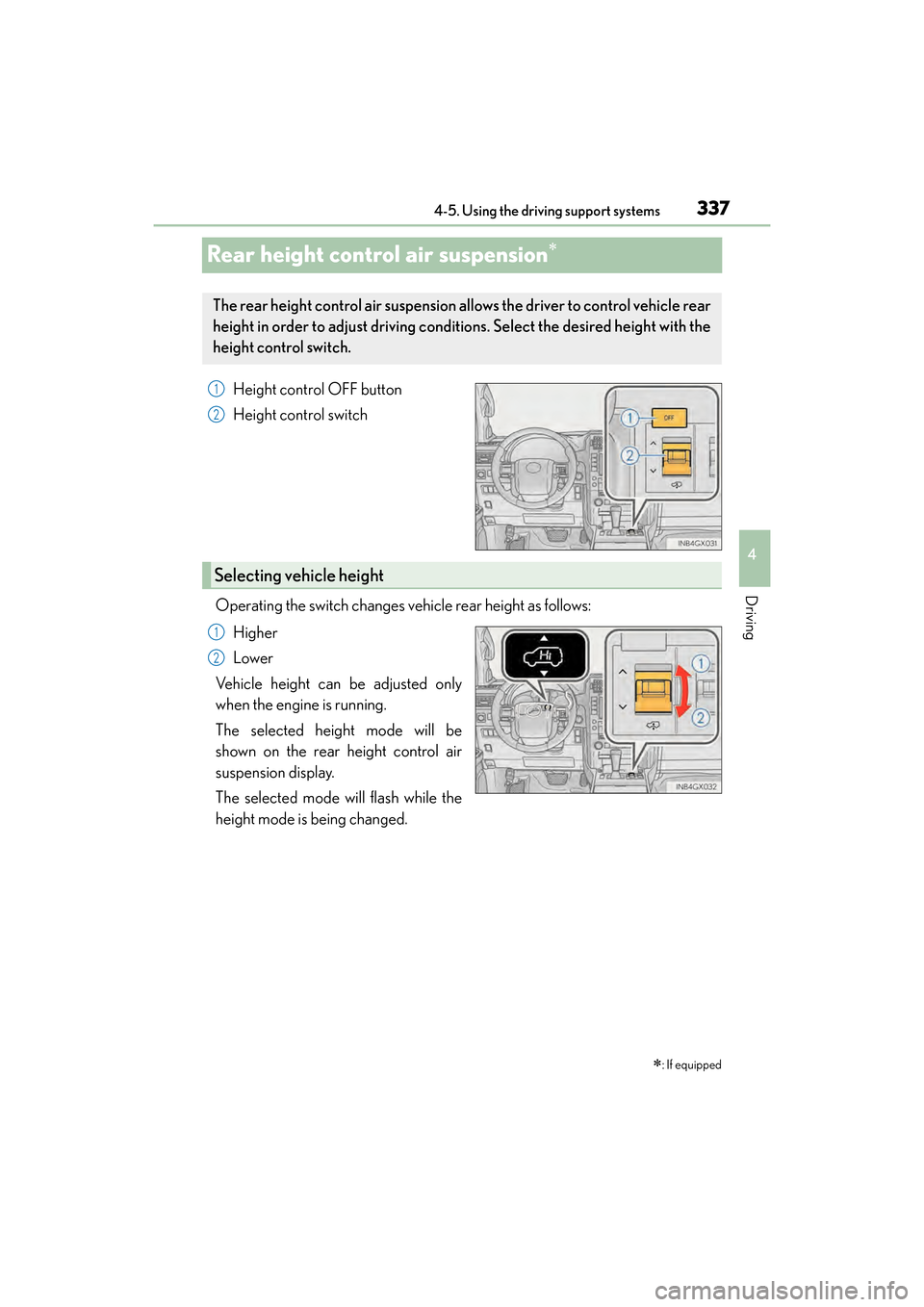
Rear height control air suspension∗
Height control OFF button
Height control switch
Operating the switch changes vehicle rear height as follows: Higher
Lower
Vehicle height can be adjusted only
when the engine is running.
The selected height mode will be
shown on the rear height control air
suspension display.
The selected mode will flash while the
height mode is being changed.
∗: If equipped
The rear height control air suspension allows the driver to control vehicle rear
height in order to adjust driving conditions. Select the desired height with the
height control switch.
1
2
Selecting vehicle height
1
2
GX460_OM_OM60F68U_(U).book Page 337 Wednesday, June 8, 2016 6:37 PM
Page 379 of 644
377
GX 460 _O M_ OM6 0F 6 8U _(U )4-6. Driving tips
4
Driving
Winter driving tips
●Use fluids that are appropriate to the prevailing outside temperatures.
•Engine oil
• Engine coolant
•Washer fluid
●Have a service technician inspect the condition of the battery.
●Have the vehicle fitted with four snow tires or purchase a set of tire chains for
the rear tires.
Ensure that all tires are the same size and brand, and that chains match the size of the
tires.
Perform the following according to the driving conditions:
●Do not try to forcibly open a window or move a wiper that is frozen. Pour
warm water over the frozen area to melt the ice. Wipe away the water imme-
diately to prevent it from freezing.
●To ensure proper operation of the climate control system fan, remove any
snow that has accumulated on the air inlet vents in front of the windshield.
●Check for and remove any excess ice or snow that may have accumulated on
the exterior lights, vehicle’s roof, chassis, around the tires or on the brakes.
●Remove any snow or mud from the bottom of your shoes before getting in the
vehicle.
Carry out the necessary preparations and inspections before driving the vehi-
cle in winter. Always drive the vehicle in a manner appropriate to the prevail-
ing weather conditions.
Pre-winter preparations
Before driving the vehicle
GX460_OM_OM60F68U_(U).book Page 377 Wednesday, June 8, 2016 6:37 PM
Page 387 of 644
385
GX 460 _O M_ OM6 0F 6 8U _(U )
5Interior features
5-1. Using the air conditioning system and defogger
Front automatic air conditioning system .............. 386
Rear air conditioning system ..........................................396
Heated steering wheel/seat heaters/seat ventilators.........399
5-2. Using the interior lights Interior lights list..........................402• Personal/interior lights main switch .............................403
• Personal/interior lights...... 404 5-3. Using the storage features
List of storage features ............405• Glove box ...............................406
• Console box...........................406
• Coin holder ........................... 408
• Cup holders/bottle holders/ door pockets......................... 408
• Auxiliary boxes ...................... 410
Luggage compartment features..........................................412
5-4. Using the other interior features
Other interior features ............. 419 • Cool box ................................... 419
• Sun visors ..................................421
• Vanity mirror ............................421
• Conversation mirror........... 422
• Clock ........................................ 422
• Power outlets ......................... 423
• Armrest .....................................427
• Coat hooks ............................. 428
• Assist grips.............................. 428
• Compass ................................. 429
Garage door opener................ 433
LEXUS Enform Safety Connect ...................................... 439
GX460_OM_OM60F68U_(U).book Page 385 Wednesday, June 8, 2016 6:37 PM
Page 388 of 644
386
GX 460 _O M_ OM6 0F 6 8U _(U )5-1. Using the air conditioning system and defogger
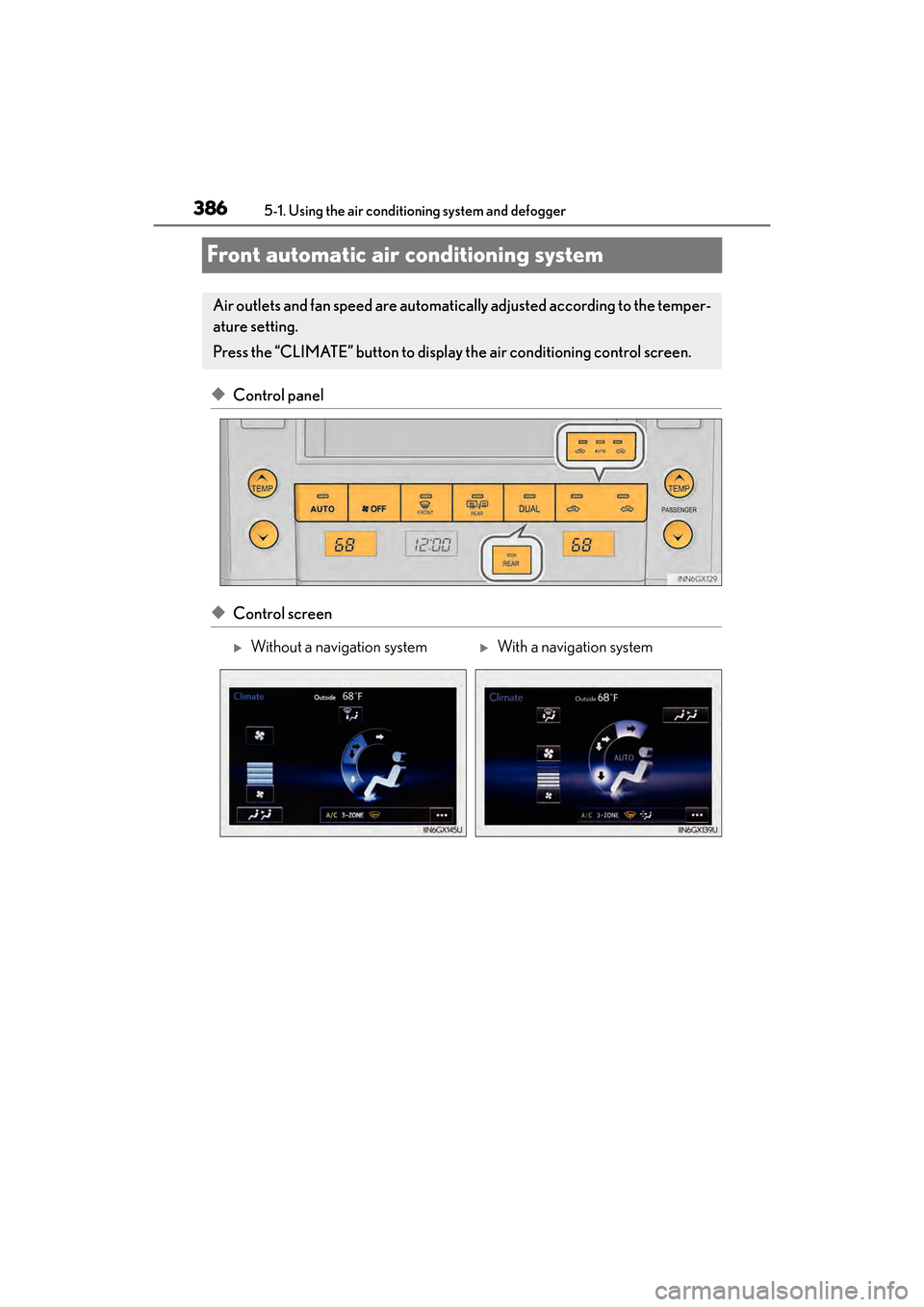
Front automatic air conditioning system
◆Control panel
◆Control screen
Air outlets and fan speed are automatically adjusted according to the temper-
ature setting.
Press the “CLIMATE” button to display the air conditioning control screen.
XWithout a navigation systemXWith a navigation system
GX460_OM_OM60F68U_(U).book Page 386 Wednesday, June 8, 2016 6:37 PM
Page 389 of 644
GX 460 _O M_ OM6 0F 6 8U _(U )
3875-1. Using the air conditioning system and defogger
5
Interior features
■Adjusting the temperature setting
Press to increase the temperature and to decrease the tempera-
ture.
■Adjusting the fan speed setting
Press to increase the fan speed and to decrease the fan speed.
Press the “OFF” button to turn the fan off.
■Changing the air flow mode
Select an air outlet switch.
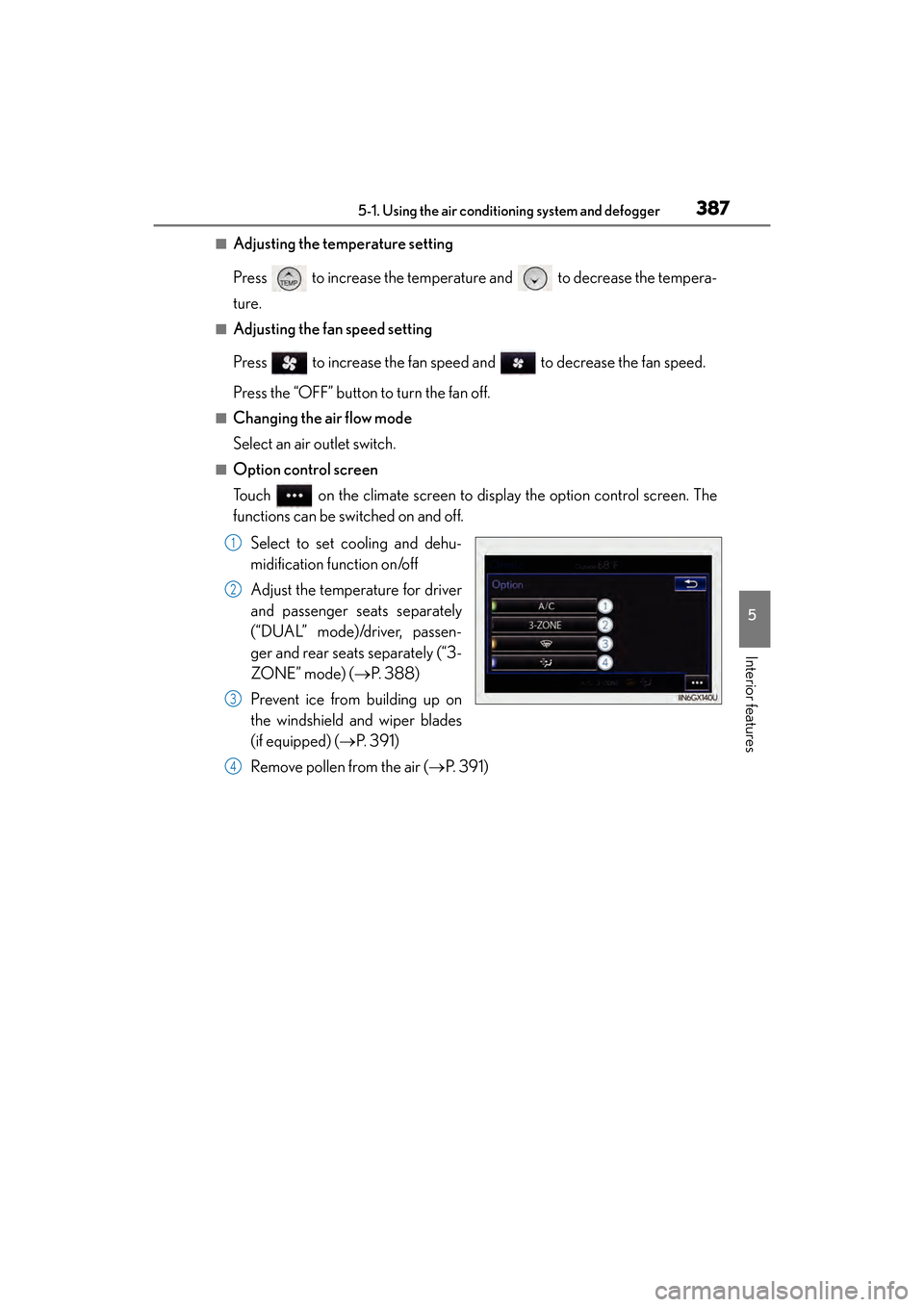
■Option control screen
Touch on the climate screen to display the option control screen. The
functions can be switched on and off.
Select to set cooling and dehu-
midification function on/off
Adjust the temperature for driver
and passenger seats separately
(“DUAL” mode)/driver, passen-
ger and rear seats separately (“3-
ZO NE ” m o d e) ( →P. 3 8 8 )
Prevent ice from building up on
the windshield and wiper blades
(if equipped) ( →P. 3 9 1 )
Remove pollen from the air ( →P. 3 9 1 )
1
2
3
4
GX460_OM_OM60F68U_(U).book Page 387 Wednesday, June 8, 2016 6:37 PM
Page 390 of 644
3885-1. Using the air conditioning system and defogger
GX 460 _O M_ OM6 0F 6 8U _(U )
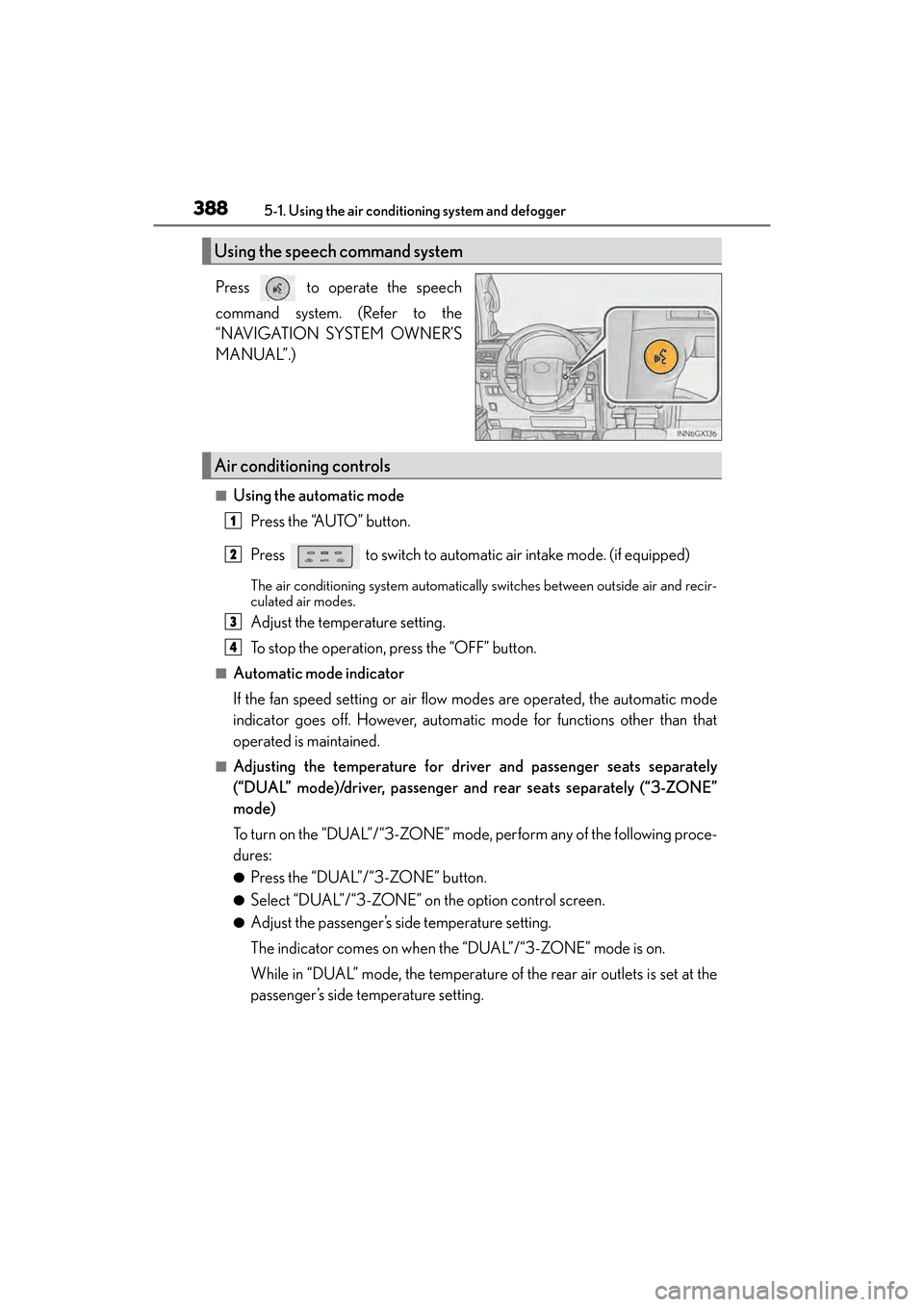
Press to operate the speech
command system. (Refer to the
“NAVIGATION SYSTEM OWNER’S
MANUAL”.)
■Using the automatic mode Press the “AUTO” button.
Press to switch to automatic air intake mode. (if equipped)
The air conditioning system automatically switches between outside air and recir-
culated air modes.
Adjust the temperature setting.
To stop the operation, press the “OFF” button.
■Automatic mode indicator
If the fan speed setting or air flow modes are operated, the automatic mode
indicator goes off. However, automatic mode for functions other than that
operated is maintained.
■Adjusting the temperature for driv er and passenger seats separately
(“DUAL” mode)/driver, pa ssenger and rear seats separately (“3-ZONE”
mode)
To turn on the “DUAL”/“3-ZONE” mode , perform any of the following proce-
dures:
●Press the “DUAL”/“3-ZONE” button.
●Select “DUAL”/“3-ZONE” on the option control screen.
●Adjust the passenger’s side temperature setting.
The indicator comes on when the “DUAL”/“3-ZONE” mode is on.
While in “DUAL” mode, the temperature of the rear air outlets is set at the
passenger’s side temperature setting.
Using the speech command system
Air conditioning controls
1
2
3
4
GX460_OM_OM60F68U_(U).book Page 388 Wednesday, June 8, 2016 6:37 PM