phone Lexus GX460 2017 Quick Guide
[x] Cancel search | Manufacturer: LEXUS, Model Year: 2017, Model line: GX460, Model: Lexus GX460 2017Pages: 104, PDF Size: 8.47 MB
Page 3 of 104
2
GX460_QG_OM60P00U_(U)
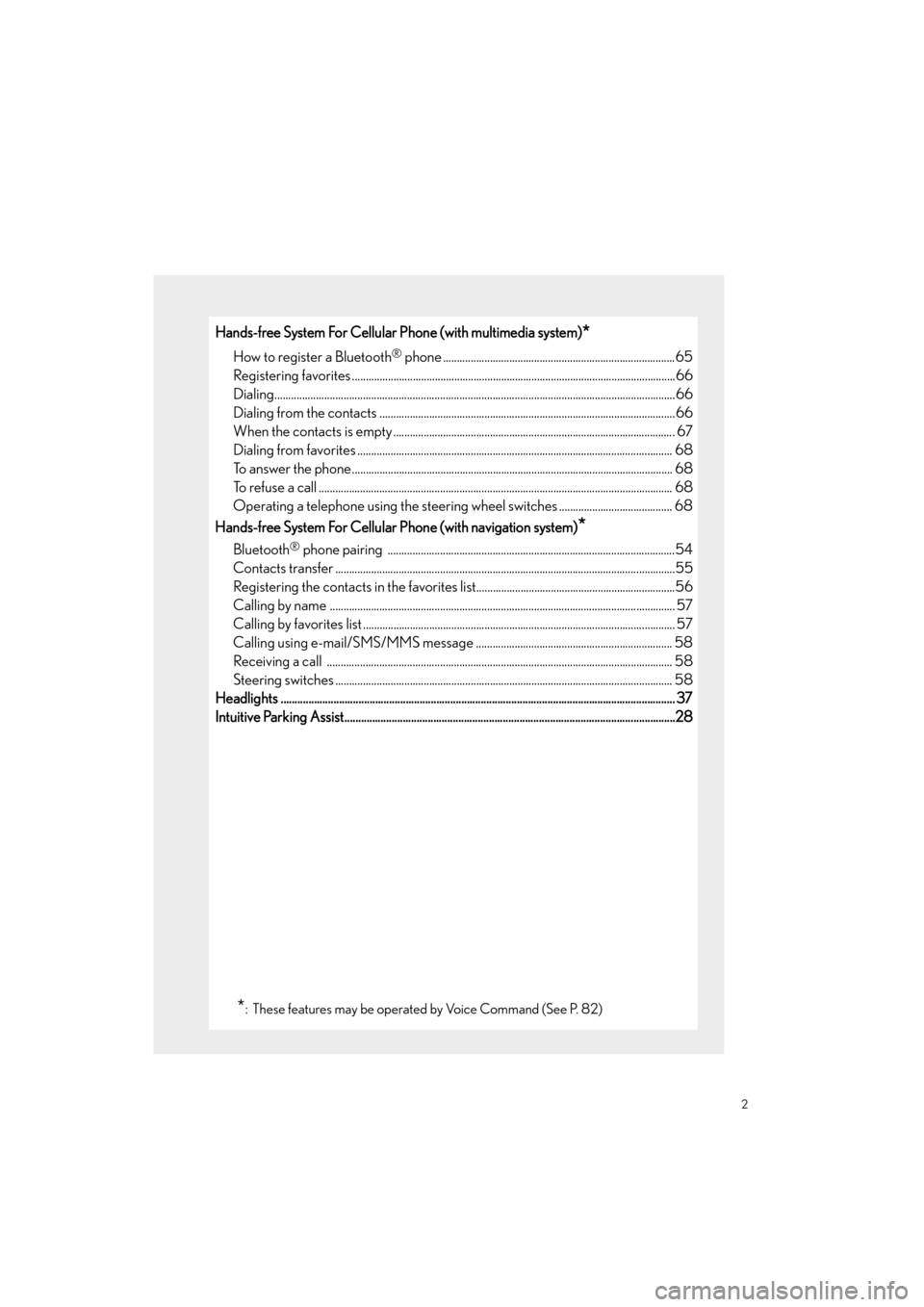
Hands-free System For Cellular Phone (with multimedia system)*
How to register a Bluetooth® phone ....................................................................................65
Registering favorites .......................................................................................................... ...........66
Dialing........................................................................................................................ .........................66
Dialing from the contacts ...................................................................................................... .....66
When the contacts is empty ..................................................................................................... .67
Dialing from favorites ......................................................................................................... ......... 68
To answer the phone............................................................................................................ ........ 68
To refuse a call ............................................................................................................... ................. 68
Operating a telephone using the steering wheel switches ......................................... 68
Hands-free System For Cellular Phone (with navigation system)
*
Bluetooth® phone pairing ........................................................................................................54
Contacts transfer .............................................................................................................. .............55
Registering the contacts in the favorites list........................................................................56
Calling by name ............................................................................................................... .............. 57
Calling by favorites list ...................................................................................................... ........... 57
Calling using e-mail/SMS/MMS message ....................................................................... 58
Receiving a call .............................................................................................................. ............... 58
Steering switches .............................................................................................................. ............ 58
Headlights .............................................................................................................................................. 37
Intuitive Parking Assist....................................................................................................... ................28
*: These features may be operated by Voice Command (See P. 82)
GX460_QG_OM60P00U_(U).book Page 2 Friday, June 3, 2016 2:27 PM
Page 4 of 104
3
GX460_QG_OM60P00U_(U)
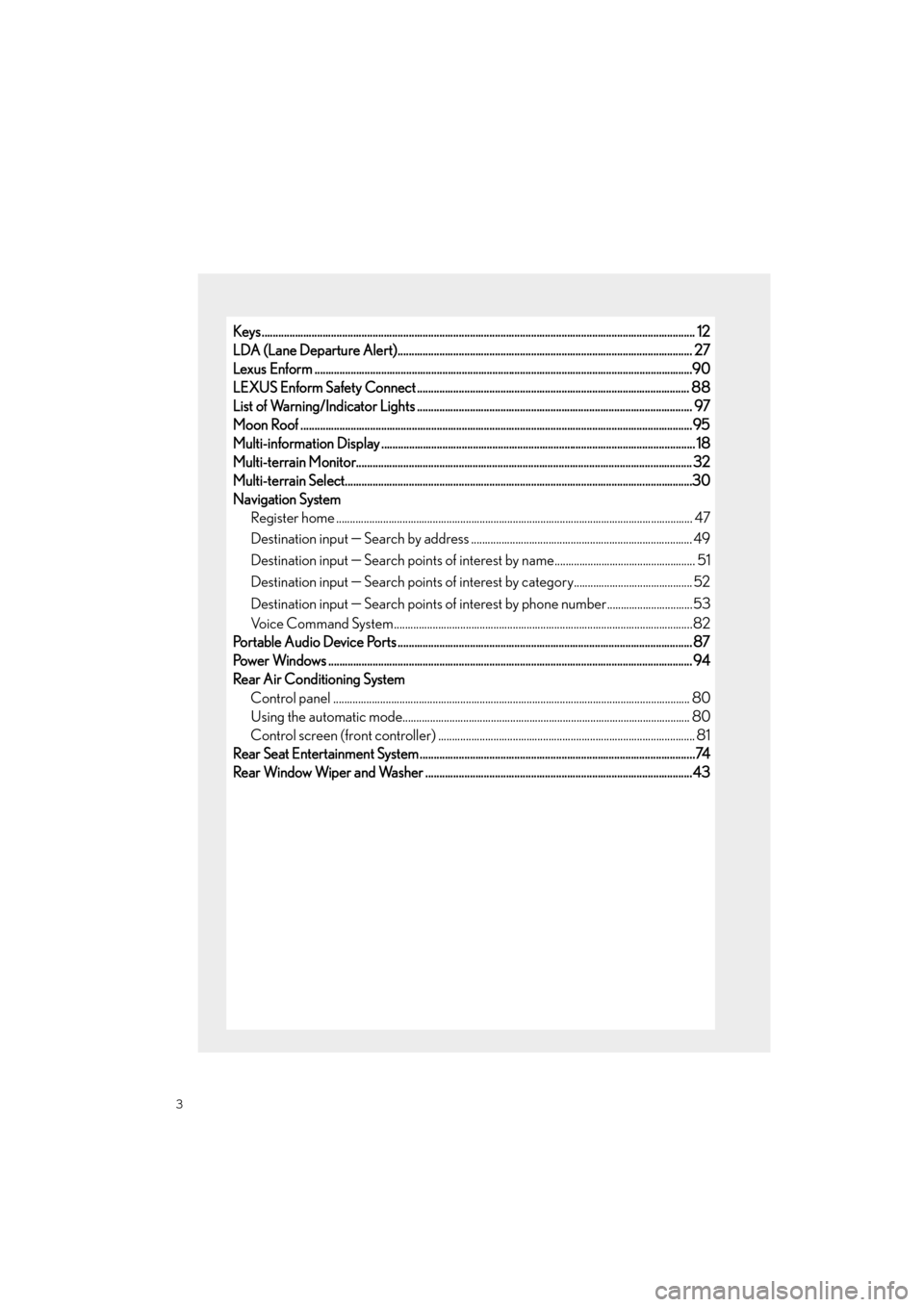
Keys ............................................................................................................................................................ 12
LDA (Lane Departure Alert).......................................................................................................... 27
Lexus Enform ................................................................................................................... .....................90
LEXUS Enform Safety Connect .................................................................................................. 88
List of Warning/Indicator Lights ............................................................................................... .... 97
Moon Roof ...................................................................................................................... .......................95
Multi-information Display ...................................................................................................... ........... 18
Multi-terrain Monitor.......................................................................................................... ............... 32
Multi-terrain Select........................................................................................................... ..................30
Navigation System Register home .................................................................................................................. ............... 47
Destination input
− Search by address ................................................................................ 49
Destination input
− Search points of interest by name................................................... 51
Destination input
− Search points of interest by category........................................... 52
Destination input
− Search points of interest by phone number...............................53
Voice Command System........................................................................................................... .82
Portable Audio Device Ports .................................................................................................... ...... 87
Power Windows .................................................................................................................. ................. 94
Rear Air Conditioning System Control panel .................................................................................................................. ............... 80
Using the automatic mode....................................................................................................... .80
Control screen (front controller) ............................................................................................. 8 1
Rear Seat Entertainment System ................................................................................................. ..74
Rear Window Wiper and Washer ................................................................................................43
GX460_QG_OM60P00U_(U).book Page 3 Friday, June 3, 2016 2:27 PM
Page 9 of 104
8
GX460_QG_OM60P00U_(U)
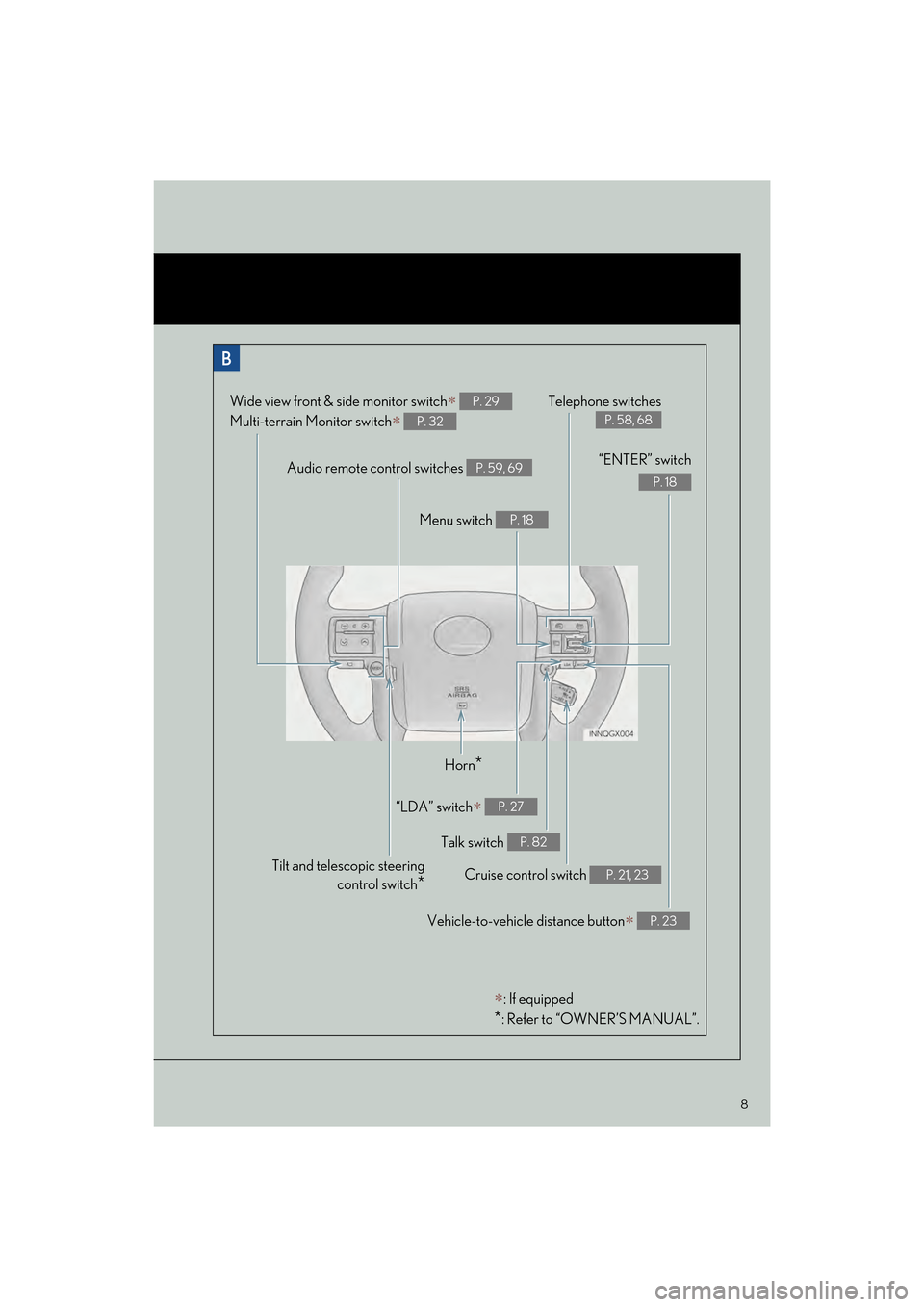
Audio remote control switches P. 59, 69
Telephone switches
P. 58, 68
Menu switch P. 18
“ENTER” switch
P. 18
Wide view front & side monitor switch∗
Multi-terrain Monitor switch
∗
P. 29
P. 32
Horn*
Talk switch P. 82
Cruise control switch P. 21, 23
“LDA” switch∗ P. 27
Vehicle-to-vehicle distance button∗ P. 23
∗: If equipped
*: Refer to “OWNER’S MANUAL”.
Tilt and telescopic steering control switch
*
GX460_QG_OM60P00U_(U).book Page 8 Friday, June 3, 2016 2:27 PM
Page 54 of 104

53
GX460_QG_OM60P00U_(U)
■Destination input Search points of interest by phone number
Press the “NAV” button.
Select “Dest.”.
Select “Point of Interest”.
Select “Phone #”.
Enter a phone number and select
“OK”.
Select “Go”.
Select “OK”.31
2
3
44
5
6
7
GX460_QG_OM60P00U_(U).book Page 53 Friday, June 3, 2016 2:27 PM
Page 55 of 104

54
GX460_QG_OM60P00U_(U)
Hands-free System For Cellular Phone
(with navigation system)
■Bluetooth® phone pairing
Compatible Bluetooth®-equipped phones can be connected to the vehicle, enabling
hands-free operation. Please refer to the cell ular phone manufacturer’s user guide for pair-
ing procedures, or go to “www.lexus.com/MobileLink
” (for U.S.A.) for more phone informa-
tion.
To use a Bluetooth
® phone, it is necessary
to first register it in the system.
Press on the steering wheel.
Select “Yes”.
When this screen is displayed, search
for the device name displayed on this
screen on the screen of your
Bluetooth
® device.
Refer to the cellular phone user’s man-
ual for cellular phone operation.
Register the Bluetooth
® device using
your Bluetooth
® device.
Check that the following screen is dis-
played when registration is complete.
2
1
2
33
4
55
GX460_QG_OM60P00U_(U).book Page 54 Friday, June 3, 2016 2:27 PM
Page 56 of 104

55
GX460_QG_OM60P00U_(U)
Select “OK” when the connection sta-
tus changes from “Connecting...” to
“Connected”.
■Contacts transfer
Press the “SETUP” button.
Select “Phone”.
Select “Contact/Call History Settings”.
Select “Update Contacts from Phone”.
Check that a confirmation screen is
displayed when the operation is com-
plete.
66
21
2
33
44
5
Contacts transfer may not be possible depending on phone model.
GX460_QG_OM60P00U_(U).book Page 55 Friday, June 3, 2016 2:27 PM
Page 57 of 104

56
GX460_QG_OM60P00U_(U)
■Registering the contacts in the favorites list
Press the “SETUP” button.
Select “Phone”.
Select “Contact/Call History Settings”.
Select “Add Favorite”.
Select the desired contact to add to the
favorites list.
Check that a confirmation screen is
displayed when the operation is com-
plete.21
2
33
44
55
6
GX460_QG_OM60P00U_(U).book Page 56 Friday, June 3, 2016 2:27 PM
Page 58 of 104

57
GX460_QG_OM60P00U_(U)
■Calling by name
You can call by giving a name registered in the contacts. For details, refer to the “NAVIGA-
TION SYSTEM OWNER’S MANUAL”.
Press .
Say “Call
■Calling by favorites list
Press on the steering wheel.
Select the “Favorites” tab and select
the desired contact.
Select the desired number.
Check that the “Call” screen is dis-
played.
11
2
: Pressing this switch turns the voice command system on. Say a command after the
beep.
21
2
33
4
GX460_QG_OM60P00U_(U).book Page 57 Friday, June 3, 2016 2:27 PM
Page 59 of 104

58
GX460_QG_OM60P00U_(U)
■Calling using e-mail/SMS/MMS message
Press on the steering wheel.
Select .
Select the desired message.
Select .
Check that the “Call” screen is dis-
played.
■Receiving a call
When a call is received, this screen is
displayed with a sound.
Press on the steering wheel to talk
on the phone.
To refuse the call, press on the steering
wheel.
■ Steering switches
Sending/Receiving/“Phone” screen
display
End call/Refuse call
Start the voice command system
Increases/decreases volume
21
2
3
4
5
The tab display may vary depending on the type of cellular phone.
11
2
1
2
3
4
GX460_QG_OM60P00U_(U).book Page 58 Friday, June 3, 2016 2:27 PM
Page 66 of 104
65
GX460_QG_OM60P00U_(U)
Hands-free System For Cellular Phone
(with multimedia system)
■How to register a Bluetooth® phone
Compatible Bluetooth®-equipped phones can be connected to the vehicle, enabling
hands-free operation. Please re fer to the cellular phone manufacturer’s user guide for pair-
ing procedures, or go to “www.lexus.com/MobileLink
” (for U.S.A.) for more phone informa-
tion.
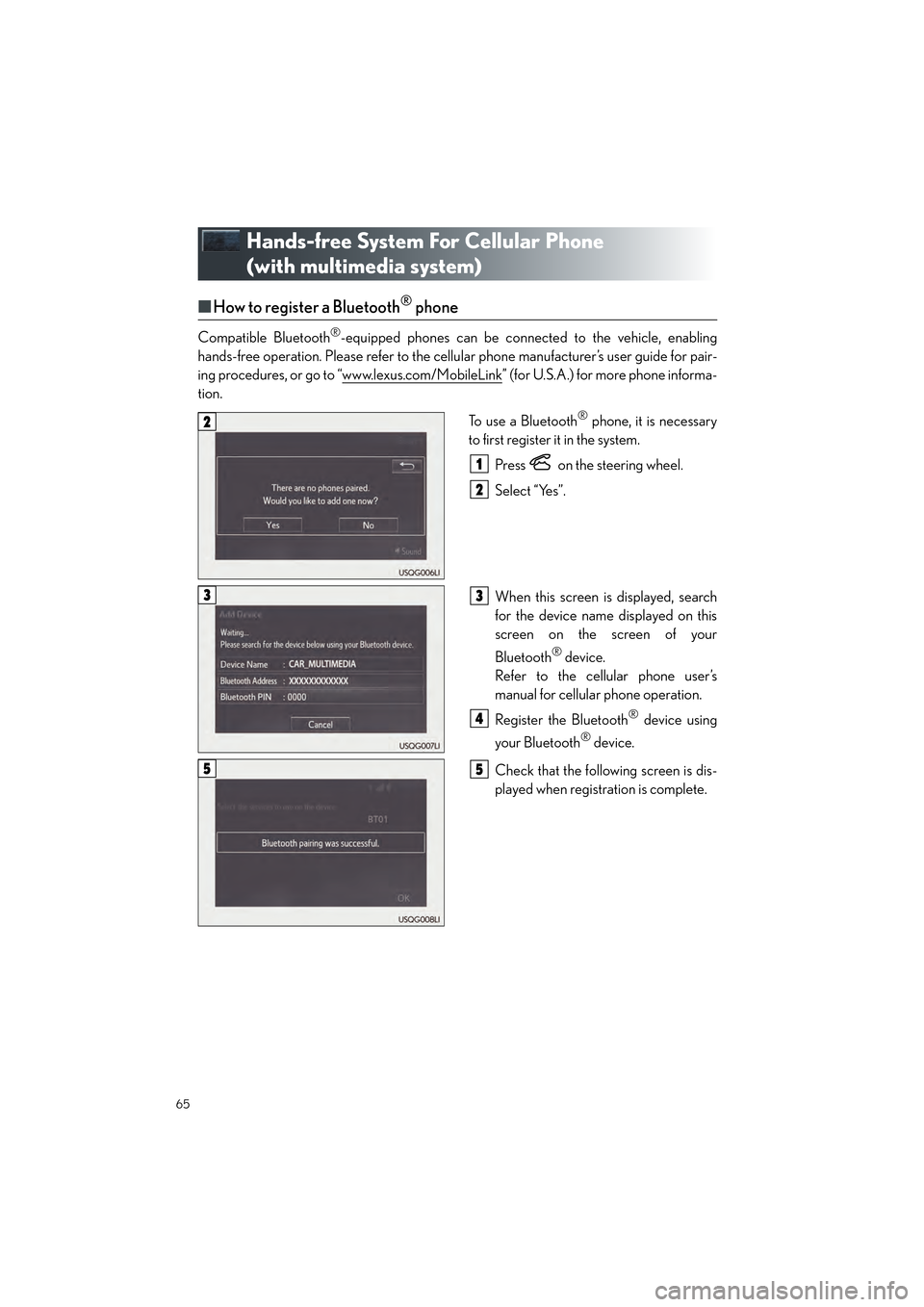
To use a Bluetooth
® phone, it is necessary
to first register it in the system.
Press on the steering wheel.
Select “Yes”.
When this screen is displayed, search
for the device name displayed on this
screen on the screen of your
Bluetooth
® device.
Refer to the cellular phone user’s
manual for cellular phone operation.
Register the Bluetooth
® device using
your Bluetooth
® device.
Check that the following screen is dis-
played when registration is complete.
2
1
2
33
4
55
GX460_QG_OM60P00U_(U).book Page 65 Friday, June 3, 2016 2:27 PM