driving lights Lexus GX470 2008 User Guide
[x] Cancel search | Manufacturer: LEXUS, Model Year: 2008, Model line: GX470, Model: Lexus GX470 2008Pages: 458, PDF Size: 5.93 MB
Page 130 of 458
129
2-2. Instrument cluster
2
When driving
Indicators and warning lights
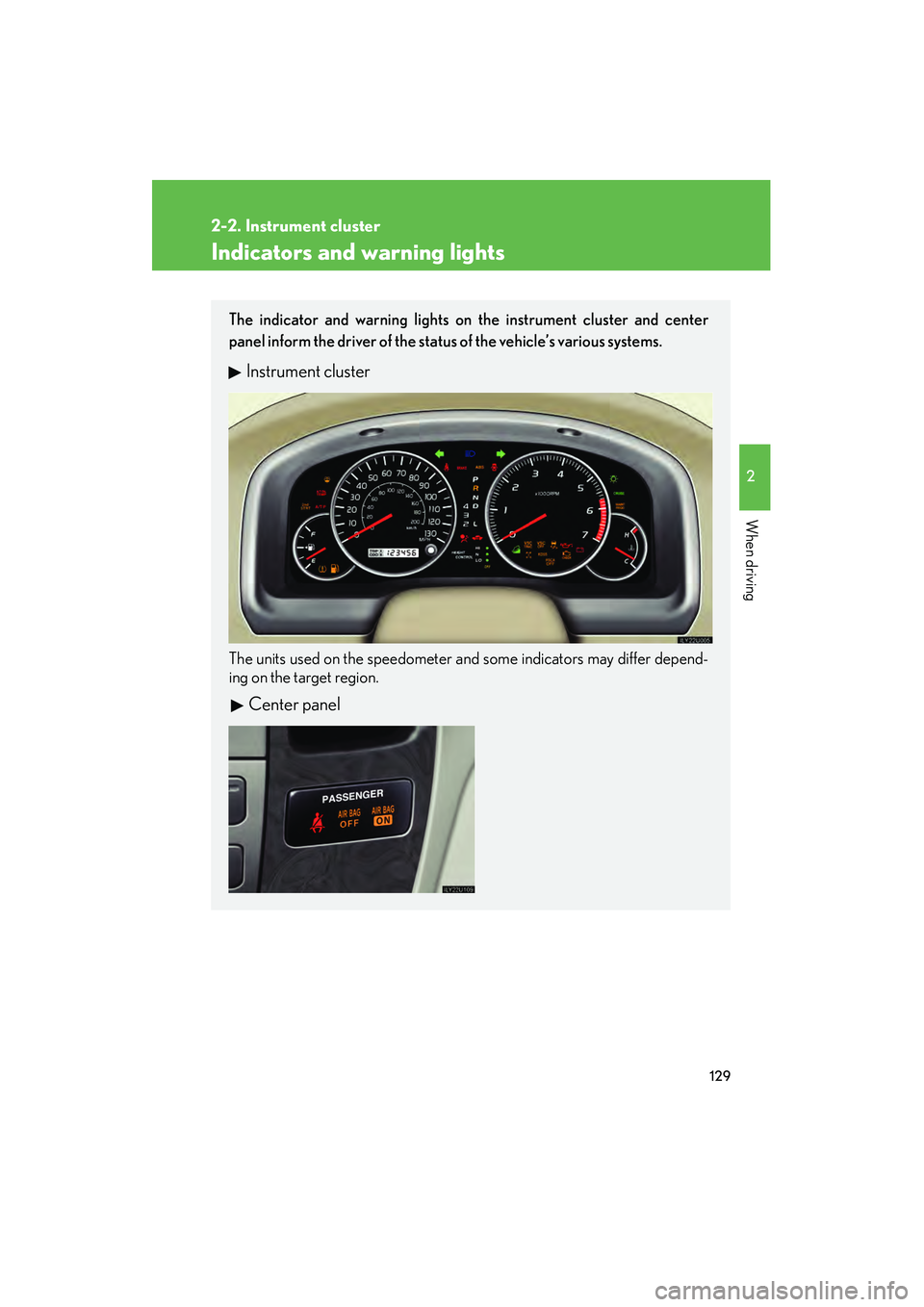
The indicator and warning lights on the instrument cluster and center
panel inform the driver of the status of the vehicle’s various systems.
Instrument cluster
The units used on the speedometer and some indicators may differ depend-
ing on the target region.
Center panel
Page 132 of 458

131
2-2. Instrument cluster
2
When driving
CAUTION
■If a safety system warning light does not come on
Should a safety system light such as ABS and the SRS airbag warning light not
come on when you turn the engine switch to the “ON” position, this could mean
that these systems are not available to help protect you in an accident, which could
result in death or serious injury. Have the vehicle inspected by your Lexus dealer
immediately if this occurs.
■Warning lights
Warning lights inform the driver of malfunctions in the indicated
vehicle’s systems. ( →P. 381)
*: These lights turn on when the engine switch is turned to the “ON” posi-
tion to indicate that a system check is being performed. They will turn off
after the engine is running, or afte r a few seconds. There may be a mal-
function in a system if the lights do not come on, or turn off. Have the
vehicle inspected by your Lexus dealer.
(U.S.A.)(Canada)(U.S.A.)(Canada)
(if equipped)(U.S.A.)(Canada)
*******
*****
**
Page 134 of 458

133
2-2. Instrument cluster
2
When driving
Display light controlPush and hold the “MODE” button until “ILL” appears on the display.
Push “ ▲” or “ ▼” to adjust the brightness.
You can adjust the brightness to 3 levels (when the tail lights are off) or 6 lev-
els (when the tail lights are on).
Trip information
■ Driving range
■ Average fuel consumption after refueling
■ Current fuel consumption
■ Average vehicle speed Displays the estimated maximum distance that can
be driven with the quantity of fuel remaining.
This distance is computed based on your average fuel
consumption. As a result, the actual distance that can be
driven may differ from that displayed.
When only a small amount of fuel is added to the tank,
the display may not be updated.
Displays the average fuel consumption since the
vehicle was last refueled.
Displays the current rate of fuel consumption.
Displays the average vehicle speed since the engine
was started or the function was reset.
The function can be reset by pushing the “RESET” but-
ton for longer than 1 second
when the average vehicle
speed is displayed.
Page 136 of 458
135
2
When driving
2-3. Operating the lights and windshield wipers
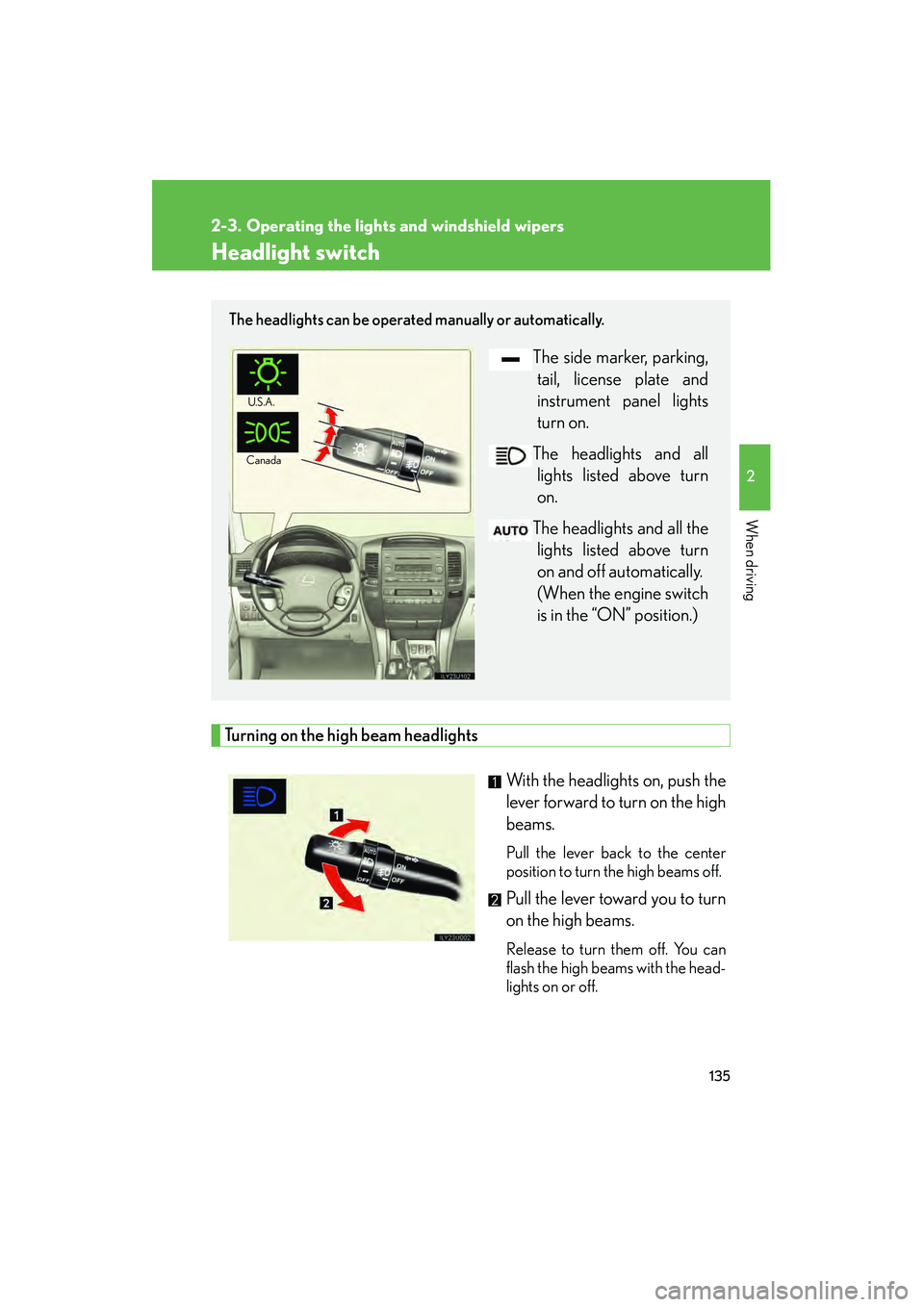
Headlight switch
Turning on the high beam headlightsWith the headlights on, push the
lever forward to turn on the high
beams.
Pull the lever back to the center
position to turn the high beams off.
Pull the lever toward you to turn
on the high beams.
Release to turn them off. You can
flash the high beams with the head-
lights on or off.
The headlights can be operated manually or automatically.
The side marker, parking,tail, license plate and
instrument panel lights
turn on.
The headlights and all lights listed above turn
on.
The headlights and all the lights listed above turn
on and off automatically.
(When the engine switch
is in the “ON” position.)
U.S.A .
Canada
Page 138 of 458
137
2-3. Operating the lights and windshield wipers
2
When driving
Fog light switch
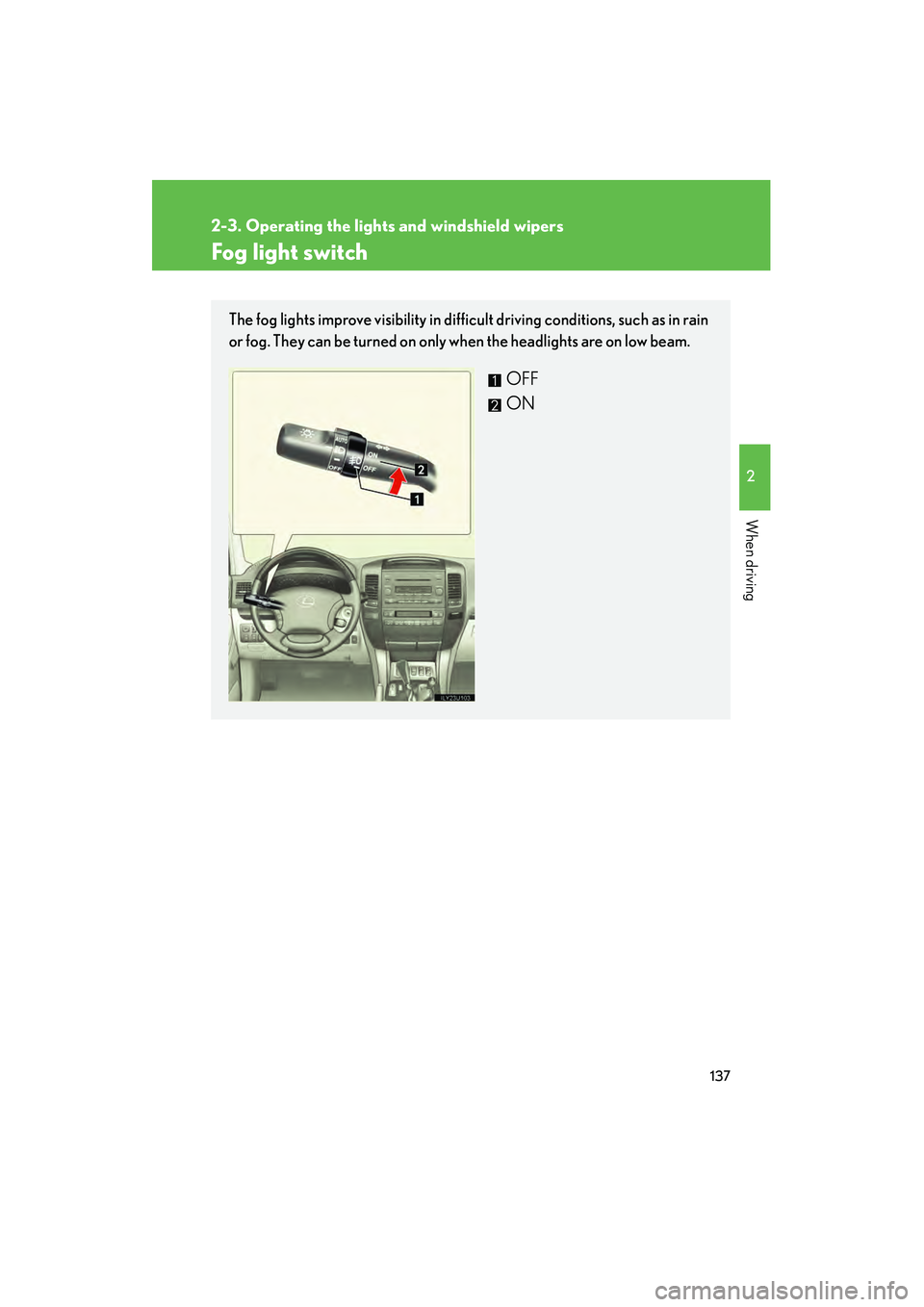
The fog lights improve visibility in difficult driving conditions, such as in rain
or fog. They can be turned on only when the headlights are on low beam.
OFF
ON
Page 140 of 458
139
2-3. Operating the lights and windshield wipers
2
When driving
■The windshield wiper and washer can be operated when
The engine switch is in the “ON” position.
■Dripping prevention wiper sweep
After washing and wiping operation several times, the wipers operate one more
time after a short delay to prevent dripping.
However, the last sweep will not happen if the vehicle is traveling above 106 mph
(170 km/h).
■Effects of vehicle speed on wiper operation
Vehicle speed affects the following even when the wipers are not in “AUTO” mode.
●Intermittent wiper interval (“INT” mode)
●Wiper operation when the washer is being used (delay until drip prevention
wiper sweep occurs)
With “LO” selected, wiper operation will be switched from low speed to intermit-
tent wiper operation only when the vehicle is stationary.
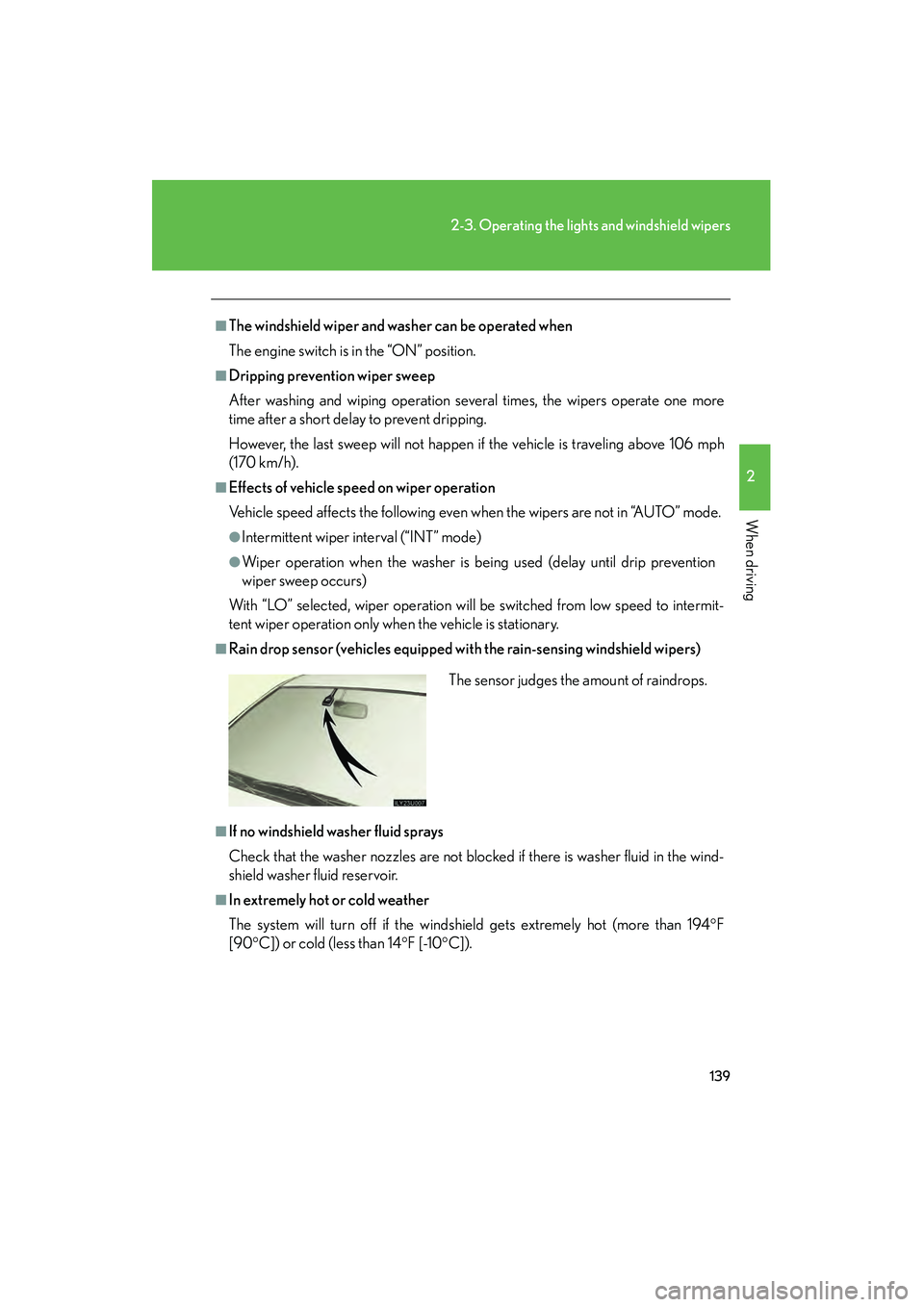
■Rain drop sensor (vehicles equipped with the rain-sensing windshield wipers)
■If no windshield washer fluid sprays
Check that the washer nozzles are not blocked if there is washer fluid in the wind-
shield washer fluid reservoir.
■In extremely hot or cold weather
The system will turn off if the windshield gets extremely hot (more than 194 °F
[90 °C]) or cold (less than 14 °F [-10 °C]).The sensor judges the amount of raindrops.
Page 142 of 458
141
2-3. Operating the lights and windshield wipers
2
When driving
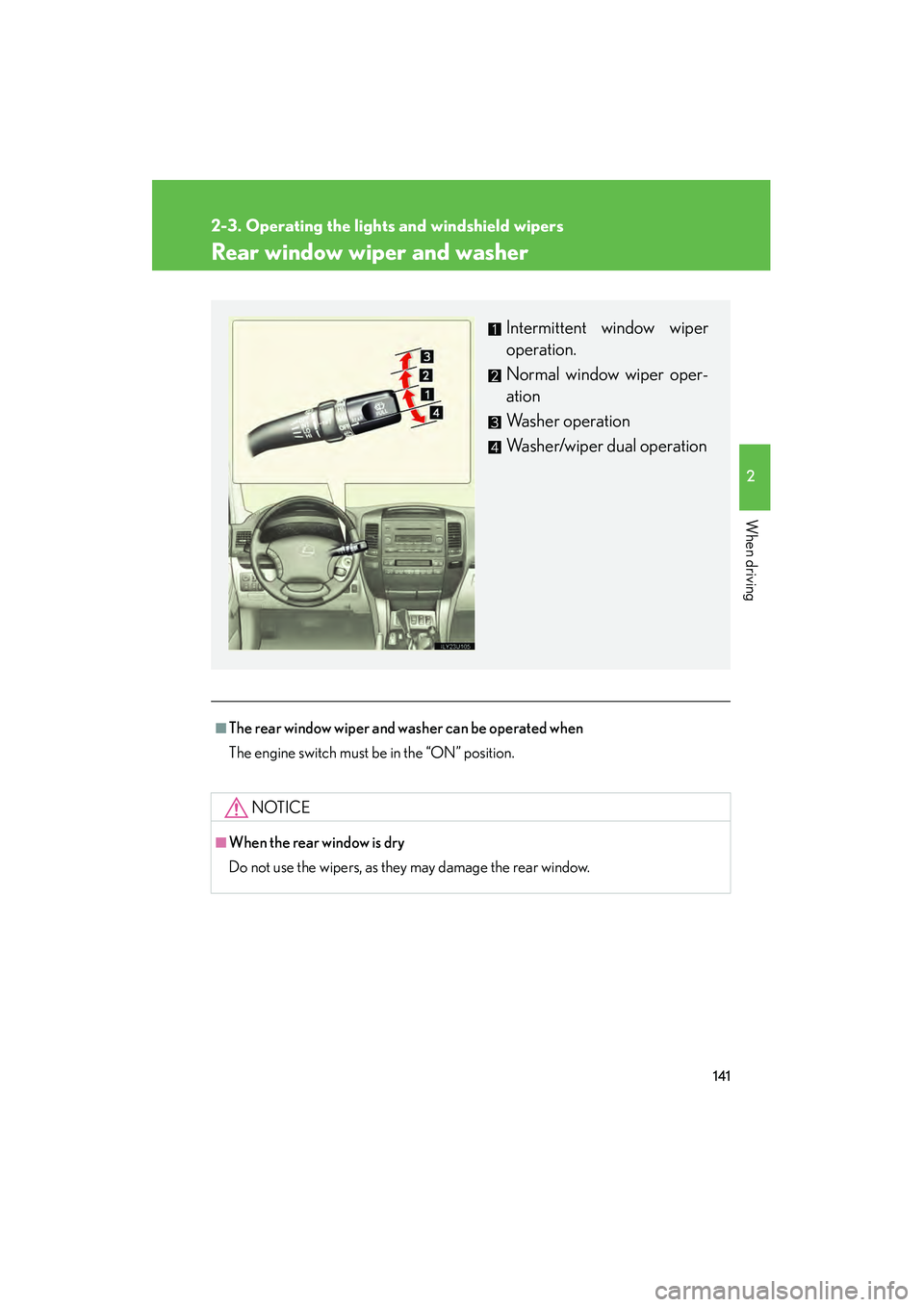
Rear window wiper and washer
■The rear window wiper and washer can be operated when
The engine switch must be in the “ON” position.
NOTICE
■When the rear window is dry
Do not use the wipers, as they may damage the rear window.
Intermittent window wiper
operation.
Normal window wiper oper-
ation
Washer operation
Washer/wiper dual operation
Page 149 of 458

148
2-4. Using other driving systems
■The center differential lock/unlock button can be operated when
●The engine switch is in the “ON” position, and
●The four-wheel drive control lever is in the “H” or “L” position.
■Locking/unlocking the center differential
●When the center differential is locked, VSC is automatically turned off. (The
center differential lock and “VSC OFF” indicator lights come on.)
●If the operation is not completed, the center differential lock indicator blinks. If
the indicator light does not go off when unlocking the center differential, drive
straight ahead while accelerating or decelerating, or drive in reverse.
●If center differential lock system operation is not completed within 5 seconds
while the cruise control system is set, cancel the cruise control system.
CAUTION
■While driving
Never move the four-wheel drive control lever if the wheels are slipping. Doing so
may cause an accident resulting in death or serious injury.
NOTICE
■To prevent damage to the center differential
●Unlock the center differential after the wheels are out of the ditch or off the loose
or bumpy surface.
●Do not push the center differential lock/unlock button when the vehicle is corner-
ing or when its wheels are spinning freely off the ground.
Page 151 of 458

150
2-4. Using other driving systems
■Height control indicator lights
Height control mode indica-
tors
Height control “OFF” indica-
tor
Page 153 of 458

152
2-4. Using other driving systems
Height control indicator lightsIf you change the vehicle height mode, the indicator lights change as fol-
lows: • The current mode indicator light will turn off, and the selected modeindicator light will begin flashing.
• Once the change in vehicle height is complete, the selected mode indicator light will change from flashing to continuously lit.
■Operating conditions
●The engine must be running.
●Vehicle speed must be within the acceptable range for the selected mode.
■Automatic change in vehicle height
If the vehicle speed exceeds 19 mph (30 km/h) when in the high mode, or 7 mph
(12 km/h) when in the low mode, normal mode is automatically selected.
■Turning off the rear height control air suspension
●The system will remain off until the switch is pushed again, even if the engine
switch is turned off.
●Even if the rear height control air suspension is turned off, the system automati-
cally selects the normal mode if the vehicle’s speed exceeds 19 mph (30 km/h).
■Automatic leveling function
The vehicle is adjusted to a fixed height for each mode, regardless of the number of
occupants and the luggage load.