CD player Lexus HS250h 2012 Navigation Manual
[x] Cancel search | Manufacturer: LEXUS, Model Year: 2012, Model line: HS250h, Model: Lexus HS250h 2012Pages: 413, PDF Size: 5.29 MB
Page 253 of 413

AUDIO/VIDEO SYSTEM
252
D
Reconnecting the portable player
If the portable player is disconnected with
a poor reception from the Bluetooth rnet-
work when the “POWER” switch is in AC-
CESSORY or ON mode, the system auto-
matically reconnects the portable player.
If the Bluetooth ris disconnected on pur-
pose such as you turned your portable
player off, this does not happen.
Reconnect it by the following method.
DSelect the portable player again.
DEnter the portable player. (b) Playing a Bluetooth
raudio
DPlaying and pausing a Bluetooth r
audio
U6145LC
Select “BT” tab if the Bluetooth raudio
player is already connected.
Select
and the music will start playing.
Select
and the music will pause.
Select
and the music will start playing
again.
Depending on the portable player that is
connected to the system, the music may
start playing when selecting
while it is
paused. On the other hand, the music may
pause when selecting
while it is play-
ing.
11 08.03HS250h_NAVI_U
75051U
Page 254 of 413
AUDIO/VIDEO SYSTEM
253
U6037LC
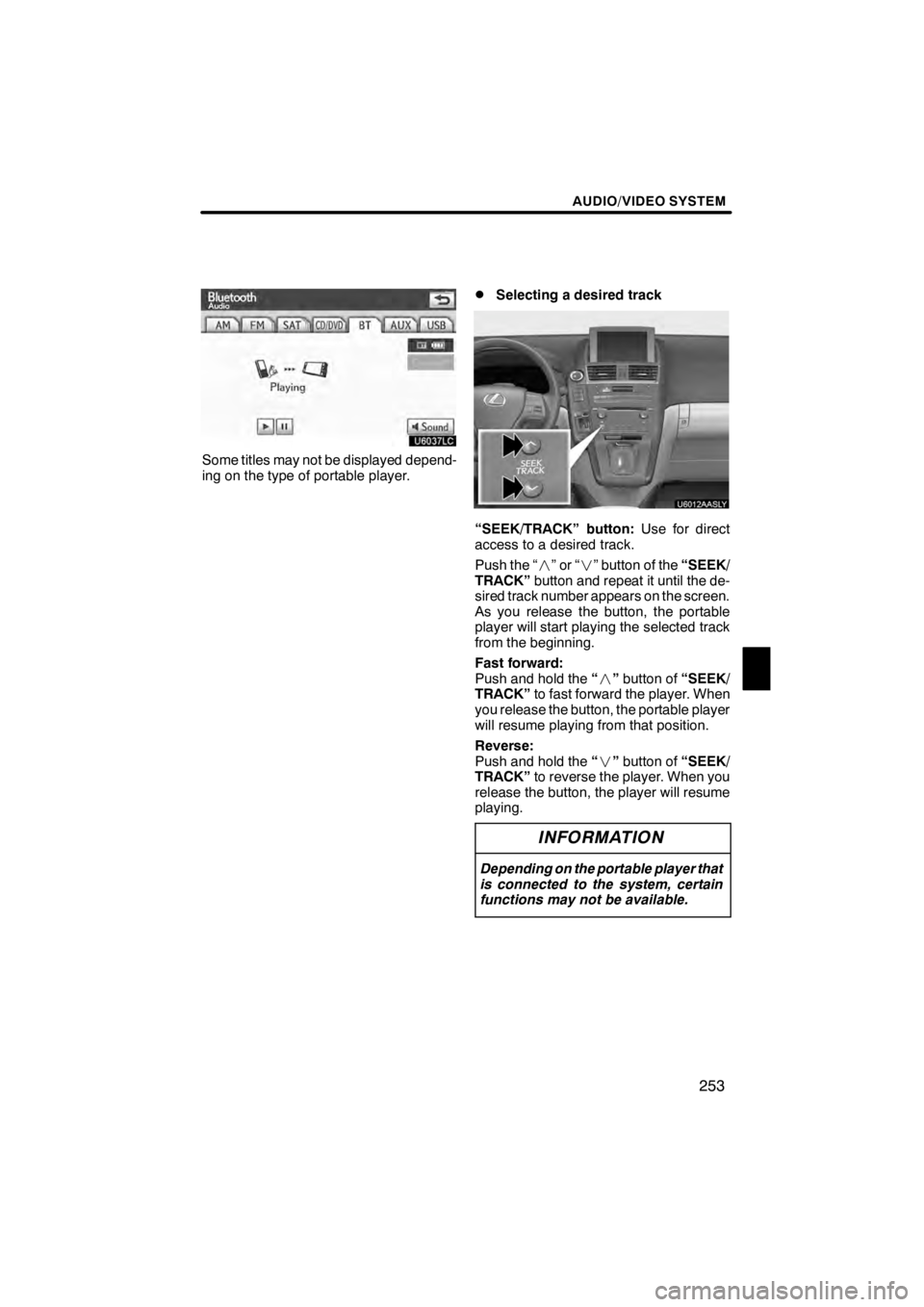
Some titles may not be displayed depend-
ing on the type of portable player.
DSelecting a desired track
“SEEK/TRACK” button:Use for direct
access to a desired track.
Push the “ ”or“” button of the “SEEK/
TRACK” button and repeat it until the de-
sired track number appears on the screen.
As you release the button, the portable
player will start playing the selected track
from the beginning.
Fast forward:
Push and hold the “” button of “SEEK/
TRACK” to fast forward the player. When
you release the button, the portable player
will resume playing from that position.
Reverse:
Push and hold the “” button of “SEEK/
TRACK” to reverse the player. When you
release the button, the player will resume
playing.
INFORMATION
Depending on the portable player that
is connected to the system, certain
functions may not be available.
11 08.03HS250h_NAVI_U
75051U
7
Page 255 of 413

AUDIO/VIDEO SYSTEM
254
D
Selecting a desired album
U6145LC
“Album
Y”: Select this button to go to
the next album.
“Album B”: Select this button to go to
the previous album.
INFORMATION
Depending on the portable player that
is connected to the system, certain
functions may not be available.
DOther function
U6145LC
“RPT”: Use this control to automatic re-
play the track you are currently listening to.
Repeating a track—
While the track is playing, select “RPT”
briefly.
“RPT” appears on the screen. When the
track is finished, the player will automati-
cally play it again. To cancel the repeat, se-
lect “RPT” once again.
11 08.03HS250h_NAVI_U
75051U
Page 256 of 413

AUDIO/VIDEO SYSTEM
255
“RAND”:Use this for automatic and ran-
dom selection of tracks on the album that
you are currently listening to.
Playing the tracks in the album in ran-
dom order—
While the track is playing, select
“RAND” briefly.
“RAND” appears on the screen. The sys-
tem selects a track in the album you are
currently listening to. To cancel this func-
tion, select “RAND”once again.
INFORMATION
Depending on the portable player that
is connected to the system, certain
functions may not be available.
Connecting a USB memory or iPod en-
ables you to enjoy music from the ve-
hicle speakers.
CAUTION
Do not operate the player ’s controls
or connect the USB memory or iPod
while driving.
NOTICE
DDo not leave your portable player
in the car. In particular, high tem-
peratures inside the vehicle may
damage the portable player.
DDo not push down on or apply un-
necessary pressure to the portable
player while it is connected as this
may damage the portable player or
its terminal.
DDo not insert foreign objects into
the port as this may damage the
portable player or its terminal.
11 08.03HS250h_NAVI_U
75051U
—USB memory/iPod
operation
7
Page 260 of 413
AUDIO/VIDEO SYSTEM
259
D
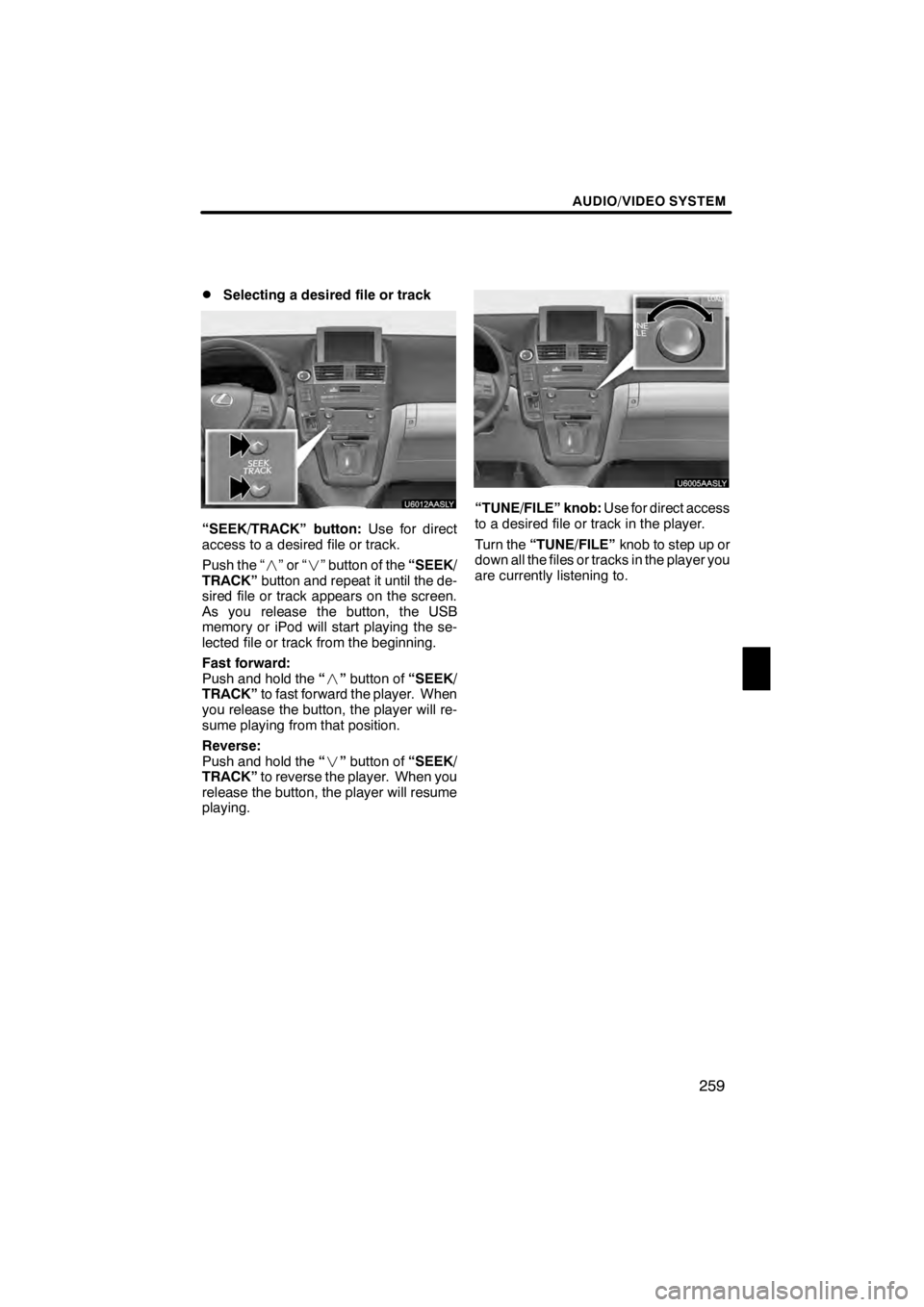
Selecting a desired file or track
“SEEK/TRACK” button:
Use for direct
access to a desired file or track.
Push the “ ”or“” button of the “SEEK/
TRACK” button and repeat it until the de-
sired file or track appears on the screen.
As you release the button, the USB
memory or iPod will start playing the se-
lected file or track from the beginning.
Fast forward:
Push and hold the “” button of “SEEK/
TRACK” to fast forward the player. When
you release the button, the player will re-
sume playing from that position.
Reverse:
Push and hold the “” button of “SEEK/
TRACK” to reverse the player. When you
release the button, the player will resume
playing.
“TUNE/FILE” knob: Use for direct access
to a desired file or track in the player.
Turn the “TUNE/FILE” knob to step up or
down all the files or tracks in the player you
are currently listening to.
11 08.03HS250h_NAVI_U
75051U
7
Page 262 of 413

AUDIO/VIDEO SYSTEM
261
D
Searching for a desired file (USB
memory only)
Select “SCAN” on the screen briefly
while the music is playing.
“SCAN” appears on the screen. The play-
er will play the next file for 10 seconds,
then scan again. To select a file, select
“SCAN” on the screen a second time. If
the player reaches the end of the memory,
it will continue scanning at file1.
After all the files are scanned in one pass,
normal play resumes.DSearching for a desired folder (USB
memory only)
Select “SCAN” on the screen for longer
than a second while the music is play-
ing.
“FLD.SCAN” appears on the screen. The
program at the beginning of each folder will
be played for 10 seconds. To continue lis-
tening to the program of your choice, se-
lect “SCAN” on the screen a second time.
After all the folders are scanned in one
pass, normal play resumes.
11 08.03HS250h_NAVI_U
75051U
7
Page 263 of 413
AUDIO/VIDEO SYSTEM
262
D
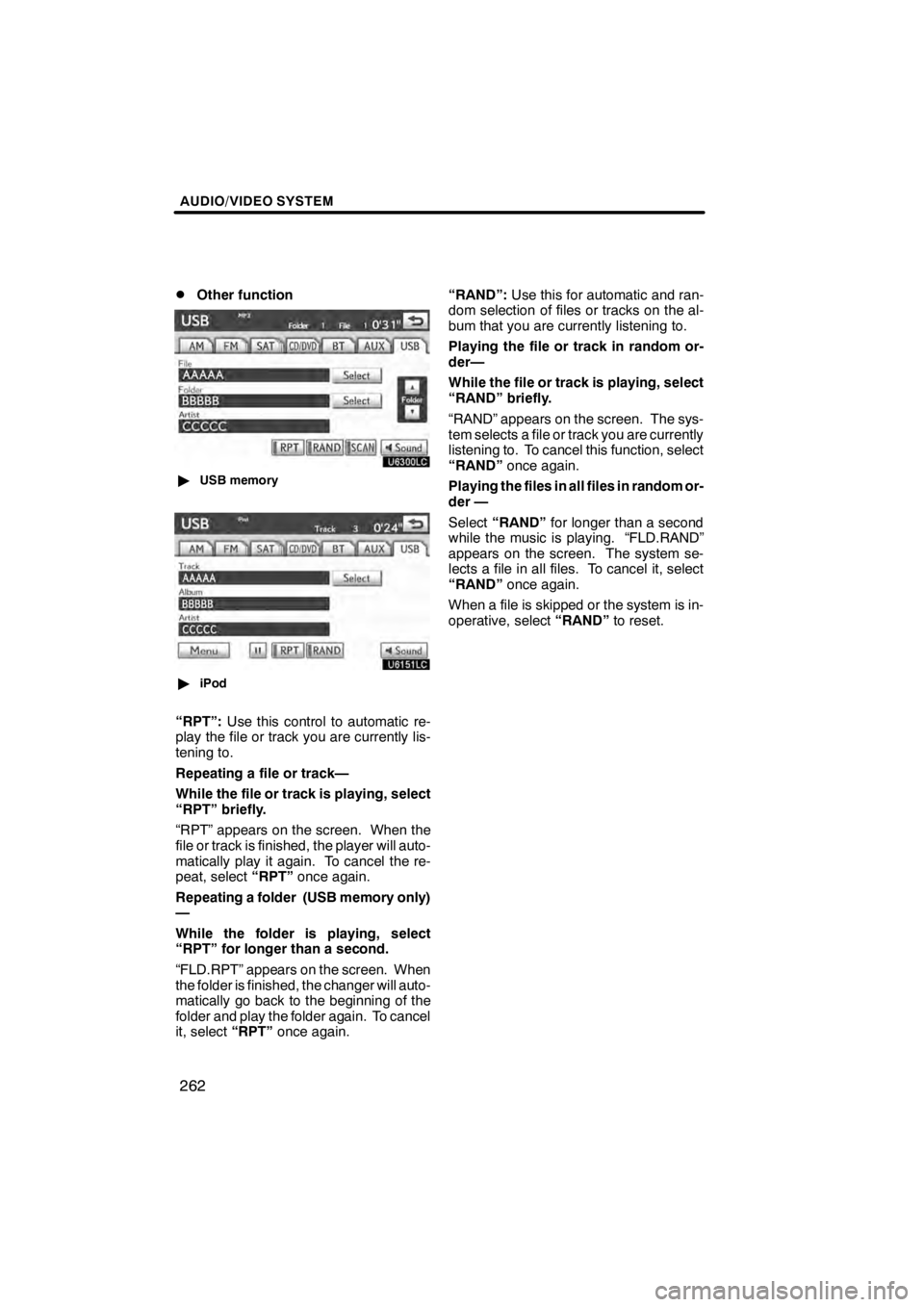
Other function
U6300LC
"
USB memory
U6151LC
"iPod
“RPT”: Use this control to automatic re-
play the file or track you are currently lis-
tening to.
Repeating a file or track—
While the file or track is playing, select
“RPT” briefly.
“RPT” appears on the screen. When the
file or track is finished, the player will auto-
matically play it again. To cancel the re-
peat, select “RPT”once again.
Repeating a folder (USB memory only)
—
While the folder is playing, select
“RPT” for longer than a second.
“FLD.RPT” appears on the screen. When
the folder is finished, the changer will auto-
matically go back to the beginning of the
folder and play the folder again. To cancel
it, select “RPT”once again. “RAND”:
Use this for automatic and ran-
dom selection of files or tracks on the al-
bum that you are currently listening to.
Playing the file or track in random or-
der—
While the file or track is playing, select
“RAND” briefly.
“RAND” appears on the screen. The sys-
tem selects a file or track you are currently
listening to. To cancel this function, select
“RAND” once again.
Playing the files in all files in random or-
der —
Select “RAND” for longer than a second
while the music is playing. “FLD.RAND”
appears on the screen. The system se-
lects a file in all files. To cancel it, select
“RAND” once again.
When a file is skipped or the system is in-
operative, select “RAND”to reset.
11 08.03HS250h_NAVI_U
75051U
Page 265 of 413

AUDIO/VIDEO SYSTEM
264
CD changer or DVD changer
Use this switch to skip up or down to a dif-
ferent track, file or chapter in either direc-
tion.
To select a desired track, file or chapter:
Quickly push and release the“” or“”
side of the switch until the track, file or
chapter you want to play is set. If you want
to return to the beginning of the current
track, file or chapter, push the “” side of
the switch once, quickly.
To select a desired disc:
Push and hold the “” or“” switch until
you hear a beep to change to the next or
the previous disc. Repeat this operation
until you reach the disc you want to listen
to.
Bluetooth raudio player
Use this switch to skip up or down to a dif-
ferent track or album in either direction.
To select a desired track:
Quickly push and release the “ ”or“”
side of the switch until the track you want
to listen to is set. If you want to return to the
beginning of the current track, push the
“” side of the switch once quickly.
To select a desired album:
Push and hold “ ”or“” switch until you
hear a beep to change to the next or the
previous album. Repeat this operation un-
til you reach the album you want to listen
to. USB memory/iPod
Use this switch to skip up or down to a dif-
ferent file or track in either direction.
To select a desired file or track:
Push the
“” or“” side of the switch un-
til the file or track you want to listen to is set.
If you want to return to the beginning of the
current file or track, push the “” side of
the switch once quickly.
To select a desired folder (USB memory
player only):
Push and hold “ ”or“” switch until you
hear a beep to change to the next or the
previous folder. Repeat this operation until
you reach the folder you want to listen to.
11 08.03HS250h_NAVI_U
75051U
Page 268 of 413
AUDIO/VIDEO SYSTEM
267
CARING FOR YOUR CD CHANGER,
DVD CHANGER AND DISCS
DYour CD changer and DVD changer is
intended for use with 4.7 in. (12 cm)
discs only.
DExtremely high temperatures can keep
your CD changer and DVD changer
from working. On hot days, use the air
conditioning to cool the vehicle interior
before you use the changer and player.
DBumpy roads or other vibrations may
make your CD changer and DVD chan-
ger skip.
DIf moisture gets into your CD changer
and DVD changer, you may not play
even though they appear to be workin-
g. Remove the discs from the changer
and wait until it dries.
CAUTION
CD changer and DVD changer use an
invisible laser beam which could
cause hazardous radiation exposure
if directed outside the unit. Be sure to
operate the changers correctly.
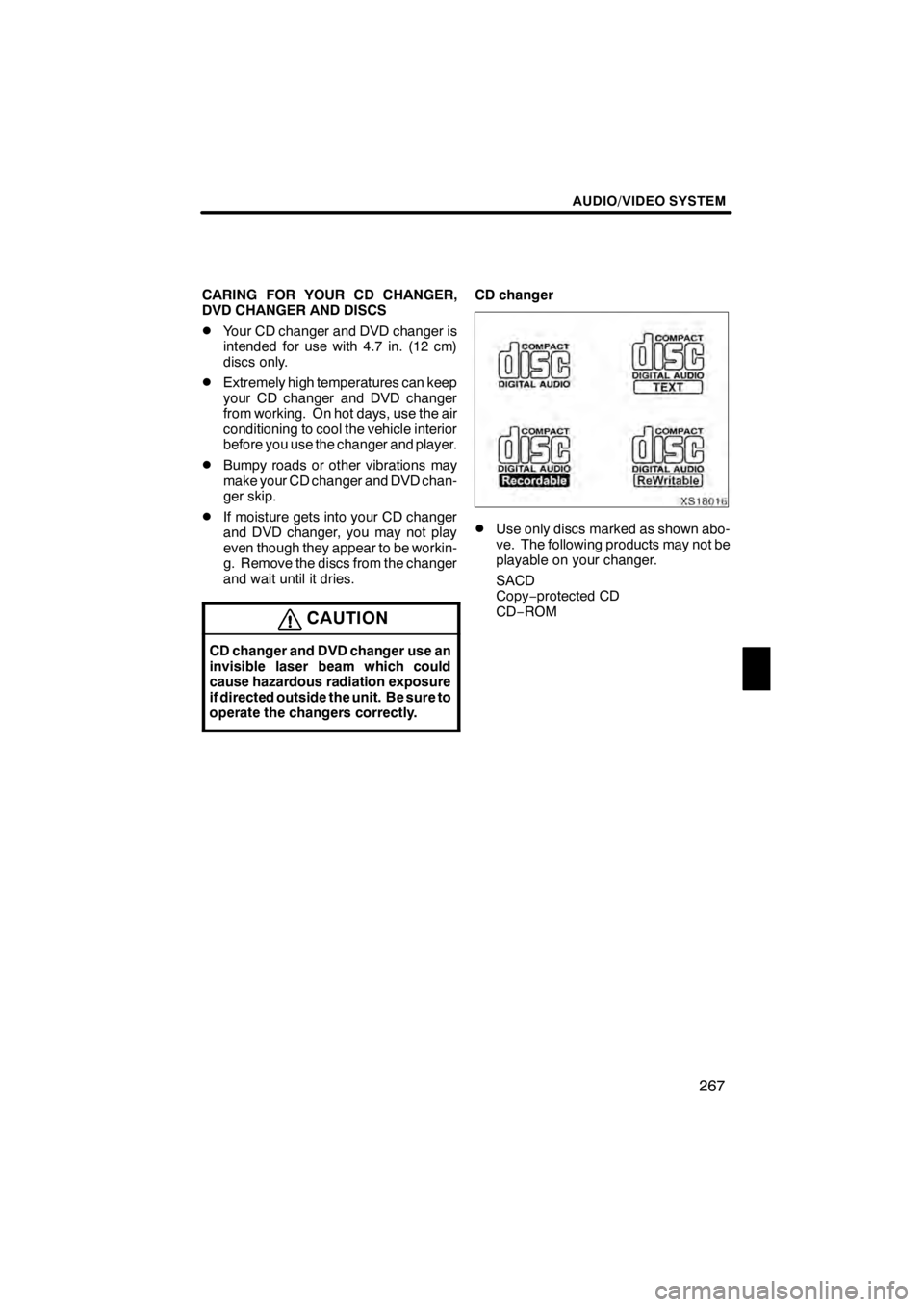
CD changer
XS18016
DUse only discs marked as shown abo-
ve. The following products may not be
playable on your changer.
SACD
Copy−protected CD
CD− ROM
11 08.03HS250h_NAVI_U
75051U
7
Page 270 of 413
AUDIO/VIDEO SYSTEM
269
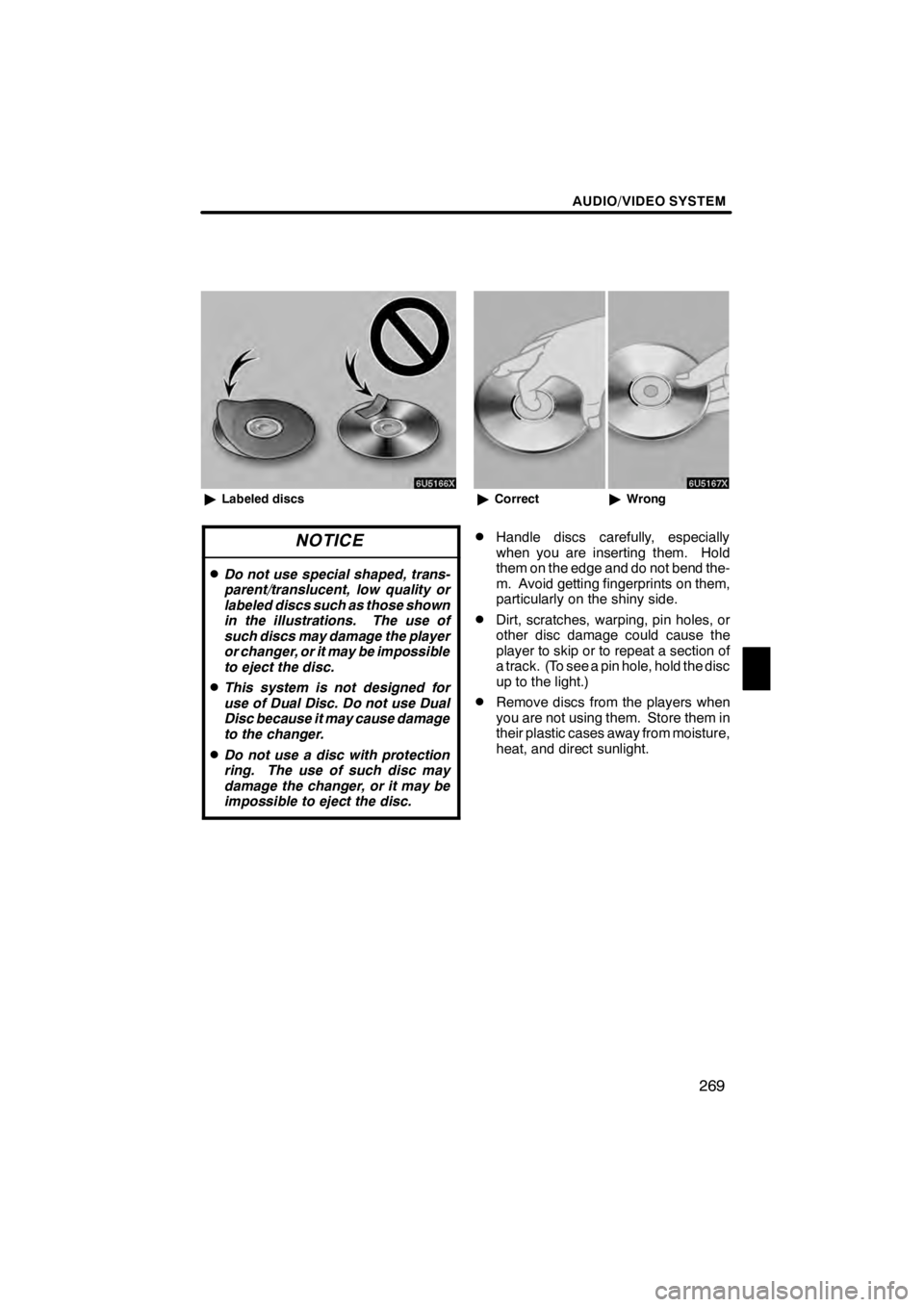
6U5166X
"Labeled discs
NOTICE
DDo not use special shaped, trans-
parent/translucent, low quality or
labeled discs such as those shown
in the illustrations. The use of
such discs may damage the player
or changer, or it may be impossible
to eject the disc.
DThis system is not designed for
use of Dual Disc. Do not use Dual
Disc because it may cause damage
to the changer.
DDo not use a disc with protection
ring. The use of such disc may
damage the changer, or it may be
impossible to eject the disc.
6U5167X
"Correct "Wrong
DHandle discs carefully, especially
when you are inserting them. Hold
them on the edge and do not bend the-
m. Avoid getting fingerprints on them,
particularly on the shiny side.
DDirt, scratches, warping, pin holes, or
other disc damage could cause the
player to skip or to repeat a section of
a track. (To see a pin hole, hold the disc
up to the light.)
DRemove discs from the players when
you are not using them. Store them in
their plastic cases away from moisture,
heat, and direct sunlight.
11 08.03HS250h_NAVI_U
75051U
7