air condition Lexus HS250h 2012 Owner's Manual
[x] Cancel search | Manufacturer: LEXUS, Model Year: 2012, Model line: HS250h, Model: Lexus HS250h 2012Pages: 630, PDF Size: 16.1 MB
Page 2 of 630
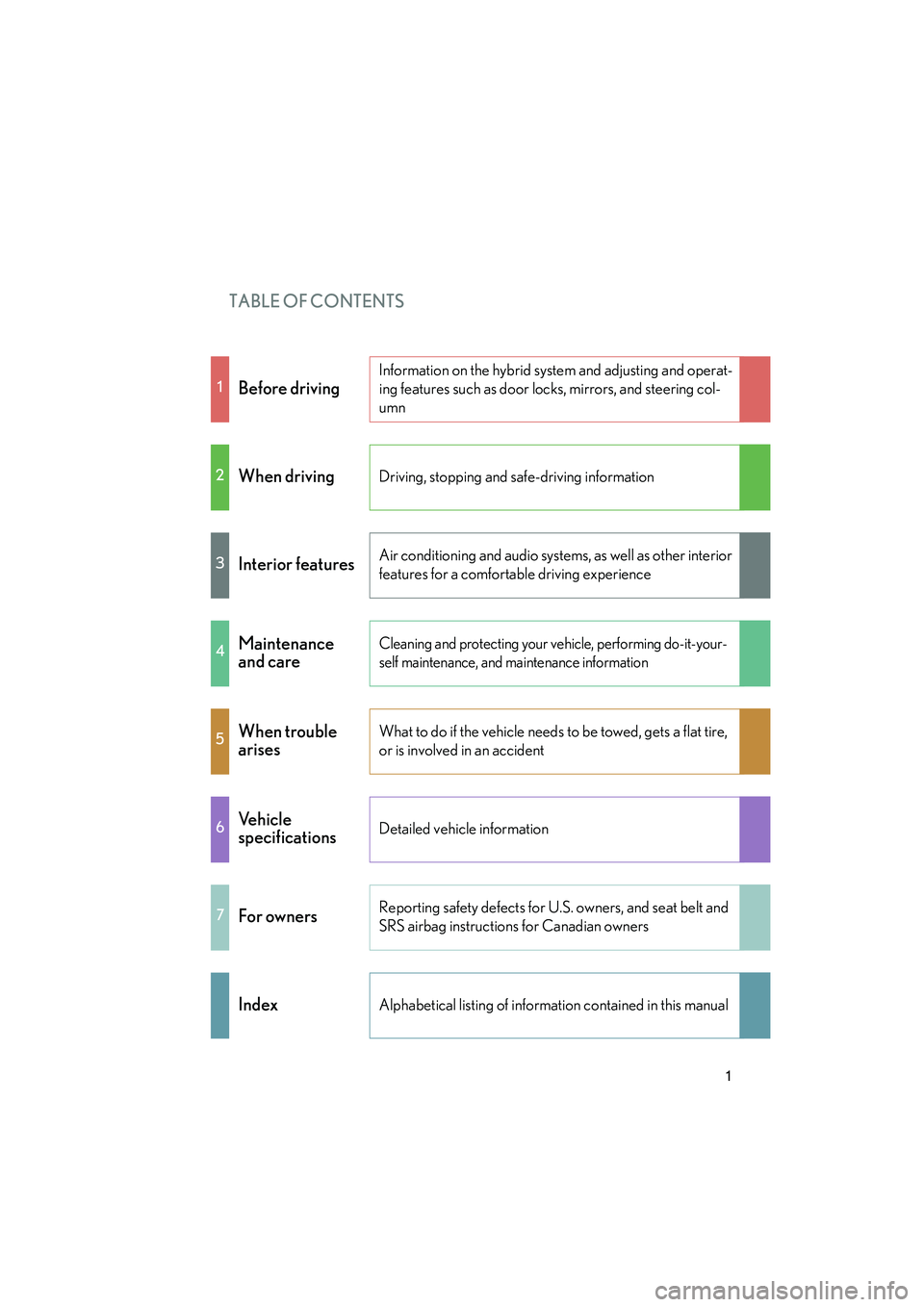
TABLE OF CONTENTS
HS250h_U_75050U
1
1Before driving
Information on the hybrid system and adjusting and operat-
ing features such as door locks, mirrors, and steering col-
umn
2When drivingDriving, stopping and safe-driving information
3Interior featuresAir conditioning and audio systems, as well as other interior
features for a comfortable driving experience
4Maintenance
and careCleaning and protecting your vehicle, performing do-it-your-
self maintenance, and maintenance information
5When trouble
arisesWhat to do if the vehicle needs to be towed, gets a flat tire,
or is involved in an accident
6Ve h i c l e
specificationsDetailed vehicle information
7For ownersReporting safety defects for U.S. owners, and seat belt and
SRS airbag instructions for Canadian owners
IndexAlphabetical listing of information contained in this manual
Page 3 of 630
TABLE OF CONTENTSIndex
HS250h_U_75050U
2
1-1. Hybrid systemHybrid system................................... 26
Hybrid system precautions ........ 30
Energy monitor/consumption screen................................................ 35
Hybrid vehicle driving tips........... 40
1-2. Key information Keys ...................................................... 42
1-3. Opening, closing and locking the doors
Smart access system with push-button start .......................... 47
Wireless remote control ............. 58
Doors..................................................... 61
Trunk..................................................... 64
1-4. Adjustable components (seats, mirrors, steering wheel)
Front seats .......................................... 68 Driving position memory
(driver’s seat) ................................. 72
Head restraints................................. 75
Seat belts ............................................ 77
Steering wheel.................................. 83
Inside rear view mirror................. 85
Outside rear view mirrors ........... 87
1-5. Opening and closing the windows and moon roof
Power windows................................ 90
Moon roof .......................................... 93
1-6. Refueling Opening the fuel tank cap........... 97
1-7. Theft deterrent system Immobilizer system ....................... 101
Alarm.................................................. 103
Theft prevention labels (for U.S.A.) .................................... 106
1Before driving
For vehicles with a navigation system, refer to the “Navigation System Owner’s
Manual” for information regarding the equipment listed below.
• Navigation system
• Air conditioning
• Windshield wiper de-icer
• Rear view monitor system
• Intuitive parking assist • Audio/video system
• Rear window and outside rear view
mirror defogging
•Climate control
• Wide view front monitor system
Page 5 of 630
TABLE OF CONTENTSIndex
HS250h_U_75050U
4
3-1. Using the air conditioning system and defogger
Automatic air conditioning system ............................................ 266
Rear window defogger switch.............................................. 274
Windshield wiper de-icer ......... 275
3-2. Using the audio system Audio system ................................. 276
Using the radio .............................. 279
Using the CD player ................... 287
Playing MP3 and WMA discs ......................... 295
Operating an iPod ...................... 302
Operating a USB memory........ 310
Optimal use of the audio system ............................................. 318
Using the AUX port..................... 321
Using the steering wheel audio switches ............................ 322 3-3. Using the Bluetooth
® audio
system
Bluetooth
® audio system ......... 325
Using the Bluetooth
® audio
system ........................................... 328
Operating a Bluetooth
®
enabled portable player ......... 333
Setting up a Bluetooth
®
enabled portable player ......... 336
Bluetooth
® audio system
setup ................................................ 341
3-4. Using the hands-free phone system (for cellular phones)
Hands-free system for cellular phones ........................................... 342
Using the hands-free system (for cellular phones) ................. 346
Making a phone call.................... 354
Setting a cellular phone ............ 359
Security and system setup ........ 364
Using the phone book............... 368
3-5. Using the interior lights Interior lights list............................ 374
• Interior lights ................................375
• Personal lights ............................ 375
3Interior features
Page 6 of 630
1
2
3
4
5
6
7
HS250h_U_75050U
5
3-6. Using the storage featuresList of storage features............... 377
• Glove box .................................... 378
• Console box ................................ 379
• Cup holders.................................. 381
• Bottle holders ............................ 383
• Auxiliary boxes.......................... 384
3-7. Other interior features Sun visors........................................ 385
Vanity mirrors ............................... 386
Clock ................................................. 387
Power outlets ................................ 388
Seat heaters and ventilators .................................... 389
Armrest ............................................. 391
Rear sunshade ............................... 392
Floor mat.......................................... 394
Trunk compartment features.......................................... 396
Garage door opener................. 398
Compass.......................................... 404
Safety Connect ............................ 408
4-1. Maintenance and care Cleaning and protecting the vehicle exterior.................... 416
Cleaning and protecting the vehicle interior .................... 420 4-2. Maintenance
Maintenance requirements ..... 423
General maintenance ................ 426
Emission inspection and maintenance (I/M)
programs ..................................... 430
4-3. Do-it-yourself maintenance Do-it-yourself service precautions ................................... 431
Hood ................................................. 434
Positioning a floor jack............... 435
Engine compartment.................. 437
12-volt battery................................ 447
Tires .................................................... 451
Tire inflation pressure................. 459
Wheels ............................................. 462
Air conditioning filter.................. 464
Electronic key battery ................ 467
Checking and replacing fuses ................................................ 469
Light bulbs ........................................ 481
5-1. Essential information Emergency flashers .................... 494
If your vehicle needs to be towed ....................................... 495
If you think something is wrong .............................................. 501
4Maintenance and care5When trouble arises
Page 16 of 630
HS250h_U_75050U
15
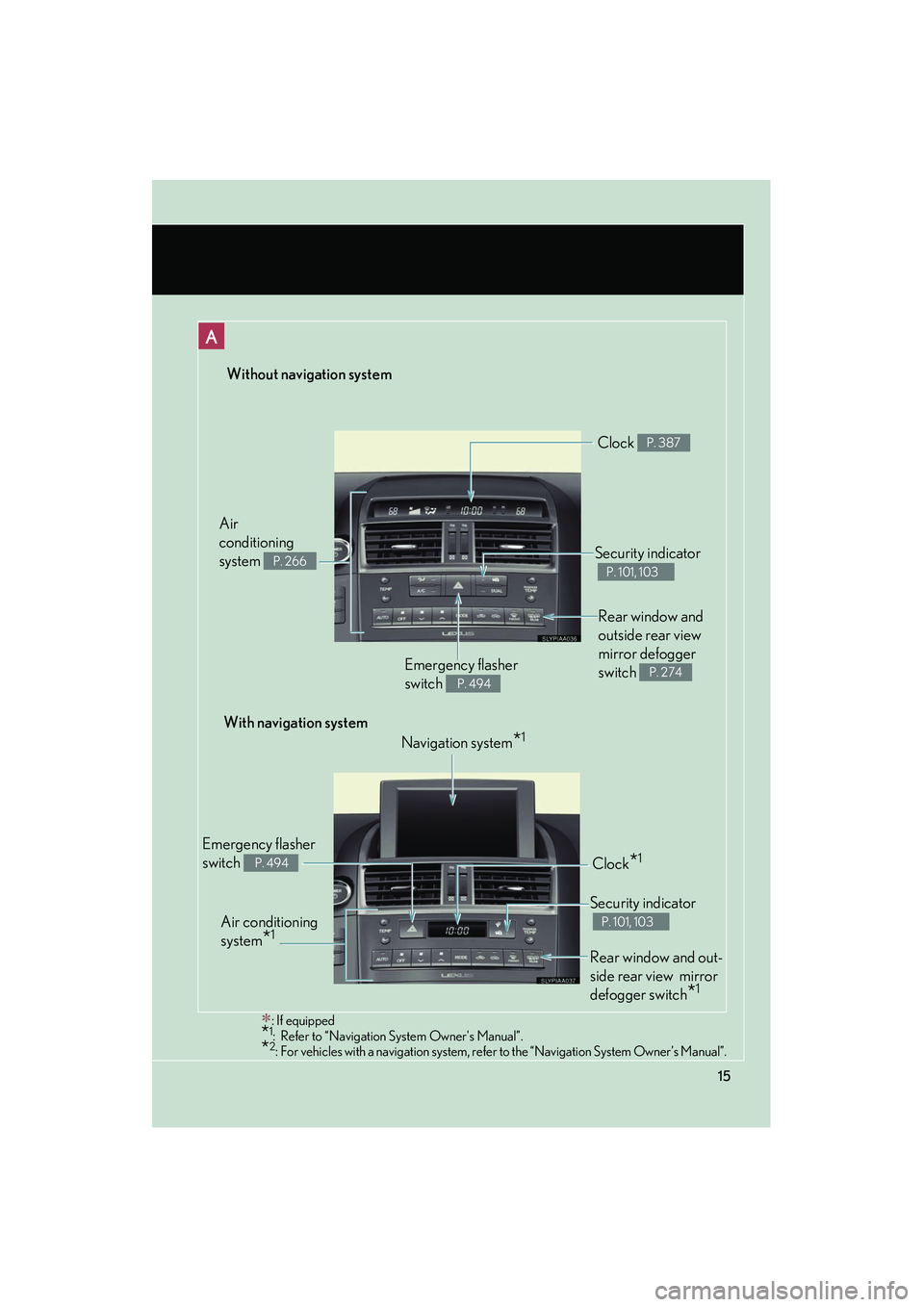
Without navigation system
∗: If equipped*1: Refer to “Navigation System Owner's Manual”.*2: For vehicles with a navigation system, refer to the “Navigation System Owner’s Manual”.
Rear window and
outside rear view
mirror defogger
switch
P. 274Emergency flasher
switch
P. 494
Security indicator
P. 101, 103
Clock P. 387
Air
conditioning
system
P. 266
With navigation systemNavigation system
*1
Air conditioning
system
*1
Emergency flasher
switch
P. 494Clock*1
Security indicator
P. 101, 103
Rear window and out-
side rear view mirror
defogger switch
*1
Page 31 of 630

30
1-1. Hybrid system
HS250h_U_75050U
Hybrid system precautions
Take care when handling the hybrid system, as it contains a high voltage
system (about 650V at maximum) as well as parts that become extremely
hot when the hybrid system is operat ing. Obey the caution labels attached
to the vehicle.
Air conditioning compressor
Power control unit
Hybrid battery (traction bat-
tery) and DC/DC converter
Service plug High voltage cables (orange)
Electric motor (traction motor)
Caution label
Page 41 of 630

40
1-1. Hybrid system
HS250h_U_75050U
Hybrid vehicle driving tips
For economical and ecological driving, pay attention to the following
points:
■Using Eco drive mode
When using Eco drive mode, the torque corresponding to the accelerator
pedal depression amount can be generated more smoothly than it is in
normal conditions. In addition, the operation of the air conditioning system
(heating/cooling) will be minimized, improving the fuel economy.
(→ P. 1 6 2 )
■Use of Hybrid System Indicator
Eco-friendly driving is possible by keeping the indicate of Hybrid System
Indicator within Eco area. ( →P. 171)
■When braking the vehicle
Make sure to operate the brakes gently and in good time. A greater
amount of electrical energy can be retained when slowing down.
■Delays
Repeated acceleration and deceleration, as well as long waits at traffic
lights, will lead to bad fuel consumption. Check traffic reports before leav-
ing and avoid delays as much as po ssible. When encountering a delay,
gently release the brake pedal to allow the vehicle to move forward slightly
while avoiding overuse of the accelera tor pedal. Doing so can help control
excessive gasoline consumption.
■ Highway driving
Control your speed and keep at a constant speed. Also, before stopping at
a toll booth or similar, allow plenty of time to release the accelerator and
gently apply the brakes. A greater amount of electrical energy can be
retained when slowing down.
Page 42 of 630

41
1-1. Hybrid system
1
Before driving
HS250h_U_75050U
■Air conditioning
Use the air conditioning only when necessary. Doing so can help control
excessive gasoline consumption.
In summer: In high temperatures, use the recirculated air mode. Doing so
will help to reduce the burden on the air conditioner and reduce fuel con-
sumption as well.
In winter: Because the gasoline engine will not automatically cut out until
the gasoline engine and the interior of the vehicle are warm, it will con-
sume fuel. Also, fuel consumption can be improved by avoiding overuse of
the heater.
■ Checking tire inflation pressure
Make sure to check the tire inflation pressure frequently. Improper tire
inflation pressure can cause poor fuel consumption.
Also, as snow tires can cause large amounts of friction, their use on dry
roads can lead to poor fuel consumption. Use a tire that is appropriate for
the season.
■Luggage
Carrying heavy luggage can lead to poor fuel consumption. Avoid carry-
ing unnecessary luggage. Installing a large roof rack can also cause poor
fuel consumption.
■Warming up before driving
Since the gasoline engine starts up and cuts out automatically when cold,
warming up the engine is unnecessary. Moreover, frequently driving short
distances will cause the engine to repeatedly warm up, which can lead to
poor fuel consumption.
Page 53 of 630
52
1-3. Opening, closing and locking the doors
HS250h_U_75050U
●If the smart access system with push-button start has not been used for 14 days
or longer, the doors cannot be unlocked at any doors except the driver’s door.
In this case, take hold of the driver’s door handle, or use the wireless remote
control or the mechanical key, to unlock the doors.
■Conditions affecting operation
The smart access system with push-button start uses weak radio waves. In the fol-
lowing situations, the communication between the electronic key and the vehicle
may be affected, preventing the smart access system with push-button start, wire-
less remote control and immobilizer system from operating properly.
(Ways of coping: →P. 544)
●When the electronic key battery is depleted
●Near a TV tower, electric power plant, gas station, radio station, large display,
airport or other facility that generates strong radio waves or electrical noise
●When carrying a portable radio, cellular phone, cordless phone or other wire-
less communication devices
●When the electronic key is in contact with, or is covered by the following metal-
lic objects
• Cards to which aluminum foil is attached
• Cigarette boxes that have aluminum foil inside
• Metallic wallets or bags
•Coins
• Hand warmers made of metal
• Media such as CDs and DVDs
●When other wireless key (that emit radio waves) is being used nearby
●When carrying the electronic key together with the following devices that emit
radio waves
• Another vehicle’s electronic key or a wireless key that emits radio waves
• Personal computers or personal digital assistants (PDAs)
• Digital audio players
• Portable game systems
●If window tint with a metallic content or metallic objects are attached to the rear
window
Page 113 of 630
112
1-8. Safety information
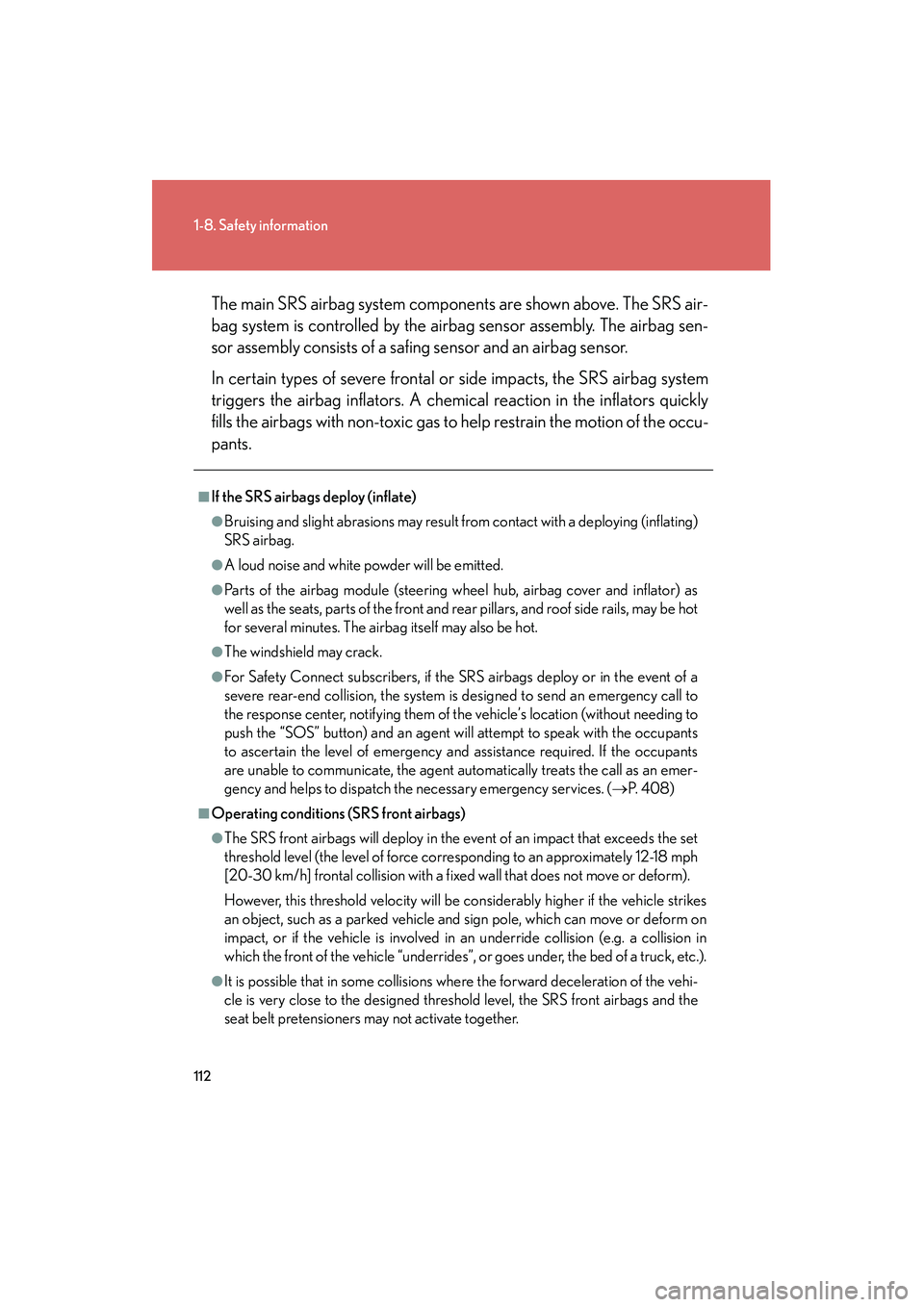
HS250h_U_75050UThe main SRS airbag system components are shown above. The SRS air-
bag system is controlled by the airbag sensor assembly. The airbag sen-
sor assembly consists of a safing sensor and an airbag sensor.
In certain types of severe frontal or side impacts, the SRS airbag system
triggers the airbag inflators. A chemical reaction in the inflators quickly
fills the airbags with non-toxic gas to help restrain the motion of the occu-
pants.
■If the SRS airbags deploy (inflate)
●Bruising and slight abrasions may result from contact with a deploying (inflating)
SRS airbag.
●A loud noise and white powder will be emitted.
●Parts of the airbag module (steering wheel hub, airbag cover and inflator) as
well as the seats, parts of the front and rear pillars, and roof side rails, may be hot
for several minutes. The airbag itself may also be hot.
●The windshield may crack.
●For Safety Connect subscribers, if the SRS airbags deploy or in the event of a
severe rear-end collision, the system is designed to send an emergency call to
the response center, notifying them of the vehicle’s location (without needing to
push the “SOS” button) and an agent will attempt to speak with the occupants
to ascertain the level of emergency and assistance required. If the occupants
are unable to communicate, the agent automatically treats the call as an emer-
gency and helps to dispatch the necessary emergency services. (
→P. 4 0 8 )
■Operating conditions (SRS front airbags)
●The SRS front airbags will deploy in the event of an impact that exceeds the set
threshold level (the level of force corresponding to an approximately 12-18 mph
[20-30 km/h] frontal collision with a fixed wall that does not move or deform).
However, this threshold velocity will be considerably higher if the vehicle strikes
an object, such as a parked vehicle and sign pole, which can move or deform on
impact, or if the vehicle is involved in an underride collision (e.g. a collision in
which the front of the vehicle “underrides”, or goes under, the bed of a truck, etc.).
●It is possible that in some collisions where the forward deceleration of the vehi-
cle is very close to the designed threshold level, the SRS front airbags and the
seat belt pretensioners may not activate together.