high beam Lexus IS200t 2015 Owner's Manual
[x] Cancel search | Manufacturer: LEXUS, Model Year: 2015, Model line: IS200t, Model: Lexus IS200t 2015Pages: 612, PDF Size: 132.21 MB
Page 3 of 612
3
1
9 8
7
6 4 3
2
IS200t_EE(OM53D19E)
5
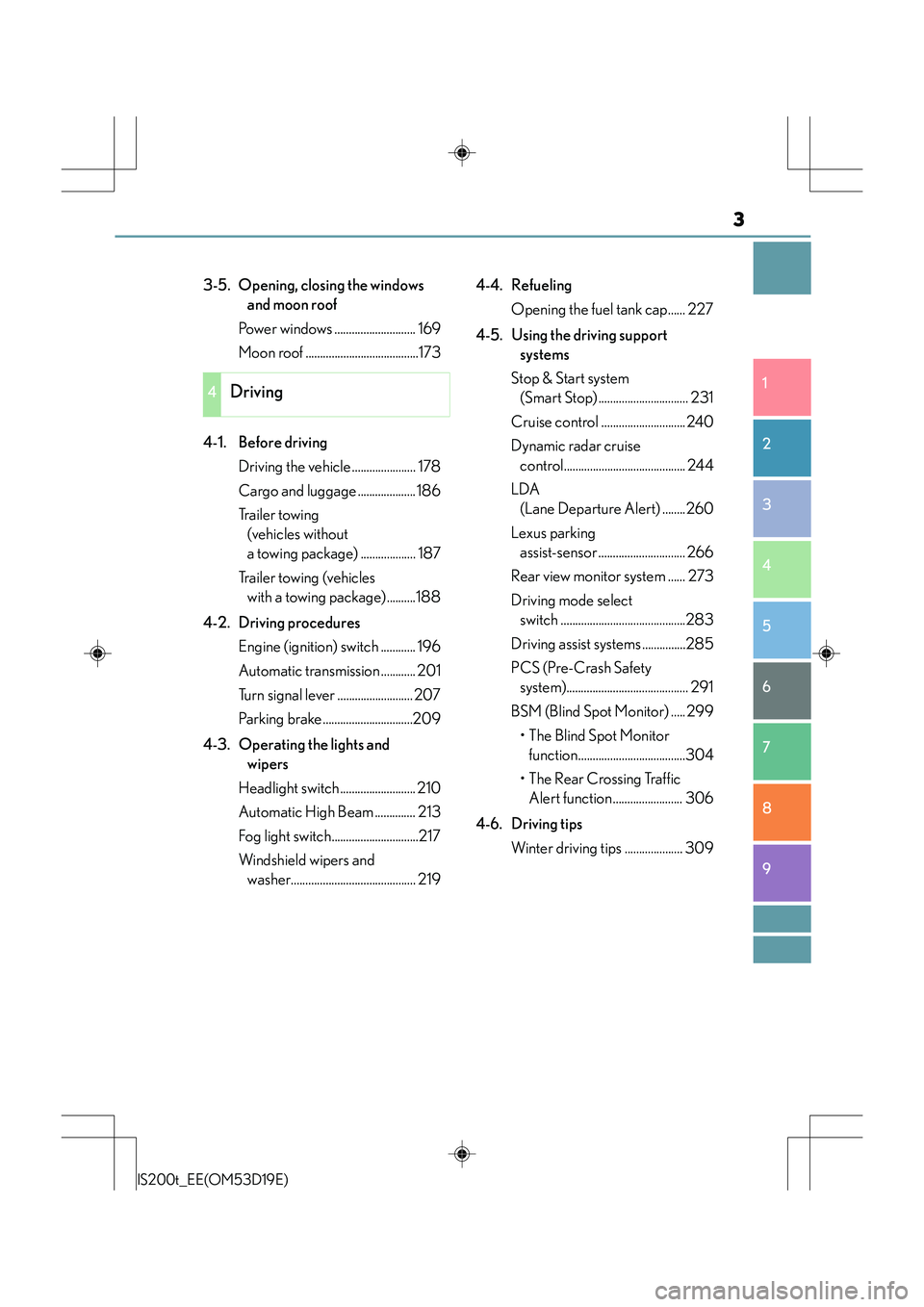
3-5. Opening, closing the windows and moon roof
Power windows ............................ 169
Moon roof .......................................173
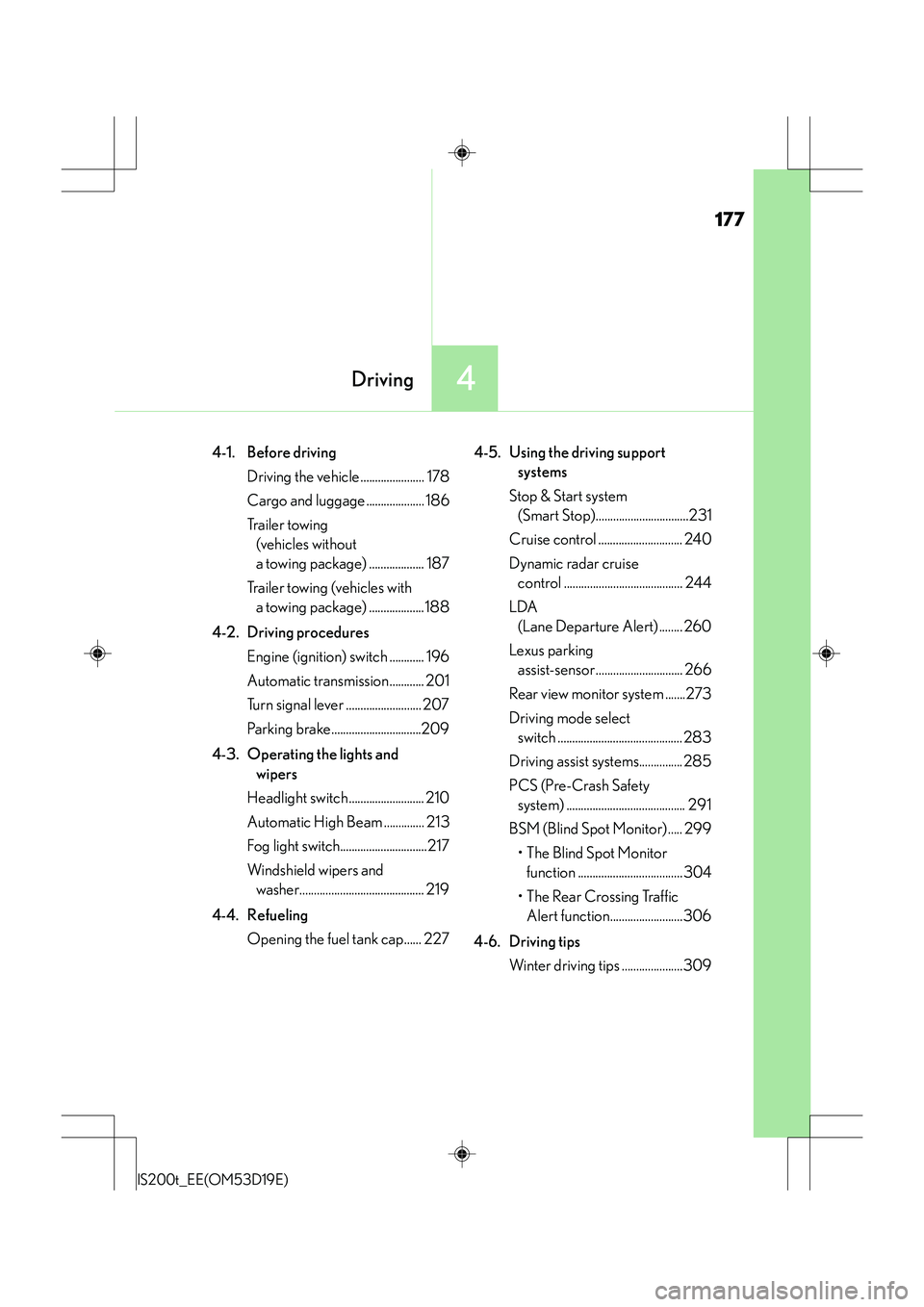
4-1. Before driving Driving the vehicle ...................... 178
Cargo and luggage .................... 186
Tr a i l e r t o w i n g (vehicles without
a towing package) ................... 187
Trailer towing (vehicles with a towing package)..........188
4-2. Driving procedures Engine (ignition) switch ............ 196
Automatic transmission ............ 201
Turn signal lever .......................... 207
Parking brake...............................209
4-3. Operating the lights and wipers
Headlight switch .......................... 210
Automatic High Beam .............. 213
Fog light switch..............................217
Windshield wipers and washer........................................... 219 4-4. Refueling
Opening the fuel tank cap...... 227
4-5. Using the driving support systems
Stop & Start system (Smart Stop) ............................... 231
Cruise control ............................. 240
Dynamic radar cruise control.......................................... 244
LDA (Lane Departure Alert) ........260
Lexus parking assist-sensor .............................. 266
Rear view monitor system ...... 273
Driving mode select switch ...........................................283
Driving assist systems ...............285
PCS (Pre-Crash Safety system).......................................... 291
BSM (Blind Spot Monitor) ..... 299
•The Blind Spot Monitor function.....................................304
• The Rear Crossing Traffic Alert function........................ 306
4-6. Driving tips Winter driving tips .................... 309
4Driving
Page 16 of 612
16Pictorial index
IS200t_EE(OM53D19E)
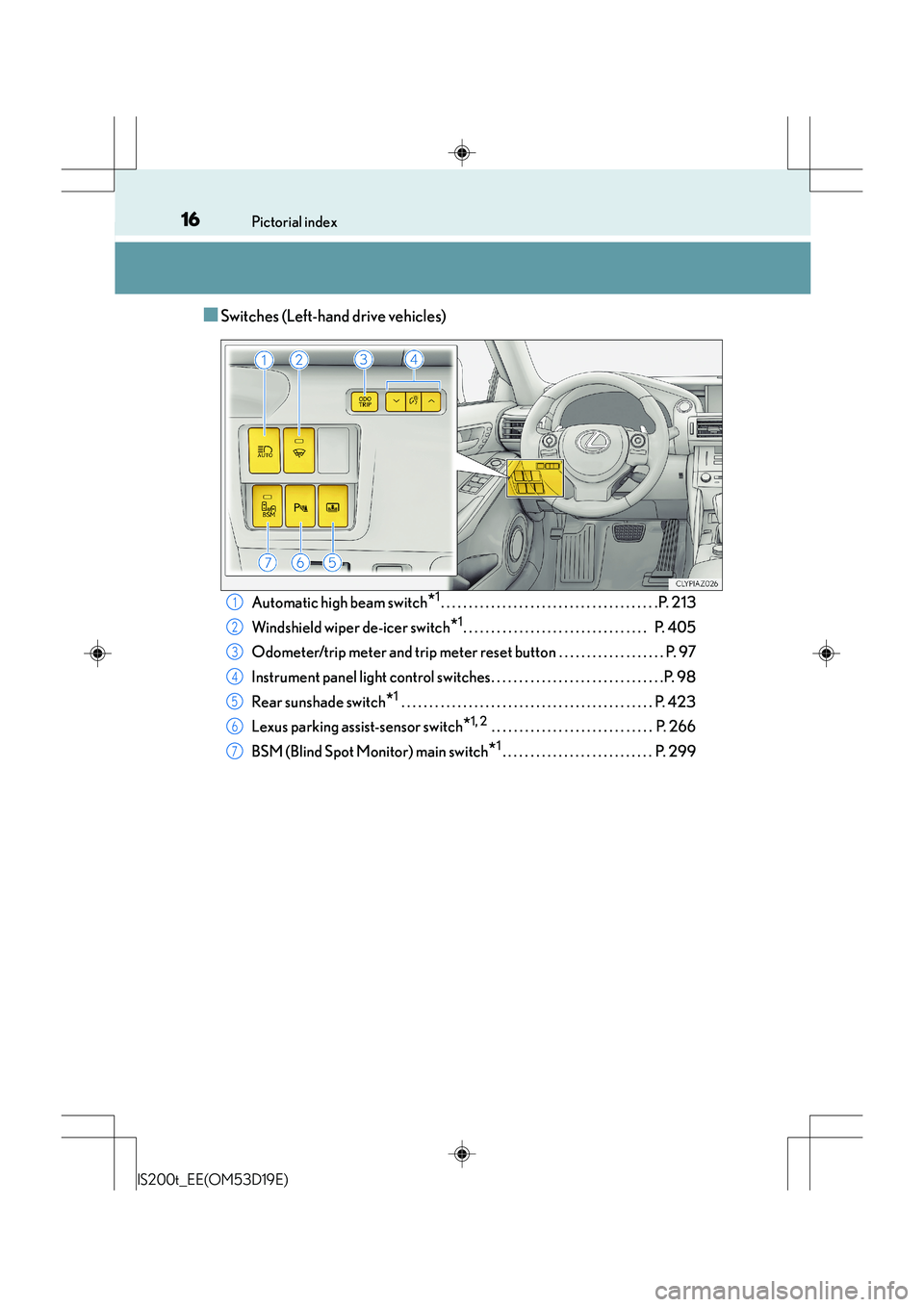
■Switches (Left-hand drive vehicles)
Automatic high beam switch*1. . . . . . . . . . . . . . . . . . . . . . . . . . . . . . . . . . . . . . .P. 213
Windshield wiper de-icer switch
*1. . . . . . . . . . . . . . . . . . . . . . . . . . . . . . . . . P. 405
Odometer/trip meter and trip meter reset button . . . . . . . . . . . . . . . . . . . P. 97
Instrument panel light control switches. . . . . . . . . . . . . . . . . . . . . . . . . . . . . . .P. 98
Rear sunshade switch
*1 . . . . . . . . . . . . . . . . . . . . . . . . . . . . . . . . . . . . . . . . . . . . . P. 423
Lexus parking assist-sensor switch
*1, 2 . . . . . . . . . . . . . . . . . . . . . . . . . . . . . P. 266
BSM (Blind Spot Monitor) main switch
*1. . . . . . . . . . . . . . . . . . . . . . . . . . . P. 299
1
2
3
4
5
6
7
Page 24 of 612
24Pictorial index
IS200t_EE(OM53D19E)
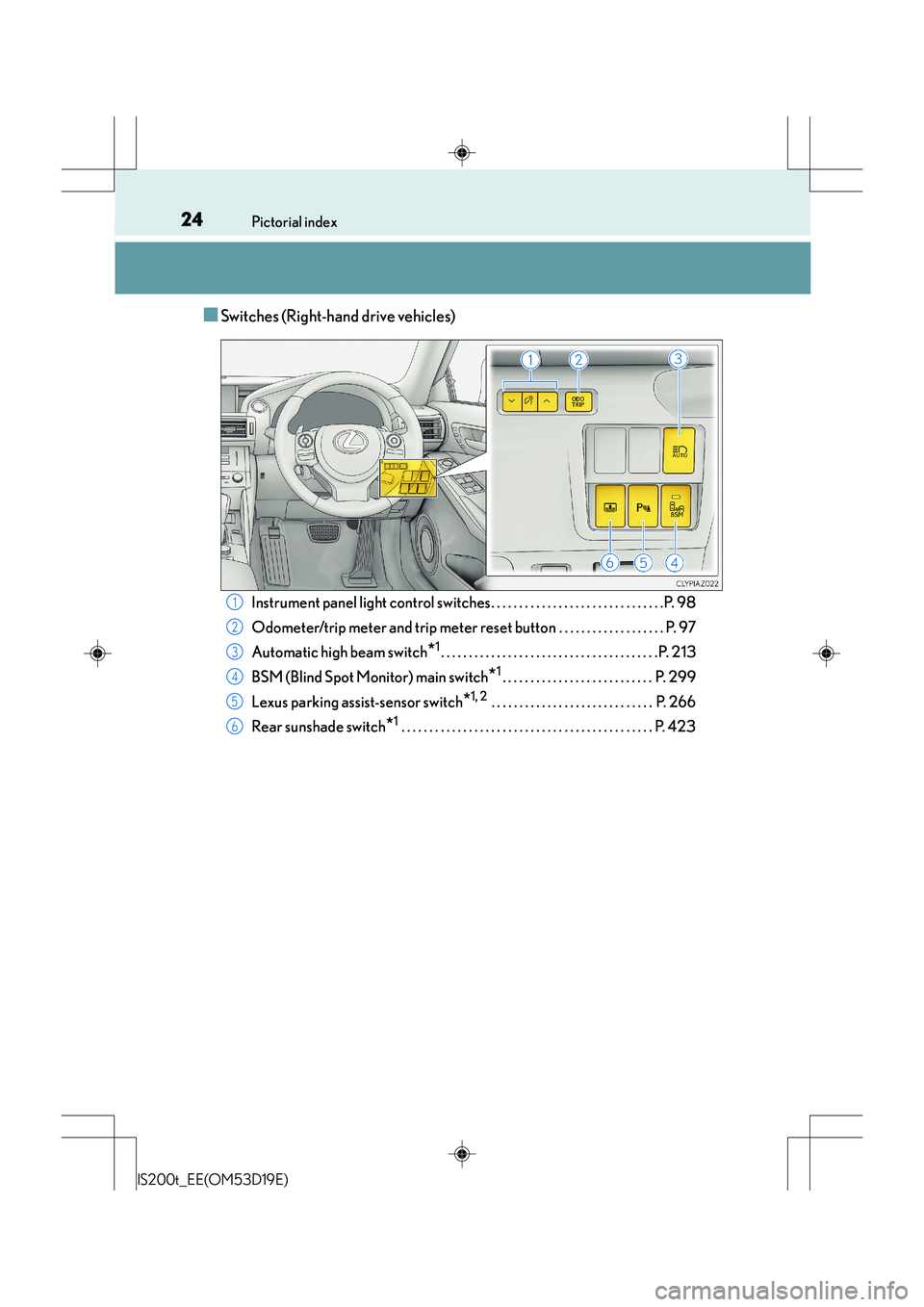
■Switches (Right-hand drive vehicles)
Instrument panel light control switches. . . . . . . . . . . . . . . . . . . . . . . . . . . . . . .P. 98
Odometer/trip meter and trip meter reset button . . . . . . . . . . . . . . . . . . . P. 97
Automatic high beam switch
*1. . . . . . . . . . . . . . . . . . . . . . . . . . . . . . . . . . . . . . .P. 213
BSM (Blind Spot Monitor) main switch
*1. . . . . . . . . . . . . . . . . . . . . . . . . . . P. 299
Lexus parking assist-sensor switch
*1, 2 . . . . . . . . . . . . . . . . . . . . . . . . . . . . . P. 266
Rear sunshade switch
*1 . . . . . . . . . . . . . . . . . . . . . . . . . . . . . . . . . . . . . . . . . . . . . P. 423
1
2
3
4
5
6
Page 92 of 612
922. Instrument cluster
IS200t_EE(OM53D19E)
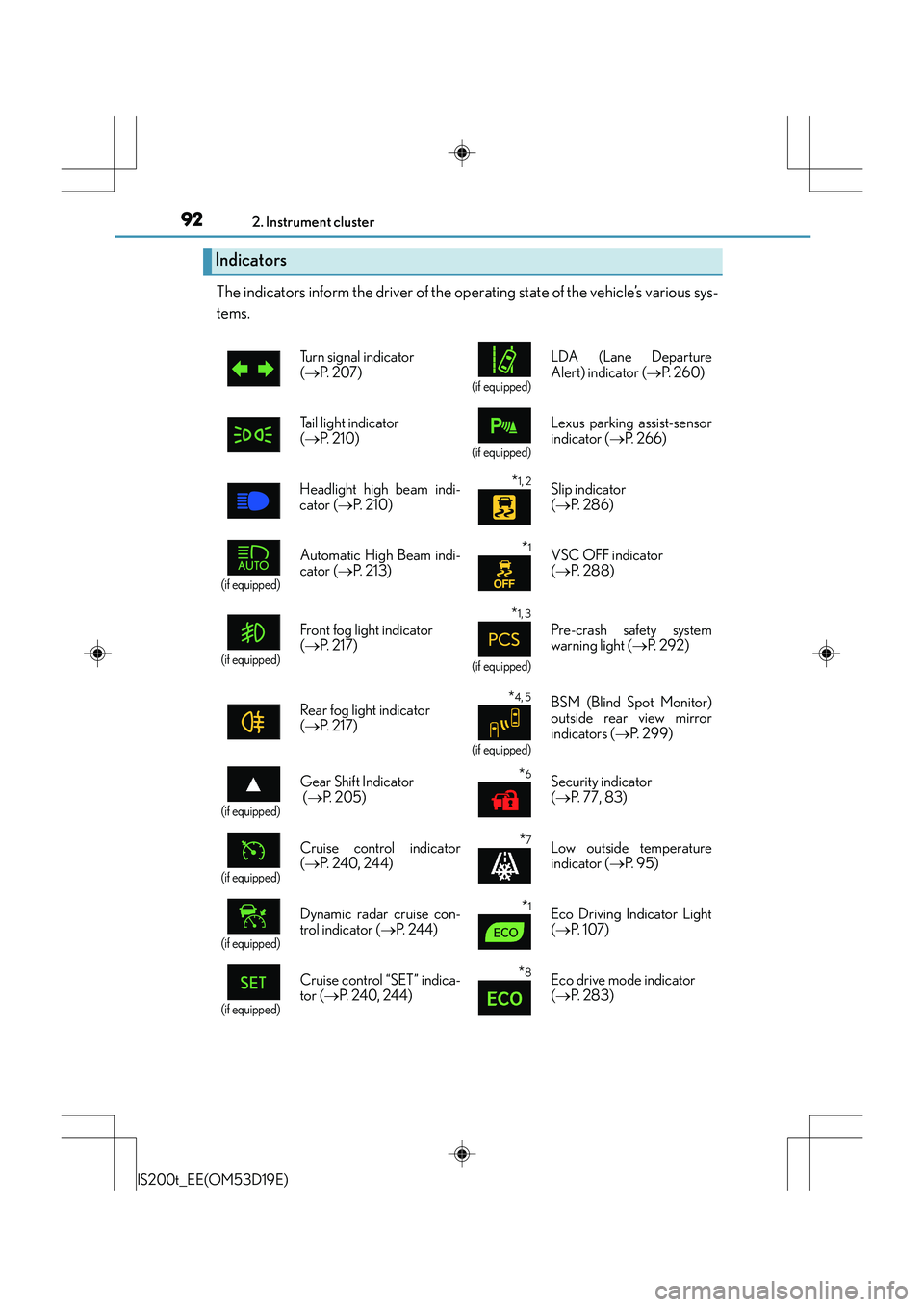
The indicators inform the driver of the operating state of the vehicle’s various sys-
tems.
Indicators
Turn signal indicator
(→ P. 2 0 7 )
(if equipped)
LDA (Lane Departure
Alert) indicator ( →P. 2 6 0 )
Tail light indicator
( → P. 2 1 0 )
(if equipped)
Lexus parking assist-sensor
indicator ( →P. 2 6 6 )
Headlight high beam indi-
cator ( →P. 2 1 0 )
*1, 2 Slip indicator
(→ P. 2 8 6 )
(if equipped)
Automatic High Beam indi-
cator ( →P. 2 1 3 )*1VSC OFF indicator
(→ P. 2 8 8 )
(if equipped)
Front fog light indicator
(→ P. 2 1 7 )
*1, 3
(if equipped)
Pre-crash safety system
warning light ( →P. 2 9 2 )
Rear fog light indicator
( → P. 2 1 7 )
*4, 5
(if equipped)
BSM (Blind Spot Monitor)
outside rear view mirror
indicators ( →P. 299)
(if equipped)
Gear Shift Indicator
(→ P. 2 0 5 )*6Security indicator
(→ P. 77, 83)
(if equipped)
Cruise control indicator
(→ P. 240, 24 4)*7Low outside temperature
indicator ( →P. 9 5 )
(if equipped)
Dynamic radar cruise con-
trol indicator ( →P. 244)*1Eco Driving Indicator Light
(→ P. 1 0 7 )
(if equipped)
Cruise control “SET” indica-
tor ( →P. 240, 244)*8Eco drive mode indicator
(→ P. 2 8 3 )
Page 177 of 612
177
4Driving
IS200t_EE(OM53D19E)
4-1. Before drivingDriving the vehicle ...................... 178
Cargo and luggage .................... 186
Tr a i l e r t o w i n g (vehicles without
a towing package) ................... 187
Trailer towing (vehicles with a towing package) ...................188
4-2. Driving procedures Engine (ignition) switch ............ 196
Automatic transmission............ 201
Turn signal lever .......................... 207
Parking brake...............................209
4-3. Operating the lights and wipers
Headlight switch .......................... 210
Automatic High Beam .............. 213
Fog light switch..............................217
Windshield wipers and washer........................................... 219
4-4. Refueling Opening the fuel tank cap...... 227 4-5. Using the driving support
systems
Stop & Start system (Smart Stop)................................231
Cruise control ............................. 240
Dynamic radar cruise control ......................................... 244
LDA (Lane Departure Alert) ........ 260
Lexus parking assist-sensor.............................. 266
Rear view monitor system .......273
Driving mode select switch ........................................... 283
Driving assist systems............... 285
PCS (Pre-Crash Safety system) ......................................... 291
BSM (Blind Spot Monitor) ..... 299
•The Blind Spot Monitor function ....................................304
• The Rear Crossing Traffic Alert function.........................306
4-6. Driving tips Winter driving tips .....................309
Page 210 of 612
210
IS200t_EE(OM53D19E)4-3. Operating the lights and wipers
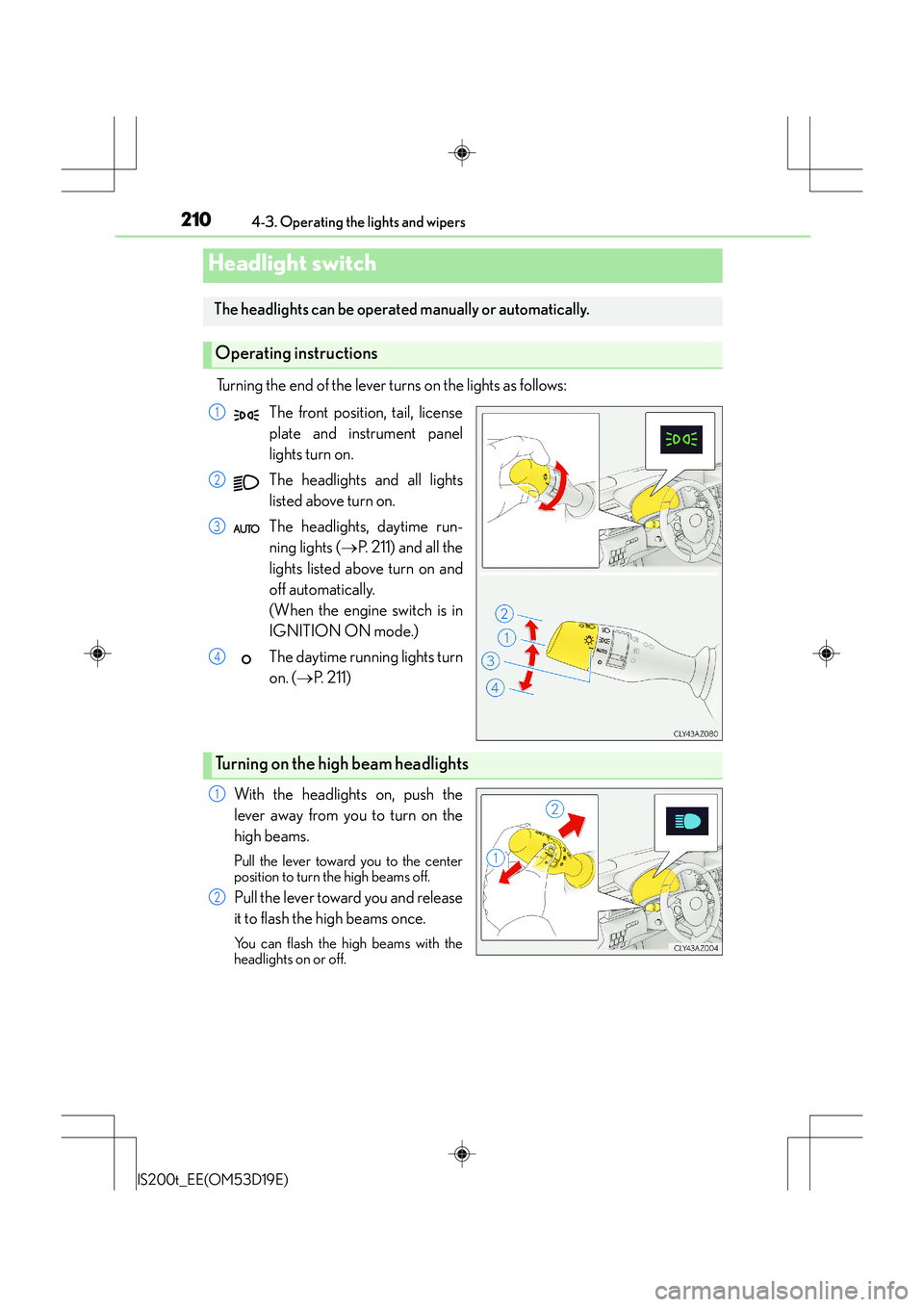
Turning the end of the lever turns on the lights as follows:
The front position, tail, license
plate and instrument panel
lights turn on.
The headlights and all lights
listed above turn on.
The headlights, daytime run-
ning lights ( →P. 211) and all the
lights listed above turn on and
off automatically.
(When the engine switch is in
IGNITION ON mode.)
The daytime running lights turn
on. ( →P. 211)
With the headlights on, push the
lever away from you to turn on the
high beams.
Pull the lever toward you to the center
position to turn the high beams off.
Pull the lever toward you and release
it to flash the high beams once.
You can flash the high beams with the
headlights on or off.
Headlight switch
The headlights can be operated manually or automatically.
Operating instructions
1
2
3
4
Turning on the high beam headlights
1
2
Page 213 of 612
2134-3. Operating the lights and wipers
4
Driving
IS200t_EE(OM53D19E)
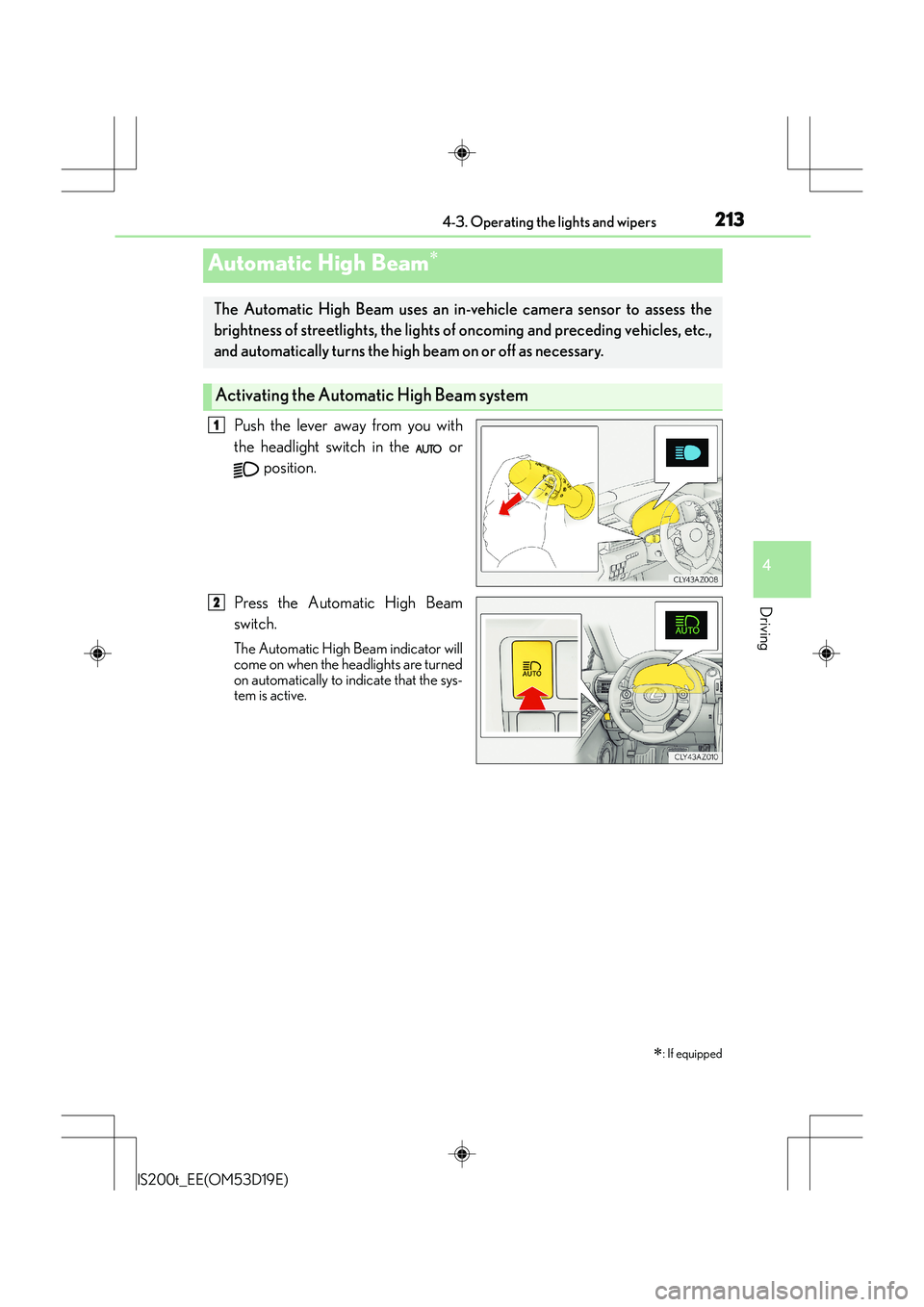
Push the lever away from you with
the headlight switch in the or position.
Press the Automatic High Beam
switch.
The Automatic High Beam indicator will
come on when the headlights are turned
on automatically to indicate that the sys-
tem is active.
Automatic High Beam∗
∗
: If equipped
The Automatic High Beam uses an in-v ehicle camera sensor to assess the
brightness of streetlights, the lights of oncoming and preceding vehicles, etc.,
and automatically turns the high beam on or off as necessary.
Activating the Automa tic High Beam system
1
2
Page 214 of 612
2144-3. Operating the lights and wipers
IS200t_EE(OM53D19E)
When all of the following conditions are met, the high beam will be automatically
turned on (after approximately 1 second):
●Vehicle speed is above approximately 40 km/h (25 mph).
●The area ahead of the vehicle is dark.
●There are no oncoming or preceding vehicles with headlights or tail lights
turned on.
●There are few streetlights on the road ahead.
If any of the following conditions are met, the high beam will be automatically
turned off:
●Vehicle speed drops below approximately 30 km/h (19 mph).
●The area ahead of the vehicle is not dark.
●Oncoming or preceding vehicles have headlights or tail lights turned on.
●There are many streetlights on the road ahead.
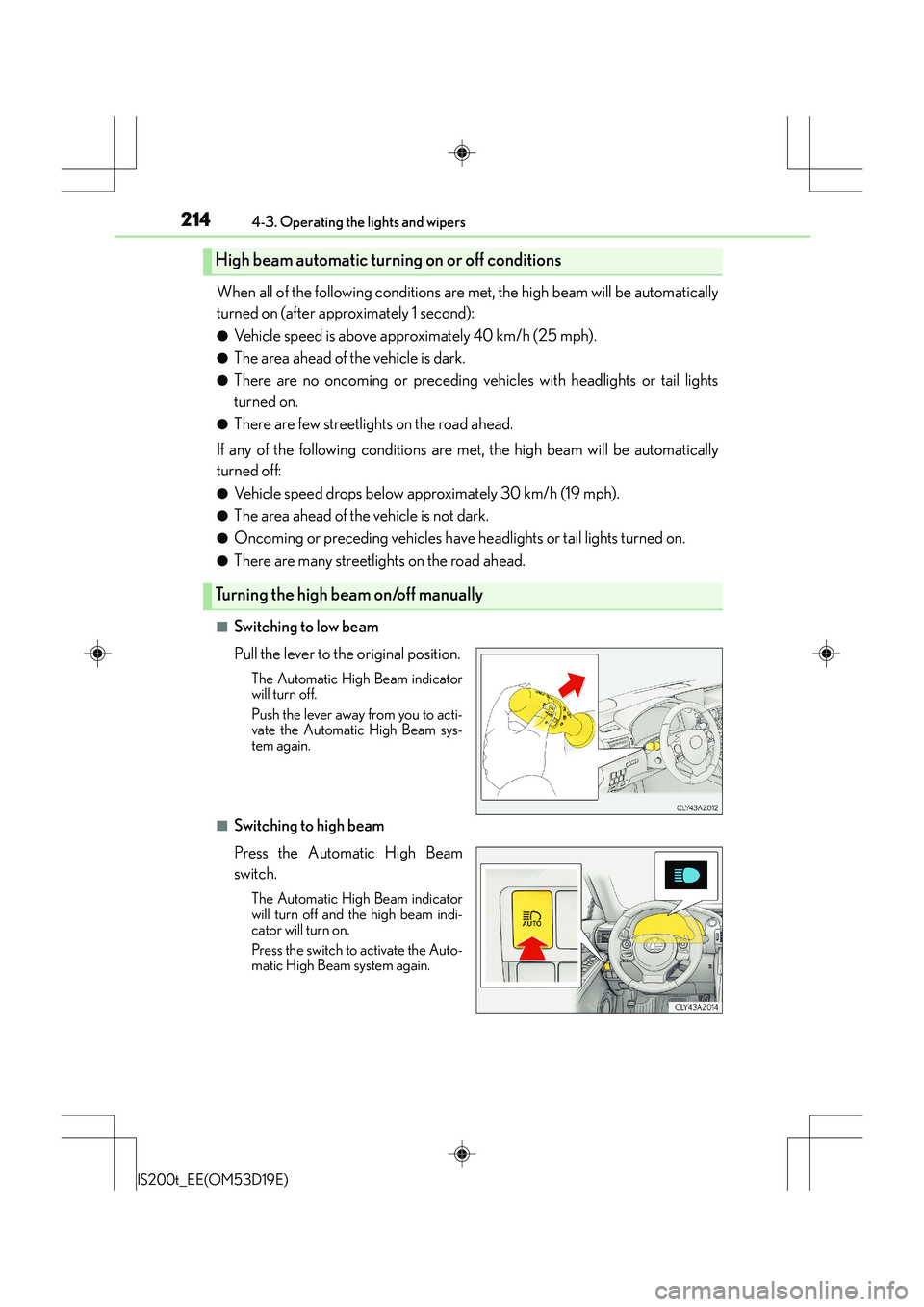
■Switching to low beam
Pull the lever to the original position.
The Automatic High Beam indicator
will turn off.
Push the lever away from you to acti-
vate the Automatic High Beam sys-
tem again.
■Switching to high beam
Press the Automatic High Beam
switch.
The Automatic High Beam indicator
will turn off and the high beam indi-
cator will turn on.
Press the switch to activate the Auto-
matic High Beam system again.
High beam automatic turning on or off conditions
Turning the high beam on/off manually
Page 215 of 612
2154-3. Operating the lights and wipers
4
Driving
IS200t_EE(OM53D19E)
■The Automatic High Beam can be operated when
The engine switch is in IGNITION ON mode.
■Camera sensor detection information
●High beam may not be automatically turned off in the following situations:
• When oncoming vehicles suddenly appear from a curve
• When the vehicle is cut in front of by another vehicle
• When oncoming or preceding vehicles are hidden from sight due to repeatedcurves, road dividers or roadside trees
●High beam may be turned off if an oncomi ng vehicle that is using fog lights without
using the headlights is detected.
●House lights, street lights, red traffic sign als, and illuminated billboards or signs may
cause the high beam to turn off.
●The following factors may affect the amount of time taken to turn high beam on or off:
• The brightness of headlights, fog lights, and tail lights of oncoming and preceding
vehicles
• The movement and direction of oncoming and preceding vehicles
• When an oncoming or preceding vehicle only has operational lights on one side
• When an oncoming or preceding vehicle is a two-wheeled vehicle
• The condition of the road (gradient, curve, condition of the road surface etc.)
• The number of passengers and amount of luggage
●High beam may be turned on or off when unexpected by the driver.
●Small vehicles, such as bicycles, may not be detected.
●In the situations below, the system may not be able to correctly detect the surrounding
brightness levels, and may flash or expose nearby pedestrians to the high beam. There-
fore, you should consider turning the high be ams on or off manually rather than relying
on the Automatic High Beam system.
• In bad weather (rain, snow, fog, sandstorms etc.)
• The windshield is obscured by fog, mist, ice, dirt etc.
• The windshield is cracked or damaged.
• The camera sensor is deformed or dirty.
• Surrounding brightness levels are equal to th ose of headlights, tail lights or fog lights.
• Vehicles ahead have headlights or tail lights that are either switched off, dirty, chang-
ing color, or have improperly adjusted aim.
• When driving through an area of intermittently changing brightness and darkness.
• When frequently and repeatedly driving ascending/descending roads, or roads with
rough, bumpy or uneven surfaces (such as stone-paved roads, gravel tracks etc.).
• When frequently and repeatedly taking curves or driving on a winding road.
• There is a highly reflective object ahead of the vehicle, such as a sign or a mirror.
• The vehicle’s headlights are damaged or dirty.
• The vehicle is listing or titling, due to a flat tire, a trailer being towed etc.
• The driver believes that the high beam may be causing problems or distress to other drivers or pedestrians nearby.
• The vehicle is used in a territory in which vehicles travel on the opposite side of the
road of the country for which the vehicle is approved, for example using a vehicle
designed for right-hand traffic in a left-hand traffic territory, or vice versa.
Page 216 of 612
2164-3. Operating the lights and wipers
IS200t_EE(OM53D19E)
CAUTION
■Limitations of the Automatic High Beam
Do not rely on the Automatic High Beam. Always drive safely, taking care to observe
your surroundings and turning high beam on or off manually if necessary.
NOTICE
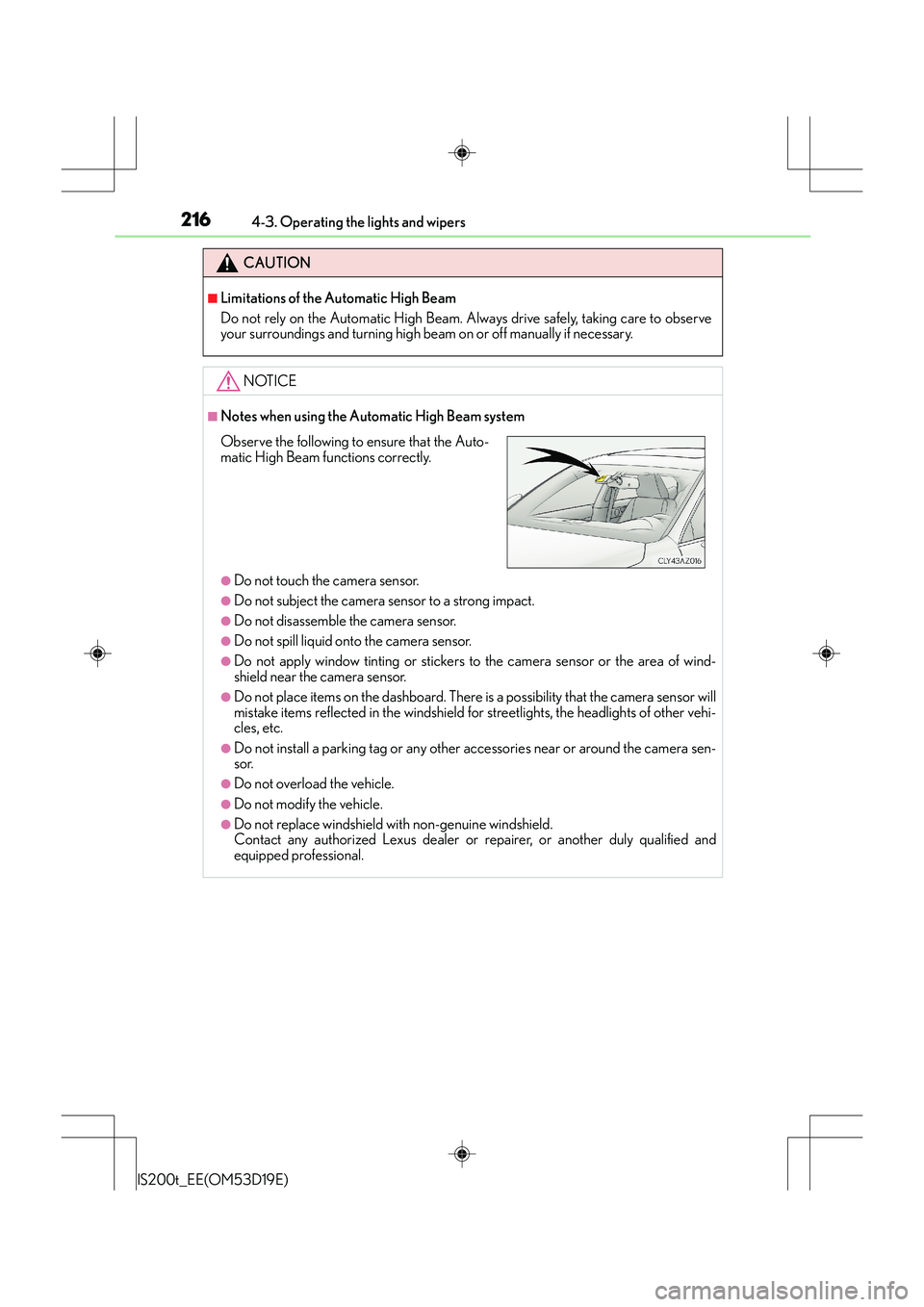
■Notes when using the Automatic High Beam system
●Do not touch the camera sensor.
●Do not subject the camera sensor to a strong impact.
●Do not disassemble the camera sensor.
●Do not spill liquid onto the camera sensor.
●Do not apply window tinting or stickers to the camera sensor or the area of wind-
shield near the camera sensor.
●Do not place items on the dashboard. There is a possibility that the camera sensor will
mistake items reflected in the windshield for streetlights, the headlights of other vehi-
cles, etc.
●Do not install a parking tag or any other accessories near or around the camera sen-
sor.
●Do not overload the vehicle.
●Do not modify the vehicle.
●Do not replace windshield with non-genuine windshield.
Contact any authorized Lexus dealer or repairer, or another duly qualified and
equipped professional.
Observe the following to ensure that the Auto-
matic High Beam functions correctly.