light Lexus IS200t 2017 s Owners Manual
[x] Cancel search | Manufacturer: LEXUS, Model Year: 2017, Model line: IS200t, Model: Lexus IS200t 2017Pages: 676, PDF Size: 149.78 MB
Page 299 of 676

2994-5. Using the driving support systems
4
Driving
IS200t_EE(OM53D77E)
Turns the Lexus parking assist-sensor
on/off
When on, the indicator light comes on
to inform the driver that the system is
operational.
Lexus parking assist-sensor
: If equipped
The distance from your vehicle to nearby obstacles when parallel parking or
maneuvering into a garage is measured by the sensors and communicated via
the displays and a buzzer. Always chec k the surrounding area when using this
system.
Types of sensors
Except F SPORT modelsF SPORT models
Front center sensors
Front corner sensors Rear corner sensors
Rear center sensors
Lexus parking assist-sensor switch
1
2
3
4
Page 306 of 676
3064-5. Using the driving support systems
IS200t_EE(OM53D77E)
WARNING
■When using the Lexus parking assist-sensor
Observe the following precautions.
Failing to do so may result in the vehicle being unable to be driven safely and possibly
cause an accident.
●Do not use the sensor at speeds in excess of 10 km/h (6 mph).
●The sensors’ detection areas and reaction times are limited. When moving forward or
reversing, check the areas surrounding the vehicle (especially the sides of the vehi-
cle) for safety, and drive slowly, using the brake to control the vehicle’s speed.
●Do not install accessories within the sensors’ detection areas.
■Sensor detection information
●The sensor’s detection areas are limited to the areas around the vehicle’s bumper.
●Certain vehicle conditions and surrounding environments, such as the following, may
affect the ability of the sensors to correctly detect objects. Pay particular attention in
the following situations. Failure to do so may result in the vehicle being driven
unsafely, possibly leading to an accident.
• There is dirt, snow or ice on the sensor. (Wiping the sensors will resolve this prob- lem.)
• The sensor is frozen. (Thawing th e area will resolve this problem.)
In especially cold weather, if a sensor is frozen the screen may show an abnormal
display, or obstacles may not be detected.
• The sensor is covered in any way.
• The vehicle is leaning considerably to one side.
• On an extremely bumpy road, on an incline, on grav el, or on grass.
• The vicinity of the vehicle is noisy due to vehicle horns, motorcycle engines, air
brakes of large vehicles, or other lo ud noises producing ultrasonic waves.
• There is another vehicle equipped with parking assist sensors in the vicinity.
• The sensor is coated with a sheet of spray or heavy rain.
• The vehicle is equipped with a fender pole or wireless antenna.
• Towing eyelets are installed.
• The bumper or sensor receives a strong impact.
• The vehicle is approaching a tall or curved curb.
• In harsh sunlight or intense cold weather.
• The area directly under the bumpers is not detected.
• If obstacles draw too close to the sensor.
• A non-genuine Lexus suspension (lowered suspension etc.) is installed.
• People may not be detected if they are wearing certain types of clothing.
In addition to the examples above, there are instances in which, because of their
shape, signs and other objects may be judged by a sensor to be closer than they are.
Page 320 of 676
3204-5. Using the driving support systems
IS200t_EE(OM53D77E)
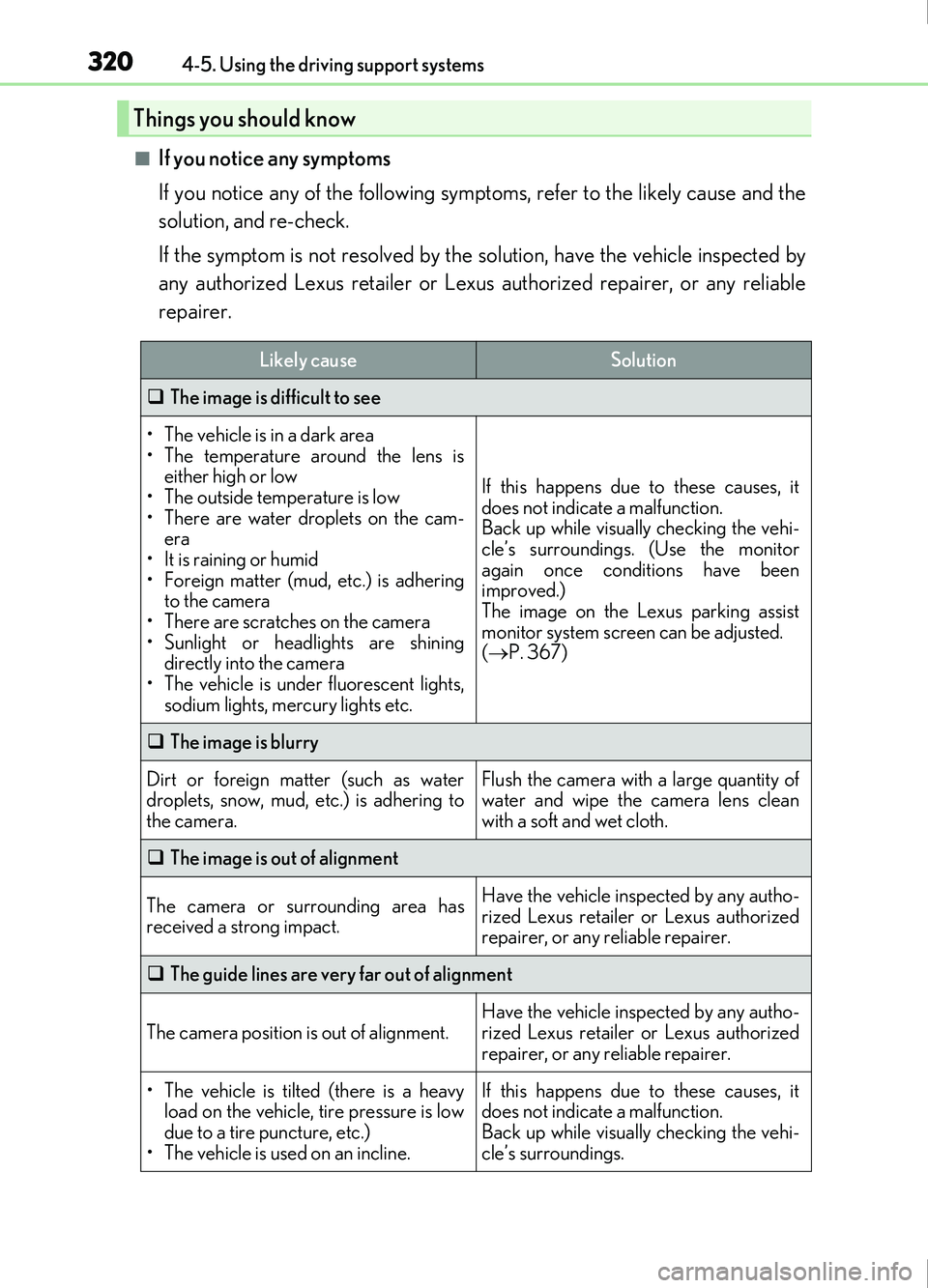
■If you notice any symptoms
If you notice any of the following symptoms, refer to the likely cause and the
solution, and re-check.
If the symptom is not resolved by the solution, have the vehicle inspected by
any authorized Lexus retailer or Lexus authorized repairer, or any reliable
repairer.
Things you should know
Likely causeSolution
The image is difficult to see
• The vehicle is in a dark area
• The temperature around the lens is
either high or low
• The outside temperature is low
• There are water droplets on the cam- era
• It is raining or humid
• Foreign matter (mud, etc.) is adhering to the camera
• There are scratches on the camera
• Sunlight or headlights are shining directly into the camera
• The vehicle is under fluorescent lights,
sodium lights, mercury lights etc.
If this happens due to these causes, it
does not indicate a malfunction.
Back up while visually checking the vehi-
cle’s surroundings. (Use the monitor
again once conditions have been
improved.)
The image on the Lexus parking assist
monitor system screen can be adjusted.
( P. 367)
The image is blurry
Dirt or foreign matter (such as water
droplets, snow, mud, etc.) is adhering to
the camera.Flush the camera with a large quantity of
water and wipe the camera lens clean
with a soft and wet cloth.
The image is out of alignment
The camera or surrounding area has
received a strong impact.Have the vehicle inspected by any autho-
rized Lexus retailer or Lexus authorized
repairer, or any reliable repairer.
The guide lines are very far out of alignment
The camera position is out of alignment.Have the vehicle inspected by any autho-
rized Lexus retailer or Lexus authorized
repairer, or any reliable repairer.
• The vehicle is tilted (there is a heavy
load on the vehicle, tire pressure is low
due to a tire puncture, etc.)
• The vehicle is used on an incline.If this happens due to these causes, it
does not indicate a malfunction.
Back up while visually checking the vehi-
cle’s surroundings.
Page 323 of 676
3234-5. Using the driving support systems
4
Driving
IS200t_EE(OM53D77E)
NOTICE
■How to use the camera
●The parking assist monitor may not operate properly in the following cases.
• If the back of the vehicle is hit, the position and mounting angle of the camera maychange.
• As the camera has a water proof construction, do not detach, disassemble or modify it. This may cause incorrect operation.
• When cleaning the camera lens, flush the camera with a large quantity of water and wipe it with a soft and wet cloth. Strongly rubbing the camera lens may cause
the camera lens to be scratched and unable to transmit a clear image.
• Do not allow organic solvent, car wax, window cleaner or glass coat to adhere to the camera. If this happens, wipe it off as soon as possible.
• If the temperature changes rapidly, such as when hot water is poured on the vehi-
cle in cold weather, the system may not operate normally.
• When washing the vehicle, do not apply intensive bursts of water to the camera or camera area. Doing so may result in the camera malfunctioning.
• When the camera is used under fluorescent lights, sodium light or mercury light etc., the lights and the illuminate d areas may appear to flicker.
●Do not expose the camera to strong impact as this could cause a malfunction.
If this happens, have the vehicle inspecte d by any authorized Lexus retailer or Lexus
authorized repairer, or any reliable repairer as soon as possible.
Page 326 of 676
3264-5. Using the driving support systems
IS200t_EE(OM53D77E)
■Outside rear view mirror indicator visibility
In strong sunlight, the outside rear view mirror indicator may be difficult to see.
■Hearing the RCTA buzzer
The RCTA buzzer may be difficult to hear ov er loud noises, such as if the audio system
volume is high.
■When there is a malfunction in the Blind Spot Monitor
If a system malfunction is de tected due to any of the follo wing, a warning message will be
displayed: ( P. 560)
●A sensor is malfunctioning
●A sensor is dirty or covered with snow or a sticker
●The outside temperature is extremely high or low
●Sensor voltage is abnormal
●A sensor is misaligned
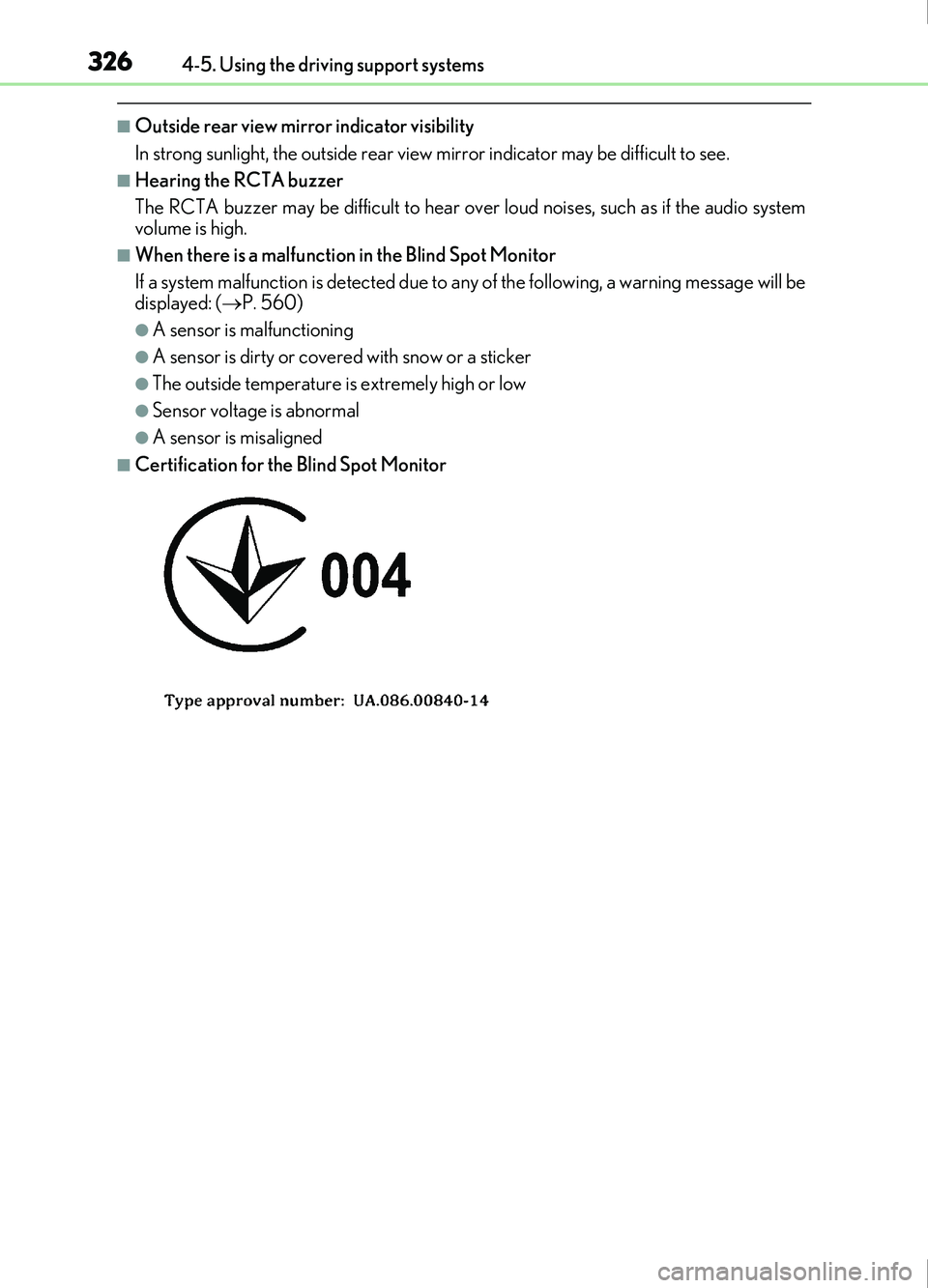
■Certification for the Blind Spot Monitor
Page 329 of 676
3294-5. Using the driving support systems
4
Driving
IS200t_EE(OM53D77E)
WARNING
■Handling the radar sensor
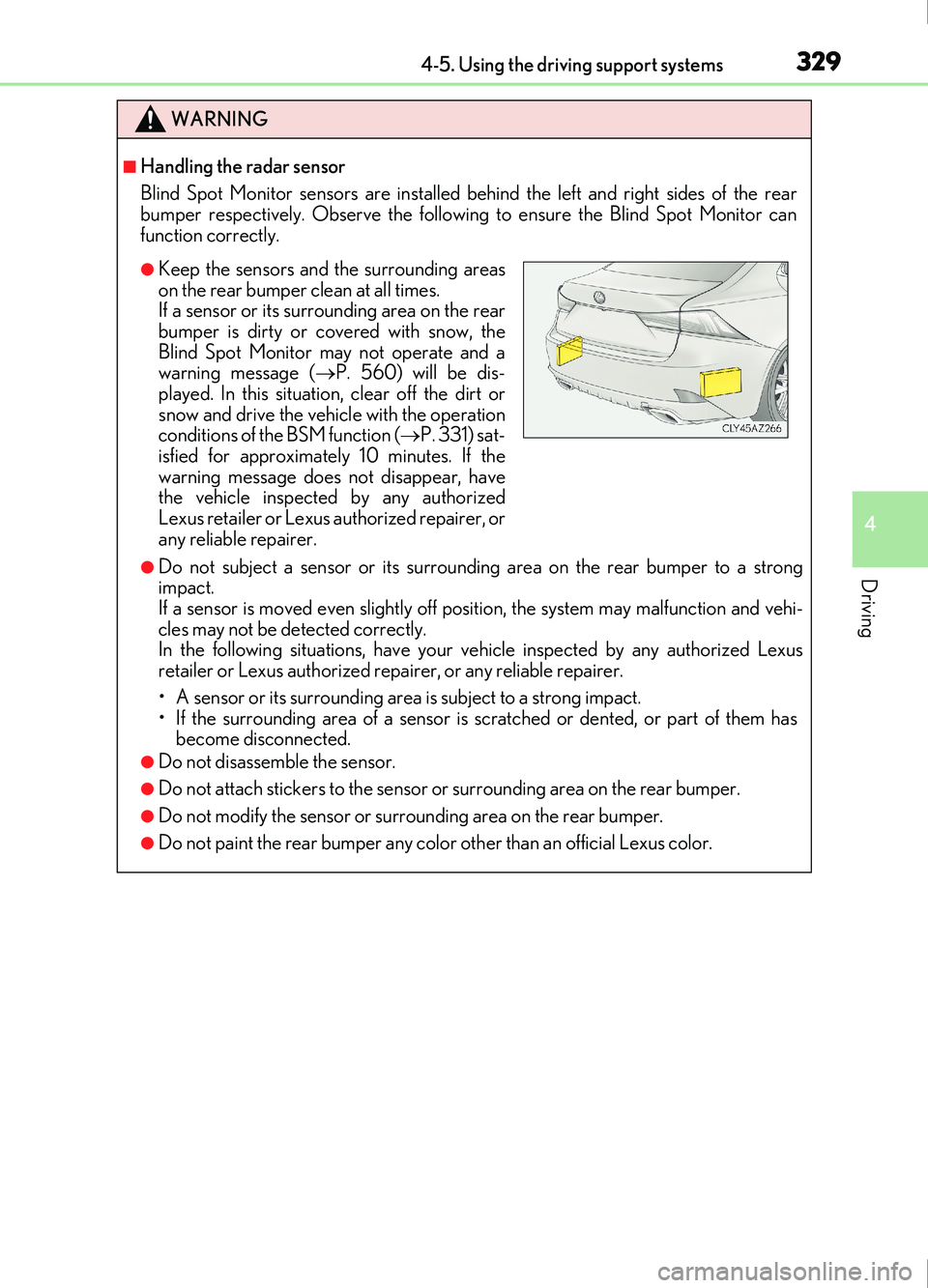
Blind Spot Monitor sensors are installed behind the left and right sides of the rear
bumper respectively. Observe the following to ensure the Blind Spot Monitor can
function correctly.
●Do not subject a sensor or its surrounding area on the rear bumper to a strong
impact.
If a sensor is moved even slightly off po sition, the system may malfunction and vehi-
cles may not be detected correctly.
In the following situations, have your vehicle inspected by any authorized Lexus
retailer or Lexus authorized repa irer, or any reliable repairer.
• A sensor or its surrounding area is subject to a strong impact.
• If the surrounding area of a sensor is scratched or dented, or part of them has become disconnected.
●Do not disassemble the sensor.
●Do not attach stickers to the sensor or surrounding area on the rear bumper.
●Do not modify the sensor or surrounding area on the rear bumper.
●Do not paint the rear bumper any color other than an official Lexus color.
●Keep the sensors and the surrounding areas
on the rear bumper clean at all times.
If a sensor or its surrounding area on the rear
bumper is dirty or covered with snow, the
Blind Spot Monitor may not operate and a
warning message ( P. 560) will be dis-
played. In this situation, clear off the dirt or
snow and drive the vehicle with the operation
conditions of the BSM function ( P. 331) sat-
isfied for approximately 10 minutes. If the
warning message does not disappear, have
the vehicle inspected by any authorized
Lexus retailer or Lexus authorized repairer, or
any reliable repairer.
Page 341 of 676
3414-5. Using the driving support systems
4
Driving
IS200t_EE(OM53D77E)
◆VDIM (Vehicle Dynamics Integrated Management)
Provides integrated control of the ABS, brake assist, TRC, VSC, hill-start
assist control and EPS systems
Helps to maintain vehicle stability when swerving on slippery road surfaces by
controlling the brakes and engine output
◆Emergency brake signal
When the brakes are applied suddenly, the stop lights automatically flash to
alert the vehicle behind.
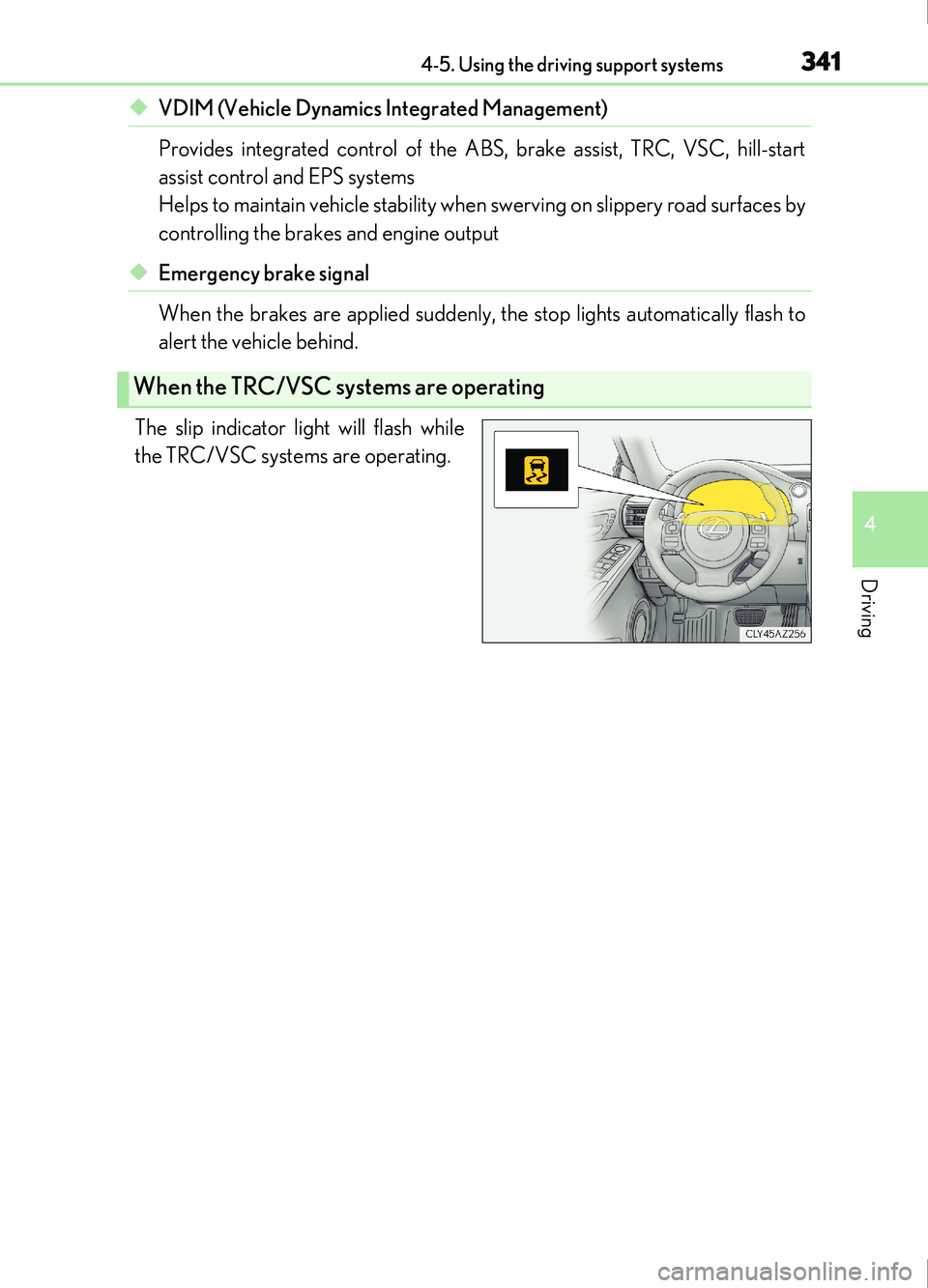
The slip indicator light will flash while
the TRC/VSC systems are operating.
When the TRC/VSC systems are operating
Page 343 of 676

3434-5. Using the driving support systems
4
Driving
IS200t_EE(OM53D77E)
■Turning off both TRC and VSC systems
To turn the TRC and VSC systems off, press and hold or for more than 3
seconds while the vehicle is stopped.
The VSC OFF indicator light will come on and the “Traction Control Turned Off” will be
shown on the multi-information display.
*
Press or again to turn the system back on.
*: On vehicles with pre-collision system, pre- collision brake assist and pre-collision brak-
ing will also be disabled. The pre-collision system warning light will come on and the
message will be shown on the multi-information display. ( P. 259)
■When the message is displayed on the mult i-information display showing that TRC has
been disabled even if the VSC OFF switch has not been pressed
TRC cannot be operated. Contact any authorized Lexus retailer or Lexus authorized
repairer, or any reliable repairer.
■Operating conditions of hill-start assist control
When the following four conditions are met, the hill-start assist control will operate:
●The shift lever is in a position other than P or N (when starting off forward/backward on
an upward incline)
●The vehicle is stopped
●The accelerator pedal is not depressed
●The parking brake is not engaged
■Automatic system cancelation of hill-start assist control
The hill-start assist control will turn off in any of the following situations:
●The shift lever is shifted to P or N
●The accelerator pedal is depressed
●The parking brake is engaged
●Approximately 2 seconds elapse after the brake pedal is released
■When the battery is disconnected
The steering wheel may move from its straight forward position, but this will be corrected
automatically when driving.
■Sounds and vibrations caused by the ABS, brake assist, VSC, TRC and hill-start assist
control systems
●A sound may be heard from the engine compartment when the brake pedal is
depressed repeatedly, when the engine is st arted or just after the vehicle begins to
move. This sound does not indicate that a malfunction has occurred in any of these sys-
tems.
●Any of the following conditions may occu r when the above systems are operating.
None of these indicates that a malfunction has occurred.
• Vibrations may be felt through the vehicle body and steering.
• A motor sound may be heard also after the vehicle comes to a stop.
• The brake pedal may pulsate slig htly after the ABS is activated.
• The brake pedal may move down slig htly after the ABS is activated.
Page 345 of 676
3454-5. Using the driving support systems
4
Driving
IS200t_EE(OM53D77E)
WARNING
■The ABS does not operate effectively when
●The limits of tire gripping performance have been exceeded (such as excessively
worn tires on a snow covered road).
●The vehicle hydroplanes while driving at high speed on wet or slick roads.
■Stopping distance when the ABS is operat ing may exceed that of normal conditions
The ABS is not designed to shorten the vehicle’s stopping distance. Always maintain a
safe distance from the vehicle in front of you, especially in the following situations:
●When driving on dirt, gravel or snow-covered roads
●When driving with tire chains
●When driving over bumps in the road
●When driving over roads with potholes or uneven surfaces
■TRC/VSC may not operate effectively when
Directional control and power may not be achievable while driving on slippery road
surfaces, even if the TRC/VSC system is operating.
Drive the vehicle carefully in conditions where stability and power may be lost.
■Hill- start assist control does not operate effectively when
●Do not overly rely on hill-start assist control. Hill-start assist control may not operate
effectively on steep inclines and roads covered with ice.
●Unlike the parking brake, hill-start assist co ntrol is not intended to hold the vehicle
stationary for an extended period of time. Do not attempt to use hill-start assist con-
trol to hold the vehicle on an incline, as doing so may lead to an accident.
■When the VSC is activated
The slip indicator light flashes. Always drive carefully. Reckless driving may cause an
accident. Exercise particular care when the indicator light flashes.
■When the TRC/VSC systems are turned off
Be especially careful and drive at a speed appropriate to the road conditions. As these
are the systems to help ensure vehicle stability and driving force, do not turn the TRC/
VSC systems off unless necessary.
■Replacing tires
Make sure that all tires are of the specified size, brand, tread pattern and total load
capacity. In addition, make sure that the tire s are inflated to the recommended tire infla-
tion pressure level.
The ABS, TRC and VSC systems will not function correctly if different tires are installed
on the vehicle.
Contact any authorized Lexus retailer or Lexus authorized repairer, or any reliable
repairer for further information when replacing tires or wheels.
■Handling of tires and the suspension
Using tires with any kind of problem or modifying the suspension w ill affect the driving
assist systems, and may cause a system to malfunction.
Page 346 of 676
346
IS200t_EE(OM53D77E)4-6. Driving tips
●Use fluids that are appropriate to the prevailing outside temperatures.
•Engine oil
• Engine coolant
• Washer fluid
●Have a service technician inspect the condition of the battery.
●Have the vehicle fitted with four snow tires or purchase a set of tire chains for
the rear tires.
*
Ensure that all tires are the specified size and brand, and that chains match the size
of the tires.
*: Tire chains cannot be mounted on the 18-inch tires.
Perform the following according to the driving conditions:
●Do not try to forcibly open a window or move a wiper that is frozen. Pour
warm water over the frozen area to melt the ice. Wipe away the water imme-
diately to prevent it from freezing.
●To ensure proper operation of the climate control system fan, remove any
snow that has accumulated on the air inlet vents in front of the windshield.
●Check for and remove any excess ice or snow that may have accumulated on
the exterior lights, vehicle’s roof, chassi s, around the tires or on the brakes.
●Remove any snow or mud from the bottom of your shoes before getting in the
vehicle.
Accelerate the vehicle slowly, keep a safe distance between you and the vehicle
ahead, and drive at a reduced speed suitable to road conditions.
Winter driving tips
Carry out the necessary preparations and inspections before driving the vehi-
cle in winter. Always drive the vehicle in a manner appropriate to the prevail-
ing weather conditions.
Preparation for winter
Before driving the vehicle
When driving the vehicle