warning Lexus IS200t 2017 Owner's Manuals
[x] Cancel search | Manufacturer: LEXUS, Model Year: 2017, Model line: IS200t, Model: Lexus IS200t 2017Pages: 676, PDF Size: 149.78 MB
Page 273 of 676
2734-5. Using the driving support systems
4
Driving
IS200t_EE(OM53D77E)
●Side road speed signs may be detected and displayed (if positioned in sight of the cam-
era sensor) while the vehicle is traveling on the main road.
●Roundabout exit road speed signs may be detected and displayed (if positioned in sight
of the camera sensor) while traveling on a roundabout.
■When driving vehicle in country with different speed unit
Since RSA recognizes signs based on the set unit of the meter, it is necessary to change
the set unit of the meter. Adjust the set unit of the meter to the speed unit of signs in the
current location. ( P. 641)
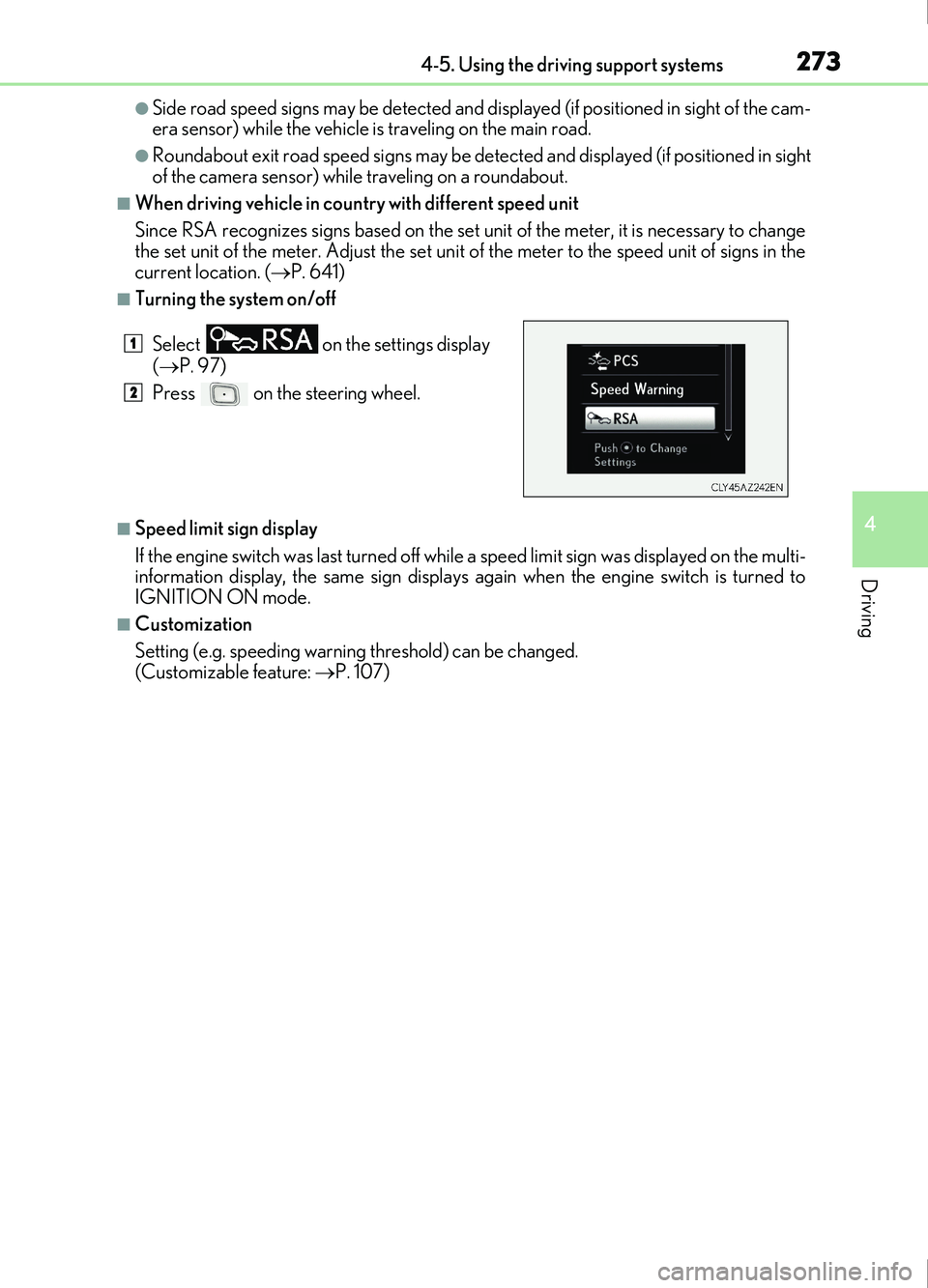
■Turning the system on/off
■Speed limit sign display
If the engine switch was last turned off while a speed limit sign was displayed on the multi-
information display, the same sign displays again when the engine switch is turned to
IGNITION ON mode.
■Customization
Setting (e.g. speeding warning threshold) can be changed.
(Customizable feature: P. 107)
Select
on the settings display
( P. 97)
Press on the steering wheel.
1
2
Page 275 of 676
2754-5. Using the driving support systems
4
Driving
IS200t_EE(OM53D77E)
WARNING
■Before using dynamic radar cruise control
Driving safely is the sole responsibility of the driver. Do not rely solely on the system,
and drive safely by always paying careful attention to your surroundings.
The dynamic radar cruise control provides driving assistance to reduce the driver’s
burden. However, there are limitations to the assistance provided.
Even when the system is functioning norma lly, the condition of the preceding vehicle as
detected by the system may differ from the condition observed by the driver. There-
fore, the driver must always remain alert, assess the danger of each situation and drive
safely. Relying on this system or assuming the system ensures safety while driving can
lead to an accident, resulting in death or serious injury.
■Cautions regarding the driving assist systems
Observe the following precautions, as there are limitations to the assistance provided
by the system.
Failure to do so may cause an accident resulting in death or serious injury.
●Assisting the driver to measure following distance
The dynamic radar cruise control is only in tended to help the driver in determining
the following distance between the driver’s own vehicle and a designated vehicle
traveling ahead. It is not a mechanism that allows careless or inattentive driving, and it
is not a system that can assist the driver in low-visibility conditions. It is still necessary
for driver to pay close attention to the vehicle’s surroundings.
●Assisting the driver to judge proper following distance
The dynamic radar cruise control determines whether the following distance
between the driver’s own vehicle and a design ated vehicle traveling ahead is within a
set range. It is not capable of making any other type of judgement. Therefore, it is
absolutely necessary for the driver to remain vigilant and to determine whether or not
there is a possibility of danger in any given situation.
●Assisting the driver to operate the vehicle
The dynamic radar cruise control has limited capability to prevent or avoid a collision
with a vehicle traveling ahead. Therefore, if there is ever any danger, the driver must
take immediate and direct control of the vehicle and act appropriately in order to
ensure the safety of all involved.
■To avoid inadvertent dynamic radar cruise control activation
Switch the dynamic radar cruise control off using the “ON/OFF” button when not in
use.
Page 276 of 676
2764-5. Using the driving support systems
IS200t_EE(OM53D77E)
WARNING
■Situations unsuitable for dynamic radar cruise control
Do not use dynamic radar cruise control in any of the following situations.
Doing so may result in inappropriate speed control and could cause an accident result-
ing in death or serious injury.
●Roads where there are pedestrians, cyclists, etc.
●In heavy traffic
●On roads with sharp bends
●On winding roads
●On slippery roads, such as those covered with rain, ice or snow
●On steep downhills, or where there are sudden changes between sharp up and down
gradients
Vehicle speed may exceed the set speed when driving down a steep hill.
●At entrances to freeways and highways
●When weather conditions are bad enough that they may prevent the sensors from
detecting correctly (fog, snow, sandstorm, heavy rain, etc.)
●When there is rain, snow, etc. on the fron t surface of the radar sensor or camera sen-
sor
●In traffic conditions that require frequent repeated acceleration and deceleration
●When your vehicle is towing a trailer or during emergency towing
●When an approach warning buzzer is heard often
Page 281 of 676
2814-5. Using the driving support systems
4
Driving
IS200t_EE(OM53D77E)
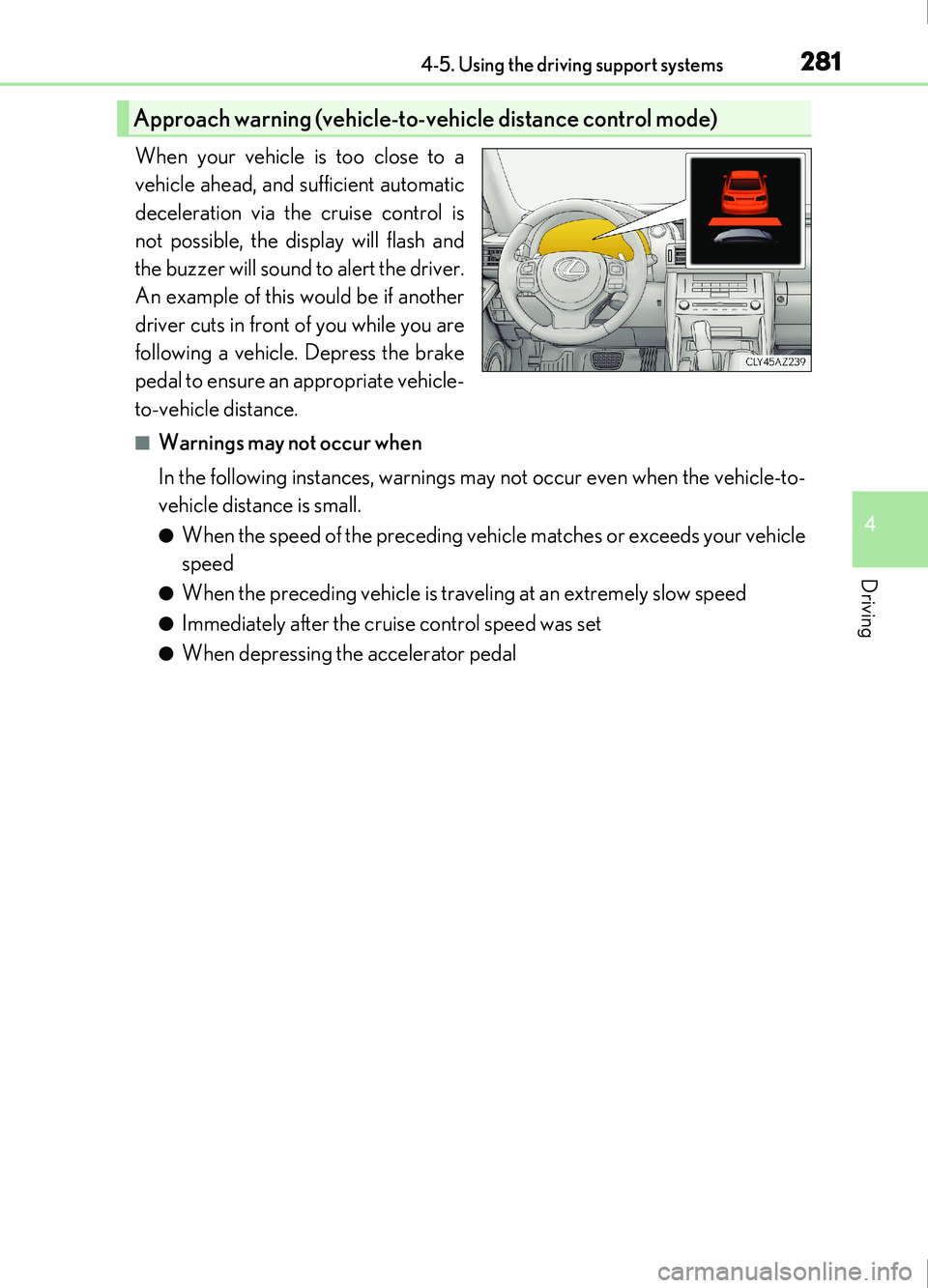
When your vehicle is too close to a
vehicle ahead, and sufficient automatic
deceleration via the cruise control is
not possible, the display will flash and
the buzzer will sound to alert the driver.
An example of this would be if another
driver cuts in front of you while you are
following a vehicle. Depress the brake
pedal to ensure an appropriate vehicle-
to-vehicle distance.
■Warnings may not occur when
In the following instances, warnings may not occur even when the vehicle-to-
vehicle distance is small.
●When the speed of the preceding vehicle matches or exceeds your vehicle
speed
●When the preceding vehicle is traveling at an extremely slow speed
●Immediately after the cruise control speed was set
●When depressing the accelerator pedal
Approach warning (vehicle-to-vehicle distance control mode)
Page 284 of 676
2844-5. Using the driving support systems
IS200t_EE(OM53D77E)
■Automatic cancelation of constant speed control mode
Constant speed control mode is automatically canceled in the following situations:
●Actual vehicle speed is more than approximately 16 km/h (10 mph) below the set vehi-
cle speed.
●Actual vehicle speed falls below approximately 40 km/h (25 mph).
●VSC is activated.
●TRC is activated for a period of time.
●When the VSC or TRC system is turned off by pressing the VSC OFF switch.
●Pre-collision braking is activated.
If constant speed control mode is automatically canceled for any other reason, there may
be a malfunction in the system. Contact an y authorized Lexus retailer or Lexus autho-
rized repairer, or any reliable repairer.
■Warning messages and buzzers for dynamic radar cruise control
Warning messages and buzzers are used to indicate a system malfunction or to inform
the driver of the need for caution while driv ing. If a warning message is shown on the
multi-information display, read the message and follow the instructions.
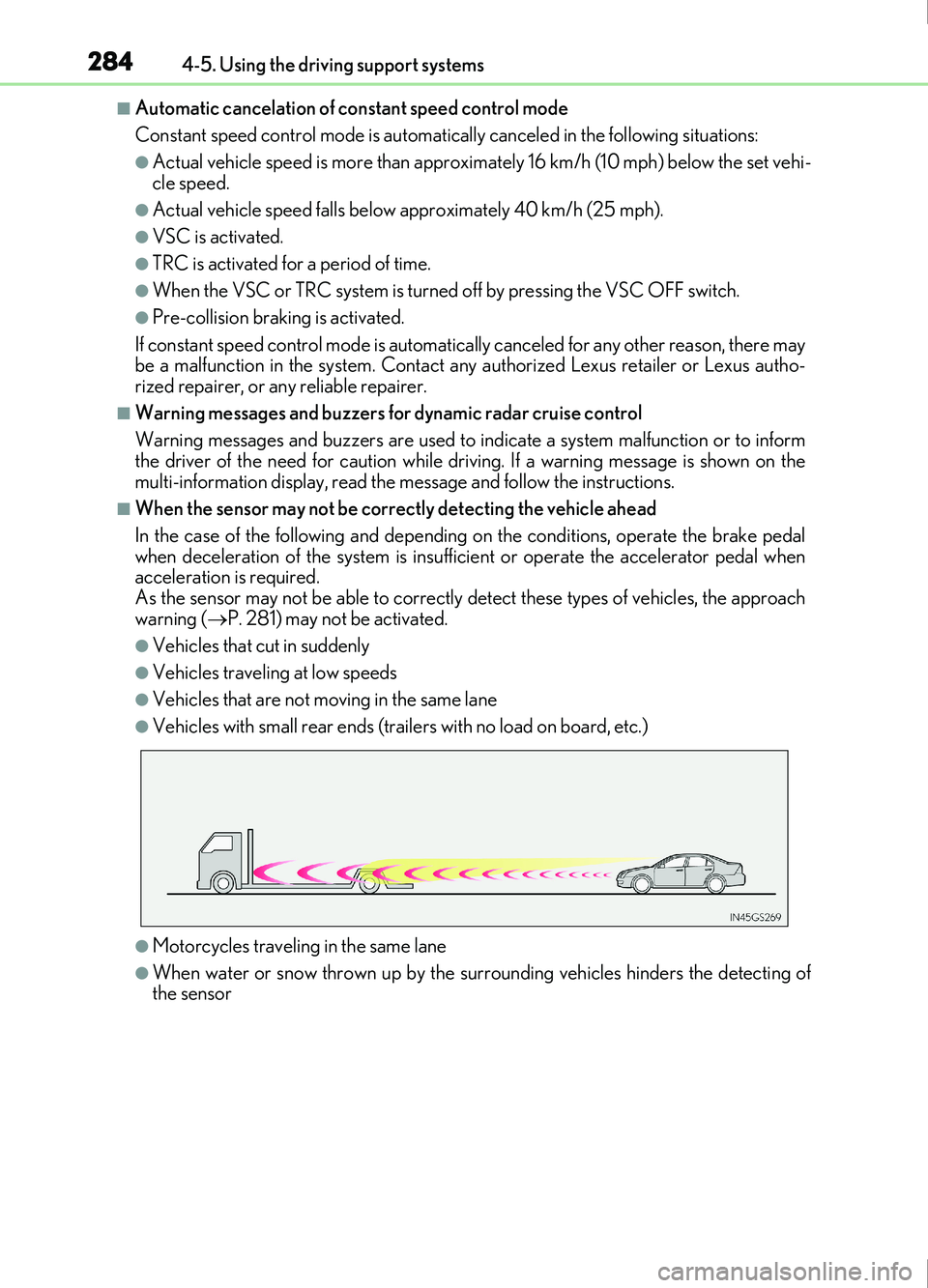
■When the sensor may not be correctly detecting the vehicle ahead
In the case of the following and depending on the conditions, operate the brake pedal
when deceleration of the system is insufficient or operate the accelerator pedal when
acceleration is required.
As the sensor may not be able to correctly detect these types of vehicles, the approach
warning ( P. 281) may not be activated.
●Vehicles that cut in suddenly
●Vehicles traveling at low speeds
●Vehicles that are not moving in the same lane
●Vehicles with small rear ends (trailers with no load on board, etc.)
●Motorcycles travelin g in the same lane
●When water or snow thrown up by the surrounding vehicles hinders the detecting of
the sensor
Page 288 of 676
2884-5. Using the driving support systems
IS200t_EE(OM53D77E)
■Cruise control can be set when
●The shift lever is in D.
●Range 4 or higher of D has been selected by using the paddle shift.
●Vehicle speed is above approximately 40 km/h (25 mph).
■Accelerating after setting the vehicle speed
●The vehicle can be accelerated normally. After acceleration, the set speed resumes.
●Even without canceling the cruise control, the set speed can be increased by first accel-
erating the vehicle to the desired speed and then pushing the lever down to set the new
speed.
■Automatic cruise control cancelation
Cruise control will stop maintaining the vehicle speed in any of the following situations.
●Actual vehicle speed falls more than approx imately 16 km/h (10 mph) below the preset
vehicle speed.
At this time, the memorized set speed is not retained.
●Actual vehicle speed is below approximately 40 km/h (25 mph).
●VSC is activated.
●TRC is activated for a period of time.
●When the VSC or TRC system is turned off by pressing the VSC OFF switch.
■If the warning message for the cruise contro l is shown on the multi-information display
Press the “ON/OFF” button once to deactivate the system, and then press the button
again to reactivate the system.
If the cruise control speed cannot be set or if the cruise control cancels immediately after
being activated, there may be a malfunction in the cruise control system. Have the vehi-
cle inspected by any authorized Lexus retailer or Lexus authorized repairer, or any reli-
able repairer.
Page 289 of 676
2894-5. Using the driving support systems
4
Driving
IS200t_EE(OM53D77E)
WARNING
■To avoid operating the cruise control by mistake
Switch the cruise control off using the “ON/OFF” button when not in use.
■Situations unsuitable for cruise control
Do not use cruise control in any of the following situations.
Doing so may result in loss of control and could cause an accident resulting in death or
serious injury.
●In heavy traffic
●On roads with sharp bends
●On winding roads
●On slippery roads, such as those covered with rain, ice or snow
●On steep hills
Vehicle speed may exceed the set speed when driving down a steep hill.
●When your vehicle is towing a trailer or during emergency towing
Page 294 of 676
2944-5. Using the driving support systems
IS200t_EE(OM53D77E)
●In the following situations, the engine will restart automatically if the engine is stopped
by the Stop & Start system. (To enable stoppi ng of the engine by the Stop & Start sys-
tem, drive the vehicle.)
• The air conditioning system is turned on.
• is turned on.
• The steering wheel is operated.
• The shift lever is shifted to M, N or R from D.
• The shift lever is shifted from P.
• Sport mode or snow mode is selected as the driving mode.
• The driver’s seat belt is unfastened.
• The driver’s door is opened.
• The accelerator pedal is depressed.
• The Stop & Start cancel switch is pressed.
• The vehicle starts to roll on an incline.
• Vehicles with a power heater: The power heater is turned on.
●In the following situations, the engine may re start automatically if the engine is stopped
by the Stop & Start system. (To enable stoppi ng of the engine by the Stop & Start sys-
tem, drive the vehicle.)
• The brake pedal is pumped or strongly depressed.
• The air conditioning system is being used.
• The battery is not sufficiently charged.
■If the steering wheel is turned shortly after the engine has started
If the steering wheel is turned shortly after the engine has been started by the Stop &
Start system, the steering wheel may feel heavy.
■Hood
●If the hood is opened while the engine is stopped by the Stop & Start system with the
shift lever in D, the engine will stall and will not be able to be restarted by the automatic
engine start function. In this case, restart the engine using the normal engine starting
procedure. ( P. 204)
●If the hood is opened while the engine is stopped by the Stop & Start system with the
shift lever in P, the engine will be restarted automatically.
●Even if the hood is closed after the engine is started with the hood open, the Stop &
Start system will not operate. Close the hood, turn the engine switch off, wait 30 sec-
onds or more, and then start the engine.
■When to use the Stop & Start system
●When the system does not operate, is canceled, or is malfunctioning, warning mes-
sages and a warning buzzer are used to inform the driver. ( P. 296)
●If the engine switch is pressed when the en gine is stopped by the Stop & Start system,
the engine will stall and will not be able to be restarted by the automatic engine start
function. In this case, restart the engine using the normal engine starting procedure.
( P. 204)
●When the engine is restarted by the Stop & Start system, the power outlet may be tem-
porarily unusable, but this is not a malfunction.
●Installation and removal of electrical components and wireless devices may affect the
Stop & Start system. Contact any authorized Lexus retailer or Lexus authorized
repairer, or any reliable repairer for details.
Page 297 of 676
2974-5. Using the driving support systems
4
Driving
IS200t_EE(OM53D77E)
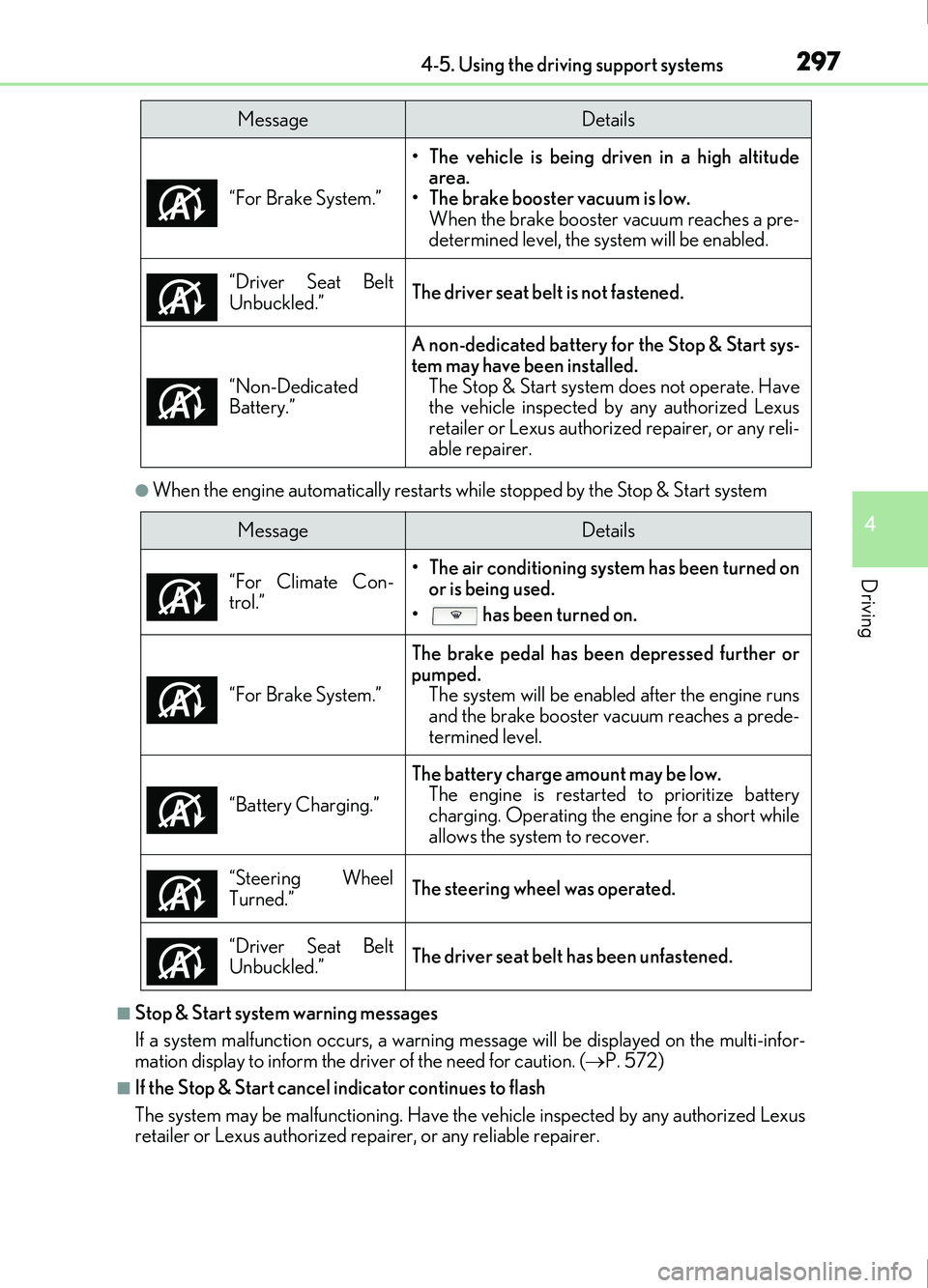
●When the engine automatically restarts while stopped by the Stop & Start system
■Stop & Start system warning messages
If a system malfunction occurs, a warning message will be displayed on the multi-infor-
mation display to inform the driver of the need for caution. ( P. 572)
■If the Stop & Start cancel indicator continues to flash
The system may be malfunctioning. Have the vehicle inspected by any authorized Lexus
retailer or Lexus authorized repa irer, or any reliable repairer.
MessageDetails
“For Brake System.” • The vehicle is being driven in a high altitude
area.
• The brake booster vacuum is low.
When the brake booster vacuum reaches a pre-
determined level, the system will be enabled.
“Driver Seat Belt
Unbuckled.”
The driver seat belt is not fastened.
“Non-Dedicated
Battery.”
A non-dedicated battery for the Stop & Start sys-
tem may have been installed. The Stop & Start system does not operate. Have
the vehicle inspected by any authorized Lexus
retailer or Lexus authoriz ed repairer, or any reli-
able repairer.
MessageDetails
“For Climate Con-
trol.”
• The air conditioning system has been turned on or is being used.
• has been turned on.
“For Brake System.”
The brake pedal has been depressed further or
pumped. The system will be enable d after the engine runs
and the brake booster vacuum reaches a prede-
termined level.
“Battery Charging.”
The battery charge amount may be low. The engine is restarted to prioritize battery
charging. Operating the engine for a short while
allows the system to recover.
“Steering Wheel
Turned.”
The steering wheel was operated.
“Driver Seat Belt
Unbuckled.”
The driver seat belt has been unfastened.
Page 298 of 676
2984-5. Using the driving support systems
IS200t_EE(OM53D77E)
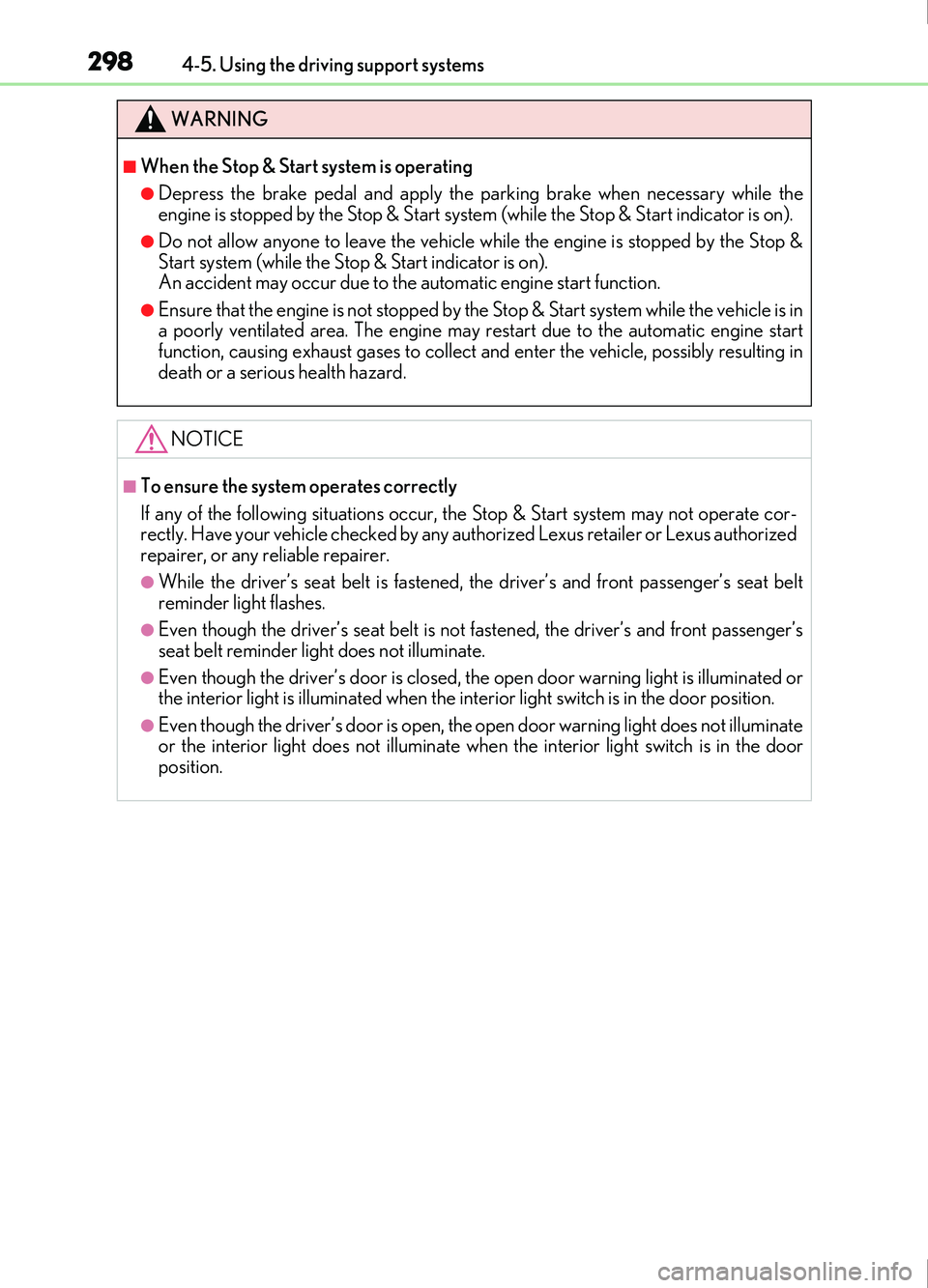
WARNING
■When the Stop & Start system is operating
●Depress the brake pedal and apply the parking brake when necessary while the
engine is stopped by the Stop & Start system (while the Stop & Start indicator is on).
●Do not allow anyone to leave the vehicle while the engine is stopped by the Stop &
Start system (while the Stop & Start indicator is on).
An accident may occur due to the automatic engine start function.
●Ensure that the engine is not stopped by the Stop & Start system while the vehicle is in
a poorly ventilated area. The engine may restart due to the automatic engine start
function, causing exhaust gases to collect and enter the vehicle, possibly resulting in
death or a serious health hazard.
NOTICE
■To ensure the system operates correctly
If any of the following situations occur, the Stop & Start system may not operate cor-
rectly. Have your vehicle checked by any authorized Lexus retailer or Lexus authorized
repairer, or any reliable repairer.
●While the driver’s seat belt is fastened, the driver’s and front passenger’s seat belt
reminder light flashes.
●Even though the driver’s seat belt is not fastened, the driver’s and front passenger’s
seat belt reminder light does not illuminate.
●Even though the driver’s door is closed, the open door warning light is illuminated or
the interior light is illuminated when the interior light switch is in the door position.
●Even though the driver’s door is open, the open door warning light does not illuminate
or the interior light does not illuminate when the interior light switch is in the door
position.