ECU Lexus IS200t 2017 s Repair Manual
[x] Cancel search | Manufacturer: LEXUS, Model Year: 2017, Model line: IS200t, Model: Lexus IS200t 2017Pages: 676, PDF Size: 149.78 MB
Page 506 of 676
5067-3. Do-it-yourself maintenance
IS200t_EE(OM53D77E)
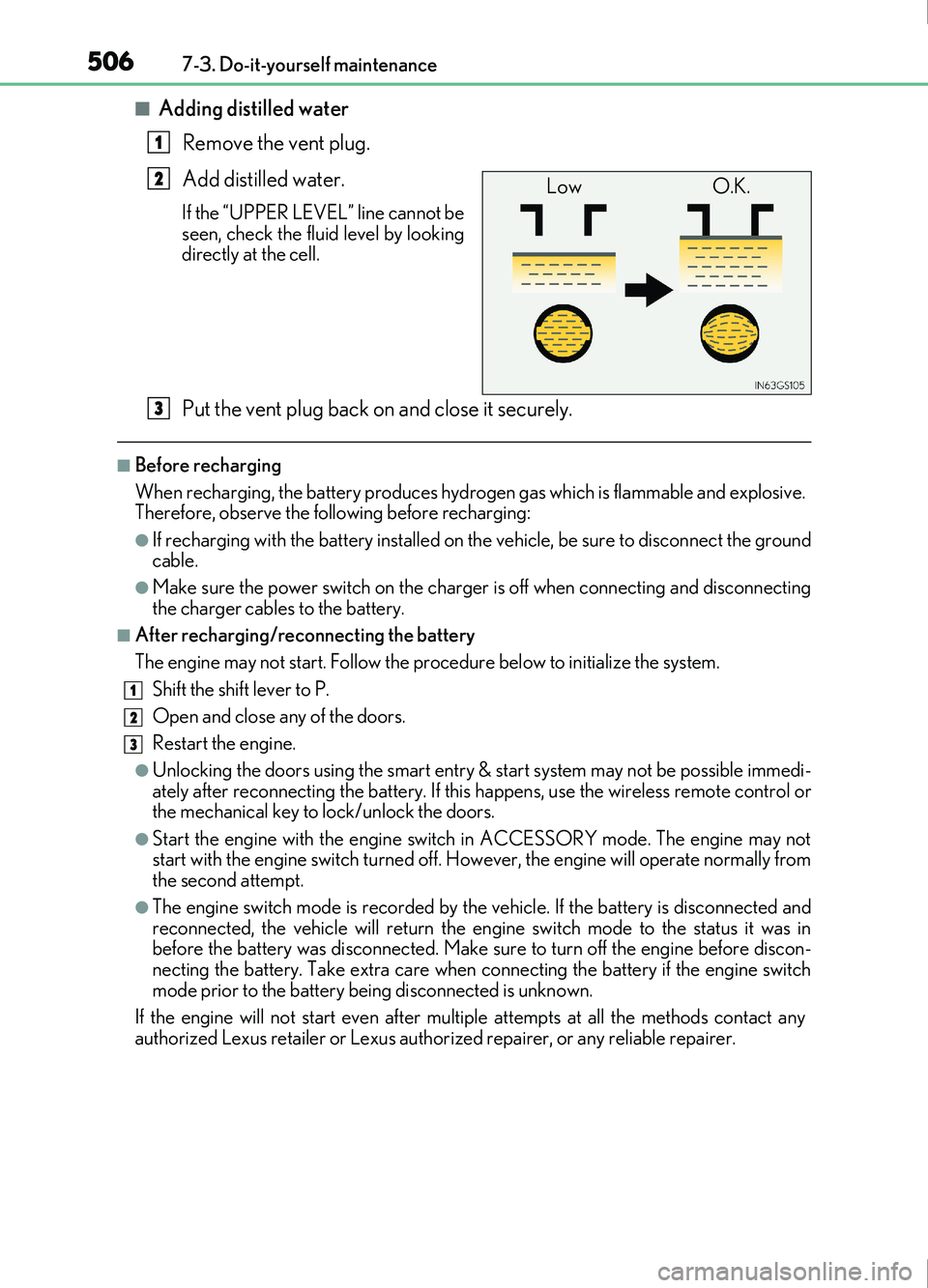
■Adding distilled waterRemove the vent plug.
Add distilled water.
If the “UPPER LEVEL” line cannot be
seen, check the fluid level by looking
directly at the cell.
Put the vent plug back on and close it securely.
■Before recharging
When recharging, the battery produces hydr ogen gas which is flammable and explosive.
Therefore, observe the following before recharging:
●If recharging with the battery installed on the vehicle, be sure to disconnect the ground
cable.
●Make sure the power switch on the charger is off when connecting and disconnecting
the charger cables to the battery.
■After recharging/reconnecting the battery
The engine may not start. Follow the procedure below to initialize the system.
Shift the shift lever to P.
Open and close an y of the doors.
Restart the engine.
●Unlocking the doors using the smart entry & start system may not be possible immedi-
ately after reconnecting the battery. If this happens, use the wireless remote control or
the mechanical key to lock/unlock the doors.
●Start the engine with the engine switch in ACCESSORY mode. The engine may not
start with the engine switch turned off. However, the engi ne will operate normally from
the second attempt.
●The engine switch mode is recorded by the vehicle. If the battery is disconnected and
reconnected, the vehicle will return the engi ne switch mode to the status it was in
before the battery was disconnected. Make sure to turn off the engine before discon-
necting the battery. Take extra care when connecting the battery if the engine switch
mode prior to the battery being disconnected is unknown.
If the engine will not start even after multip le attempts at all the methods contact any
authorized Lexus retailer or Lexus author ized repairer, or any reliable repairer.
1
LowO.K.2
3
1
2
3
Page 538 of 676

5387-3. Do-it-yourself maintenance
IS200t_EE(OM53D77E)
Install the visor cover on the mir-
ror frame, secure it with a screw,
and install the side turn signal light
and outer foot light.
Use only the screw position shown in
the illustration.
Align the tabs on the side turn signal
light unit and the cover and install it.
Interlock the groove of the outer foot
light unit with the tabs on the cover
and secure it.
After installing the outer foot light
unit, turn on the outer foot light to
visually check that there is no light
leaking from the bulb base.
Disconnect the tabs, and sepa-
rate the top and bottom of the
outer cover of the mirror.
8
9
Page 539 of 676
5397-3. Do-it-yourself maintenance
7
Maintenance and care
IS200t_EE(OM53D77E)
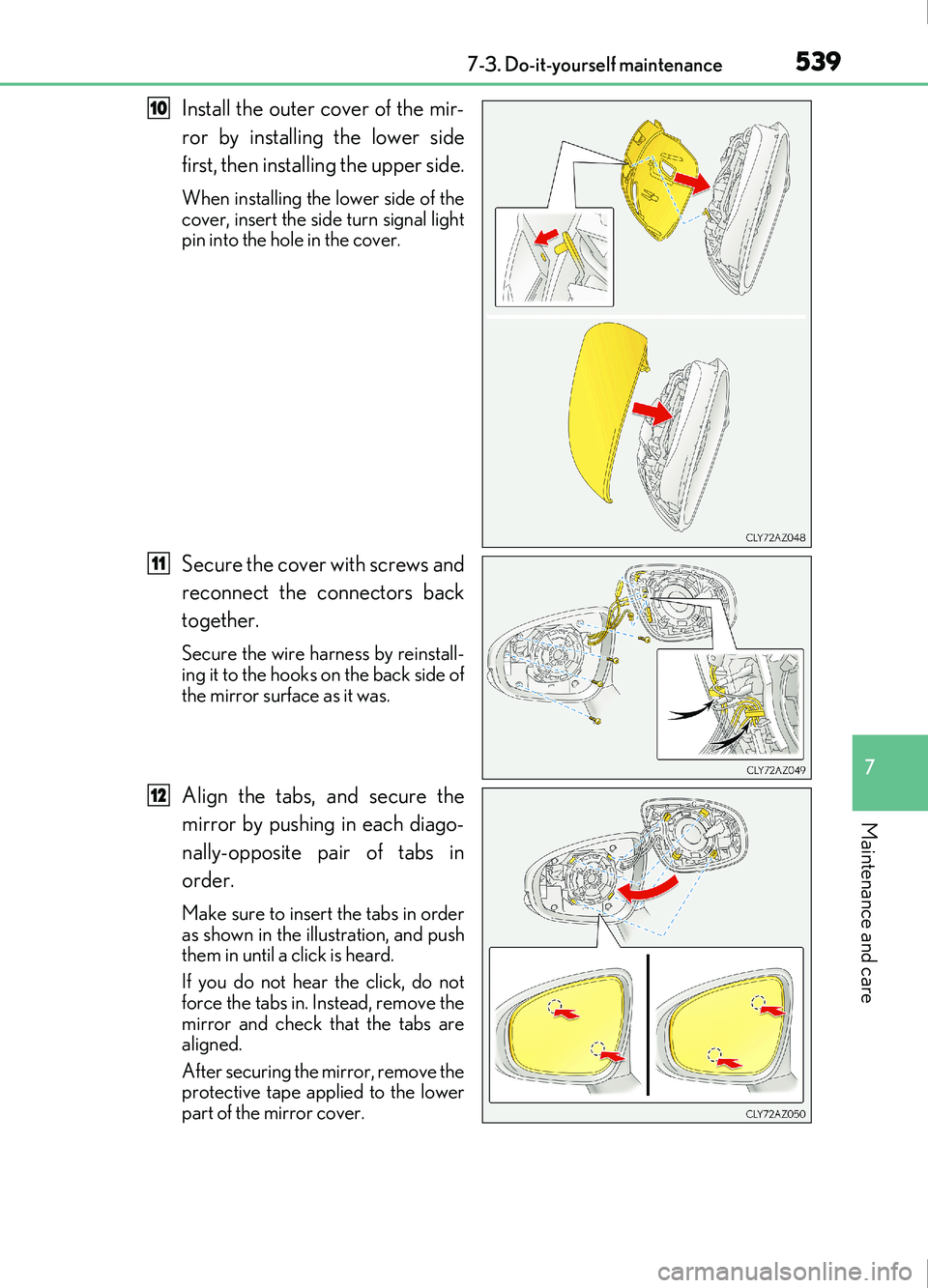
Install the outer cover of the mir-
ror by installing the lower side
first, then installing the upper side.
When installing the lower side of the
cover, insert the side turn signal light
pin into the hole in the cover.
Secure the cover with screws and
reconnect the connectors back
together.
Secure the wire harness by reinstall-
ing it to the hooks on the back side of
the mirror surface as it was.
Align the tabs, and secure the
mirror by pushing in each diago-
nally-opposite pair of tabs in
order.
Make sure to insert the tabs in order
as shown in the illustration, and push
them in until a click is heard.
If you do not hear the click, do not
force the tabs in. Instead, remove the
mirror and check that the tabs are
aligned.
After securing the mirror, remove the
protective tape applied to the lower
part of the mirror cover.
10
11
12
Page 541 of 676
5417-3. Do-it-yourself maintenance
7
Maintenance and care
IS200t_EE(OM53D77E)
WARNING
■Replacing light bulbs
●Turn off the lights. Do not attempt to replace the bulb immediately after turning off the
lights.
The bulbs become very hot and may cause burns.
●Do not touch the glass portion of the light bulb with bare hands. When it is unavoid-
able to hold the glass portion, use and hold with a clean dry cloth to avoid getting
moisture and oils on the bulb.
Also, if the bulb is scratched or dropped, it may blow out or crack.
●Fully install light bulbs and any parts used to secure them. Failure to do so may result
in heat damage, fire, or wate r entering the headlight unit. This may damage the head-
lights or cause condensation to build up on the lens.
■To prevent damage or fire
●Make sure bulbs are fully seated and locked.
●Check the wattage of the bulb before installing to prevent heat damage.
NOTICE
■When replacing the outer foot lights
If the front window is stopping you from conducting the replace operation properly,
open the window on the side you are working on to allow you enough space to work.
Continuing the operation without giving yourself enough space to work could lead you
to scratch the vehicle.
Page 545 of 676
5458-1. Essential information
8
When trouble arises
IS200t_EE(OM53D77E)
Steadily step on the brake pedal with both feet and firmly depress it.
Do not pump the brake pedal repeatedly as this will increase the effort required to
slow the vehicle.
Shift the shift lever to N.
If the shift lever is shifted to N
After slowing down, stop the vehicle in a safe place by the road.
Stop the engine.
If the shift lever cannot be shifted to N
Keep depressing the brake pedal with both feet to reduce vehicle speed as
much as possible.
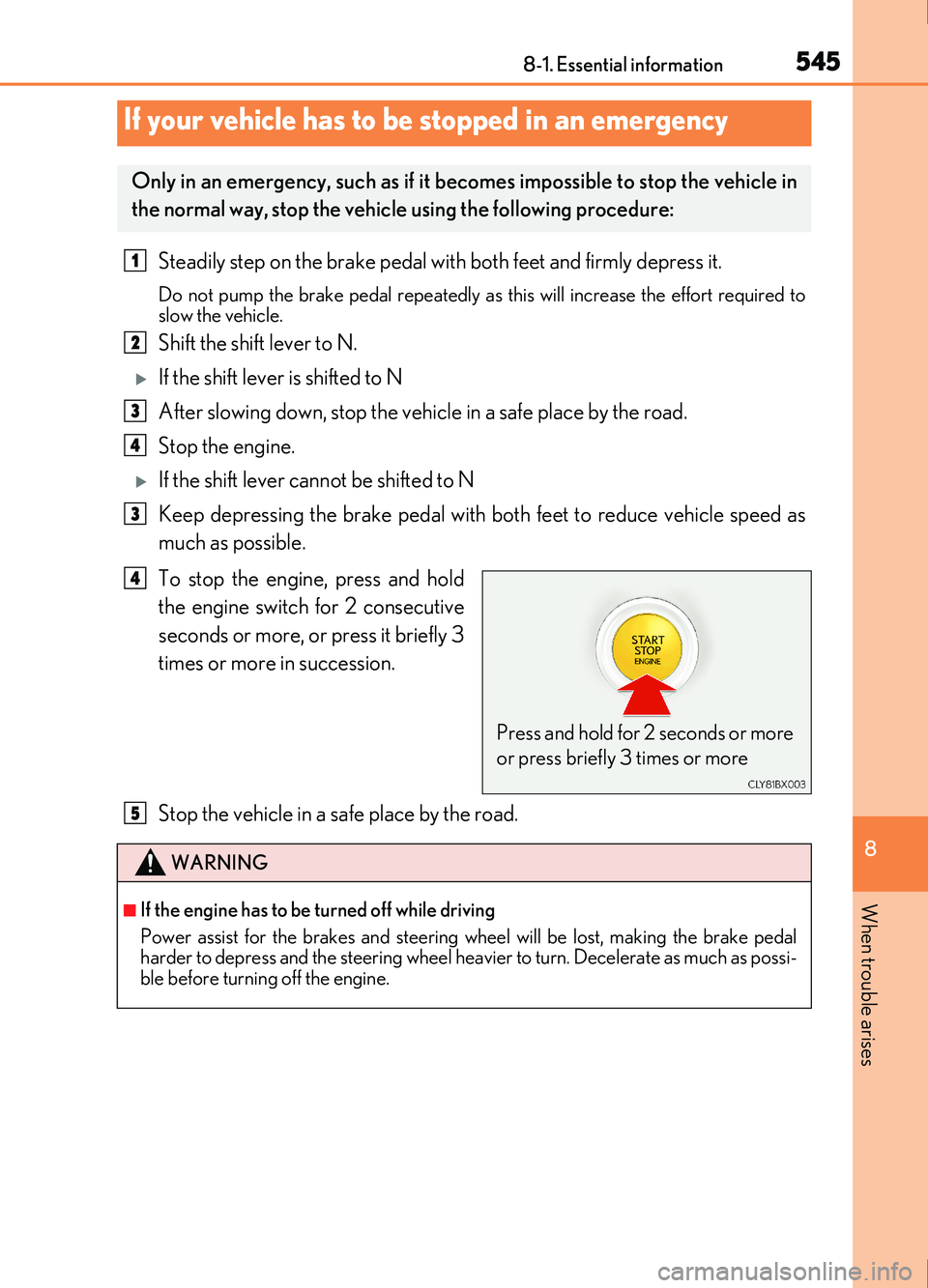
To stop the engine, press and hold
the engine switch for 2 consecutive
seconds or more, or press it briefly 3
times or more in succession.
Stop the vehicle in a safe place by the road.
If your vehicle has to be stopped in an emergency
Only in an emergency, such as if it becomes impossible to stop the vehicle in
the normal way, stop the vehicle using the following procedure:
1
2
3
4
3
Press and hold for 2 seconds or more
or press briefly 3 times or more
4
WARNING
■If the engine has to be turned off while driving
Power assist for the brakes and steering wheel will be lost, making the brake pedal
harder to depress and the steering wheel heavier to turn. Decelerate as much as possi-
ble before turning off the engine.
5
Page 548 of 676
5488-2. Steps to take in an emergency
IS200t_EE(OM53D77E)
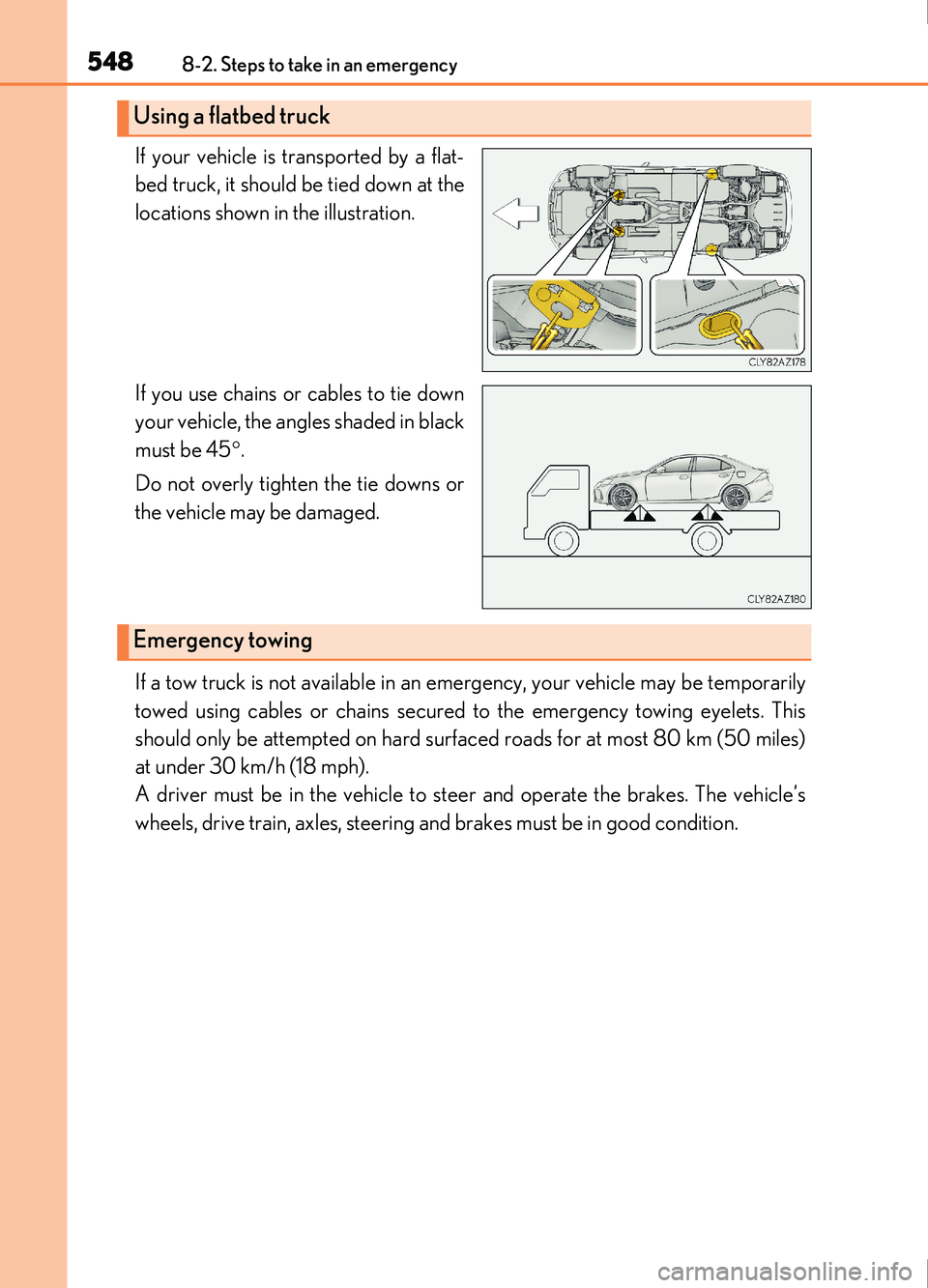
If your vehicle is transported by a flat-
bed truck, it should be tied down at the
locations shown in the illustration.
If you use chains or cables to tie down
your vehicle, the angles shaded in black
must be 45.
Do not overly tighten the tie downs or
the vehicle may be damaged.
If a tow truck is not available in an emergency, your vehicle may be temporarily
towed using cables or chains secured to the emergency towing eyelets. This
should only be attempted on hard surfac ed roads for at most 80 km (50 miles)
at under 30 km/h (18 mph).
A driver must be in the vehicle to steer and operate the brakes. The vehicle’s
wheels, drive train, axles, steering and brakes must be in good condition.
Using a flatbed truck
Emergency towing
Page 549 of 676
5498-2. Steps to take in an emergency
8
When trouble arises
IS200t_EE(OM53D77E)
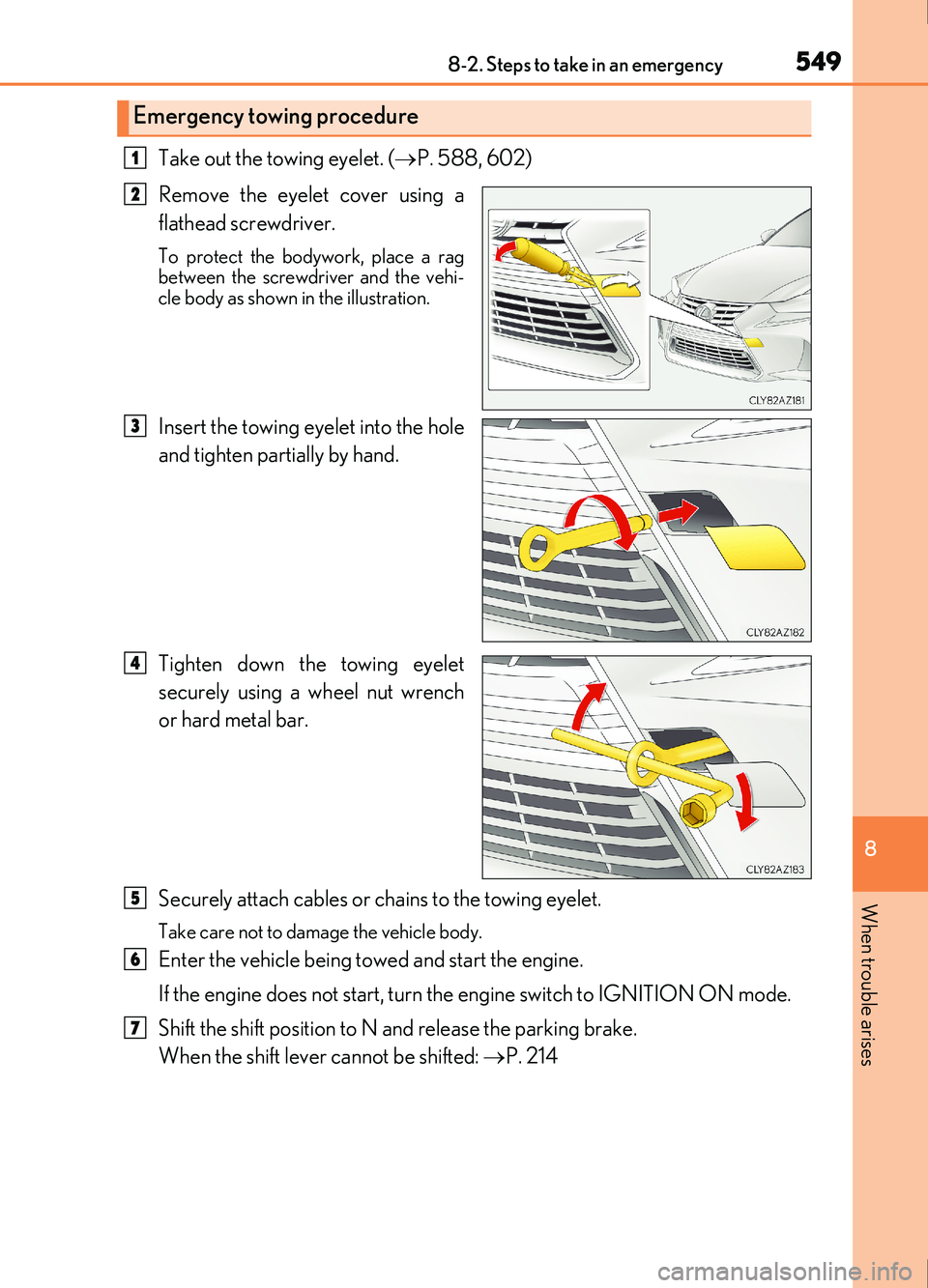
Take out the towing eyelet. (P. 588, 602)
Remove the eyelet cover using a
flathead screwdriver.
To protect the bodywork, place a rag
between the screwdriver and the vehi-
cle body as shown in the illustration.
Insert the towing eyelet into the hole
and tighten partially by hand.
Tighten down the towing eyelet
securely using a wheel nut wrench
or hard metal bar.
Securely attach cables or chains to the towing eyelet.
Take care not to damage the vehicle body.
Enter the vehicle being towed and start the engine.
If the engine does not start, turn the engine switch to IGNITION ON mode.
Shift the shift position to N and release the parking brake.
When the shift lever cannot be shifted: P. 214
Emergency towing procedure
1
2
3
4
5
6
7
Page 550 of 676
5508-2. Steps to take in an emergency
IS200t_EE(OM53D77E)
■While towing
If the engine is not running, the power assist for the brakes and steering will not function,
making steering and braking more difficult.
■Wheel nut wrench
Wheel nut wrench is installed in the trunk. (P. 588, 602)
WARNING
Observe the following precautions.
Failure to do so may result in death or serious injury.
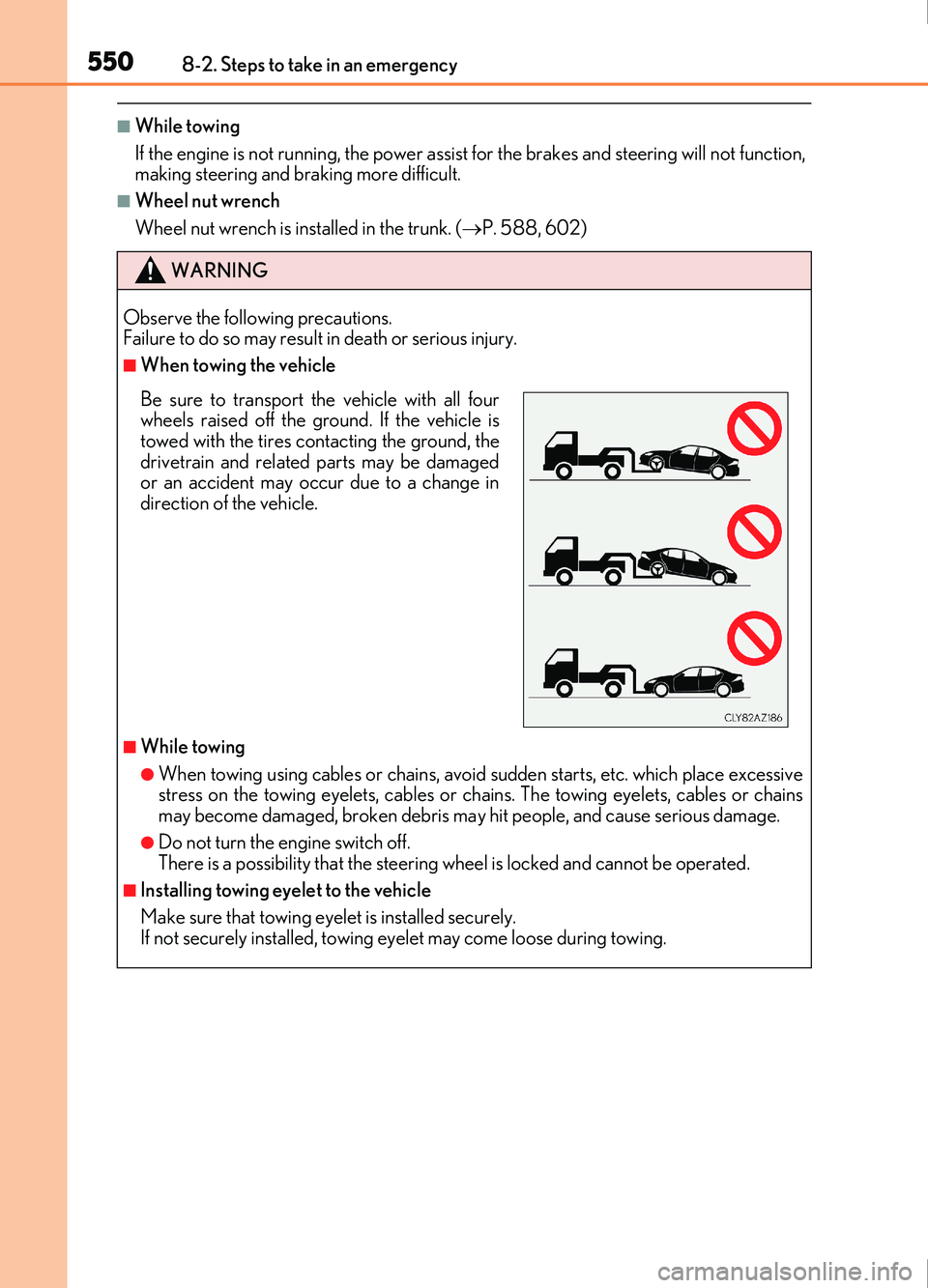
■When towing the vehicle
■While towing
●When towing using cables or chains, avoid sudden starts, etc. which place excessive
stress on the towing eyelets, cables or ch ains. The towing eyelets, cables or chains
may become damaged, broken debris ma y hit people, and cause serious damage.
●Do not turn the engine switch off.
There is a possibility that the steering wheel is locked and cannot be operated.
■Installing towing eyelet to the vehicle
Make sure that towing eyelet is installed securely.
If not securely installed, towing ey elet may come loose during towing.
Be sure to transport the vehicle with all four
wheels raised off the ground. If the vehicle is
towed with the tires contacting the ground, the
drivetrain and related parts may be damaged
or an accident may occur due to a change in
direction of the vehicle.
Page 551 of 676
5518-2. Steps to take in an emergency
8
When trouble arises
IS200t_EE(OM53D77E)
NOTICE
■To prevent damage to the vehicle when towing using a wheel-lift type truck
●Do not tow the vehicle from the rear when the engine switch is off. The steering lock
mechanism is not strong enough to hold the front wheels straight.
●When raising the vehicle, ensure adequate ground clearance for towing at the oppo-
site end of the raised vehicle. Without adequate clearance, the vehicle could be dam-
aged while being towed.
■To prevent damage to the vehicle when towing with a sling-type truck
Do not tow with a sling-type truck, either from the front or rear.
■To prevent damage to the vehicle during emergency towing
Do not secure cables or chains to the suspension components.
■Before towing the vehicle (vehicles with a Stop & Start system)
To protect components of the Stop & Start system, before towing the vehicle, turn the
engine switch off and then restart the engine. If the engine cannot be started, turn the
engine switch to IGNITION ON mode.
Page 583 of 676
5838-2. Steps to take in an emergency
8
When trouble arises
IS200t_EE(OM53D77E)
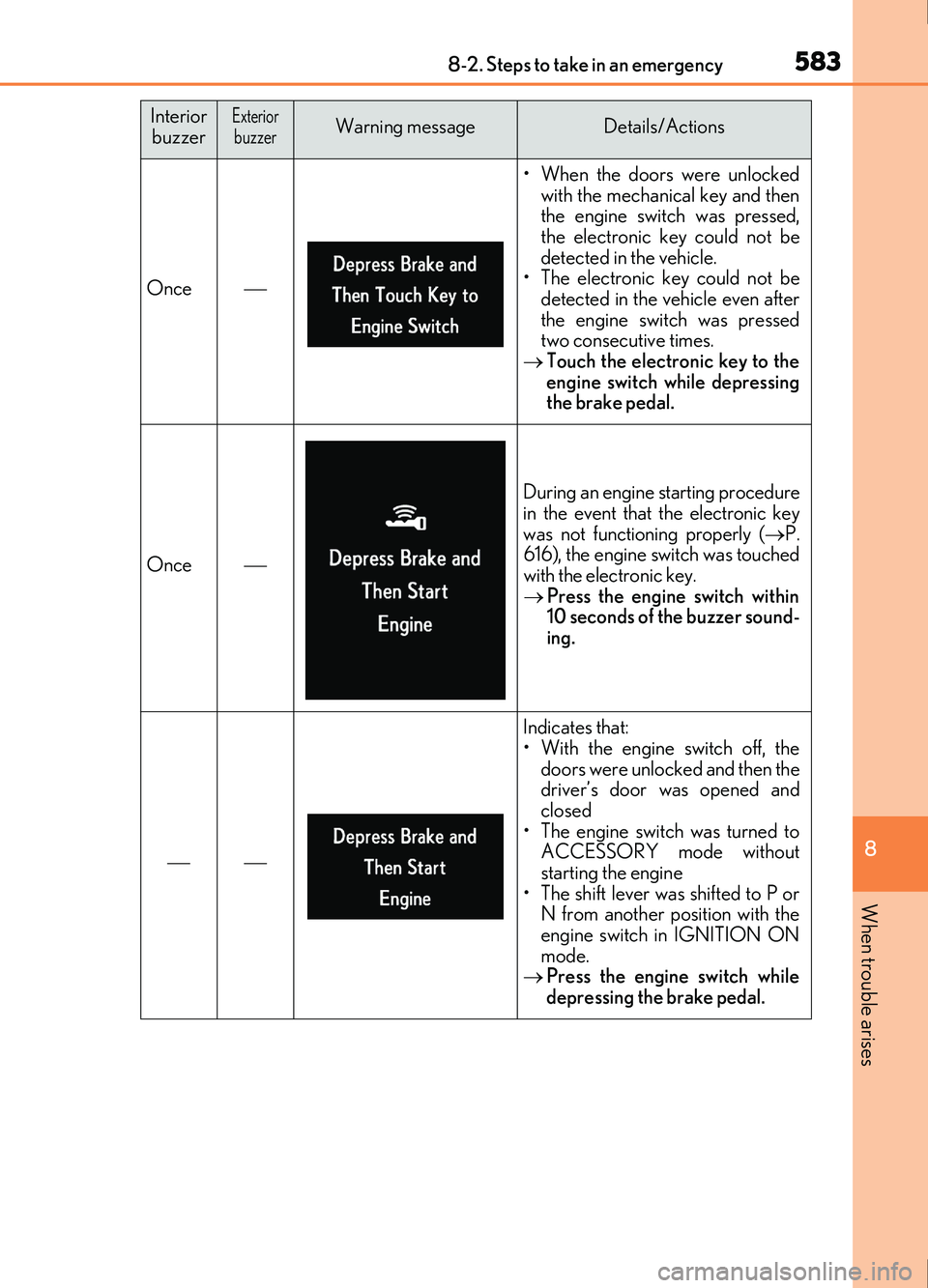
Once
• When the doors were unlockedwith the mechanical key and then
the engine swit ch was pressed,
the electronic key could not be
detected in the vehicle.
• The electronic key could not be detected in the vehicle even after
the engine switch was pressed
two consecutive times.
Touch the electronic key to the
engine switch while depressing
the brake pedal.
Once
During an engine starting procedure
in the event that the electronic key
was not functioning properly ( P.
616), the engine switch was touched
with the electronic key.
Press the engine switch within
10 seconds of the buzzer sound-
ing.
Indicates that:
• With the engine switch off, the
doors were unlocked and then the
driver’s door was opened and
closed
• The engine switch was turned to ACCESSORY mode without
starting the engine
• The shift lever was shifted to P or N from another position with the
engine switch in IGNITION ON
mode.
Press the engine switch while
depressing the brake pedal.
Interior
buzzerExteriorbuzzerWarning messageDetails/Actions