interior lights Lexus IS200t 2017 Owner's Manuals
[x] Cancel search | Manufacturer: LEXUS, Model Year: 2017, Model line: IS200t, Model: Lexus IS200t 2017Pages: 676, PDF Size: 149.78 MB
Page 1 of 676
IS200t_EE(OM53D77E)
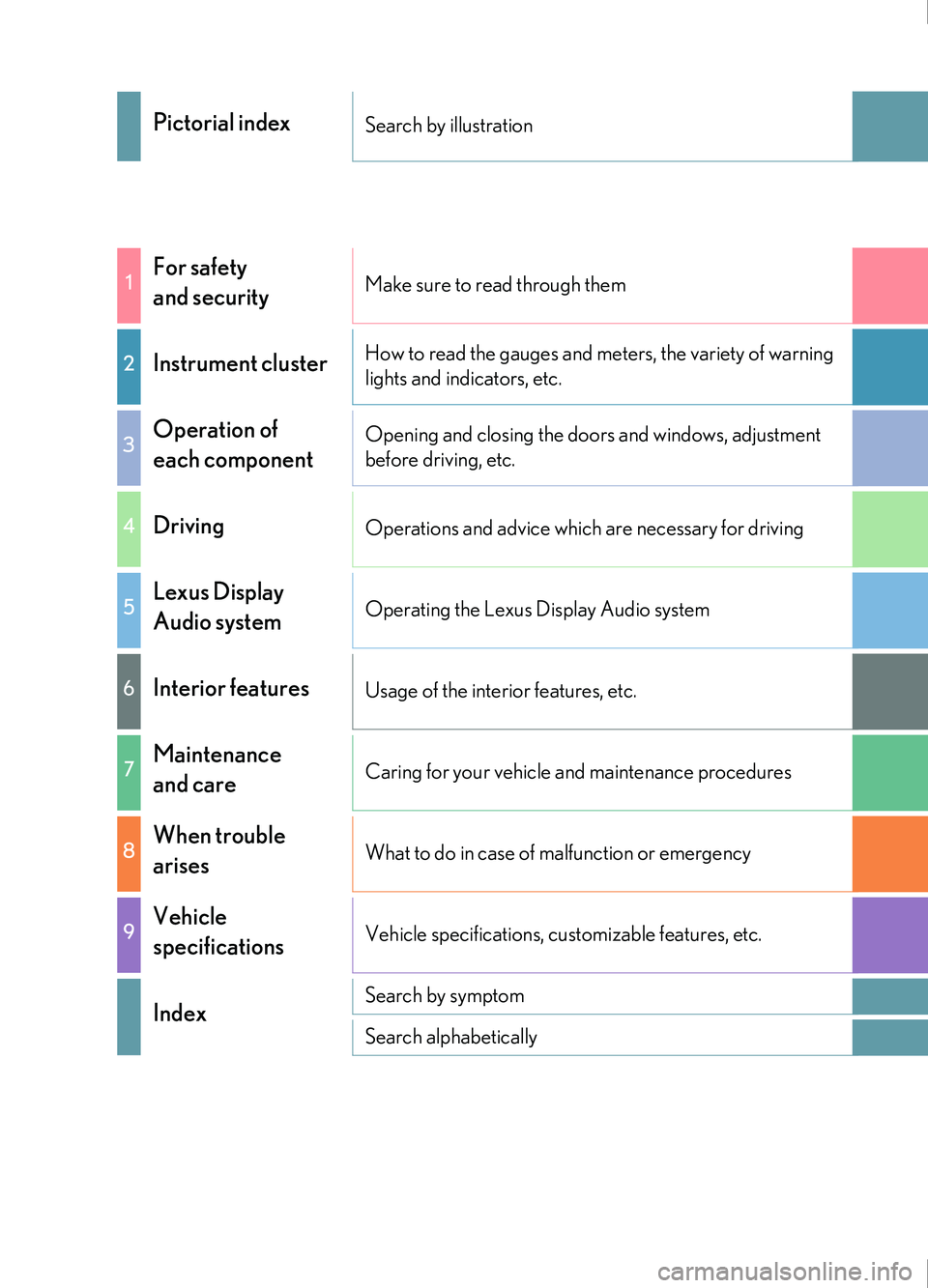
Pictorial indexSearch by illustration
1For safety
and securityMake sure to read through them
2Instrument clusterHow to read the gauges and meters, the variety of warning
lights and indicators, etc.
3Operation of
each componentOpening and closing the doors and windows, adjustment
before driving, etc.
4DrivingOperations and advice which are necessary for driving
5Lexus Display
Audio systemOperating the Lexus Display Audio system
6Interior featuresUsage of the interior features, etc.
7Maintenance
and careCaring for your vehicle and maintenance procedures
8When trouble
arisesWhat to do in case of malfunction or emergency
9Vehicle
specificationsVehicle specifications, customizable features, etc.
IndexSearch by symptom
Search alphabetically
Page 5 of 676
5
1
9 8
7
6 4 3
2
IS200t_EE(OM53D77E)
5
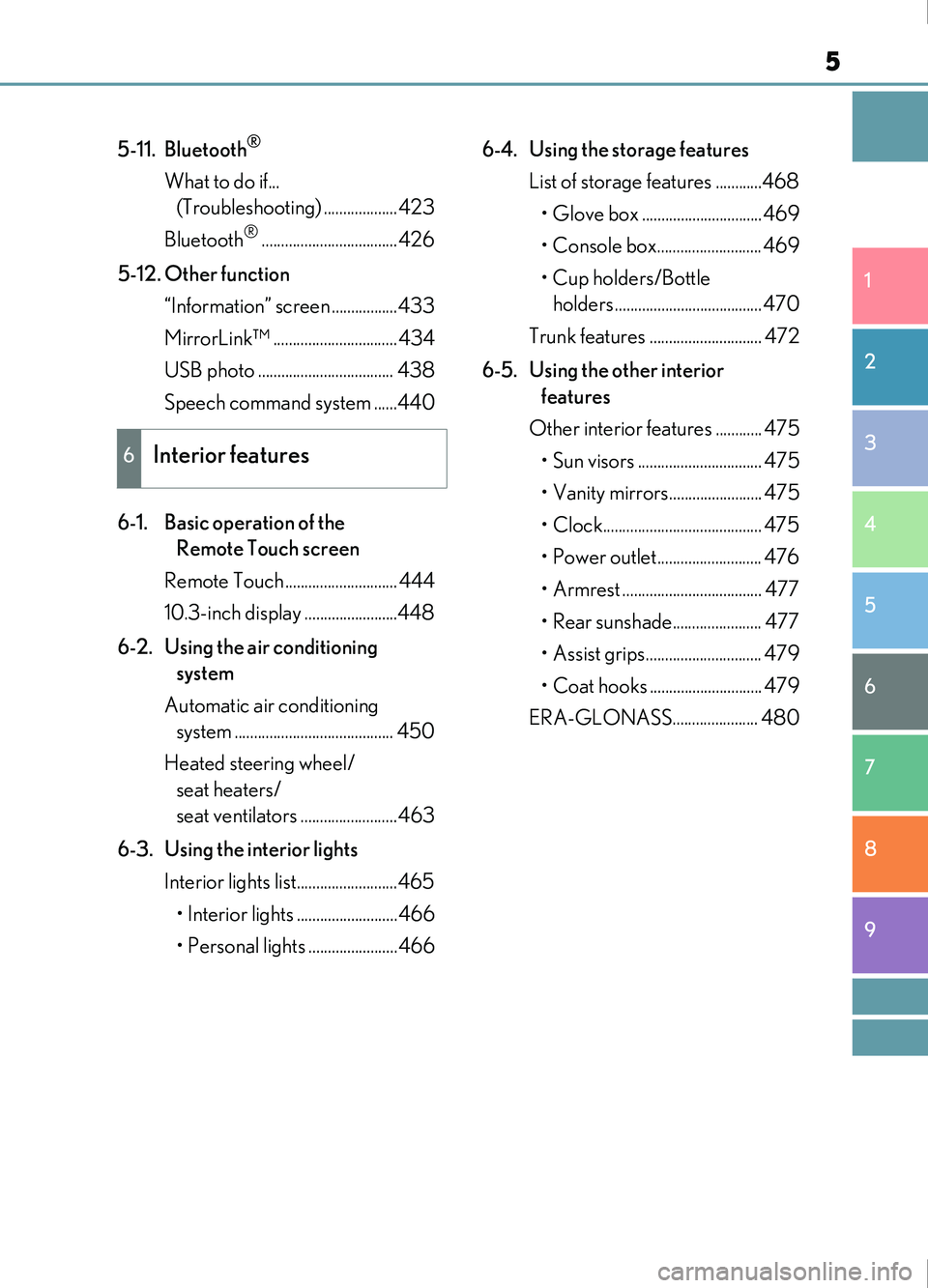
5-11. Bluetooth®
What to do if... (Troubleshooting) ...................423
Bluetooth
®...................................426
5-12. Other function “Information” screen .................433
MirrorLink™ ................................434
USB photo ................................... 438
Speech command system ......440
6-1. Basic operation of the Remote Touch screen
Remote Touch ............................. 444
10.3-inch display ........................448
6-2. Using the air conditioning system
Automatic air conditioning system ......................................... 450
Heated steering wheel/ seat heaters/
seat ventilators .........................463
6-3. Using the interior lights Interior lights list..........................465
• Interior lights ..........................466
• Personal lights .......................466 6-4. Using the storage features
List of storage features ............468• Glove box ...............................469
• Console box........................... 469
• Cup holders/Bottle holders ......................................470
Trunk features ............................. 472
6-5. Using the other interior features
Other interior features ............ 475 • Sun visors ................................ 475
• Vanity mirrors........................ 475
• Clock......................................... 475
• Power outlet........................... 476
• Armrest .................................... 477
• Rear sunshade....................... 477
• Assist grips.............................. 479
• Coat hooks ............................. 479
ERA-GLONASS...................... 480
6Interior features
Page 21 of 676
21Pictorial index
IS200t_EE(OM53D77E)
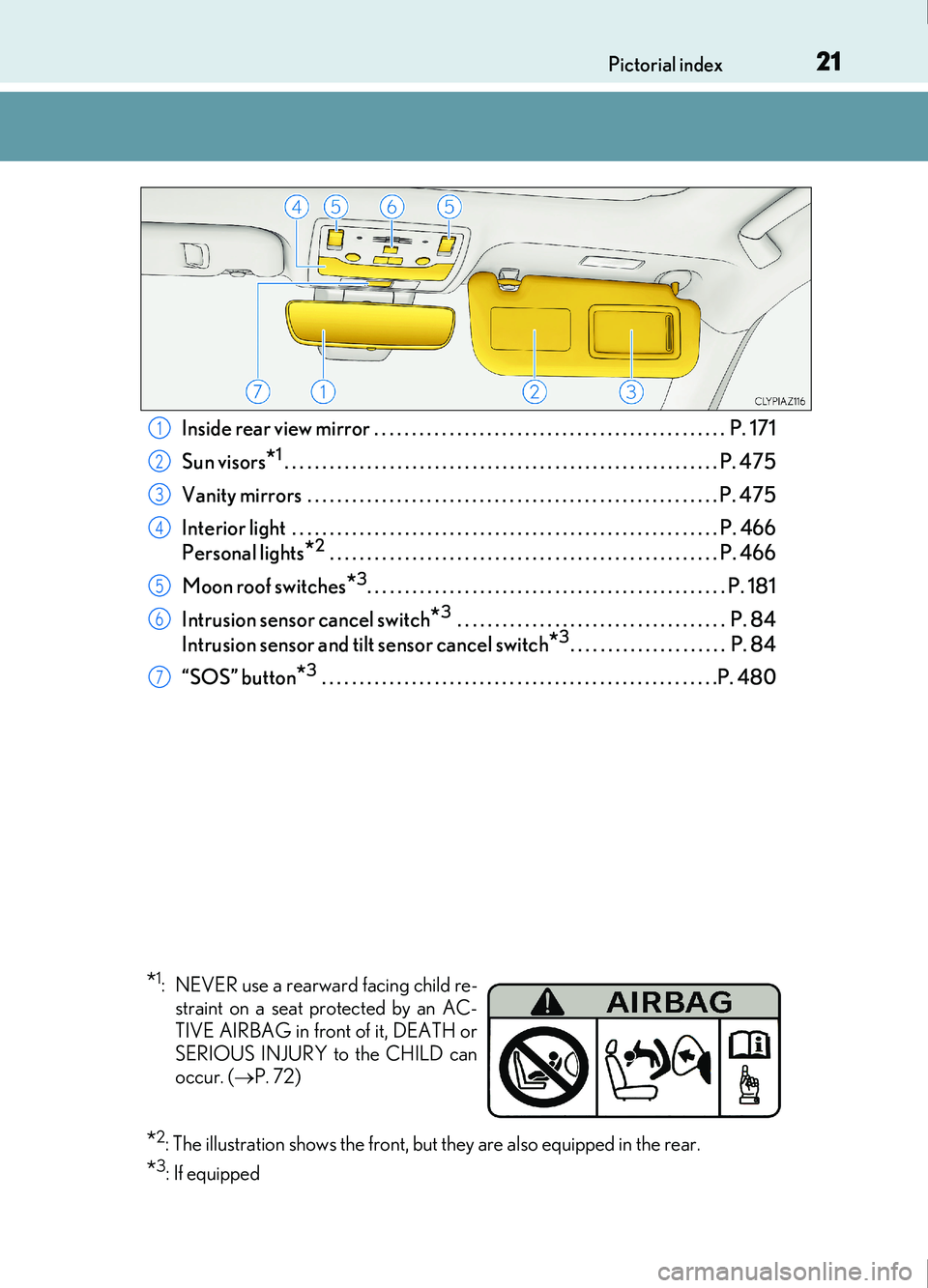
Inside rear view mirror . . . . . . . . . . . . . . . . . . . . . . . . . . . . . . . . . . . . . . . . . . . . . . . P. 171
Sun visors
*1. . . . . . . . . . . . . . . . . . . . . . . . . . . . . . . . . . . . . . . . . . . . . . . . . . . . . . . . . . P. 475
Vanity mirrors . . . . . . . . . . . . . . . . . . . . . . . . . . . . . . . . . . . . . . . . . . . . . . . . . . . . . . . P. 475
Interior light . . . . . . . . . . . . . . . . . . . . . . . . . . . . . . . . . . . . . . . . . . . . . . . . . . . . . . . . . P. 466
Personal lights
*2 . . . . . . . . . . . . . . . . . . . . . . . . . . . . . . . . . . . . . . . . . . . . . . . . . . . . P. 466
Moon roof switches
*3. . . . . . . . . . . . . . . . . . . . . . . . . . . . . . . . . . . . . . . . . . . . . . . . P. 181
Intrusion sensor cancel switch
*3 . . . . . . . . . . . . . . . . . . . . . . . . . . . . . . . . . . . . P. 84
Intrusion sensor and tilt sensor cancel switch
*3. . . . . . . . . . . . . . . . . . . . . P. 84
“SOS” button
*3 . . . . . . . . . . . . . . . . . . . . . . . . . . . . . . . . . . . . . . . . . . . . . . . . . . . . .P. 480
1
2
3
4
5
6
7
*1: NEVER use a rearward facing child re- straint on a seat protected by an AC-
TIVE AIRBAG in front of it, DEATH or
SERIOUS INJURY to the CHILD can
occur. ( P. 72)
*2: The illustration shows the front, but they are also equipped in the rear.
*3: If equipped
Page 29 of 676
29Pictorial index
IS200t_EE(OM53D77E)
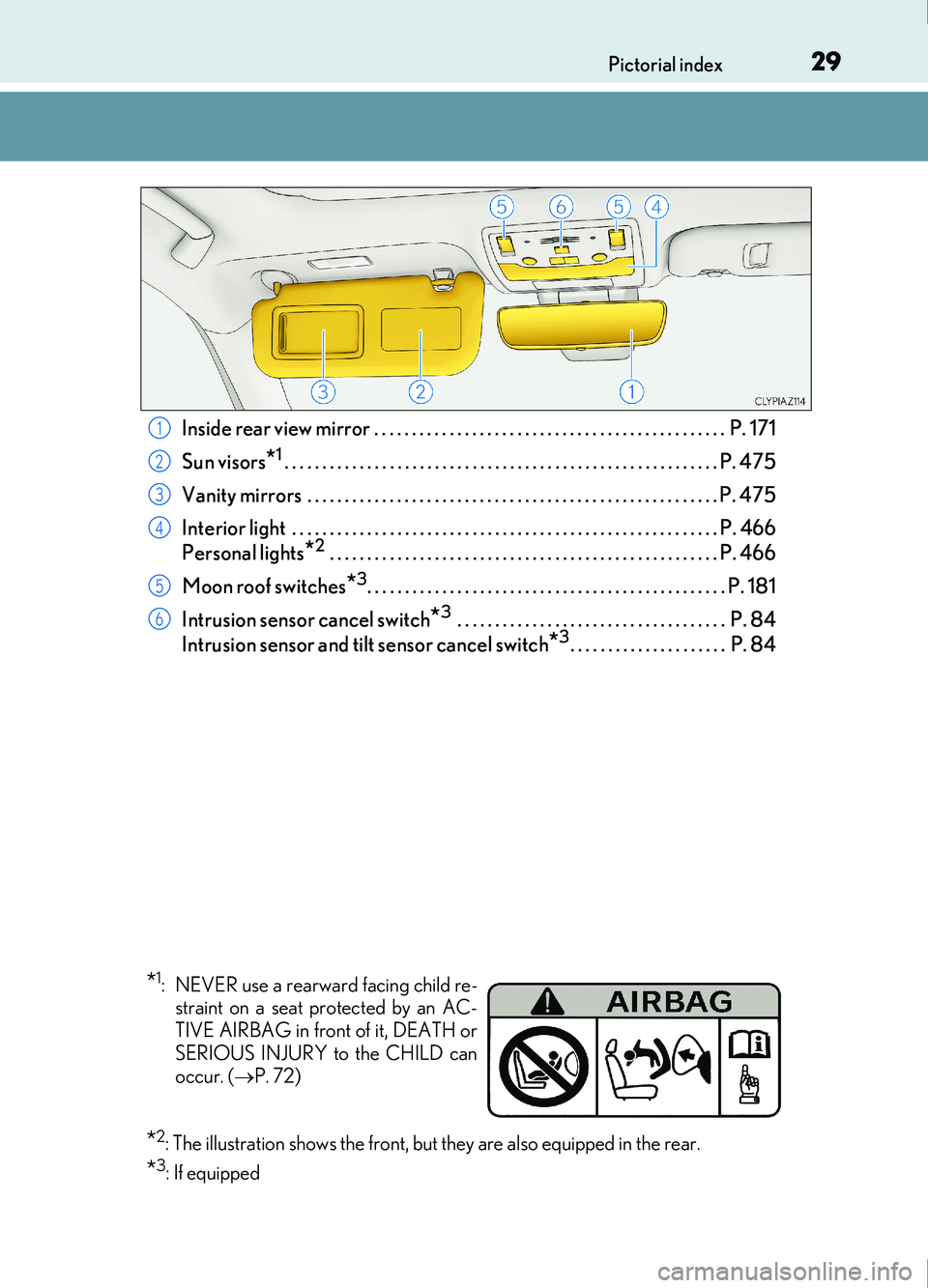
Inside rear view mirror . . . . . . . . . . . . . . . . . . . . . . . . . . . . . . . . . . . . . . . . . . . . . . . P. 171
Sun visors
*1. . . . . . . . . . . . . . . . . . . . . . . . . . . . . . . . . . . . . . . . . . . . . . . . . . . . . . . . . . P. 475
Vanity mirrors . . . . . . . . . . . . . . . . . . . . . . . . . . . . . . . . . . . . . . . . . . . . . . . . . . . . . . . P. 475
Interior light . . . . . . . . . . . . . . . . . . . . . . . . . . . . . . . . . . . . . . . . . . . . . . . . . . . . . . . . . P. 466
Personal lights
*2 . . . . . . . . . . . . . . . . . . . . . . . . . . . . . . . . . . . . . . . . . . . . . . . . . . . . P. 466
Moon roof switches
*3. . . . . . . . . . . . . . . . . . . . . . . . . . . . . . . . . . . . . . . . . . . . . . . . P. 181
Intrusion sensor cancel switch
*3 . . . . . . . . . . . . . . . . . . . . . . . . . . . . . . . . . . . . P. 84
Intrusion sensor and tilt sensor cancel switch
*3. . . . . . . . . . . . . . . . . . . . . P. 84
1
2
3
4
5
6
*1: NEVER use a rearward facing child re- straint on a seat protected by an AC-
TIVE AIRBAG in front of it, DEATH or
SERIOUS INJURY to the CHILD can
occur. ( P. 72)
*2: The illustration shows the front, but they are also equipped in the rear.
*3: If equipped
Page 443 of 676

443
6Interior features
IS200t_EE(OM53D77E)
6-1. Basic operation of the Remote Touch screen
Remote Touch ............................. 444
10.3-inch display ........................448
6-2. Using the air conditioning system
Automatic air conditioning system ......................................... 450
Heated steering wheel/ seat heaters/
seat ventilators .........................463
6-3. Using the interior lights Interior lights list..........................465• Interior lights ..........................466
• Personal lights ....................... 466
6-4. Using the storage features List of storage features ............468• Glove box ...............................469
• Console box...........................469
•Cup holders/Bottle holders ........................470
Trunk features.............................. 472 6-5. Using the other interior
features
Other interior features ............ 475 • Sun visors ................................ 475
• Vanity mirrors ....................... 475
• Clock ........................................ 475
• Power outlet........................... 476
• Armrest.....................................477
• Rear sunshade .......................477
• Assist grips ............................. 479
• Coat hooks ............................. 479
ERA-GLONASS ......................480
Page 465 of 676
465
IS200t_EE(OM53D77E)
6
Interior features
6-3. Using the interior lights
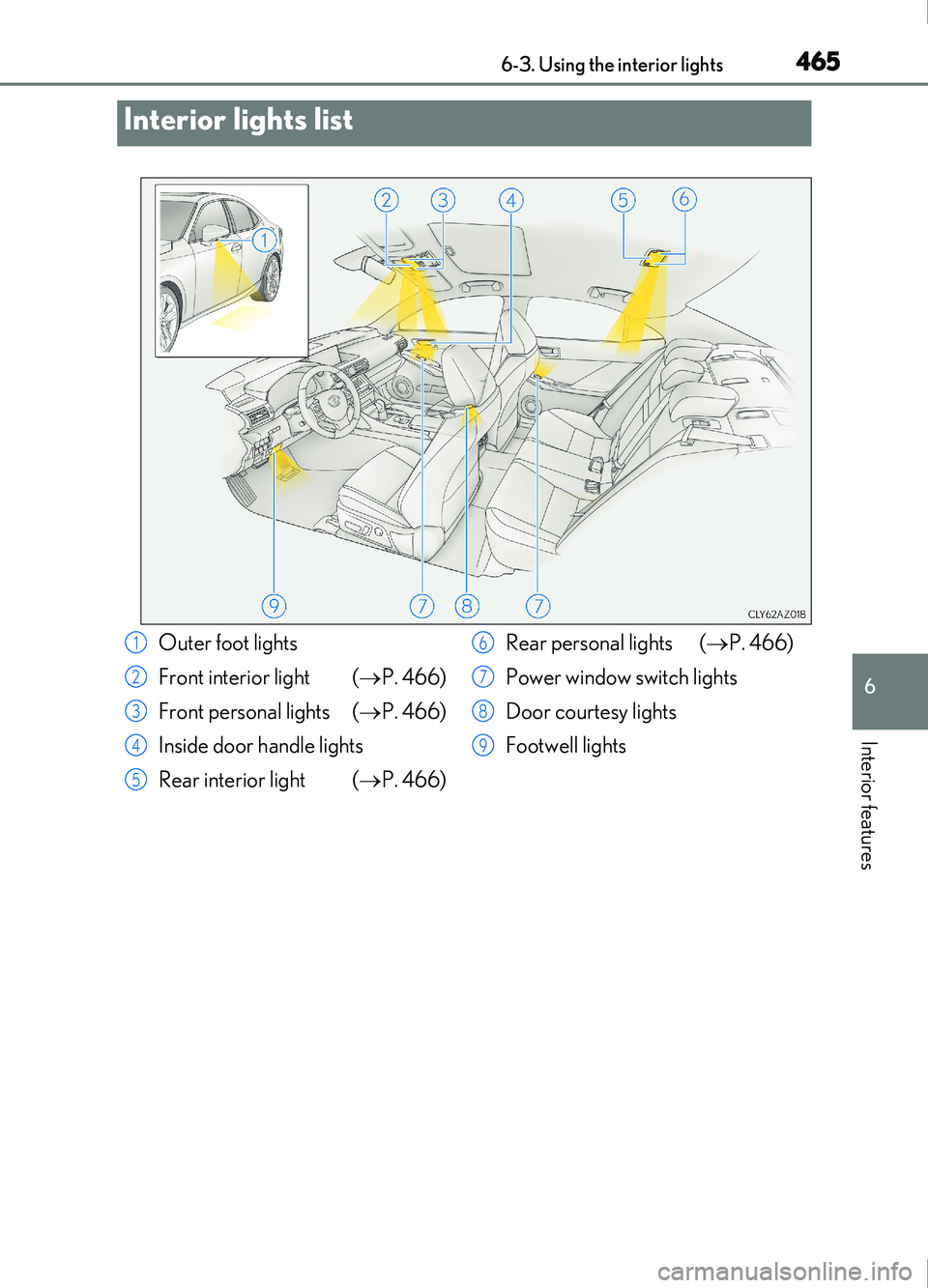
Interior lights list
Outer foot lights
Front interior light (P. 466)
Front personal lights ( P. 466)
Inside door handle lights
Rear interior light ( P. 466) Rear personal lights (
P. 466)
Power window switch lights
Door courtesy lights
Footwell lights1
2
3
4
5
6
7
8
9
Page 466 of 676
4666-3. Using the interior lights
IS200t_EE(OM53D77E)
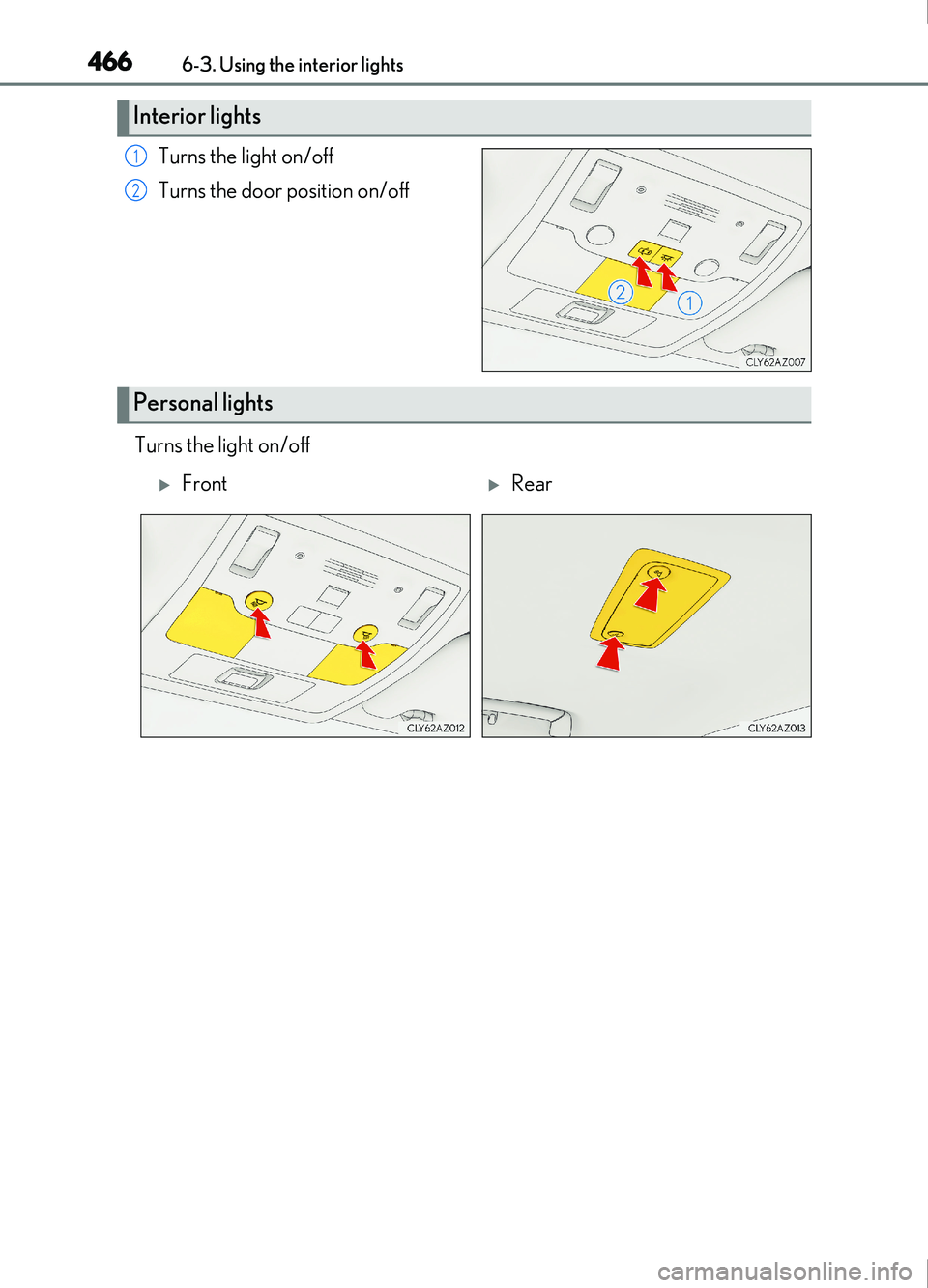
Turns the light on/off
Turns the door position on/off
Turns the light on/off
Interior lights
1
2
Personal lights
FrontRear
Page 467 of 676
4676-3. Using the interior lights
6
Interior features
IS200t_EE(OM53D77E)
■The interior lights and personal lights can be operated when
The interior lights and personal lights can be used regardless of the engine switch mode.
However, when the engine switch is turned off, they can be used only when the battery
protection function is not operating.
■Battery protection function
To prevent the battery from being discharged, approximately 20 minutes after the
engine switch is turned off, the power supplie d to the interior lights, personal lights, and
other lights will be cut off automatically. (If th e interior lights, etc. are left on when the
engine switch is turned off, they will be turned off automatically.)
To turn the interior lights, etc. back on, tu rn the engine switch to ACCESSORY or IGNI-
TION ON mode or operate the interior light switch until the interior lights turn on.
If any of the lights are illuminated automati cally due to the illuminated entry system, the
battery protection function will be canceled.
■Illuminated entry system
The lights automatically turn on/off according to engine switch mode, the presence of the
electronic key, whether the doors are locked/unlocked, and whether the doors are
opened/closed.
■Customization
Setting (e.g. the time elapsed before lights turn off) can be changed.
(Customizable features: P. 641)
NOTICE
To prevent battery discharge, do not leave th e lights on longer than necessary when the
engine is off.
Page 480 of 676
4806-5. Using the other interior features
IS200t_EE(OM53D77E)
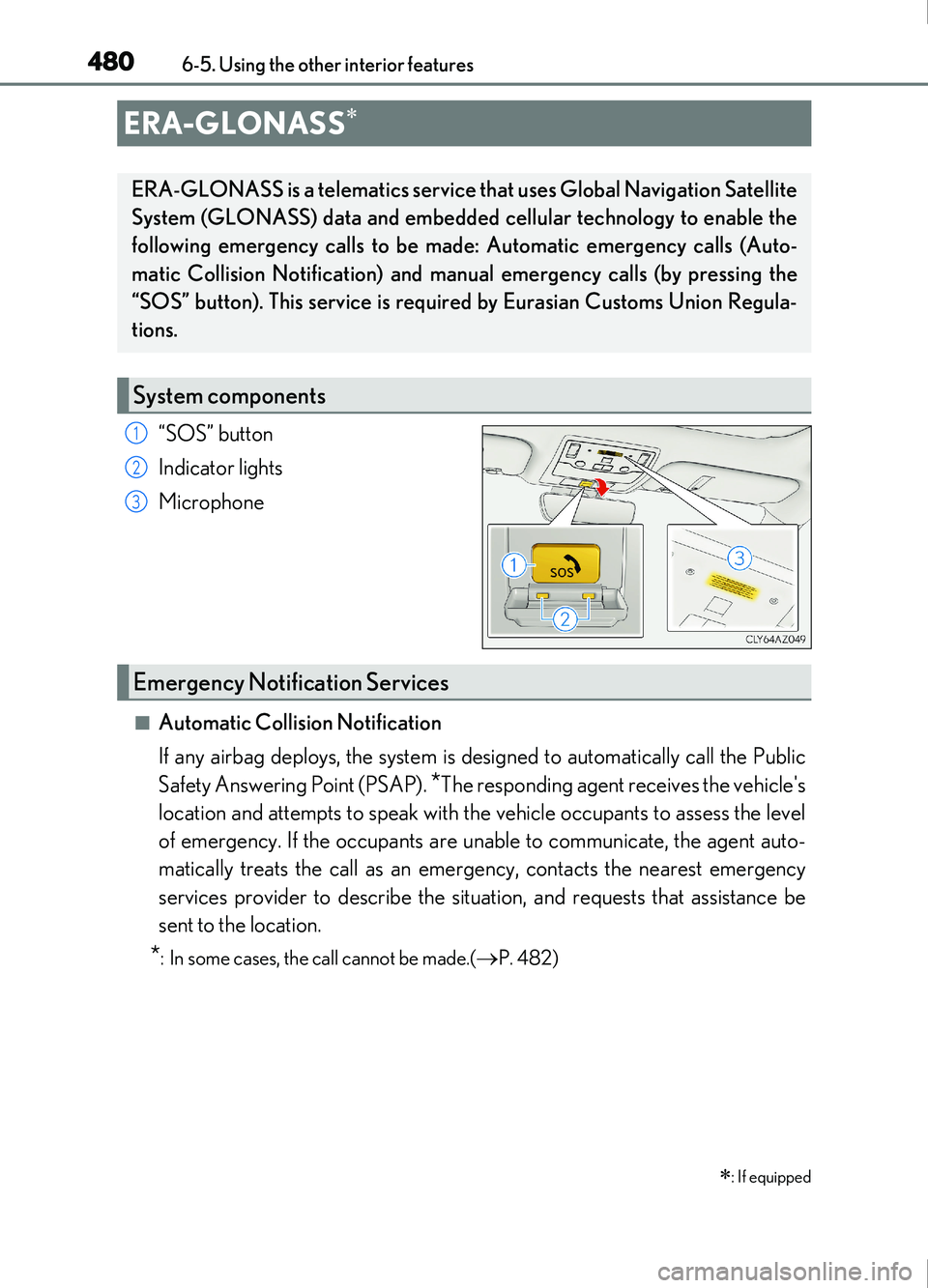
“SOS” button
Indicator lights
Microphone
■Automatic Collision Notification
If any airbag deploys, the system is designed to automatically call the Public
Safety Answering Point (PSAP).
*The responding agent receives the vehicle's
location and attempts to speak with the vehicle occupants to assess the level
of emergency. If the occupants are unable to communicate, the agent auto-
matically treats the call as an emer gency, contacts the nearest emergency
services provider to describe the situation, and requests that assistance be
sent to the location.
*: In some cases, the call cannot be made.(P. 482)
ERA-GLONASS
: If equipped
ERA-GLONASS is a telematics service that uses Global Navigation Satellite
System (GLONASS) data and embedded cellular technology to enable the
following emergency calls to be made: Automatic emergency calls (Auto-
matic Collision Notification) and manual emergency calls (by pressing the
“SOS” button). This service is require d by Eurasian Customs Union Regula-
tions.
System components
1
2
3
Emergency Notification Services
Page 481 of 676
4816-5. Using the other interior features
6
Interior features
IS200t_EE(OM53D77E)
■Emergency Assistance Button (“SOS”)
In the event of an emergency, push the “SOS” button to reach the Public
Safety Answering Point (PSAP). The answering agent will determine your
vehicle's location, assess the emergency, and dispatch the necessary assis-
tance required.
If you accidentally press the “SOS” button, tell the agent that you are not experiencing
an emergency.
When the engine switch is turned to IGNITION ON mode, the red indicator
light will illuminate for 10 seconds and then the green indicator light will illumi-
nate for 2 seconds, indicating that the system is enabled. The indicator lights indi-
cate the following:
●If the green indicator light illuminates and stays on, the system is enabled.
●If the green indicator light flashes, an emergency call is being made (either
automatically or manually).
●If no indicator lights illuminate, the system is not enabled.
●If the red indicator light illuminates any time other than immediately after the
engine switch is turned to IGNITION ON mode, the system may be malfunc-
tioning or the backup battery may be depleted. Contact any authorized Lexus
retailer or Lexus authorized repairer, or any reliable repairer.
The service life of the backup battery is 3 years or more.
Indicator lights