steering wheel Lexus IS220d 2012 Owner's Manual
[x] Cancel search | Manufacturer: LEXUS, Model Year: 2012, Model line: IS220d, Model: Lexus IS220d 2012Pages: 609, PDF Size: 14.63 MB
Page 2 of 609
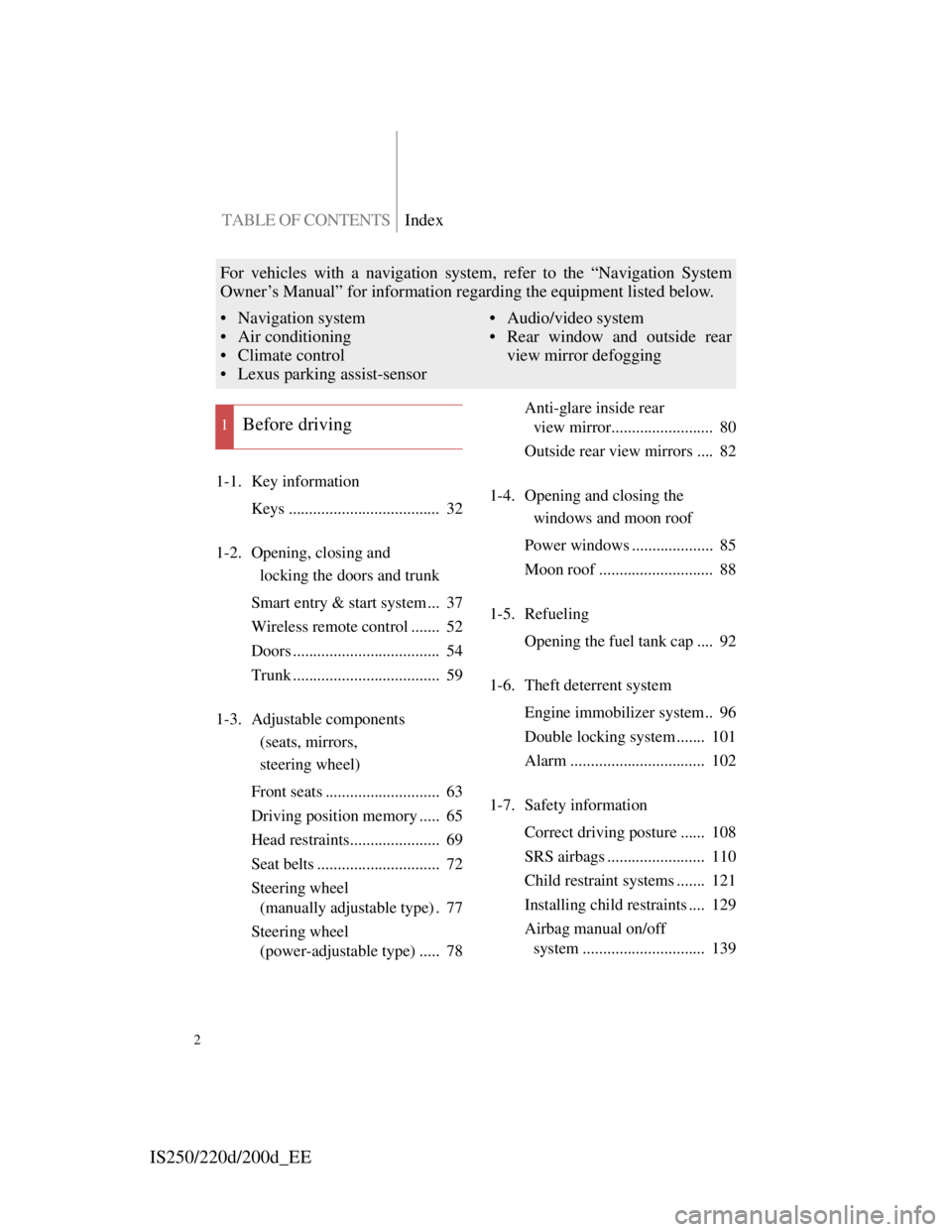
TABLE OF CONTENTSIndex
IS250/220d/200d_EE
2
1-1. Key information
Keys ..................................... 32
1-2. Opening, closing and
locking the doors and trunk
Smart entry & start system ... 37
Wireless remote control ....... 52
Doors .................................... 54
Trunk .................................... 59
1-3. Adjustable components
(seats, mirrors,
steering wheel)
Front seats ............................ 63
Driving position memory ..... 65
Head restraints...................... 69
Seat belts .............................. 72
Steering wheel
(manually adjustable type) . 77
Steering wheel
(power-adjustable type) ..... 78Anti-glare inside rear
view mirror......................... 80
Outside rear view mirrors .... 82
1-4. Opening and closing the
windows and moon roof
Power windows .................... 85
Moon roof ............................ 88
1-5. Refueling
Opening the fuel tank cap .... 92
1-6. Theft deterrent system
Engine immobilizer system.. 96
Double locking system ....... 101
Alarm ................................. 102
1-7. Safety information
Correct driving posture ...... 108
SRS airbags ........................ 110
Child restraint systems ....... 121
Installing child restraints .... 129
Airbag manual on/off
system .............................. 139
1Before driving
For vehicles with a navigation system, refer to the “Navigation System
Owner’s Manual” for information regarding the equipment listed below.
• Navigation system
• Air conditioning
• Climate control
• Lexus parking assist-sensor• Audio/video system
• Rear window and outside rear
view mirror defogging
Page 4 of 609

TABLE OF CONTENTSIndex
IS250/220d/200d_EE
4
3-2. Using the audio system
Audio system types ............ 266
Using the radio ................... 269
Using the CD player........... 273
Playing back MP3 and
WMA discs ...................... 280
Operating an iPod............... 287
Operating a USB memory .. 294
Optimal use of the audio
system .............................. 302
Using the AUX port ........... 304
Using the steering wheel
audio switches .................. 305
3-3. Using the Bluetooth
®
audio system
Bluetooth
® audio system ... 308
Using the Bluetooth
®
audio system .................... 313
Operating a Bluetooth
®
enabled portable player .... 316
Setting up a Bluetooth
®
enabled portable player .... 319
Bluetooth
® audio system
setup ................................. 3223-4. Using the hands-free phone
system (for mobile phones)
Hands-free system for
mobile phones .................. 323
Using the hands-free system
(for mobile phones) .......... 330
Making a phone call ........... 336
Setting a mobile phone ....... 340
Security and system setup .. 343
Using the phone book ........ 347
3-5. Using the interior lights
Interior lights list ................ 351
• Interior lights.................... 353
• Personal lights .................. 354
3-6. Using the storage features
List of storage features ....... 355
• Glove box ......................... 356
• Console boxes .................. 356
• Overhead console ............. 358
• Cup holders ...................... 359
• Bottle holders/door
pockets ............................. 360
• Auxiliary box ................... 361
Page 31 of 609
1Before driving
31
1-1. Key information
Keys ................................... 32
1-2. Opening, closing and
locking the doors and
trunk
Smart entry & start system. 37
Wireless remote control ..... 52
Doors .................................. 54
Trunk .................................. 59
1-3. Adjustable components (seats,
mirrors,
steering wheel)
Front seats .......................... 63
Driving position memory ... 65
Head restraints ................... 69
Seat belts ............................ 72
Steering wheel (manually
adjustable type) ................ 77
Steering wheel
(power-adjustable type) ... 78
Anti-glare inside rear
view mirror ...................... 80
Outside rear view mirrors .. 821-4. Opening and closing
the windows and
moon roof
Power windows.................. 85
Moon roof .......................... 88
1-5. Refueling
Opening the fuel tank cap .. 92
1-6. Theft deterrent system
Engine immobilizer system 96
Double locking system .... 101
Alarm ............................... 102
1-7. Safety information
Correct driving posture .... 108
SRS airbags....................... 110
Child restraint systems..... 121
Installing child restraints . 129
Airbag manual on/off
system ............................ 139
Page 67 of 609
63
1
Before driving
IS250/220d/200d_EE
1-3. Adjustable components (seats, mirrors, steering wheel)
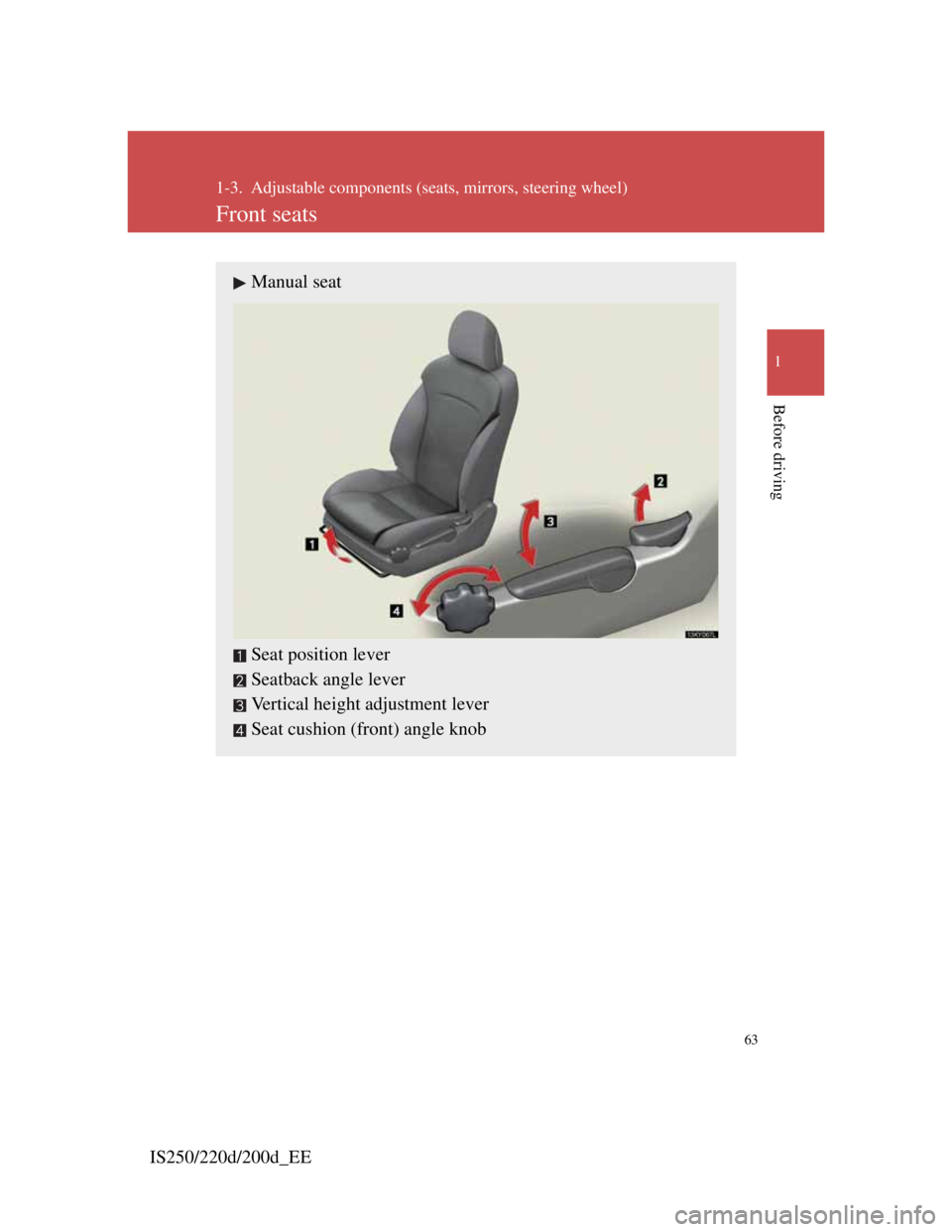
Front seats
Manual seat
Seat position lever
Seatback angle lever
Vertical height adjustment lever
Seat cushion (front) angle knob
Page 68 of 609
64
1-3. Adjustable components (seats, mirrors, steering wheel)
IS250/220d/200d_EE
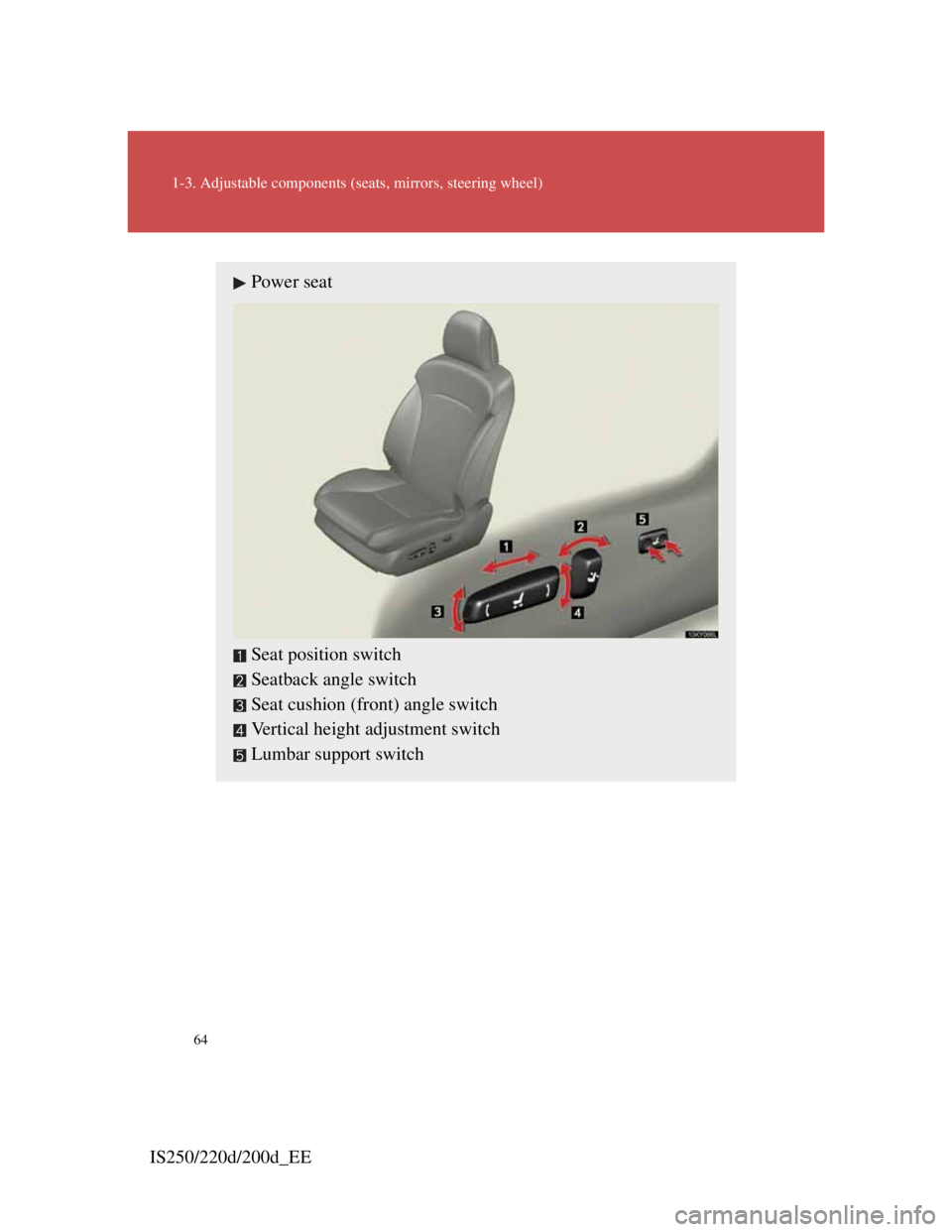
Power seat
Seat position switch
Seatback angle switch
Seat cushion (front) angle switch
Vertical height adjustment switch
Lumbar support switch
Page 69 of 609
65
1
1-3. Adjustable components (seats, mirrors, steering wheel)
Before driving
IS250/220d/200d_EE
CAUTION
Seat adjustment
Do not recline the seat more than necessary when the vehicle is in motion
to reduce the risk of sliding under the lap belt.
If the seat is too reclined, the lap belt may slide past the hips and apply
restraint forces directly to the abdomen or your neck may contact the
shoulder belt, increasing the risk of death or serious injury in the event of
an accident.
Manual seat only: After adjusting the seat, make sure that the seat is
locked in position.
Page 70 of 609

66
1-3. Adjustable components (seats, mirrors, steering wheel)
IS250/220d/200d_EE
Driving position memory (driver’s seat)
Page 71 of 609
67
1-3. Adjustable components (seats, mirrors, steering wheel)
1
Before driving
IS250/220d/200d_EE
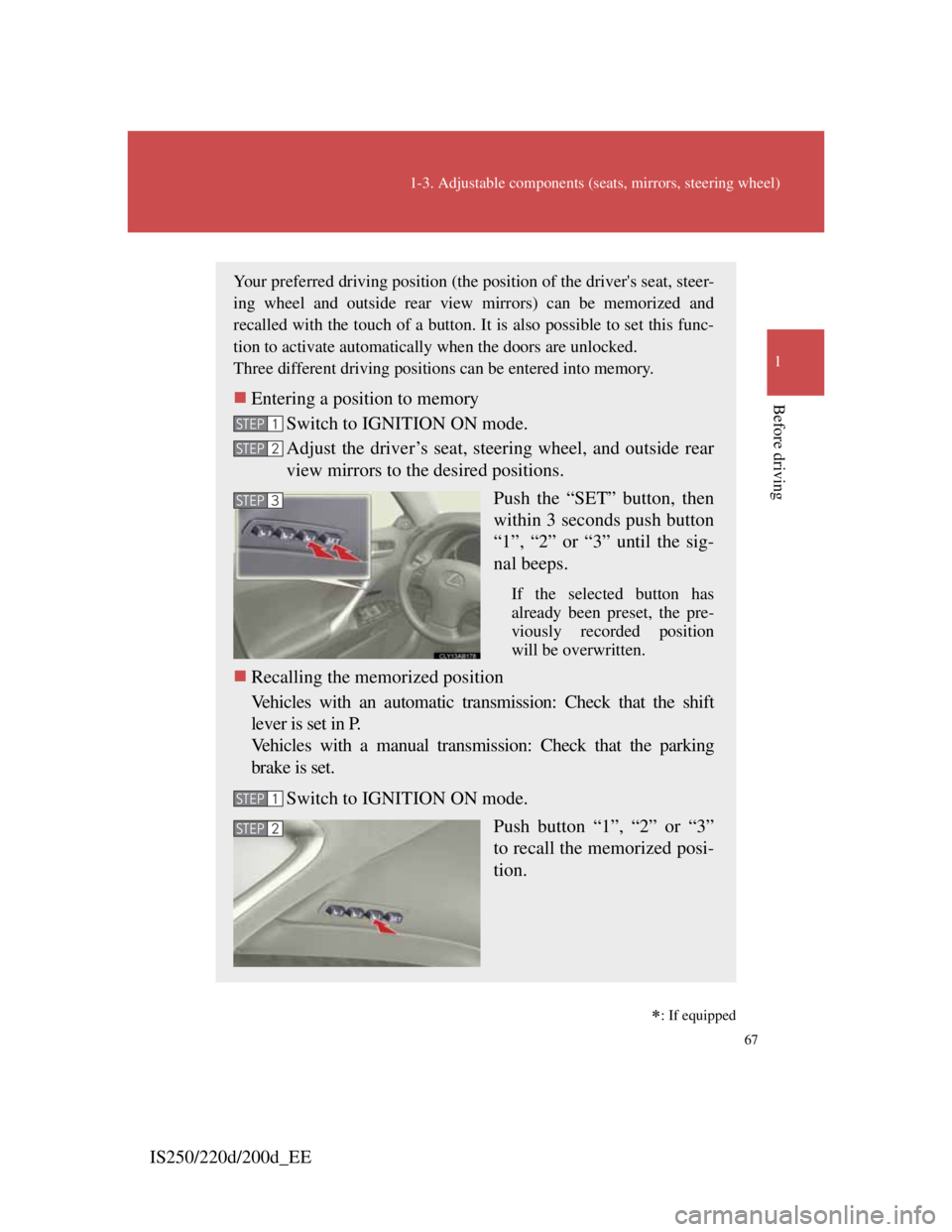
Your preferred driving position (the position of the driver's seat, steer-
ing wheel and outside rear view mirrors) can be memorized and
recalled with the touch of a button. It is also possible to set this func-
tion to activate automatically when the doors are unlocked.
Three different driving positions can be entered into memory.
Entering a position to memory
Switch to IGNITION ON mode.
Adjust the driver’s seat, steering wheel, and outside rear
view mirrors to the desired positions.
Push the “SET” button, then
within 3 seconds push button
“1”, “2” or “3” until the sig-
nal beeps.
If the selected button has
already been preset, the pre-
viously recorded position
will be overwritten.
Recalling the memorized position
Vehicles with an automatic transmission: Check that the shift
lever is set in P.
Vehicles with a manual transmission: Check that the parking
brake is set.
Switch to IGNITION ON mode.
Push button “1”, “2” or “3”
to recall the memorized posi-
tion.
STEP1
STEP2
STEP3
STEP1
STEP2
: If equipped
Page 72 of 609
68
1-3. Adjustable components (seats, mirrors, steering wheel)
IS250/220d/200d_EE
Linking driving position memory with door unlock operation
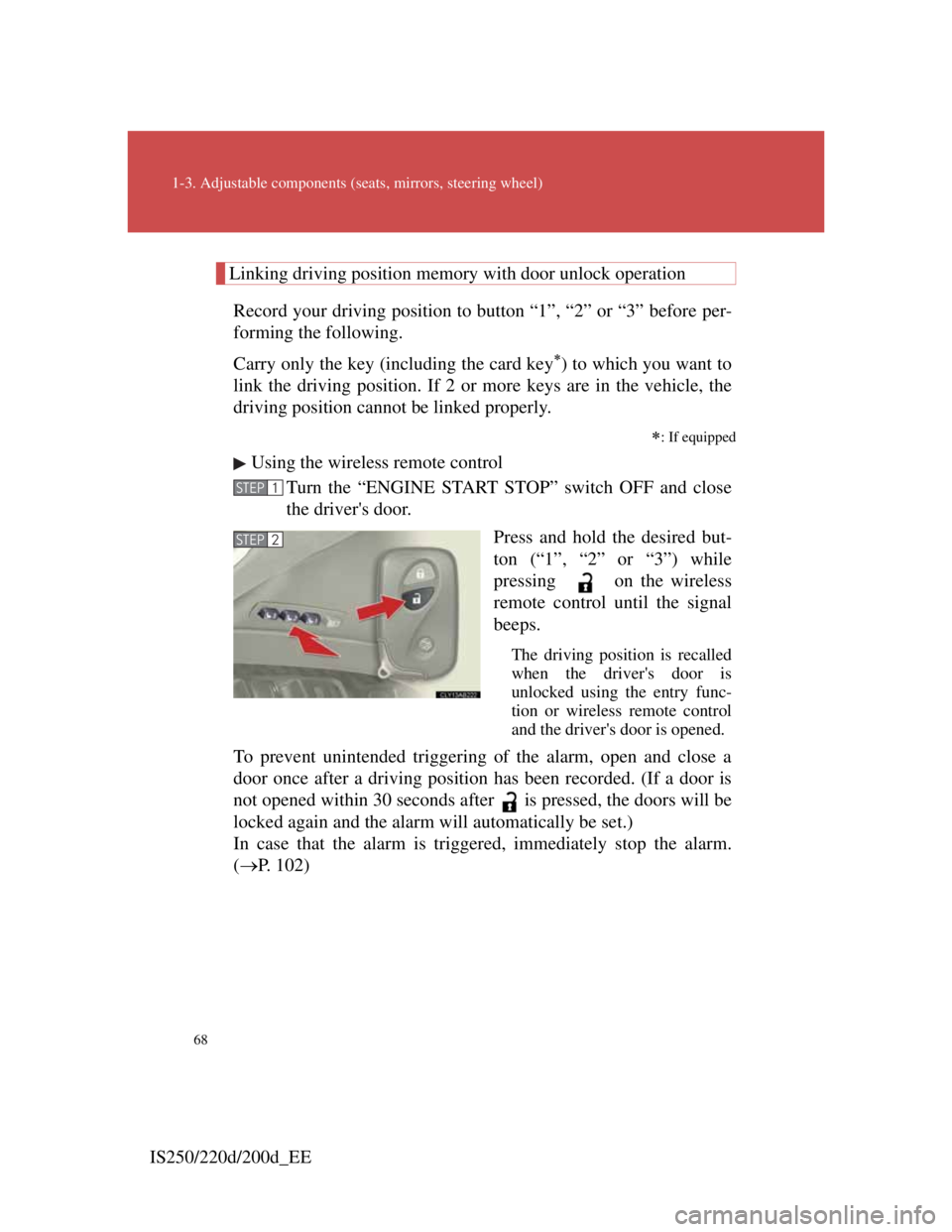
Record your driving position to button “1”, “2” or “3” before per-
forming the following.
Carry only the key (including the card key
) to which you want to
link the driving position. If 2 or more keys are in the vehicle, the
driving position cannot be linked properly.
: If equipped
Using the wireless remote control
Turn the “ENGINE START STOP” switch OFF and close
the driver's door.
Press and hold the desired but-
ton (“1”, “2” or “3”) while
pressing on the wireless
remote control until the signal
beeps.
The driving position is recalled
when the driver's door is
unlocked using the entry func-
tion or wireless remote control
and the driver's door is opened.
To prevent unintended triggering of the alarm, open and close a
door once after a driving position has been recorded. (If a door is
not opened within 30 seconds after is pressed, the doors will be
locked again and the alarm will automatically be set.)
In case that the alarm is triggered, immediately stop the alarm.
(P. 102)
STEP1
STEP2
Page 73 of 609
69
1
1-3. Adjustable components (seats, mirrors, steering wheel)
Before driving
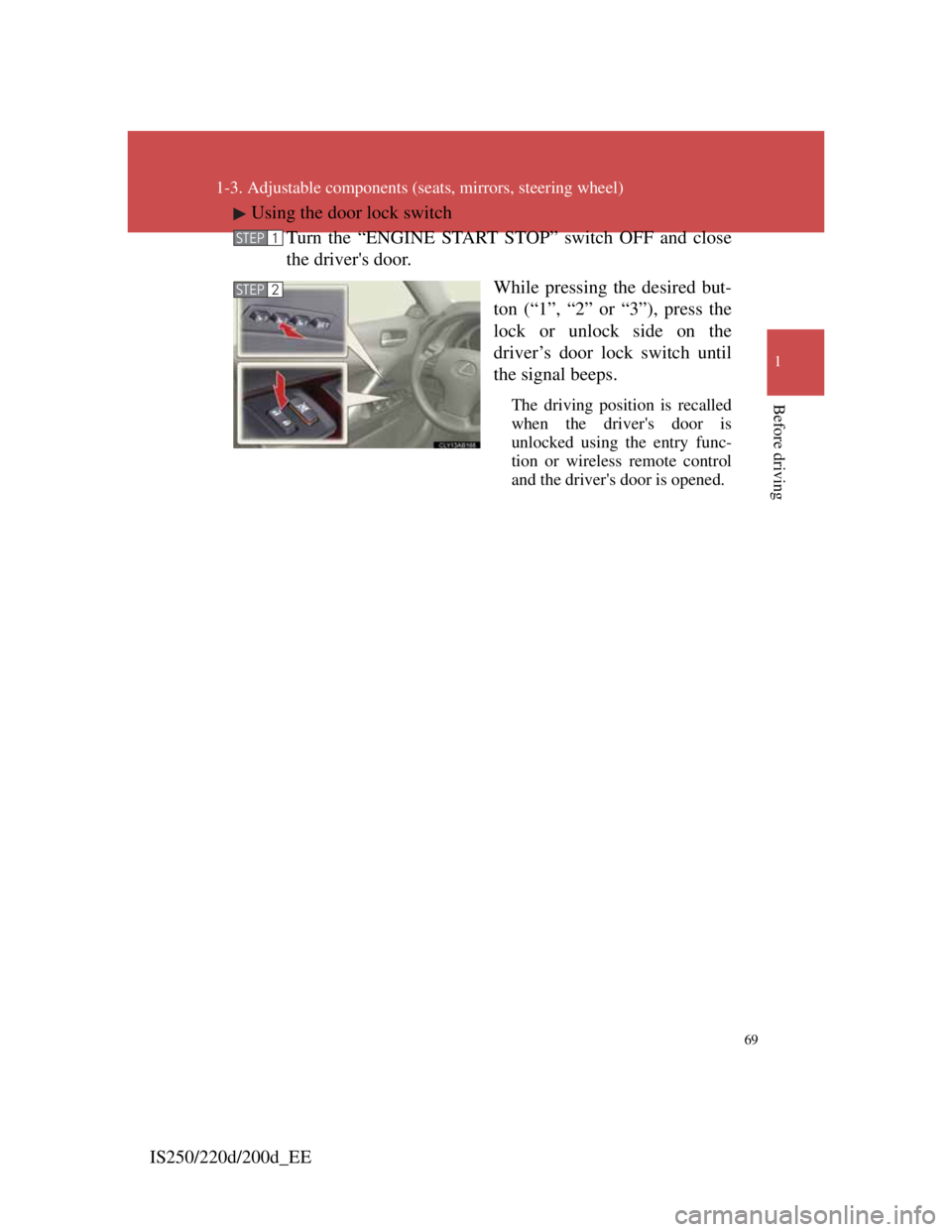
IS250/220d/200d_EEUsing the door lock switch
Turn the “ENGINE START STOP” switch OFF and close
the driver's door.
While pressing the desired but-
ton (“1”, “2” or “3”), press the
lock or unlock side on the
driver’s door lock switch until
the signal beeps.
The driving position is recalled
when the driver's door is
unlocked using the entry func-
tion or wireless remote control
and the driver's door is opened.
STEP1
STEP2