info Lexus IS250 2008 Manual PDF
[x] Cancel search | Manufacturer: LEXUS, Model Year: 2008, Model line: IS250, Model: Lexus IS250 2008Pages: 462, PDF Size: 25.52 MB
Page 190 of 462
189
2-5. Driving information
2
When driving
08_IS350/250_U_(L/O_0708)
Dinghy towing (vehicles with a manual transmission)
Towing your vehicle with 4 wheels on the groundTo prevent damage to your vehicle, perform the following procedures
before towing. Shift the shift lever to neutral.
Switch to ACCESSORY mode. ( →P. 1 1 9 )
Ensure that the audio system and other powered devices have been
turned OFF.
Release the parking brake.
After towing, leave the engine in idle for at least 3 minutes before driv-
ing the vehicle.
■Necessary equipment and accessories
Specialized equipment and accessories are required for dinghy towing. Contact
the service branch of the motor home manufacturer regarding recommended
equipment.
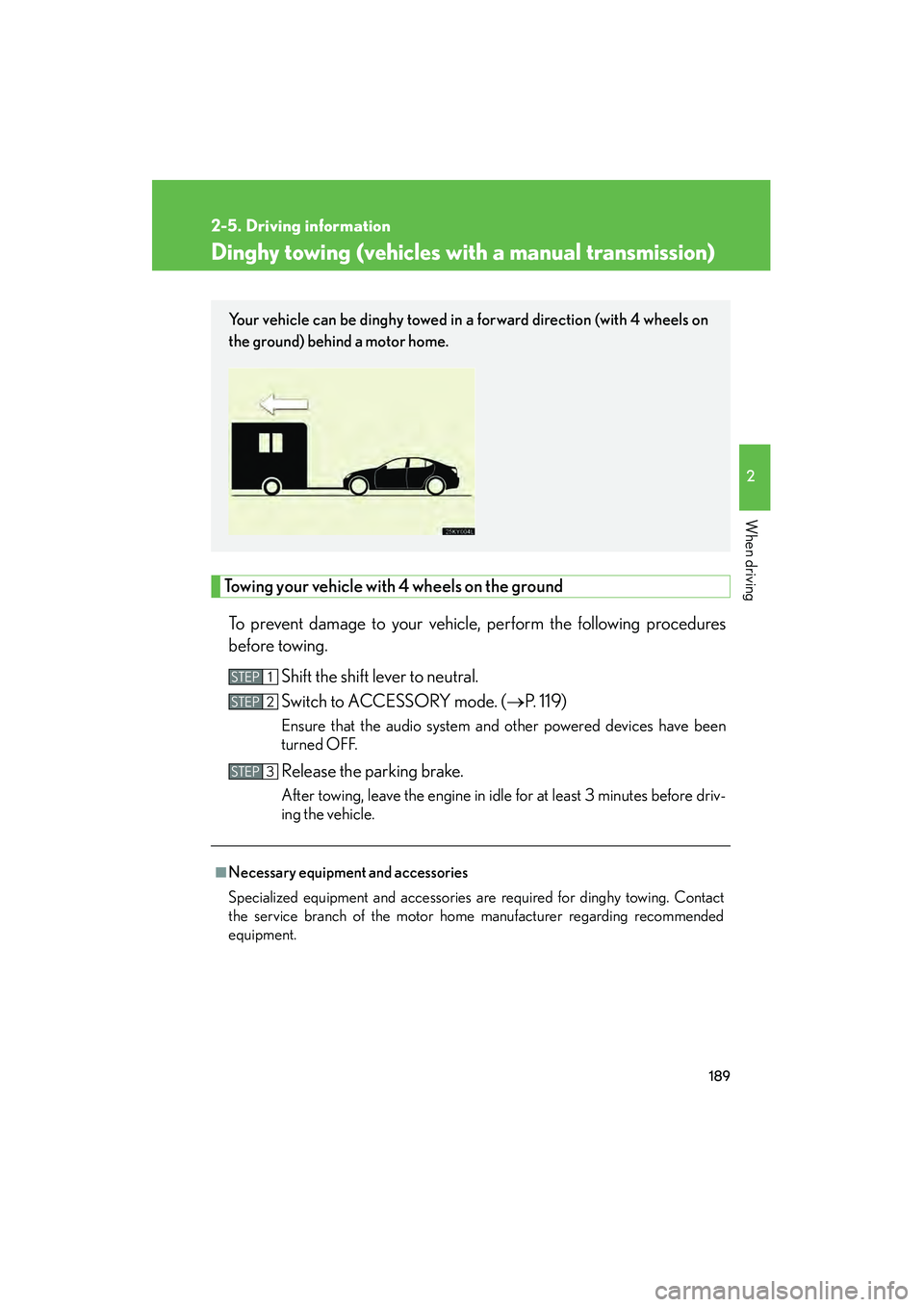
Your vehicle can be dinghy towed in a forward direction (with 4 wheels on
the ground) behind a motor home.
STEP1
STEP2
STEP3
Page 191 of 462
190
2-5. Driving information
08_IS350/250_U_(L/O_0708)
NOTICE
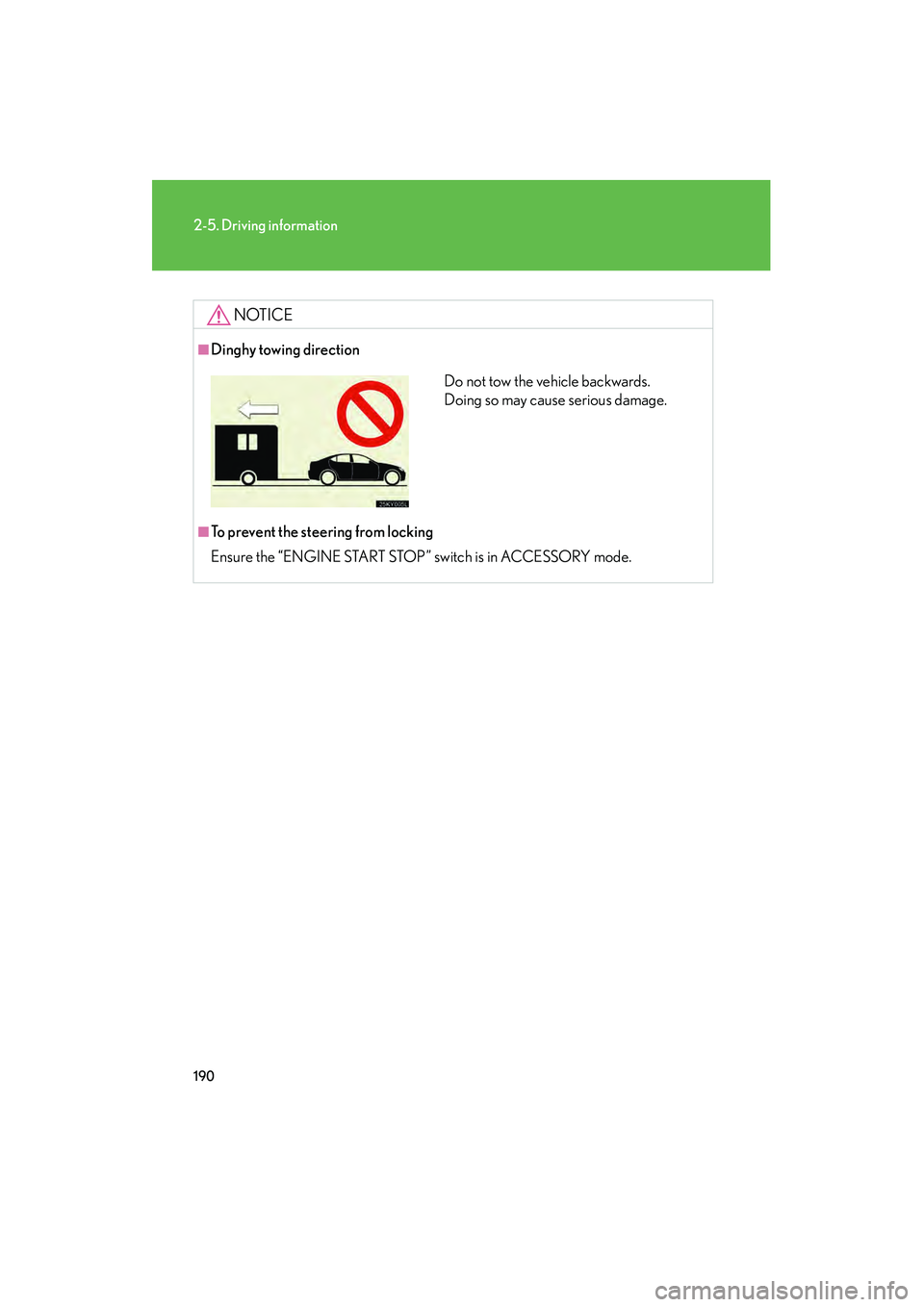
■Dinghy towing direction
■To prevent the steering from locking
Ensure the “ENGINE START STOP” switch is in ACCESSORY mode.
Do not tow the vehicle backwards.
Doing so may cause serious damage.
Page 203 of 462
202
3-2. Using the audio system
08_IS350/250_U_(L/O_0708)
■Using cellular phones
Interference may be heard through the audio system’s speakers if a cellular phone is
being used inside or close to the vehicle while the audio system is operating.
CAUTION
■For vehicles sold in U.S.A. and Canada
●Pa r t 1 5 o f t h e F CC R u l e s
FCC Warning:
Any unauthorized changes or modifications to this equipment will void the user’s
authority to operate this device.
●Laser products
• Do not take this unit apart or attempt to make any changes yourself. This is an intricate unit that uses a laser pickup to retrieve information from the
surface of compact discs. The laser is carefully shielded so that its rays remain
inside the cabinet. Therefore, never try to disassemble the player or alter any
of its parts since you may be exposed to laser rays and dangerous voltages.
• This product utilizes a laser.
Use of controls or adjustments or performance of procedures other than
those specified herein may result in hazardous radiation exposure.
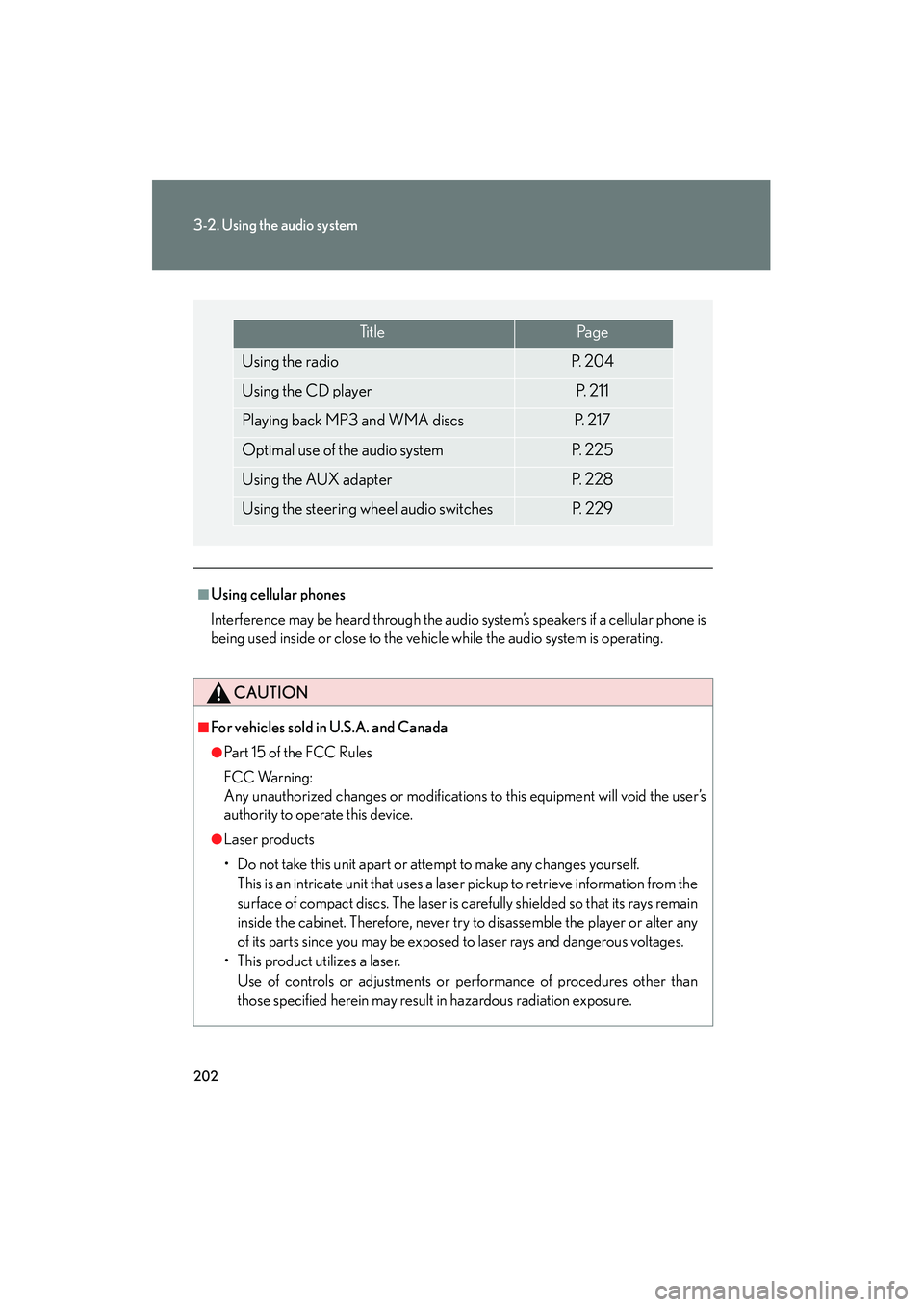
Ti t l ePa g e
Using the radioP. 2 0 4
Using the CD playerP. 2 1 1
Playing back MP3 and WMA discsP. 2 1 7
Optimal use of the audio systemP. 225
Using the AUX adapterP. 2 2 8
Using the steering wheel audio switchesP. 2 2 9
Page 206 of 462
205
3-2. Using the audio system
3
Interior features
08_IS350/250_U_(L/O_0708)■
Scanning all radio stations within range
Press .
All stations with reception will be played for 5 seconds each.
When the desired station is reached, press the button once again.
RDS (Radio Data System)
This feature allows your radio to receive station identification information
and program information (classical, jazz, etc.) from radio stations which
broadcast this information.
■ Receiving RDS broadcasts
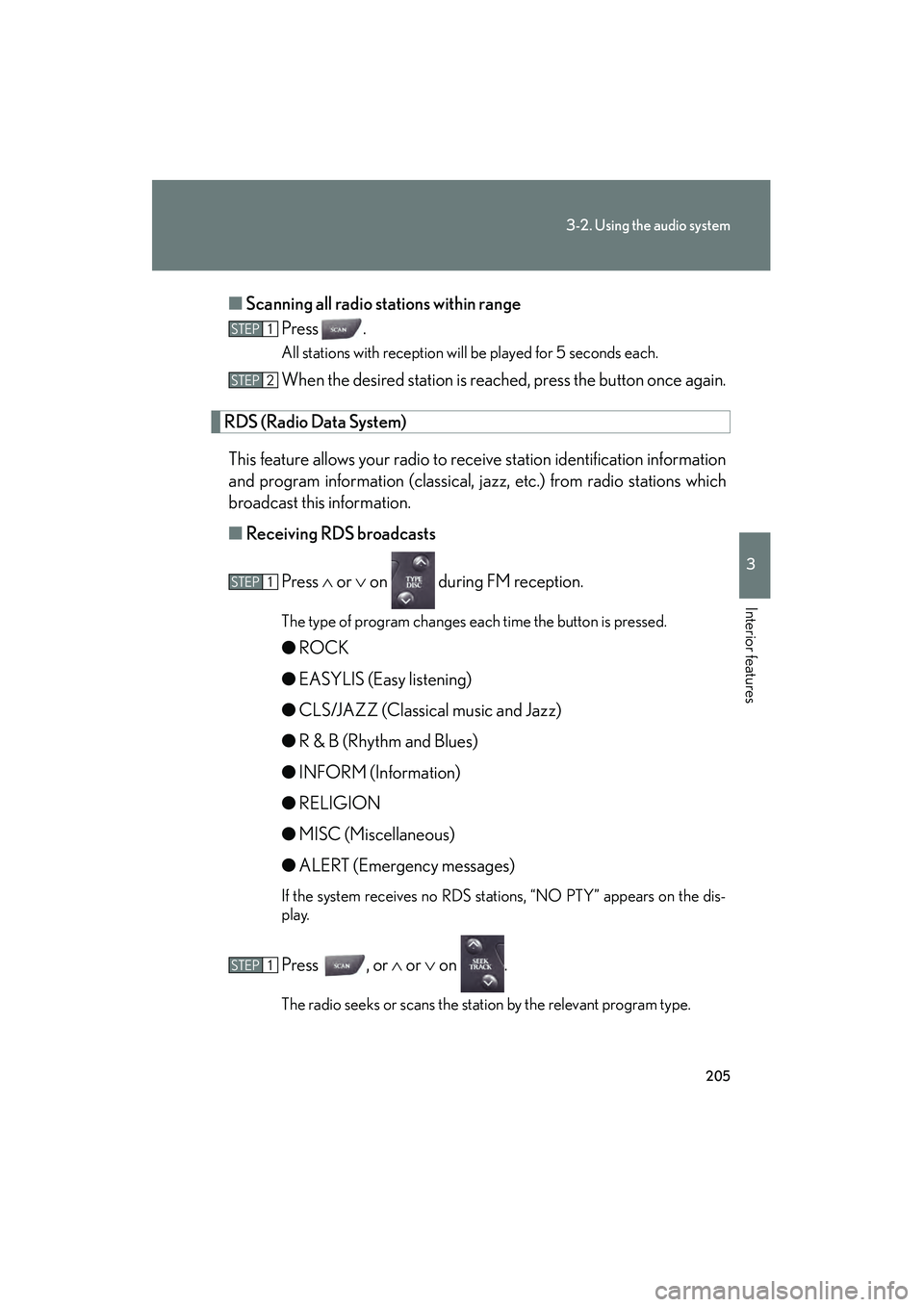
Press ∧ or ∨ on during FM reception.
The type of program changes each time the button is pressed.
●ROCK
● EASYLIS (Easy listening)
● CLS/JAZZ (Classical music and Jazz)
● R & B (Rhythm and Blues)
● INFORM (Information)
● RELIGION
● MISC (Miscellaneous)
● ALERT (Emergency messages)
If the system receives no RDS stations, “NO PTY” appears on the dis-
play.
Press , or ∧ or ∨ on .
The radio seeks or scans the station by the relevant program type.
STEP1
STEP2
STEP1
STEP1
Page 208 of 462
207
3-2. Using the audio system
3
Interior features
08_IS350/250_U_(L/O_0708)■
Scanning XM
® Satellite Radio channels
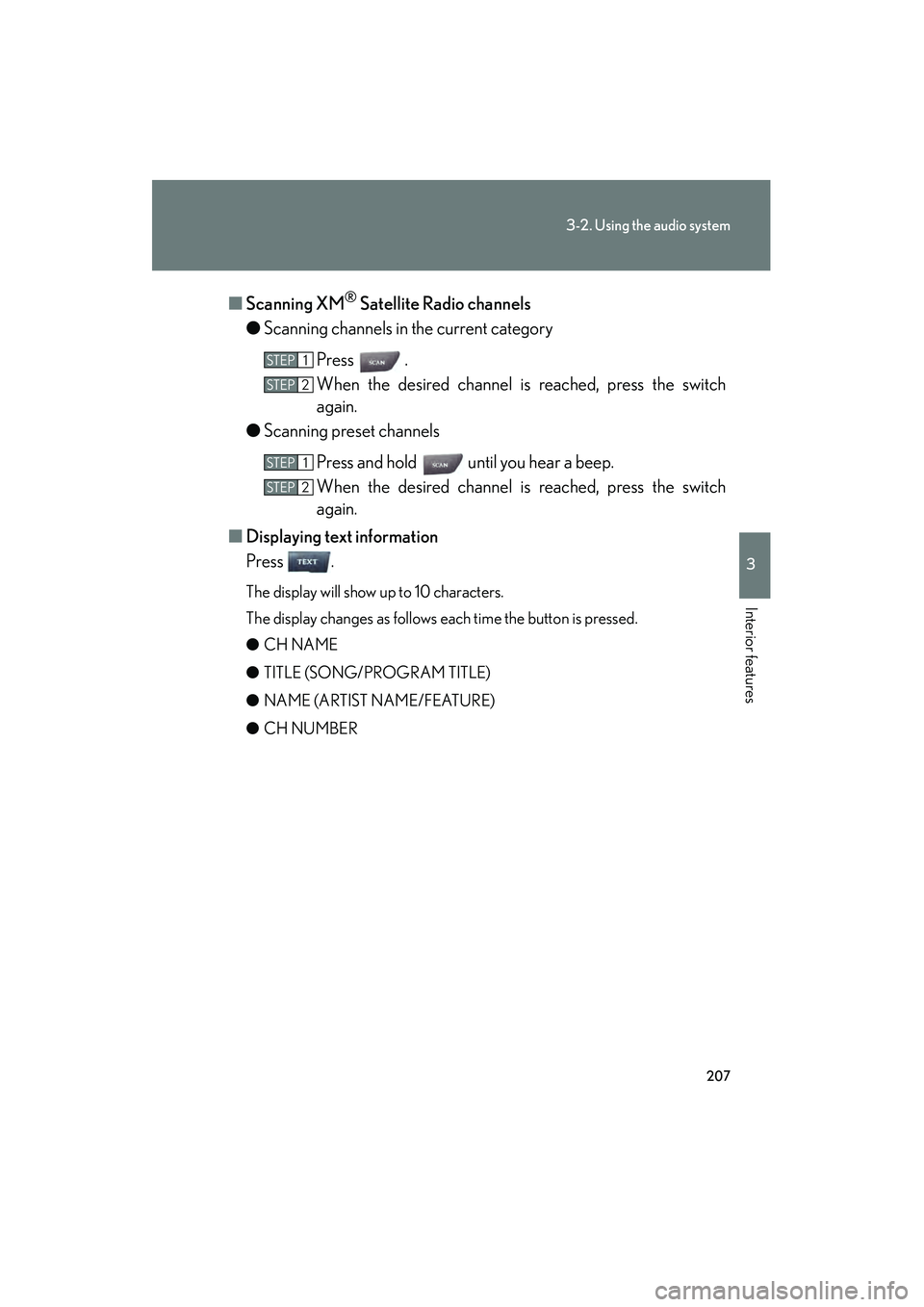
● Scanning channels in the current category
Press .
When the desired channel is reached, press the switch
again.
● Scanning preset channels
Press and hold until you hear a beep.
When the desired channel is reached, press the switch
again.
■ Displaying text information
Press .
The display will show up to 10 characters.
The display changes as follows each time the button is pressed.
● CH NAME
● TITLE (SONG/PROGRAM TITLE)
● NAME (ARTIST NAME/FEATURE)
● CH NUMBER
STEP1
STEP2
STEP1
STEP2
Page 209 of 462
208
3-2. Using the audio system
08_IS350/250_U_(L/O_0708)
■When the battery is disconnected
Stations presets are erased.
■Reception sensitivity
●Maintaining perfect radio reception at all times is difficult due to the continually
changing position of the antenna, differences in signal strength and surrounding
objects, such as trains, transmitters, etc.
●The radio antenna is mounted inside the rear window. To maintain clear radio
reception, do not attach metallic window tinting or other metallic objects to the
antenna wire mounted inside the rear window.
■XM® Satellite Radio
The optional Lexus genuine satellite radio tuner and antenna allows you to receive
and play XM
® Satellite Radio broadcasts. (Subscription is required. Not available
in Hawaii and Alaska.)
*
●XM® subscriptions
For detailed information about XM® Satellite Radio or to subscribe:
U. S .A .
Visit on the web at www.xmradio.com
or call 1-877-515-3987.
Canada
Visit on the web at www.xmradio.ca
or call 1-877-438-9677.
●Radio ID
You will need the radio ID when activating XM
® service or reporting a prob-
lem. Select "CH000" using , and the receiver's 8-character ID number
will appear.
●Satellite tuner
The tuner supports only Audio Services (Music and Talk) and the accompany-
ing Text Information of XM
® Satellite Radio.
*: Terms and services provided by XM® Satellite Radio are subject to change with-
out notice.
Page 210 of 462
209
3-2. Using the audio system
3
Interior features
08_IS350/250_U_(L/O_0708)
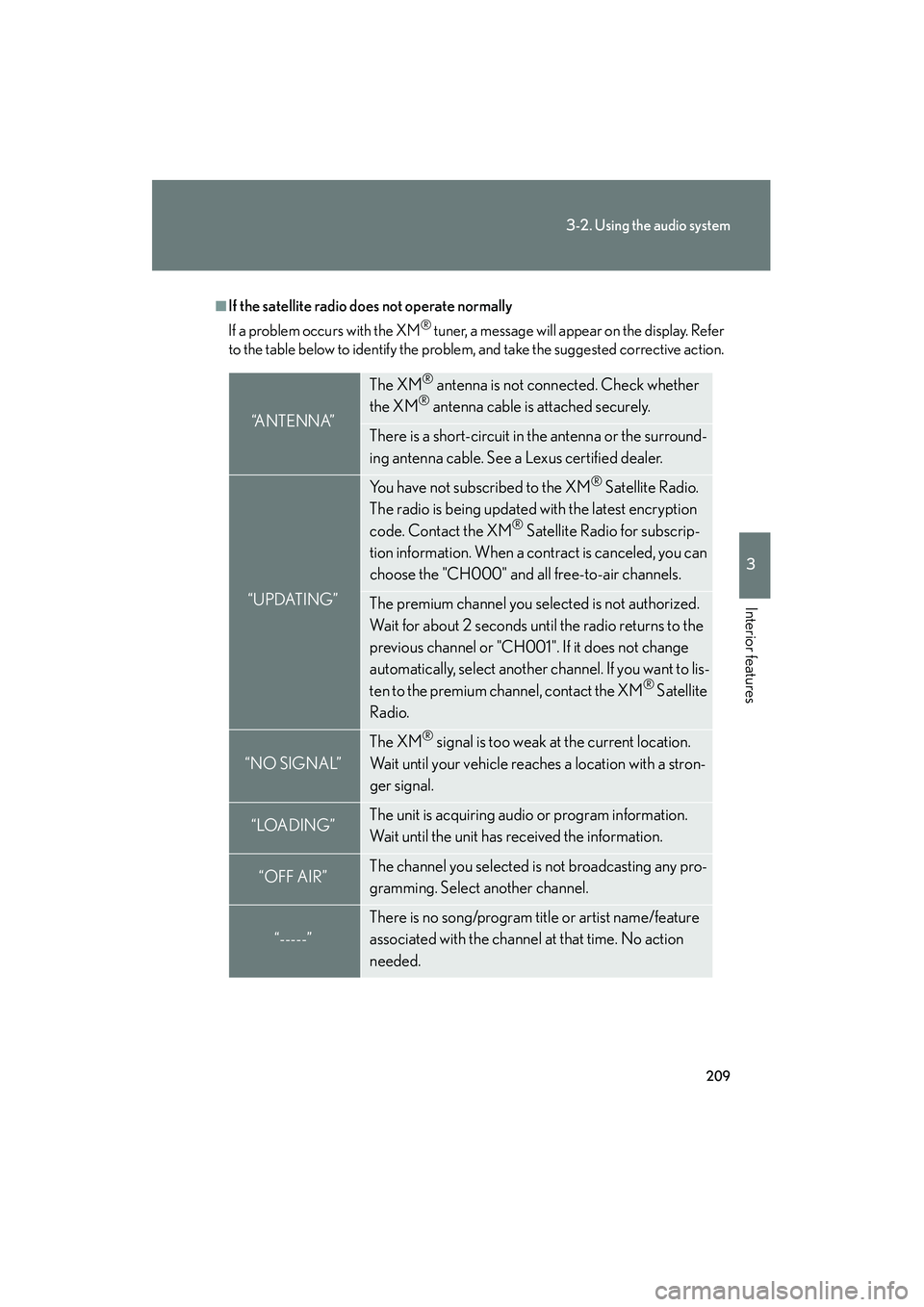
■If the satellite radio does not operate normally
If a problem occurs with the XM
® tuner, a message will appear on the display. Refer
to the table below to identify the problem, and take the suggested corrective action.
“A N T E N N A”
The XM® antenna is not connected. Check whether
the XM® antenna cable is attached securely.
There is a short-circuit in the antenna or the surround-
ing antenna cable. See a Lexus certified dealer.
“UPDATING”
You have not subscribed to the XM® Satellite Radio.
The radio is being updated with the latest encryption
code. Contact the XM
® Satellite Radio for subscrip-
tion information. When a contract is canceled, you can
choose the "CH000" and all free-to-air channels.
The premium channel you selected is not authorized.
Wait for about 2 seconds until the radio returns to the
previous channel or "CH001". If it does not change
automatically, select another channel. If you want to lis-
ten to the premium channel, contact the XM
® Satellite
Radio.
“NO SIGNAL”
The XM® signal is too weak at the current location.
Wait until your vehicle reaches a location with a stron-
ger signal.
“LOADING”The unit is acquiring audio or program information.
Wait until the unit has received the information.
“OFF AIR”The channel you selected is not broadcasting any pro-
gramming. Select another channel.
“-----”
There is no song/program title or artist name/feature
associated with the channel at that time. No action
needed.
Page 246 of 462
245
3-5. Other interior features
3
Interior features
08_IS350/250_U_(L/O_0708)
Satellite switches
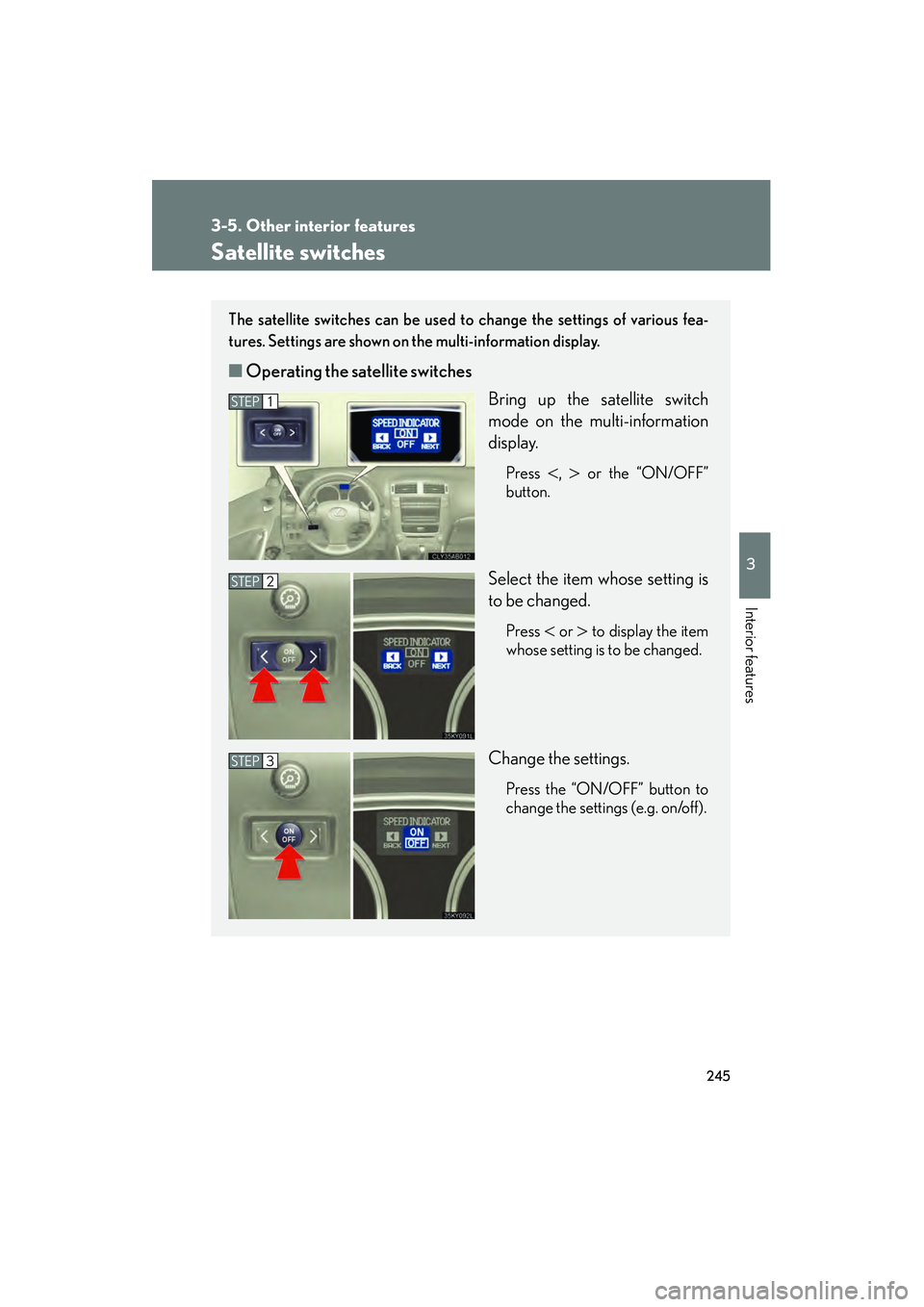
The satellite switches can be used to change the settings of various fea-
tures. Settings are shown on the multi-information display.
■Operating the satellite switches
Bring up the satellite switch
mode on the multi-information
display.
Press <, > or the “ON/OFF”
button.
Select the item whose setting is
to be changed.
Press < or > to display the item
whose setting is to be changed.
Change the settings.
Press the “ON/OFF” button to
change the settings (e.g. on/off).
STEP1
STEP2
STEP3
Page 282 of 462
281
4-2. Maintenance
4
Maintenance and care
08_IS350/250_U_(L/O_0708)
■Allow inspection and repairs to be performed by a Lexus dealer
●Lexus technicians are well-trained specialists and are kept up to date with the
latest service information. They are well informed about the operations of all
systems on your vehicle.
●Keep a copy of the repair order. It proves that the maintenance that has been
performed is under warranty coverage. If any problem should arise while your
vehicle is under warranty, your Lexus dealer will promptly take care of it.
CAUTION
■If your vehicle is not properly maintained
It could result in serious damage to the vehicle and possible serious injury or death.
■Warning in handling of battery
●Engine exhaust, some of its constituents, and a wide variety of automobile com-
ponents contain or emit chemicals known to the State of California to cause can-
cer and birth defects and other reproductive harm. Work in a well ventilated area.
●Oils, fuels and fluids contained in vehicles as well as waste produced by compo-
nent wear contain or emit chemicals known to the State of California to cause
cancer and birth defects or other reproductive harm. Avoid exposure and wash
any affected area immediately.
●Battery posts, terminals and related accessories contain lead and lead com-
pounds which are known to cause brain damage. Wash your hands after han-
dling. (→P. 3 0 2 )
Page 299 of 462
298
4-3. Do-it-yourself maintenance
08_IS350/250_U_(L/O_0708)
■Engine oil consumption
●The amount of engine oil consumed depends on the oil viscosity, the quality of
the oil and the way the vehicle is driven.
●More oil is consumed under driving conditions such as high speeds and fre-
quent acceleration and deceleration.
●A new engine consumes more oil.
●When judging the amount of oil consumption, keep in mind that the oil may
have become diluted, making it difficult to judge the true level accurately.
●Oil consumption: Max. 1.1 qt./600 miles, 0.9 lmp.qt./600 miles (1.0 L per 1000
km)
●If you consume more than 1.1 qt. (1.0 L, 0.9 lmp.qt.) every 600 miles (1000 km),
contact your Lexus dealer.
■After changing the engine oil (U.S.A. only)
The oil change system should be reset. Perform the following procedures:Switch the display to the odometer (
→P. 130) when the engine is running.
Turn the “ENGINE START STOP” switch OFF.
While pressing the trip meter reset button, set the “ENGINE START
STOP” switch to the IGNITION ON mode (but do not start the engine
because otherwise the reset mode will be cancelled). Continue to press
and hold the button until the trip meter displays 000000.
CAUTION
■Used engine oil
●Used engine oil contains potentially harmful contaminants which may cause skin
disorders such as inflammation or skin cancer, so care should be taken to avoid
prolonged and repeated contact. To remove used engine oil from your skin, wash
thoroughly with soap and water.
●Dispose of used oil and filters only in a safe and acceptable manner. Do not dis-
pose of used oil and filters in household trash, in sewers or onto the ground.
Call your Lexus dealer, service station or auto parts store for information con-
cerning recycling or disposal.
●Do not leave used engine oil within the reach of children.
STEP1
STEP2
STEP3