info Lexus IS250 2008 Service Manual
[x] Cancel search | Manufacturer: LEXUS, Model Year: 2008, Model line: IS250, Model: Lexus IS250 2008Pages: 462, PDF Size: 25.52 MB
Page 104 of 462
103
1-7. Safety information
1
Before driving
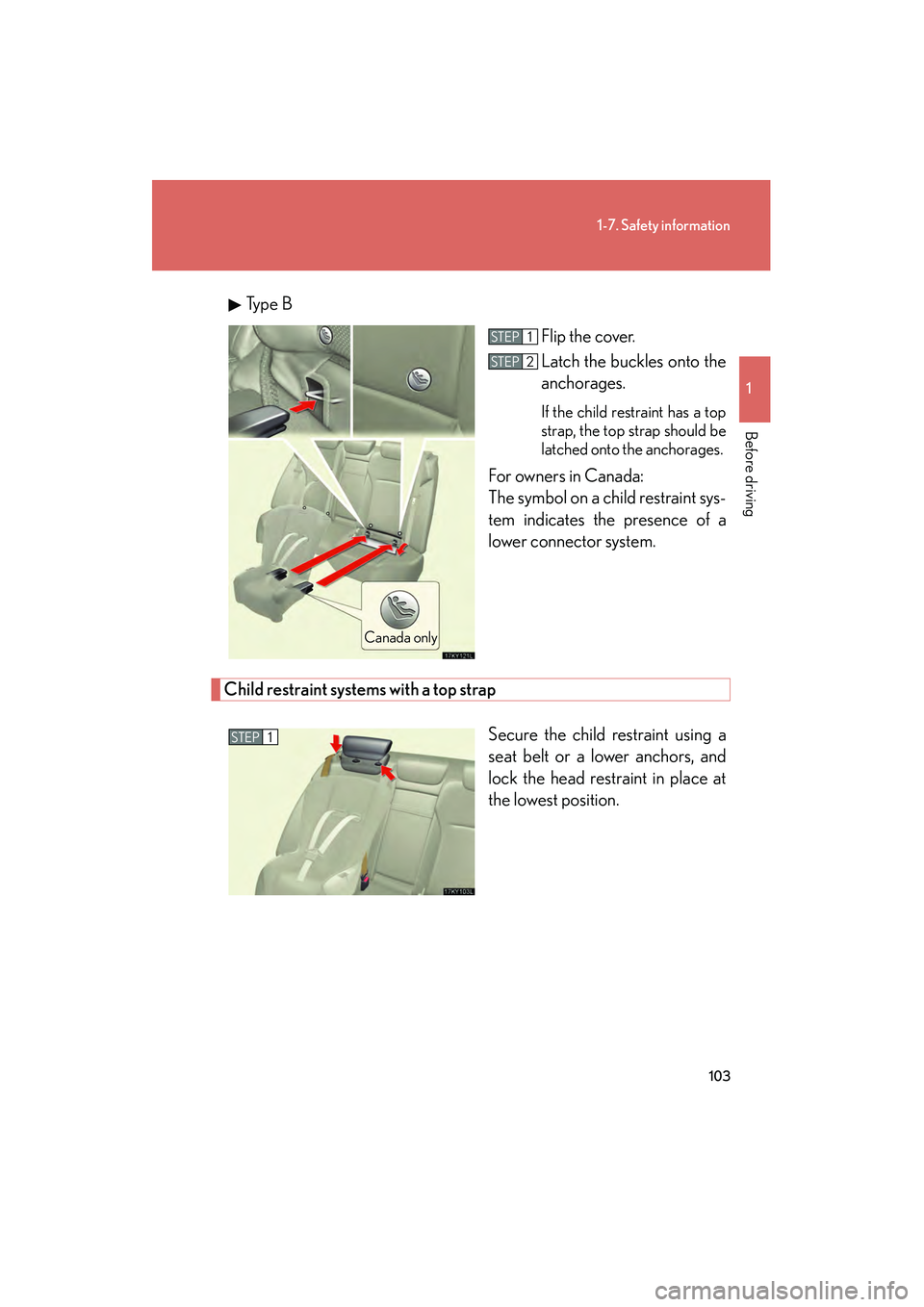
08_IS350/250_U_(L/O_0708)Ty p e B
Flip the cover.
Latch the buckles onto the
anchorages.
If the child restraint has a top
strap, the top strap should be
latched onto the anchorages.
For owners in Canada:
The symbol on a child restraint sys-
tem indicates the presence of a
lower connector system.
Child restraint systems with a top strap
Secure the child restraint using a
seat belt or a lower anchors, and
lock the head restraint in place at
the lowest position.
Canada only
STEP1
STEP2
STEP1
Page 105 of 462
104
1-7. Safety information
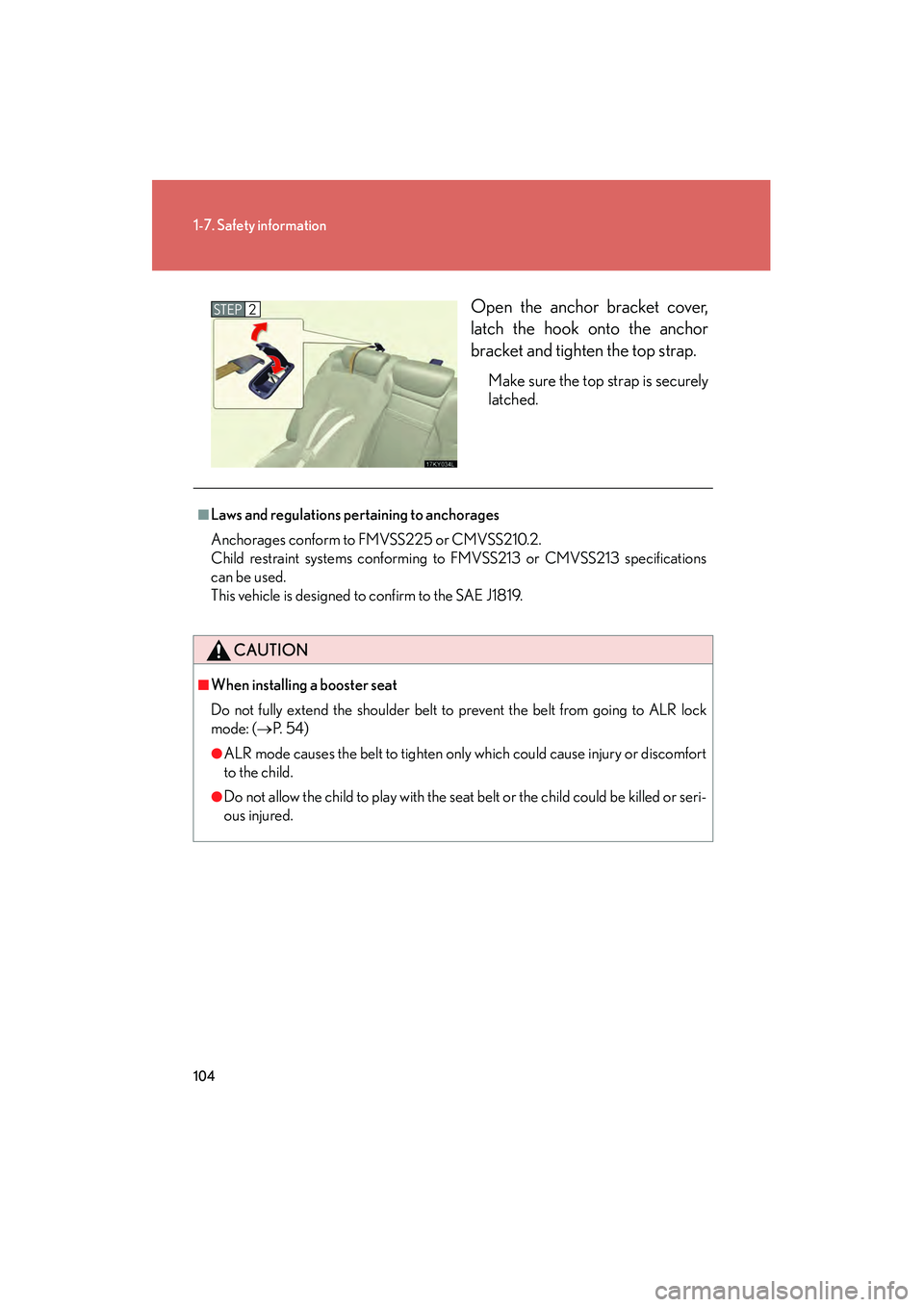
08_IS350/250_U_(L/O_0708)Open the anchor bracket cover,
latch the hook onto the anchor
bracket and tighten the top strap.
Make sure the top strap is securely
latched.
STEP2
■Laws and regulations pertaining to anchorages
Anchorages conform to FMVSS225 or CMVSS210.2.
Child restraint systems conforming to FMVSS213 or CMVSS213 specifications
can be used.
This vehicle is designed to confirm to the SAE J1819.
CAUTION
■When installing a booster seat
Do not fully extend the shoulder belt to prevent the belt from going to ALR lock
mode: (
→P. 5 4 )
●ALR mode causes the belt to tighten only which could cause injury or discomfort
to the child.
●Do not allow the child to play with the seat belt or the child could be killed or seri-
ous injured.
Page 106 of 462
105
1-7. Safety information
1
Before driving
08_IS350/250_U_(L/O_0708)
CAUTION
■When installing a child restraint system
Follow the directions given in the child restraint system installation manual and fix
the child restraint system securely in place.
If the child restraint system is not correctly fixed in place, the child may be injured or
even killed in the event of sudden braking or an accident.
●When a booster seat is installed, always ensure that the shoulder belt is posi-
tioned across the center of the child's shoulder. The belt should be kept away
from the child's neck, but not so that it could fall off the child's shoulder. Failing to
do so may result in death or serious injury in the event of an accident or sudden
braking.
●Ensure that the belt and tab are securely locked and the seat belt is not twisted.
●Push and pull the child seat in different directions to be sure it is secure.
●Follow all installation instructions provided by the child restraint system manufac-
turer.
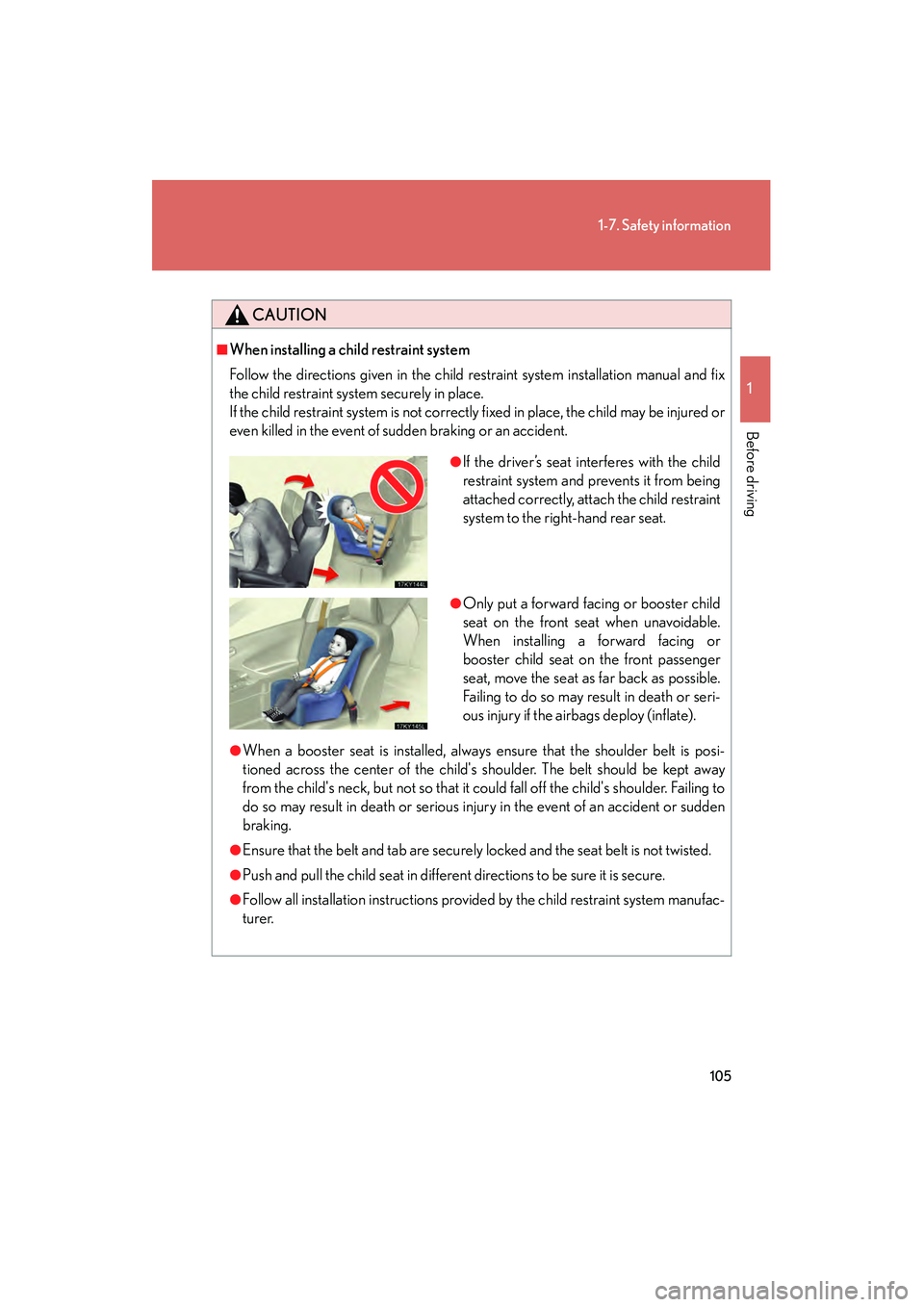
●If the driver’s seat interferes with the child
restraint system and prevents it from being
attached correctly, attach the child restraint
system to the right-hand rear seat.
●Only put a forward facing or booster child
seat on the front seat when unavoidable.
When installing a forward facing or
booster child seat on the front passenger
seat, move the seat as far back as possible.
Failing to do so may result in death or seri-
ous injury if the airbags deploy (inflate).
Page 107 of 462
106
1-7. Safety information
08_IS350/250_U_(L/O_0708)
CAUTION
■Do not use a seat belt extender
If a seat belt extender is used when installing a child restraint system, the seat belt
will not securely hold the child restraint system, which could cause death or serious
injury to the child or other passengers in the event of a collision.
■To correctly attach a child restraint system to the anchor
When using the lower anchor, be sure that there are no foreign objects around the
anchorages and that the seat belt is not caught behind the child restraint. Make sure
the child restraint system is securely attached, or it may cause death or serious
injury to the child in the event of a sudden stop or accident.
Page 108 of 462
When driving2
107
08_IS350/250_U_(L/O_0708)
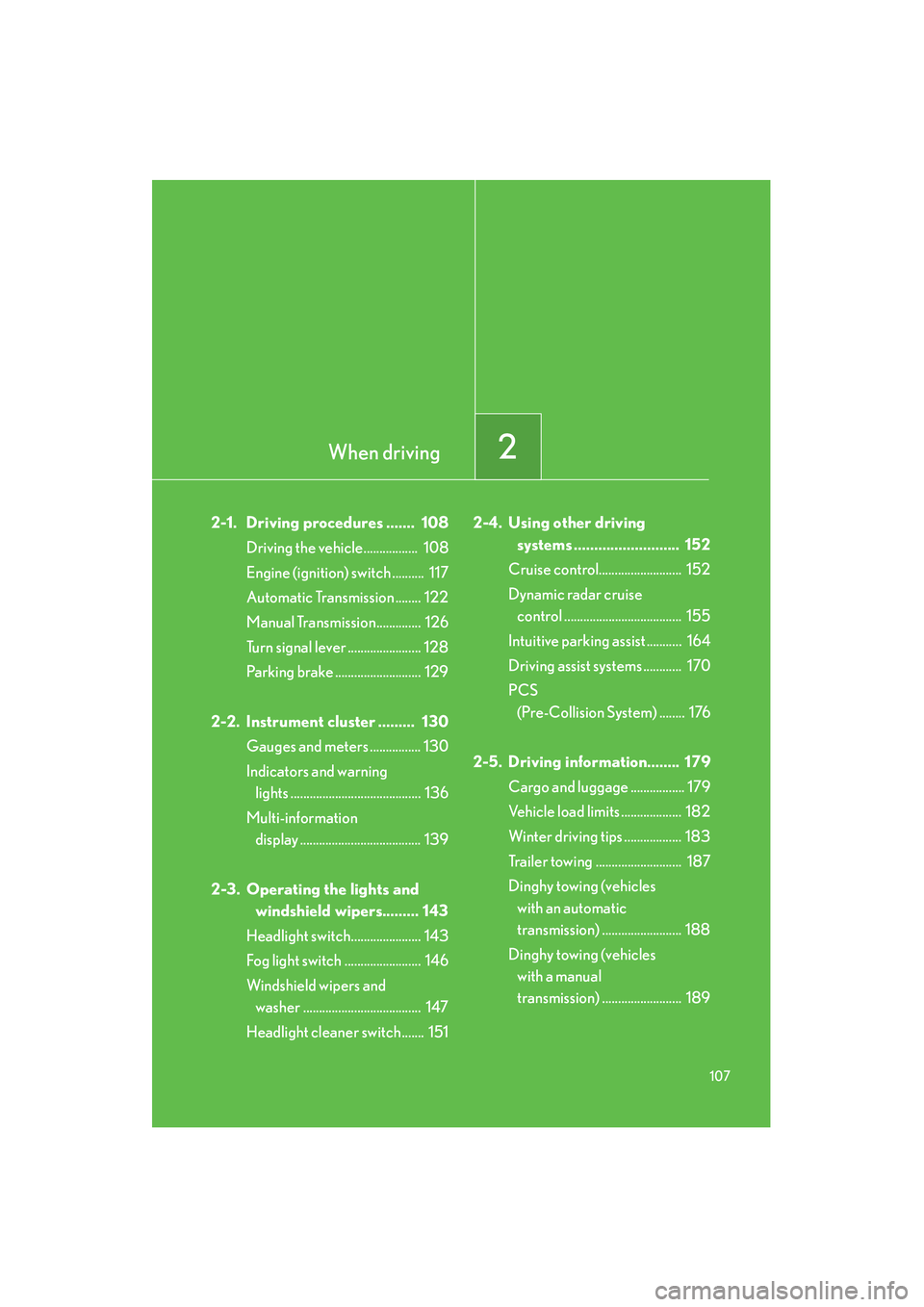
2-1. Driving procedures ....... 108Driving the vehicle................. 108
Engine (ignition) switch .......... 117
Automatic Transmission ........ 122
Manual Transmission.............. 126
Turn signal lever ....................... 128
Parking brake ........................... 129
2-2. Instrument cluster ......... 130 Gauges and meters ................ 130
Indicators and warning lights ......................................... 136
Multi-information display ...................................... 139
2-3. Operating the lights and windshield wipers......... 143
Headlight switch...................... 143
Fog light switch ........................ 146
Windshield wipers and washer ..................................... 147
Headlight cleaner switch....... 151 2-4. Using other driving
systems .......................... 152
Cruise control.......................... 152
Dynamic radar cruise control ..................................... 155
Intuitive parking assist ........... 164
Driving assist systems ............ 170
PCS (Pre-Collision System) ........ 176
2-5. Driving information........ 179 Cargo and luggage ................. 179
Vehicle load limits ................... 182
Winter driving tips .................. 183
Trailer towing ........................... 187
Dinghy towing (vehicles with an automatic
transmission) ......................... 188
Dinghy towing (vehicles with a manual
transmission) ......................... 189
Page 126 of 462
125
2-1. Driving procedures
2
When driving
08_IS350/250_U_(L/O_0708)
■Gear position display when driving in S mode
The current gear is displayed on the multi-information display. (
→P. 1 4 2 )
■Downshifting restrictions warning buzzer (in the S mode)
To help ensure safety and driving performance, downshifting operation may some-
times be restricted. In some circumstances, downshifting may not be possible even
when the shift lever or shift paddle switch is operated. (The warning buzzer will
sound twice.)
■When driving with the cruise control system or dynamic radar cruise control sys-
tem
The engine brake will not operate in the S mode, even when downshifting to 5 or 4.
(
→P. 152, 155)
■Snow mode automatic deactivation
Snow mode is automatically deactivated if the “ENGINE START STOP” switch is
turned off after driving in snow mode.
■If the shift lever cannot be shifted from P
→P. 3 9 2
■If does not come on even after shifting the shift lever to S
This may indicate a malfunction in the automatic transmission system. Have the
vehicle inspected by your Lexus dealer immediately.
(In this situation, the vehicle will operate as if the shift lever is in D.)
■AI-SHIFT
The AI-SHIFT automatically shifts the gear to the optimal position according to the
driver performance and driving conditions.
The AI-SHIFT automatically operates when the shift lever is in the D position. (Shift-
ing the shift lever to the S position cancels the function.)
Page 131 of 462

130
08_IS350/250_U_(L/O_0708)
2-2. Instrument cluster
Gauges and meters
The units used on the speedometer and the tachometer gauge display may
differ depending on the model/type.
The following gauges, meters and display illuminate when the
“ENGINE START STOP” switch is in IGNITION ON mode.Speedometer
Displays the vehicle speed.
Multi-information display
→P. 1 3 9
Tachometer
Displays the engine speed in revolutions per minute.
Tacho indicator
When the set engine speed is reached, this ring-shaped indicators comes
on in yellow. The indicator comes on in red when the engine speed
reaches a dangerous range.
Engine coolant temperature gauge
Displays the engine coolant temperature.
Page 133 of 462
132
2-2. Instrument cluster
08_IS350/250_U_(L/O_0708)
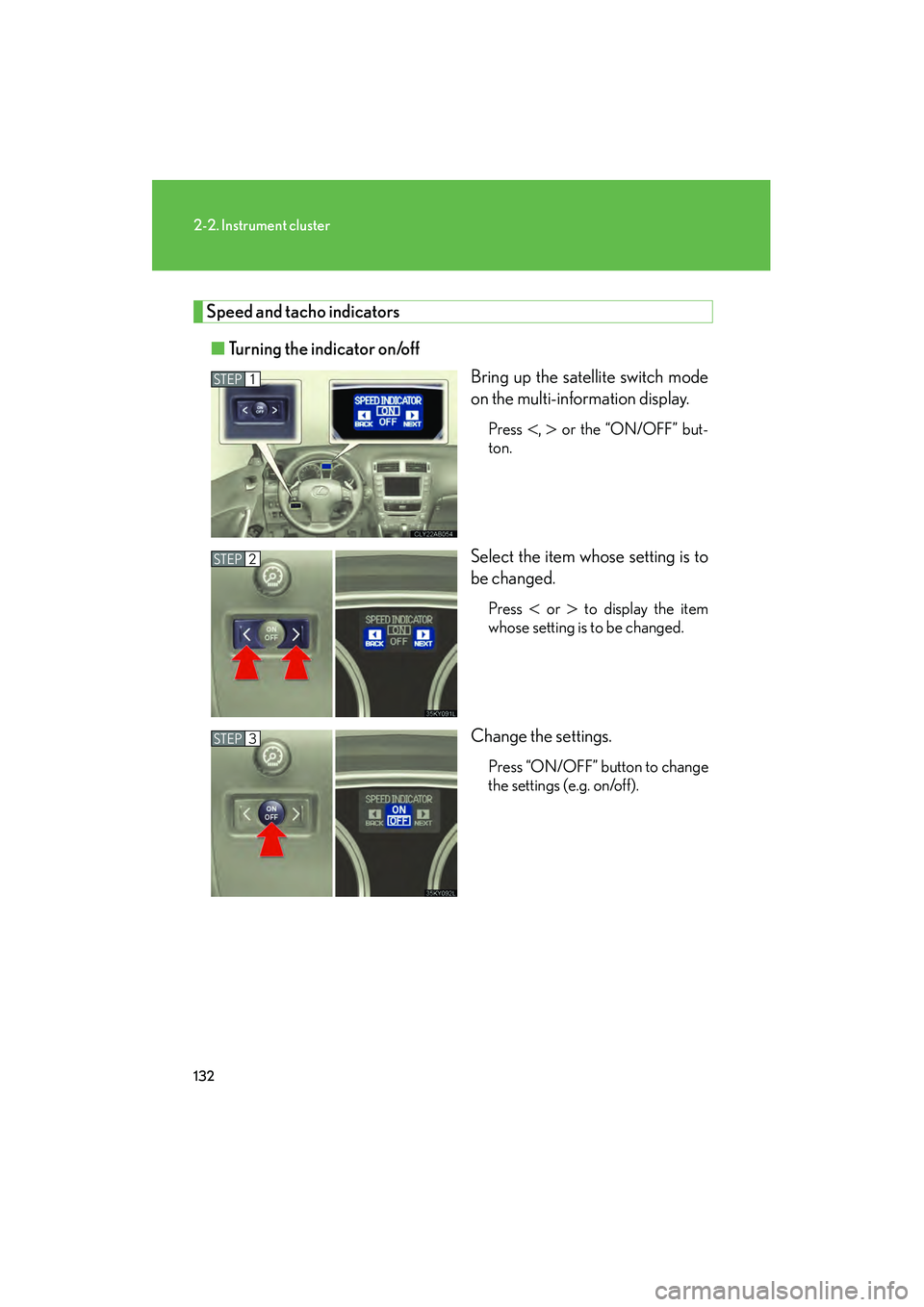
Speed and tacho indicators■ Turning the indicator on/off
Bring up the satellite switch mode
on the multi-information display.
Press <, > or the “ON/OFF” but-
ton.
Select the item whose setting is to
be changed.
Press < or > to display the item
whose setting is to be changed.
Change the settings.
Press “ON/OFF” button to change
the settings (e.g. on/off).
STEP1
STEP2
STEP3
Page 135 of 462
134
2-2. Instrument cluster
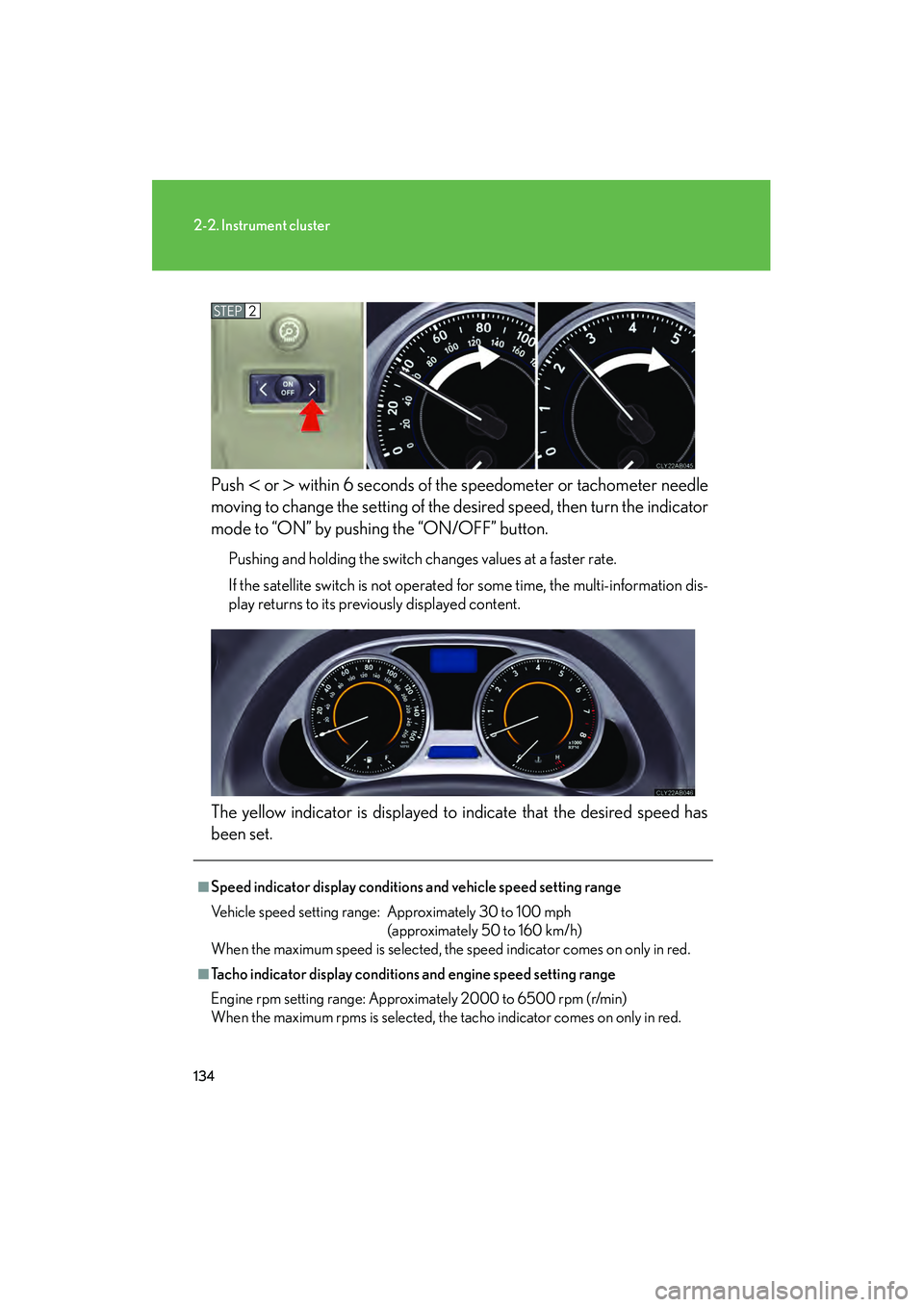
08_IS350/250_U_(L/O_0708)Push
< or > within 6 seconds of the speedometer or tachometer needle
moving to change the setting of the de sired speed, then turn the indicator
mode to “ON” by pushing the “ON/OFF” button.
Pushing and holding the switch changes values at a faster rate.
If the satellite switch is not operated for some time, the multi-information dis-
play returns to its previously displayed content.
The yellow indicator is displayed to indicate that the desired speed has
been set.
STEP2
■Speed indicator display conditions and vehicle speed setting range
Vehicle speed setting range: Approximately 30 to 100 mph (approximately 50 to 160 km/h)
When the maximum speed is selected, the speed indicator comes on only in red.
■Tacho indicator display conditions and engine speed setting range
Engine rpm setting range: Approximately 2000 to 6500 rpm (r/min)
When the maximum rpms is selected, the tacho indicator comes on only in red.
Page 137 of 462
136
2-2. Instrument cluster
08_IS350/250_U_(L/O_0708)
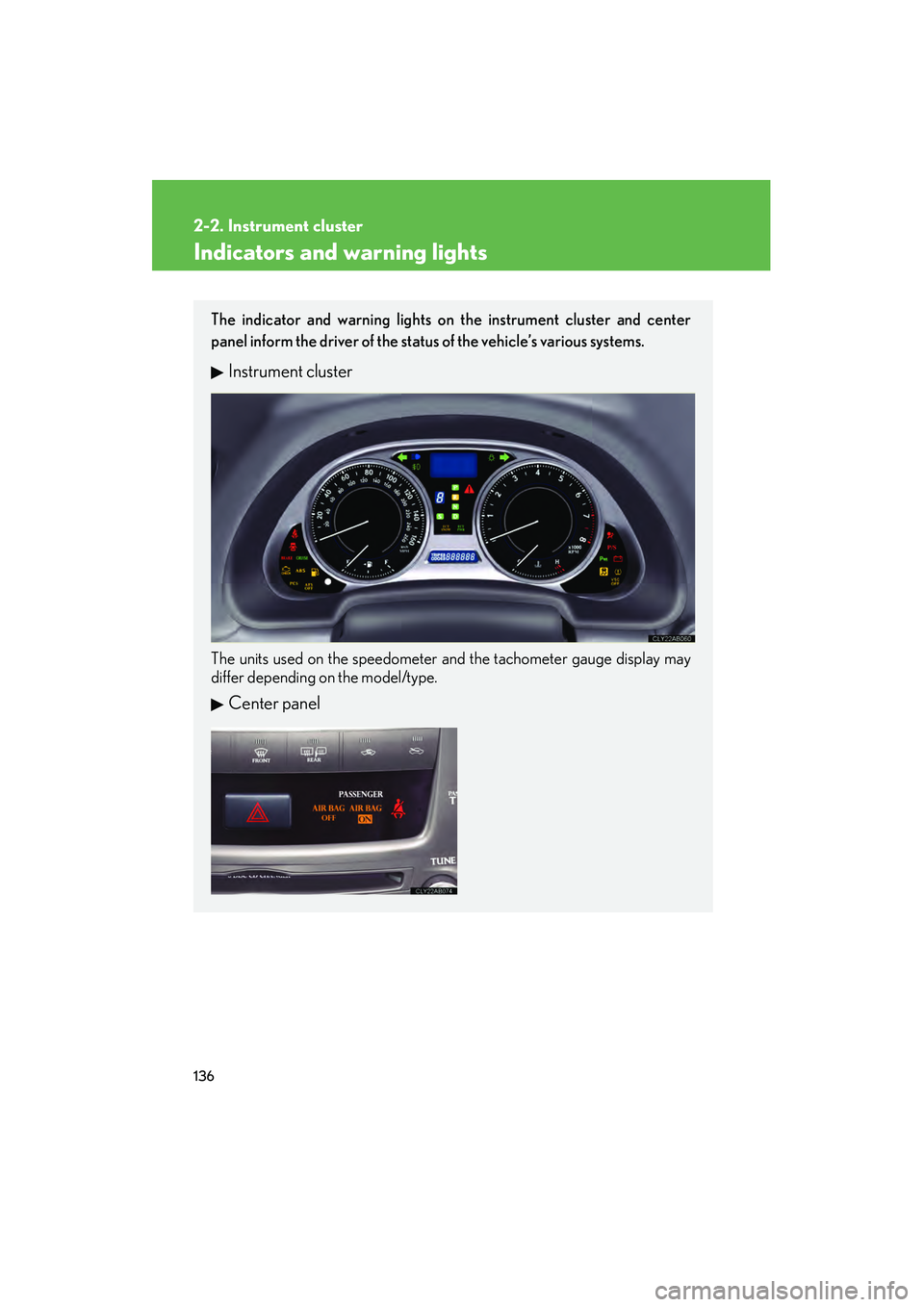
Indicators and warning lights
The indicator and warning lights on the instrument cluster and center
panel inform the driver of the status of the vehicle’s various systems.
Instrument cluster
The units used on the speedometer and the tachometer gauge display may
differ depending on the model/type.
Center panel