manual transmission Lexus IS250 2008 Owner's Manual
[x] Cancel search | Manufacturer: LEXUS, Model Year: 2008, Model line: IS250, Model: Lexus IS250 2008Pages: 462, PDF Size: 25.52 MB
Page 3 of 462
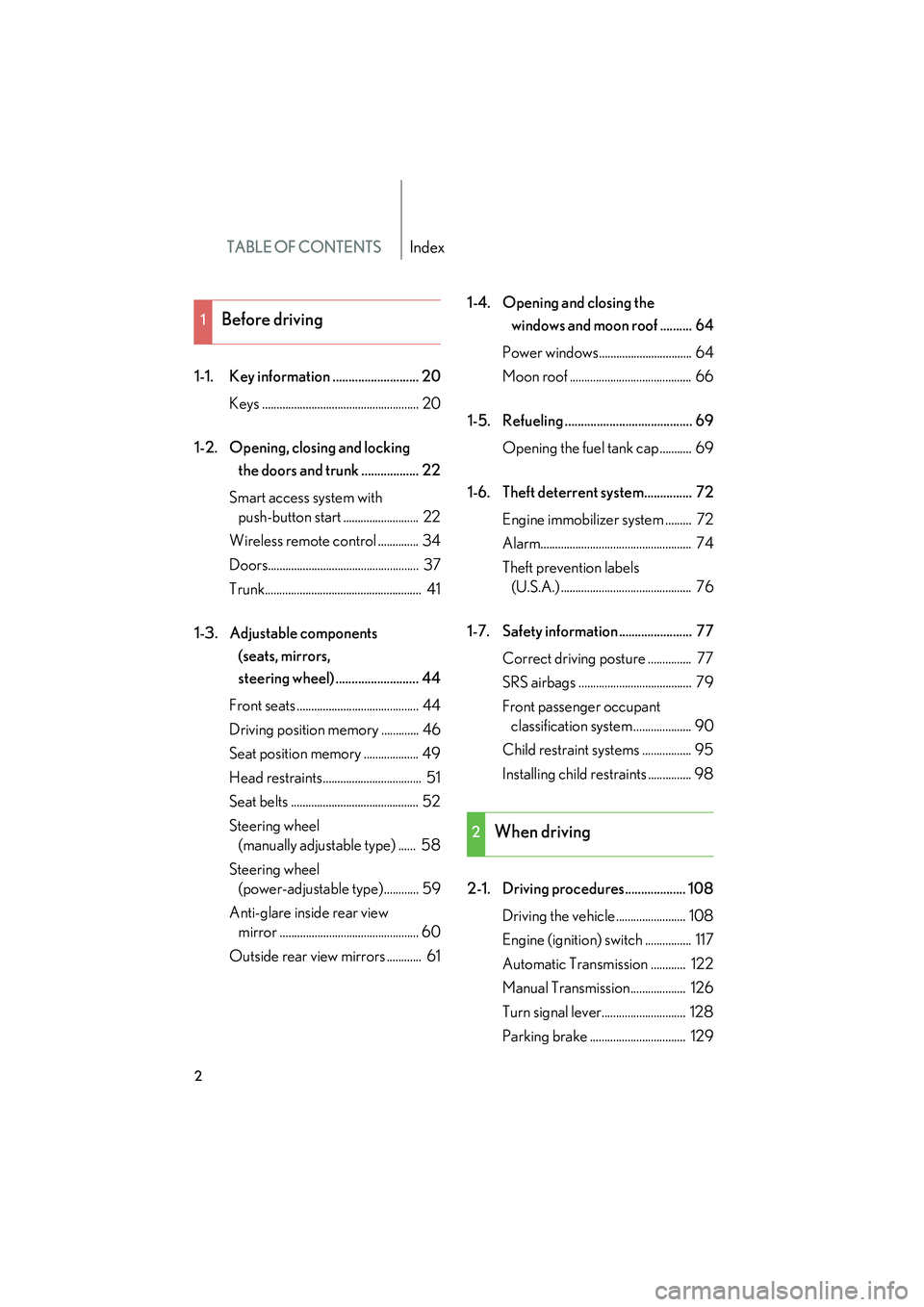
TABLE OF CONTENTSIndex
08_IS350/250_U_(L/O_0708)
2
1-1. Key information ........................... 20Keys ...................................................... 20
1-2. Opening, closing and locking the doors and trunk .................. 22
Smart access system with push-button start .......................... 22
Wireless remote control .............. 34
Doors.................................................... 37
Trunk...................................................... 41
1-3. Adjustable components (seats, mirrors,
steering wheel) .......................... 44
Front seats .......................................... 44
Driving position memory ............. 46
Seat position memory ................... 49
Head restraints.................................. 51
Seat belts ............................................ 52
Steering wheel (manually adjustable type) ...... 58
Steering wheel (power-adjustable type)............ 59
Anti-glare inside rear view mirror ................................................ 60
Outside rear view mirrors ............ 61 1-4. Opening and closing the
windows and moon roof .......... 64
Power windows................................ 64
Moon roof .......................................... 66
1-5. Refueling ........................................ 69 Opening the fuel tank cap........... 69
1-6. Theft deterrent system............... 72 Engine immobilizer system ......... 72
Alarm.................................................... 74
Theft prevention labels (U.S.A.) ............................................. 76
1-7. Safety information ....................... 77 Correct driving posture ............... 77
SRS airbags ....................................... 79
Front passenger occupant classification system .................... 90
Child restraint systems ................. 95
Installing child restraints ............... 98
2-1. Driving procedures................... 108 Driving the vehicle ........................ 108
Engine (ignition) switch ................ 117
Automatic Transmission ............ 122
Manual Transmission................... 126
Turn signal lever............................. 128
Parking brake ................................. 129
1Before driving
2When driving
Page 4 of 462
1
2
3
4
5
6
7
08_IS350/250_U_(L/O_0708)
3
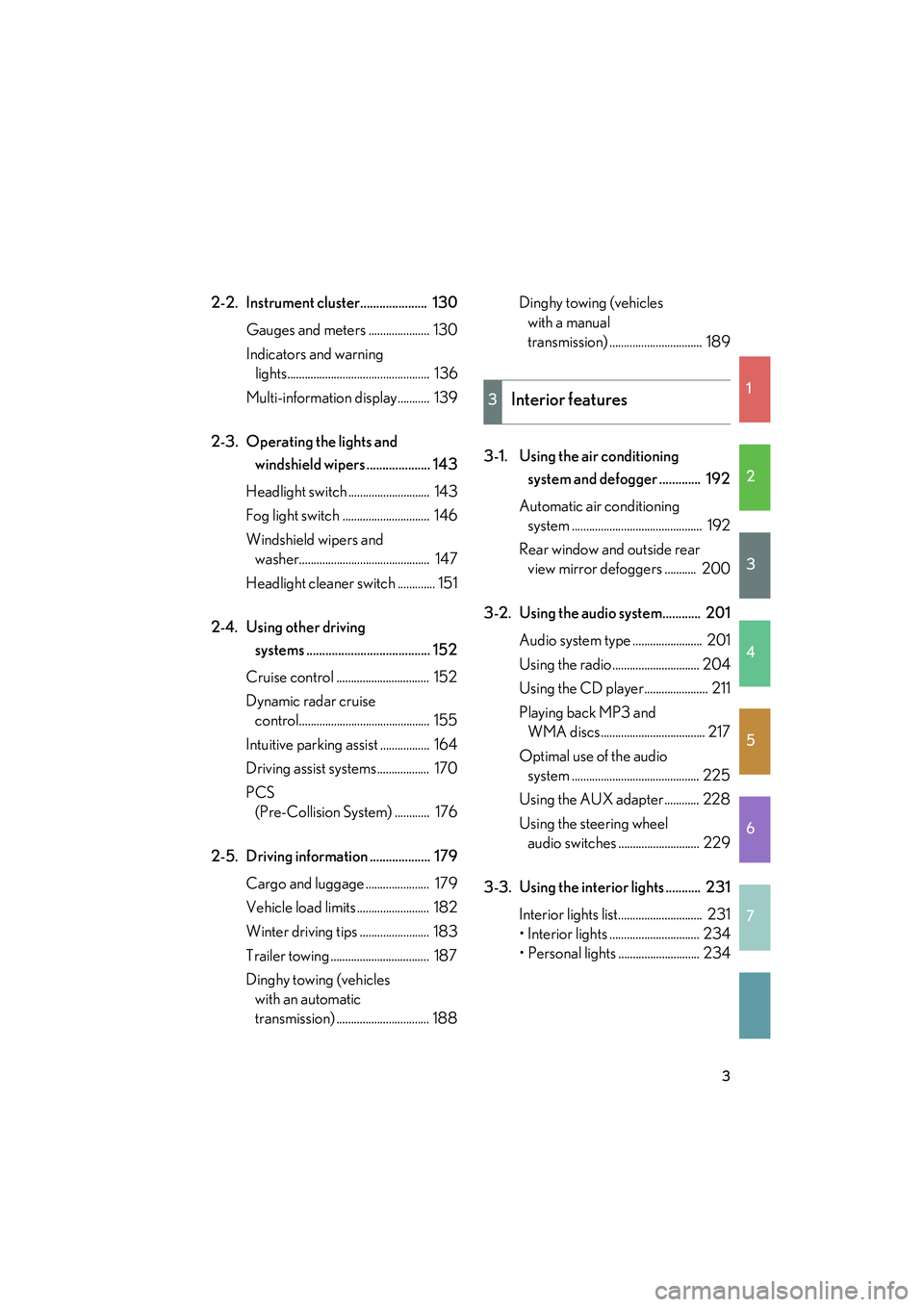
2-2. Instrument cluster..................... 130Gauges and meters ..................... 130
Indicators and warning lights................................................. 136
Multi-information display ........... 139
2-3. Operating the lights and windshield wipers .................... 143
Headlight switch ............................ 143
Fog light switch .............................. 146
Windshield wipers and washer............................................. 147
Headlight cleaner switch ............. 151
2-4. Using other driving systems ....................................... 152
Cruise control ................................ 152
Dynamic radar cruise control............................................. 155
Intuitive parking assist ................. 164
Driving assist systems.................. 170
PCS (Pre-Collision System) ............ 176
2-5. Driving information ................... 179 Cargo and luggage ...................... 179
Vehicle load limits ......................... 182
Winter driving tips ........................ 183
Trailer towing .................................. 187
Dinghy towing (vehicles with an automatic
transmission) ................................ 188 Dinghy towing (vehicles
with a manual
transmission) ................................ 189
3-1. Using the air conditioning system and defogger ............. 192
Automatic air conditioning system ............................................. 192
Rear window and outside rear view mirror defoggers ........... 200
3-2. Using the audio system............ 201 Audio system type ........................ 201
Using the radio.............................. 204
Using the CD player...................... 211
Playing back MP3 and WMA discs.................................... 217
Optimal use of the audio system ............................................ 225
Using the AUX adapter............ 228
Using the steering wheel audio switches ............................ 229
3-3. Using the interior lights ........... 231 Interior lights list............................. 231
• Interior lights ............................... 234
• Personal lights ............................ 234
3Interior features
Page 12 of 462
08_IS350/250_U_(L/O_0708)
11
C
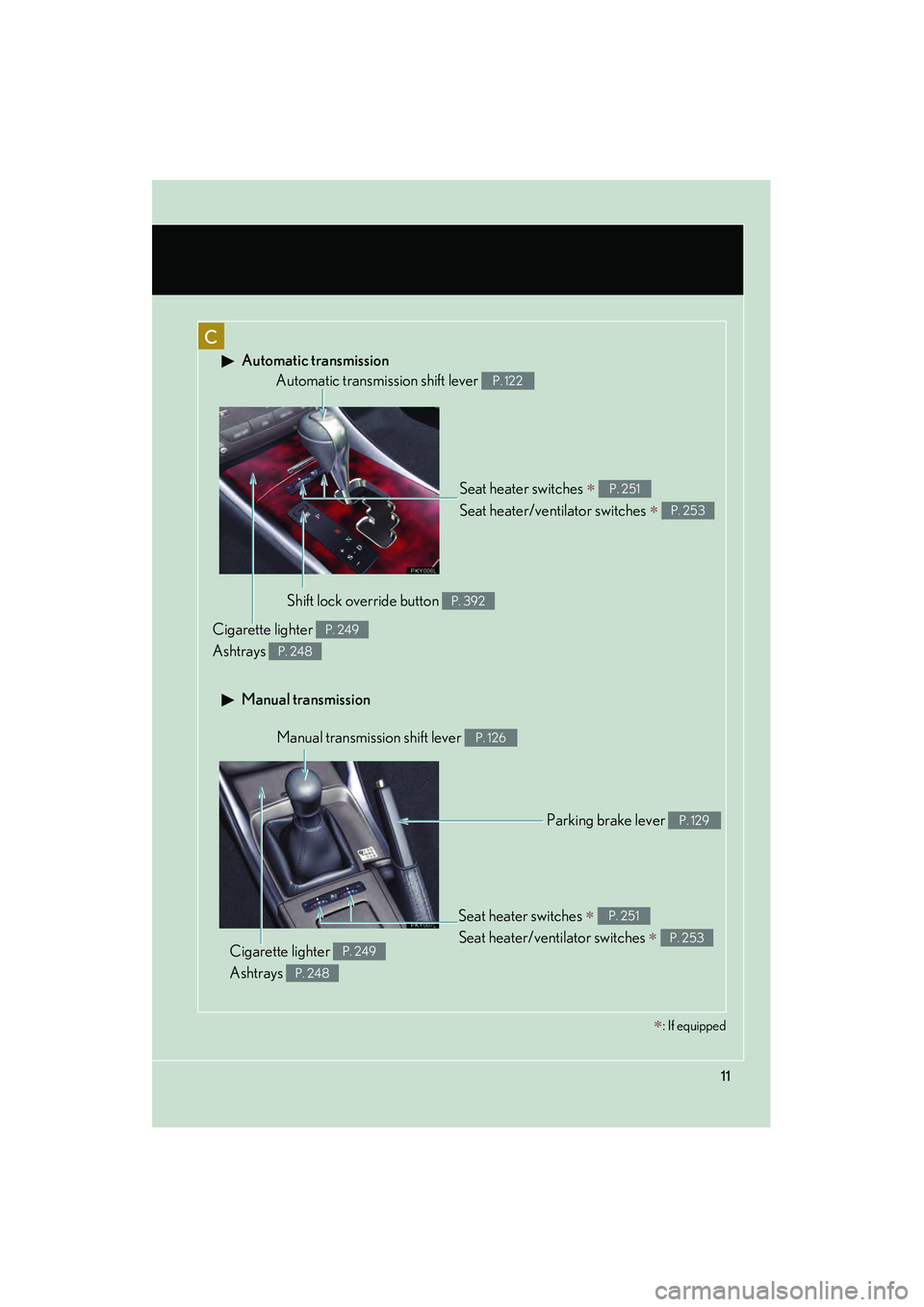
Automatic transmission
Manual transmission
Seat heater switches ∗
Seat heater/ventilator switches
∗
P. 251
P. 253
Automatic transmission shift lever P. 122
Shift lock override button P. 392
Cigarette lighter
Ashtrays P. 249
P. 248
Manual transmission shift lever P. 126
Parking brake lever P. 129
Cigarette lighter
Ashtrays P. 249
P. 248
Seat heater switches ∗
Seat heater/ventilator switches
∗
P. 251
P. 253
∗: If equipped
Page 15 of 462
08_IS350/250_U_(L/O_0708)
14
Pictorial indexInstrument panel
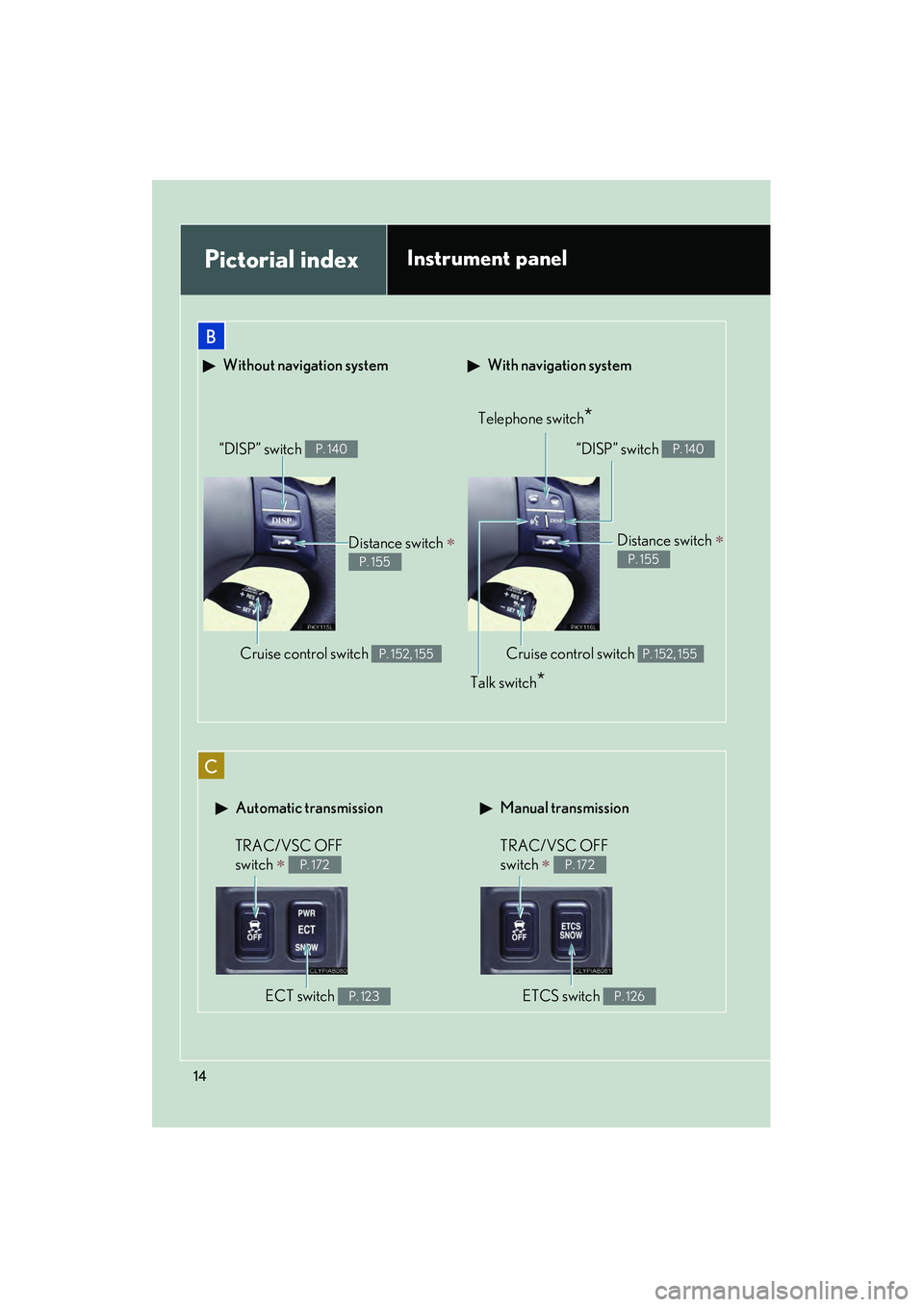
With navigation system Without navigation system
Telephone switch*
Cruise control switch P. 152, 155
Distance switch ∗
P. 155
“DISP” switch P. 140
Talk switch*
“DISP” switch P. 140
Distance switch ∗
P. 155
Cruise control switch P. 152, 155
Automatic transmission Manual transmission
TRAC/VSC OFF
switch
∗ P. 172
ECT switch P. 123
TRAC/VSC OFF
switch
∗ P. 172
ETCS switch P. 126
B
C
Page 47 of 462

46
1-3. Adjustable components (seats, mirrors, steering wheel)
08_IS350/250_U_(L/O_0708)
Driving position memory (if equipped)
Your preferred driving position (the position of the driver's seat, steering
wheel and outside rear view mirrors) can be memorized and recalled with
the touch of a button. It is also possible to set this function to activate auto-
matically when the doors are unlocked.
Three different driving positions can be entered into memory.
■ Entering a position to memory
Vehicles with an automatic transmission: Check that the shift lever is
set in P.
Vehicles with a manual transmission: Check that the parking brake is
set.
Switch to IGNITION ON mode.
Adjust the driver’s seat, steering wheel, and outside rear view
mirrors to the desired positions. While pushing the “SET” button,
push button “1”, “2” or “3” until
the signal beeps.
If the selected button has
already been preset, the previ-
ously recorded position will be
overwritten.
STEP1
STEP2
STEP3
Page 48 of 462
47
1-3. Adjustable components (seats, mirrors, steering wheel)
1
Before driving
08_IS350/250_U_(L/O_0708)
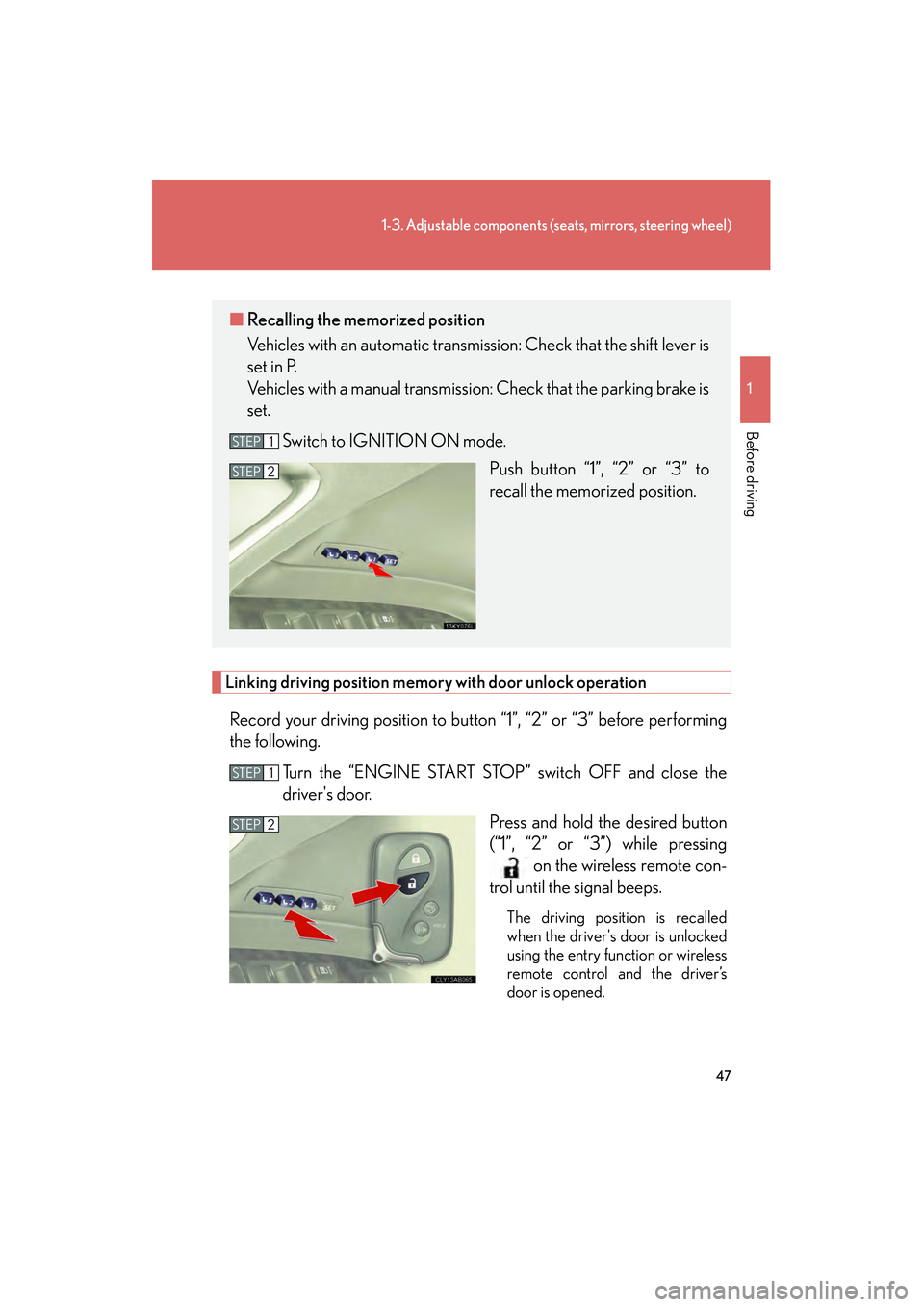
Linking driving position memory with door unlock operation
Record your driving position to button “1”, “2” or “3” before performing
the following.
Turn the “ENGINE START STOP” switch OFF and close the
driver's door. Press and hold the desired button
(“1”, “2” or “3”) while pressingon the wireless remote con-
trol until the signal beeps.
The driving position is recalled
when the driver's door is unlocked
using the entry function or wireless
remote control and the driver ’s
door is opened.
■ Recalling the memorized position
Vehicles with an automatic transmission: Check that the shift lever is
set in P.
Vehicles with a manual transmission: Check that the parking brake is
set.
Switch to IGNITION ON mode. Push button “1”, “2” or “3” to
recall the memorized position.
STEP1
STEP2
STEP1
STEP2
Page 50 of 462
49
1
1-3. Adjustable components (seats, mirrors, steering wheel)
Before driving
08_IS350/250_U_(L/O_0708)
Seat position memory (if equipped)
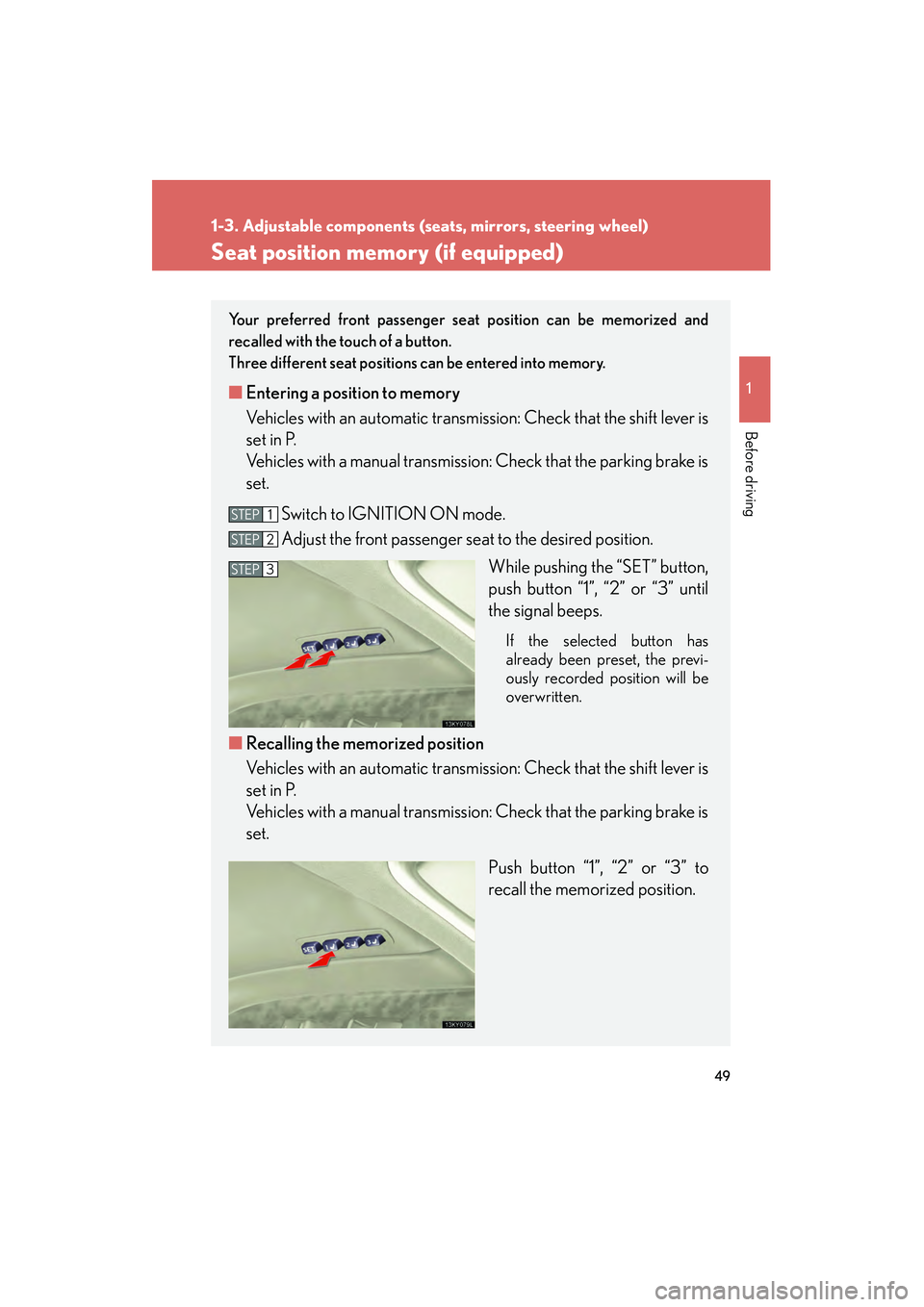
Your preferred front passenger seat position can be memorized and
recalled with the touch of a button.
Three different seat positions can be entered into memory.
■ Entering a position to memory
Vehicles with an automatic transmission: Check that the shift lever is
set in P.
Vehicles with a manual transmission: Check that the parking brake is
set.
Switch to IGNITION ON mode.
Adjust the front passenger seat to the desired position. While pushing the “SET” button,
push button “1”, “2” or “3” until
the signal beeps.
If the selected button has
already been preset, the previ-
ously recorded position will be
overwritten.
■Recalling the memorized position
Vehicles with an automatic transmission: Check that the shift lever is
set in P.
Vehicles with a manual transmission: Check that the parking brake is
set.
Push button “1”, “2” or “3” to
recall the memorized position.
STEP1
STEP2
STEP3
Page 108 of 462
When driving2
107
08_IS350/250_U_(L/O_0708)
2-1. Driving procedures ....... 108Driving the vehicle................. 108
Engine (ignition) switch .......... 117
Automatic Transmission ........ 122
Manual Transmission.............. 126
Turn signal lever ....................... 128
Parking brake ........................... 129
2-2. Instrument cluster ......... 130 Gauges and meters ................ 130
Indicators and warning lights ......................................... 136
Multi-information display ...................................... 139
2-3. Operating the lights and windshield wipers......... 143
Headlight switch...................... 143
Fog light switch ........................ 146
Windshield wipers and washer ..................................... 147
Headlight cleaner switch....... 151 2-4. Using other driving
systems .......................... 152
Cruise control.......................... 152
Dynamic radar cruise control ..................................... 155
Intuitive parking assist ........... 164
Driving assist systems ............ 170
PCS (Pre-Collision System) ........ 176
2-5. Driving information........ 179 Cargo and luggage ................. 179
Vehicle load limits ................... 182
Winter driving tips .................. 183
Trailer towing ........................... 187
Dinghy towing (vehicles with an automatic
transmission) ......................... 188
Dinghy towing (vehicles with a manual
transmission) ......................... 189
Page 109 of 462
108
08_IS350/250_U_(L/O_0708)
2-1. Driving procedures
Driving the vehicle
The following procedures should be observed to ensure safe driving.
■Starting the engine ( →P. 117)
■ Driving
Automatic transmission
With the brake pedal depressed, shift the shift lever to D. (→P. 122)
Release the parking brake. (→P. 1 2 9 )
Gradually release the brake pedal and gently push the accel-
erator pedal to accelerate the vehicle.
Manual transmission
With the clutch pedal fully depressed, shift the shift lever into 1. (→P. 1 2 6 )
Release the parking brake. (→P. 1 2 9 )
Gradually release the clutch pedal. At the same time, gently
depress the accelerator pedal to accelerate the vehicle.
■ Stopping
Automatic transmission
With the shift lever in D, push the brake pedal.
If necessary, set the parking brake.
When the vehicle is stopped for an extended period of time, shift the
shift lever to P or N. (
→P. 122)
Manual transmission
With the clutch pedal fully depressed, push the brake pedal.
If necessary, set the parking brake.
When the vehicle is stopped for an extended period of time, shift the
shift lever into N. (
→P. 1 2 6 )
STEP1
STEP2
STEP3
STEP1
STEP2
STEP3
STEP1
STEP2
STEP1
STEP2
Page 110 of 462

109
2-1. Driving procedures
2
When driving
08_IS350/250_U_(L/O_0708)
Starting on a steep uphillAutomatic transmission Firmly set the parking brake and shift the shift lever to D.
Gently depress the accelerator pedal.
Release the parking brake.
Manual transmission
With the parking brake firmly set and the clutch pedal fully
depressed, shift the shift lever into 1.
Lightly depress the accelerator pedal at the same time as gradu-
ally releasing the clutch pedal.
Release the parking brake.
■Parking the vehicle
Automatic transmission
With the shift lever in D, push the brake pedal.
Set the parking brake. (→P. 1 2 9 )
Shift the shift lever to P. (→ P. 122)
Press the “ENGINE START STOP” switch and stop the engine.
Lock the door, making sure that you have the electronic key on
your person.
Manual transmission
With the clutch pedal fully depressed, push the brake pedal.
Set the parking brake. (→P. 1 2 9 )
Shift the shift lever into N. (→P. 1 2 6 )
Press the “ENGINE START STOP” switch to stop the engine.
Lock the door, making sure that you have the electronic key on
your person.
STEP1
STEP2
STEP3
STEP4
STEP5
STEP1
STEP2
STEP3
STEP4
STEP5
STEP1
STEP2
STEP3
STEP1
STEP2
STEP3