change time Lexus IS250 2010 Navigation Manual
[x] Cancel search | Manufacturer: LEXUS, Model Year: 2010, Model line: IS250, Model: Lexus IS250 2010Pages: 391, PDF Size: 38.06 MB
Page 209 of 391
AUDIO/VIDEO SYSTEM
208
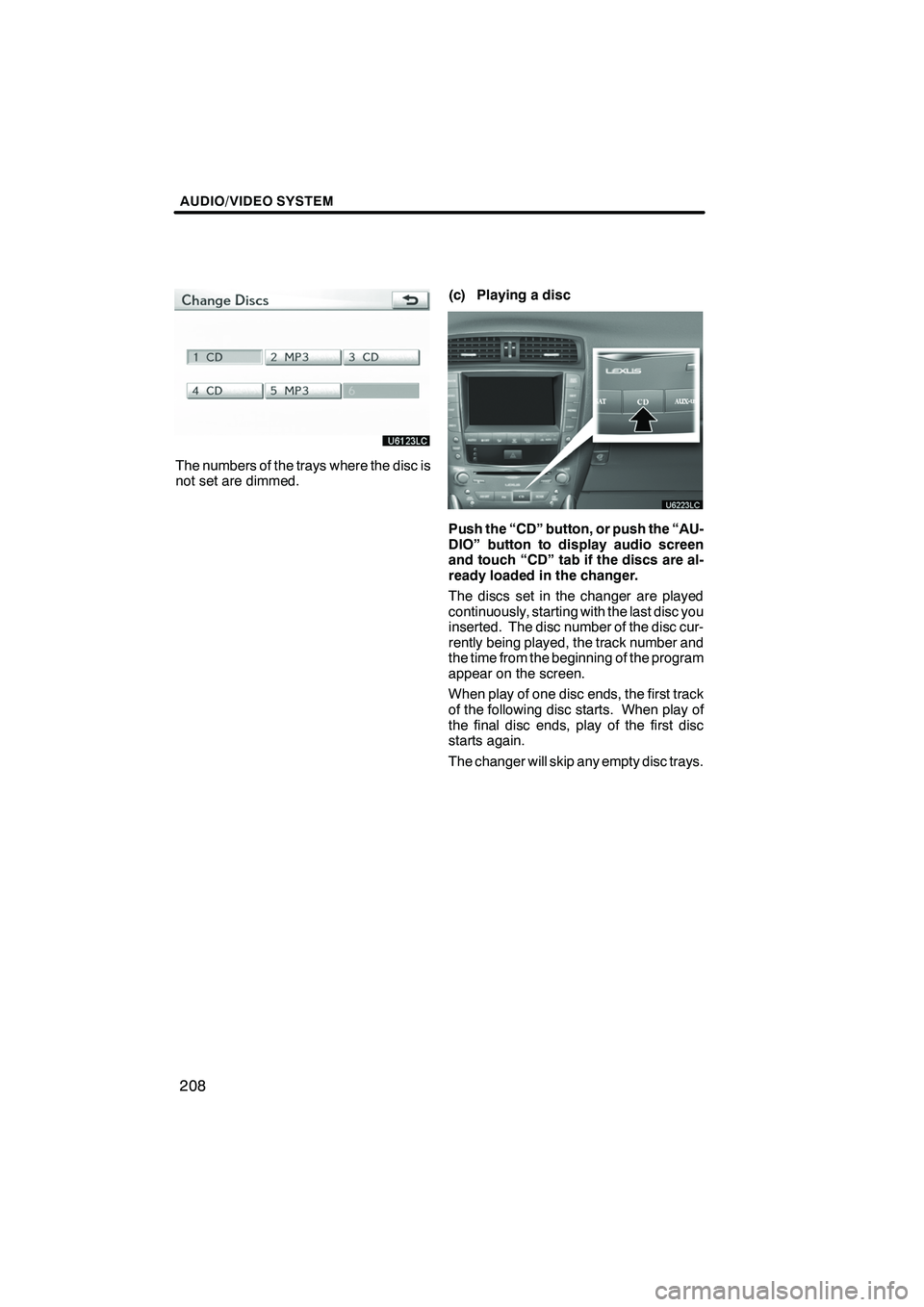
The numbers of the trays where the disc is
not set are dimmed.(c) Playing a disc
Push the “CD” button, or push the “AU-
DIO” button to display audio screen
and touch “CD” tab if the discs are al-
ready loaded in the changer.
The discs set in the changer are played
continuously, starting with the last disc you
inserted. The disc number of the disc cur-
rently being played, the track number and
the time from the beginning of the program
appear on the screen.
When play of one disc ends, the first track
of the following disc starts. When play of
the final disc ends, play of the first disc
starts again.
The changer will skip any empty disc trays.
ISF/IS NAVI (U)
Finish
Page 212 of 391
AUDIO/VIDEO SYSTEM
211
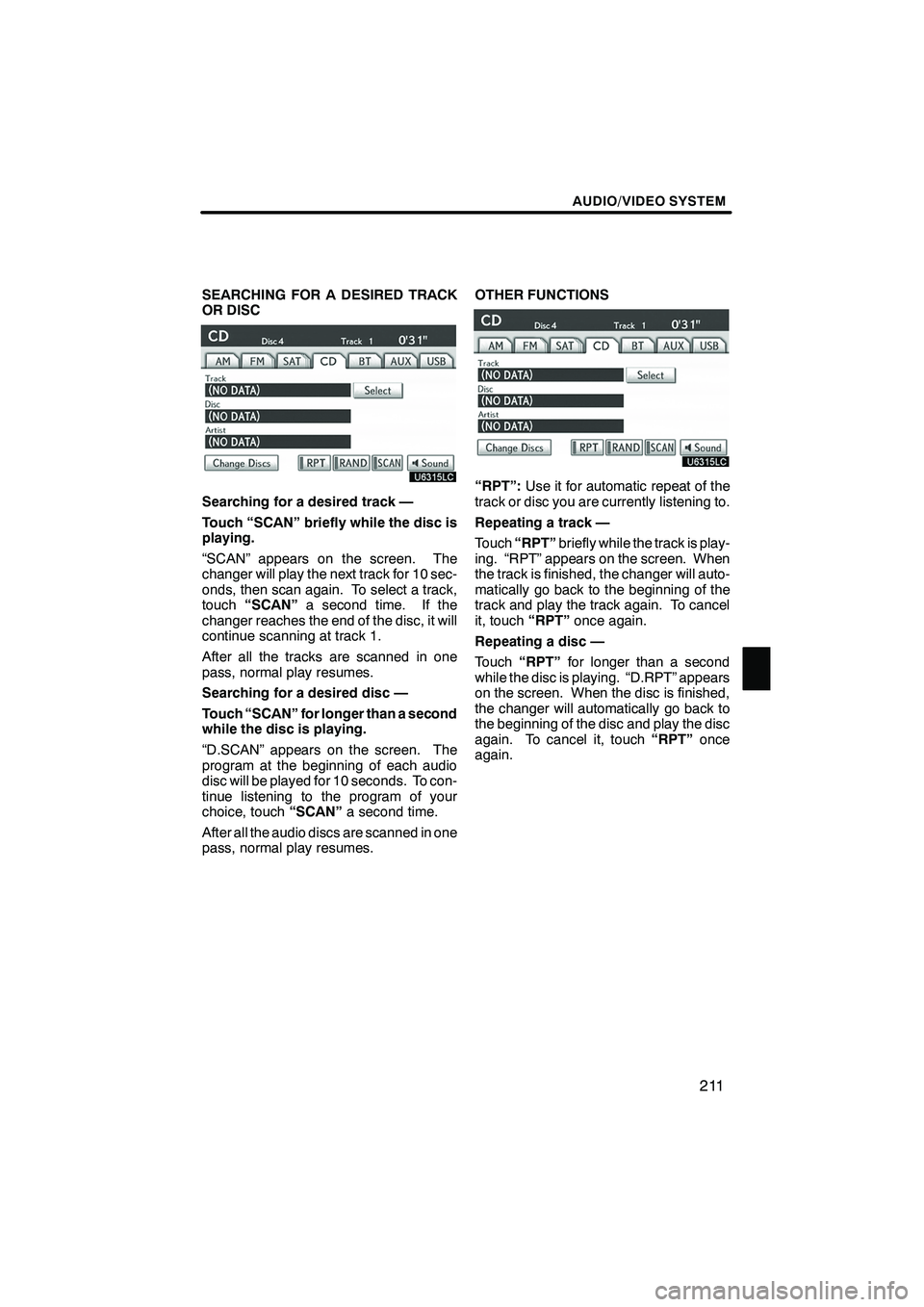
SEARCHING FOR A DESIRED TRACK
OR DISC
Searching for a desired track —
Touch “SCAN” briefly while the disc is
playing.
“SCAN” appears on the screen. The
changer will play the next track for 10 sec-
onds, then scan again. To select a track,
touch“SCAN” a second time. If the
changer reaches the end of the disc, it will
continue scanning at track 1.
After all the tracks are scanned in one
pass, normal play resumes.
Searching for a desired disc —
Touch “SCAN” for longer than a second
while the disc is playing.
“D.SCAN” appears on the screen. The
program at the beginning of each audio
disc will be played for 10 seconds. To con-
tinue listening to the program of your
choice, touch “SCAN”a second time.
After all the audio discs are scanned in one
pass, normal play resumes. OTHER FUNCTIONS“RPT”:
Use it for automatic repeat of the
track or disc you are currently listening to.
Repeating a track —
Touch “RPT” briefly while the track is play-
ing. “RPT” appears on the screen. When
the track is finished, the changer will auto-
matically go back to the beginning of the
track and play the track again. To cancel
it, touch “RPT”once again.
Repeating a disc —
Touch “RPT” for longer than a second
while the disc is playing. “D.RPT” appears
on the screen. When the disc is finished,
the changer will automatically go back to
the beginning of the disc and play the disc
again. To cancel it, touch “RPT”once
again.
ISF/IS NAVI (U)
Finish
7
Page 216 of 391
AUDIO/VIDEO SYSTEM
215
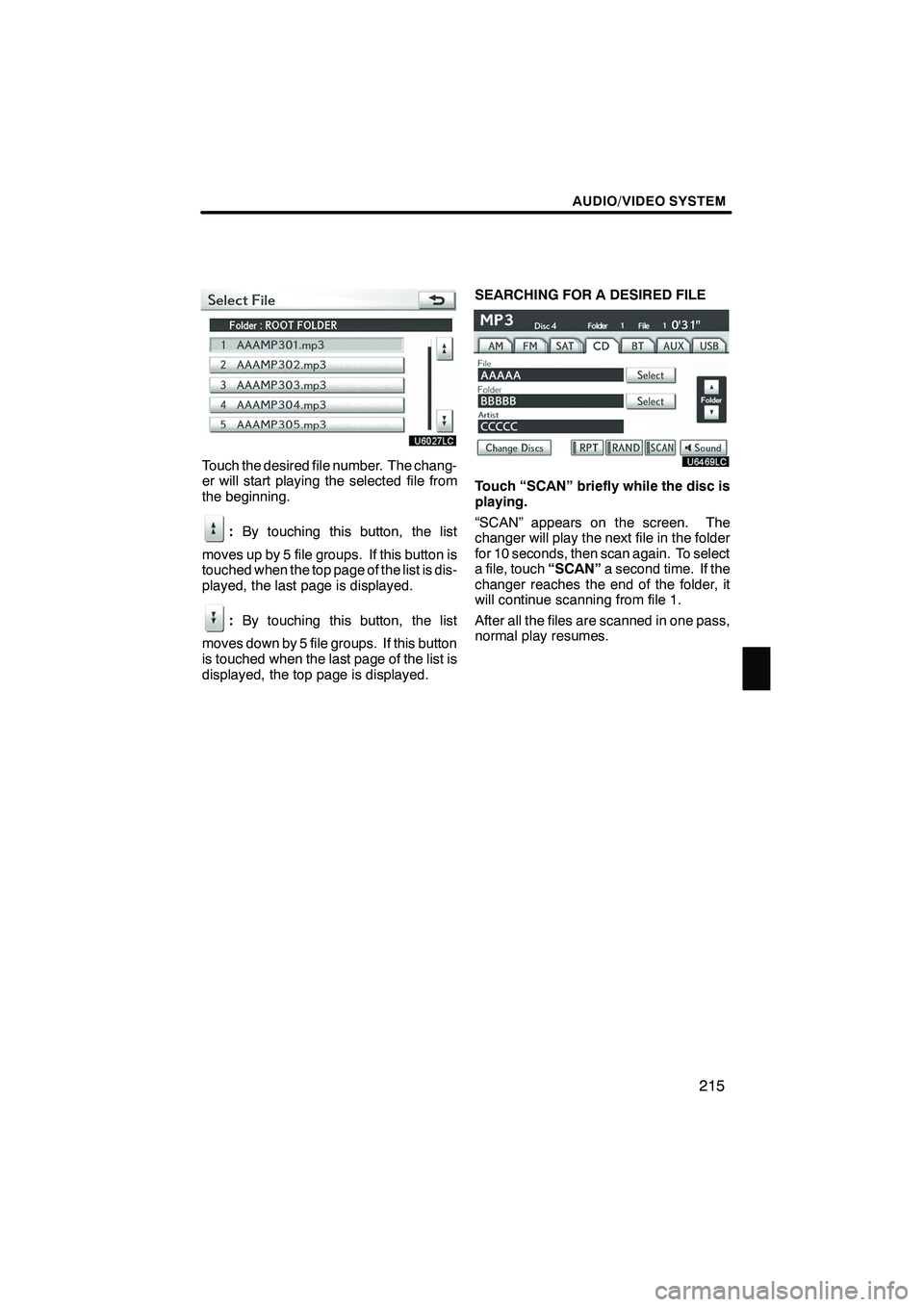
Touch the desired file number. The chang-
er will start playing the selected file from
the beginning.
:By touching this button, the list
moves up by 5 file groups. If this button is
touched when the top page of the list is dis-
played, the last page is displayed.
: By touching this button, the list
moves down by 5 file groups. If this button
is touched when the last page of the list is
displayed, the top page is displayed. SEARCHING FOR A DESIRED FILE
Touch “SCAN” briefly while the disc is
playing.
“SCAN” appears on the screen. The
changer will play the next file in the folder
for 10 seconds, then scan again. To select
a file, touch
“SCAN”a second time. If the
changer reaches the end of the folder, it
will continue scanning from file 1.
After all the files are scanned in one pass,
normal play resumes.
ISF/IS NAVI (U)
Finish
7
Page 217 of 391

AUDIO/VIDEO SYSTEM
216
SEARCHING FOR A DESIRED FOLDER
Touch “SCAN” for longer than a second
while the disc is playing.
“FLD.SCAN” appears on the screen. The
program at the beginning of each folder will
be played for 10 seconds. To continue lis-
tening to the program of your choice, touch
“SCAN”a second time.
After all the folders are scanned in one
pass, normal play resumes. OTHER FUNCTIONS“RPT”:
Use it for automatic repeat of the
file or folder you are currently listening to.
Repeating a file —
Touch “RPT” briefly while the file is play-
ing. “RPT” appears on the screen. When
the file is finished, the changer will auto-
matically go back to the beginning of the
file and play the file again. To cancel it,
touch “RPT” once again.
Repeating a folder —
Touch “RPT” for longer than a second
while the folder is playing. “FLD.RPT” ap-
pears on the screen. When the folder is
finished, the changer will automatically go
back to the beginning of the folder and play
the folder again. To cancel it, touch “RPT”
once again.
ISF/IS NAVI (U)
Finish
Page 222 of 391
AUDIO/VIDEO SYSTEM
221
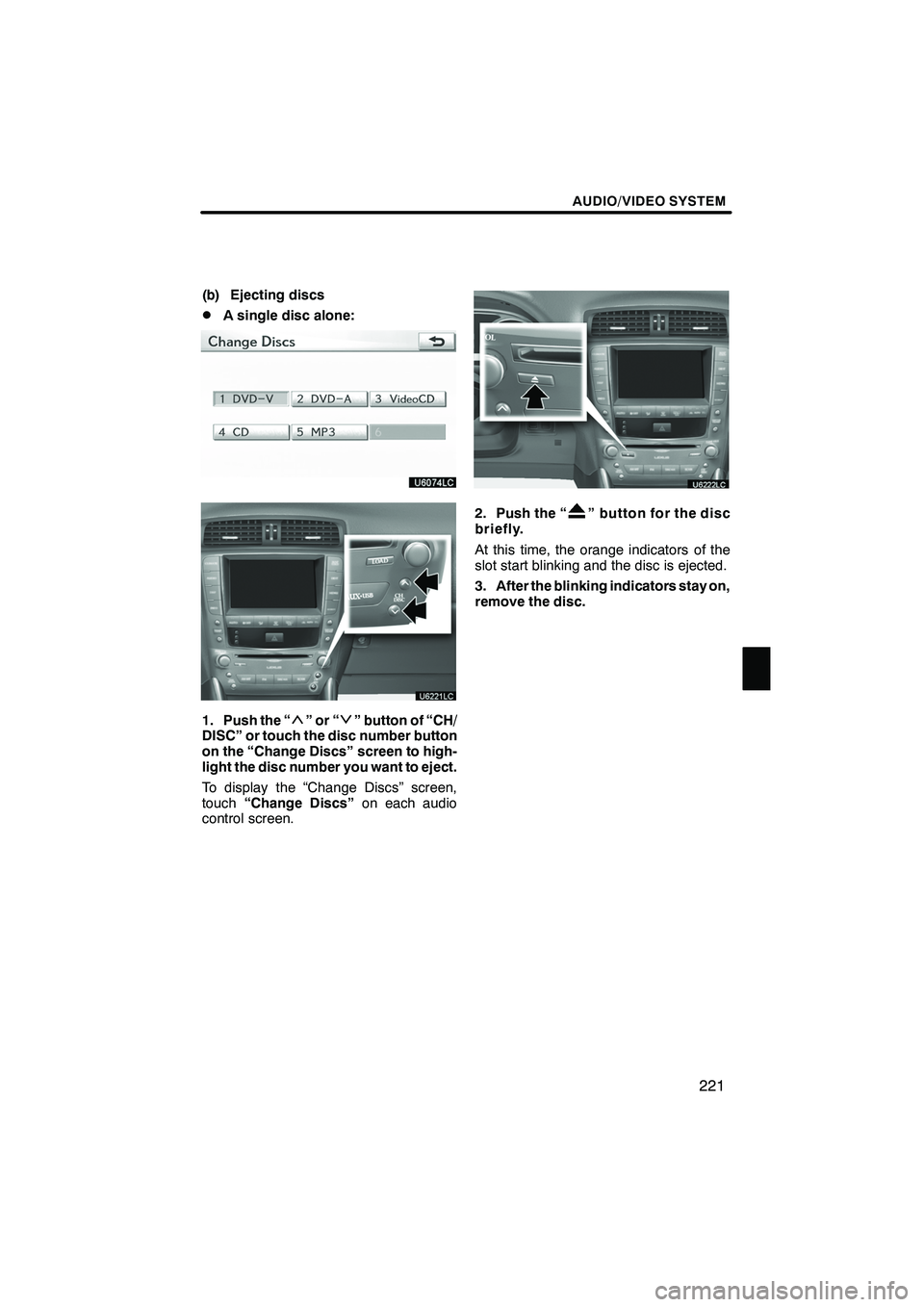
(b) Ejecting discs
DA single disc alone:
1. Push the “”or“” button of “CH/
DISC” or touch the disc number button
on the “Change Discs” screen to high-
light the disc number you want to eject.
To display the “Change Discs” screen,
touch “Change Discs” on each audio
control screen.
2. Push the “” button for the disc
briefly.
At this time, the orange indicators of the
slot start blinking and the disc is ejected.
3. After the blinking indicators stay on,
remove the disc.
ISF/IS NAVI (U)
Finish
7
Page 224 of 391
AUDIO/VIDEO SYSTEM
223
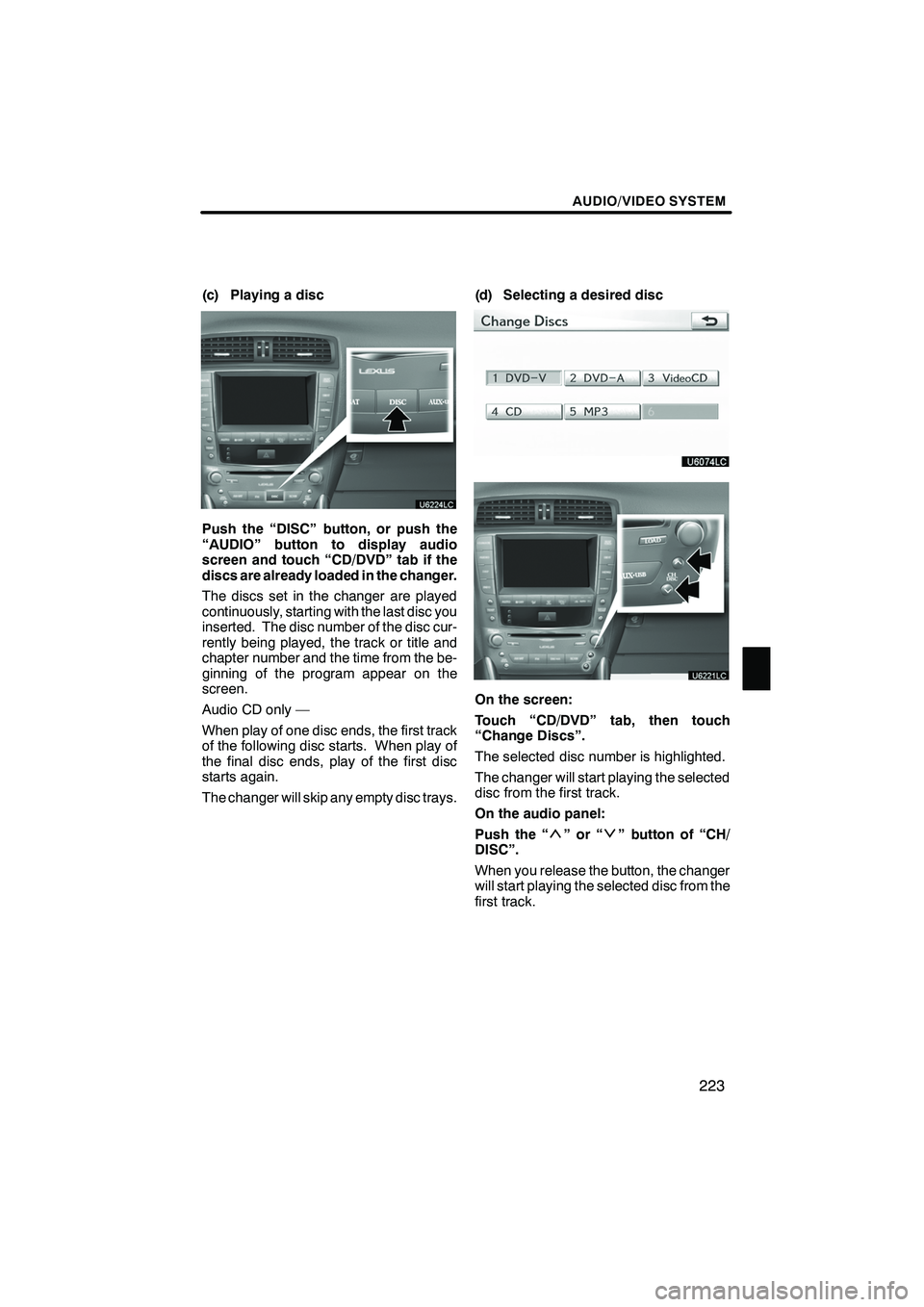
(c) Playing a disc
Push the “DISC” button, or push the
“AUDIO” button to display audio
screen and touch “CD/DVD” tab if the
discs are already loaded in the changer.
The discs set in the changer are played
continuously, starting with the last disc you
inserted. The disc number of the disc cur-
rently being played, the track or title and
chapter number and the time from the be-
ginning of the program appear on the
screen.
Audio CD only —
When play of one disc ends, the first track
of the following disc starts. When play of
the final disc ends, play of the first disc
starts again.
The changer will skip any empty disc trays.(d) Selecting a desired disc
On the screen:
Touch “CD/DVD” tab, then touch
“Change Discs”.
The selected disc number is highlighted.
The changer will start playing the selected
disc from the first track.
On the audio panel:
Push the “
”or“” button of “CH/
DISC”.
When you release the button, the changer
will start playing the selected disc from the
first track.
ISF/IS NAVI (U)
Finish
7
Page 225 of 391
AUDIO/VIDEO SYSTEM
224
(e) Operating a DVD disc
NOTE: The playback condition of some
DVD discs may be determined by a DVD
software producer. This DVD changer
plays a disc as the software producer
intended. So some functions may not
work properly. Be sure to read the
instruction manual for the DVD disc
separately provided. For the detailed
information about DVD video discs, see
“(h) DVD player and DVD video disc
information” on page 241.
Precautions on DVD video disc
When recording with a DVD video or video
CD, audio tracks may not record in some
cases while the menu is displayed. As au-
dio will not play in this case, verify that the
video tracks are playing and then activate
playback.
When playback of a disc is completed:
DIf an audio CD or MP3 disc is playing,
the first track or file starts.
DIf a DVD video or video CD is playing,
playback will stop or the menu screen
will be displayed.
The title/chapter number and playback
time display may not appear while playing
back certain DVD video discs.
CAUTION
Conversational speech on some
DVDs is recorded at a low volume to
emphasize the impact of sound ef-
fects. If you adjust the volume as-
suming that the conversations repre-
sent the maximum volume level that
the DVD will play, you may be startled
by louder sound effects or when you
change to a different audio source.
The louder sounds may have a signif-
icant impact on the human body or
pose a driving hazard. Keep this in
mind when you adjust the volume.
ISF/IS NAVI (U)
Finish
Page 232 of 391
AUDIO/VIDEO SYSTEM
231
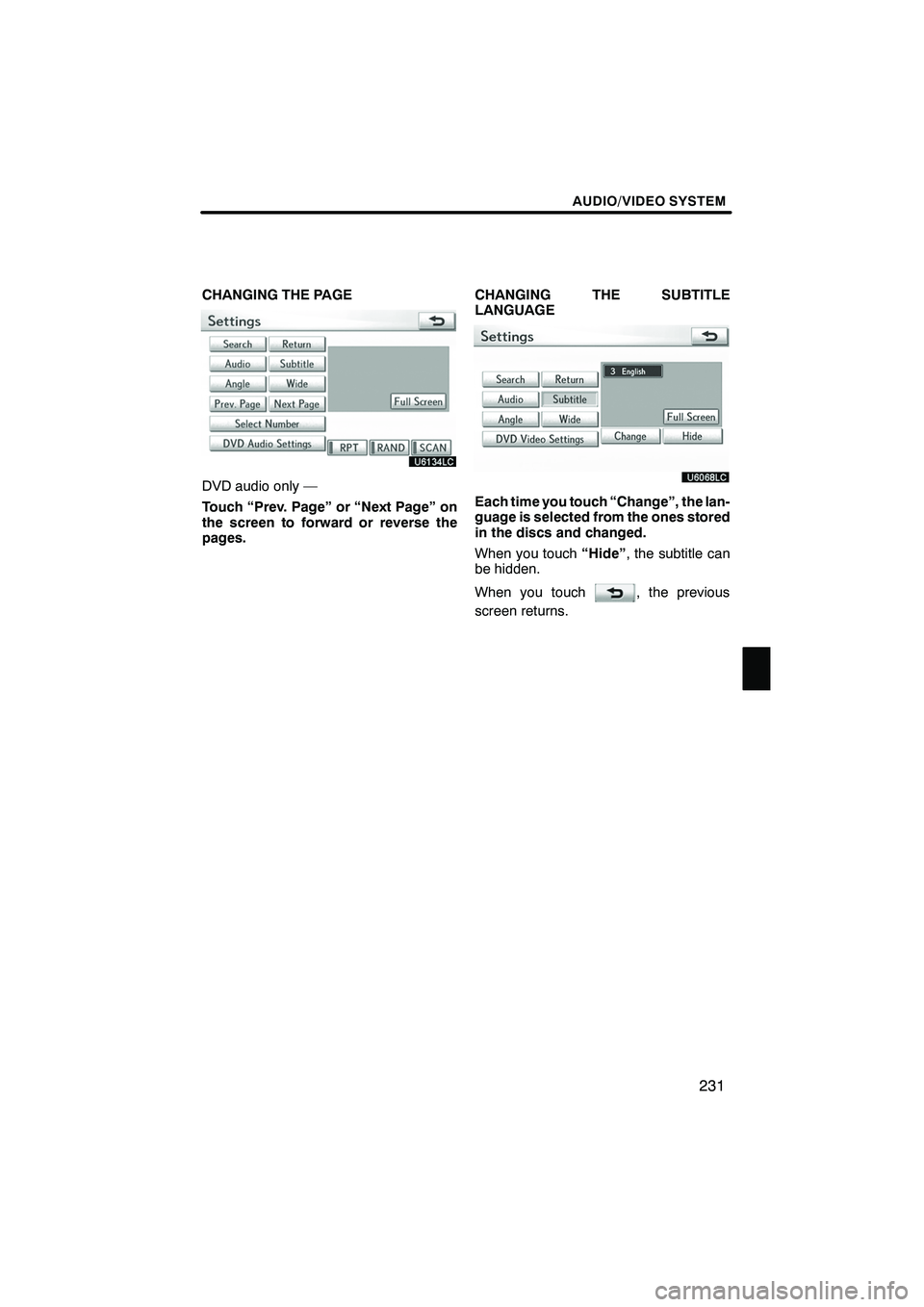
CHANGING THE PAGE
DVD audio only —
Touch “Prev. Page” or “Next Page” on
the screen to forward or reverse the
pages.CHANGING THE SUBTITLE
LANGUAGEEach time you touch “Change”, the lan-
guage is selected from the ones stored
in the discs and changed.
When you touch
“Hide”, the subtitle can
be hidden.
When you touch
, the previous
screen returns.
ISF/IS NAVI (U)
Finish
7
Page 233 of 391
AUDIO/VIDEO SYSTEM
232
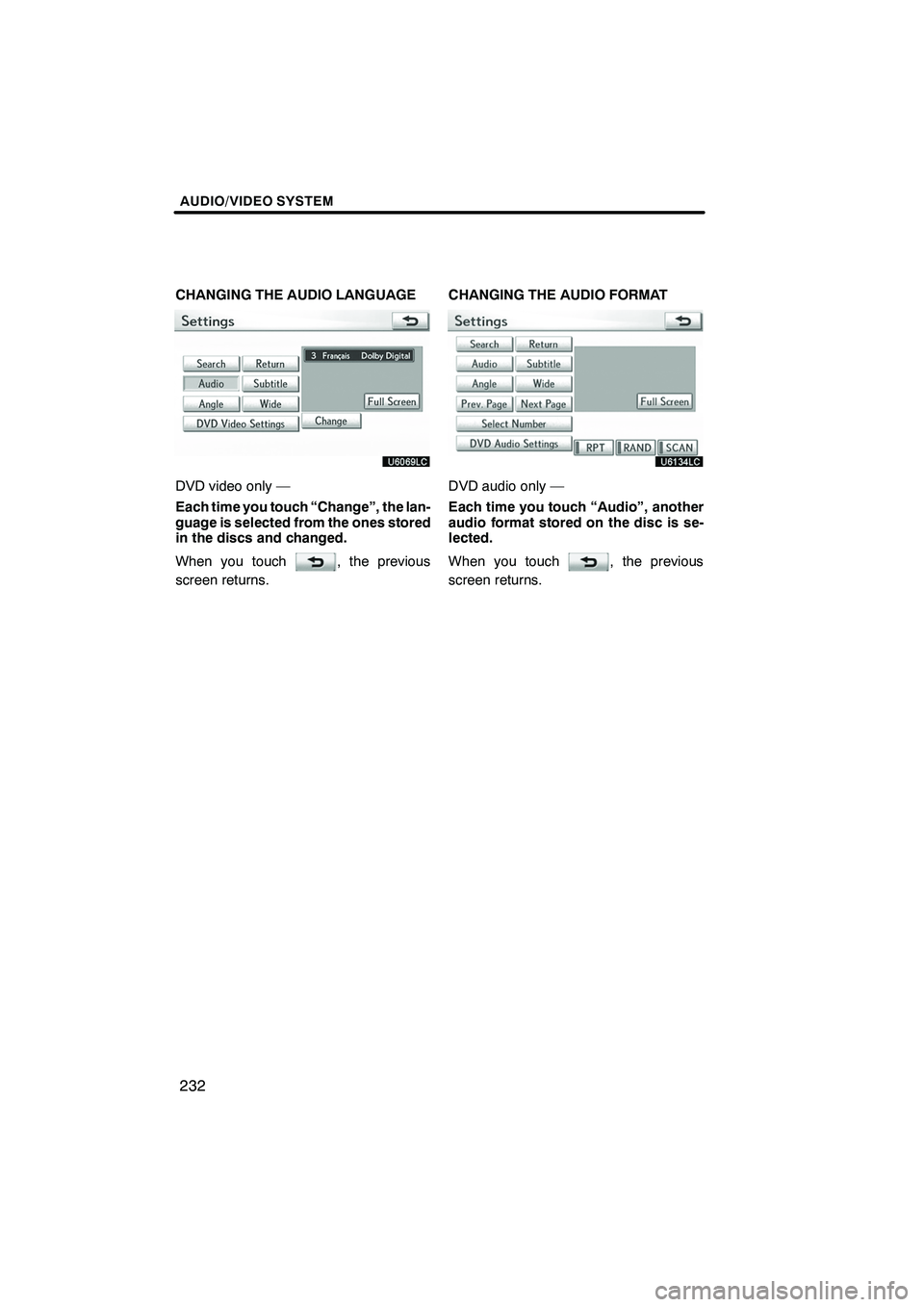
CHANGING THE AUDIO LANGUAGE
DVD video only —
Each time you touch “Change”, the lan-
guage is selected from the ones stored
in the discs and changed.
When you touch
, the previous
screen returns. CHANGING THE AUDIO FORMAT
DVD audio only —
Each time you touch “Audio”, another
audio format stored on the disc is se-
lected.
When you touch
, the previous
screen returns.
ISF/IS NAVI (U)
Finish
Page 234 of 391

AUDIO/VIDEO SYSTEM
233
CHANGING THE ANGLE
The angle can be selected for discs that
are multi−angle compatible when the
angle mark appears on the screen.
Each time you touch “Change”, the
angle is selected from the ones stored
in the discs and changed.
When you touch
, and the previous
screen returns. SETUP MENU
There are initial setting buttons on the
“Setup Menu” screen.
After you change the initial setting, touch
. The initial setting screen will be
turned off and return to the picture
previously.
When “Default” is touched, all menus are
initialized.
The initial setting can be changed.
ISF/IS NAVI (U)
Finish
7