unlock Lexus IS250 2010 User Guide
[x] Cancel search | Manufacturer: LEXUS, Model Year: 2010, Model line: IS250, Model: Lexus IS250 2010Pages: 578, PDF Size: 30.78 MB
Page 42 of 578
41
1-2. Opening, closing and locking the doors and trunk
1
Before driving
IS350/250_U
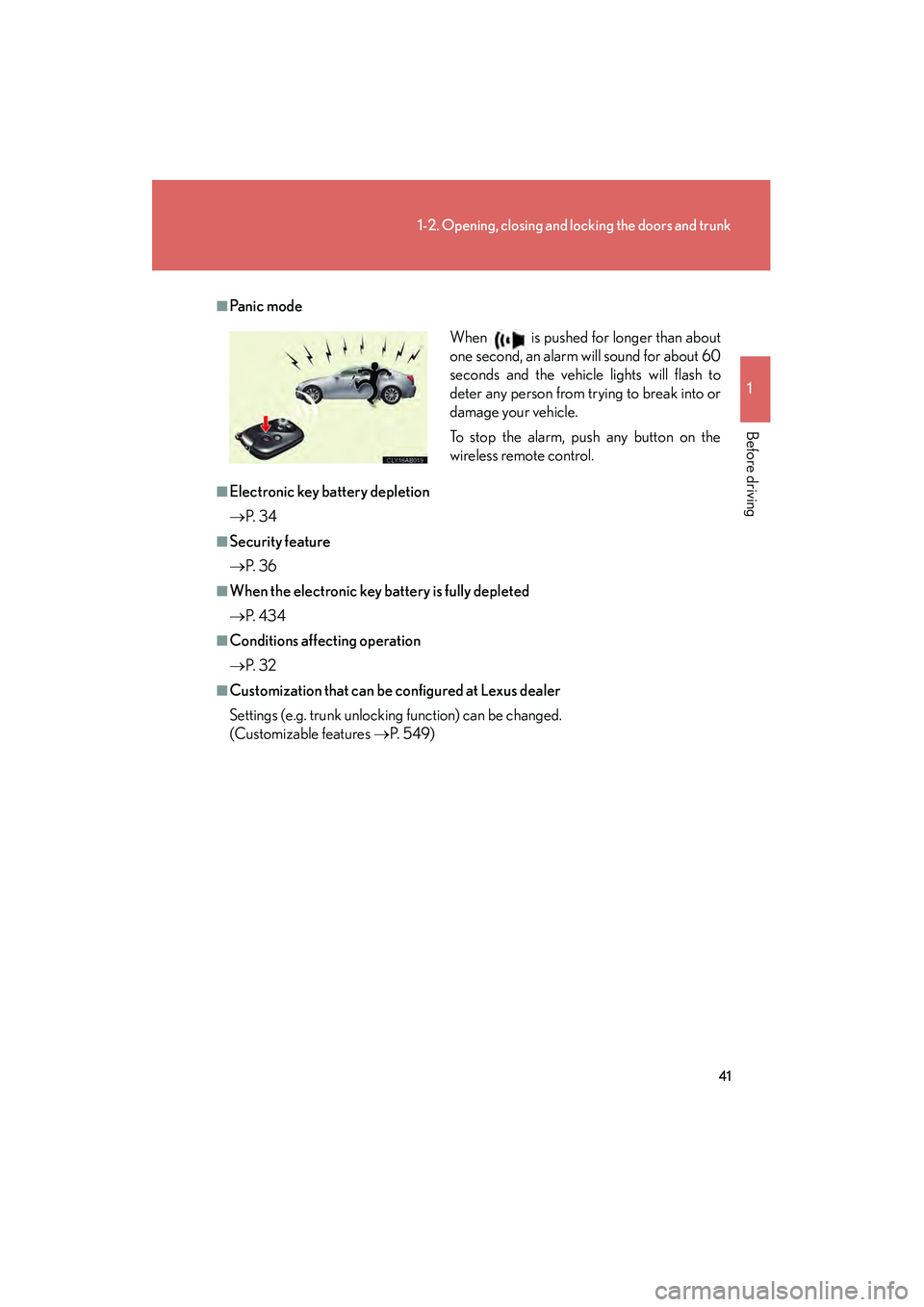
■Pa n i c m o d e
■Electronic key battery depletion
→P. 3 4
■Security feature
→P. 3 6
■When the electronic key battery is fully depleted
→P. 4 3 4
■Conditions affecting operation
→P. 3 2
■Customization that can be configured at Lexus dealer
Settings (e.g. trunk unlocking function) can be changed.
(Customizable features →P. 5 4 9 ) When is pushed for longer than about
one second, an alarm will sound for about 60
seconds and the vehicle lights will flash to
deter any person from trying to break into or
damage your vehicle.
To stop the alarm, push any button on the
wireless remote control.
Page 44 of 578
43
1
1-2. Opening, closing and locking the doors and trunk
Before driving
IS350/250_U
Doors
The vehicle can be locked and unlocked using the entry function, wireless
remote control or door lock switch.
■Entry function
→ P. 2 9
■ Wireless remote control
→ P. 4 0
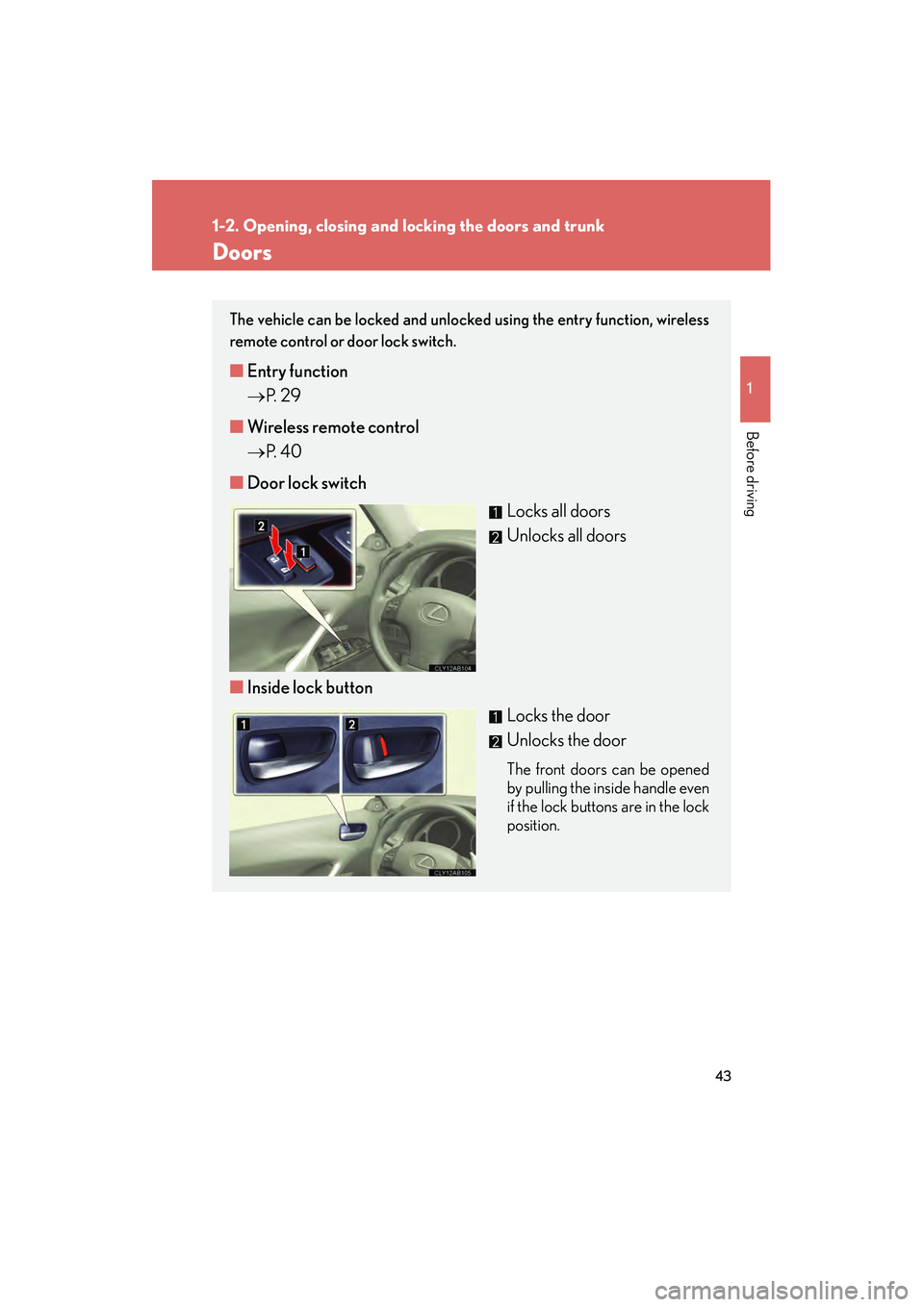
■ Door lock switch
Locks all doors
Unlocks all doors
■ Inside lock button
Locks the door
Unlocks the door
The front doors can be opened
by pulling the inside handle even
if the lock buttons are in the lock
position.
Page 45 of 578
44
1-2. Opening, closing and locking the doors and trunk
IS350/250_U
Locking the front doors from the outside without a key
The door cannot be locked if the “ENGINE START STOP” switch is in
ACCESSORY or IGNITION ON mode, or the electronic key is left
inside the vehicle.
Depending on the position of the electronic key, the key may not be detected
correctly and the door may be locked.
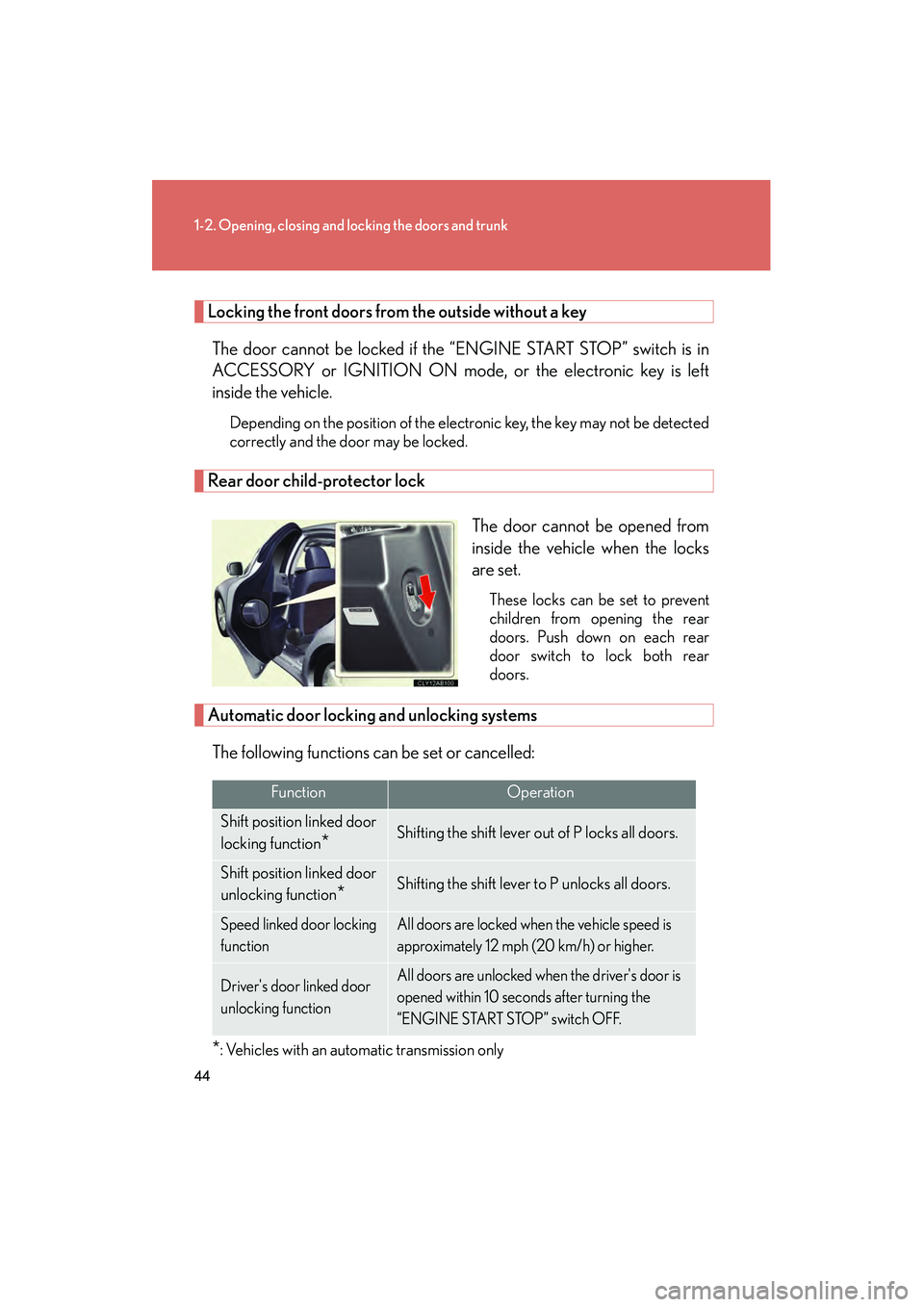
Rear door child-protector lock
The door cannot be opened from
inside the vehicle when the locks
are set.
These locks can be set to prevent
children from opening the rear
doors. Push down on each rear
door switch to lock both rear
doors.
Automatic door locking and unlocking systems
The following functions can be set or cancelled:
*: Vehicles with an automatic transmission only
FunctionOperation
Shift position linked door
locking function
*Shifting the shift lever out of P locks all doors.
Shift position linked door
unlocking function
*Shifting the shift lever to P unlocks all doors.
Speed linked door locking
functionAll doors are locked when the vehicle speed is
approximately 12 mph (20 km/h) or higher.
Driver's door linked door
unlocking functionAll doors are unlocked when the driver's door is
opened within 10 seconds after turning the
“ENGINE START STOP” switch OFF.
Page 46 of 578
45
1-2. Opening, closing and locking the doors and trunk
1
Before driving
IS350/250_U■
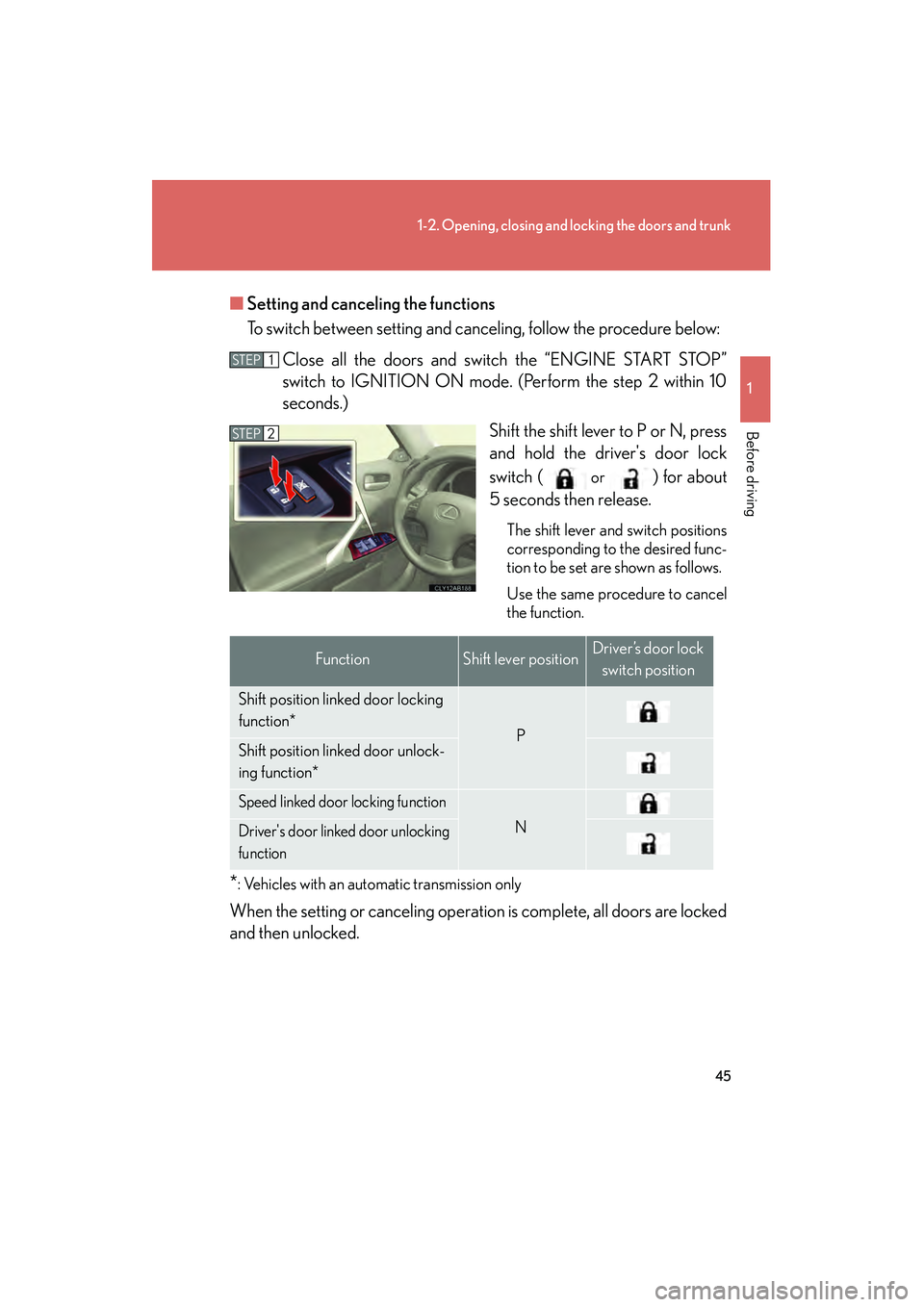
Setting and canceling the functions
To switch between setting and canceling, follow the procedure below:
Close all the doors and switch the “ENGINE START STOP”
switch to IGNITION ON mode. (Perform the step 2 within 10
seconds.) Shift the shift lever to P or N, press
and hold the driver's door lock
switch (
or ) for about
5 seconds then release.
The shift lever and switch positions
corresponding to the desired func-
tion to be set are shown as follows.
Use the same procedure to cancel
the function.
*: Vehicles with an automatic transmission only
When the setting or canceling operation is complete, all doors are locked
and then unlocked.
STEP1
STEP2
FunctionShift lever positionDriver’s door lock
switch position
Shift position linked door locking
function*
PShift position linked door unlock-
ing function*
Speed linked door locking function
NDriver's door linked door unlocking
function
Page 47 of 578
46
1-2. Opening, closing and locking the doors and trunk
IS350/250_U
■Impact detection door lock release system
In the event that the vehicle is subject to a strong impact, all the doors are unlocked.
Depending on the force of the impact or the type of accident, however, the system
may not operate.
■Using the mechanical key
The doors can also be locked and unlocked with the mechanical key. (→P. 5 0 5 )
■Customization that can be configured at Lexus dealer
Settings (e.g. unlocking function using a key) can be changed.
(Customizable features →P. 5 4 9 )
CAUTION
■To prevent an accident
Observe the following precautions while driving the vehicle.
Failing to do so may result in a door opening and an occupant falling out, resulting in
death or serious injury.
●Always use a seat belt.
●Always lock all doors.
●Ensure that all doors are properly closed.
●Do not pull the inside handle of the doors while driving.
The doors may be opened and the passengers are thrown out of the vehicle and it
may result in serious injury or death.
Be especially careful for the front doors, the doors may be opened even if the
inside lock buttons are in locked position.
●Set the rear door child protector locks when children are seated in the rear seat.
Page 54 of 578
53
1
1-3. Adjustable components (seats, mirrors, steering wheel)
Before driving
IS350/250_U
Driving position memory (driver’s seat)∗
Your preferred driving position (the position of the driver's seat, steering
wheel and outside rear view mirrors) can be memorized and recalled with
the touch of a button. It is also possible to set this function to activate auto-
matically when the doors are unlocked.
Three different driving positions can be entered into memory.
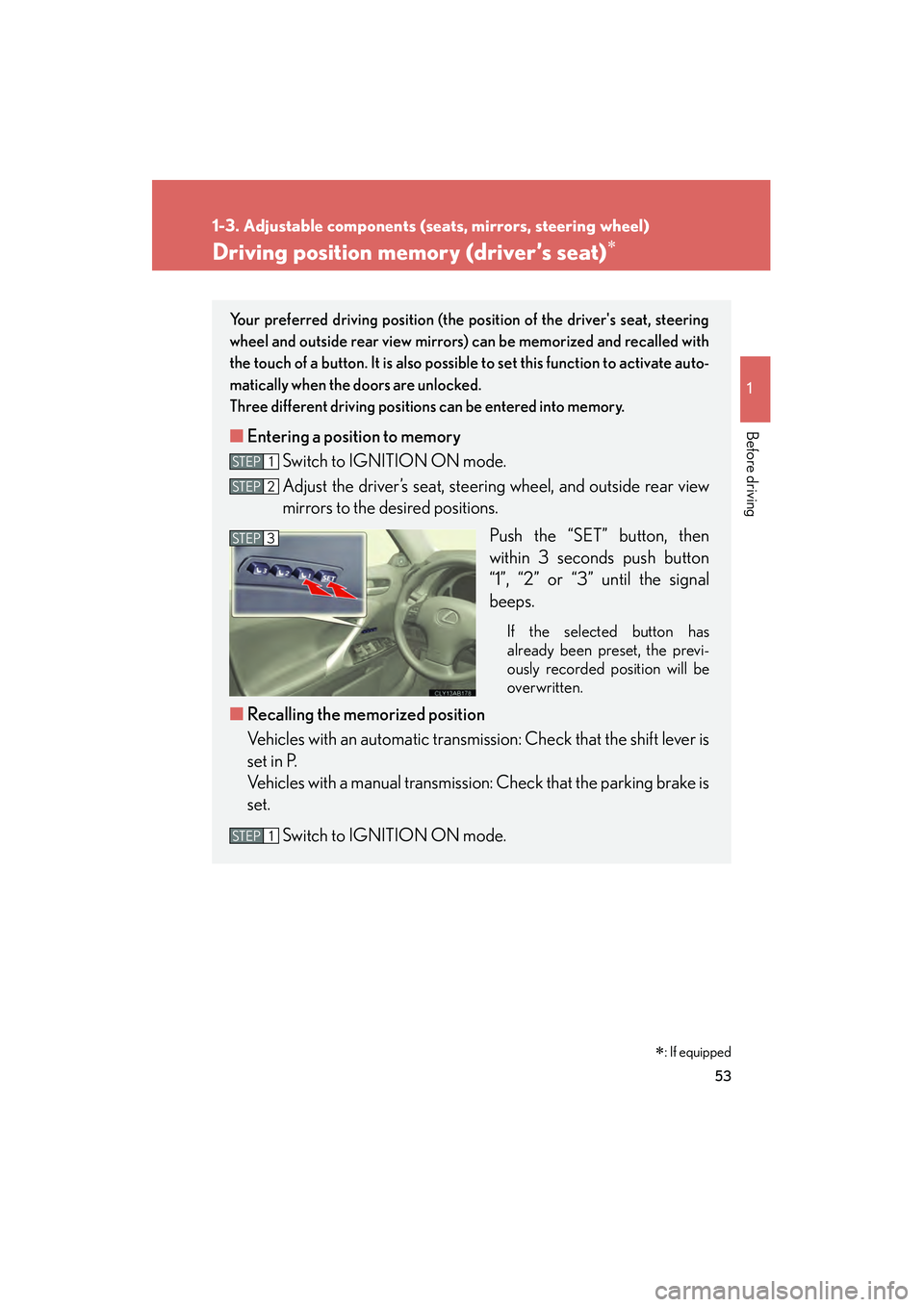
■ Entering a position to memory
Switch to IGNITION ON mode.
Adjust the driver’s seat, steering wheel, and outside rear view
mirrors to the desired positions.
Push the “SET” button, then
within 3 seconds push button
“1”, “2” or “3” until the signal
beeps.
If the selected button has
already been preset, the previ-
ously recorded position will be
overwritten.
■Recalling the memorized position
Vehicles with an automatic transmission: Check that the shift lever is
set in P.
Vehicles with a manual transmission: Check that the parking brake is
set.
Switch to IGNITION ON mode.
STEP1
STEP2
STEP3
STEP1
∗: If equipped
Page 55 of 578
54
1-3. Adjustable components (seats, mirrors, steering wheel)
IS350/250_U
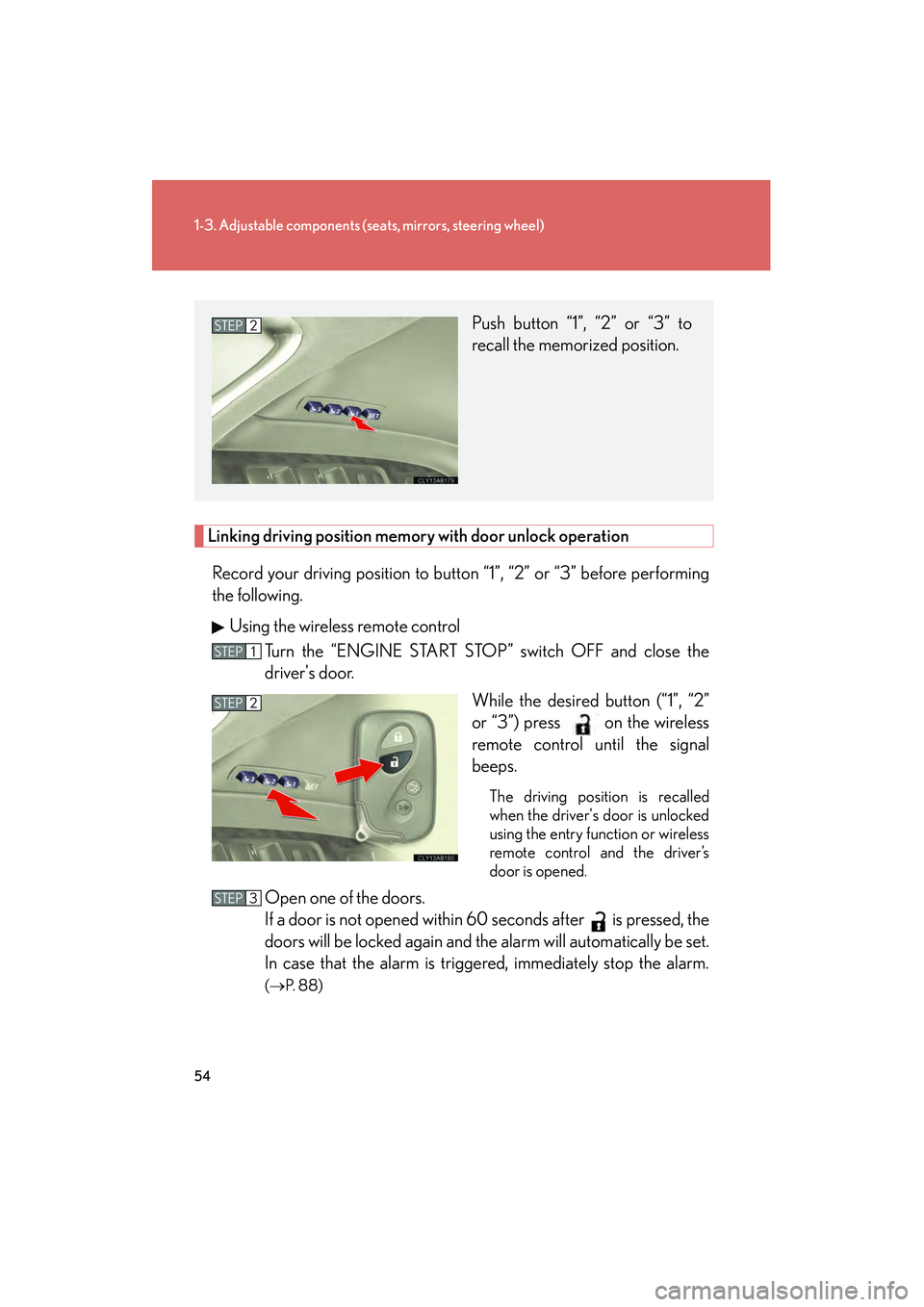
Linking driving position memory with door unlock operation
Record your driving position to button “1”, “2” or “3” before performing
the following. Using the wireless remote control Turn the “ENGINE START STOP” switch OFF and close the
driver's door.
While the desired button (“1”, “2”
or “3”) press on the wireless
remote control until the signal
beeps.
The driving position is recalled
when the driver's door is unlocked
using the entry function or wireless
remote control and the driver’s
door is opened.
Open one of the doors.
If a door is not opened within 60 seconds after is pressed, the
doors will be locked again and the alarm will automatically be set.
In case that the alarm is triggered, immediately stop the alarm.
(→ P. 88)
Push button “1”, “2” or “3” to
recall the memorized position. STEP2
STEP1
STEP2
STEP3
Page 56 of 578
55
1-3. Adjustable components (seats, mirrors, steering wheel)
1
Before driving
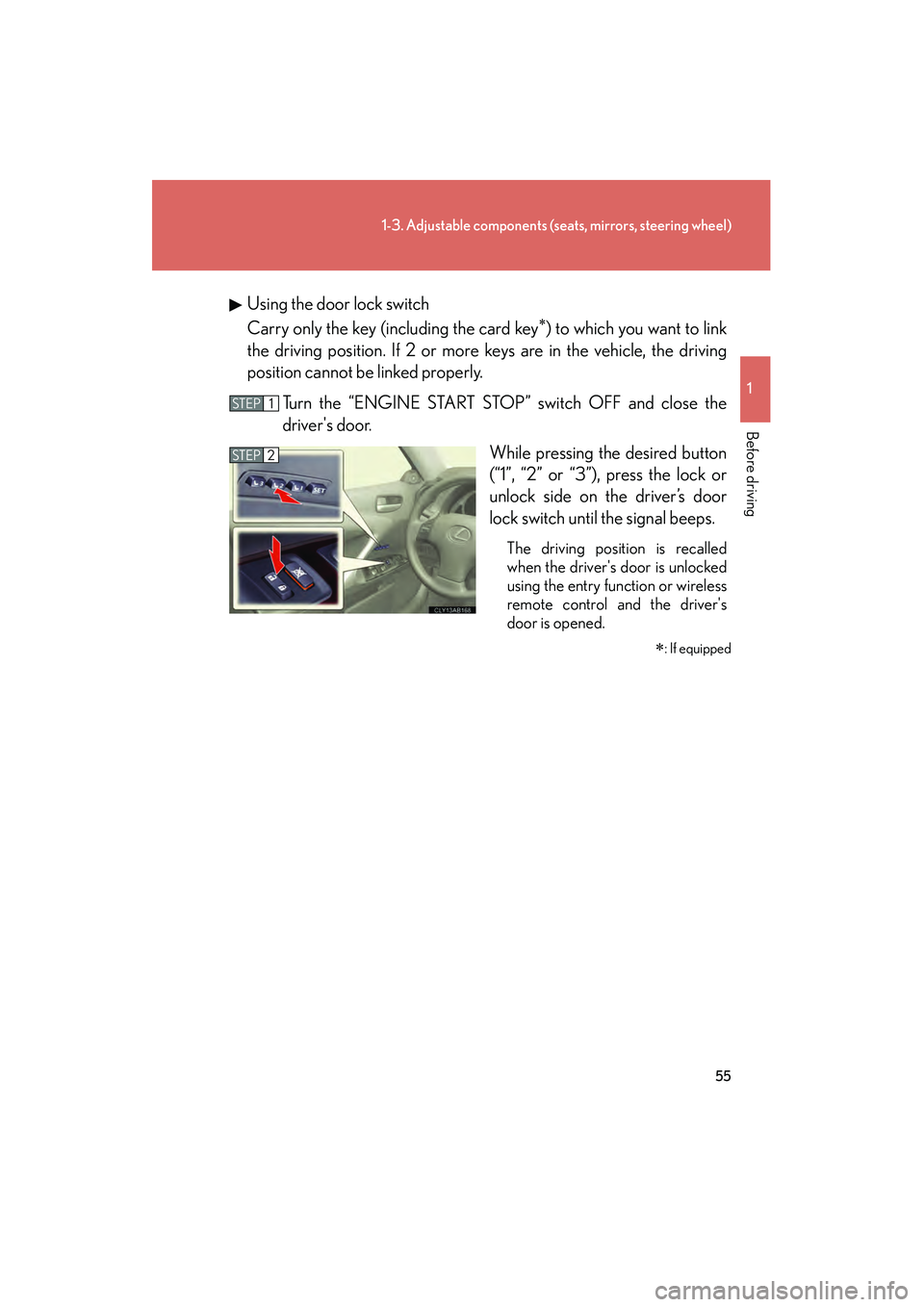
IS350/250_UUsing the door lock switch
Carry only the key (including the card key
∗) to which you want to link
the driving position. If 2 or more keys are in the vehicle, the driving
position cannot be linked properly.
Turn the “ENGINE START STOP” switch OFF and close the
driver's door. While pressing the desired button
(“1”, “2” or “3”), press the lock or
unlock side on the driver’s door
lock switch until the signal beeps.
The driving position is recalled
when the driver's door is unlocked
using the entry function or wireless
remote control and the driver's
door is opened.
∗: If equipped
STEP1
STEP2
Page 57 of 578
56
1-3. Adjustable components (seats, mirrors, steering wheel)
IS350/250_U
■Canceling the linked door unlock operation
Turn the “ENGINE START STOP” switch OFF and close the driver's door.
Using the wireless remote control: While pushing the “SET” button, press on the wireless remote control until the signal beeps.
Using the door lock switch: While pr essing the “SET” button, press the
lock or unlock side on the door lock switch until the signal beeps.
■Operating the driving position memory after turning the “ENGINE START
STOP” switch OFF
Memorized positions (except for the steering wheel position) can be activated up
to 180 seconds after the driver's door is opened and another 60 seconds after it is
closed again, even after turning the “ENGINE START STOP” switch OFF.
■To cancel seat position recall
Perform any of the following operations.
●Push the “SET” button.
●Push button “1”, “2” or “3”.
●Adjust the seat using the switches (only cancels seat position recall).
■If the battery is disconnected
The memorized positions are erased when the battery is disconnected.
CAUTION
■Seat adjustment caution
Take care during seat adjustment that the seat does not strike the rear passenger or
squeeze your body against the steering wheel.
STEP1
STEP2
Page 89 of 578
88
1-6. Theft deterrent system
IS350/250_U
Alarm
The system sounds the alarm and flashes the lights when forcible entry is
detected.
■Triggering of the alarm
The alarm is triggered in the following situations.
● A locked door or trunk is unlocked or opened in any way other
than using the entry function, wireless remote door lock function
or mechanical key with the alarm being set.
● The hood is opened with the alarm being set.
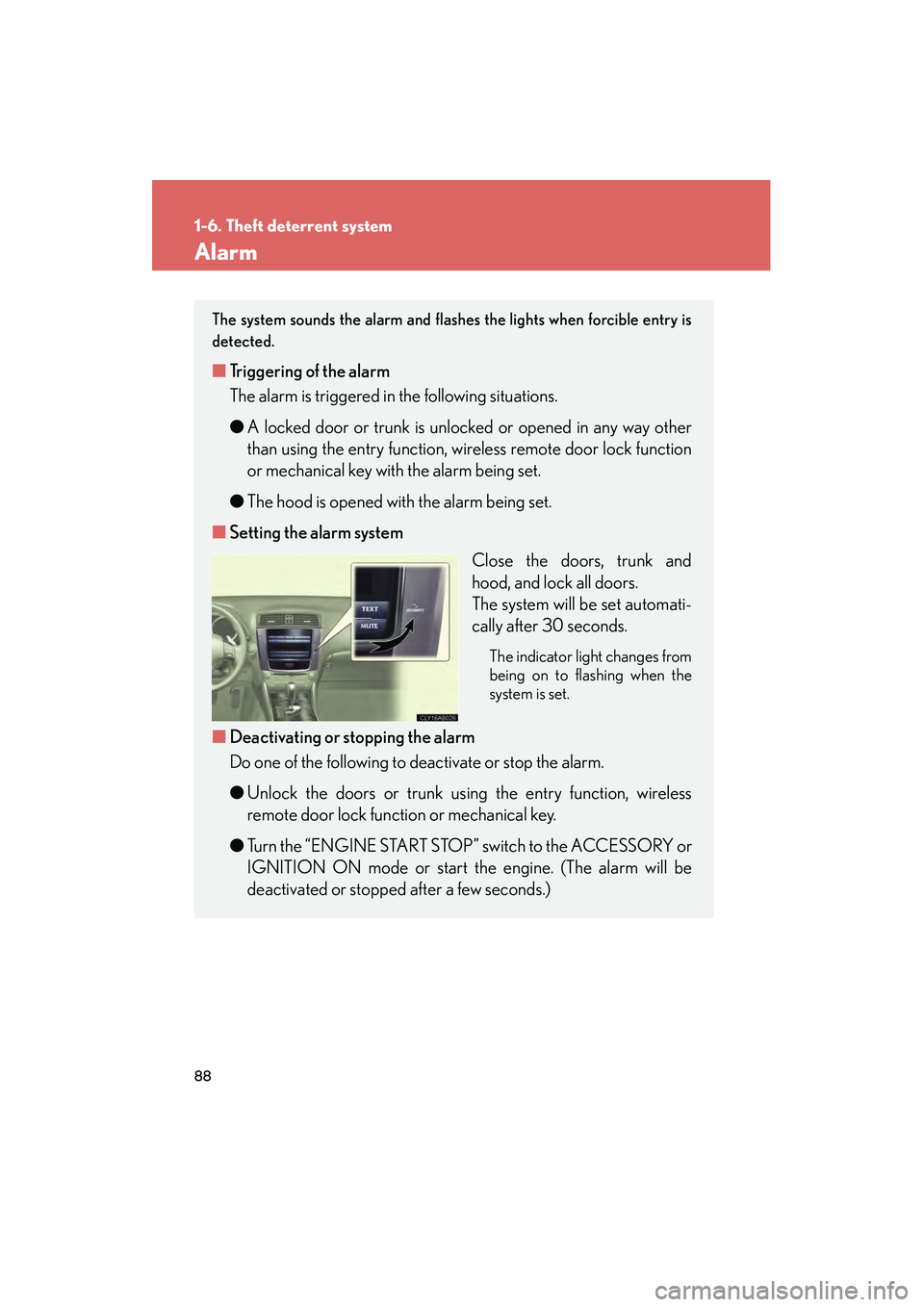
■ Setting the alarm system
Close the doors, trunk and
hood, and lock all doors.
The system will be set automati-
cally after 30 seconds.
The indicator light changes from
being on to flashing when the
system is set.
■Deactivating or stopping the alarm
Do one of the following to deactivate or stop the alarm.
● Unlock the doors or trunk using the entry function, wireless
remote door lock functi on or mechanical key.
● Turn the “ENGINE START STOP” switch to the ACCESSORY or
IGNITION ON mode or start th e engine. (The alarm will be
deactivated or stopped after a few seconds.)