door Lexus IS250 2010 Workshop Manual
[x] Cancel search | Manufacturer: LEXUS, Model Year: 2010, Model line: IS250, Model: Lexus IS250 2010Pages: 578, PDF Size: 30.78 MB
Page 168 of 578
167
2-3. Operating the lights and windshield wipers
2
When driving
IS350/250_U
■Automatic light off system
●When the headlights come on: The headlights and tail lights turn off 30 seconds
after a door is opened and closed if the “ENGINE START STOP” switch has
been switched to ACCESSORY mode or turned OFF. (The lights turn off
immediately if on the key is pressed after all doors are locked.)
●When only the tail lights come on: The tail lights turn off automatically if the
“ENGINE START STOP” switch is switched to ACCESSORY mode or turned
OFF and driver’s door is opened.
To turn the lights on again, switch to IGNITION ON mode, or turn the light switch
off once and then back to or
.
■Automatic headlight leveling system (vehicles with discharge headlights)
The level of the headlights is automatically adjusted according to the number of
passengers and the loading condition of the vehicle to ensure that the headlights do
not interfere with other road users.
■If “AFS OFF” flashes... (vehicles with discharge headlights)
It may indicate a malfunction in the system. Contact your Lexus dealer.
■Customization that can be configured at Lexus dealer
Settings (e.g. light sensor sensitivity) can be changed.
(Customizable features →P. 5 4 9 )
NOTICE
■To prevent battery discharge
Do not leave the lights on longer than necessary when the engine is not running.
Page 220 of 578
Interior features3
219
IS350/250_U
3-5. Using the interior lightsInterior lights list ..................... 329
• Interior lights ......................... 331
• Personal lights ....................... 331
3-6. Using the storage features
List of storage features ........ 333
• Glove box .............................. 333
• Console boxes ..................... 334
• Overhead console .............. 335
• Cup holders .......................... 336
• Bottle holders/ door pockets......................... 338 3-7. Other interior features
Sun visors ................................. 339
Vanity mirrors ......................... 340
Clock .......................................... 341
Satellite switches ................... 342
Ashtrays.................................... 345
Cigarette lighter .................... 346
Power outlet ............................ 347
Seat heaters ............................ 348
Seat heaters and ventilators .............................. 351
Armrest .................................... 354
Rear sunshade ........................ 355
Trunk storage extension ...... 357
Coat hooks .............................. 358
Floor mat .................................. 359
Trunk features ......................... 360
Garage door opener ............ 363
Compass .................................. 369
Safety Connect ...................... 373
Page 330 of 578

329
3
Interior features
IS350/250_U
3-5. Using the interior lights
Interior lights list
Your Lexus is equipped with the illuminated entry system to assist in enter-
ing the vehicle. Owing to the function of the system, the lights shown in the
following illustration automatically turn on/off according to the presence of
the electronic key, whether the door s are locked/unlocked, whether the
doors are opened/closed, and the “ENGINE START STOP” switch mode.
Front personal lights (→P. 3 3 1 )
Front interior lights ( →P. 3 3 1 )
Rear personal lights ( →P. 3 3 1 )
Rear interior light
Rear overhead courtesy light
Shift lever light (when the “ENGINE START STOP” switch is in
ACCESSORY or IGNITION ON mode)
Front footwell lights
Page 331 of 578
330
3-5. Using the interior lights
IS350/250_U
■To prevent the battery from being discharged
If the interior lights remain on when the door is not fully closed and the interior light
switch (door position on/off) is on, the lights will go off automatically after 20 min-
utes.
■Customization that can be configured at Lexus dealer
Setting (e.g. The time elapsed before lights turn off) can be changed.
(Customizable features
→P. 5 4 9 )
Front door courtesy light
Front scuff lights (if equipped)
Outer foot lights
Turning the instrument panel light control knob fully to the left disables the
shift lever lights and front footwell lights.
Page 332 of 578
331
3-5. Using the interior lights
3
Interior features
IS350/250_U
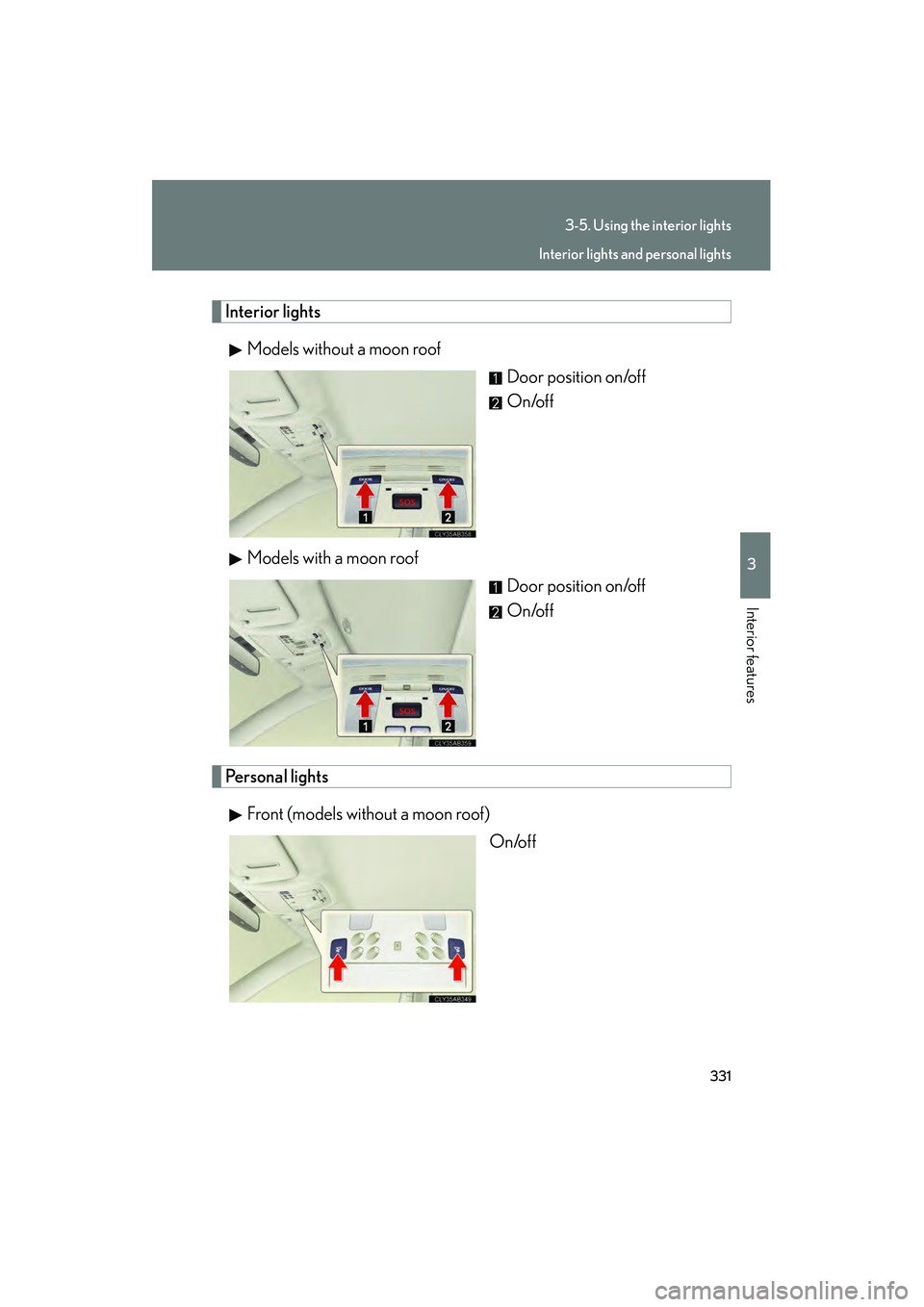
Interior lightsModels without a moon roof Door position on/off
On/off
Models with a moon roof Door position on/off
On/off
Personal lights
Front (models without a moon roof) On/off
Interior lights and personal lights
Page 334 of 578

333
3
Interior features
IS350/250_U
3-6. Using the storage features
List of storage features
Glove boxOpen (push button)
Lock with the mechanical key
Unlock with the mechanical key
Glove box
Console boxes
Cup holders
Bottle holders/door pockets
Overhead console
Glove box
Page 339 of 578
338
3-6. Using the storage features
IS350/250_U
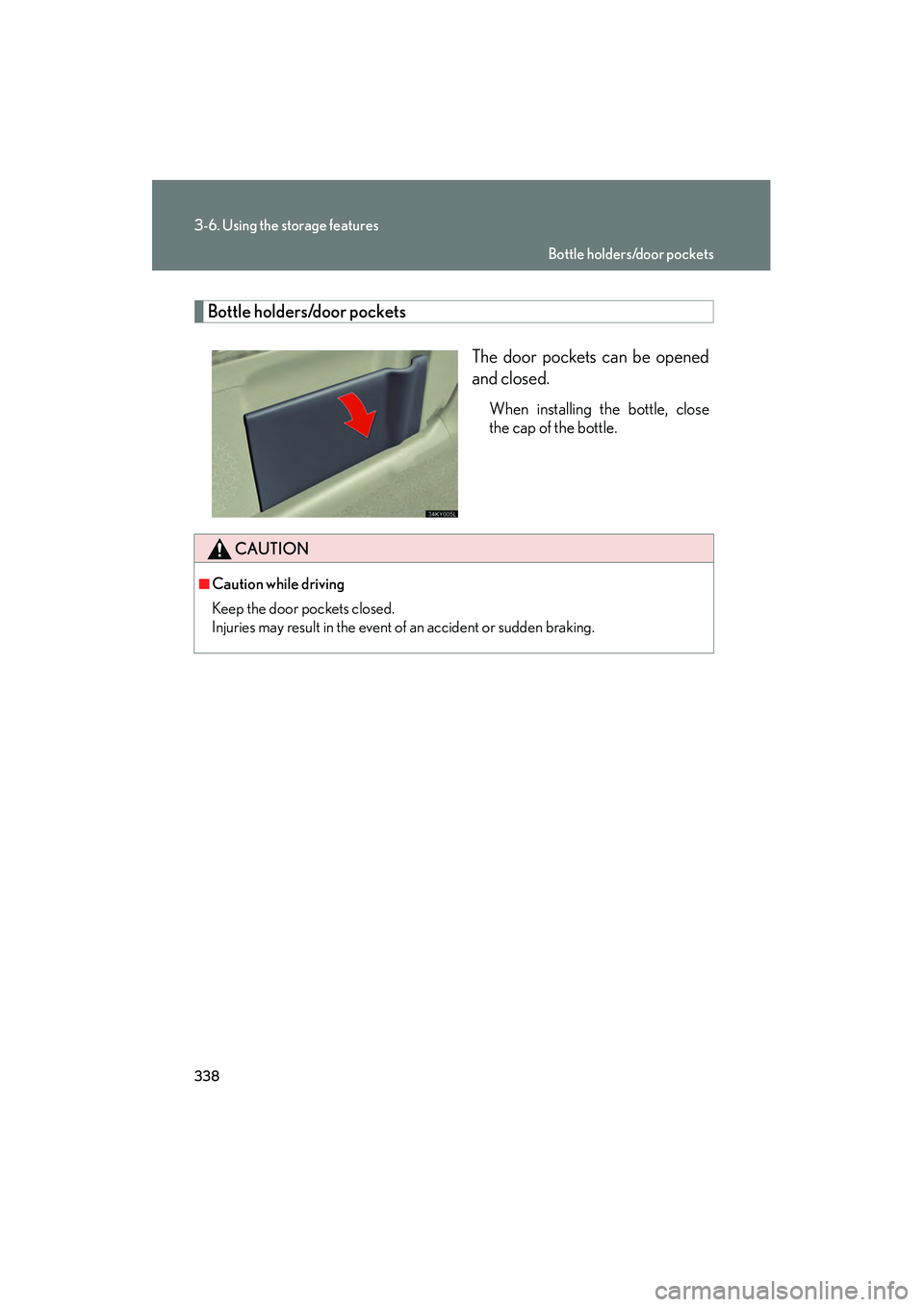
Bottle holders/door pocketsThe door pockets can be opened
and closed.
When installing the bottle, close
the cap of the bottle.
CAUTION
■Caution while driving
Keep the door pockets closed.
Injuries may result in the event of an accident or sudden braking.
Bottle holders/door pockets
Page 358 of 578
357
3-7. Other interior features
3
Interior features
IS350/250_U
Trunk storage extension
CAUTION
■When not in use
Ensure that the inside trunk door is closed.
In the event of sudden braking, items stored in the trunk may be thrown forward into
the cabin, resulting in injury.
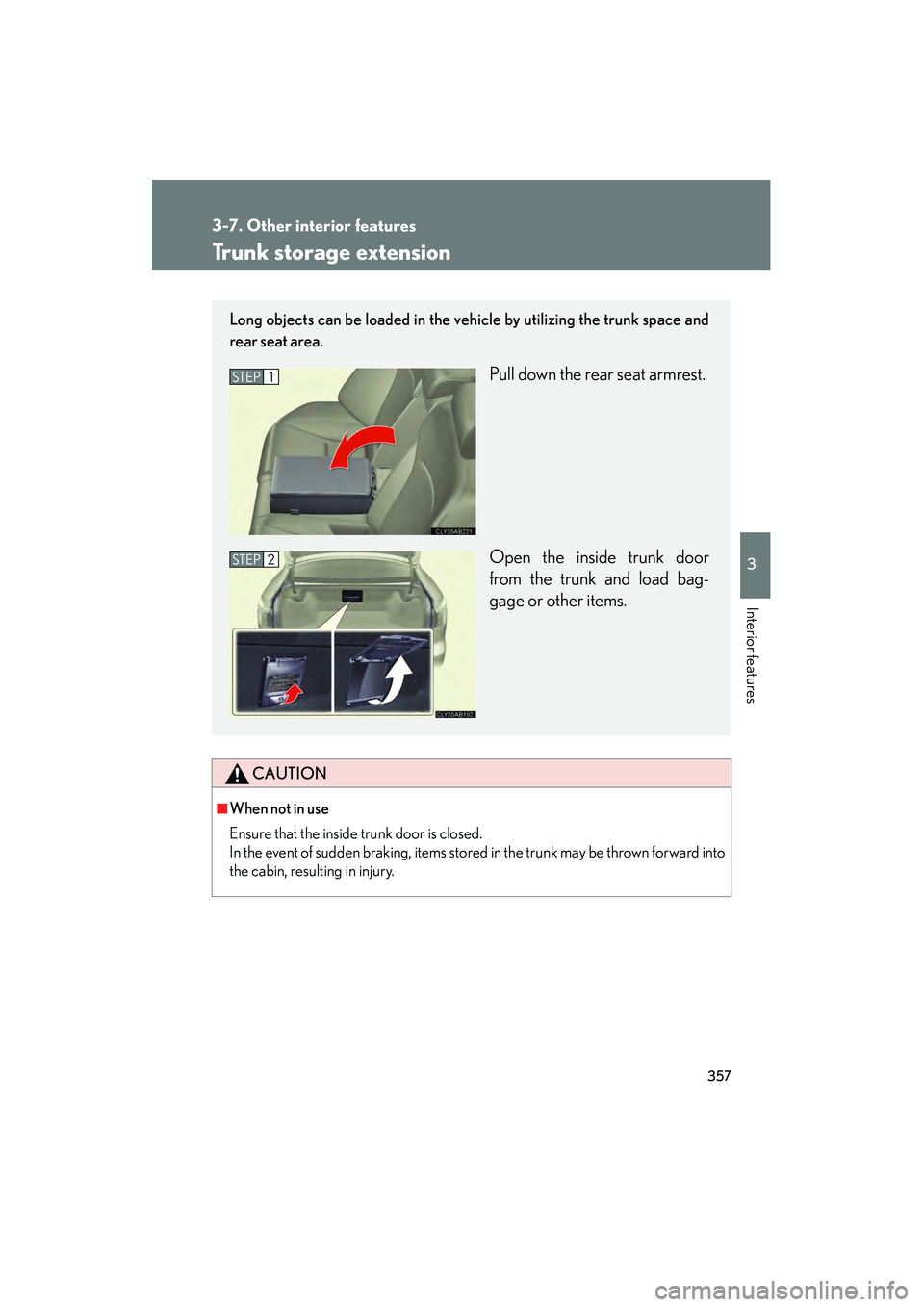
Long objects can be loaded in the vehicle by utilizing the trunk space and
rear seat area.
Pull down the rear seat armrest.
Open the inside trunk door
from the trunk and load bag-
gage or other items.STEP1
STEP2
Page 364 of 578
363
3-7. Other interior features
3
Interior features
IS350/250_U
Garage door opener
The garage door opener (HomeLink Universal Transceiver) is manufactured
under license from HomeLink.
Programming the HomeLink (for U.S.A. owners)
The HomeLink
compatible transceiver in your vehicle has 3 buttons
which can be programmed to operate 3 different devices. Refer to the
programming method below appropriate for the device.
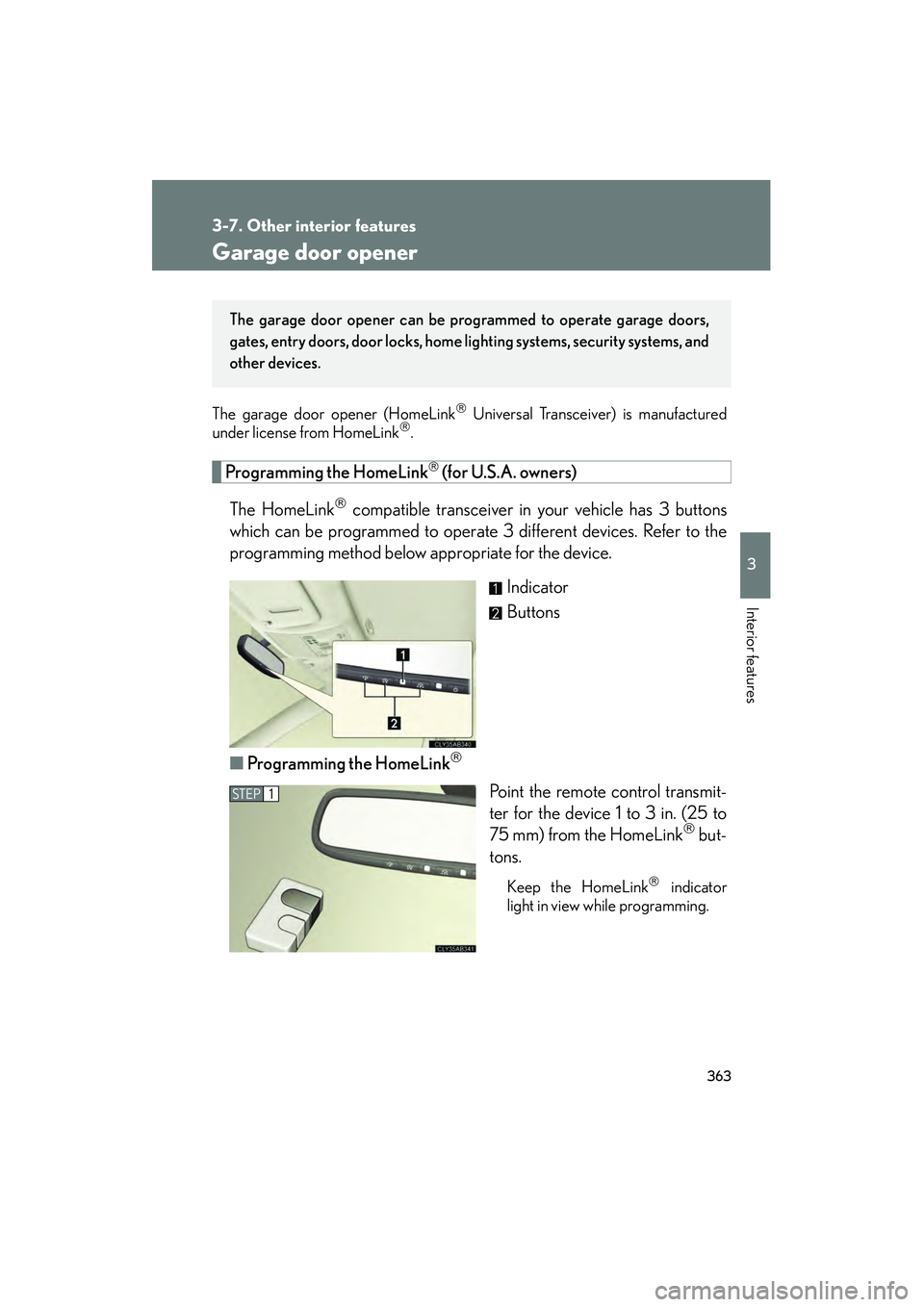
Indicator
Buttons
■ Programming the HomeLink
Point the remote control transmit-
ter for the device 1 to 3 in. (25 to
75 mm) from the HomeLink
but-
tons.
Keep the HomeLink indicator
light in view while programming.
The garage door opener can be pr ogrammed to operate garage doors,
gates, entry doors, door locks, home lighting systems, security systems, and
other devices.
STEP1
Page 365 of 578
364
3-7. Other interior features
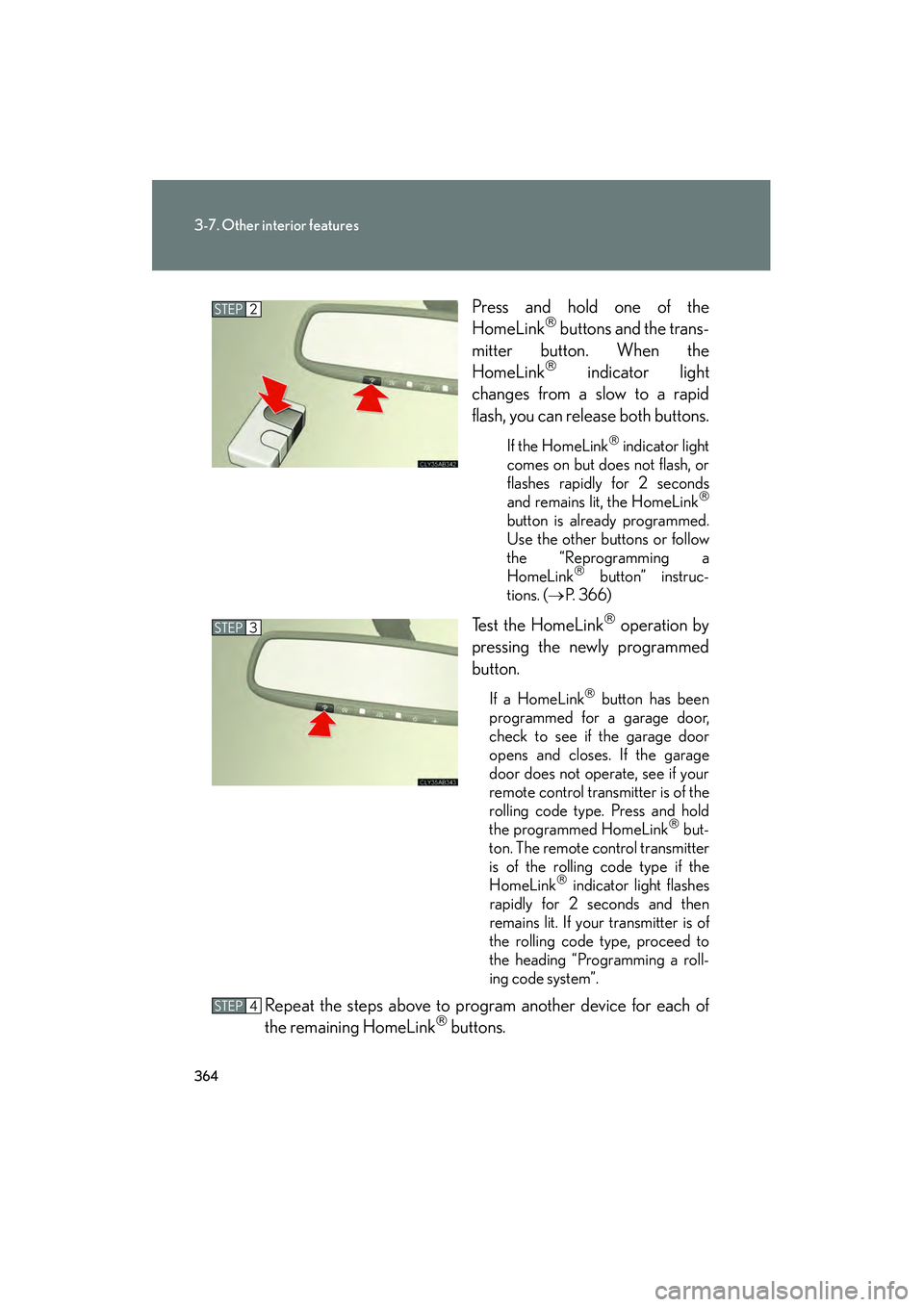
IS350/250_UPress and hold one of the
HomeLink
buttons and the trans-
mitter button. When the
HomeLink
indicator light
changes from a slow to a rapid
flash, you can release both buttons.
If the HomeLink indicator light
comes on but does not flash, or
flashes rapidly for 2 seconds
and remains lit, the HomeLink
button is already programmed.
Use the other buttons or follow
the “Reprogramming a
HomeLink
button” instruc-
tions. ( →P. 366)
Test the HomeLink operation by
pressing the newly programmed
button.
If a HomeLink button has been
programmed for a garage door,
check to see if the garage door
opens and closes. If the garage
door does not operate, see if your
remote control transmitter is of the
rolling code type. Press and hold
the programmed HomeLink
but-
ton. The remote control transmitter
is of the rolling code type if the
HomeLink
indicator light flashes
rapidly for 2 seconds and then
remains lit. If your transmitter is of
the rolling code type, proceed to
the heading “Programming a roll-
ing code system”.
Repeat the steps above to program another device for each of
the remaining HomeLink buttons.
STEP2
STEP3
STEP4