light Lexus IS250 2010 Manual Online
[x] Cancel search | Manufacturer: LEXUS, Model Year: 2010, Model line: IS250, Model: Lexus IS250 2010Pages: 578, PDF Size: 30.78 MB
Page 341 of 578
340
3-7. Other interior features
IS350/250_U
Vanity mirrors
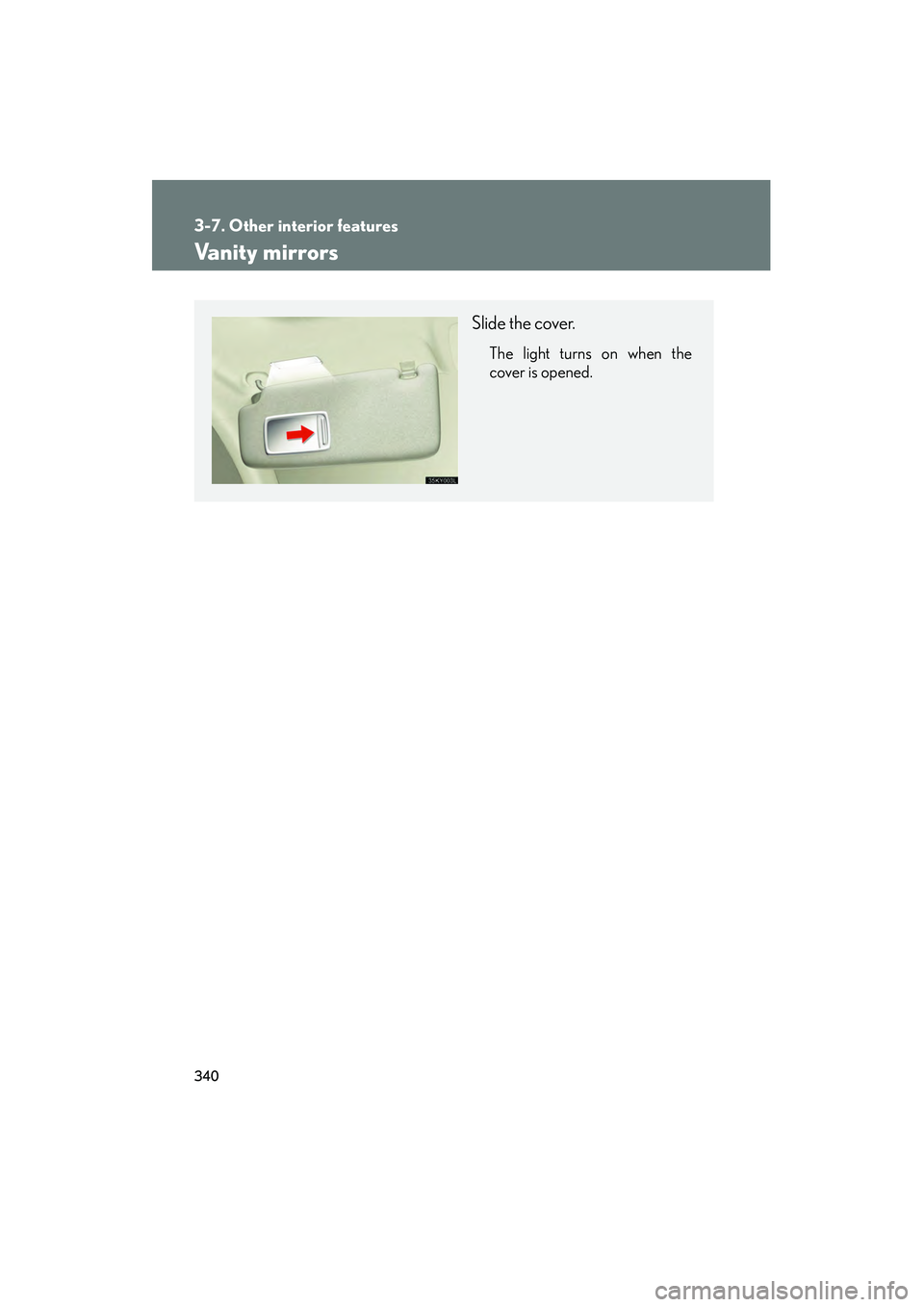
Slide the cover.
The light turns on when the
cover is opened.
Page 344 of 578
343
3-7. Other interior features
3
Interior features
IS350/250_U
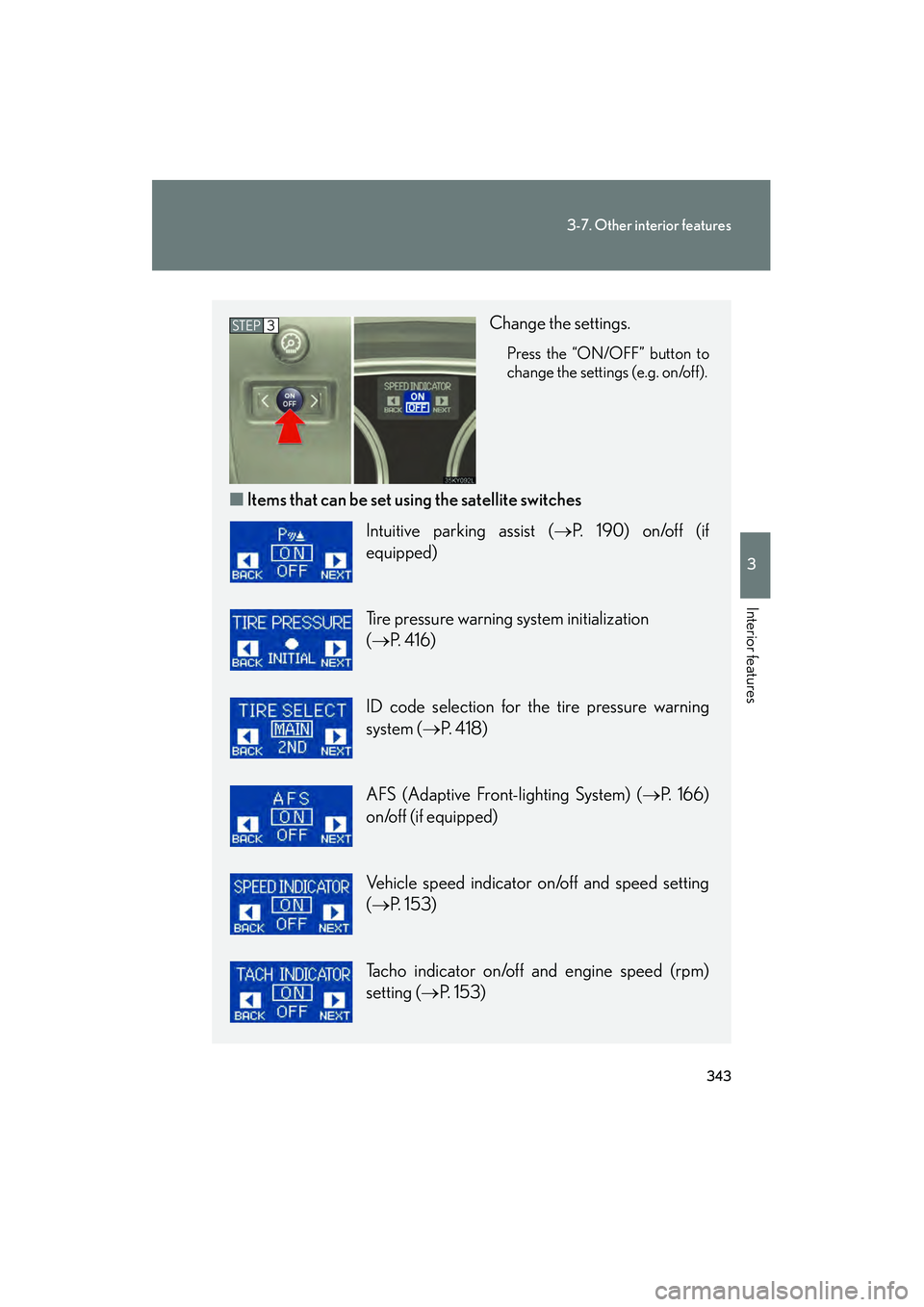
Change the settings.
Press the “ON/OFF” button to
change the settings (e.g. on/off).
■Items that can be set us ing the satellite switches
STEP3
Intuitive parking assist ( →P. 190) on/off (if
equipped)
Tire pressure warning system initialization
(→ P. 4 1 6 )
ID code selection for the tire pressure warning
system ( →P. 4 1 8 )
AFS (Adaptive Front-lighting System) ( →P. 166)
on/off (if equipped)
Vehicle speed indicator on/off and speed setting
(→ P. 153)
Tacho indicator on/off and engine speed (rpm)
setting ( →P. 153)
Page 347 of 578

346
3-7. Other interior features
IS350/250_U
Cigarette lighter
■The cigarette lighter can be used when
The “ENGINE START STOP” switch is in ACCESSORY or IGNITION ON mode.
CAUTION
■When not in use
Keep the lid closed.
Injuries may result in the event of an accident or sudden braking.
■To avoid burns or fires
●Do not touch the metal parts of the cigarette lighter.
●Do not hold the cigarette lighter down. It could overheat and cause a fire.
●Do not insert anything other than the cigarette lighter into the outlet.
Push the back part of the lid to
open, and push the cigarette
lighter down.
The cigarette lighter will pop up
when it is ready for use.
Page 349 of 578
348
3-7. Other interior features
IS350/250_U
Seat heaters∗
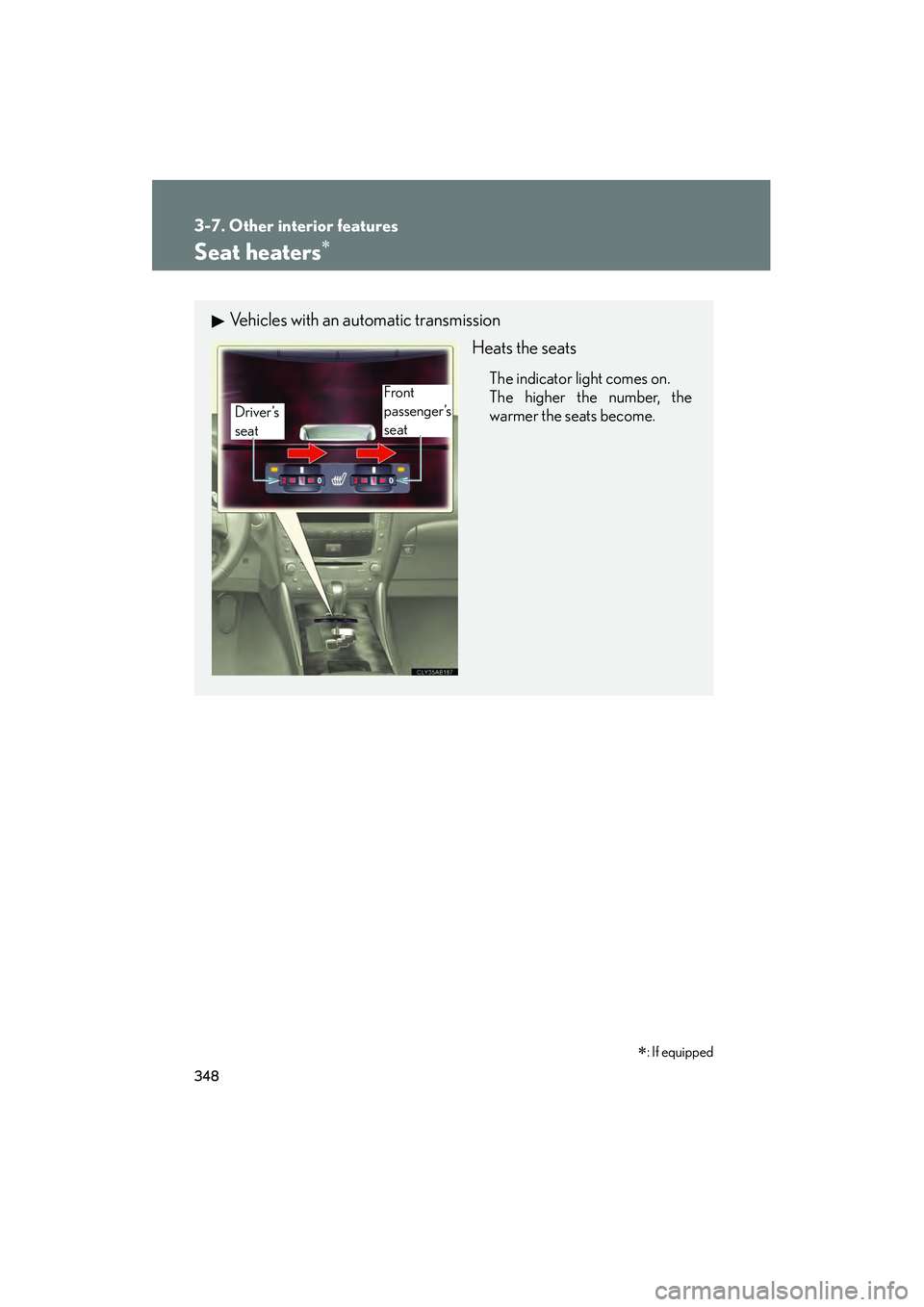
Vehicles with an automatic transmissionHeats the seats
The indicator light comes on.
The higher the number, the
warmer the seats become.
Driver’s
seatFront
passenger’s
seat
∗: If equipped
Page 350 of 578
349
3-7. Other interior features
3
Interior features
IS350/250_U
■The seat heaters can be used when
The “ENGINE START STOP” switch is in IGNITION ON mode.
■When not in use
Set the dial to “0”. The indicator light turns off.
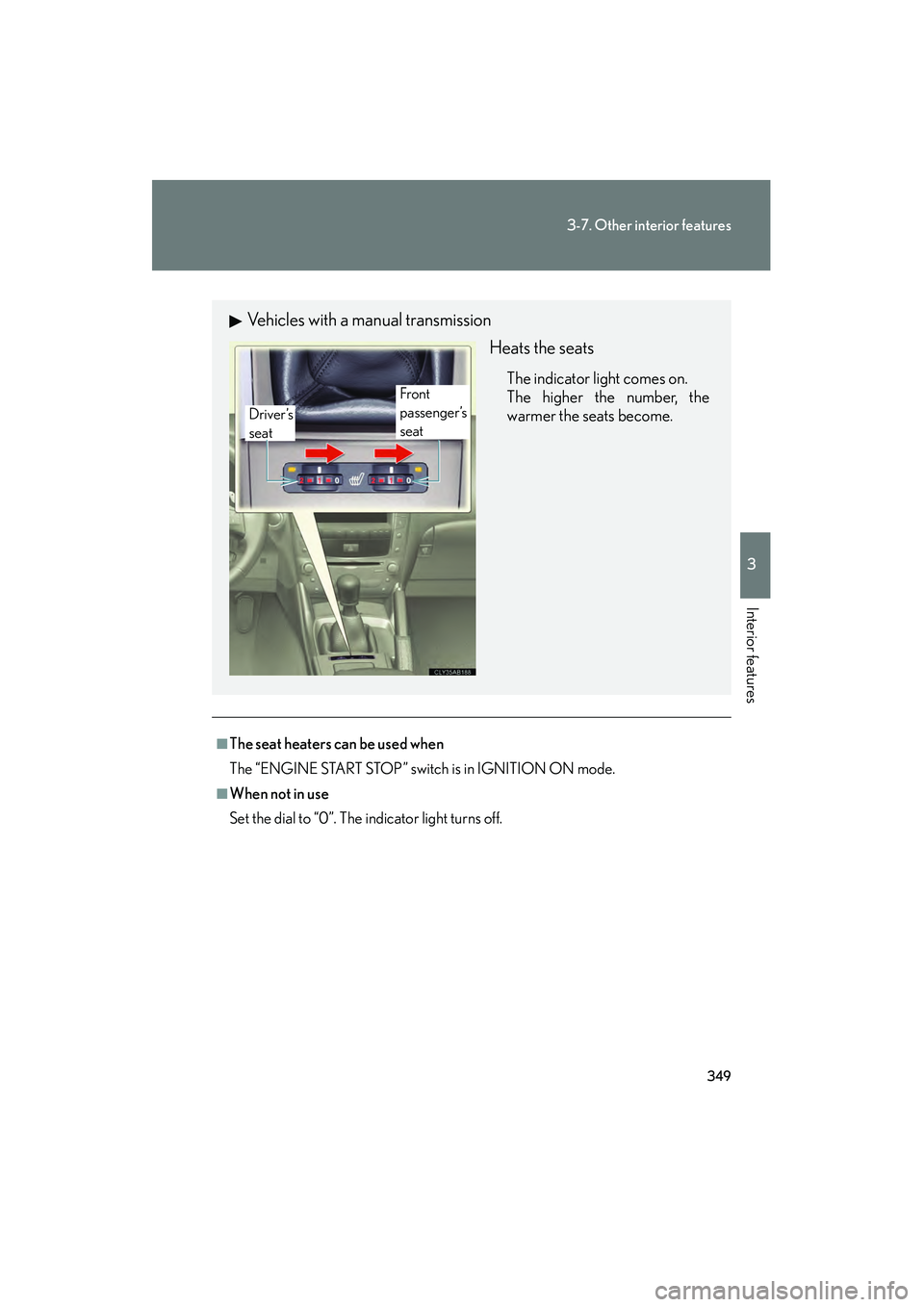
Vehicles with a manual transmissionHeats the seats
The indicator light comes on.
The higher the number, the
warmer the seats become.Front
passenger’s
seat
Driver’s
seat
Page 352 of 578
351
3-7. Other interior features
3
Interior features
IS350/250_U
Seat heaters and ventilators∗
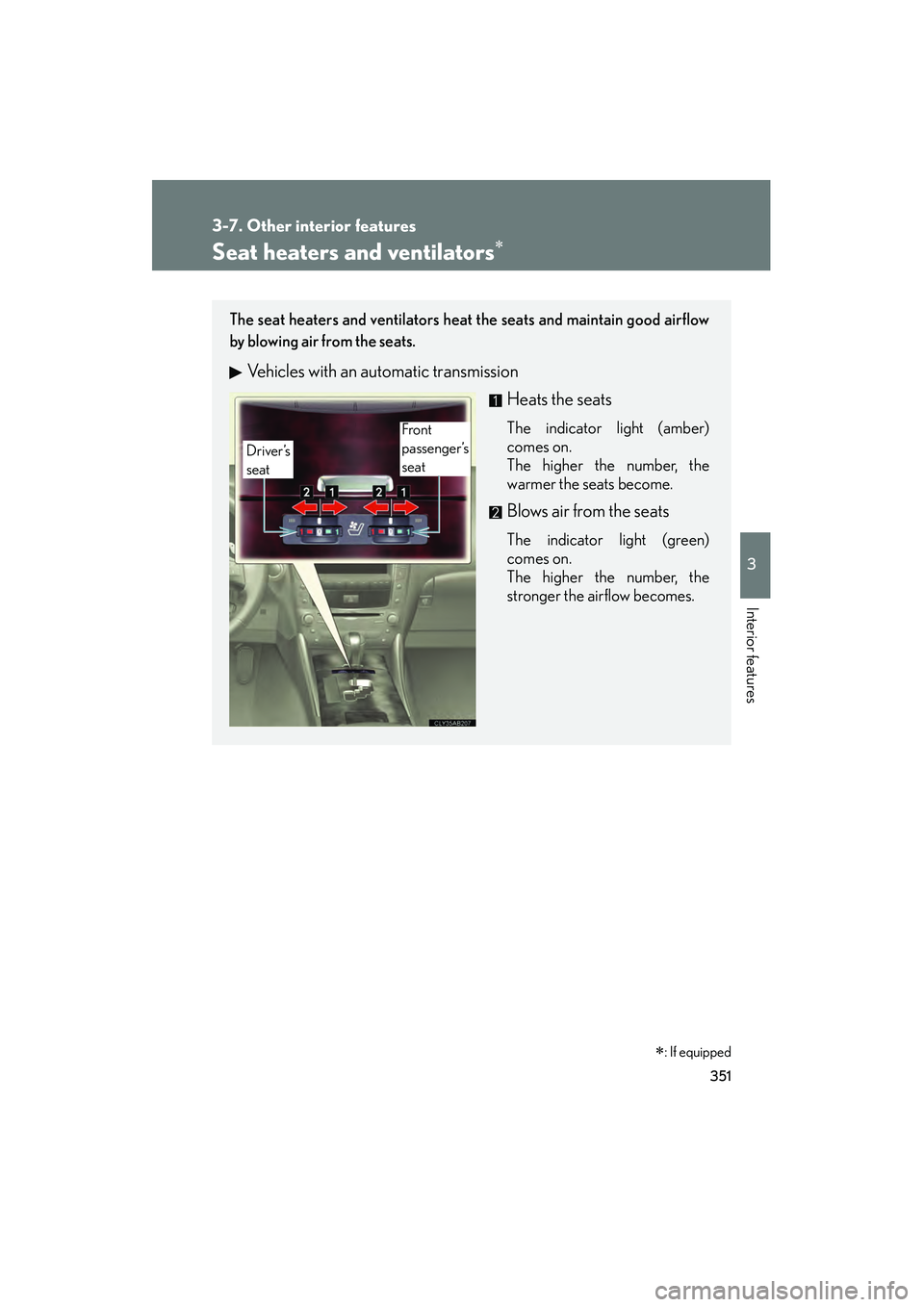
The seat heaters and ventilators heat the seats and maintain good airflow
by blowing air from the seats.
Vehicles with an automatic transmissionHeats the seats
The indicator light (amber)
comes on.
The higher the number, the
warmer the seats become.
Blows air from the seats
The indicator light (green)
comes on.
The higher the number, the
stronger the airflow becomes.
Front
passenger’s
seat
Driver’s
seat
∗: If equipped
Page 353 of 578
352
3-7. Other interior features
IS350/250_U
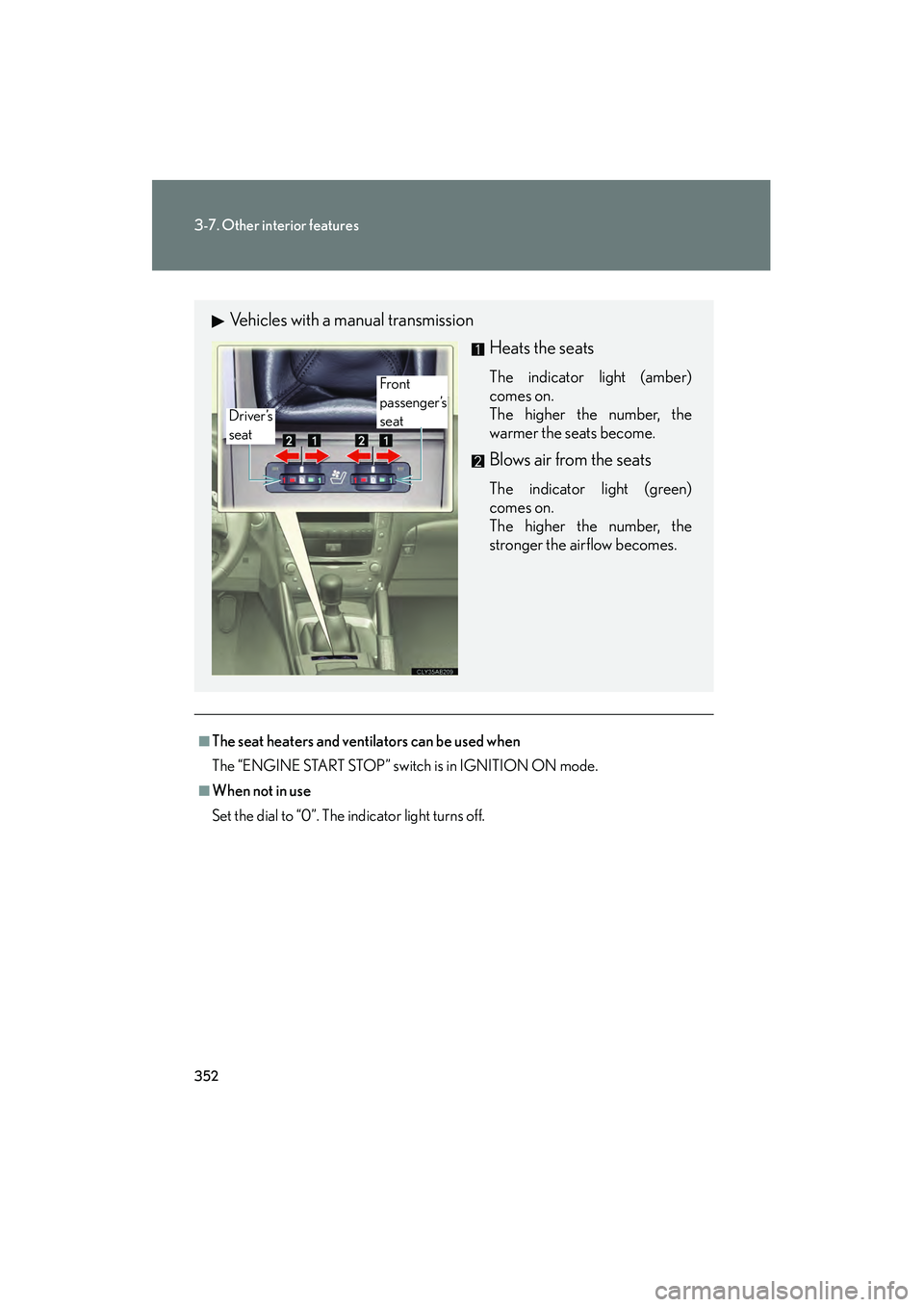
■The seat heaters and ventilators can be used when
The “ENGINE START STOP” switch is in IGNITION ON mode.
■When not in use
Set the dial to “0”. The indicator light turns off.
Vehicles with a manual transmissionHeats the seats
The indicator light (amber)
comes on.
The higher the number, the
warmer the seats become.
Blows air from the seats
The indicator light (green)
comes on.
The higher the number, the
stronger the airflow becomes.
Front
passenger’s
seat
Driver’s
seat
Page 364 of 578
363
3-7. Other interior features
3
Interior features
IS350/250_U
Garage door opener
The garage door opener (HomeLink Universal Transceiver) is manufactured
under license from HomeLink.
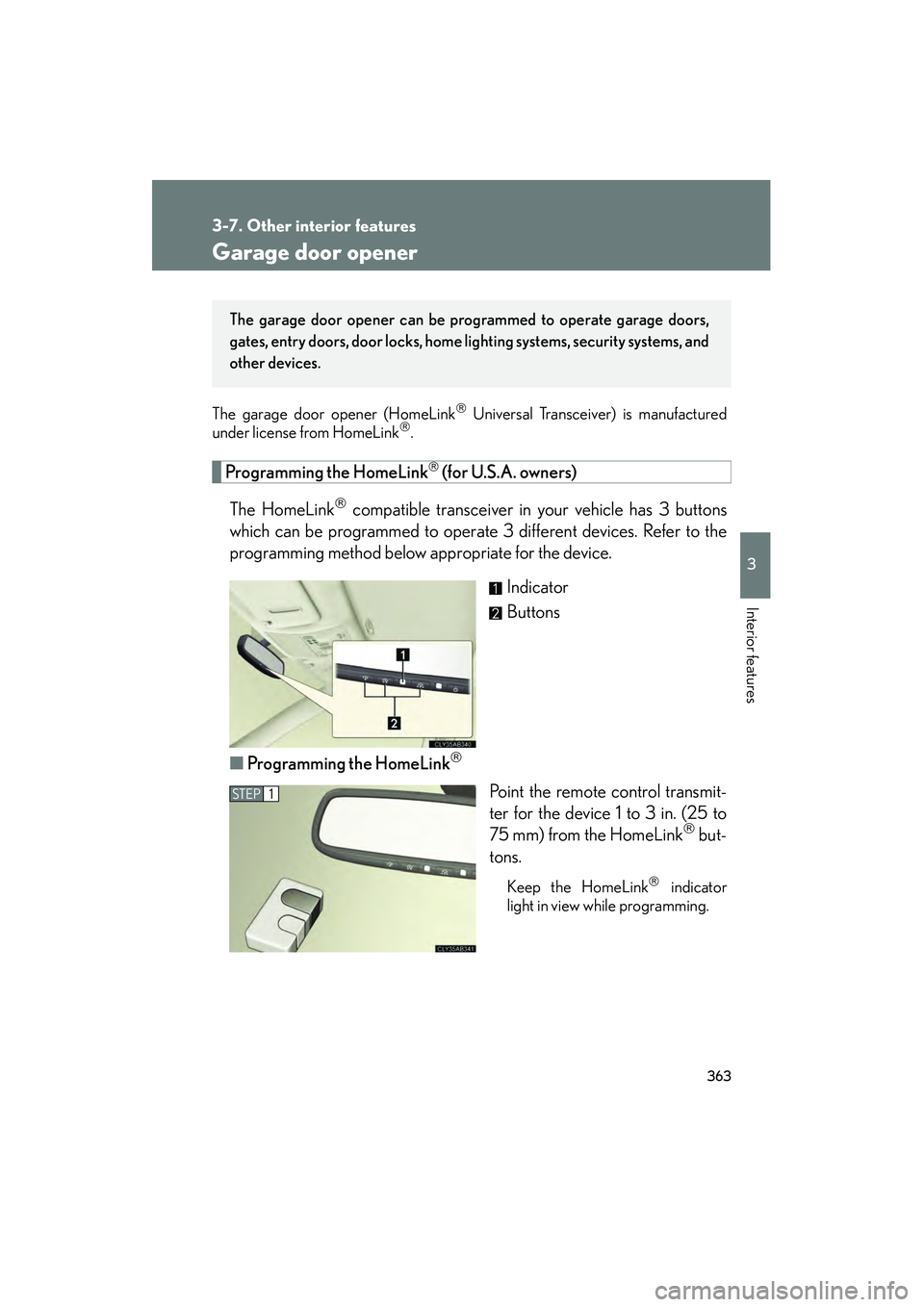
Programming the HomeLink (for U.S.A. owners)
The HomeLink
compatible transceiver in your vehicle has 3 buttons
which can be programmed to operate 3 different devices. Refer to the
programming method below appropriate for the device.
Indicator
Buttons
■ Programming the HomeLink
Point the remote control transmit-
ter for the device 1 to 3 in. (25 to
75 mm) from the HomeLink
but-
tons.
Keep the HomeLink indicator
light in view while programming.
The garage door opener can be pr ogrammed to operate garage doors,
gates, entry doors, door locks, home lighting systems, security systems, and
other devices.
STEP1
Page 365 of 578
364
3-7. Other interior features
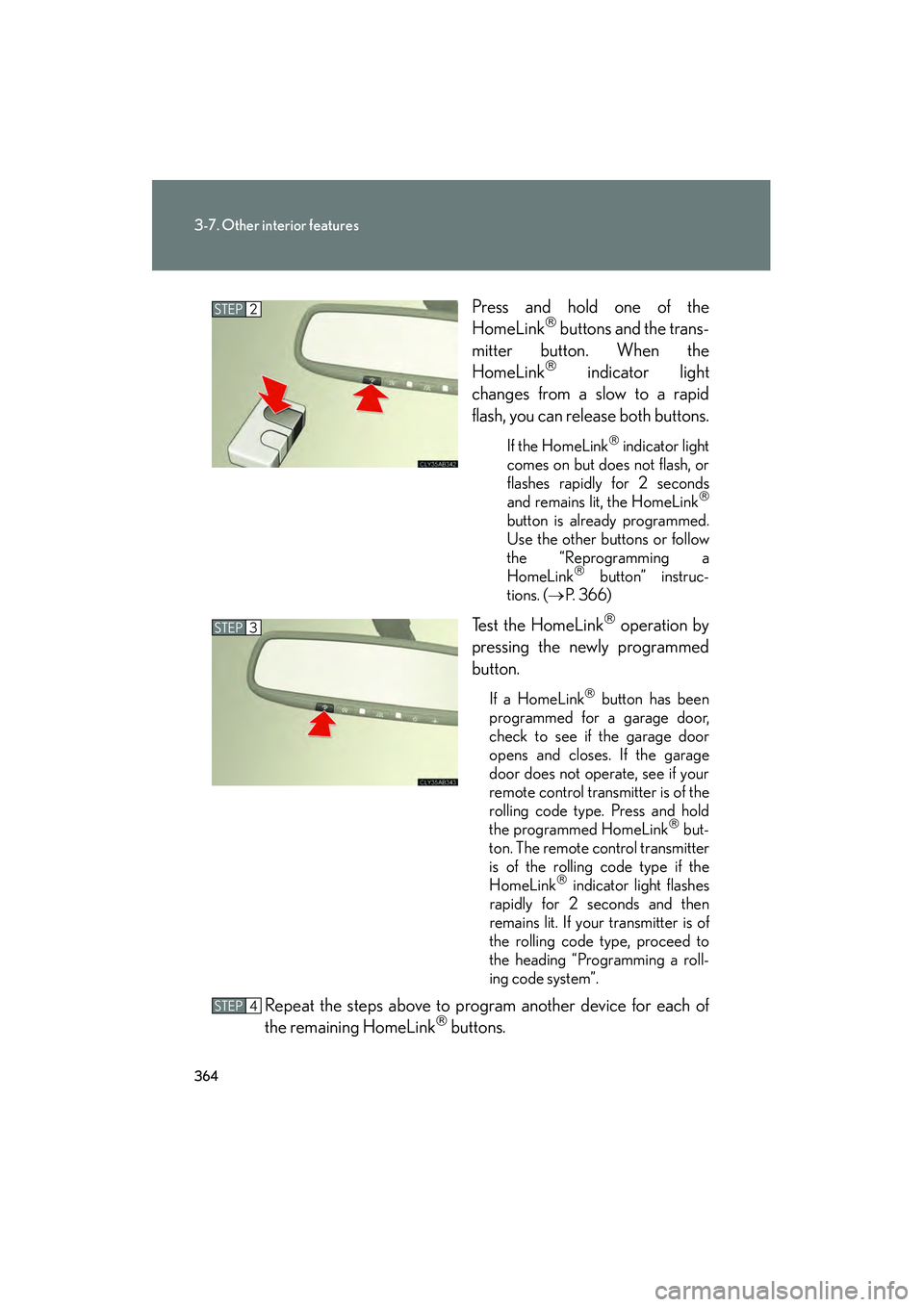
IS350/250_UPress and hold one of the
HomeLink
buttons and the trans-
mitter button. When the
HomeLink
indicator light
changes from a slow to a rapid
flash, you can release both buttons.
If the HomeLink indicator light
comes on but does not flash, or
flashes rapidly for 2 seconds
and remains lit, the HomeLink
button is already programmed.
Use the other buttons or follow
the “Reprogramming a
HomeLink
button” instruc-
tions. ( →P. 366)
Test the HomeLink operation by
pressing the newly programmed
button.
If a HomeLink button has been
programmed for a garage door,
check to see if the garage door
opens and closes. If the garage
door does not operate, see if your
remote control transmitter is of the
rolling code type. Press and hold
the programmed HomeLink
but-
ton. The remote control transmitter
is of the rolling code type if the
HomeLink
indicator light flashes
rapidly for 2 seconds and then
remains lit. If your transmitter is of
the rolling code type, proceed to
the heading “Programming a roll-
ing code system”.
Repeat the steps above to program another device for each of
the remaining HomeLink buttons.
STEP2
STEP3
STEP4
Page 366 of 578
365
3-7. Other interior features
3
Interior features
IS350/250_U■
Programming a Rolling Code sy stem (for U.S.A. owners)
If your device is Rolling Code equipped, follow the steps under the
heading “Programming the HomeLink
” before proceeding with the
steps listed below.
Locate the learn button on the ceiling mounted garage door
opener motor. The exact location and color of the button may
vary by brand of garage door opener motor.
Refer to the operation manual supplied with the garage door opener
motor for the location of the learn button.
Press the learn button.
Following this step, you have 30 seconds in which to initiate step 3
below.
Press and hold the vehicle's programmed HomeLink button for
2 seconds and release it. Repeat this step once again. The garage
door may open.
If the garage door opens, the programming process is complete. If the
door does not open, press and release the button a third time. This third
press and release will complete the programming process by opening
the garage door.
The ceiling mounted garage door op ener motor should now recognize
the HomeLink
signal and operate the garage door.
Repeat the steps above to program another rolling code system
for any of the remaining HomeLink buttons.
■ Programming an entry gate (for U.S.A. owners)/Programming all
devices in the Canadian market
Place your transmit ter 1 to 3 in. (25 to 75 mm) away from the sur-
face of the HomeLink
.
Keep the HomeLink indicator light in view while programming.
Press and hold the selected HomeLink button.
Repeatedly press and release (cycle) the device’s remote control
button for two seconds each until step 4 is complete.
When the indicator light on the HomeLink
compatible trans-
ceiver start to flashing rapidly, release the buttons.
STEP1
STEP2
STEP3
STEP4
STEP1
STEP2
STEP3
STEP4