Cd system Lexus IS250 2011 Owners Manual
[x] Cancel search | Manufacturer: LEXUS, Model Year: 2011, Model line: IS250, Model: Lexus IS250 2011Pages: 578, PDF Size: 31.12 MB
Page 196 of 578
195
2-5. Driving information
2
When driving
IS350/250_U
Winter driving tips
Carry out the necessary preparations and inspections before driving the
vehicle in winter. Always drive the vehicle in a manner appropriate to the
prevailing weather conditions.
■Pre-winter preparations
●Use fluids that are appropriate to the prevailing outside tempera-
tures.
• Engine oil
• Engine coolant
• Washer fluid
● Have a service technician inspect the level and specific gravity of
battery electrolyte.
● Have the vehicle fitted with four snow tires or purchase a set of
tire chains for the rear tires.
Ensure that all tires are the specified size and the same brand, and that
chains match the size of the tires.
■ Before driving the vehicle
Perform the following according to the driving conditions.
●Do not try to forcibly open a window or move a wiper that is fro-
zen. Pour warm water over the frozen area to melt the ice. Wipe
away the water immediately to prevent it from freezing.
● To ensure proper operation of the climate control system fan,
remove any snow that has accumulated on the air inlet vents in
front of the windshield.
● Remove any ice that has accumulated on the vehicle chassis.
● Periodically check for and remove any excess ice or snow that
may have accumulated in the wheel well or on the brakes.
Page 199 of 578
198
2-5. Driving information
IS350/250_U
NOTICE
■Repairing or replacing snow tires
Request repairs of and obtain replacement snow tires from Lexus dealers or legiti-
mate tire retailers.
This is because the removal and attachment of snow tires affects the operation of
the tire pressure warning system.
■Fitting tire chains
The tire pressure warning system may not function correctly when tire chains are fit-
ted.
Page 202 of 578
201
2-5. Driving information
2
When driving
IS350/250_U
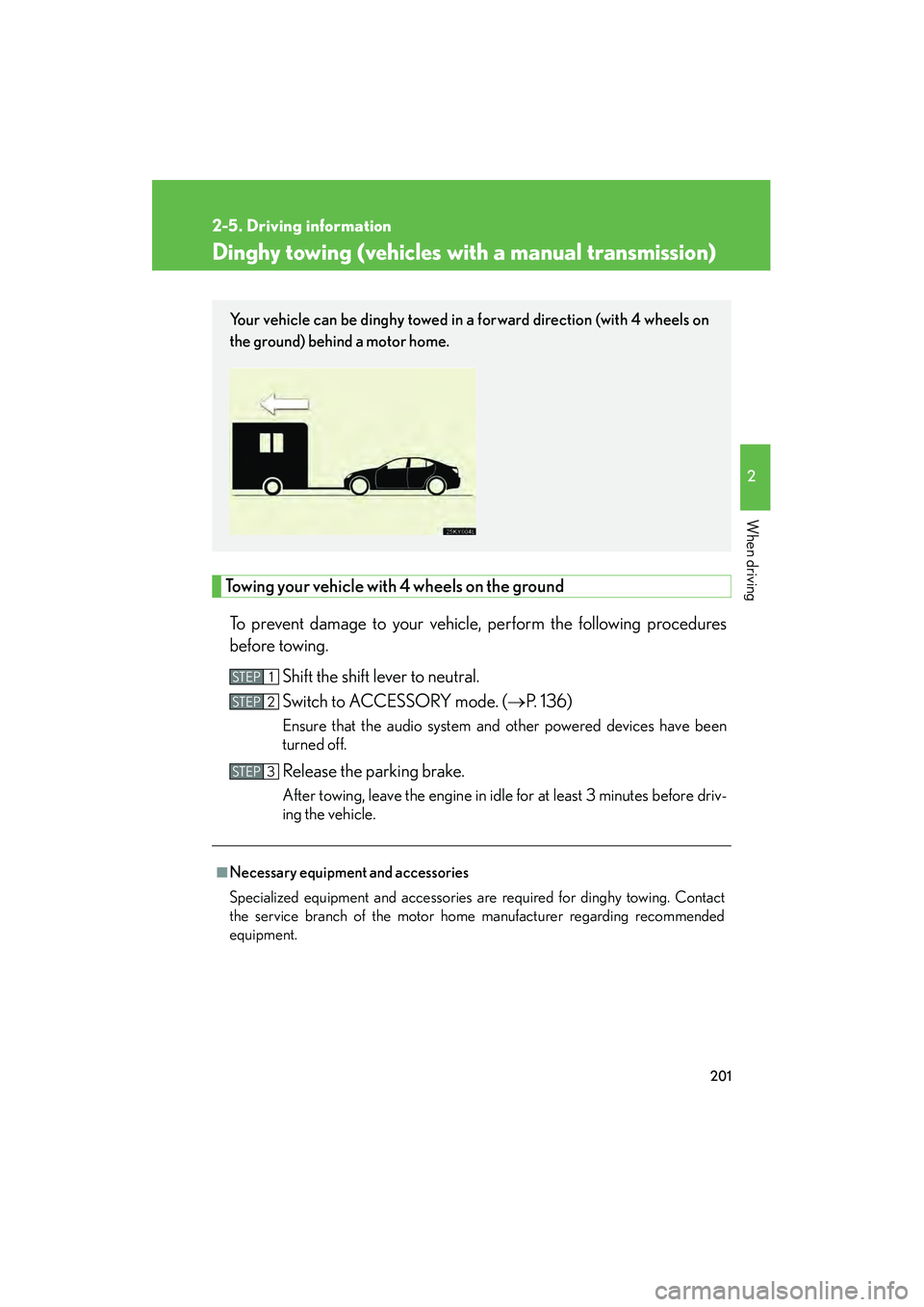
Dinghy towing (vehicles with a manual transmission)
Towing your vehicle with 4 wheels on the groundTo prevent damage to your vehicle, perform the following procedures
before towing. Shift the shift lever to neutral.
Switch to ACCESSORY mode. ( →P. 1 3 6 )
Ensure that the audio system and other powered devices have been
turned off.
Release the parking brake.
After towing, leave the engine in idle for at least 3 minutes before driv-
ing the vehicle.
■Necessary equipment and accessories
Specialized equipment and accessories are required for dinghy towing. Contact
the service branch of the motor home manufacturer regarding recommended
equipment.
Your vehicle can be dinghy towed in a forward direction (with 4 wheels on
the ground) behind a motor home.
STEP1
STEP2
STEP3
Page 205 of 578

204
IS350/250_U
3-1. Using the air conditioning system and defogger
Automatic air conditioning system ..................................... 206
Rear window and outside rear view
mirror defoggers .................. 214
Windshield wiper de-icer ..... 215
3-2. Using the audio system Audio system type................... 216
Using the radio......................... 219
Using the CD player ............. 227
Playing back MP3 and WMA discs............................ 234
Operating an iPod ................. 242
Operating a USB memory ................................. 250
Optimal use of the audio system ..................................... 259
Using the AUX port ............... 261
Using the steering wheel audio switches ...................... 263 3-3. Using the Bluetooth®
audio system
Bluetooth
® audio system .... 266
Using the Bluetooth®
audio system ......................... 269
Operating a Bluetooth
®
enabled portable
player ....................................... 274
Setting up a Bluetooth
®
enabled portable
player ....................................... 277
Bluetooth
® audio system
setup ....................................... 283
3-4. Using the hands-free phone system
(for mobile phones)
Hands-free system for mobile phones...................... 284
Using the hands-free system (for mobile
phones) .................................. 288
Making a phone call.............. 296
Setting a mobile phone ........ 300
Security and system setup ....................................... 305
Using the phone book .......... 309
Page 207 of 578
206
IS350/250_U
3-1. Using the air conditioning system and defogger
Automatic air conditioning system
Using the automatic modePress .
The air conditioning system will begin to operate. Air outlets and fan
speed are automatically adjusted according to the temperature setting.
Press to switch to automa tic mode. (IS350 only)
Automatically switches between outside air and recirculated air modes.
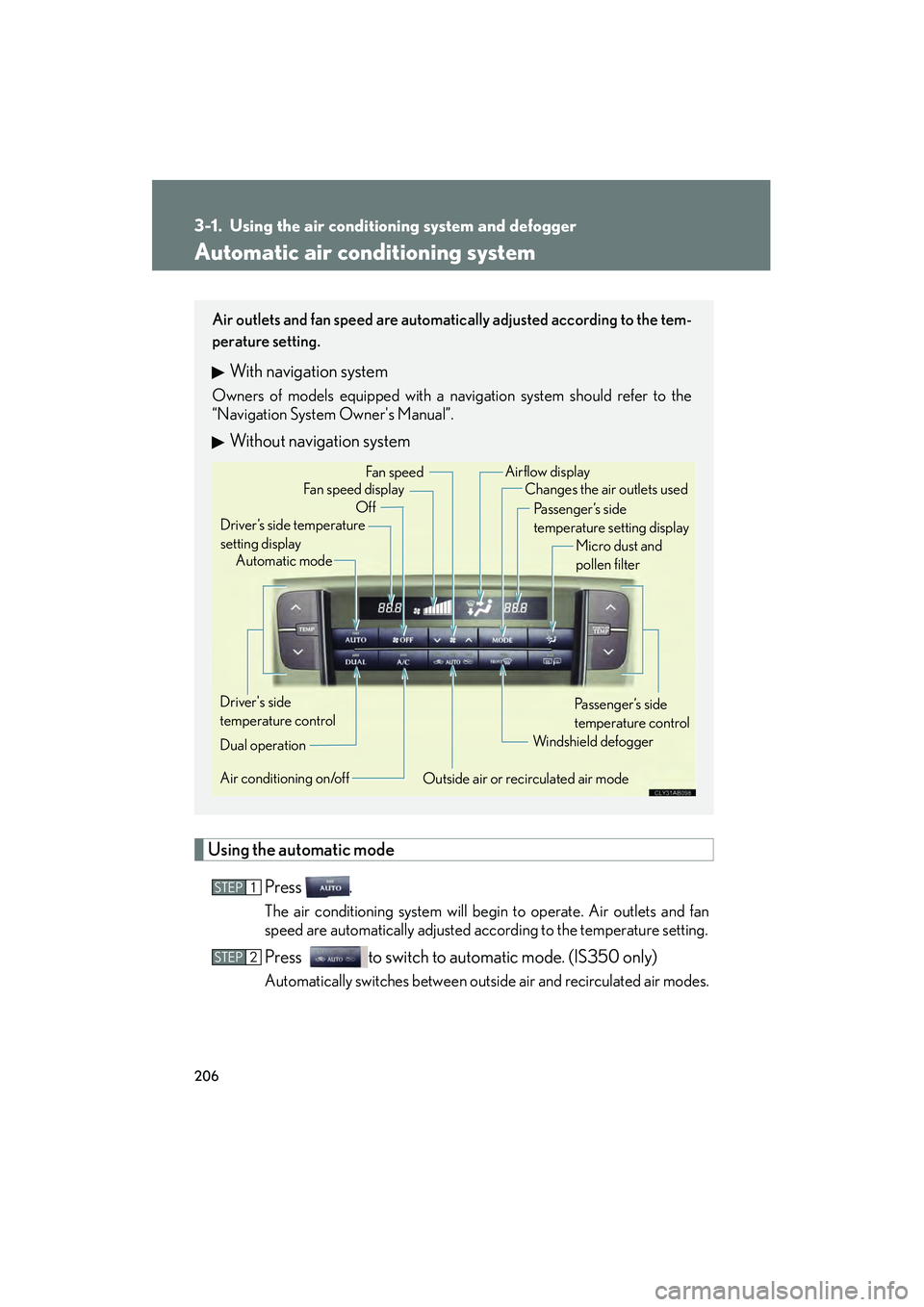
Air outlets and fan speed are automatically adjusted according to the tem-
perature setting.
With navigation system
Owners of models equipped with a navigation system should refer to the
“Navigation System Owner's Manual”.
Without navigation system
Automatic mode
Driver’s side temperature
setting display Changes the air outlets used
Off Fan speed
Airflow display
Fan speed display
Passenger’s side
temperature setting displayMicro dust and
pollen filter
Driver's side
temperature control
Air conditioning on/off Outside air or recirculated air modeWindshield defogger
Passenger’s side
temperature control
Dual operation
STEP1
STEP2
Page 208 of 578
207
3-1. Using the air conditioning system and defogger
3
Interior features
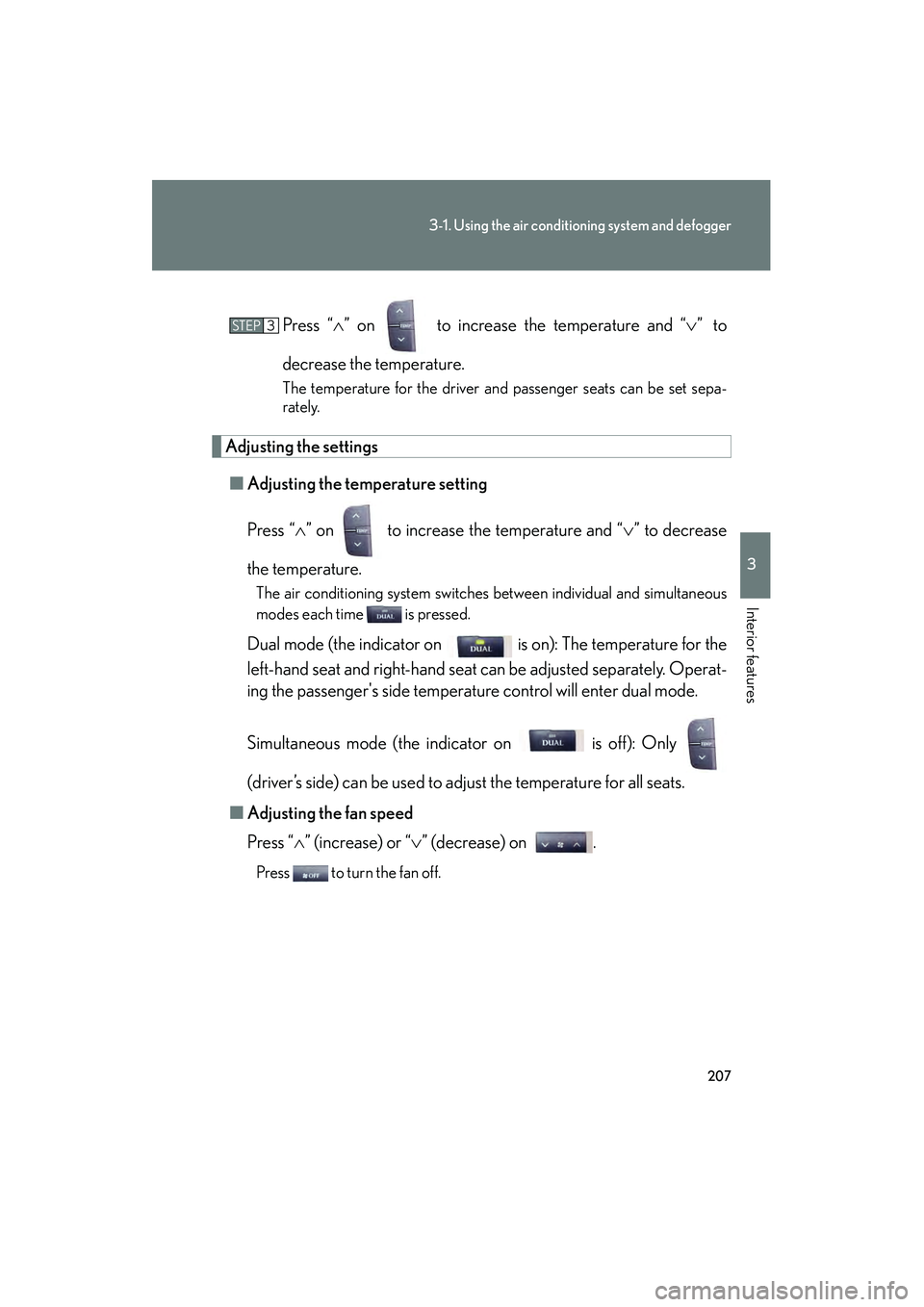
IS350/250_UPress “
∧” on to increase the temperature and “ ∨” to
decrease the temperature.
The temperature for the driver and passenger seats can be set sepa-
rately.
Adjusting the settings ■ Adjusting the temperature setting
Press “ ∧” on to increase the temperature and “ ∨” to decrease
the temperature.
The air conditioning system switches between individual and simultaneous
modes each time is pressed.
Dual mode (the indicator on is on): The temperature for the
left-hand seat and right-hand seat can be adjusted separately. Operat-
ing the passenger's side temperature control will enter dual mode.
Simultaneous mode (the indicator on is off): Only
(driver’s side) can be used to adjust the temperature for all seats.
■ Adjusting the fan speed
Press “ ∧” (increase) or “∨ ” (decrease) on .
Press to turn the fan off.
STEP3
Page 209 of 578
208
3-1. Using the air conditioning system and defogger
IS350/250_U■
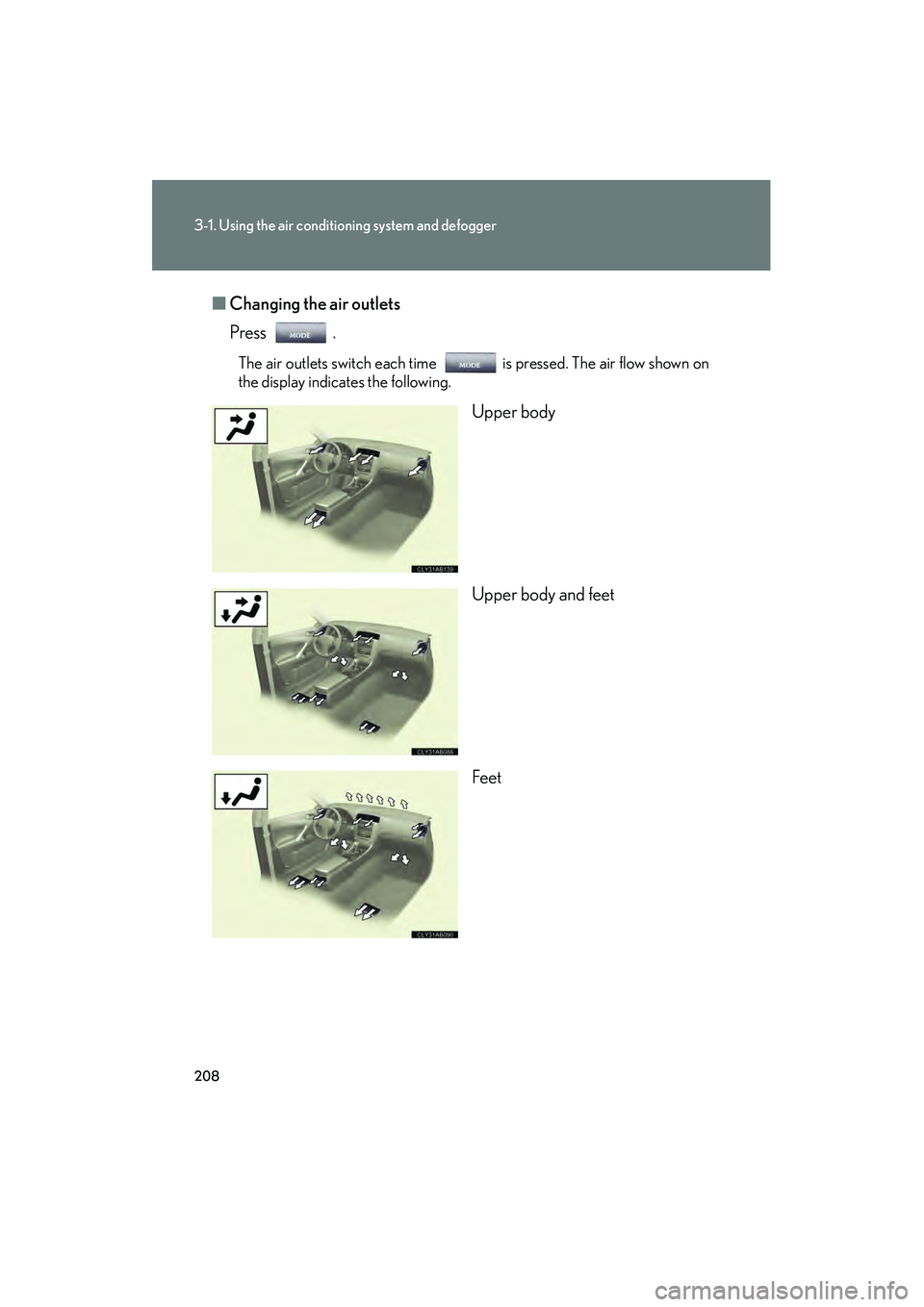
Changing the air outlets
Press .
The air outlets switch each time is pressed. The air flow shown on
the display indicates the following.
Upper body
Upper body and feet
Feet
Page 210 of 578
209
3-1. Using the air conditioning system and defogger
3
Interior features
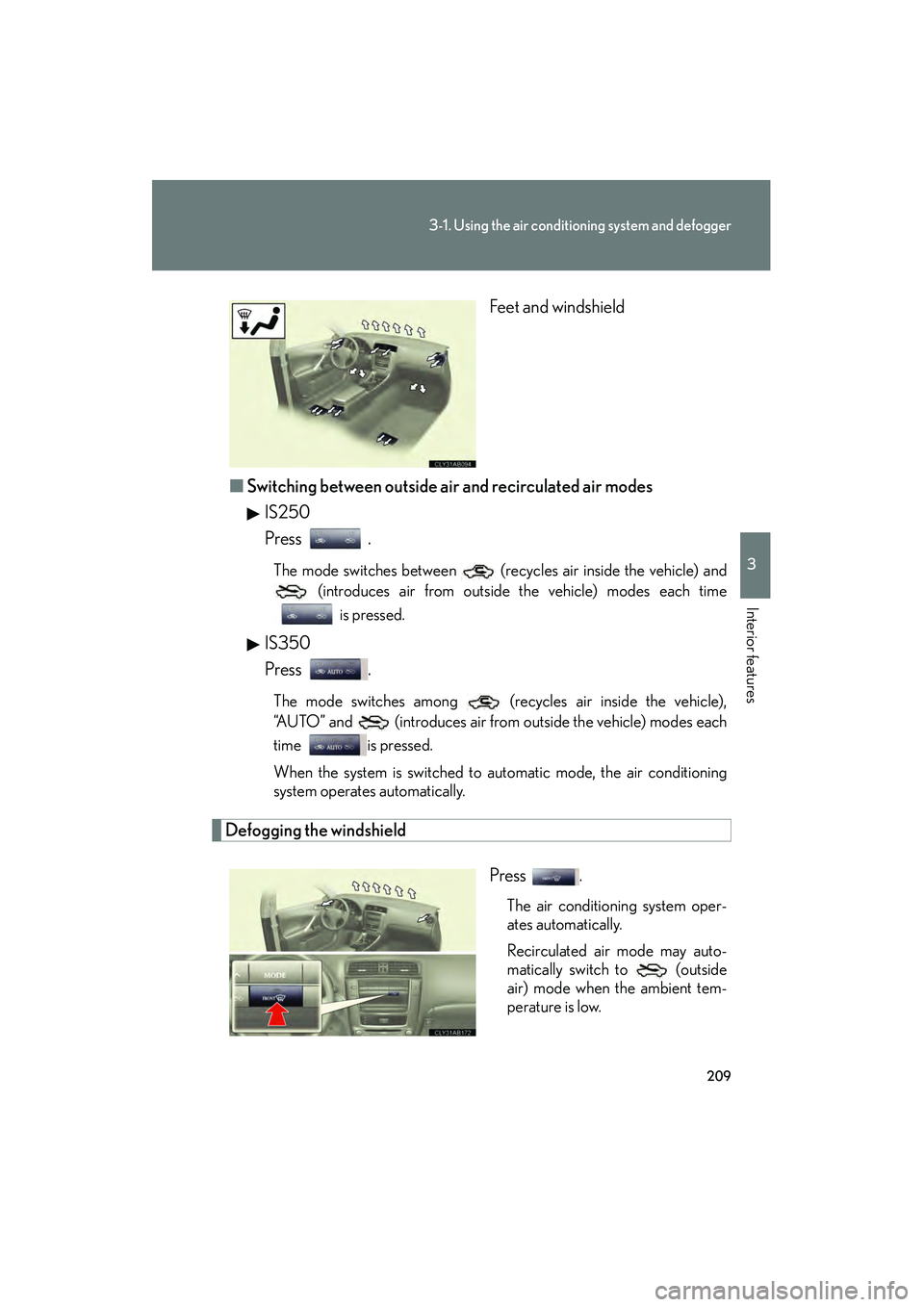
IS350/250_U Feet and windshield
■ Switching between outside air and recirculated air modes
IS250
Press .
The mode switches between (recycles air inside the vehicle) and (introduces air from outside the vehicle) modes each time
is pressed.
IS350
Press .
The mode switches among (recycles air inside the vehicle),
“AUTO” and (introduces air from outside the vehicle) modes each
time is pressed.
When the system is switched to automatic mode, the air conditioning
system operates automatically.
Defogging the windshield
Press .
The air conditioning system oper-
ates automatically.
Recirculated air mode may auto-
matically switch to (outside
air) mode when the ambient tem-
perature is low.
Page 211 of 578

210
3-1. Using the air conditioning system and defogger
IS350/250_U
Micro dust and pollen filterPress .
Outside air mode switches to (recirculated air) mode. Pol-
len is removed from the air and the
air flows to the upper part of the
body.
Usually the system will turn off
automatically after approximately 1
to 3 minutes.
To stop the operation, press again.
Adjusting the sensitivity of the air intake control in automatic mode (IS350 only)
Press for 2 or more sec-
onds.STEP1
Page 212 of 578
211
3-1. Using the air conditioning system and defogger
3
Interior features
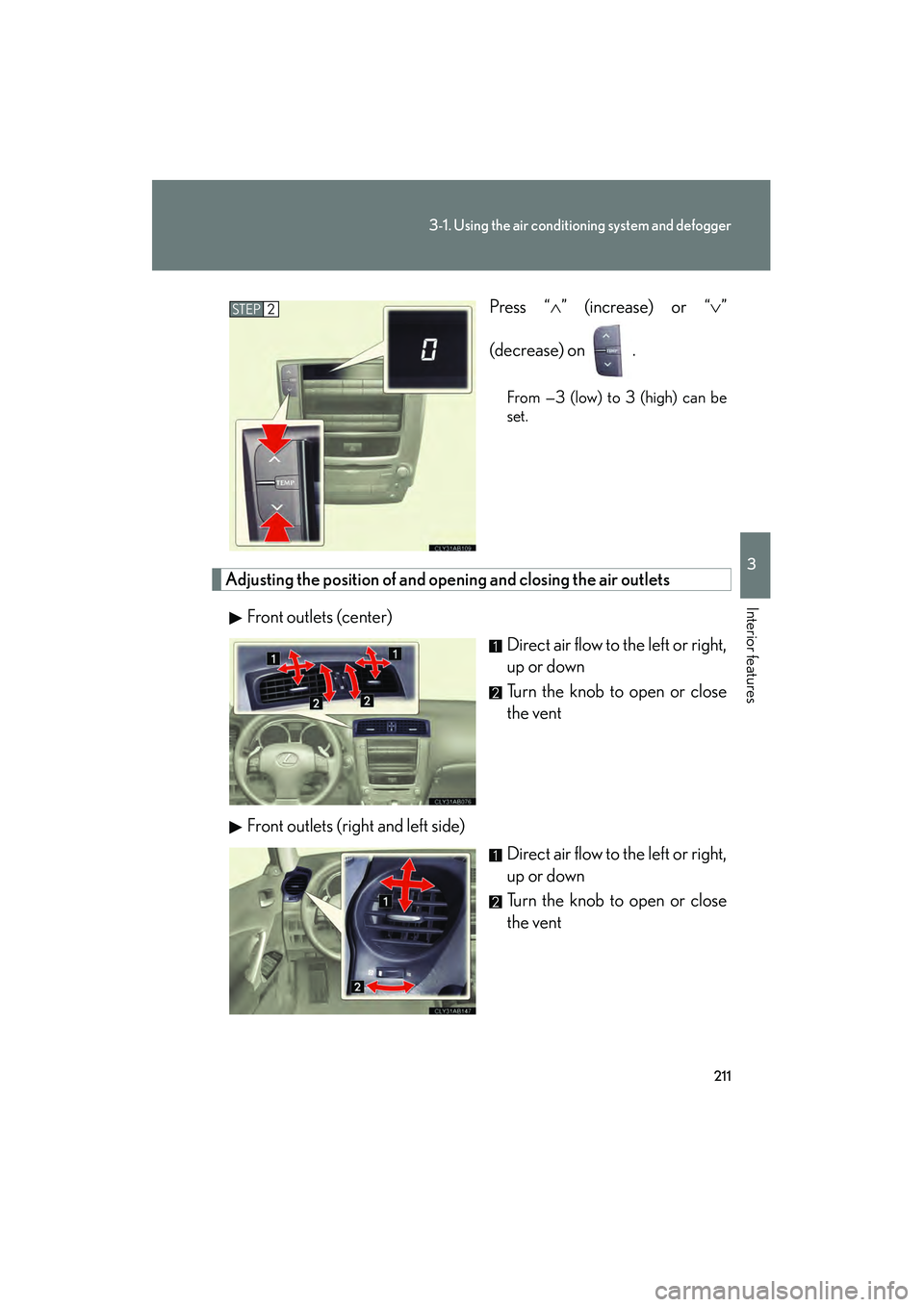
IS350/250_U Press “
∧” (increase) or “ ∨”
(decrease) on .
From —3 (low) to 3 (high) can be
set.
Adjusting the position of and op ening and closing the air outlets
Front outlets (center) Direct air flow to the left or right,
up or down
Turn the knob to open or close
the vent
Front outlets (right and left side) Direct air flow to the left or right,
up or down
Turn the knob to open or close
the vent
STEP2