Cd system Lexus IS250 2011 Manual PDF
[x] Cancel search | Manufacturer: LEXUS, Model Year: 2011, Model line: IS250, Model: Lexus IS250 2011Pages: 578, PDF Size: 31.12 MB
Page 164 of 578
163
2-2. Instrument cluster
2
When driving
IS350/250_U■
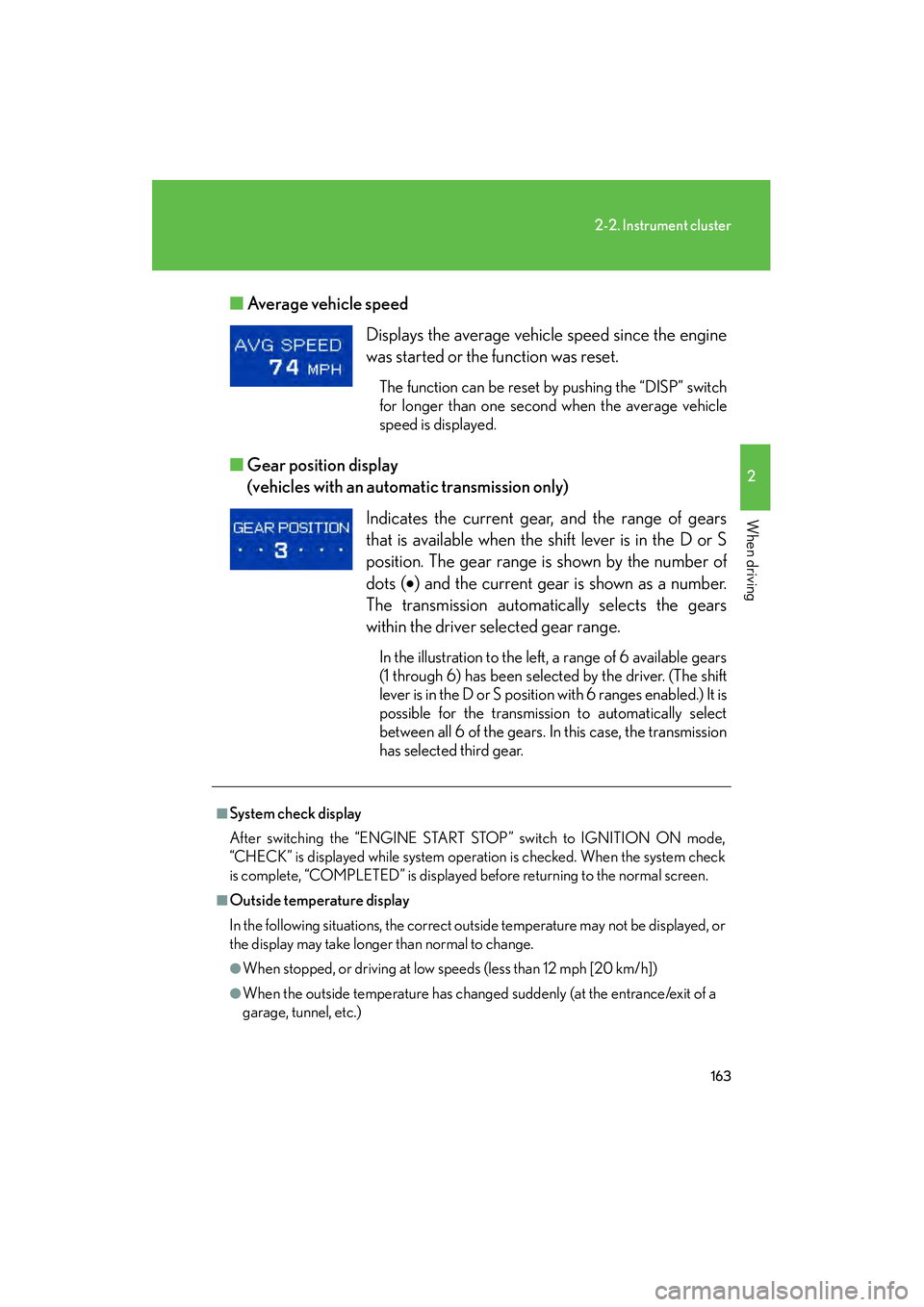
Average vehicle speed
■ Gear position display
(vehicles with an automatic transmission only)
Displays the average vehicle speed since the engine
was started or the function was reset.
The function can be reset by pushing the “DISP” switch
for longer than one second when the average vehicle
speed is displayed.
Indicates the current gear, and the range of gears
that is available when the shift lever is in the D or S
position. The gear range is shown by the number of
dots ( •) and the current gear is shown as a number.
The transmission automatically selects the gears
within the driver selected gear range.
In the illustration to the left, a range of 6 available gears
(1 through 6) has been selected by the driver. (The shift
lever is in the D or S position with 6 ranges enabled.) It is
possible for the transmission to automatically select
between all 6 of the gears. In this case, the transmission
has selected third gear.
■System check display
After switching the “ENGINE START STOP” switch to IGNITION ON mode,
“CHECK” is displayed while system operation is checked. When the system check
is complete, “COMPLETED” is displayed before returning to the normal screen.
■Outside temperature display
In the following situations, the correct outside temperature may not be displayed, or
the display may take longer than normal to change.
●When stopped, or driving at low speeds (less than 12 mph [20 km/h])
●When the outside temperature has changed suddenly (at the entrance/exit of a
garage, tunnel, etc.)
Page 167 of 578
166
2-3. Operating the lights and windshield wipers
IS350/250_U
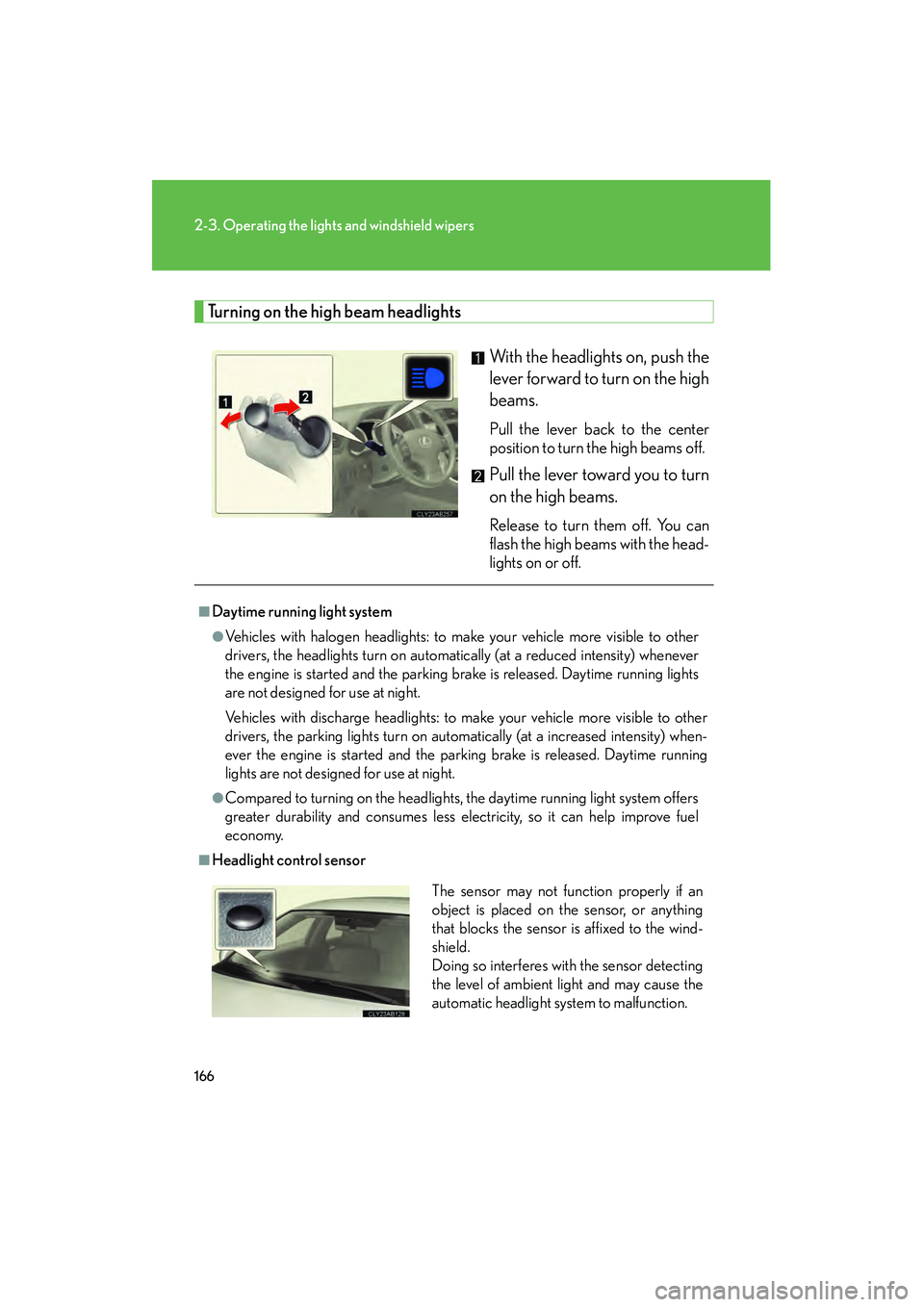
Turning on the high beam headlightsWith the headlights on, push the
lever forward to turn on the high
beams.
Pull the lever back to the center
position to turn the high beams off.
Pull the lever toward you to turn
on the high beams.
Release to turn them off. You can
flash the high beams with the head-
lights on or off.
■Daytime running light system
●Vehicles with halogen headlights: to make your vehicle more visible to other
drivers, the headlights turn on automatically (at a reduced intensity) whenever
the engine is started and the parking brake is released. Daytime running lights
are not designed for use at night.
Vehicles with discharge headlights: to make your vehicle more visible to other
drivers, the parking lights turn on automatically (at a increased intensity) when-
ever the engine is started and the parking brake is released. Daytime running
lights are not designed for use at night.
●Compared to turning on the headlights, the daytime running light system offers
greater durability and consumes less electricity, so it can help improve fuel
economy.
■Headlight control sensorThe sensor may not function properly if an
object is placed on the sensor, or anything
that blocks the sensor is affixed to the wind-
shield.
Doing so interferes with the sensor detecting
the level of ambient light and may cause the
automatic headlight system to malfunction.
Page 168 of 578
167
2-3. Operating the lights and windshield wipers
2
When driving
IS350/250_U
■Automatic light off system
●When the headlights come on: The headlights and tail lights turn off 30 seconds
after a door is opened and closed if the “ENGINE START STOP” switch has
been switched to ACCESSORY mode or turned OFF. (The lights turn off
immediately if on the key is pressed after all doors are locked.)
●When only the tail lights come on: The tail lights turn off automatically if the
“ENGINE START STOP” switch is switched to ACCESSORY mode or turned
OFF and driver’s door is opened.
To turn the lights on again, switch to IGNITION ON mode, or turn the light switch
off once and then back to or
.
■Automatic headlight leveling system (vehicles with discharge headlights)
The level of the headlights is automatically adjusted according to the number of
passengers and the loading condition of the vehicle to ensure that the headlights do
not interfere with other road users.
■Customization that can be configured at Lexus dealer
Settings (e.g. light sensor sensitivity) can be changed.
(Customizable features →P. 5 4 0 )
NOTICE
■To prevent battery discharge
Do not leave the lights on longer than necessary when the engine is not running.
Page 171 of 578
170
2-3. Operating the lights and windshield wipers
IS350/250_U
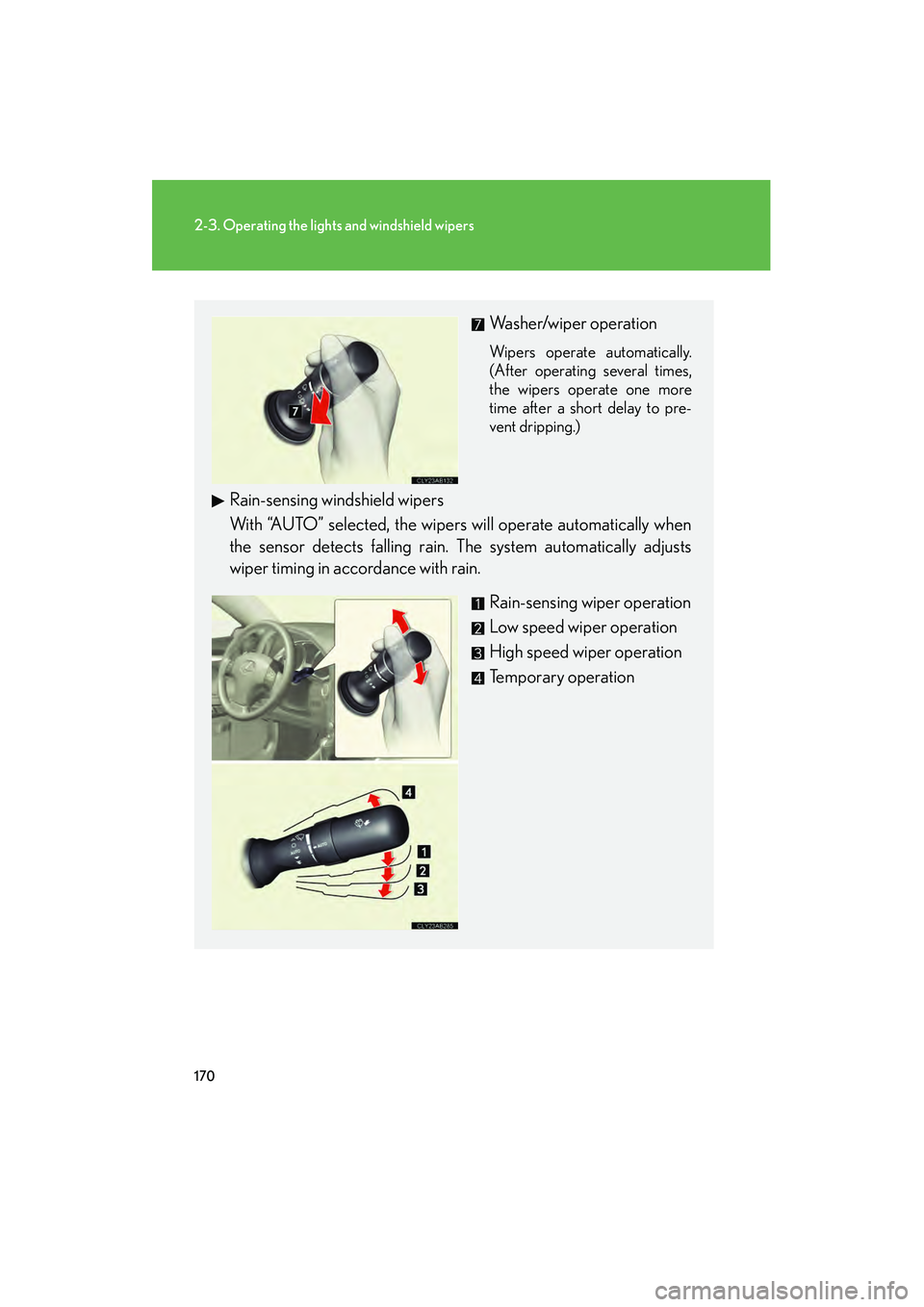
Washer/wiper operation
Wipers operate automatically.
(After operating several times,
the wipers operate one more
time after a short delay to pre-
vent dripping.)
Rain-sensing windshield wipers
With “AUTO” selected, the wipers will operate automatically when
the sensor detects falling rain. The system automatically adjusts
wiper timing in accordance with rain. Rain-sensing wiper operation
Low speed wiper operation
High speed wiper operation
Temporary operation
Page 176 of 578
175
2
When driving
IS350/250_U
2-4. Using other driving systems
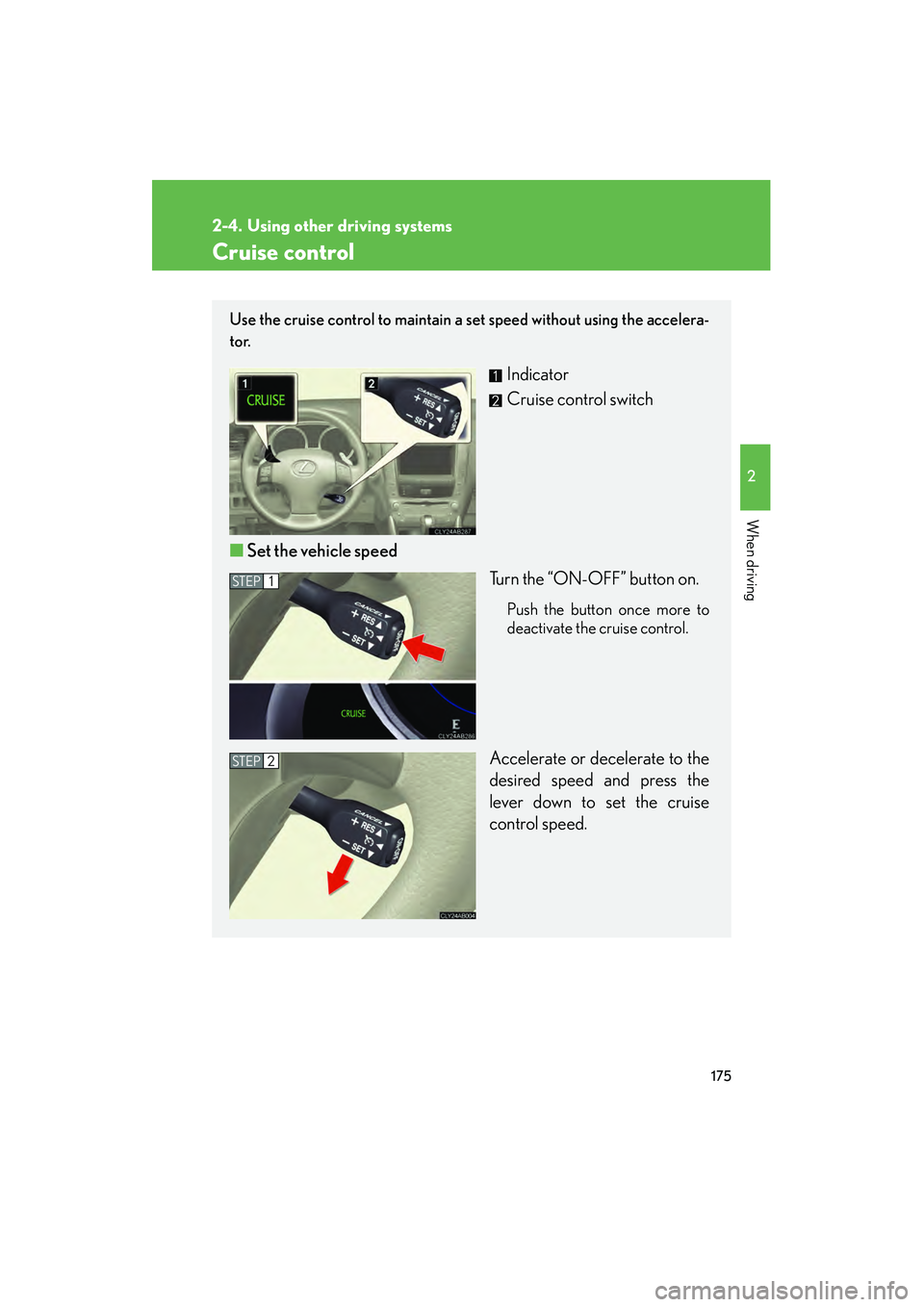
Cruise control
Use the cruise control to maintain a set speed without using the accelera-
tor.
Indicator
Cruise control switch
■ Set the vehicle speed
Turn the “ON-OFF” button on.
Push the button once more to
deactivate the cruise control.
Accelerate or decelerate to the
desired speed and press the
lever down to set the cruise
control speed.
STEP1
STEP2
Page 177 of 578
176
2-4. Using other driving systems
IS350/250_U
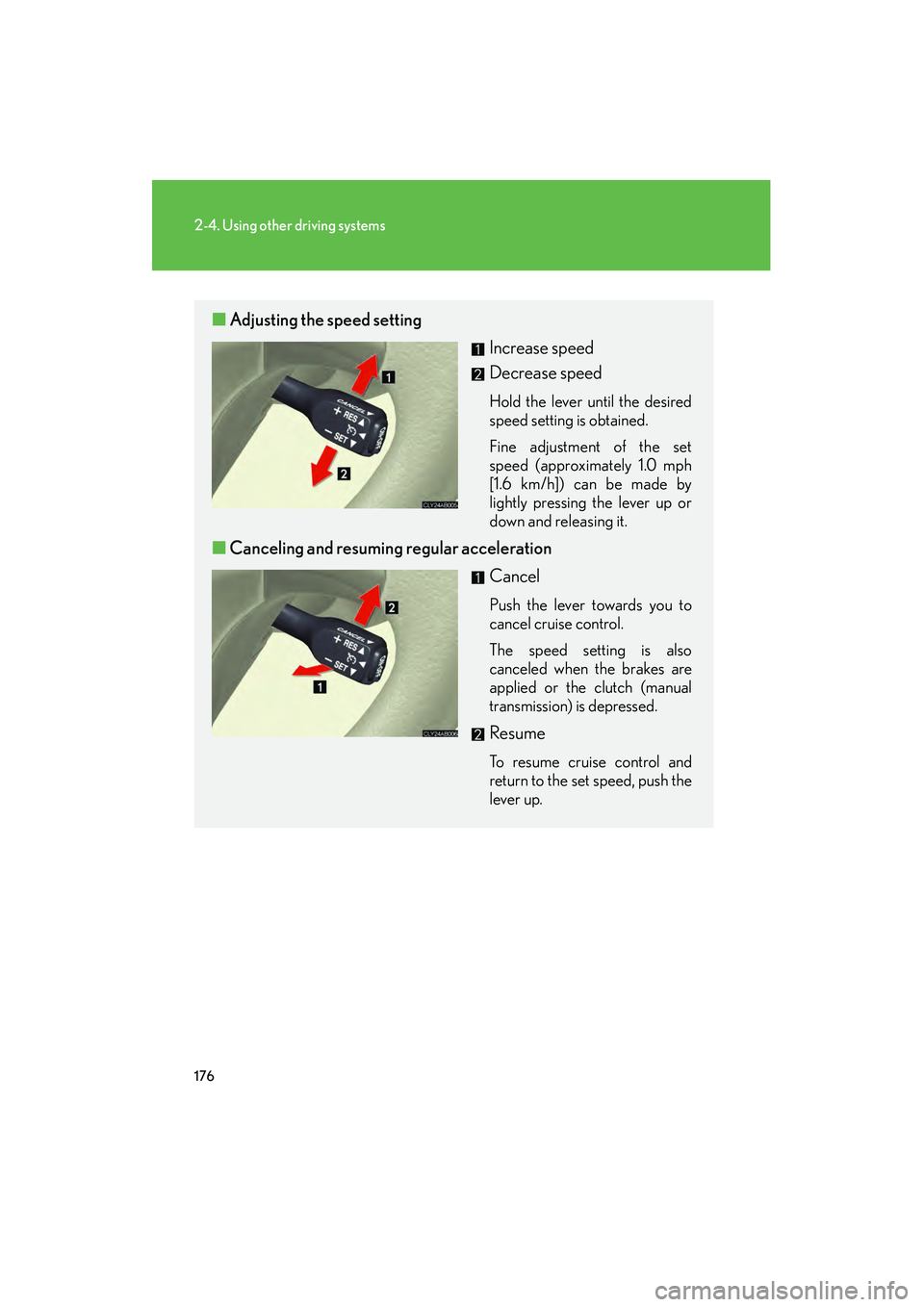
■Adjusting the speed setting
Increase speed
Decrease speed
Hold the lever until the desired
speed setting is obtained.
Fine adjustment of the set
speed (approximately 1.0 mph
[1.6 km/h]) can be made by
lightly pressing the lever up or
down and releasing it.
■Canceling and resuming regular acceleration
Cancel
Push the lever towards you to
cancel cruise control.
The speed setting is also
canceled when the brakes are
applied or the clutch (manual
transmission) is depressed.
Resume
To resume cruise control and
return to the set speed, push the
lever up.
Page 178 of 578
177
2-4. Using other driving systems
2
When driving
IS350/250_U
■Cruise control can be set when
●Vehicles with an automatic transmission: the shift lever is in the D position or S
position. However, it cannot be set if any of the ranges 1 through 3 has been
selected.
●Vehicle speed is more than approximately 25 mph (40 km/h).
■Accelerating
The vehicle can be accelerated normally. After acceleration, the set speed
resumes.
■Automatic cruise control cancellation
The set speed is automatically cancelled in any of the following situations.
●Actual vehicle speed falls more than 10 mph (16 km/h) below the preset vehicle
speed
At this time, the memorized set speed is not retained.
●Actual vehicle speed is below 25 mph (40km/h)
●VSC is activated
■If the cruise control indicator light flashes
Turn the “ON-OFF” button off once, and then reactivate the system.
If the cruise control speed cannot be set or if the cruise control cancels immediately
after being activated, there may be a malfunction in the cruise control system. Have
the vehicle inspected by your Lexus dealer.
Page 179 of 578
178
2-4. Using other driving systems
IS350/250_U
CAUTION
■To avoid operating the cruise control by mistake
Keep the “ON-OFF” button off when not in use.
■Situations unsuitable for cruise control
Do not use cruise control in any of the following situations.
Doing so may result in control of the vehicle being lost and could cause an accident
resulting in death or serious injury.
●In heavy traffic
●On roads with sharp bends
●On slippery roads, such as those covered with rain, ice or snow
●On steep hills
●On winding roads
●When your vehicle is towing anything
Page 180 of 578
179
2-4. Using other driving systems
2
When driving
IS350/250_U
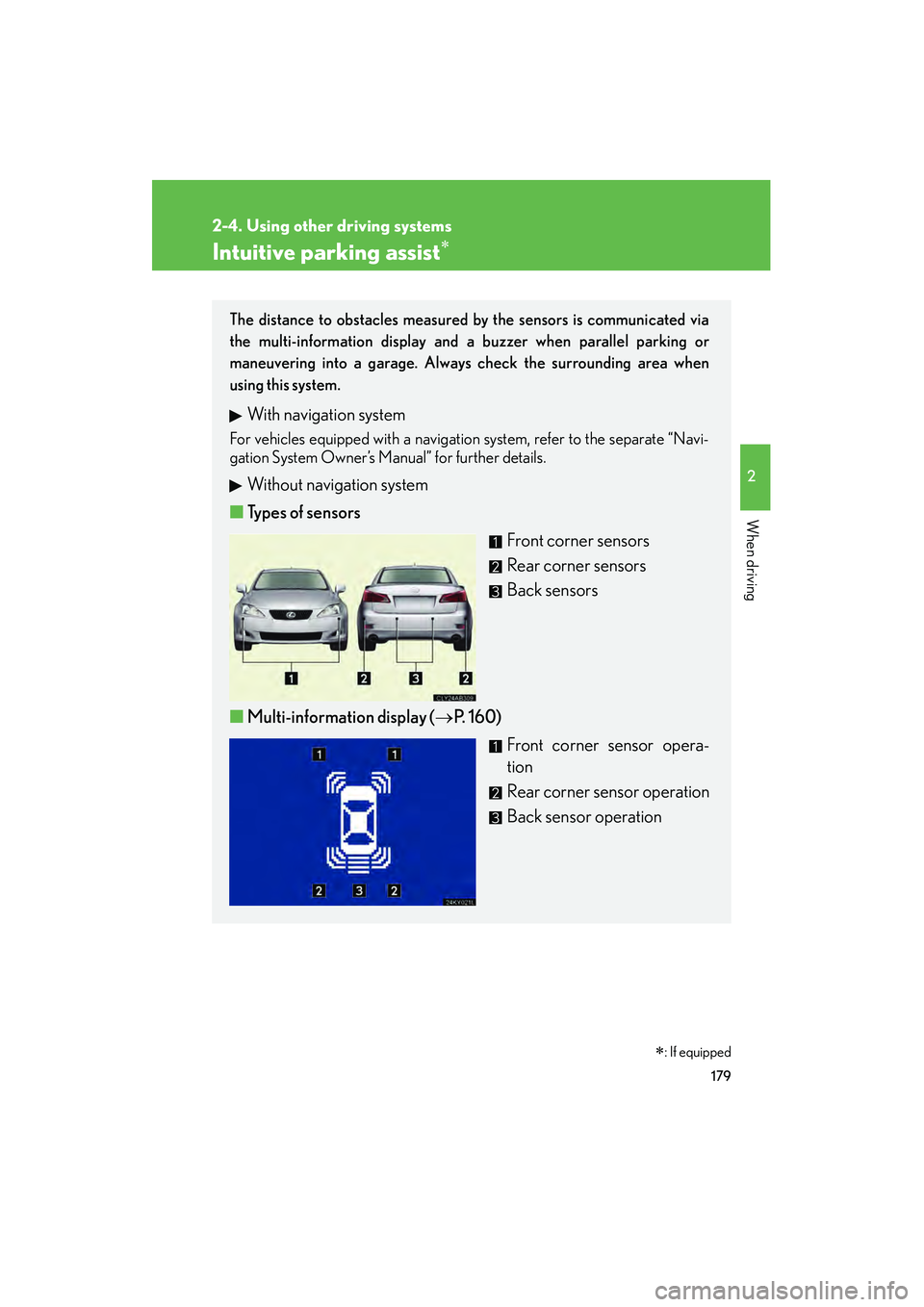
Intuitive parking assist∗
The distance to obstacles measured by the sensors is communicated via
the multi-information display and a buzzer when parallel parking or
maneuvering into a garage. Always check the surrounding area when
using this system.
With navigation system
For vehicles equipped with a navigation system, refer to the separate “Navi-
gation System Owner’s Manual” for further details.
Without navigation system
■ Types of sensors
Front corner sensors
Rear corner sensors
Back sensors
■ Multi-information display ( →P. 1 6 0 )
Front corner sensor opera-
tion
Rear corner sensor operation
Back sensor operation
∗: If equipped
Page 181 of 578

180
2-4. Using other driving systems
IS350/250_U
The distance display and buzzerWhen a sensor detects an obstacle, the direction of and the approximate
distance to the obstacle are displayed and the buzzer sounds.
■ Front corner sensors
Multi-information
displayApproximate distance to obstacleBuzzer
1.6 to 1.3 ft.
(50 to 40 cm)Medium
1.3 to 1.0 ft.
(40 to 30 cm)Fast
1.0 ft. (30 cm) or lessContinuous
■ Intuitive parking assist switch ( →P. 3 2 9 )
When on, an indicator is dis-
played to inform the driver that
the function is operational.