air condition Lexus IS250 2014 User Guide
[x] Cancel search | Manufacturer: LEXUS, Model Year: 2014, Model line: IS250, Model: Lexus IS250 2014Pages: 588, PDF Size: 98.77 MB
Page 182 of 588
1824-1. Before driving
IS250_EE(OM53C51E)
NOTICE
■When driving the vehicle
●Do not depress the accelerator and brake pedals at the same time during driving, as
this may restrain driving torque.
●Do not use the accelerator pedal or depress the accelerator and brake pedals at the
same time to hold the vehicle on a hill.
■When parking the vehicle
Always shift the shift lever to P. Failure to do so may cause the vehicle to move or the
vehicle may accelerate suddenly if the accelerator pedal is accidentally depressed.
■Avoiding damage to vehicle parts
●Do not turn the steering wheel fully in either direction and hold it there for an
extended period of time.
Doing so may damage the power steering motor.
●When driving over bumps in the road, drive as slowly as possible to avoid damaging
the wheels, underside of the vehicle, etc.
■If you get a flat tire while driving
A flat or damaged tire may cause the following situations. Hold the steering wheel
firmly and gradually depress the brake pedal to slow down the vehicle.
●It may be difficult to control your vehicle.
●The vehicle will make abnormal sounds or vibrations.
●The vehicle will lean abnormally.
Information on what to do in case of a flat tire (→P. 4 9 6 , 5 0 7 )
■When encountering flooded roads
Do not drive on a road that has flooded after heavy rain etc. Doing so may cause the
following serious damage to the vehicle:
●Engine stalling
●Short in electrical components
●Engine damage caused by water immersion
In the event that you drive on a flooded road and the vehicle is flooded, be sure to have
any authorized Lexus dealer or repairer, or another duly qualified and equipped pro-
fessional check the following:
●Brake function
●Changes in quantity and quality of oil and fluid used for the engine, transmission, dif-
ferentials, etc.
●Lubricant condition for the propeller shaft, bearings and suspension joints (where
possible), and the function of all joints, bearings, etc.
Page 190 of 588
1904-1. Before driving
IS250_EE(OM53C51E)
■Important points regarding stability
Vehicle movement resulting from uneven road surfaces and strong cross-
winds will affect handling. The vehicle may also be rocked by passing buses or
large trucks. Frequently check behind when moving alongside such vehicles.
As soon as such vehicle movement occurs, immediately start to decelerate
smoothly by slowly applying the brakes. Always steer the vehicle straight
ahead while braking.
■Passing other vehicles
Consider the total combined length of your vehicle and trailer and ensure that
the vehicle-to-vehicle distance is sufficient before executing lane changes.
■Transmission information
To maintain engine braking efficiency, when using engine braking when driv-
ing on a long steep downward grade, do not use the transmission in D. The
vehicle must be driven in gear shift position “4” in M mode. (→P. 2 0 0 )
■If the engine overheats
Towing a loaded trailer up a long, steep incline in temperatures exceeding
30°C (85°F) may result in the engine overheating. If the engine coolant tem-
perature gauge indicates that the engine is overheating, turn the air condition-
ing off immediately, leave the road and stop the vehicle in a safe place.
(→P. 5 3 1 )
■When parking the vehicle
Always place wheel chocks under the wheels of both the vehicle and trailer.
Firmly set the parking brake and shift the shift lever to P.
Page 194 of 588

1944-2. Driving procedures
IS250_EE(OM53C51E)
■Auto power off function
If the vehicle is left in ACCESSORY mode for more than 20 minutes or IGNITION ON
mode (the engine is not running) for more than an hour with the shift lever in P, the engine
switch will automatically turn off. However, this function cannot entirely prevent battery
discharge. Do not leave the vehicle with the engine switch in ACCESSORY or IGNI-
TION ON mode for long periods of time when the engine is not running.
■Electronic key battery depletion
→P. 1 1 5
■Conditions affecting operation
→P. 1 3 2
■Notes for the entry function
→P. 1 3 3
■If the engine does not start
●Check that the shift lever is securely set in P. The engine may not start if the shift lever is
displaced out of P.
●The engine immobilizer system may not have been deactivated. (→P. 77)
Contact any authorized Lexus dealer or repairer, or another duly qualified and
equipped professional.
■Steering lock
After turning the engine switch off and opening and closing the doors, the steering wheel
will be locked due to the steering lock function. Operating the engine switch again auto-
matically cancels the steering lock.
■When the steering lock cannot be released
■Steering lock motor overheating prevention
To prevent the steering lock motor from overheating, operation of the motor may be sus-
pended if the engine is turned on and off repeatedly in a short period of time. In this case,
refrain from operating the engine switch. After about 10 seconds, the steering lock
motor will resume functioning. “Steering Lock active” will be displayed on the
multi-information display.
Check that the shift lever is in P. Press the
engine switch while turning the steering wheel
left and right.
Page 201 of 588
2014-2. Driving procedures
4
Driving
IS250_EE(OM53C51E)
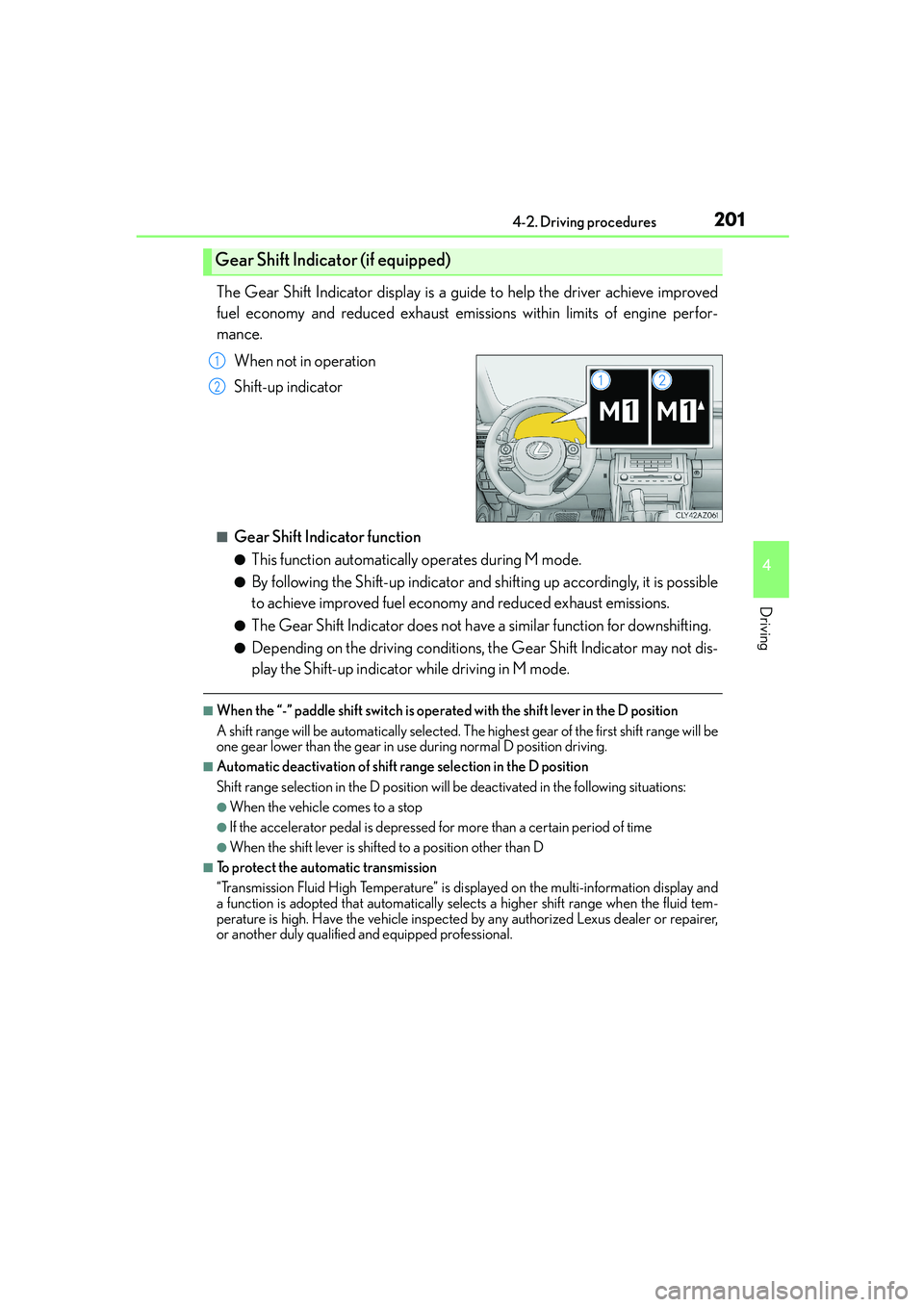
The Gear Shift Indicator display is a guide to help the driver achieve improved
fuel economy and reduced exhaust emissions within limits of engine perfor-
mance.
When not in operation
Shift-up indicator
■Gear Shift Indicator function
●This function automatically operates during M mode.
●By following the Shift-up indicator and shifting up accordingly, it is possible
to achieve improved fuel economy and reduced exhaust emissions.
●The Gear Shift Indicator does not have a similar function for downshifting.
●Depending on the driving conditions, the Gear Shift Indicator may not dis-
play the Shift-up indicator while driving in M mode.
■When the “-” paddle shift switch is operated with the shift lever in the D position
A shift range will be automatically selected. The highest gear of the first shift range will be
one gear lower than the gear in use during normal D position driving.
■Automatic deactivation of shift range selection in the D position
Shift range selection in the D position will be deactivated in the following situations:
●When the vehicle comes to a stop
●If the accelerator pedal is depressed for more than a certain period of time
●When the shift lever is shifted to a position other than D
■To protect the automatic transmission
“Transmission Fluid High Temperature” is displayed on the multi-information display and
a function is adopted that automatically selects a higher shift range when the fluid tem-
perature is high. Have the vehicle inspected by any authorized Lexus dealer or repairer,
or another duly qualified and equipped professional.
Gear Shift Indicator (if equipped)
1
2
Page 240 of 588

2404-5. Using the driving support systems
IS250_EE(OM53C51E)
CAUTION
■When the sensor may not be correctly detecting the vehicle ahead
Apply the brakes as necessary when any of the following types of vehicles are in front of
you.
As the sensor may not be able to correctly detect these types of vehicles, the approach
warning (→P. 234) will not be activated, and a fatal or serious accident may result.
●Vehicles that cut in suddenly
●Vehicles traveling at low speeds
●Vehicles that are not moving
●Vehicles with small rear ends (trailers with no load on board etc.)
●Motorcycles traveling in the same lane
■Conditions under which the vehicle-to-vehicle distance control may not function cor-
rectly
Apply the brakes as necessary in the following conditions as the radar sensor may not
be able to correctly detect vehicles ahead, and a fatal or serious accident may result:
●When water or snow thrown up by a the surrounding vehicles hinders the functioning
of the sensor
●When your vehicle is pointing upwards (caused by a heavy load in the trunk etc.)
●When the road curves or when the lanes are narrow
●When steering wheel operation or your position in the lane is unstable
●When the vehicle ahead of you decelerates suddenly
■Handling the radar sensor
Observe the following to ensure the cruise control system can function effectively.
Otherwise, the system may not function correctly and could result in an accident.
●Keep the sensor and grille cover clean at all times.
Clean the sensor and grille cover with a soft cloth so you do not mark or damage
them.
●Do not subject the sensor or surrounding area to a strong impact.
If the sensor moves even slightly off position, the system may malfunction. If the sen-
sor or surrounding area is subject to a strong impact, always have the area inspected
and adjusted by any authorized Lexus dealer or repairer, or another duly qualified
and equipped professional.
●Do not disassemble the sensor.
●Do not attach accessories or stickers to the sensor, grille cover or surrounding area.
●Do not modify or paint the sensor and grille cover.
●Do not replace them with non-genuine parts.
Page 244 of 588
2444-5. Using the driving support systems
IS250_EE(OM53C51E)
■Temporary cancelation of the LDA system functions
If any of the following occurs, the LDA system functions will be temporarily canceled. The
functions will resume after the necessary operating conditions have returned.
●The turn signal lever is operated.
●The vehicle speed deviates from the operating range of the LDA system functions.
●When the lane lines cannot be recognized while driving.
●When the lane departure warning sounds.
The lane departure warning function will not operate again for a several seconds after it
has been activated, even if the vehicle leaves the lane again.
■The lane departure warning
Depending on the audio system sound level or air conditioning fan noise while the audio
system or air conditioning system is in use, it may be difficult to hear the warning sound.
■After the vehicle has been parked in the sun
The LDA system may not be available and a warning message (→P. 486) will be dis-
played for a while after driving has started. When the temperature in the cabin decreases
and the temperature around the camera sensor (→P. 241) becomes suitable for its oper-
ation, the functions will begin to operate.
■If there are lane markers on only one side of the vehicle
The lane departure warning will not operate for the side on which lane markers could not
be recognized.
■Conditions in which the function may not operate correctly
In the following situations, the camera sensor may be unable to recognize lane markers
causing the lane departure warning function to operate incorrectly. However, this does
not indicate a malfunction.
●When driving through an area with no lane markers, such as a tollbooth, a crossing or
before a ticket checkpoint
●When driving on a sharp curve
●When lane markers are extremely narrow or extremely wide
●When the vehicle leans to one side an unusual amount due to a heavy load or improper
tire inflation pressure
●When the following distance between your vehicle and the vehicle ahead is extremely
short
●When the lane markers are yellow (These may be more difficult for the system to rec-
ognize compared to white markers.)
●When the lane markers are broken, Botts’ dots (raised pavement markers) or stones
●When the lane markers are on a curb etc.
●When lane markers are obscured or partially obscured by sand, dirt, etc.
●When there are shadows on the road running parallel with lane markers, or if a shadow
covers the lane markers
●When driving on a particularly bright road surface, such as concrete
●When driving on a road surface that is bright due to reflected light
●When driving in a location where the light level changes rapidly, such as the entrance to
or exit from a tunnel
Page 252 of 588

2524-5. Using the driving support systems
IS250_EE(OM53C51E)
■Sensor detection information
●The sensor’s detection areas are limited to the areas around the vehicle’s front corner
and rear bumpers.
●Certain vehicle conditions and the surrounding environment may affect the ability of
the sensor to correctly detect obstacles. Particular instances where this may occur are
listed below.
• There is dirt, snow or ice on the sensor. (Wiping the sensors will resolve this prob-
lem.)
• The sensor is frozen. (Thawing the area will resolve this problem.)
In especially cold weather, if a sensor is frozen the screen may show an abnormal
display, or obstacles may not be detected.
• The sensor is covered in any way.
• The vehicle is leaning considerably to one side.
• On an extremely bumpy road, on an incline, on gravel, or on grass.
• The vicinity of the vehicle is noisy due to vehicle horns, motorcycle engines, air
brakes of large vehicles, or other loud noises producing ultrasonic waves.
• There is another vehicle equipped with parking assist sensors in the vicinity.
• The sensor is coated with a sheet of spray or heavy rain.
• The vehicle is equipped with a fender pole or wireless antenna.
• Towing eyelets are installed.
• The bumper or sensor receives a strong impact.
• The vehicle is approaching a tall or curved curb.
• In harsh sunlight or intense cold weather.
• The area directly under the bumpers is not detected.
• If obstacles draw too close to the sensor.
• A non-genuine Lexus suspension (lowered suspension etc.) is installed.
• People may not be detected if they are wearing certain types of clothing.
In addition to the examples above, there are instances in which, because of their shape,
signs and other objects may be judged by the sensor to be closer than they are.
●The shape of the obstacle may prevent the sensor from detecting it. Pay particular
attention to the following obstacles:
• Wires, fences, ropes, etc.
• Cotton, snow and other materials that absorb sound waves
• Sharply-angled objects
• Low obstacles
• Tall obstacles with upper sections projecting outwards in the direction of your vehi-
cle
●The following situations may occur during use.
• Depending on the shape of the obstacle and other factors, the detection distance
may shorten, or detection may be impossible.
• Obstacles may not be detected if they are too close to the sensor.
• There will be a short delay between obstacle detection and display. Even at slow
speeds, there is a possibility that the obstacle will come within the sensor’s detection
areas before the display is shown and the warning beep sounds.
• Thin posts or objects lower than the sensor may not be detected when approached,
even if they have been detected once.
• It might be difficult to hear beeps due to the volume of the audio system or air flow
noise of the air conditioning system.
■If a message is displayed on the multi-information display
→P. 4 8 4
Page 260 of 588
2604-5. Using the driving support systems
IS250_EE(OM53C51E)
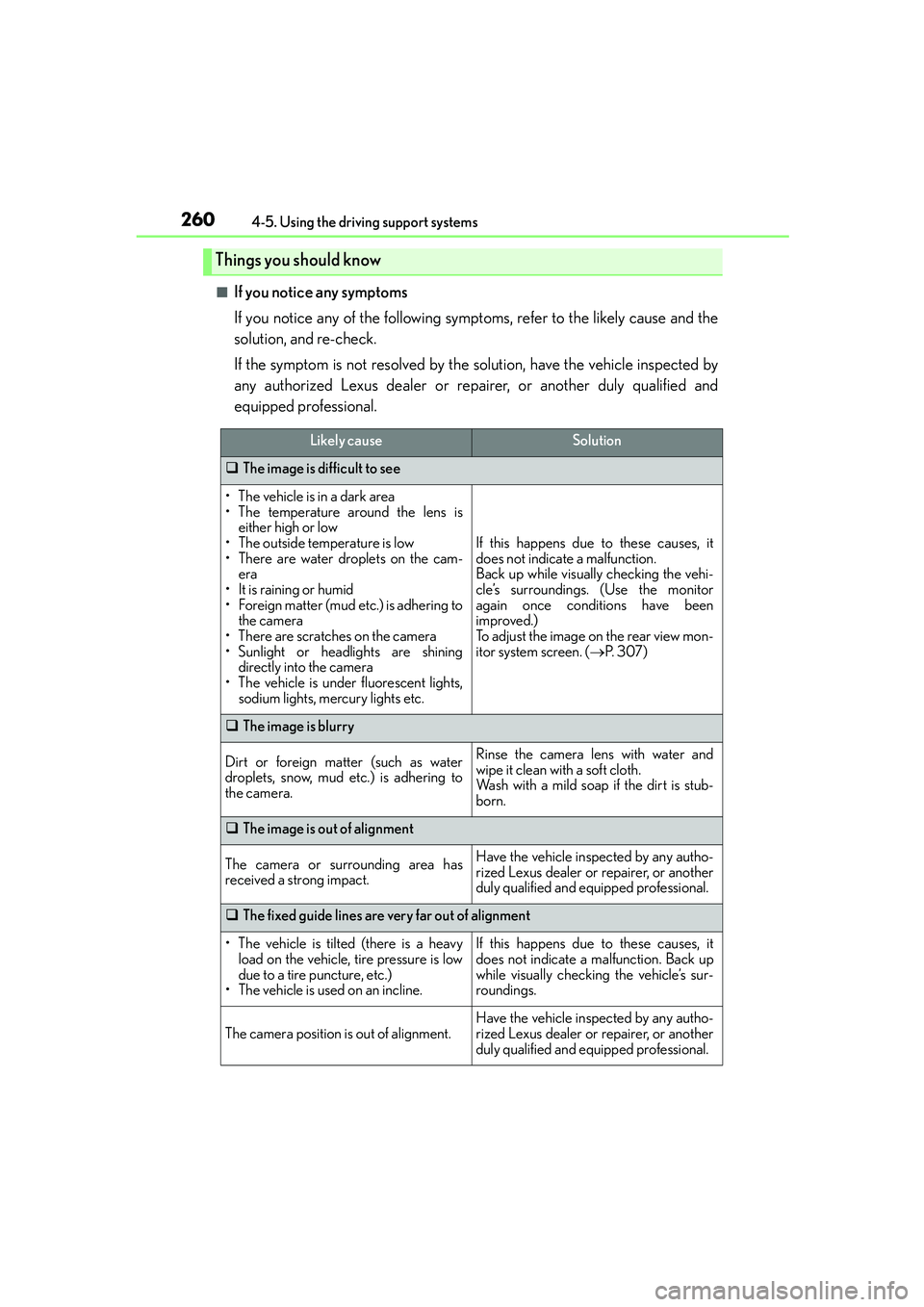
■If you notice any symptoms
If you notice any of the following symptoms, refer to the likely cause and the
solution, and re-check.
If the symptom is not resolved by the solution, have the vehicle inspected by
any authorized Lexus dealer or repairer, or another duly qualified and
equipped professional.
Things you should know
Likely causeSolution
‰The image is difficult to see
• The vehicle is in a dark area
• The temperature around the lens is
either high or low
• The outside temperature is low
• There are water droplets on the cam-
era
• It is raining or humid
• Foreign matter (mud etc.) is adhering to
the camera
• There are scratches on the camera
• Sunlight or headlights are shining
directly into the camera
• The vehicle is under fluorescent lights,
sodium lights, mercury lights etc.
If this happens due to these causes, it
does not indicate a malfunction.
Back up while visually checking the vehi-
cle’s surroundings. (Use the monitor
again once conditions have been
improved.)
To adjust the image on the rear view mon-
itor system screen. (→P. 3 0 7 )
‰The image is blurry
Dirt or foreign matter (such as water
droplets, snow, mud etc.) is adhering to
the camera.Rinse the camera lens with water and
wipe it clean with a soft cloth.
Wash with a mild soap if the dirt is stub-
born.
‰The image is out of alignment
The camera or surrounding area has
received a strong impact.Have the vehicle inspected by any autho-
rized Lexus dealer or repairer, or another
duly qualified and equipped professional.
‰The fixed guide lines are very far out of alignment
• The vehicle is tilted (there is a heavy
load on the vehicle, tire pressure is low
due to a tire puncture, etc.)
• The vehicle is used on an incline.If this happens due to these causes, it
does not indicate a malfunction. Back up
while visually checking the vehicle’s sur-
roundings.
The camera position is out of alignment.Have the vehicle inspected by any autho-
rized Lexus dealer or repairer, or another
duly qualified and equipped professional.
Page 264 of 588

2644-5. Using the driving support systems
IS250_EE(OM53C51E)
■Operation of the air conditioning system in Eco drive mode
Eco drive mode controls the heating/cooling operations and fan speed of the air condi-
tioning system to enhance fuel efficiency (→P. 376). To improve air conditioning perfor-
mance, adjust the fan speed or turn off Eco drive mode.
■Sport mode automatic deactivation
Sport mode is automatically deactivated if the engine switch is turned off after driving in
sport mode.
Page 270 of 588
2704-5. Using the driving support systems
IS250_EE(OM53C51E)
CAUTION
■The ABS does not operate effectively when
●The limits of tire gripping performance have been exceeded (such as excessively
worn tires on a snow covered road).
●The vehicle hydroplanes while driving at high speed on wet or slick roads.
■Stopping distance when the ABS is operating may exceed that of normal conditions
The ABS is not designed to shorten the vehicle’s stopping distance. Always maintain a
safe distance from the vehicle in front of you, especially in the following situations:
●When driving on dirt, gravel or snow-covered roads
●When driving with tire chains
●When driving over bumps in the road
●When driving over roads with potholes or uneven surfaces
■TRC may not operate effectively when
Directional control and power may not be achievable while driving on slippery road
surfaces, even if the TRC system is operating.
Drive the vehicle carefully in conditions where stability and power may be lost.
■Hill- start assist control does not operate effectively when
●Do not overly rely on hill-start assist control. Hill-start assist control may not operate
effectively on steep inclines and roads covered with ice.
●Unlike the parking brake, hill-start assist control is not intended to hold the vehicle
stationary for an extended period of time. Do not attempt to use hill-start assist con-
trol to hold the vehicle on an incline, as doing so may lead to an accident.
■When the VSC is activated
The slip indicator light flashes. Always drive carefully. Reckless driving may cause an
accident. Exercise particular care when the indicator light flashes.
■When the TRC/VSC systems are turned off
Be especially careful and drive at a speed appropriate to the road conditions. As these
are the systems to help ensure vehicle stability and driving force, do not turn the TRC/
VSC systems off unless necessary.
■Replacing tires
Make sure that all tires are of the specified size, brand, tread pattern and total load
capacity. In addition, make sure that the tires are inflated to the recommended tire infla-
tion pressure level.
The ABS, TRC and VSC systems will not function correctly if different tires are installed
on the vehicle.
Contact any authorized Lexus dealer or repairer, or another duly qualified and
equipped professional for further information when replacing tires or wheels.
■Handling of tires and the suspension
Using tires with any kind of problem or modifying the suspension will affect the driving
assist systems, and may cause a system to malfunction.