ipod Lexus IS250 2014 User Guide
[x] Cancel search | Manufacturer: LEXUS, Model Year: 2014, Model line: IS250, Model: Lexus IS250 2014Pages: 588, PDF Size: 98.77 MB
Page 316 of 588
3165-3. Using the audio system
IS250_EE(OM53C51E)
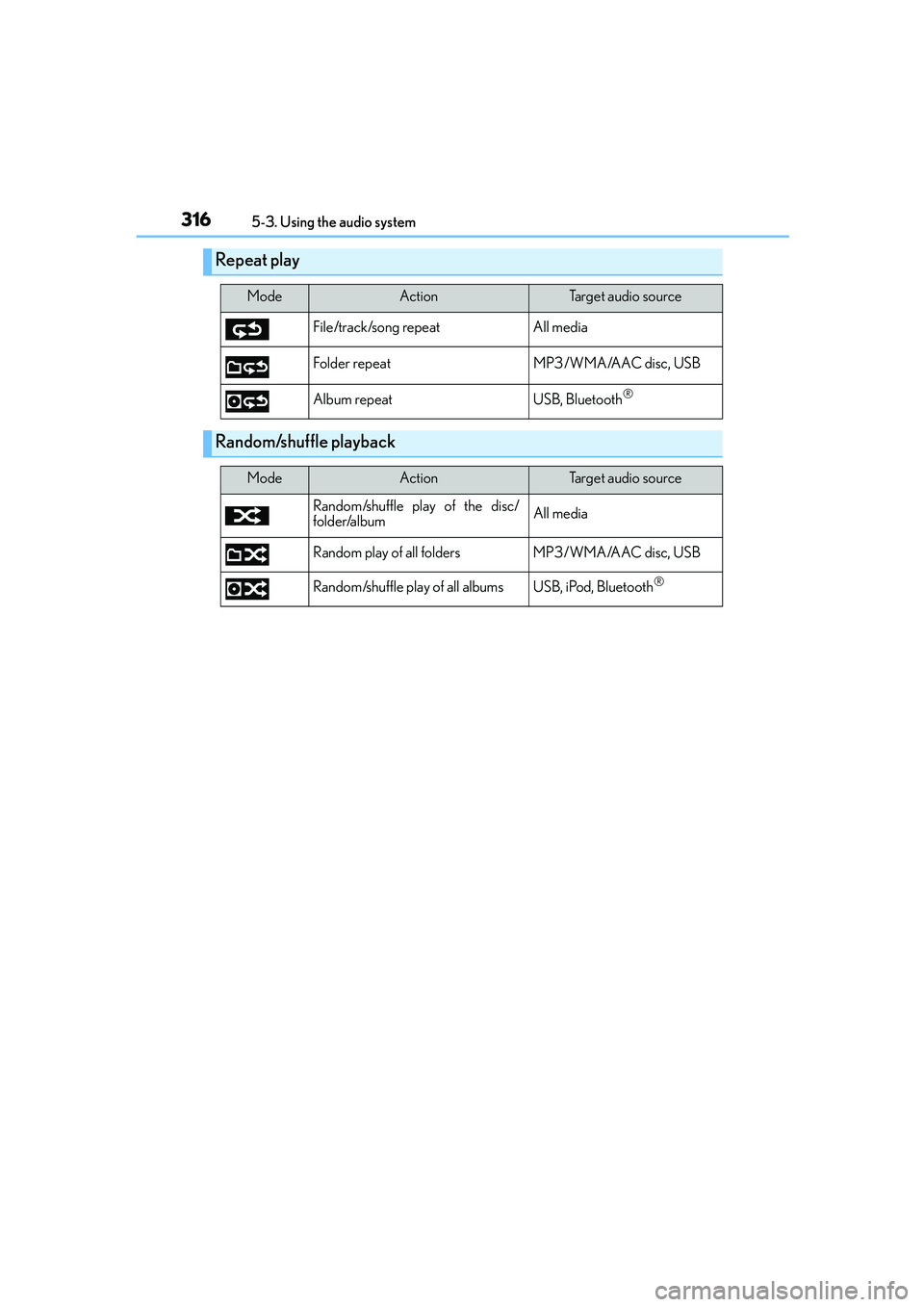
Repeat play
ModeActionTa r g e t a u d i o s o u r c e
File/track/song repeat All media
Folder repeat MP3 /WMA/AAC disc, USB
Album repeat USB, Bluetooth
®
Random/shuffle playback
ModeActionTa r g e t a u d i o s o u r c e
Random/shuffle play of the disc/
folder/albumAll media
Random play of all folders MP3/WMA/AAC disc, USB
Random/shuffle play of all albums USB, iPod, Bluetooth
®
Page 326 of 588
326
IS250_EE(OM53C51E)5-6. Using an external device
→P. 3 1 4
Pressing the “MEDIA” button displays the iPod top screen from any screen of the
selected source.
■Menu screen
→P. 3 1 4
■Selecting a song
Press the “<” or “>” button, turn the right side knob (left-hand drive vehicle) or
left side knob (right-hand drive vehicle) on the audio panel to select the
desired song number.
To fast-forward or rewind, press and hold the “<” or “>” button.
■Selecting a play mode
Move the controller to the right and then select “Browse”.
Select the desired play mode, and then select a song to begin using the
selected play mode.
■Displaying the now playing list
Move the controller to the right and then select “Now playing list”.
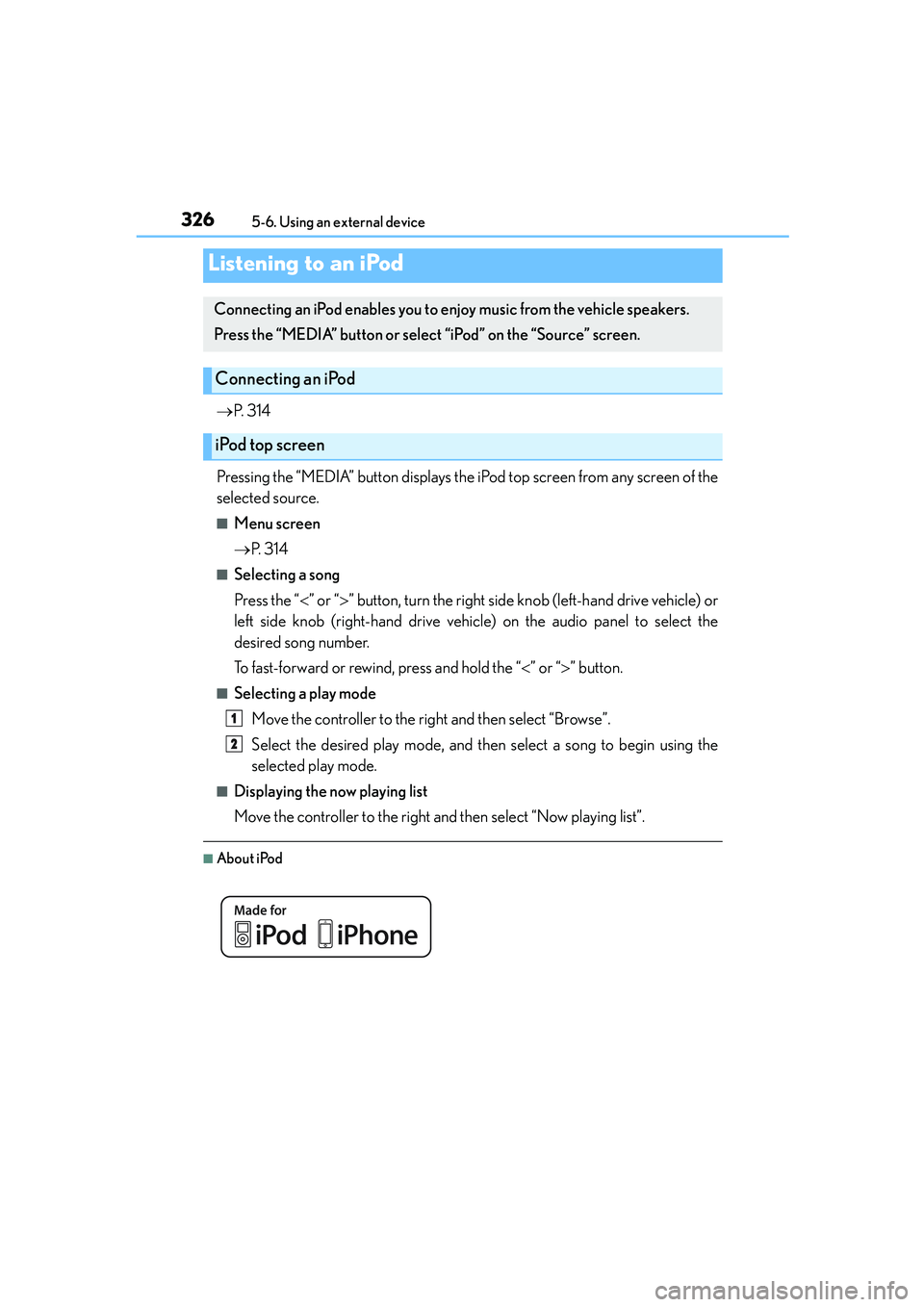
■About iPod
Listening to an iPod
Connecting an iPod enables you to enjoy music from the vehicle speakers.
Press the “MEDIA” button or select “iPod” on the “Source” screen.
Connecting an iPod
iPod top screen
1
2
Page 327 of 588
3275-6. Using an external device
5
Lexus Display Audio system
IS250_EE(OM53C51E)
●“Made for iPod” and “Made for iPhone” mean that an electronic accessory has been
designed to connect specifically to an iPod, or iPhone, respectively, and has been certi-
fied by the developer to meet Apple performance standards.
●Apple is not responsible for the operation of this device or its compliance with safety
and regulatory standards. Please note that the use of this accessory with iPod or iPhone
may affect wireless performance.
● iPhone, iPod, iPod classic, iPod nano and iPod touch are trademarks of Apple Inc., reg-
istered in the U.S. and other countries.
■iPod cover art
●Depending on the iPod and songs in the iPod, iPod cover art may be displayed.
●This function can be changed to on/off. (→P. 313)
●It may take time to display iPod cover art, and the iPod may not be operated while the
cover art display is in process.
■iPod functions
●When an iPod is connected and the audio source is changed to iPod mode, the iPod will
resume play from the same point in which it was last used.
●Depending on the iPod that is connected to the system, certain functions may not be
available. If a function is unavailable due to a malfunction (as opposed to a system spec-
ification), disconnecting the device and reconnecting it may resolve the problem.
●Depending on the iPod, while connected to the system, the iPod cannot be operated
with its own controls. It is necessary to use the controls of the vehicle's audio system
instead.
●When the battery level of an iPod is very low, the iPod may not operate. If so, charge the
iPod before use.
●Compatible models (→P. 3 2 8 )
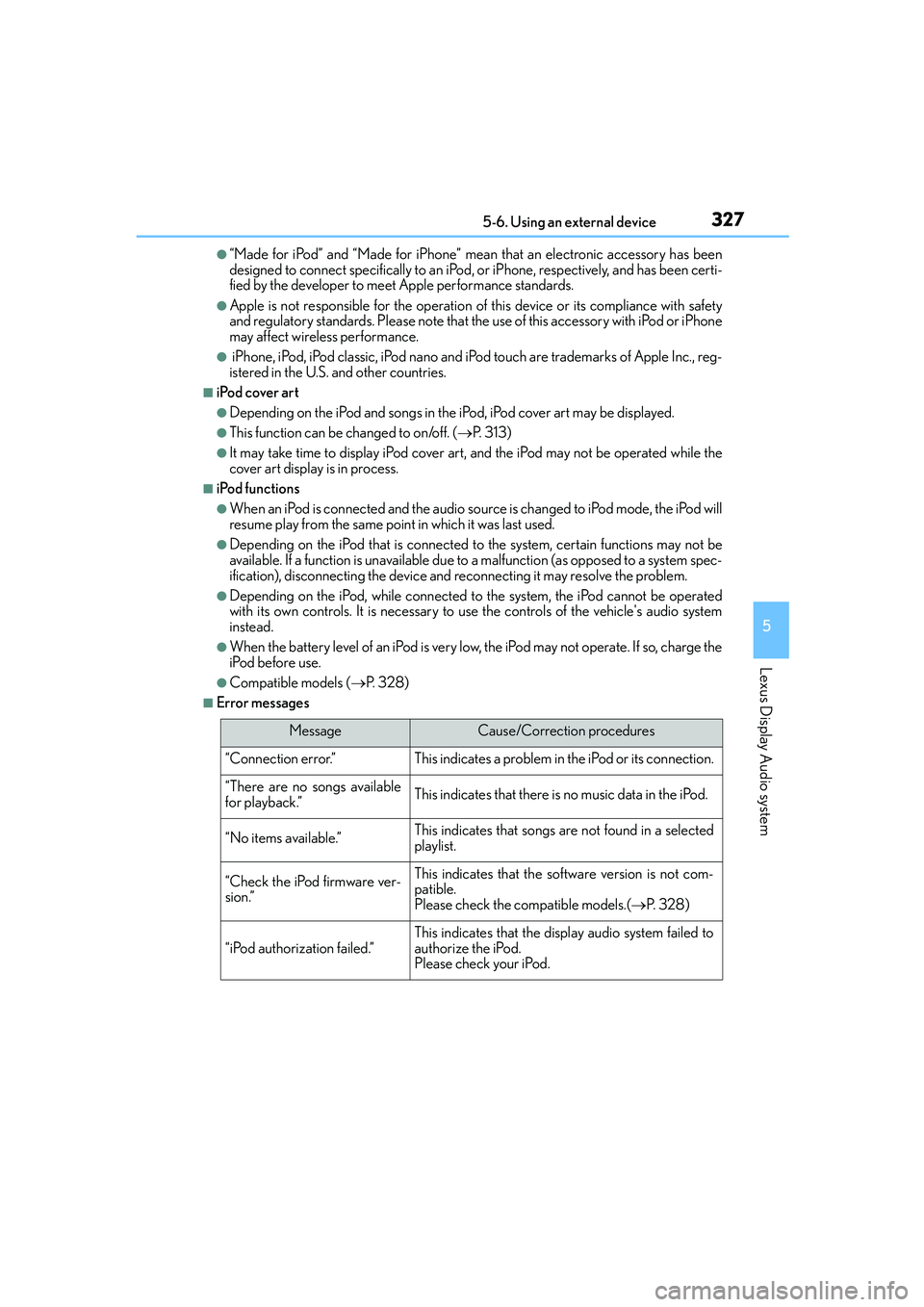
■Error messages
MessageCause/Correction procedures
“Connection error.”This indicates a problem in the iPod or its connection.
“There are no songs available
for playback.”This indicates that there is no music data in the iPod.
“No items available.”This indicates that songs are not found in a selected
playlist.
“Check the iPod firmware ver-
sion.”This indicates that the software version is not com-
patible.
Please check the compatible models.(→P. 3 2 8 )
“iPod authorization failed.”This indicates that the display audio system failed to
authorize the iPod.
Please check your iPod.
Page 328 of 588
3285-6. Using an external device
IS250_EE(OM53C51E)
■iPod problems
To resolve most problems encountered when using your iPod, disconnect your iPod from
the vehicle iPod connection and reset it. For instructions on how to reset your iPod, refer
to your iPod Owner's Manual.
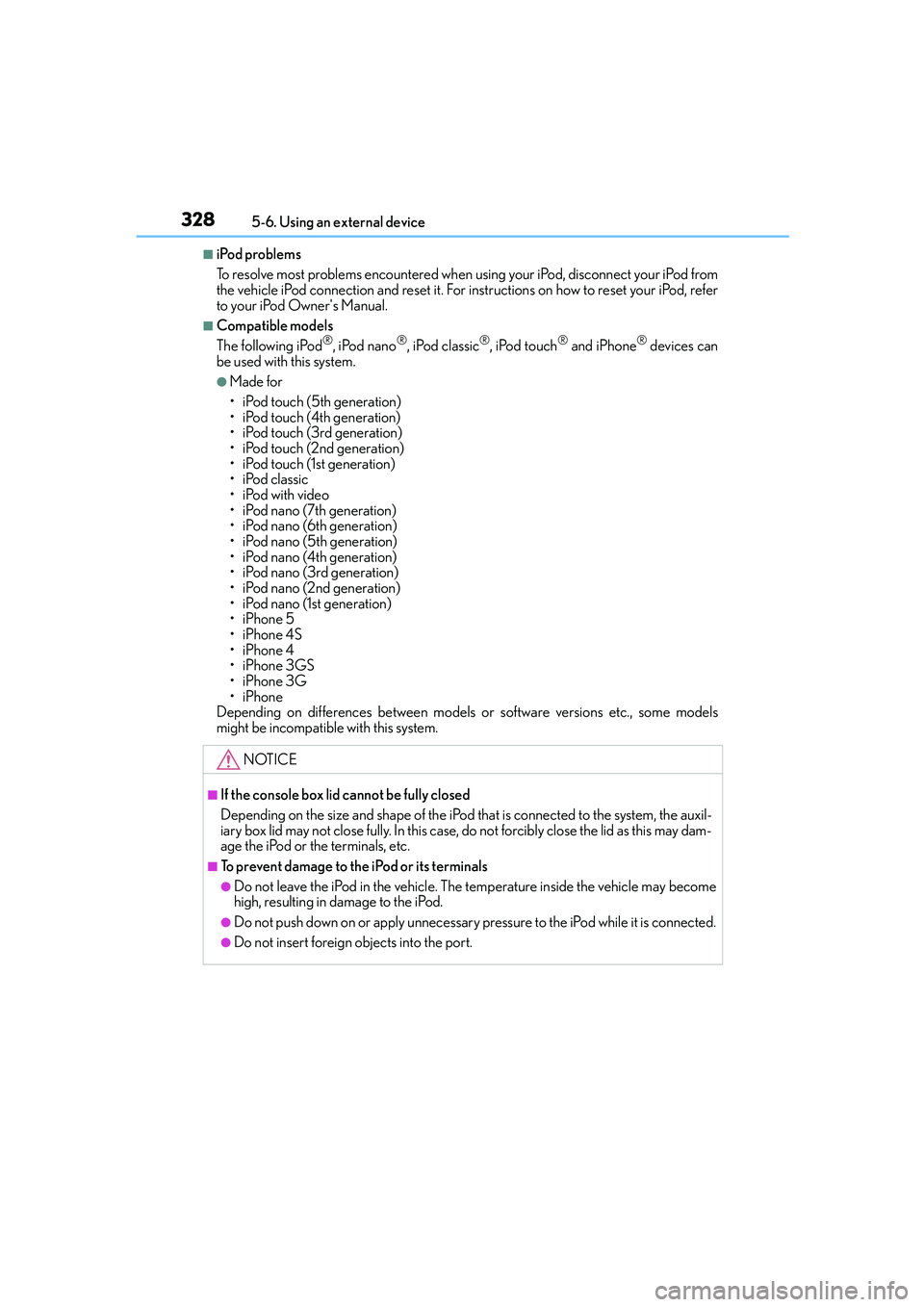
■Compatible models
The following iPod®, iPod nano®, iPod classic®, iPod touch® and iPhone® devices can
be used with this system.
●Made for
• iPod touch (5th generation)
• iPod touch (4th generation)
• iPod touch (3rd generation)
• iPod touch (2nd generation)
• iPod touch (1st generation)
•iPod classic
•iPod with video
• iPod nano (7th generation)
• iPod nano (6th generation)
• iPod nano (5th generation)
• iPod nano (4th generation)
• iPod nano (3rd generation)
• iPod nano (2nd generation)
• iPod nano (1st generation)
•iPhone 5
•iPhone 4S
•iPhone 4
•iPhone 3GS
•iPhone 3G
•iPhone
Depending on differences between models or software versions etc., some models
might be incompatible with this system.
NOTICE
■If the console box lid cannot be fully closed
Depending on the size and shape of the iPod that is connected to the system, the auxil-
iary box lid may not close fully. In this case, do not forcibly close the lid as this may dam-
age the iPod or the terminals, etc.
■To prevent damage to the iPod or its terminals
●Do not leave the iPod in the vehicle. The temperature inside the vehicle may become
high, resulting in damage to the iPod.
●Do not push down on or apply unnecessary pressure to the iPod while it is connected.
●Do not insert foreign objects into the port.
Page 569 of 588

569Alphabetical index
IS250_EE(OM53C51E)
Anti-lock Brake System (ABS) ....... 265
Function ..................................................265
Warning light ....................................... 477
Approach warning ............................... 234
Armrest .................................................... 400
Assist grips ..............................................402
Audio input ............................................... 301
Audio system .......................................... 294
Audio CD player .................................319
Audio input ............................................ 301
AUX port/
USB port ............................................. 301
Bluetooth
® audio .............................. 343
iPod........................................................... 326
Optimal use ......................................... 309
Portable music player...................... 334
Radio .......................................................... 317
Steering wheel audio switch ....... 300
USB memory....................................... 329
Automatic headlight leveling
system .................................................. 208
Warning light ....................................... 477
Automatic High Beam .......................209
Automatic light control system ......206
AUX port .................................................. 301
Average fuel economy..........................101
Average vehicle speed .........................101Back-up light
Replacing light bulb ......................... 456
Wattage ................................................. 548
Battery....................................................... 422
Battery checking................................. 422
If the vehicle has discharged
battery...................................................527
Preparing and checking
before winter.................................... 288
Warning light....................................... 476
Blind Spot Monitor (BSM) .............. 278
Blower customization......................... 383
Bluetooth®
Audio system....................................... 343
Hands-free system
(for cellular phone) ....................... 345
Bottle holders......................................... 393
Brake
Fluid .......................................................... 545
Parking brake ...................................... 205
Warning light....................................... 476
Brake assist ............................................ 265
Break-in tips ............................................. 177
Brightness control
Instrument panel light control ........ 98
BSM (Blind Spot Monitor) ............... 278
B