Care Lexus IS250 2014 Owner's Manual
[x] Cancel search | Manufacturer: LEXUS, Model Year: 2014, Model line: IS250, Model: Lexus IS250 2014Pages: 588, PDF Size: 98.77 MB
Page 1 of 588
IS250_EE(OM53C51E)
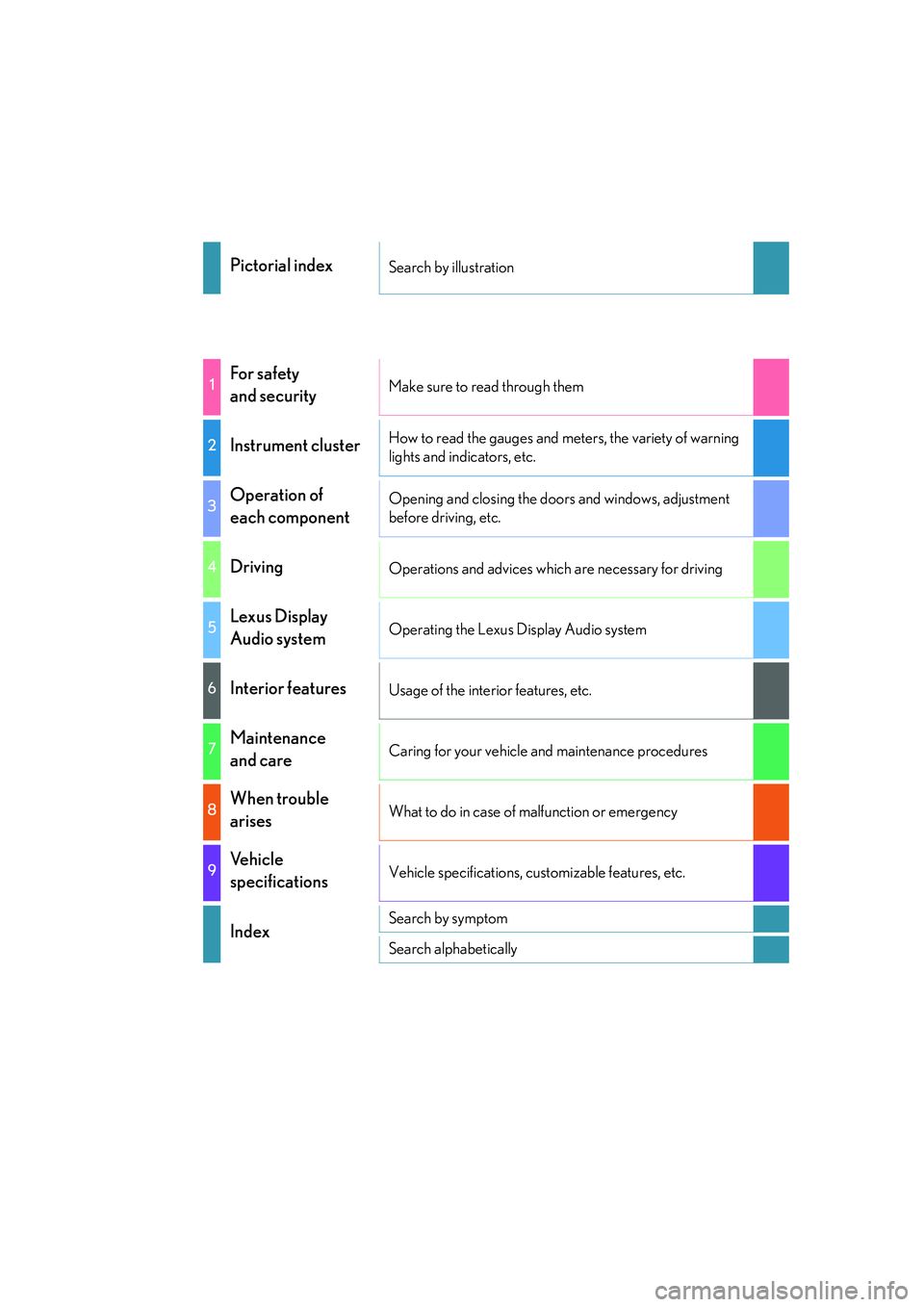
Pictorial indexSearch by illustration
1For safety
and securityMake sure to read through them
2Instrument clusterHow to read the gauges and meters, the variety of warning
lights and indicators, etc.
3Operation of
each componentOpening and closing the doors and windows, adjustment
before driving, etc.
4DrivingOperations and advices which are necessary for driving
5Lexus Display
Audio systemOperating the Lexus Display Audio system
6Interior featuresUsage of the interior features, etc.
7Maintenance
and careCaring for your vehicle and maintenance procedures
8When trouble
arisesWhat to do in case of malfunction or emergency
9Vehicle
specificationsVehicle specifications, customizable features, etc.
IndexSearch by symptom
Search alphabetically
Page 6 of 588
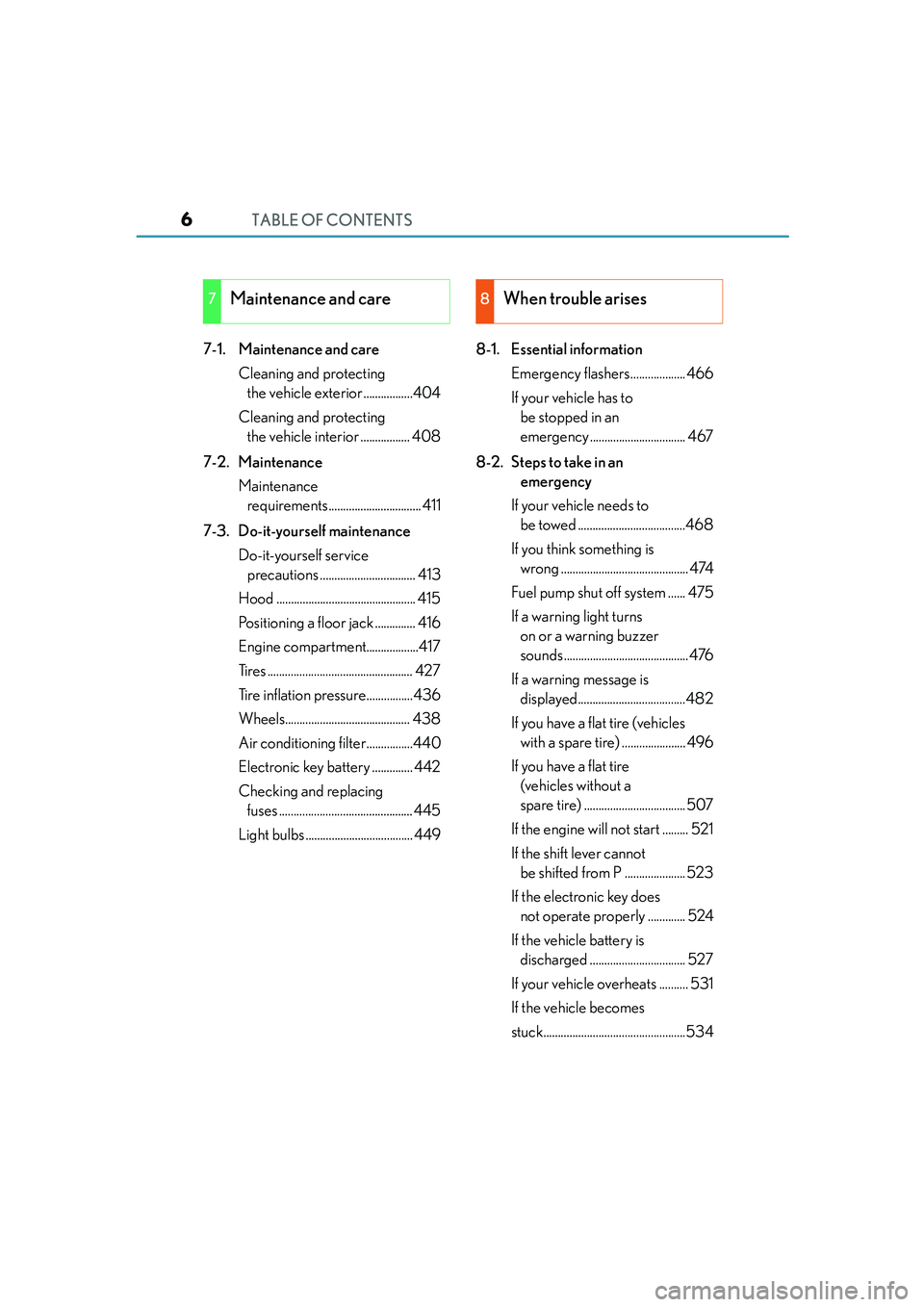
TABLE OF CONTENTS6
IS250_EE(OM53C51E)
7-1. Maintenance and care
Cleaning and protecting
the vehicle exterior .................404
Cleaning and protecting
the vehicle interior ................. 408
7-2. Maintenance
Maintenance
requirements................................ 411
7-3. Do-it-yourself maintenance
Do-it-yourself service
precautions ................................. 413
Hood ................................................ 415
Positioning a floor jack .............. 416
Engine compartment..................417
Tires .................................................. 427
Tire inflation pressure................436
Wheels........................................... 438
Air conditioning filter................440
Electronic key battery .............. 442
Checking and replacing
fuses .............................................. 445
Light bulbs ..................................... 4498-1. Essential information
Emergency flashers................... 466
If your vehicle has to
be stopped in an
emergency ................................. 467
8-2. Steps to take in an
emergency
If your vehicle needs to
be towed .....................................468
If you think something is
wrong ............................................ 474
Fuel pump shut off system ...... 475
If a warning light turns
on or a warning buzzer
sounds...........................................476
If a warning message is
displayed.....................................482
If you have a flat tire (vehicles
with a spare tire) ...................... 496
If you have a flat tire
(vehicles without a
spare tire) ................................... 507
If the engine will not start ......... 521
If the shift lever cannot
be shifted from P ..................... 523
If the electronic key does
not operate properly ............. 524
If the vehicle battery is
discharged ................................. 527
If your vehicle overheats .......... 531
If the vehicle becomes
stuck.................................................534
7Maintenance and care8When trouble arises
Page 33 of 588

331-1. For safe use
1
For safety and security
IS250_EE(OM53C51E)
CAUTION
Observe the following precautions.
Failure to do so may cause the driver’s floor mat to slip, possibly interfering with the ped-
als while driving. An unexpectedly high speed may result or it may become difficult to
stop the vehicle, leading to an accident, or leading to death or a serious injury.
■When installing the driver’s floor mat
●Do not use floor mats designed for other models or different model year vehicles,
even if they are Lexus Genuine floor mats.
●Only use floor mats designed for the driver’s seat.
●Always install the floor mat securely using the retaining hooks (clips) provided.
●Do not use two or more floor mats on top of each other.
●Do not place the floor mat bottom-side up or upside-down.
■Before driving
●Check that the floor mat is securely fixed in
the correct place with all the provided retain-
ing hooks (clips). Be especially careful to per-
form this check after cleaning the floor.
●With the engine stopped and the shift lever in
P, fully depress each pedal to the floor to
make sure it does not interfere with the floor
mat.
Page 61 of 588
611-1. For safe use
1
For safety and security
IS250_EE(OM53C51E)NOTE:
*1: Adjust the front seatback to the most upright position. Move the front seat cushion to
the fully rearward.
Adjust the seat cushion to the highest position. When the child restraint system
touched the ceiling, lower the seat position.
Follow these procedures
• For installing a baby seat with support base
If the baby seat interferes with the seatback when latching the baby seat into the
support base, adjust the seatback rearward until there is no interference.
• For installing a forward-facing child seat
If there is gap between the child seat and the seatback, tilt the seatback rearward
until good contact is achieved.
If the seatbelt shoulder anchor is ahead of the child seat belt guide, move the seat
cushion forward.
• For installing a junior seat
If the child in your child restraint system is in a very upright position, adjust the seat-
back to the most comfortable position.
If the seat belt shoulder anchor is ahead of the child seat belt guide, move the seat
cushion forward.
*2: Remove the head restraint if it interferes with your child restraint system.
*3: When using the left side seat for the child restraint system, do not sit in the center seat.
The child restraint system mentioned in the table may not be available outside of
the EU area.
Other child restraint systems which are different from the systems mentioned in
the table can be used, but the suitability of the systems must be carefully checked
with the child restraint system manufacturer and retailer.
Page 63 of 588

631-1. For safe use
1
For safety and security
IS250_EE(OM53C51E)
(1) For the child restraint system which do not carry the ISO/XX size class
identification (A to G), for the applicable mass group, the car manufacturer
shall indicate the vehicle specific ISOFIX child restraint system(s) recom-
mended for each position.
Key of letters inserted in the above table:
IUF: Suitable for ISOFIX forward-facing child restraint systems of universal cat-
egory approved for use in this mass group.
IL: Suitable for ISOFIX child restraint systems of the categories for “specific
vehicles”, “restricted”, or “semi-universal”, approved for use in this mass
group.
X: ISOFIX position not suitable for ISOFIX child restraint systems in this mass
group and/or this size class.
*: Remove the head restraint if it interferes with your child restraint system. Do not sit on
rear center seat when child restraint system is installed to rear left seat.
When using a “LEXUS MINI” or “LEXUS MIDI”, adjust the support leg and the
ISOFIX connectors as follows:
Lock the support leg where 4th hole
can be seen. (“LEXUS MIDI” rear-
facing, “LEXUS MINI”)
Lock the support leg where 6th hole
can be seen. (“LEXUS MIDI” for-
ward-facing only)
Lock the ISOFIX connectors where
numbers 4 and 5 can be seen.
The child restraint system mentioned in the table may not be available outside of
the EU area.
Other child restraint systems which are different from the systems mentioned in
the table can be used, but the suitability of the systems must be carefully checked
with the child restraint system manufacturer and retailer.
1
2
3
Page 124 of 588

1243-2. Opening, closing and locking the doors and trunk
IS250_EE(OM53C51E)
■Impact detection door lock release system
In the event that the vehicle is subject to a strong impact, all the doors are unlocked.
Depending on the force of the impact or the type of accident, however, the system may
not operate.
■Using the mechanical key
The doors can also be locked and unlocked with the mechanical key. (→P. 5 2 4 )
■Conditions affecting the operation of the smart entry & start system or wireless remote
control
→P. 1 3 2
■Customization
Settings (e.g. unlocking function using a key) can be changed.
(Customizable features: →P. 551)
CAUTION
■To prevent an accident
Observe the following precautions while driving the vehicle.
Failure to do so may result in a door opening and an occupant being thrown out of the
vehicle, resulting in death or serious injury.
●Ensure that all doors are properly closed.
●Do not pull the inside handle of the doors while driving.
Be especially careful with the front doors, as the doors may be opened even if the
inside lock buttons are in locked position.
●Set the rear door child-protector locks when children are seated in the rear seats.
■When using the wireless remote control and operating the power windows and moon
roof
Operate the power window or moon roof after checking to make sure that there is no
possibility of any passenger having any of their body parts caught in the window or
moon roof. Also, do not allow children to operate the wireless remote control. It is pos-
sible for children and other passengers to get caught in power window and moon roof.
Page 129 of 588
1293-2. Opening, closing and locking the doors and trunk
3
Operation of each component
IS250_EE(OM53C51E)
CAUTION
■Using the trunk
Observe the following precautions.
Failure to do so may cause parts of the body to be caught, resulting in serious injury.
●Remove any heavy loads, such as snow and ice, from the trunk lid before opening it.
Failure to do so may cause the trunk lid to suddenly shut again after it is opened.
●When opening or closing the trunk lid, thoroughly check to make sure the surround-
ing area is safe.
●If anyone is in the vicinity, make sure they are safe and let them know that the trunk is
about to open or close.
●Use caution when opening or closing the trunk lid in windy weather as it may move
abruptly in strong wind.
●Do not attach any accessories other than genuine Lexus parts to the trunk lid. Such
additional weight on the trunk lid may cause the lid to suddenly shut again after it is
opened.
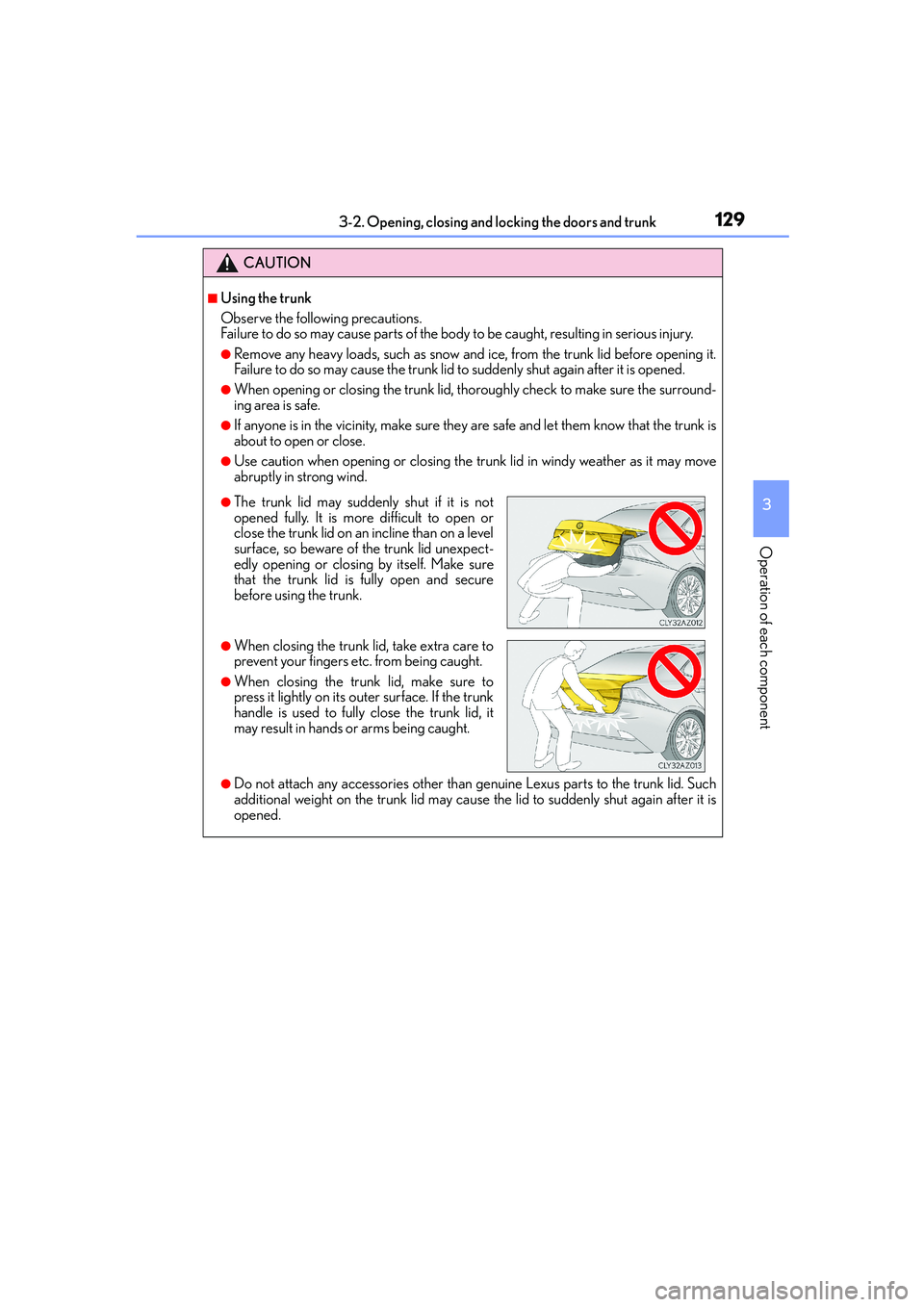
●The trunk lid may suddenly shut if it is not
opened fully. It is more difficult to open or
close the trunk lid on an incline than on a level
surface, so beware of the trunk lid unexpect-
edly opening or closing by itself. Make sure
that the trunk lid is fully open and secure
before using the trunk.
●When closing the trunk lid, take extra care to
prevent your fingers etc. from being caught.
●When closing the trunk lid, make sure to
press it lightly on its outer surface. If the trunk
handle is used to fully close the trunk lid, it
may result in hands or arms being caught.
Page 133 of 588
1333-2. Opening, closing and locking the doors and trunk
3
Operation of each component
IS250_EE(OM53C51E)
■Note for the entry function (if equipped)
●Even when the electronic key is within the effective range (detection areas), the system
may not operate properly in the following cases:
• The electronic key is too close to the window or outside door handle, near the
ground, or in a high place when the doors are locked or unlocked.
• The electronic key is near the ground or in a high place, or too close to the rear
bumper center when the trunk is opened.
●Do not leave the electronic key on top of the instrument panel or near the door pockets
when exiting the vehicle. Depending on the radio wave reception conditions, it may be
detected by the antenna outside the cabin and the doors will become lockable from the
outside, possibly trapping the electronic key inside the vehicle.
●As long as the electronic key is within the effective range, the doors may be locked or
unlocked by anyone. However, only the doors detecting the electronic key can be used
to unlock the vehicle.
●The doors may unlock or lock if a large amount of water splashes on the door handle,
such as in the rain or in a car wash, when the electronic key is within the effective range.
(The doors will automatically be locked after approximately 30 seconds if the doors
are not opened and closed.)
●If the wireless remote control is used to lock the doors when the electronic key is near
the vehicle, there is a possibility that the door may not be unlocked by the entry func-
tion. (Use the wireless remote control to unlock the doors.)
●Touching the door lock or unlock sensor while wearing gloves may prevent lock or
unlock operation.
●If the door handle becomes wet while the electronic key is within the effective range,
the door may lock and unlock repeatedly. In this case, follow the following correction
procedures to wash the vehicle:
• Place the electronic key in a location 2 m (6 ft.) or more away from the vehicle. (Take
care to ensure that the key is not stolen.)
• Set the electronic key to battery-saving mode to disable the smart entry & start sys-
tem. (→P. 131)
●If the electronic key is inside the vehicle and a door handle becomes wet during a car
wash, a message may be shown on the multi-information display and a buzzer will
sound outside the vehicle. To turn off the alarm, lock all the doors.
●The lock sensor may not work properly if it comes into contact with ice, snow, mud, etc.
Clean the lock sensor and attempt to operate it again, or use the lock sensor on the
lower part of the door handle.
●A sudden handle operation or a handle operation immediately after entering the effec-
tive range may prevent the doors from being unlocked. Touch the door unlock sensor
and check that the doors are unlocked before pulling the door handle again.
●Unlocking the vehicle may take more time if another electronic key is within the effec-
tive range.
Page 148 of 588
1483-3. Adjusting the seats
IS250_EE(OM53C51E)
■Power easy access system (if equipped)
The driver’s seat and steering wheel move in accordance with engine switch mode and
the driver’s seat belt condition. (→P. 151)
■When adjusting the seat
●Take care when adjusting the seat so that the head restraint does not touch the ceiling.
●Vehicles with folding type rear seats: When folding down a rear seatback, if it interferes
with a front seatback, adjust the front seat position so that the seats no longer interfere
with each other. However, if adjusting the front seat position causes the correct driving
posture to not be maintained, return the rear seatback to its original position. (→P. 1 4 9 )
CAUTION
■When adjusting the seat position
●Take care when adjusting the seat position to ensure that other passengers are not
injured by the moving seat.
●Do not put your hands under the seat or near the moving parts to avoid injury.
Fingers or hands may become jammed in the seat mechanism.
●Make sure to leave enough space around the feet so they do not get stuck.
■Seat adjustment
To reduce the risk of sliding under the lap belt during a collision, do not recline the seat
more than necessary.
If the seat is too reclined, the lap belt may slide past the hips and apply restraint forces
directly to the abdomen, or your neck may contact the shoulder belt, increasing the risk
of death or serious injury in the event of an accident.
Adjustments should not be made while driving as the seat may unexpectedly move and
cause the driver to lose control of the vehicle.
Page 155 of 588
1553-3. Adjusting the seats
3
Operation of each component
IS250_EE(OM53C51E)
■Cancelation procedure
Carry only the key you want to cancel and then close the driver’s door. If 2 or
more keys are in the vehicle, the driving position cannot be canceled properly.
Turn the engine switch to IGNITION ON mode.
While pressing the “SET” button, press and hold the door lock switch
(either lock or unlock) until the buzzer sounds twice.
If the button could not be canceled, the buzzer sounds continuously for approxi-
mately 3 seconds.
■Recalling the driving position using the memory recall function
●Different driving positions can be registered for each electronic key. Therefore, the
driving position that is recalled may be different depending on the key being carried.
●If a door other than the driver’s door is unlocked with the smart entry & start system, the
driving position cannot be recalled. In this case, press the driving position button which
has been set.
■Customization
The unlock door settings of the memory recall function can be customized.
(Customizable features: →P. 551)
CAUTION
■Seat adjustment caution
Take care during seat adjustment so that the seat does not strike the rear passenger or
squeeze your body against the steering wheel.
1
2