warning Lexus IS250 2015 Owner's Guide
[x] Cancel search | Manufacturer: LEXUS, Model Year: 2015, Model line: IS250, Model: Lexus IS250 2015Pages: 586, PDF Size: 8.66 MB
Page 83 of 586
822. Instrument cluster
IS350/250_U (OM53C50U)
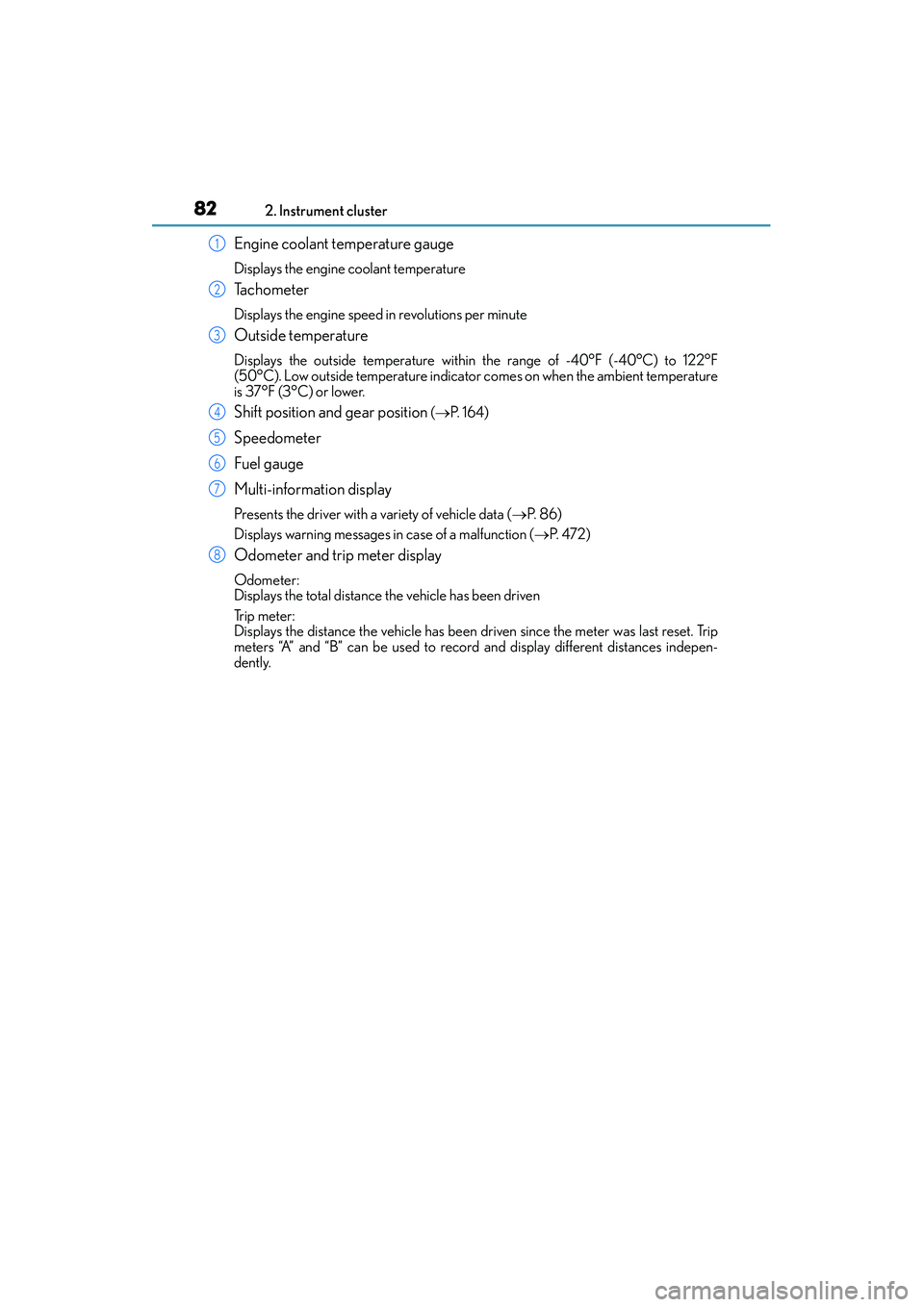
Engine coolant temperature gauge
Displays the engine coolant temperature
Ta c h o m e t e r
Displays the engine speed in revolutions per minute
Outside temperature
Displays the outside temperature within the range of -40°F (-40°C) to 122°F
(50°C). Low outside temperature indicator comes on when the ambient temperature
is 37°F (3°C) or lower.
Shift position and gear position ( → P. 1 6 4 )
Speedometer
Fuel gauge
Multi-information display
Presents the driver with a variety of vehicle data ( →P. 8 6 )
Displays warning messages in case of a malfunction ( →P. 4 7 2 )
Odometer and trip meter display
Odometer:
Displays the total distance the vehicle has been driven
Tr i p m e t e r :
Displays the distance the vehicle has been driven since the meter was last reset. Trip
meters “A” and “B” can be used to record and display different distances indepen-
dently.
1
2
3
4
5
6
7
8
Page 87 of 586
862. Instrument cluster
IS350/250_U (OM53C50U)
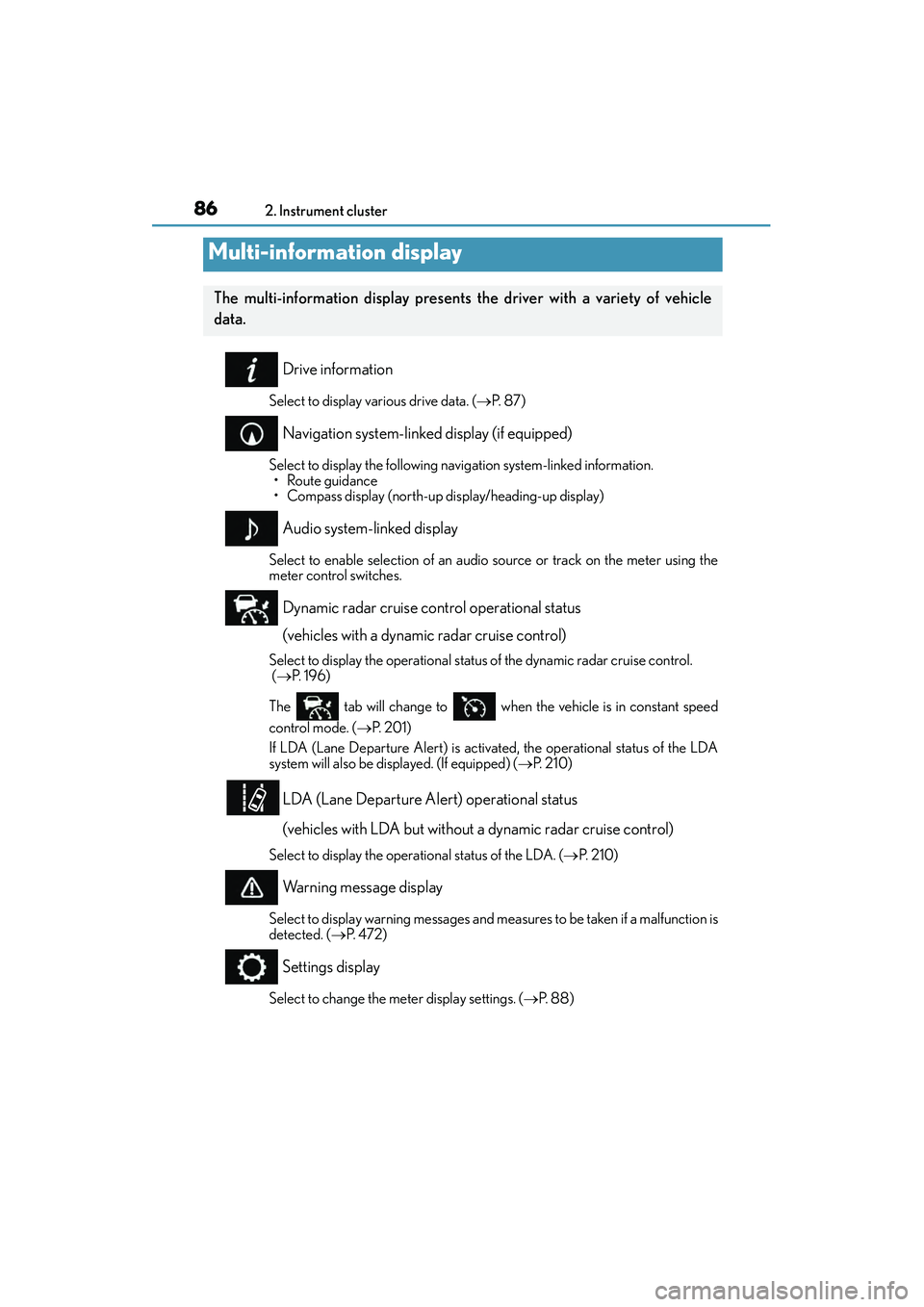
Drive information
Select to display various drive data. ( →P. 8 7 )
Navigation system-linked display (if equipped)
Select to display the following navigation system-linked information.
• Route guidance
• Compass display (north-up display/heading-up display)
Audio system-linked display
Select to enable selection of an audio source or track on the meter using the
meter control switches.
Dynamic radar cruise control operational status
(vehicles with a dynamic radar cruise control)
Select to display the operational status of the dynamic radar cruise control.
( → P. 1 9 6 )
The tab will change to when the vehicle is in constant speed
control mode. ( →P. 2 0 1 )
If LDA (Lane Departure Alert) is activated, the operational status of the LDA
system will also be displayed. (If equipped) ( →P. 2 1 0 )
LDA (Lane Departure Alert) operational status
(vehicles with LDA but without a dynamic radar cruise control)
Select to display the operational status of the LDA. ( →P. 2 1 0 )
Warning message display
Select to display warning messages and measures to be taken if a malfunction is
detected. ( →P. 4 7 2 )
Settings display
Select to change the meter display settings. ( →P. 88)
Multi-information display
The multi-information display presents the driver with a variety of vehicle
data.
Page 91 of 586
902. Instrument cluster
IS350/250_U (OM53C50U)
■Rev peak (F SPORT models)
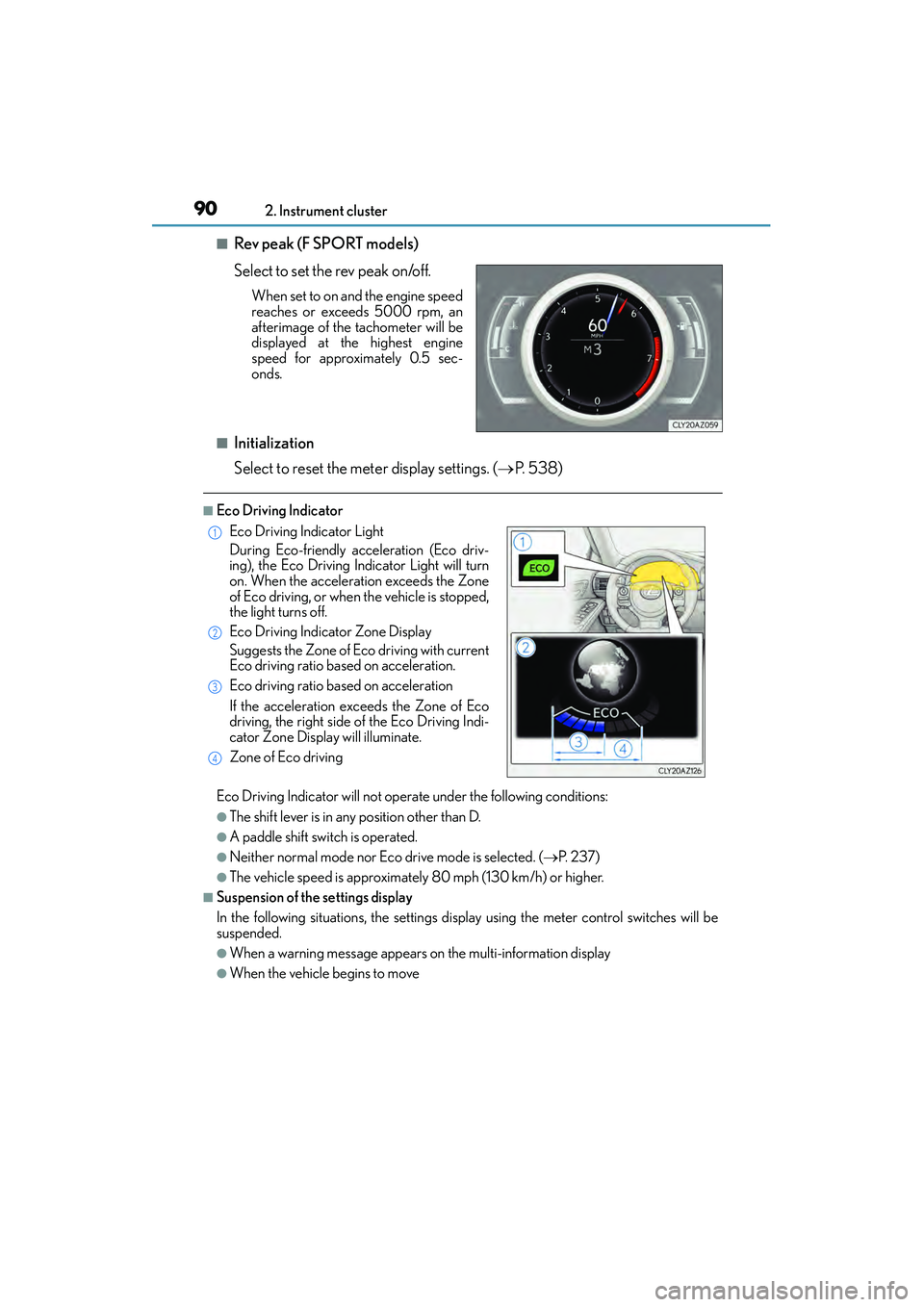
Select to set the rev peak on/off.
When set to on and the engine speed
reaches or exceeds 5000 rpm, an
afterimage of the tachometer will be
displayed at the highest engine
speed for approximately 0.5 sec-
onds.
■Initialization
Select to reset the meter display settings. ( →P. 5 3 8 )
■Eco Driving Indicator
Eco Driving Indicator will not operate under the following conditions:
●The shift lever is in any position other than D.
●A paddle shift switch is operated.
●Neither normal mode nor Eco drive mode is selected. ( →P. 2 3 7 )
●The vehicle speed is approximately 80 mph (130 km/h) or higher.
■Suspension of the settings display
In the following situations, the settings display using the meter control switches will be
suspended.
●When a warning message appears on the multi-information display
●When the vehicle begins to move
Eco Driving Indicator Light
During Eco-friendly acceleration (Eco driv-
ing), the Eco Driving Indicator Light will turn
on. When the acceleration exceeds the Zone
of Eco driving, or when the vehicle is stopped,
the light turns off.
Eco Driving Indicator Zone Display
Suggests the Zone of Eco driving with current
Eco driving ratio based on acceleration.
Eco driving ratio based on acceleration
If the acceleration exceeds the Zone of Eco
driving, the right side of the Eco Driving Indi-
cator Zone Display will illuminate.
Zone of Eco driving1
2
3
4
Page 120 of 586
1193-2. Opening, closing and locking the doors and trunk
3
Operation of each component
IS350/250_U (OM53C50U)
■Certification for the smart access system with push-button start
XFor vehicles sold in the U.S.A.
FCC ID: HYQ23AAB FCC ID: HYQ14FBA
FCC ID: HYQ14CBB
FCC ID: NI4TMLF12-1
NOTE:
This device complies with part 15 of the FCC Rules. Operation is subject to the following
two conditions: (1) This device may not cause harmful interference, and (2) this device
must accept any interference received, including interference that may cause undesired
operation.
FCC WARNING:
Changes or modifications not expressly approved by the party responsible for compli-
ance could void the user’s authority to operate the equipment.
XFor vehicles sold in Canada
NOTE:
This device complies with Industry Canada licence-exempt RSS standard(s). Operation
is subject to the following two conditions: (1) this device may not cause interference, and
(2) this device must accept any interference, including interference that may cause
undesired operation of the device.
CAUTION
■Caution regarding interference with electronic devices
●People with implantable cardiac pacemakers, cardiac resynchronization therapy-
pacemakers or implantable cardioverter defibrillators should keep away from the
smart access system with push-button start antennas. ( →P. 1 1 4 )
The radio waves may affect the operation of such devices. If necessary, the entry
function can be disabled. Ask your Lexus dealer for details, such as the frequency of
radio waves and timing of the emitted radio waves. Then, consult your doctor to see if
you should disable the entry function.
●Users of any electrical medical device other than implantable cardiac pacemakers,
cardiac resynchronization therapy-pacemakers or implantable cardioverter defibril-
lators should consult the manufacturer of the device for information about its opera-
tion under the influence of radio waves.
Radio waves could have unexpected effects on the operation of such medical
devices.
Ask your Lexus dealer for details on disabling the entry function.
Page 141 of 586
1403-5. Opening, closing the windows and moon roof
IS350/250_U (OM53C50U)
■Door lock linked window operation
●The power windows can be opened and closed using the mechanical key.*( → P. 4 9 9 )
●The power windows can be opened using the wireless remote control.* (→ P. 1 0 3 )
*: These settings must be customized at your Lexus dealer.
■When the battery is disconnected
The window lock switch is disabled. If necessary, press the window lock switch after
reconnecting the battery.
■Power windows open warning buzzer
The buzzer sounds and a message is shown on the multi-information display in the instru-
ment cluster when the engine switch is turned off and the driver’s door is opened with the
power windows open.
■Customization
Settings (e.g. linked door lock operation) can be changed.
(Customizable features: →P. 5 3 7 )
CAUTION
Observe the following precautions.
Failure to do so may result in death or serious injury.
■Closing the windows
●The driver is responsible for all the power window operations, including the operation
for the passengers. In order to prevent accidental operation, especially by a child, do
not let a child operate the power windows. It is possible for children and other passen-
gers to have body parts caught in the power window. Also, when riding with a child, it
is recommended to use the window lock switch. ( →P. 1 3 8 )
●Check to make sure that all passengers do not have any part of their body in a posi-
tion where it could be caught when a window is being operated.
●When exiting the vehicle, turn the engine switch off, carry the key and exit the vehicle
along with the child. There may be accidental operation, due to mischief, etc., that
may possibly lead to an accident.
■Jam protection function
●Never use any part of your body to intent ionally activate the jam protection function.
●The jam protection function may not work if something gets caught just before the
window fully closes.
Page 145 of 586
1443-5. Opening, closing the windows and moon roof
IS350/250_U (OM53C50U)
■Moon roof open warning buzzer
The buzzer sounds and a message is shown on the multi-information display in the instru-
ment cluster when the engine switch is turned off and the driver’s door is opened with the
moon roof open.
■Customization
Settings (e.g. linked door lock operation) can be changed.
(Customizable features: →P. 5 3 7 )
CAUTION
Observe the following precautions.
Failure to do so may cause death or serious injury.
■Opening the moon roof
●Do not allow any passengers to put their hands or heads outside the vehicle while it is
moving.
●Do not sit on top of the moon roof.
■Closing the moon roof
●The driver is responsible for moon roof opening and closing operations.
In order to prevent accidental operation, especially by a child, do not let a child oper-
ate the moon roof. It is possible for children and other passengers to have body parts
caught in the moon roof.
●Check to make sure that all passengers do not have any part of their body in a posi-
tion where it could be caught when the moon roof is being operated.
●When exiting the vehicle, turn the engine switch off, carry the key and exit the vehicle
along with the child. There may be accidental operation, due to mischief, etc., that
may possibly lead to an accident.
■Jam protection function
●Never use any part of your body to intent ionally activate the jam protection function.
●The jam protection function may not work if something gets caught just before the
moon roof fully closes.
Page 169 of 586
1684-2. Driving procedures
IS350/250_U (OM53C50U)
■When the “-” paddle shift switch is operated with the shift lever in the D position
A shift range will be automatically selected. Th e highest gear of the first shift range will be
one gear lower than the gear in use during normal D position driving.
■Automatic deactivation of shift range selection in the D position
Shift range selection in the D position will be deactivated in the following situations:
●When the vehicle comes to a stop
●If the accelerator pedal is depressed for more than a certain period of time
●When the shift lever is shifted to a position other than D
■To protect the automatic transmission
“Transmission Fluid High Temperature” is displayed on the multi-information display and
a function is adopted that automatically sele cts a higher shift range when the fluid tem-
perature is high. Have the vehicle inspected by your Lexus dealer.
■Downshifting restriction warning buzzer
To help ensure safety and driving performa nce, downshifting operation may sometimes
be restricted. In some circumstances, down shifting may not be possible even when the
shift lever or paddle shift switch is operated. (A buzzer will sound twice.)
■Snow mode automatic deactivation
Snow mode is automatically deactivated if the engine switch is turned off after driving in
snow mode.
■Gear position display on the multi-information display
When Gear positions is selected for a Drive Information screen on the multi-information
display and the shift lever is in the D or M position, the currently selected gear position
will be displayed on the multi-information display. (The display changes according to the
shift lever position and driving conditions.)
■When driving with cruise control or dynamic radar cruise control activated
Even when performing the following actions with the intent of enabling engine braking,
engine braking will not activate because cruise control or dynamic radar cruise control
will not be canceled.
●8-speed models: While driving in the D position, downshifting to 7, 6, 5 or 4.
( → P. 192, 196)
●6-speed models: While driving in the D position, downshifting to 5 or 4. (→P. 192, 196)
●When switching the driving mode to sport mode while driving in D position.
( → P. 2 3 7 )
Page 173 of 586
1724-2. Driving procedures
IS350/250_U (OM53C50U)
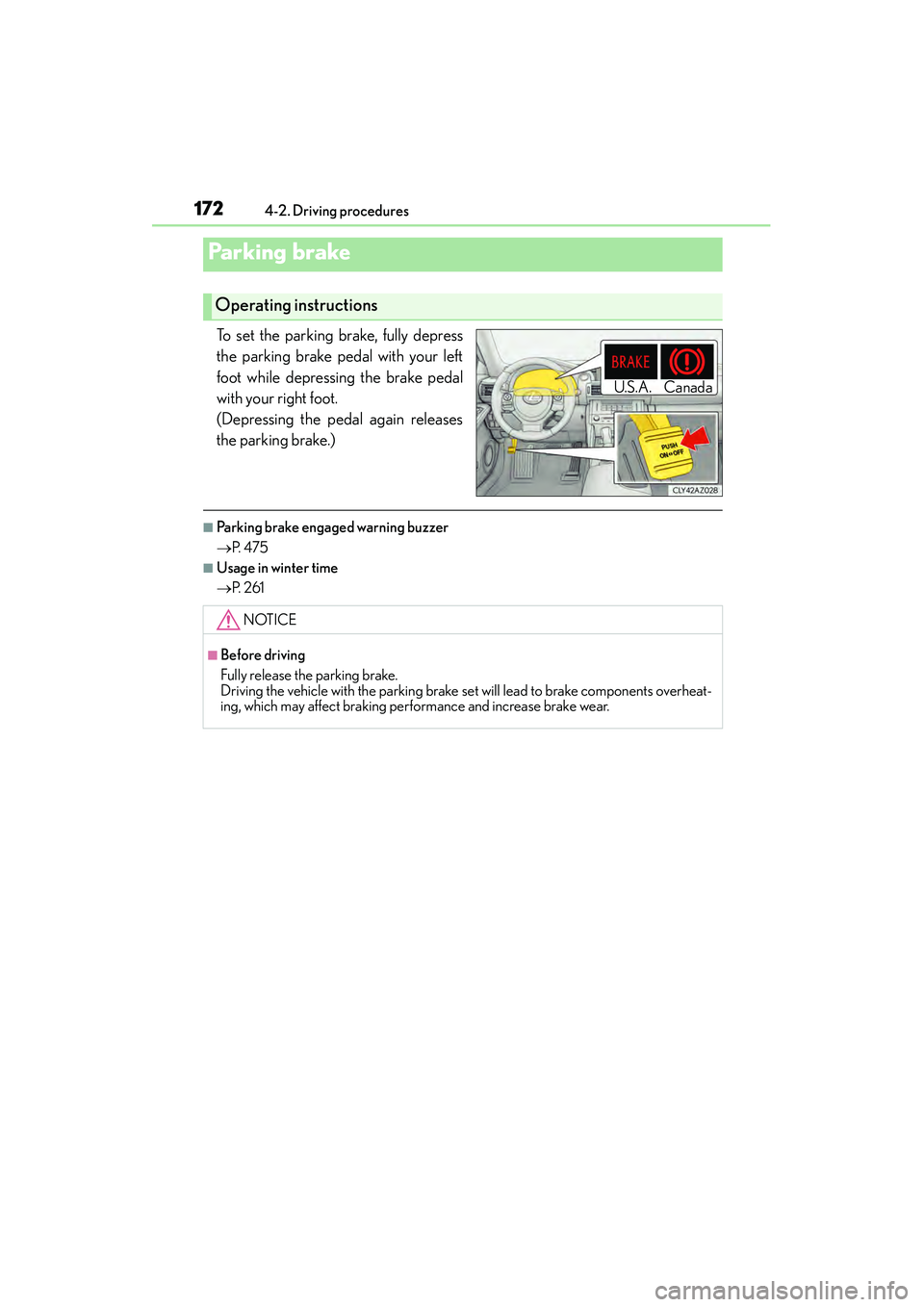
To set the parking brake, fully depress
the parking brake pedal with your left
foot while depressing the brake pedal
with your right foot.
(Depressing the pedal again releases
the parking brake.)
■Parking brake engaged warning buzzer
→ P. 4 7 5
■Usage in winter time
→P. 2 6 1
Parking brake
Operating instructions
U. S .A . Ca na d a
NOTICE
■Before driving
Fully release the parking brake.
Driving the vehicle with the parking brake se t will lead to brake components overheat-
ing, which may affect braking performance and increase brake wear.
Page 195 of 586
1944-5. Using the driving support systems
IS350/250_U (OM53C50U)
■Cruise control can be set when
●The shift lever is in D.
●Range 4 or higher of D has been selected by using the paddle shift.
●Vehicle speed is above approximately 25 mph (40 km/h).
■Accelerating after setting the vehicle speed
●The vehicle can be accelerated normally. After acceleration, the set speed resumes.
●Even without canceling the cruise control, the set speed can be increased by first accel-
erating the vehicle to the desired speed and then pushing the lever down to set the new
speed.
■Automatic cruise control cancelation
Cruise control will stop maintaining the vehicle speed in any of the following situations.
●Actual vehicle speed falls more than approximately 10 mph (16 km/h) below the preset
vehicle speed.
At this time, the memorized set speed is not retained.
●Actual vehicle speed is below approximately 25 mph (40 km/h).
●VSC is activated.
●TRAC is activated for a period of time.
●When the VSC or TRAC system is turned off by pressing the VSC OFF switch.
■If the warning message for the cruise contro l is shown on the multi-information display
Press the “ON/OFF” button once to deactivate the system, and then press the button
again to reactivate the system.
If the cruise control speed cannot be set or if the cruise control cancels immediately after
being activated, there may be a malfunction in the cruise control system. Have the vehi-
cle inspected by your Lexus dealer.
Page 201 of 586
2004-5. Using the driving support systems
IS350/250_U (OM53C50U)
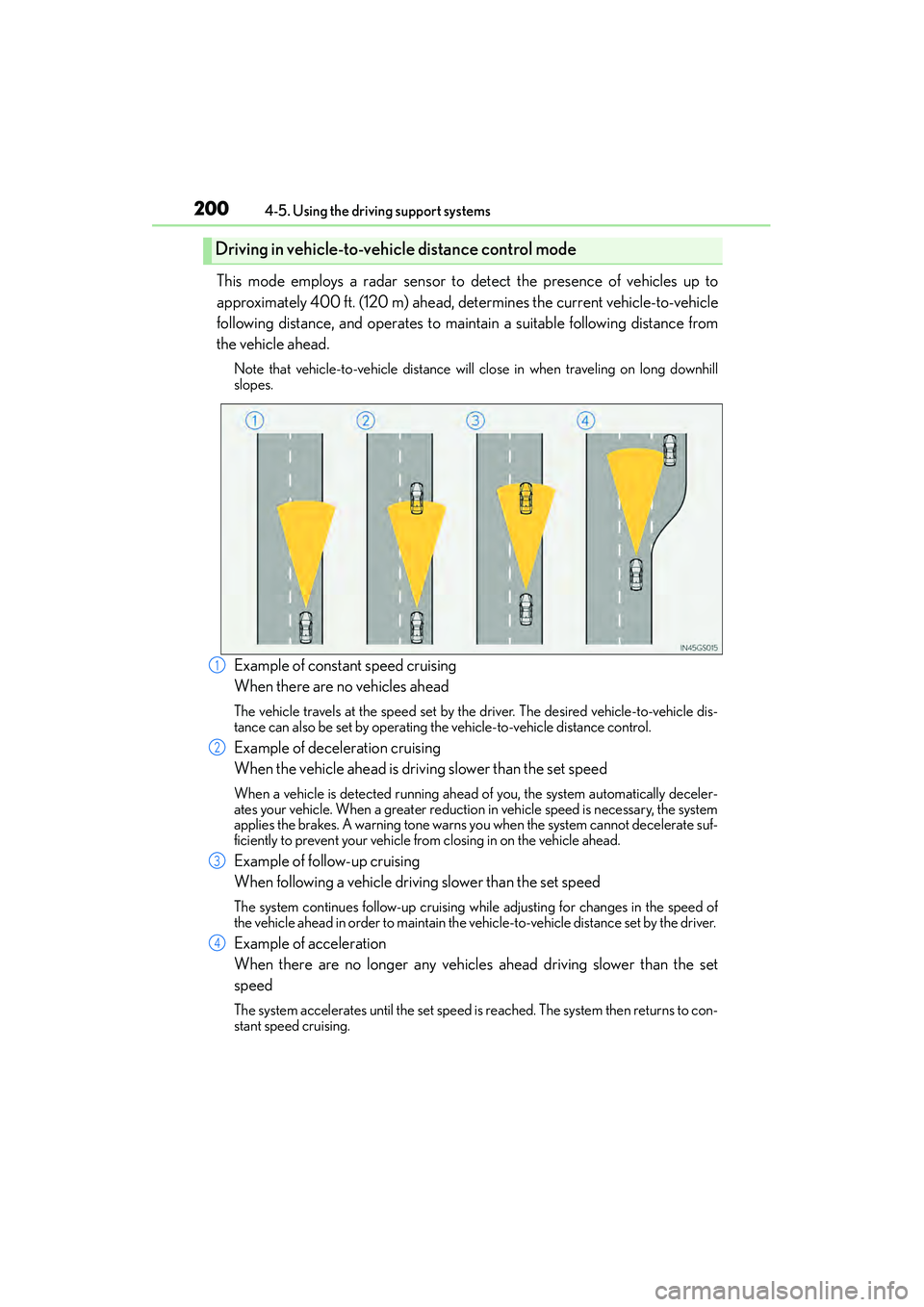
This mode employs a radar sensor to detect the presence of vehicles up to
approximately 400 ft. (120 m) ahead, determines the current vehicle-to-vehicle
following distance, and operates to maintain a suitable following distance from
the vehicle ahead.
Note that vehicle-to-vehicle distance will close in when traveling on long downhill
slopes.
Example of constant speed cruising
When there are no vehicles ahead
The vehicle travels at the speed set by the driver. The desired vehicle-to-vehicle dis-
tance can also be set by operating the vehicle-to-vehicle distance control.
Example of deceleration cruising
When the vehicle ahead is driving slower than the set speed
When a vehicle is detected running ahead of you, the system automatically deceler-
ates your vehicle. When a greater reduction in vehicle speed is necessary, the system
applies the brakes. A warning tone warns you when the system cannot decelerate suf-
ficiently to prevent your vehicle from closing in on the vehicle ahead.
Example of follow-up cruising
When following a vehicle driving slower than the set speed
The system continues follow-up cruising wh ile adjusting for changes in the speed of
the vehicle ahead in order to maintain the vehicle-to-vehicle distance set by the driver.
Example of acceleration
When there are no longer any vehicles ahead driving slower than the set
speed
The system accelerates until the set speed is reached. The system then returns to con-
stant speed cruising.
Driving in vehicle-to-vehicle distance control mode
1
2
3
4