LEXUS IS250 2016 Repair Manual
IS250 2016
LEXUS
LEXUS
https://www.carmanualsonline.info/img/36/58921/w960_58921-0.png
LEXUS IS250 2016 Repair Manual
Page 215 of 542
216
3-1. Using the air conditioning system and defogger
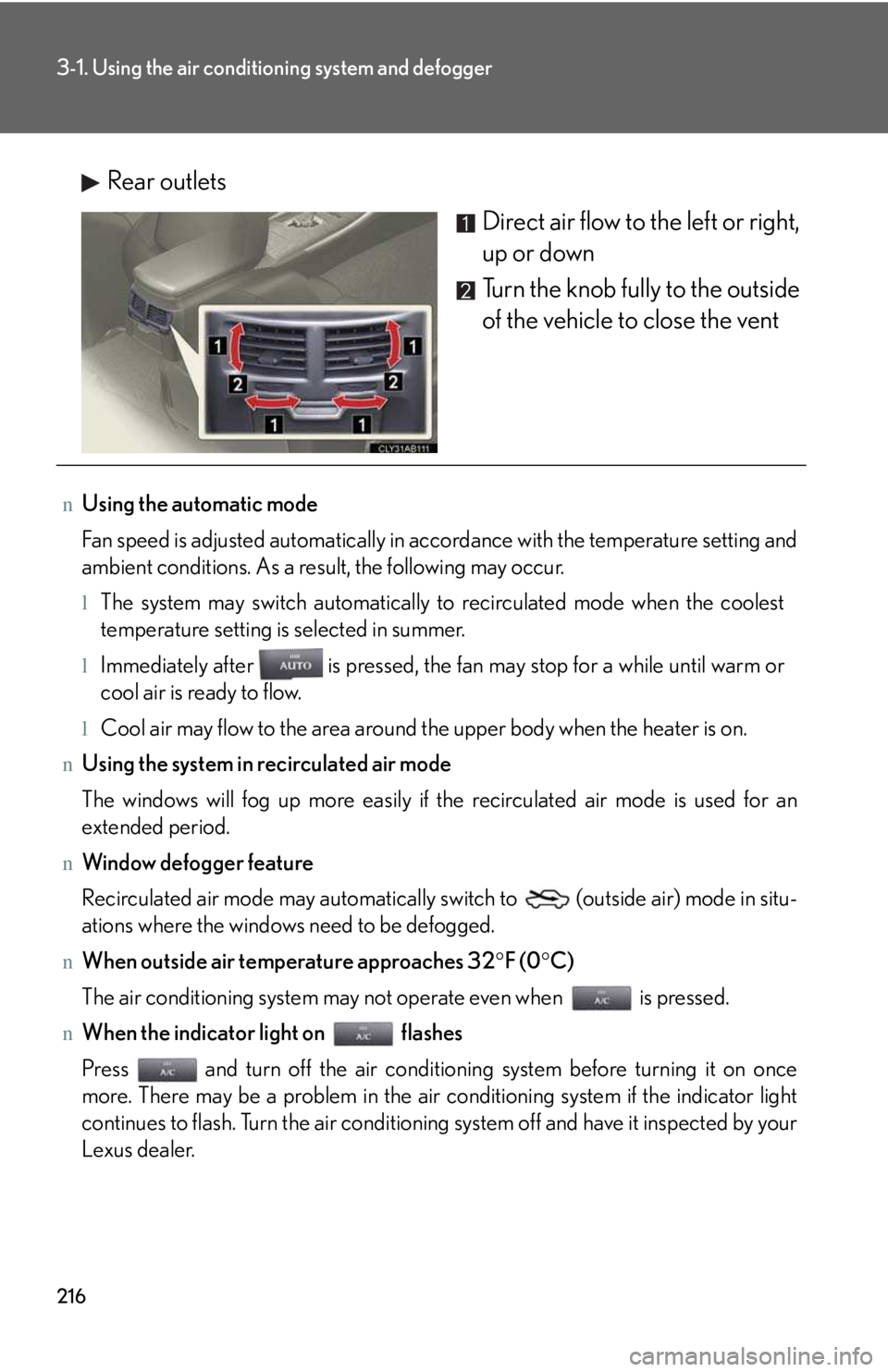
Rear outlets
Direct air flow to the left or right,
up or down
Turn the knob fully to the outside
of the vehicle to close the vent
nUsing the automatic mode
Fan speed is adjusted automatically in accordance with the temperature setting and
ambient conditions. As a result, the following may occur.
lThe system may switch automatically to recirculated mode when the coolest
temperature setting is selected in summer.
lImmediately after is pressed, the fan may stop for a while until warm or
cool air is ready to flow.
lCool air may flow to the area around the upper body when the heater is on.
nUsing the system in recirculated air mode
The windows will fog up more easily if the recirculated air mode is used for an
extended period.
nWindow defogger feature
Recirculated air mode may automatically switch to (outside air) mode in situ-
ations where the windows need to be defogged.
nWhen outside air temperature approaches 32°F (0°C)
The air conditioning system may not operate even when is pressed.
nWhen the indicator light on flashes
Press and turn off the air conditioning system before turning it on once
more. There may be a problem in the air conditioning system if the indicator light
continues to flash. Turn the air conditioning system off and have it inspected by your
Lexus dealer.
Page 233 of 542
234
3-2. Using the audio system
NOTICE
nCD player precautions
Failure to follow the precautions below may result in serious damage to the CDs or
the player itself.
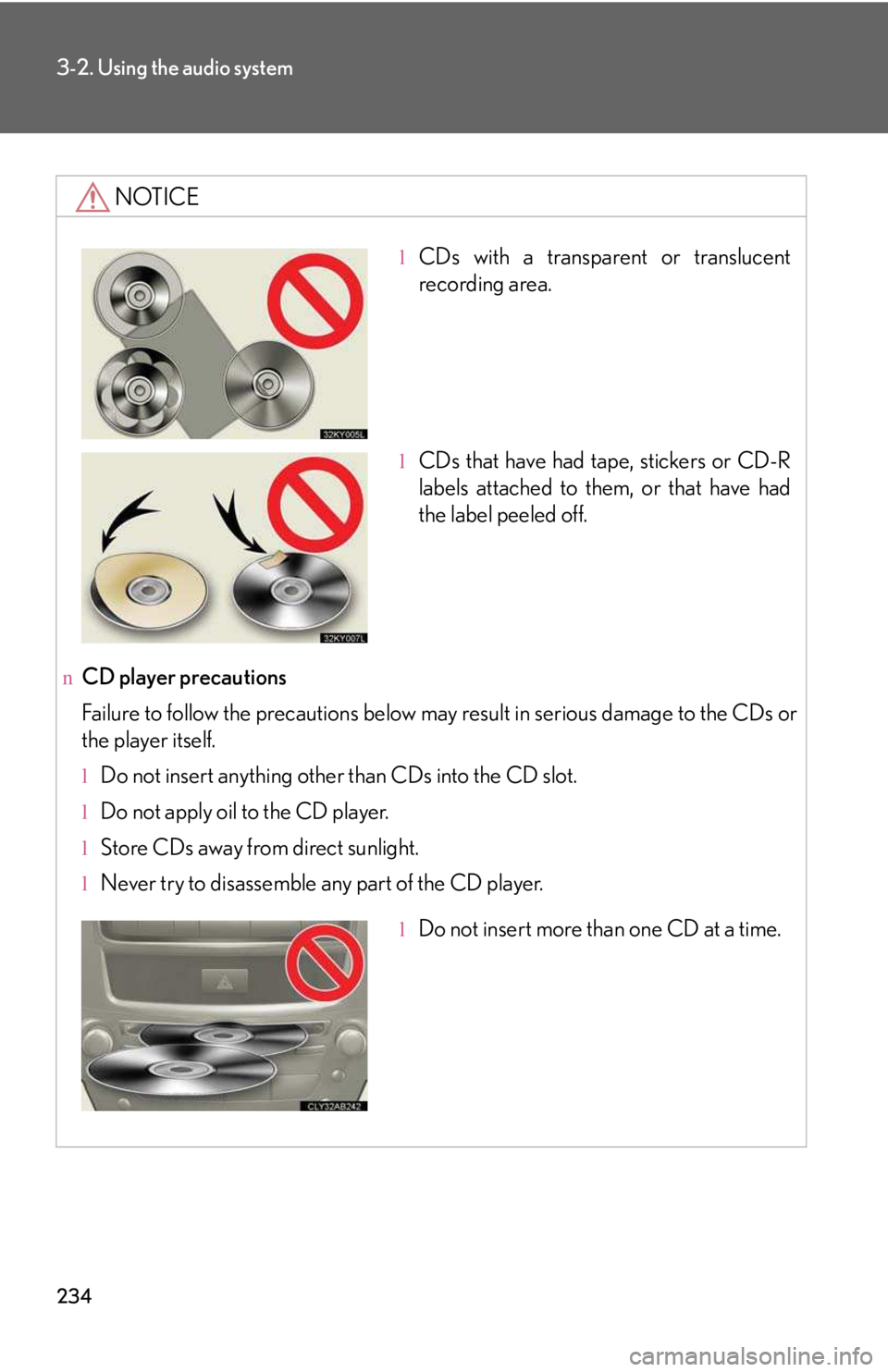
lDo not insert anything other than CDs into the CD slot.
lDo not apply oil to the CD player.
lStore CDs away from direct sunlight.
lNever try to disassemble any part of the CD player.
lCDs with a transparent or translucent
recording area.
lCDs that have had tape, stickers or CD-R
labels attached to them, or that have had
the label peeled off.
lDo not insert more than one CD at a time.
Page 246 of 542
247
3
Interior features
3-3. Using the interior lights
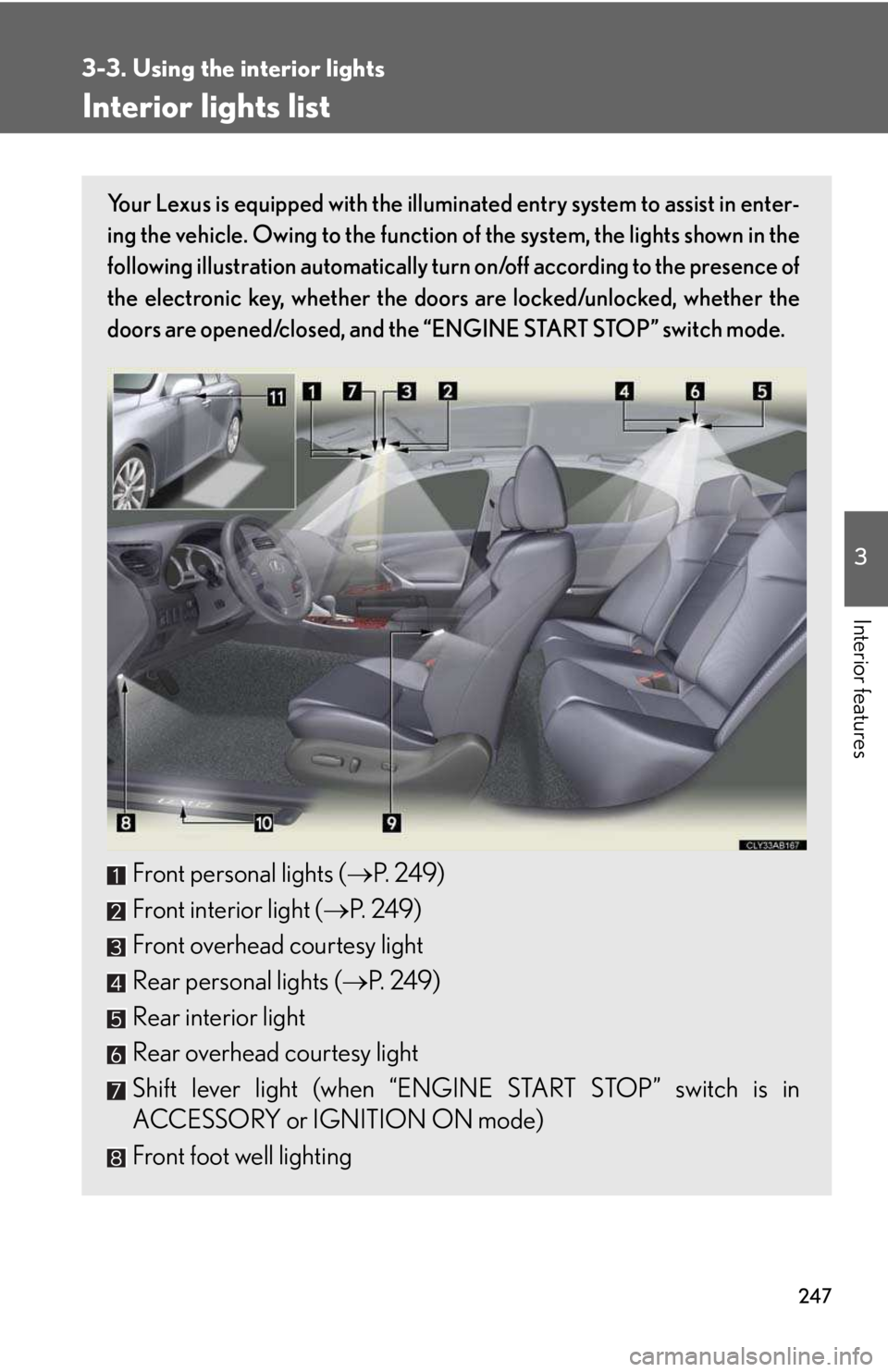
Interior lights list
Your Lexus is equipped with the illuminated entry system to assist in enter-
ing the vehicle. Owing to the function of the system, the lights shown in the
following illustration automatically turn on/off according to the presence of
the electronic key, whether the doors are locked/unlocked, whether the
doors are opened/closed, and the “ENGINE START STOP” switch mode.
Front personal lights (→P. 2 4 9 )
Front interior light (→P. 2 4 9 )
Front overhead courtesy light
Rear personal lights (→P. 2 4 9 )
Rear interior light
Rear overhead courtesy light
Shift lever light (when “ENGINE START STOP” switch is in
ACCESSORY or IGNITION ON mode)
Front foot well lighting
Page 247 of 542
248
3-3. Using the interior lights
nTo prevent the battery from being discharged
If the overhead courtesy lights and interior lights remain on when the door is not
fully closed and the interior light switch (door position on/off) is on, the lights will go
off automatically after 20 minutes.
nCustomization that can be configured at Lexus dealer
Setting (e.g. The time elapsed before lights turn off) can be changed. (Customiz-
able features →P. 4 6 1 )
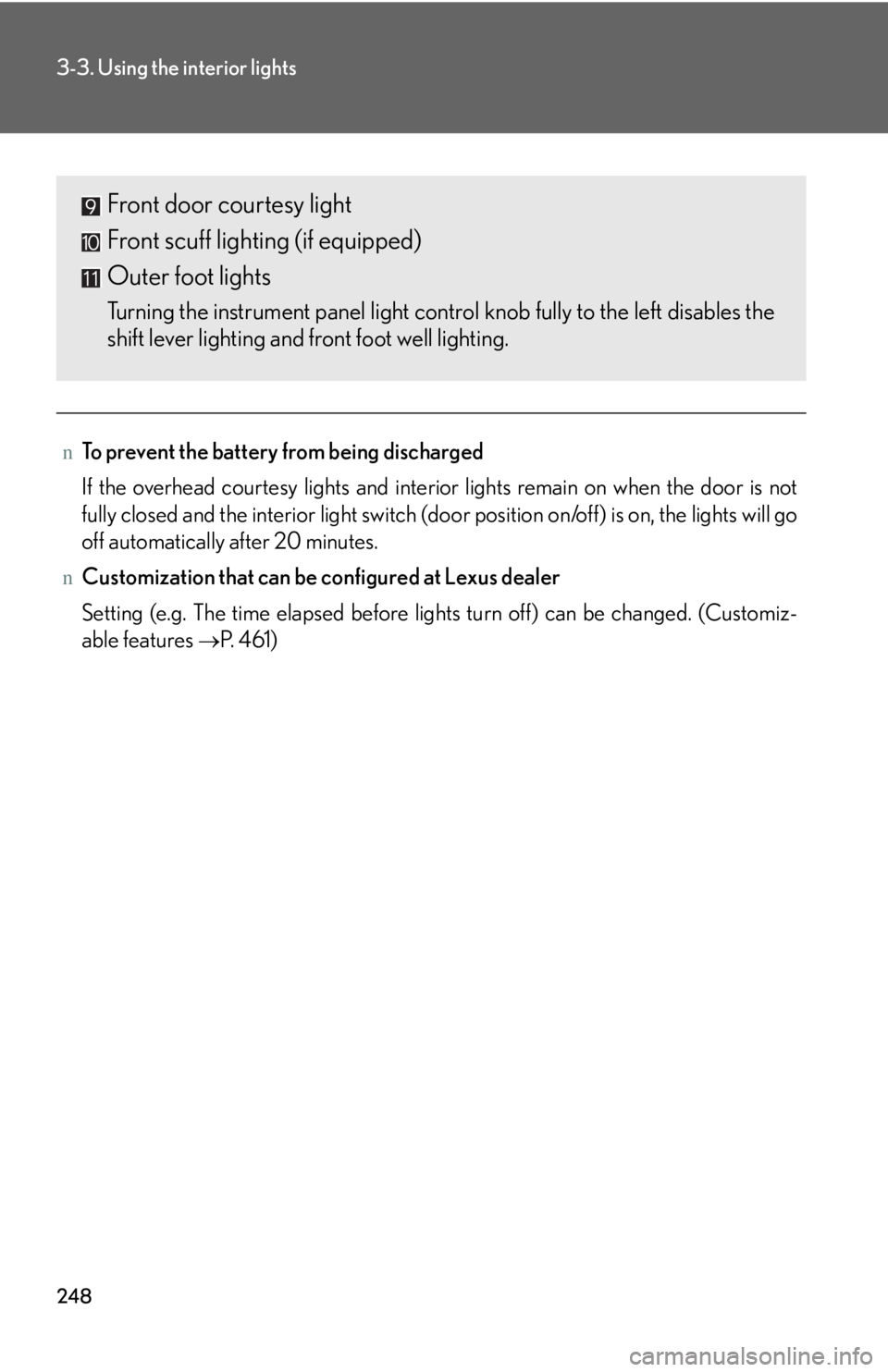
Front door courtesy light
Front scuff lighting (if equipped)
Outer foot lights
Turning the instrument panel light control knob fully to the left disables the
shift lever lighting and front foot well lighting.
Page 248 of 542
249
3-3. Using the interior lights
3
Interior features
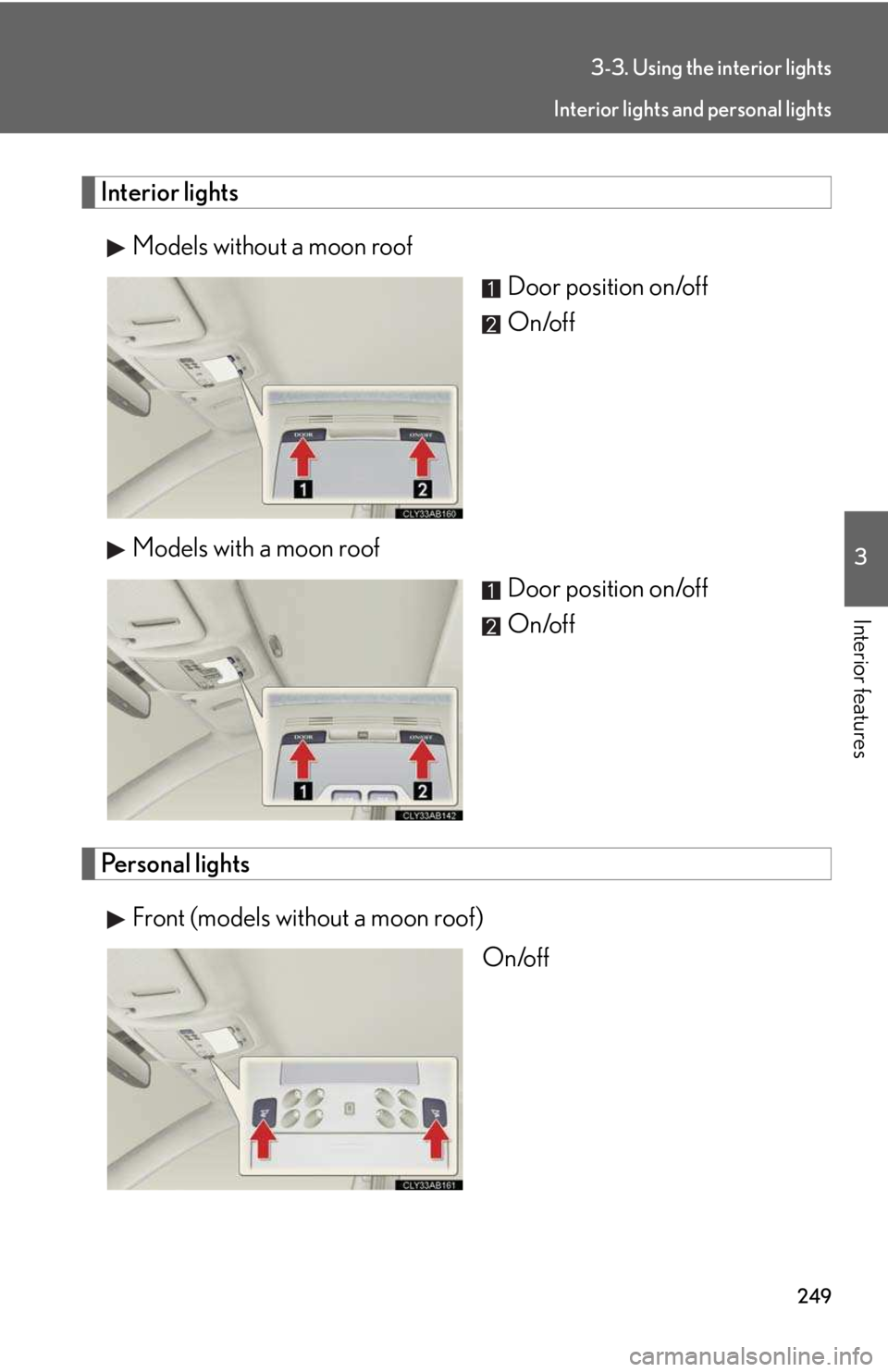
Interior lights
Models without a moon roof
Door position on/off
On/off
Models with a moon roof
Door position on/off
On/off
Personal lights
Front (models without a moon roof)
On/off
Interior lights and personal lights
Page 249 of 542
250
3-3. Using the interior lights
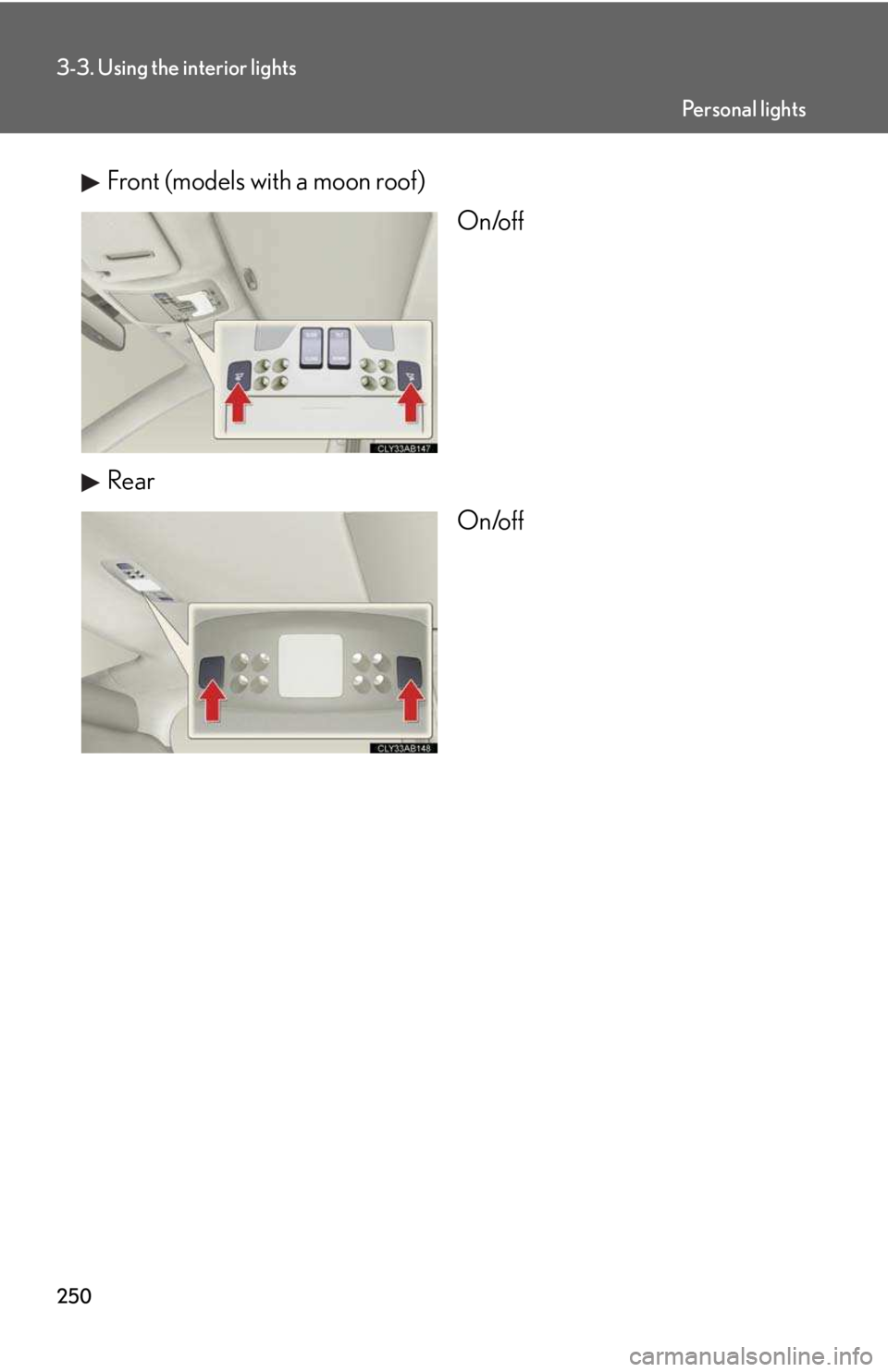
Front (models with a moon roof)
On/off
Rear
On/off
Pe r s o n a l l i g h t s
Page 251 of 542
252
3-4. Using the storage features
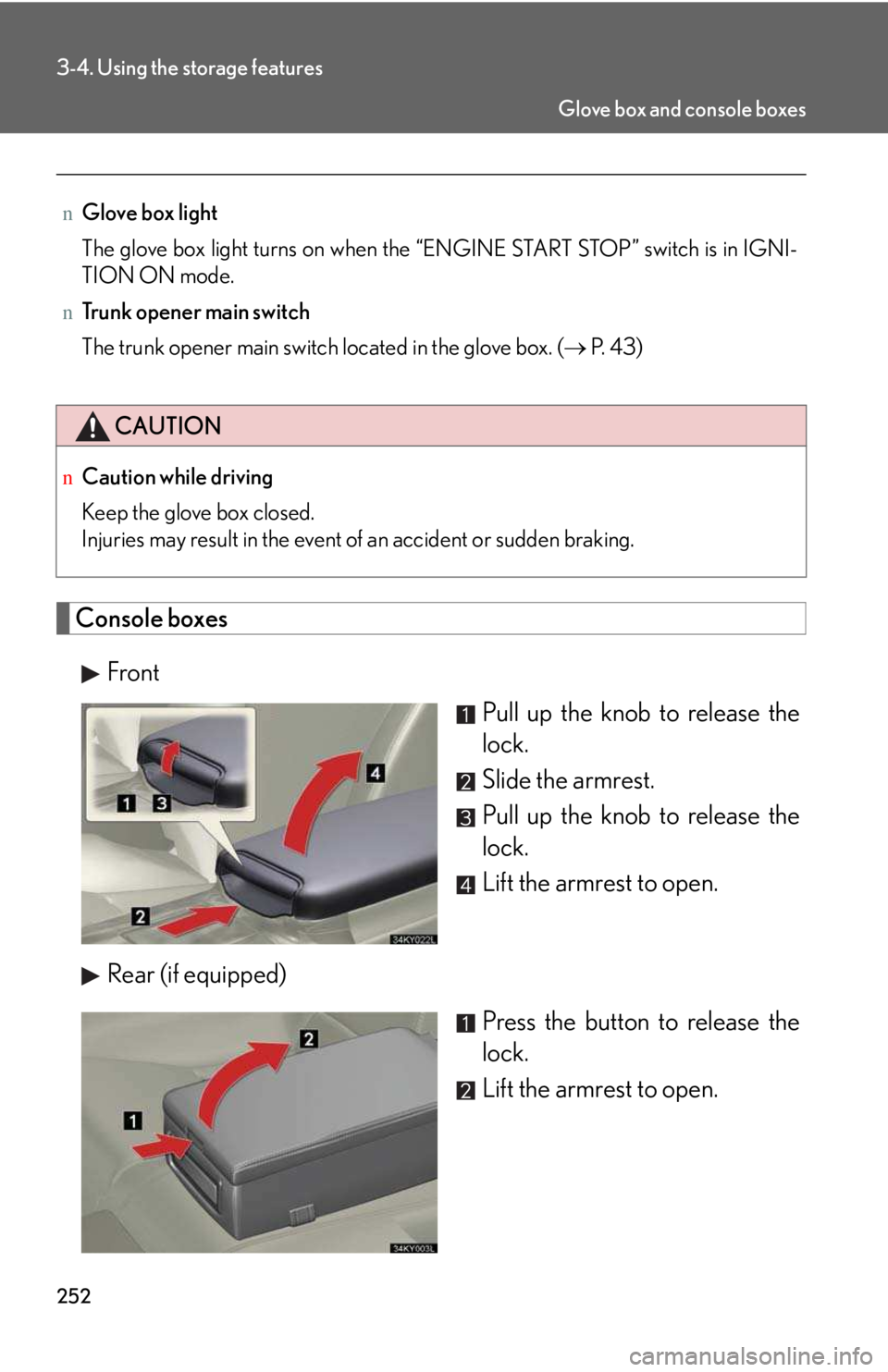
Console boxes
Front
Pull up the knob to release the
lock.
Slide the armrest.
Pull up the knob to release the
lock.
Lift the armrest to open.
Rear (if equipped)
Press the button to release the
lock.
Lift the armrest to open.
nGlove box light
The glove box light turns on when the “ENGINE START STOP” switch is in IGNI-
TION ON mode.
nTrunk opener main switch
The trunk opener main switch located in the glove box. (→ P. 4 3 )
CAUTION
nCaution while driving
Keep the glove box closed.
Injuries may result in the event of an accident or sudden braking.
Glove box and console boxes
Page 252 of 542
253
3-4. Using the storage features
3
Interior features
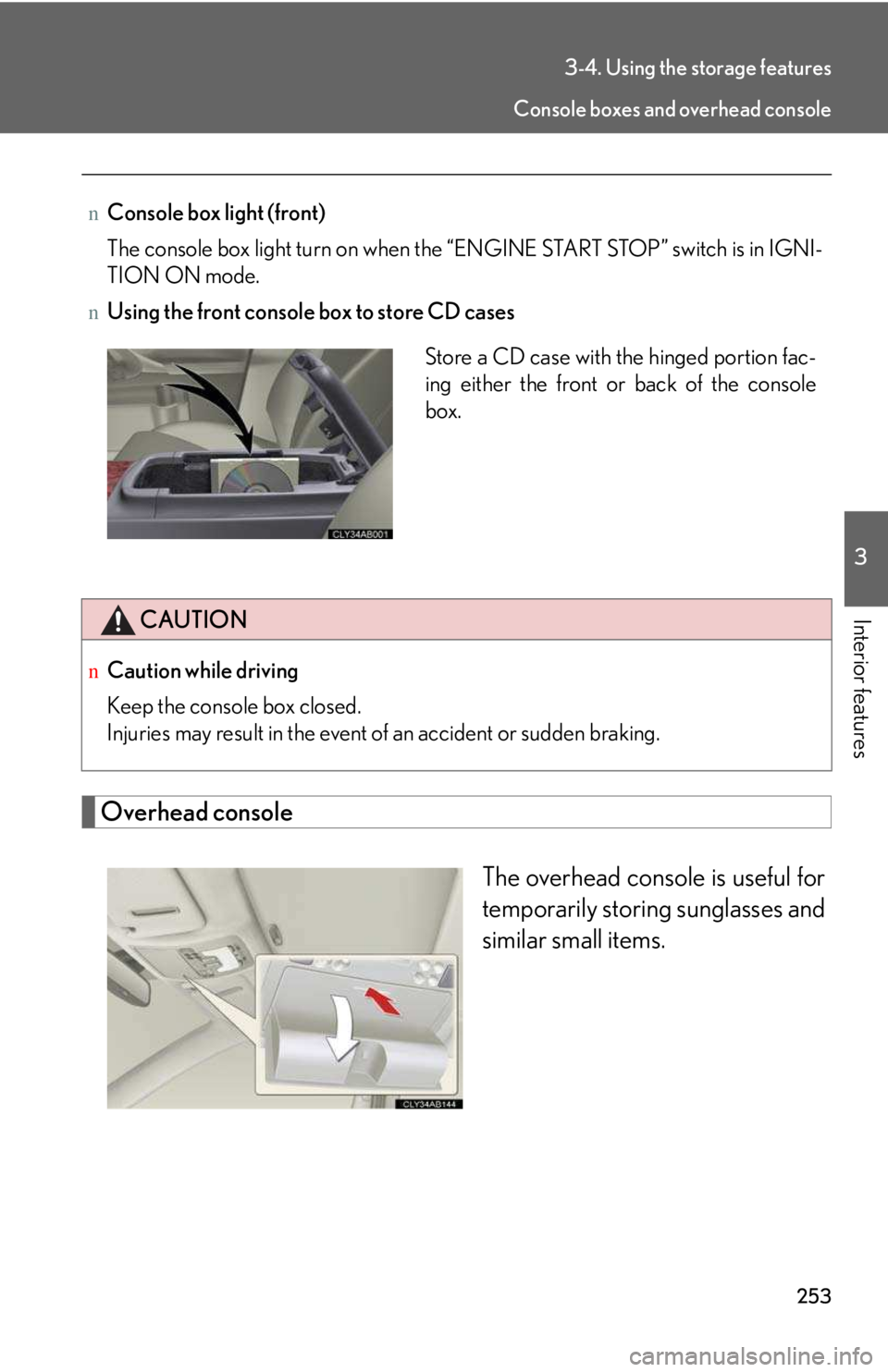
Overhead console
The overhead console is useful for
temporarily storing sunglasses and
similar small items.
nConsole box light (front)
The console box light turn on when the “ENGINE START STOP” switch is in IGNI-
TION ON mode.
nUsing the front console box to store CD cases
CAUTION
nCaution while driving
Keep the console box closed.
Injuries may result in the event of an accident or sudden braking.
Store a CD case with the hinged portion fac-
ing either the front or back of the console
box.
Console boxes and overhead console
Page 253 of 542
254
3-4. Using the storage features
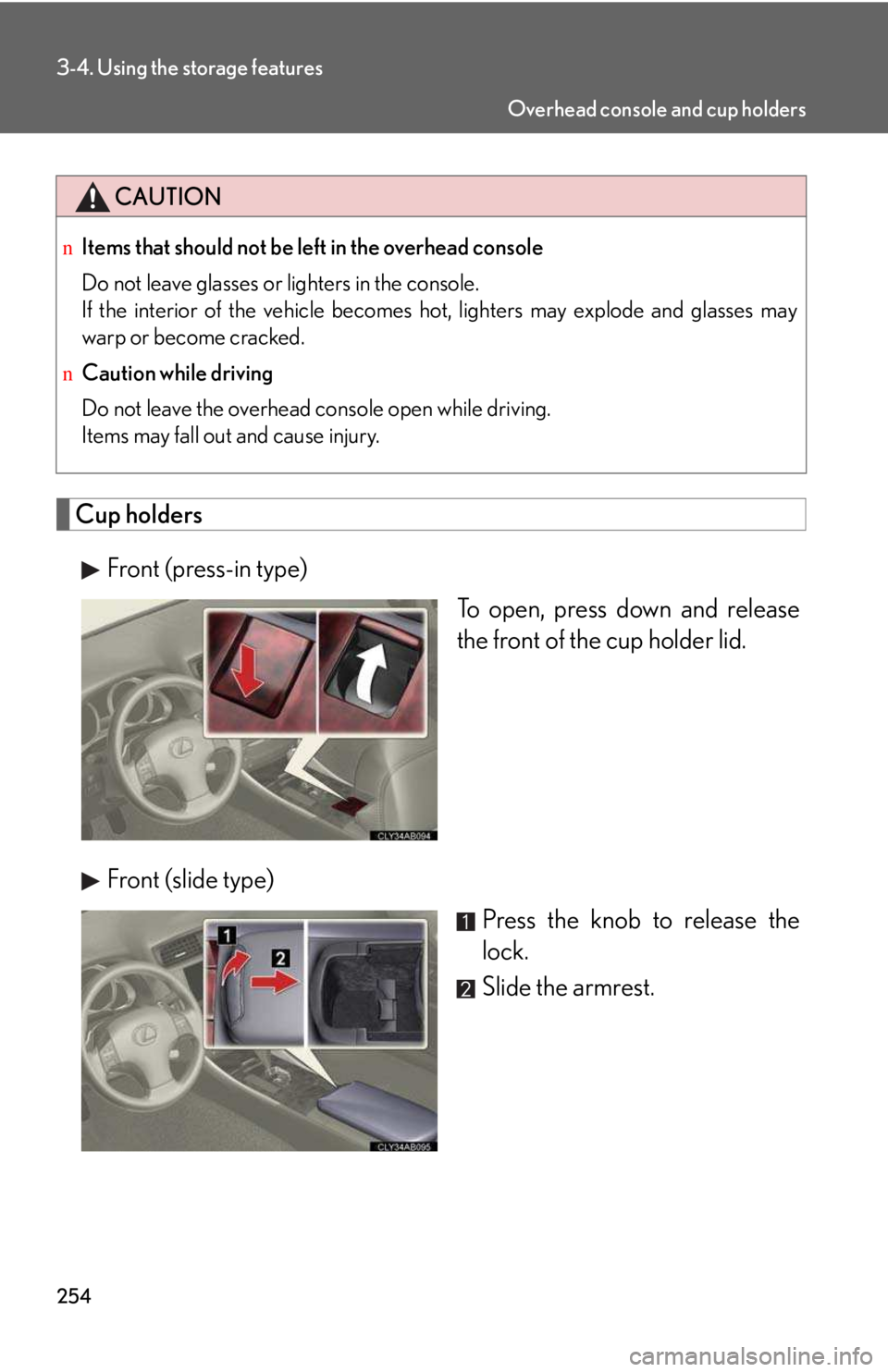
Cup holders
Front (press-in type)
To open, press down and release
the front of the cup holder lid.
Front (slide type)
Press the knob to release the
lock.
Slide the armrest.
CAUTION
nItems that should not be left in the overhead console
Do not leave glasses or lighters in the console.
If the interior of the vehicle becomes hot, lighters may explode and glasses may
warp or become cracked.
nCaution while driving
Do not leave the overhead console open while driving.
Items may fall out and cause injury.
Overhead console and cup holders
Page 257 of 542
258
3-5. Other interior features
Vanity mirror
Slide the cover.
The light turns on when the
cover is opened.