80
IS500_IS350_IS300_QG_U
●Close all the doors and windows, and turn the engine switch off.
● Confirm the type of fuel.
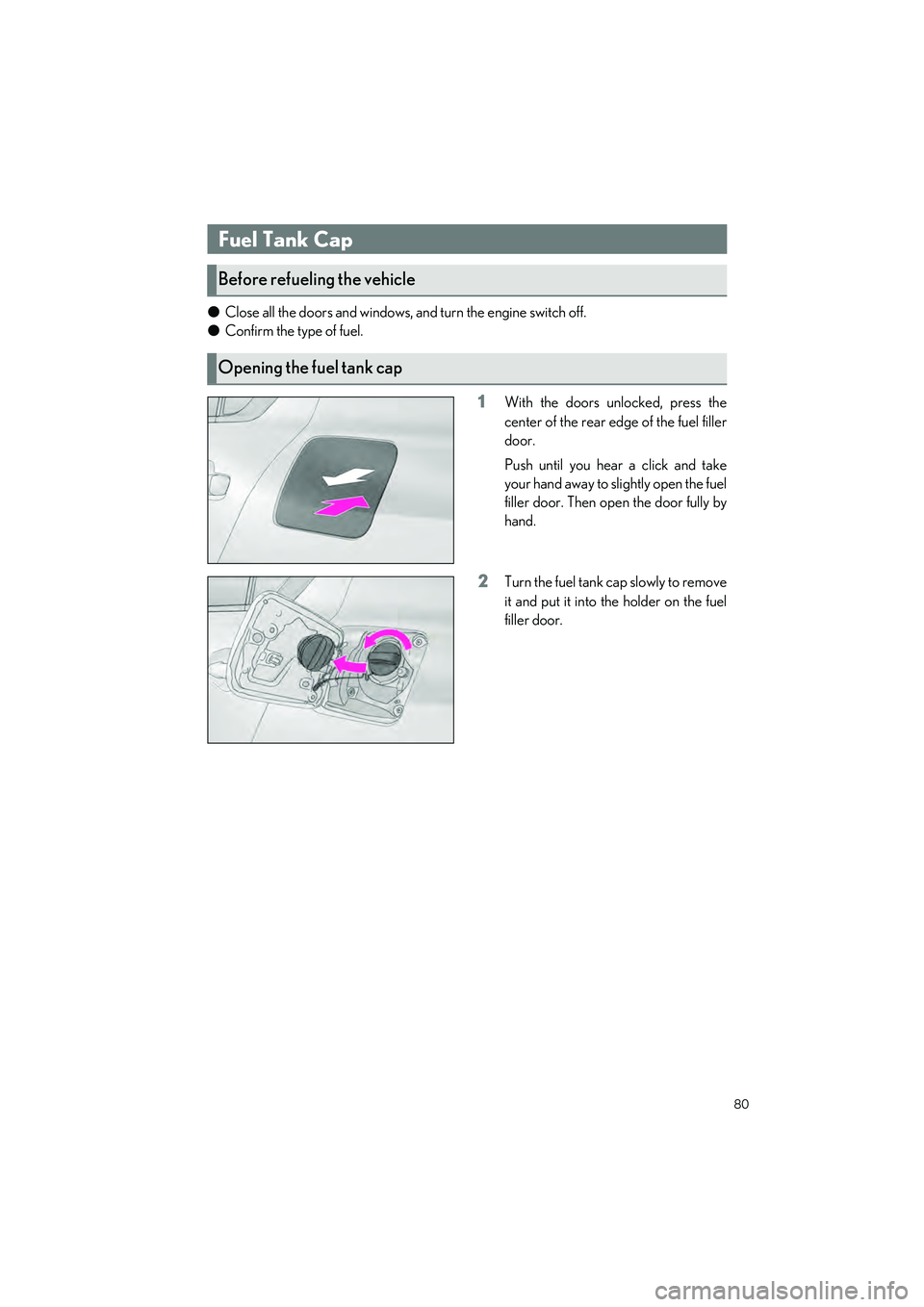
1With the doors unlocked, press the
center of the rear edge of the fuel filler
door.
Push until you hear a click and take
your hand away to slightly open the fuel
filler door. Then open the door fully by
hand.
2Turn the fuel tank cap slowly to remove
it and put it into the holder on the fuel
filler door.
Fuel Tank Cap
Before refueling the vehicle
Opening the fuel tank cap
81
IS500_IS350_IS300_QG_U
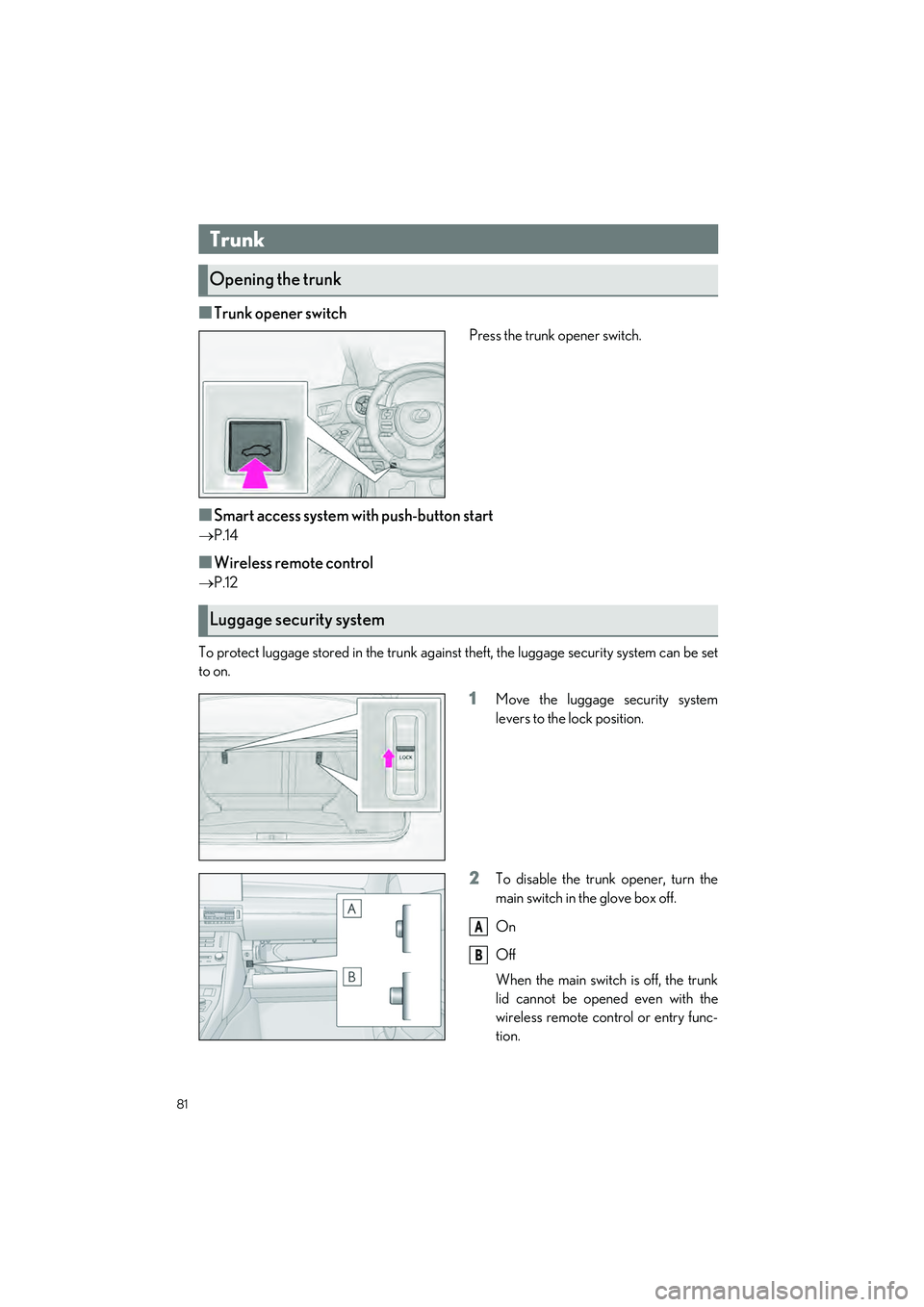
■Trunk opener switch
Press the trunk opener switch.
■Smart access system with push-button start
P.14
■Wireless remote control
P.12
To protect luggage stored in the trunk against theft, the luggage security system can be set
to on.
1Move the luggage security system
levers to the lock position.
2To disable the trunk opener, turn the
main switch in the glove box off.
On
Off
When the main switch is off, the trunk
lid cannot be opened even with the
wireless remote control or entry func-
tion.
Trunk
Opening the trunk
Luggage security system
A
B
82
IS500_IS350_IS300_QG_U
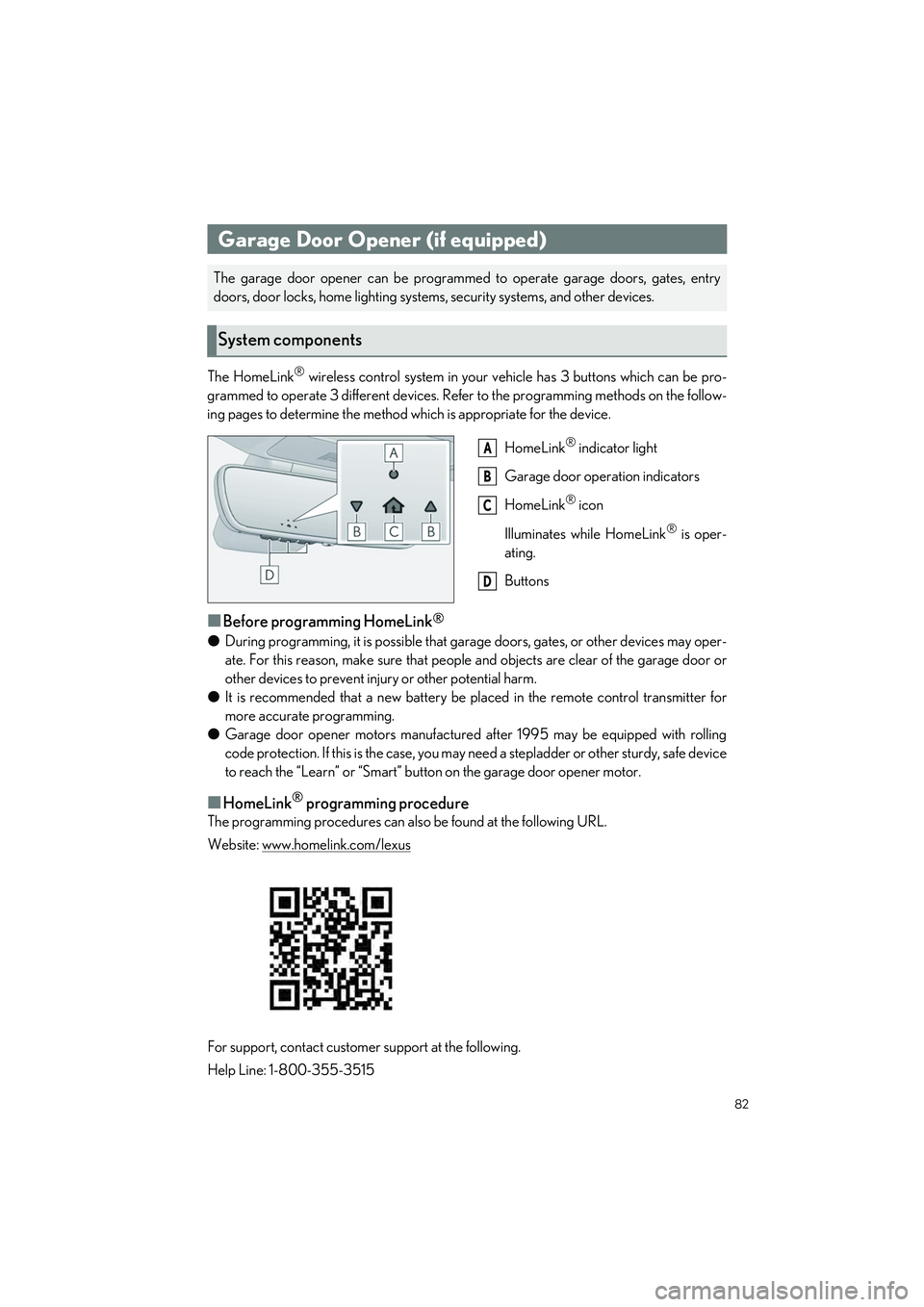
The HomeLink® wireless control system in your vehicle has 3 buttons which can be pro-
grammed to operate 3 different devices. Refe r to the programming methods on the follow-
ing pages to determine the method wh ich is appropriate for the device.
HomeLink
® indicator light
Garage door operation indicators
HomeLink
® icon
Illuminates while HomeLink
® is oper-
ating.
Buttons
■Before programming HomeLink®
● During programming, it is possible that gara ge doors, gates, or other devices may oper-
ate. For this reason, make su re that people and objects ar e clear of the garage door or
other devices to prevent injury or other potential harm.
● It is recommended that a new battery be placed in the remote control transmitter for
more accurate programming.
● Garage door opener motors manufactured after 1995 may be equipped with rolling
code protection. If this is the case, you may need a stepladder or other sturdy, safe device
to reach the “Learn” or “Smart” button on the garage door opener motor.
■HomeLink® programming procedure
The programming procedures can also be found at the following URL.
Website: www.homelink.com/lexus
For support, contact customer support at the following.
Help Line: 1-800-355-3515
Garage Door Opener (if equipped)
The garage door opener can be programmed to operate garage doors, gates, entry
doors, door locks, home lighting system s, security systems, and other devices.
System components
A
B
C
D
90
What to do if...
IS500_IS350_IS300_QG_U
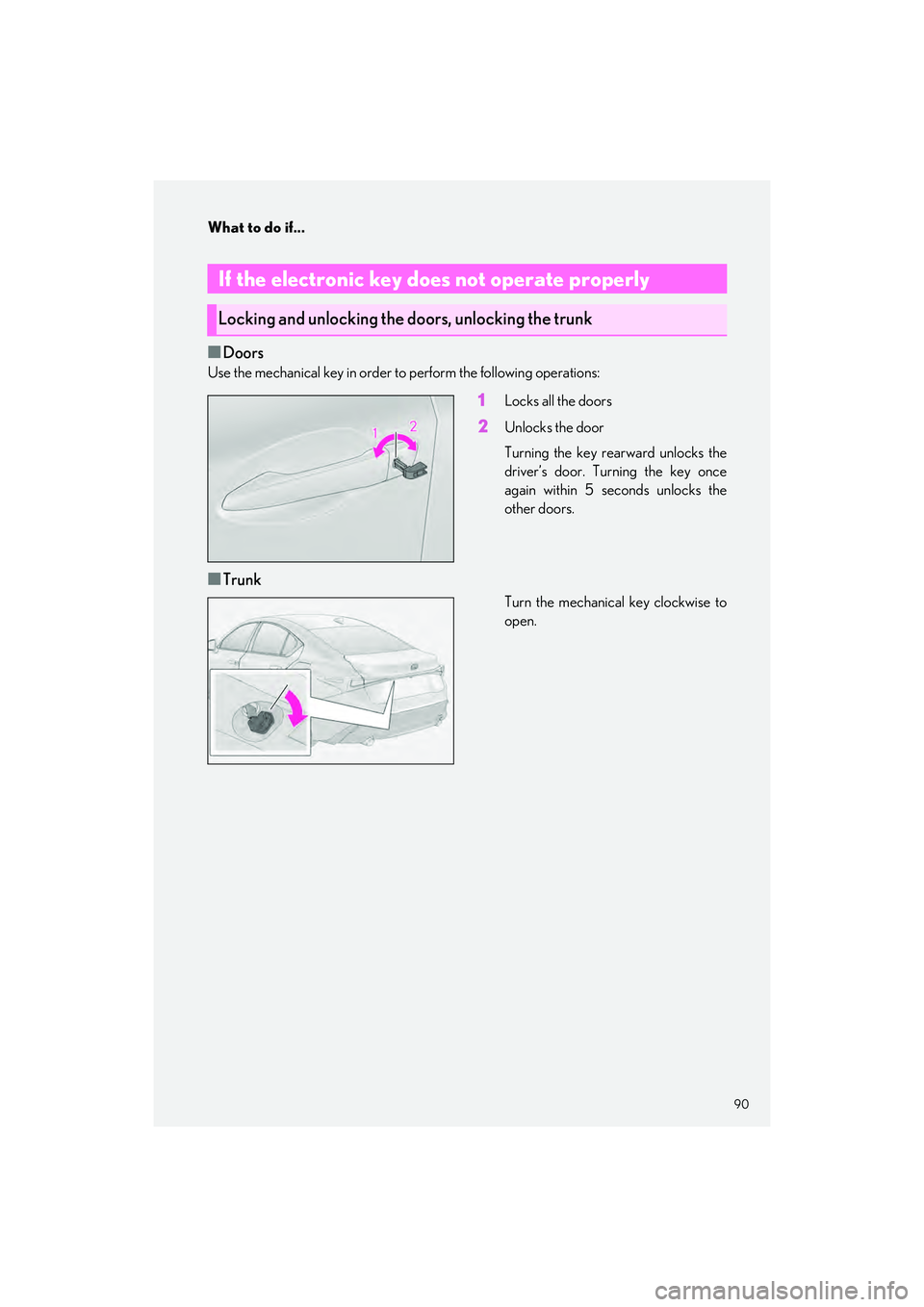
■Doors
Use the mechanical key in order to perform the following operations:
1Locks all the doors
2Unlocks the door
Turning the key rearward unlocks the
driver’s door. Turning the key once
again within 5 seconds unlocks the
other doors.
■Trunk
Turn the mechanical key clockwise to
open.
If the electronic key does not operate properly
Locking and unlocking the doors, unlocking the trunk