change time Lexus IS300h 2013 User Guide
[x] Cancel search | Manufacturer: LEXUS, Model Year: 2013, Model line: IS300h, Model: Lexus IS300h 2013Pages: 628, PDF Size: 20.23 MB
Page 224 of 628
2224-2. Driving procedures
IS300h_EE(OM53B95E)
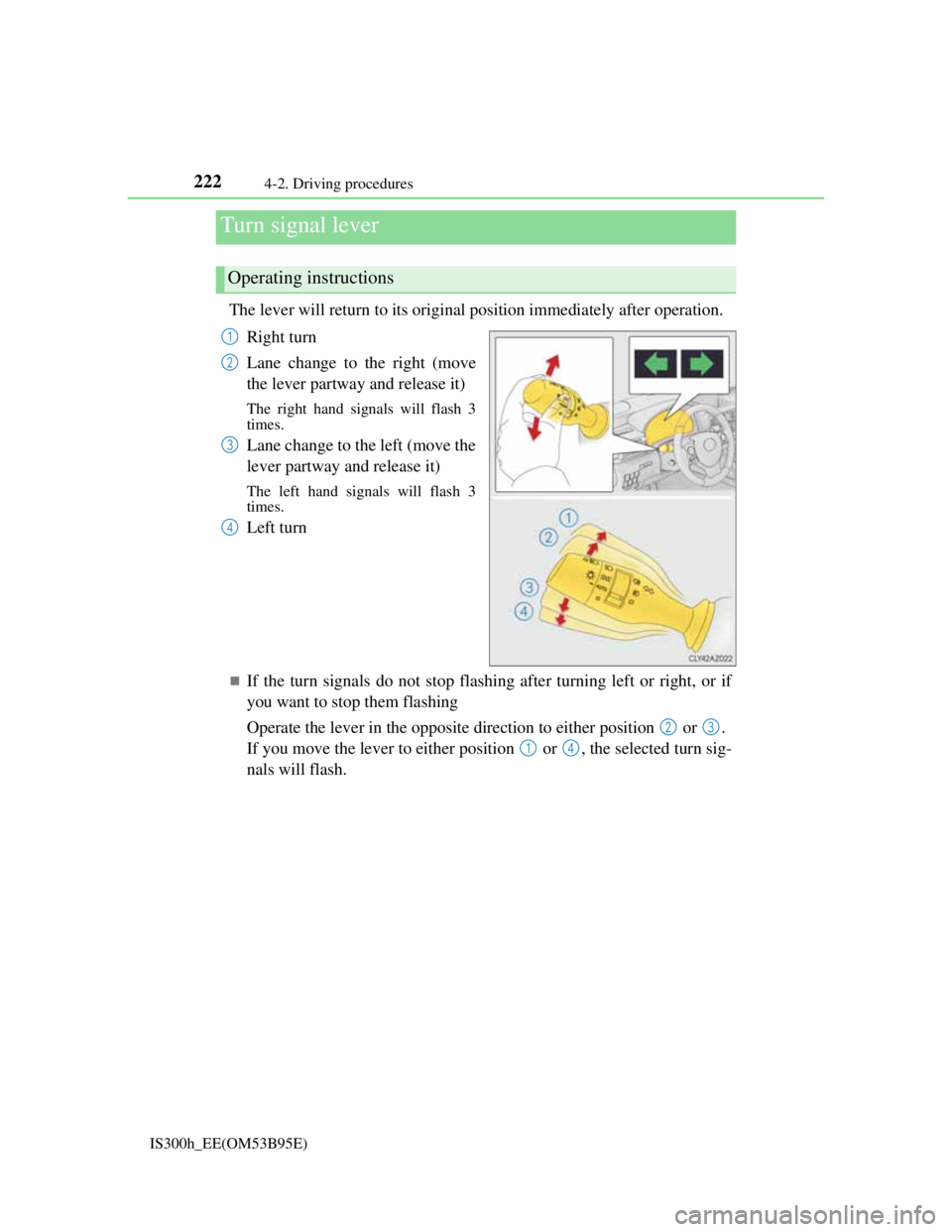
The lever will return to its original position immediately after operation.
Right turn
Lane change to the right (move
the lever partway and release it)
The right hand signals will flash 3
times.
Lane change to the left (move the
lever partway and release it)
The left hand signals will flash 3
times.
Left turn
If the turn signals do not stop flashing after turning left or right, or if
you want to stop them flashing
Operate the lever in the opposite direction to either position or .
If you move the lever to either position or , the selected turn sig-
nals will flash.
Turn signal lever
Operating instructions
1
2
3
4
23
14
Page 225 of 628

2234-2. Driving procedures
4
Driving
IS300h_EE(OM53B95E)
Turn signals can be operated when
The power switch is in ON mode.
If the indicator flashes faster than usual
Check that a light bulb in the front or rear turn signal lights has not burned out.
If the turn signals stop flashing before a lane change has been performed
Operate the lever again.
Customization
The number of times the turn signals flash during a lane change can be changed.
(Customizable feature P. 575)
Page 248 of 628
2464-5. Using the driving support systems
IS300h_EE(OM53B95E)
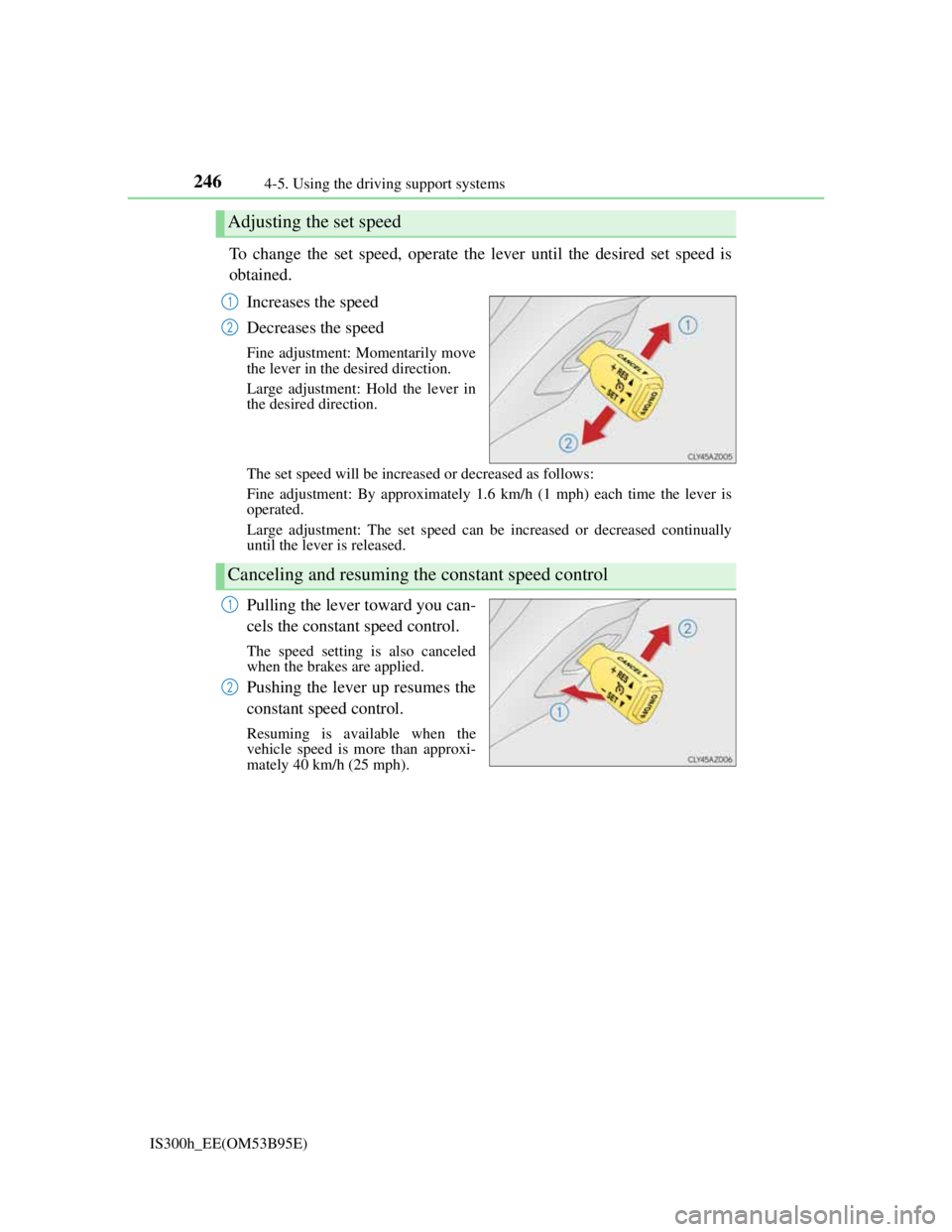
To change the set speed, operate the lever until the desired set speed is
obtained.
Increases the speed
Decreases the speed
Fine adjustment: Momentarily move
the lever in the desired direction.
Large adjustment: Hold the lever in
the desired direction.
The set speed will be increased or decreased as follows:
Fine adjustment: By approximately 1.6 km/h (1 mph) each time the lever is
operated.
Large adjustment: The set speed can be increased or decreased continually
until the lever is released.
Pulling the lever toward you can-
cels the constant speed control.
The speed setting is also canceled
when the brakes are applied.
Pushing the lever up resumes the
constant speed control.
Resuming is available when the
vehicle speed is more than approxi-
mately 40 km/h (25 mph).
Adjusting the set speed
1
2
Canceling and resuming the constant speed control
1
2
Page 253 of 628
2514-5. Using the driving support systems
4
Driving
IS300h_EE(OM53B95E)
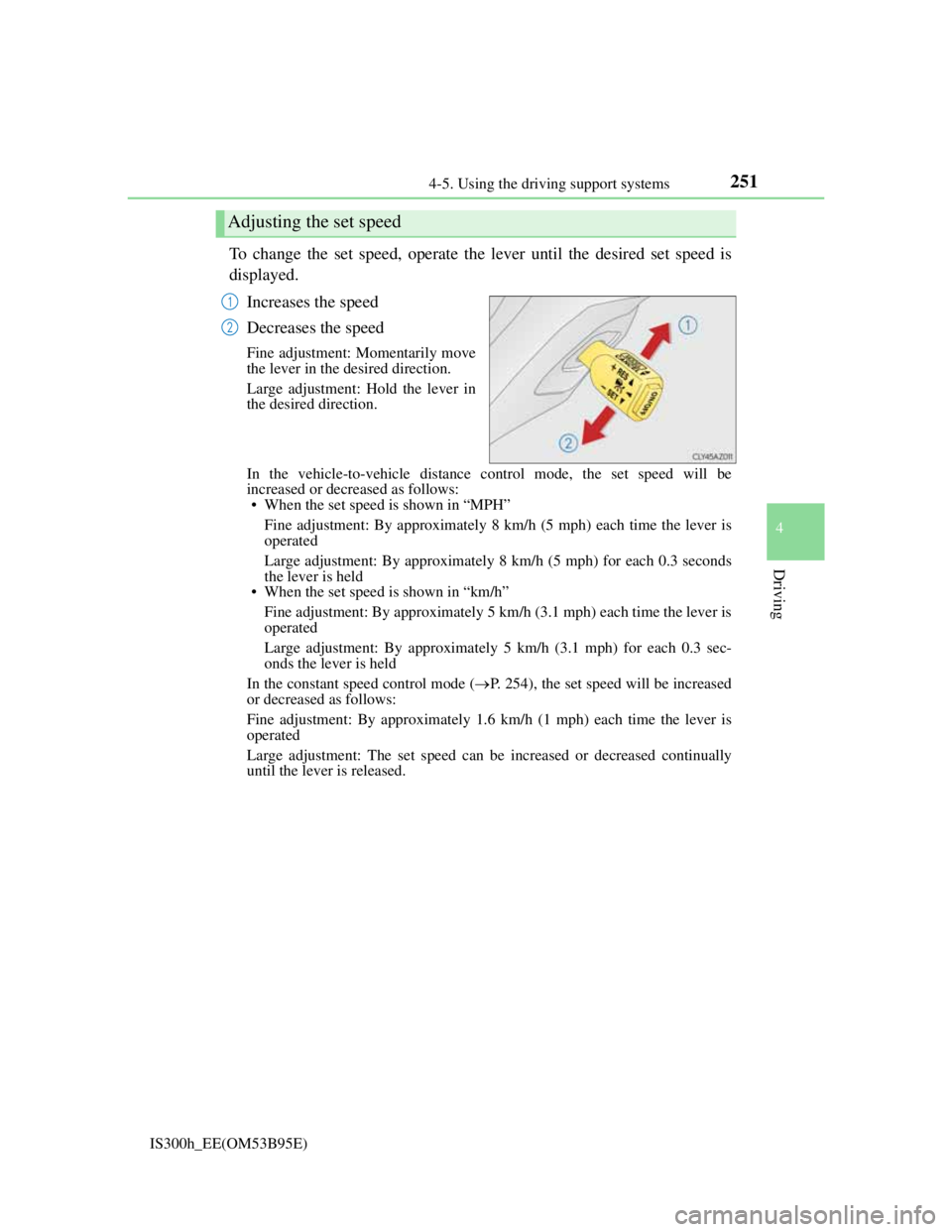
To change the set speed, operate the lever until the desired set speed is
displayed.
Increases the speed
Decreases the speed
Fine adjustment: Momentarily move
the lever in the desired direction.
Large adjustment: Hold the lever in
the desired direction.
In the vehicle-to-vehicle distance control mode, the set speed will be
increased or decreased as follows:
• When the set speed is shown in “MPH”
Fine adjustment: By approximately 8 km/h (5 mph) each time the lever is
operated
Large adjustment: By approximately 8 km/h (5 mph) for each 0.3 seconds
the lever is held
• When the set speed is shown in “km/h”
Fine adjustment: By approximately 5 km/h (3.1 mph) each time the lever is
operated
Large adjustment: By approximately 5 km/h (3.1 mph) for each 0.3 sec-
onds the lever is held
In the constant speed control mode (P. 254), the set speed will be increased
or decreased as follows:
Fine adjustment: By approximately 1.6 km/h (1 mph) each time the lever is
operated
Large adjustment: The set speed can be increased or decreased continually
until the lever is released.
Adjusting the set speed
1
2
Page 270 of 628

2684-5. Using the driving support systems
IS300h_EE(OM53B95E)
When driving on a road surface that is bright due to reflected light
When driving in a location where the light level changes rapidly, such as the
entrance to or exit from a tunnel
When sunlight or the headlights of oncoming vehicles are shining directly into
the camera lens
When driving on roads that are branching or merging
When driving on a road surface that is wet due to rain, previous rainfall, stand-
ing water, etc.
When the vehicle experiences strong up-and-down motion such as when driv-
ing on an extremely rough road or on a seam in the pavement
When headlight brightness at nighttime is reduced due to dirt on the lenses, or
when the headlights are misaligned
When driving on winding roads or roads that are uneven
When driving on rough or unpaved roads
When changing the tires
Depending on the tires used, sufficient performance may not be maintainable.
Warning messages for the LDA system
Warning messages are used to indicate a system malfunction or to inform the
driver of the need for caution while driving. (P. 518)
Page 272 of 628
2704-5. Using the driving support systems
IS300h_EE(OM53B95E)
NOTICE
To prevent damage to or incorrect operation of the LDA system
Do not modify the headlights or attach stickers to the surface of the lights.
Do not modify the suspension or replace it with non-genuine parts.
Do not install or place anything on the hood or the grille. Also, do not install a
grille guard (bull bars, kangaroo bar etc.).
If your windshield needs repairs, contact any authorized Lexus dealer or
repairer, or another duly qualified and equipped professional.
Camera sensor
Observe the following to ensure that the LDA system functions correctly.
Keep the windshield clean at all times.
Performance could be affected if the windshield is dirty, or if raindrops, con-
densation or ice are adhering to the windshield.
Do not spill liquid onto the camera sensor
Do not attach window tinting to the windshield.
Do not install an antenna in front of the camera lens.
If the windshield is fogged up, use the windshield defogger to remove fog
from the windshield.
When it is cold, using the heater with air blowing to the feet may allow the
upper part of the windshield to fog up. This will have a negative effect on the
images.
Do not scratch the camera lens, or let it get dirty.
When cleaning the inside of the windshield, be careful not to get any glass
cleaner etc. on the lens. Also, do not touch the lens.
For lens repair, contact any authorized Lexus dealer or repairer, or another
duly qualified and equipped professional.
Do not change the installation position or direction of the camera sensor or
remove it. The direction of the camera sensor is precisely adjusted.
Do not subject the camera sensor to strong impact or force, and do not disas-
semble the camera sensor.
Do not replace windshield with non-genuine windshield.
Contact any authorized Lexus dealer or repairer, or another duly qualified and
equipped professional.
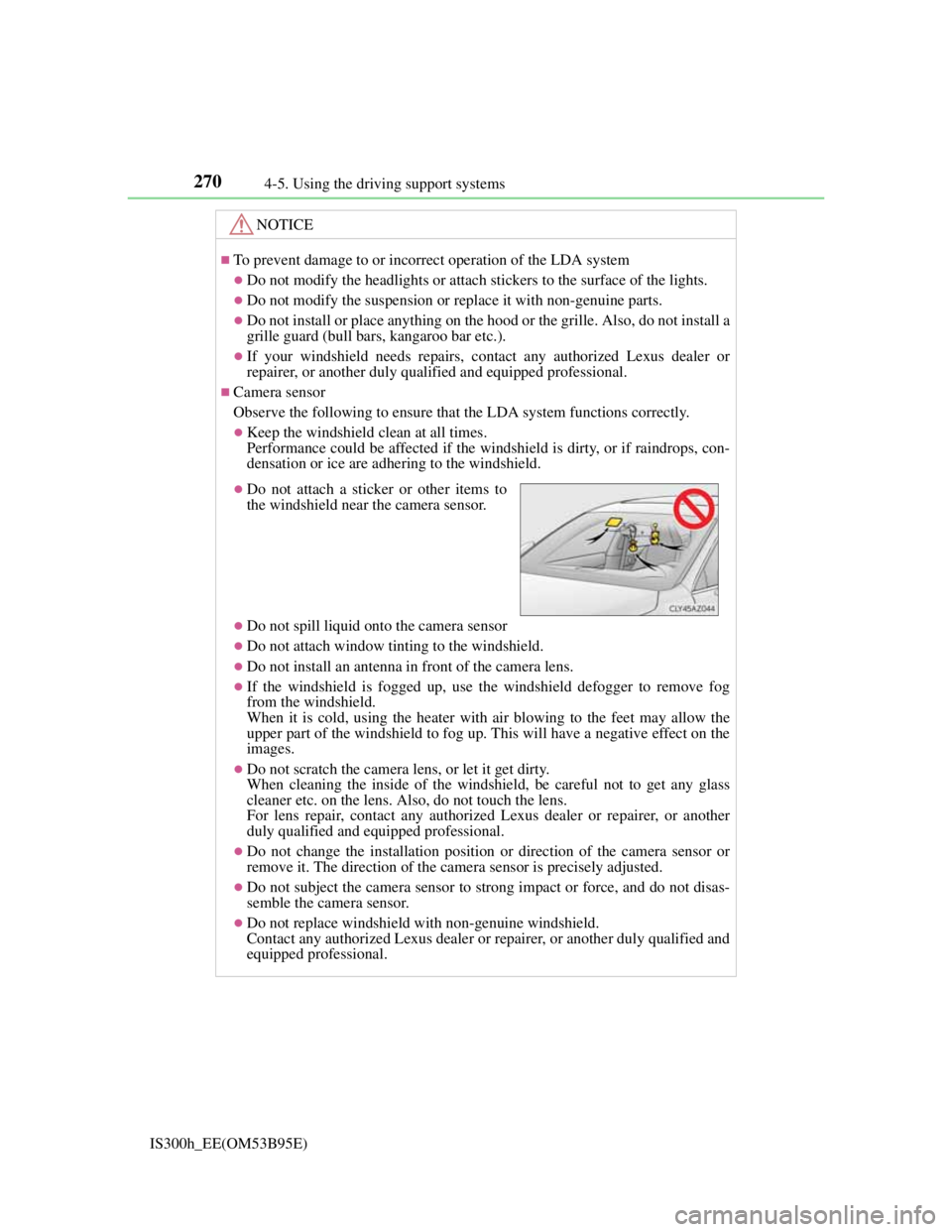
Do not attach a sticker or other items to
the windshield near the camera sensor.
Page 344 of 628
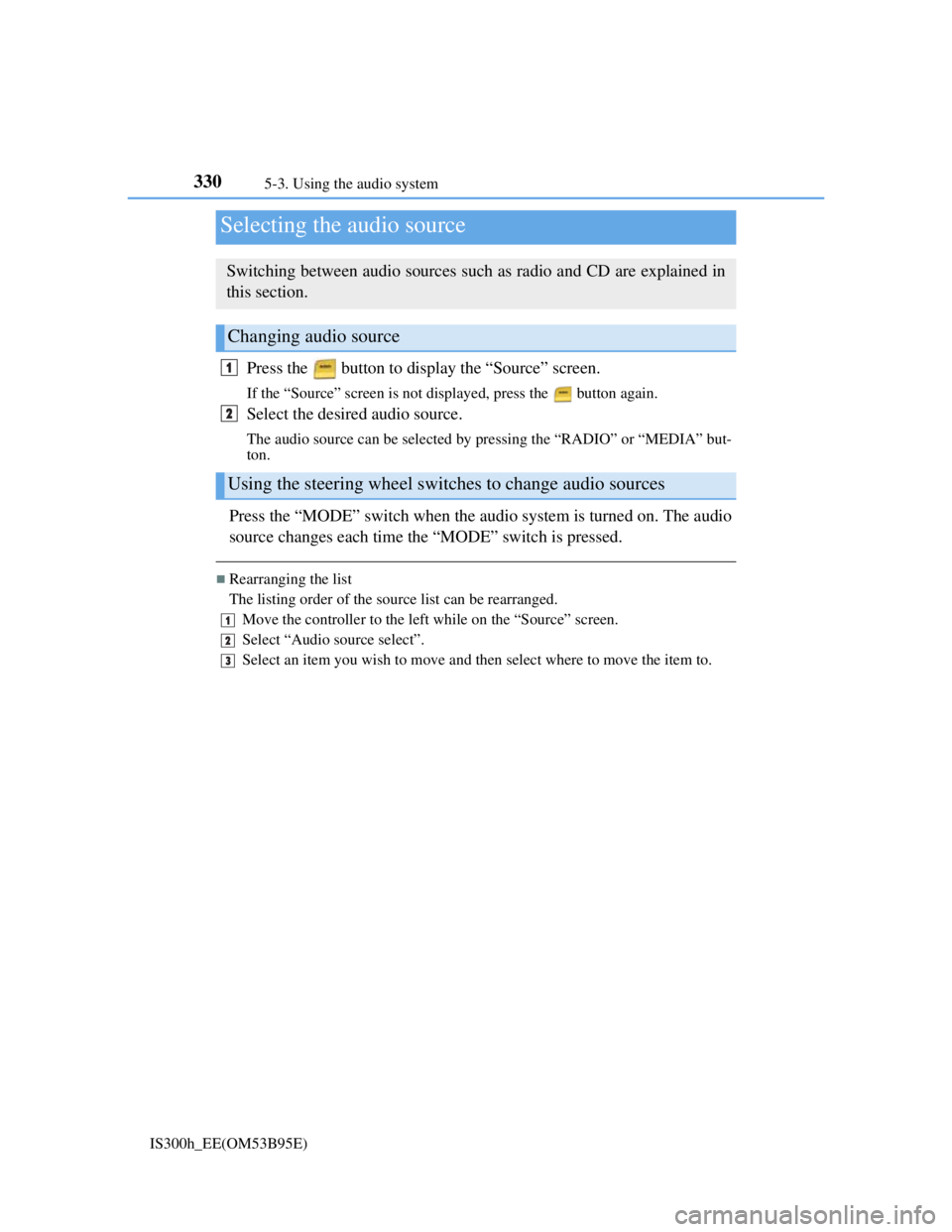
330
IS300h_EE(OM53B95E)5-3. Using the audio system
Press the button to display the “Source” screen.
If the “Source” screen is not displayed, press the button again.
Select the desired audio source.
The audio source can be selected by pressing the “RADIO” or “MEDIA” but-
ton.
Press the “MODE” switch when the audio system is turned on. The audio
source changes each time the “MODE” switch is pressed.
Rearranging the list
The listing order of the source list can be rearranged.
Move the controller to the left while on the “Source” screen.
Select “Audio source select”.
Select an item you wish to move and then select where to move the item to.
Selecting the audio source
Switching between audio sources such as radio and CD are explained in
this section.
Changing audio source
Using the steering wheel switches to change audio sources
1
2
1
2
3
Page 350 of 628
3365-3. Using the audio system
IS300h_EE(OM53B95E)
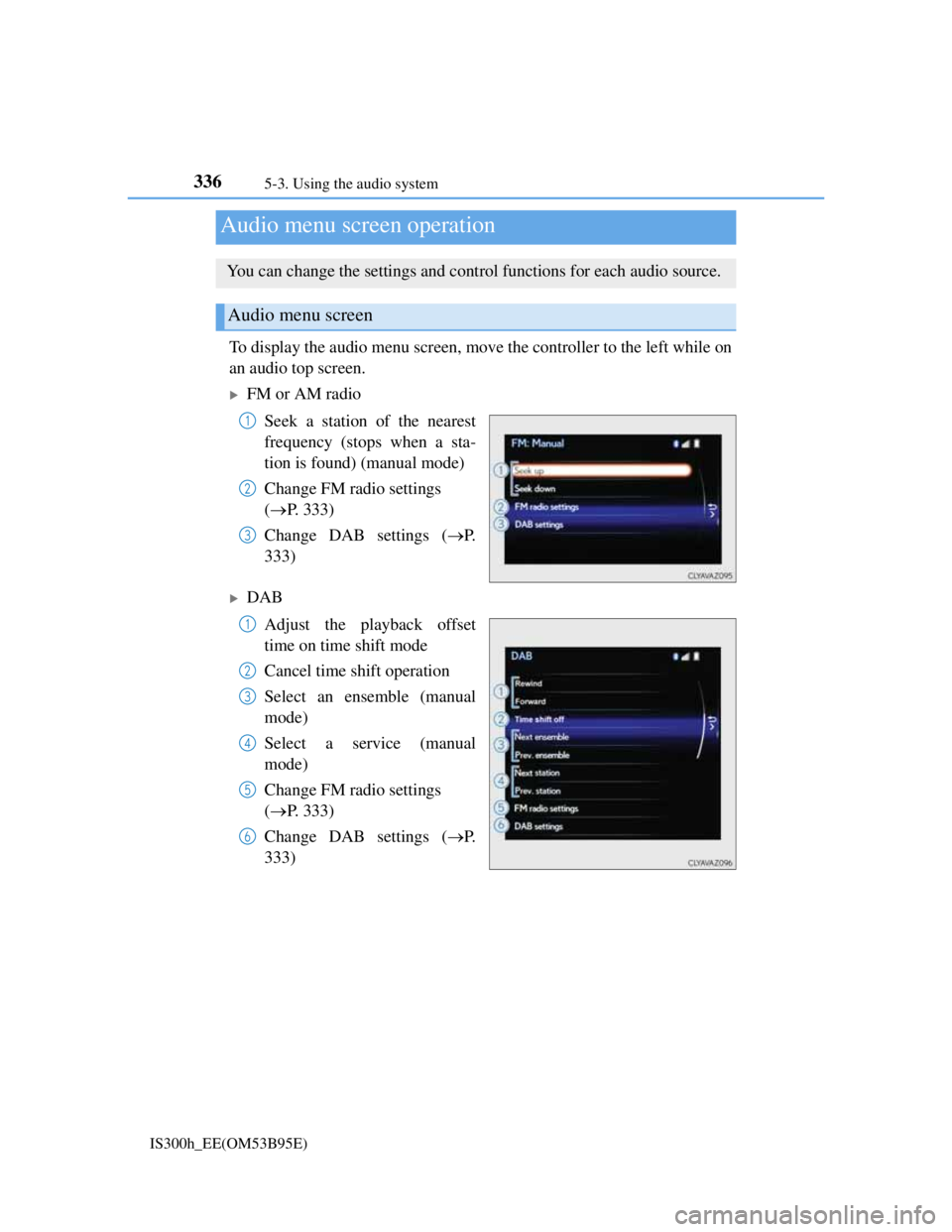
To display the audio menu screen, move the controller to the left while on
an audio top screen.
FM or AM radio
Seek a station of the nearest
frequency (stops when a sta-
tion is found) (manual mode)
Change FM radio settings
(P. 333)
Change DAB settings (P.
333)
DAB
Adjust the playback offset
time on time shift mode
Cancel time shift operation
Select an ensemble (manual
mode)
Select a service (manual
mode)
Change FM radio settings
(P. 333)
Change DAB settings (P.
333)
Audio menu screen operation
You can change the settings and control functions for each audio source.
Audio menu screen
1
2
3
1
2
3
4
5
6
Page 353 of 628
339
5
Lexus Display Audio system
IS300h_EE(OM53B95E)5-4. Using the radio
Pressing the “RADIO” button displays the radio top screen from any
screen of the selected source.
Menu screen
P. 3 3 6
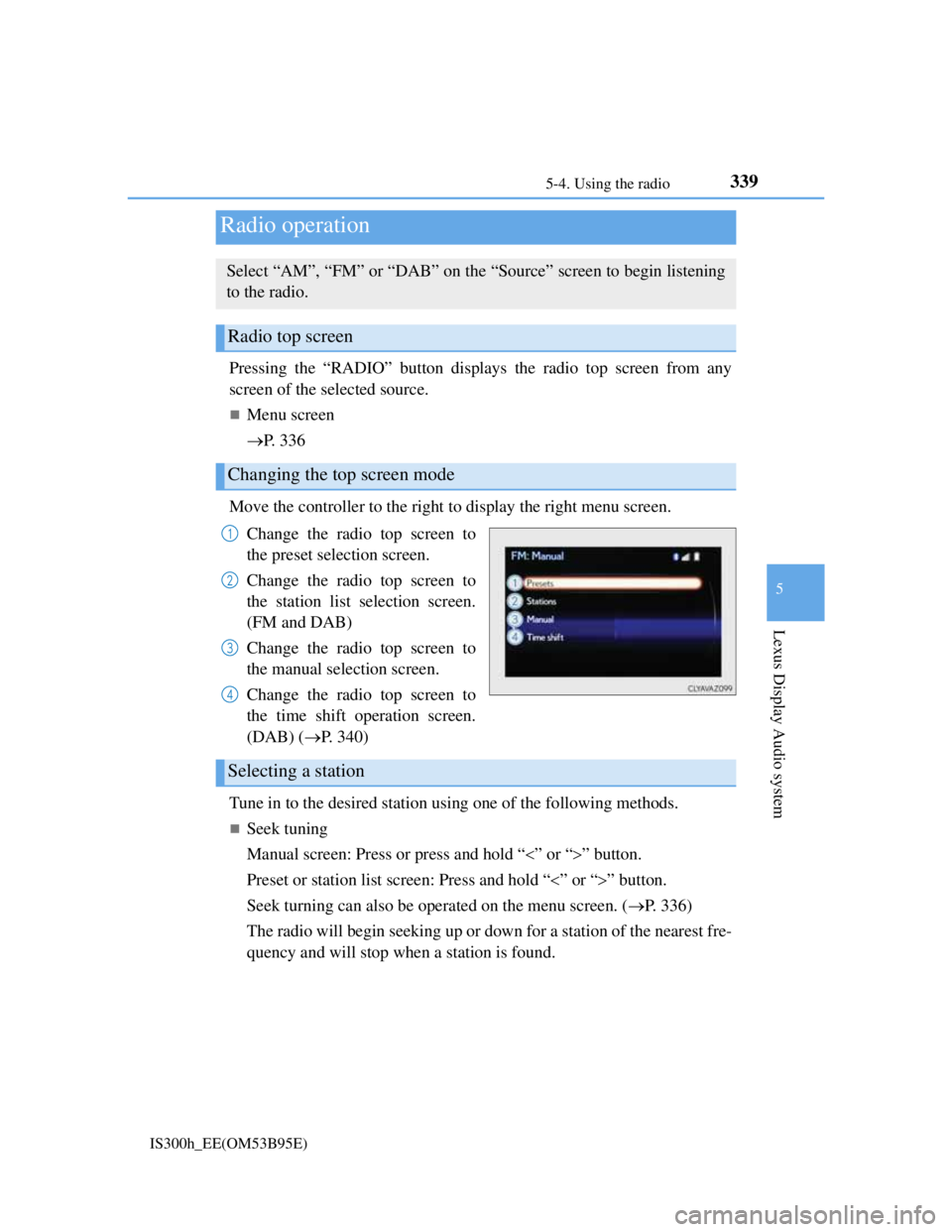
Move the controller to the right to display the right menu screen.
Change the radio top screen to
the preset selection screen.
Change the radio top screen to
the station list selection screen.
(FM and DAB)
Change the radio top screen to
the manual selection screen.
Change the radio top screen to
the time shift operation screen.
(DAB) (P. 340)
Tune in to the desired station using one of the following methods.
Seek tuning
Manual screen: Press or press and hold “” or “” button.
Preset or station list screen: Press and hold “” or “” button.
Seek turning can also be operated on the menu screen. (P. 336)
The radio will begin seeking up or down for a station of the nearest fre-
quency and will stop when a station is found.
Radio operation
Select “AM”, “FM” or “DAB” on the “Source” screen to begin listening
to the radio.
Radio top screen
Changing the top screen mode
1
2
3
4
Selecting a station
Page 363 of 628
3495-6. Using an external device
5
Lexus Display Audio system
IS300h_EE(OM53B95E)
“Made for iPod” and “Made for iPhone” mean that an electronic accessory has
been designed to connect specifically to an iPod, or iPhone, respectively, and
has been certified by the developer to meet Apple performance standards.
Apple is not responsible for the operation of this device or its compliance with
safety and regulatory standards. Please note that the use of this accessory with
iPod or iPhone may affect wireless performance.
iPhone, iPod, iPod classic, iPod nano and iPod touch are trademarks of Apple
Inc., registered in the U.S. and other countries.
iPod cover art
Depending on the iPod and songs in the iPod, iPod cover art may be displayed.
This function can be changed to on/off. (P. 335)
It may take time to display iPod cover art, and the iPod may not be operated
while the cover art display is in process.
iPod functions
When an iPod is connected and the audio source is changed to iPod mode, the
iPod will resume play from the same point in which it was last used.
Depending on the iPod that is connected to the system, certain functions may
not be available. If a function is unavailable due to a malfunction (as opposed to
a system specification), disconnecting the device and reconnecting it may
resolve the problem.
Depending on the iPod, while connected to the system, the iPod cannot be oper-
ated with its own controls. It is necessary to use the controls of the vehicle's
audio system instead.
When the battery level of an iPod is very low, the iPod may not operate. If so,
charge the iPod before use.
Compatible models (P. 350)
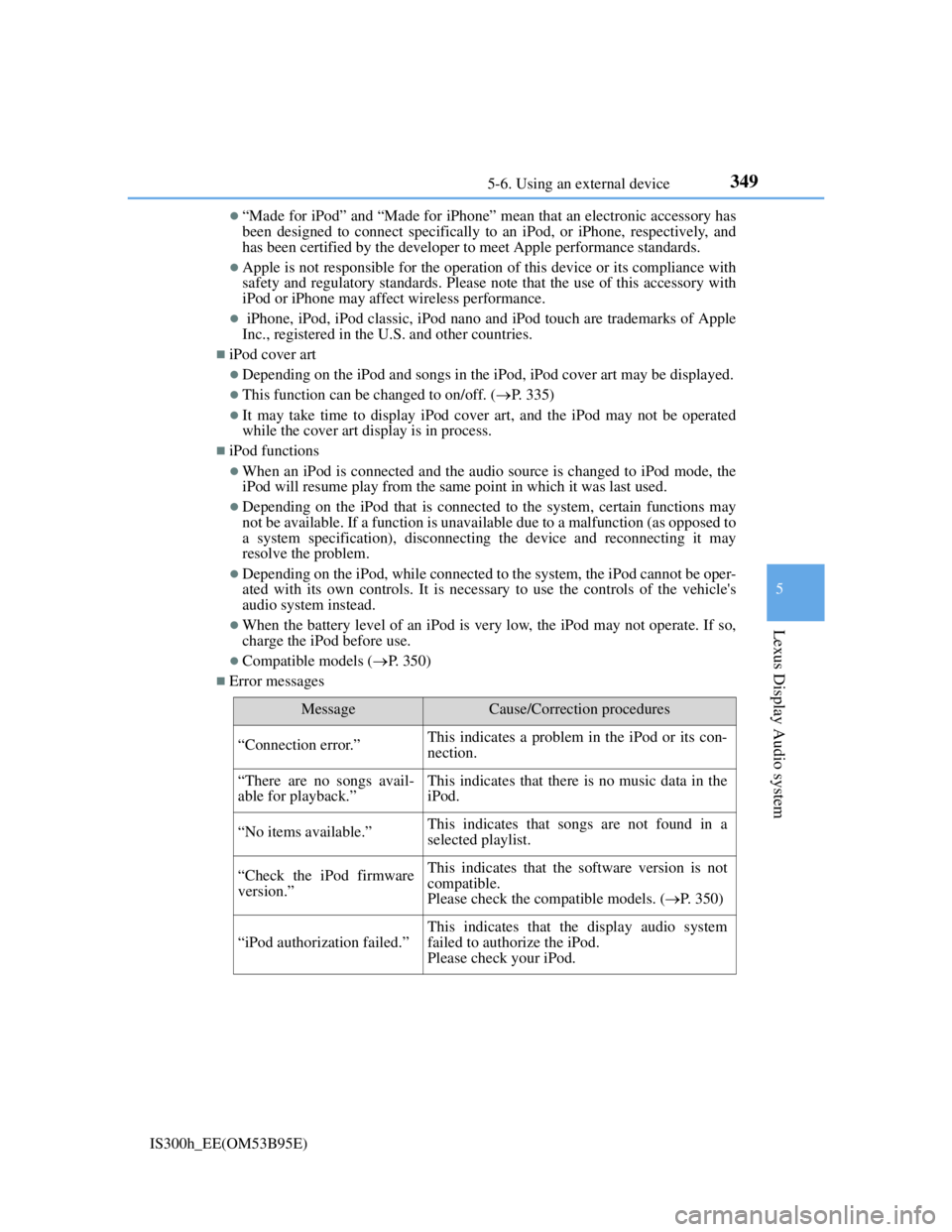
Error messages
MessageCause/Correction procedures
“Connection error.”This indicates a problem in the iPod or its con-
nection.
“There are no songs avail-
able for playback.”This indicates that there is no music data in the
iPod.
“No items available.”This indicates that songs are not found in a
selected playlist.
“Check the iPod firmware
version.”This indicates that the software version is not
compatible.
Please check the compatible models. (P. 350)
“iPod authorization failed.”
This indicates that the display audio system
failed to authorize the iPod.
Please check your iPod.