warning Lexus IS300h 2013 Owner's Guide
[x] Cancel search | Manufacturer: LEXUS, Model Year: 2013, Model line: IS300h, Model: Lexus IS300h 2013Pages: 628, PDF Size: 20.23 MB
Page 112 of 628
1112. Instrument cluster
2
Instrument cluster
IS300h_EE(OM53B95E)
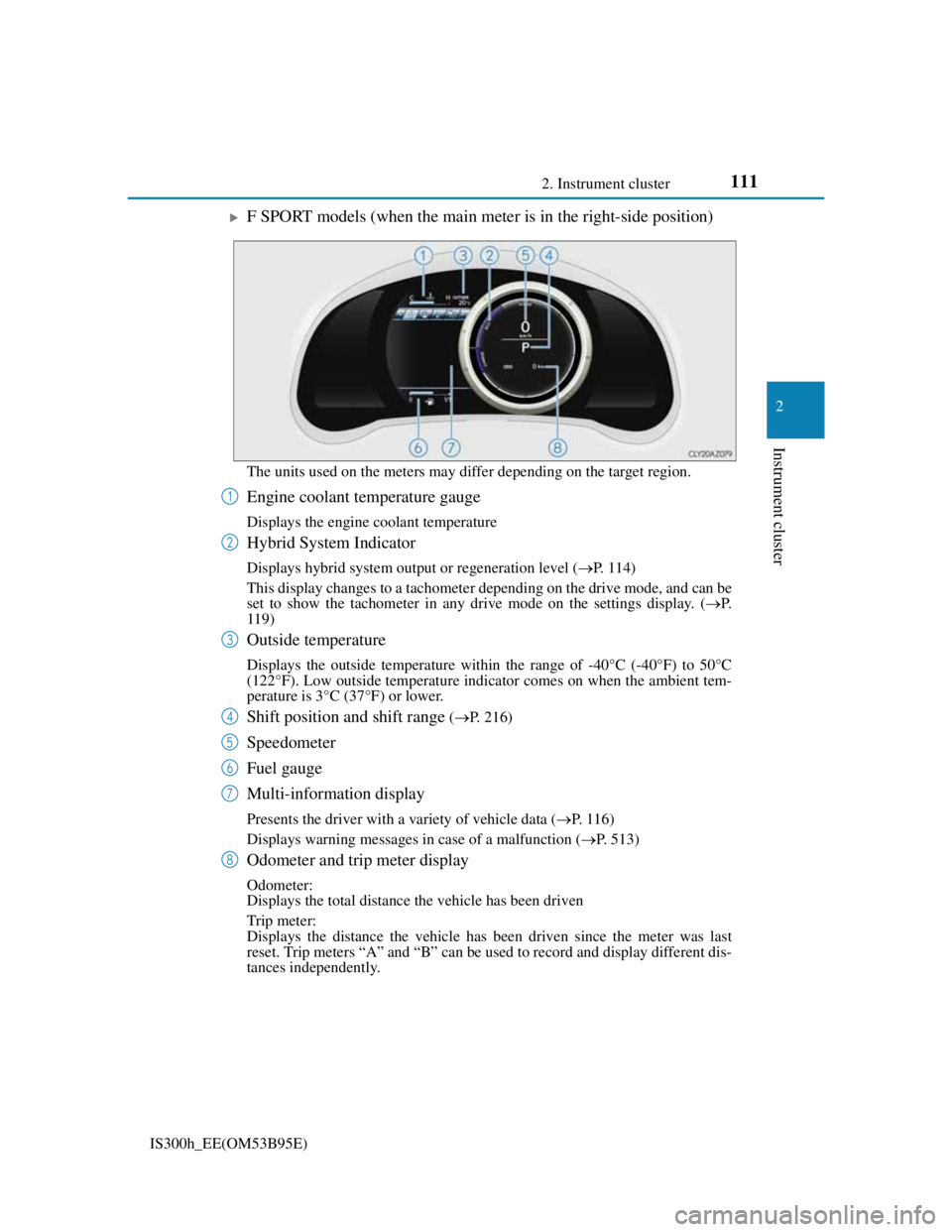
F SPORT models (when the main meter is in the right-side position)
The units used on the meters may differ depending on the target region.
Engine coolant temperature gauge
Displays the engine coolant temperature
Hybrid System Indicator
Displays hybrid system output or regeneration level (P. 114)
This display changes to a tachometer depending on the drive mode, and can be
set to show the tachometer in any drive mode on the settings display. (P.
119)
Outside temperature
Displays the outside temperature within the range of -40°C (-40°F) to 50°C
(122°F). Low outside temperature indicator comes on when the ambient tem-
perature is 3°C (37°F) or lower.
Shift position and shift range (P. 216)
Speedometer
Fuel gauge
Multi-information display
Presents the driver with a variety of vehicle data (P. 1 1 6 )
Displays warning messages in case of a malfunction (P. 513)
Odometer and trip meter display
Odometer:
Displays the total distance the vehicle has been driven
Trip meter:
Displays the distance the vehicle has been driven since the meter was last
reset. Trip meters “A” and “B” can be used to record and display different dis-
tances independently.
1
2
3
4
5
6
7
8
Page 117 of 628
1162. Instrument cluster
IS300h_EE(OM53B95E)
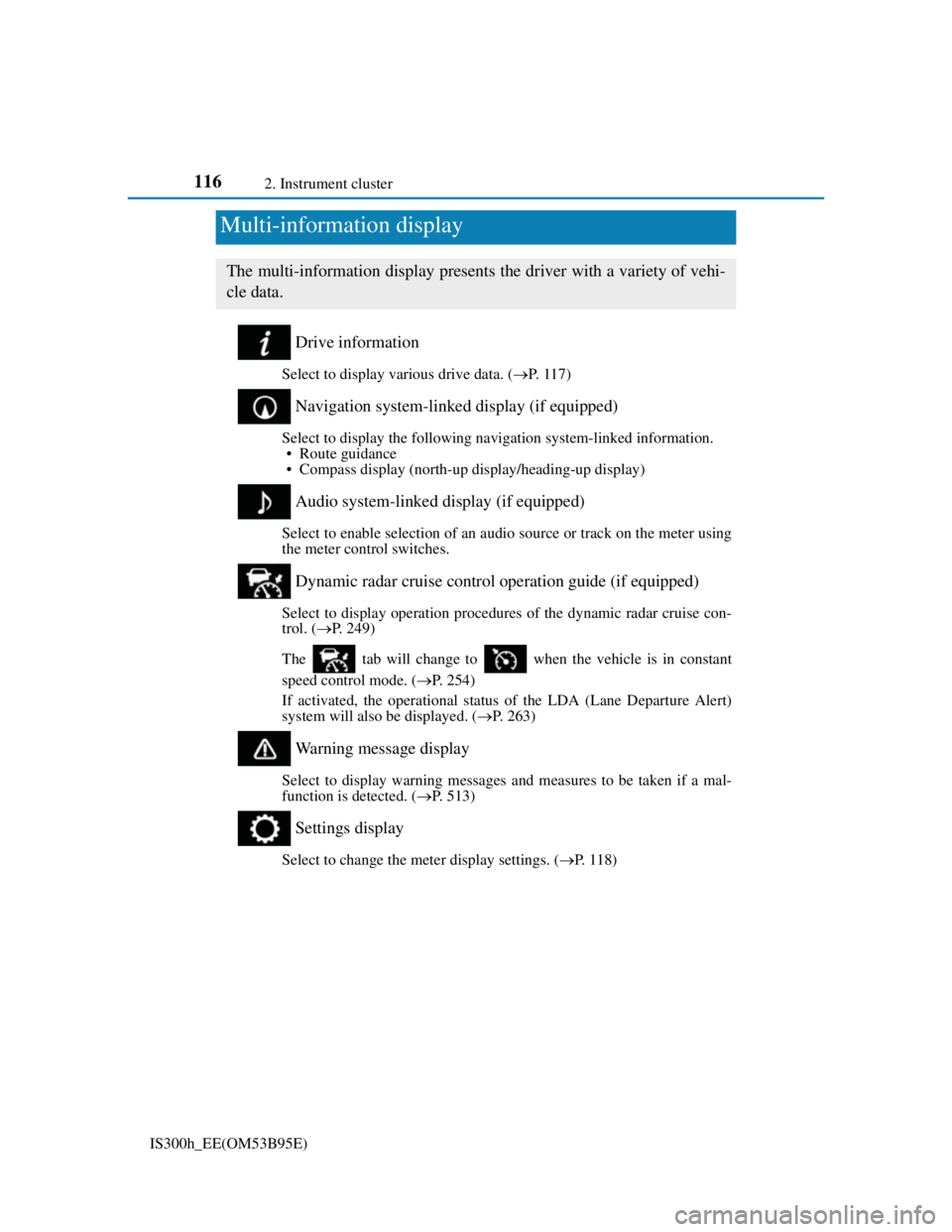
Drive information
Select to display various drive data. (P. 1 1 7 )
Navigation system-linked display (if equipped)
Select to display the following navigation system-linked information.
• Route guidance
• Compass display (north-up display/heading-up display)
Audio system-linked display (if equipped)
Select to enable selection of an audio source or track on the meter using
the meter control switches.
Dynamic radar cruise control operation guide (if equipped)
Select to display operation procedures of the dynamic radar cruise con-
trol. (P. 249)
The tab will change to when the vehicle is in constant
speed control mode. (P. 254)
If activated, the operational status of the LDA (Lane Departure Alert)
system will also be displayed. (P. 263)
Warning message display
Select to display warning messages and measures to be taken if a mal-
function is detected. (P. 513)
Settings display
Select to change the meter display settings. (P. 1 1 8 )
Multi-information display
The multi-information display presents the driver with a variety of vehi-
cle data.
Page 121 of 628
1202. Instrument cluster
IS300h_EE(OM53B95E)
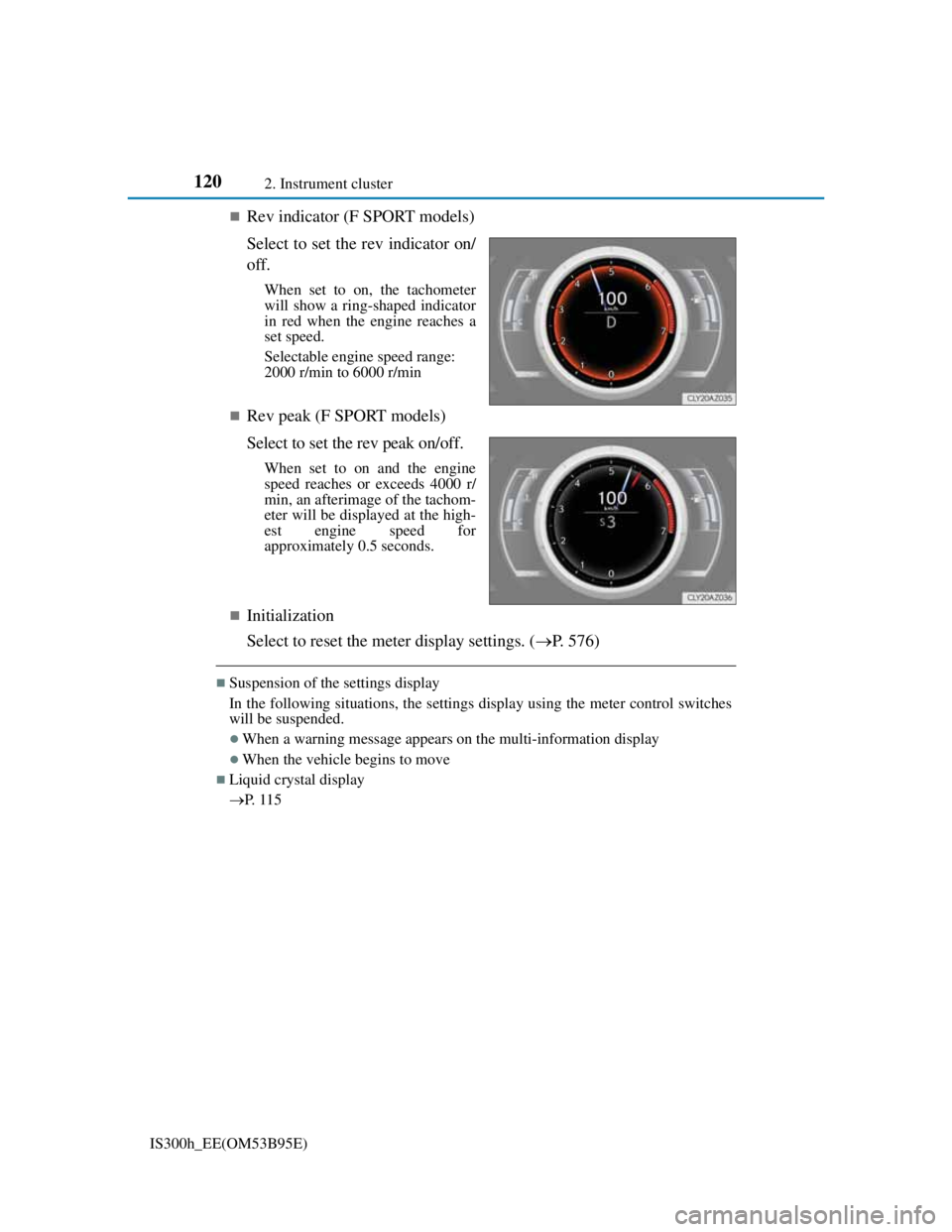
Rev indicator (F SPORT models)
Select to set the rev indicator on/
off.
When set to on, the tachometer
will show a ring-shaped indicator
in red when the engine reaches a
set speed.
Selectable engine speed range:
2000 r/min to 6000 r/min
Rev peak (F SPORT models)
Select to set the rev peak on/off.
When set to on and the engine
speed reaches or exceeds 4000 r/
min, an afterimage of the tachom-
eter will be displayed at the high-
est engine speed for
approximately 0.5 seconds.
Initialization
Select to reset the meter display settings. (P. 576)
Suspension of the settings display
In the following situations, the settings display using the meter control switches
will be suspended.
When a warning message appears on the multi-information display
When the vehicle begins to move
Liquid crystal display
P. 1 1 5
Page 188 of 628
1863-5. Opening, closing the windows and moon roof
IS300h_EE(OM53B95E)
Door lock linked window operation
The power windows can be opened and closed using the mechanical key.*
(P. 548)
The power windows can be opened and closed using the wireless remote con-
trol.* (P. 136)
*: These settings must be customized at any authorized Lexus dealer or repairer,
or another duly qualified and equipped professional.
When the 12-volt battery is disconnected
The window lock switch is disabled. If necessary, press the window lock switch
after reconnecting the 12-volt battery.
Power windows open warning buzzer
The buzzer sounds and a message is shown on the multi-information display in
the instrument cluster when the power switch is turned off and the driver’s door
is opened with the power windows open.
Customization
Settings (e.g. linked door lock operation) can be changed.
(Customizable features: P. 575)
CAUTION
Observe the following precautions.
Failure to do so may result in death or serious injury.
Closing the windows
Check to make sure that all passengers do not have any part of their body in a
position where it could be caught when a window is being operated.
Do not allow children to operate the power windows.
Closing a power window on someone can cause serious injury, and in some
instances, even death.
Jam protection function
Never use any part of your body to intentionally activate the jam protection
function.
The jam protection function may not work if something gets caught just
before the window fully closes.
Page 192 of 628
1903-5. Opening, closing the windows and moon roof
IS300h_EE(OM53B95E)
Moon roof open warning buzzer
The buzzer sounds and a message is shown on the multi-information display in
the instrument cluster when the power switch is turned off and the driver’s door
is opened with the moon roof open.
Customization
Settings (e.g. linked door lock operation) can be changed.
(Customizable features: P. 575)
CAUTION
Observe the following precautions.
Failure to do so may cause death or serious injury.
Opening the moon roof
Do not allow any passengers to put their hands or heads outside the vehicle
while it is moving.
Do not sit on top of the moon roof.
Closing the moon roof
Check to make sure that all passengers do not have any part of their body in a
position where it could be caught when the moon roof is being operated.
Do not allow children to operate the moon roof.
Closing the moon roof on someone can cause death or serious injury.
Jam protection function
Never use any part of your body to intentionally activate the jam protection
function.
The jam protection function may not work if something gets caught just
before the moon roof fully closes.
Page 222 of 628

2204-2. Driving procedures
IS300h_EE(OM53B95E)
When the “-” paddle shift switch is operated with the shift lever in the D position
The shift range is downshifted to a range that enables engine braking force that is
suitable to driving conditions.
Automatic deactivation of shift range selection in the D position
Shift range selection in the D position will be deactivated in the following situa-
tions:
When the vehicle comes to a stop
If the accelerator pedal is depressed for more than a certain period of time
When the shift lever is shifted to a position other than D
Downshifting restriction warning buzzer
To help ensure safety and driving performance, downshifting operation may
sometimes be restricted. In some circumstances, downshifting may not be possi-
ble even when the shift lever or paddle shift switch is operated. (A buzzer will
sound twice.)
Snow mode automatic deactivation
Snow mode is automatically deactivated if the power switch is turned off after
driving in snow mode.
When driving with cruise control or dynamic radar cruise control activated
Even when performing the following actions with the intent of enabling engine
braking, engine braking will not activate because cruise control or dynamic radar
cruise control will not be canceled.
While driving in D or S mode, downshifting to 5 or 4. (P. 245, 249)
When switching the driving mode to sport mode while driving in D position.
(P. 283)
If the shift lever cannot be shifted from P
P. 547
Page 226 of 628
2244-2. Driving procedures
IS300h_EE(OM53B95E)
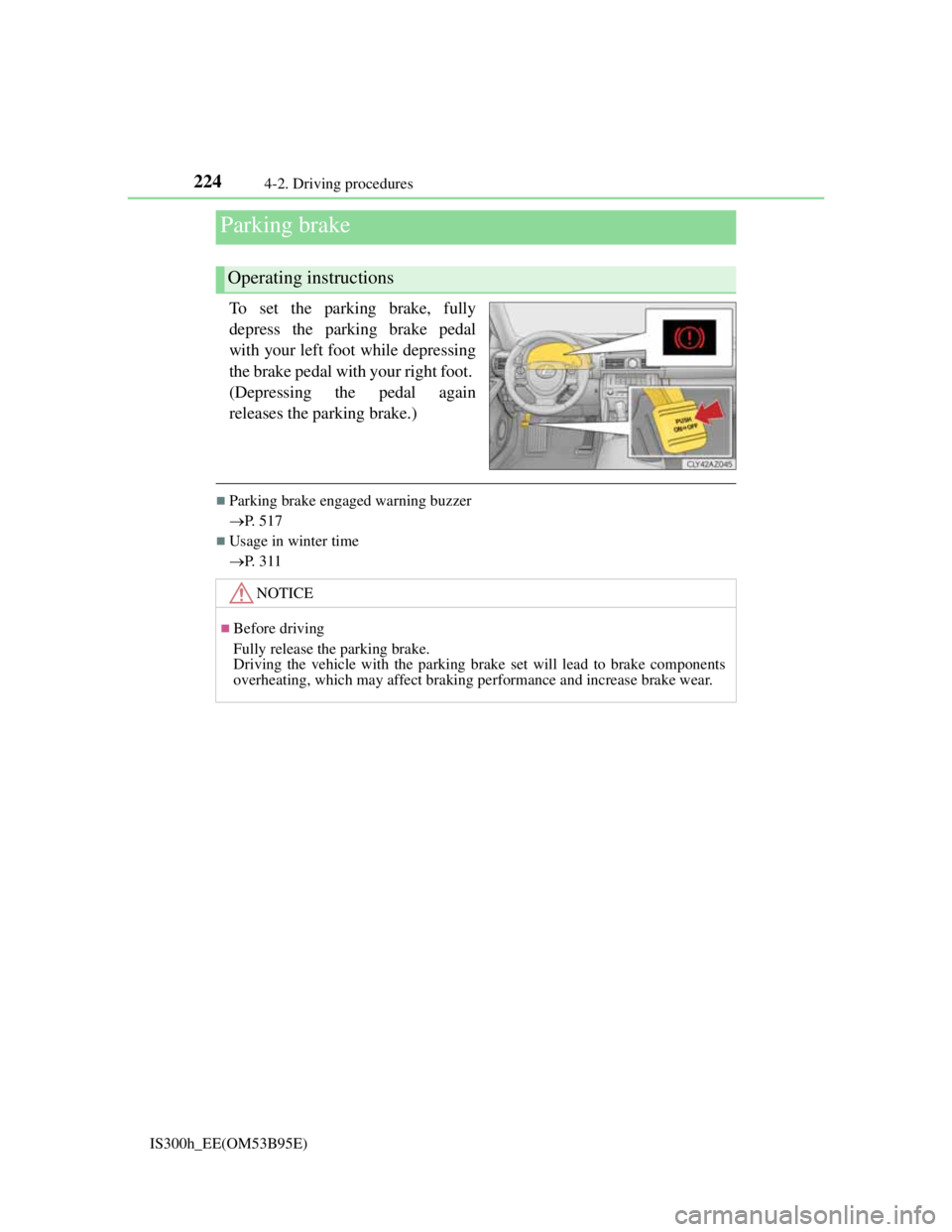
To set the parking brake, fully
depress the parking brake pedal
with your left foot while depressing
the brake pedal with your right foot.
(Depressing the pedal again
releases the parking brake.)
Parking brake engaged warning buzzer
P. 517
Usage in winter time
P. 311
Parking brake
Operating instructions
NOTICE
Before driving
Fully release the parking brake.
Driving the vehicle with the parking brake set will lead to brake components
overheating, which may affect braking performance and increase brake wear.
Page 249 of 628

2474-5. Using the driving support systems
4
Driving
IS300h_EE(OM53B95E)
Cruise control can be set when
The shift lever is in D or range 4 or higher of S has been selected.
Range 4 or higher of D has been selected by using the paddle shift.
Vehicle speed is above approximately 40 km/h (25 mph).
Accelerating after setting the vehicle speed
The vehicle can be accelerated normally. After acceleration, the set speed
resumes.
Even without canceling the cruise control, the set speed can be increased by
first accelerating the vehicle to the desired speed and then pushing the lever
down to set the new speed.
Automatic cruise control cancelation
Cruise control will stop maintaining the vehicle speed in any of the following sit-
uations.
Actual vehicle speed falls more than approximately 16 km/h (10 mph) below
the preset vehicle speed.
At this time, the memorized set speed is not retained.
Actual vehicle speed is below approximately 40 km/h (25 mph).
VSC is activated.
TRC is activated for a period of time.
When the VSC or TRC system is turned off by pressing the VSC OFF switch.
If the warning message for the cruise control is shown on the multi-information
display
Press the “ON/OFF” button once to deactivate the system, and then press the but-
ton again to reactivate the system.
If the cruise control speed cannot be set or if the cruise control cancels immedi-
ately after being activated, there may be a malfunction in the cruise control sys-
tem. Have the vehicle inspected by any authorized Lexus dealer or repairer, or
another duly qualified and equipped professional.
Page 255 of 628
2534-5. Using the driving support systems
4
Driving
IS300h_EE(OM53B95E)
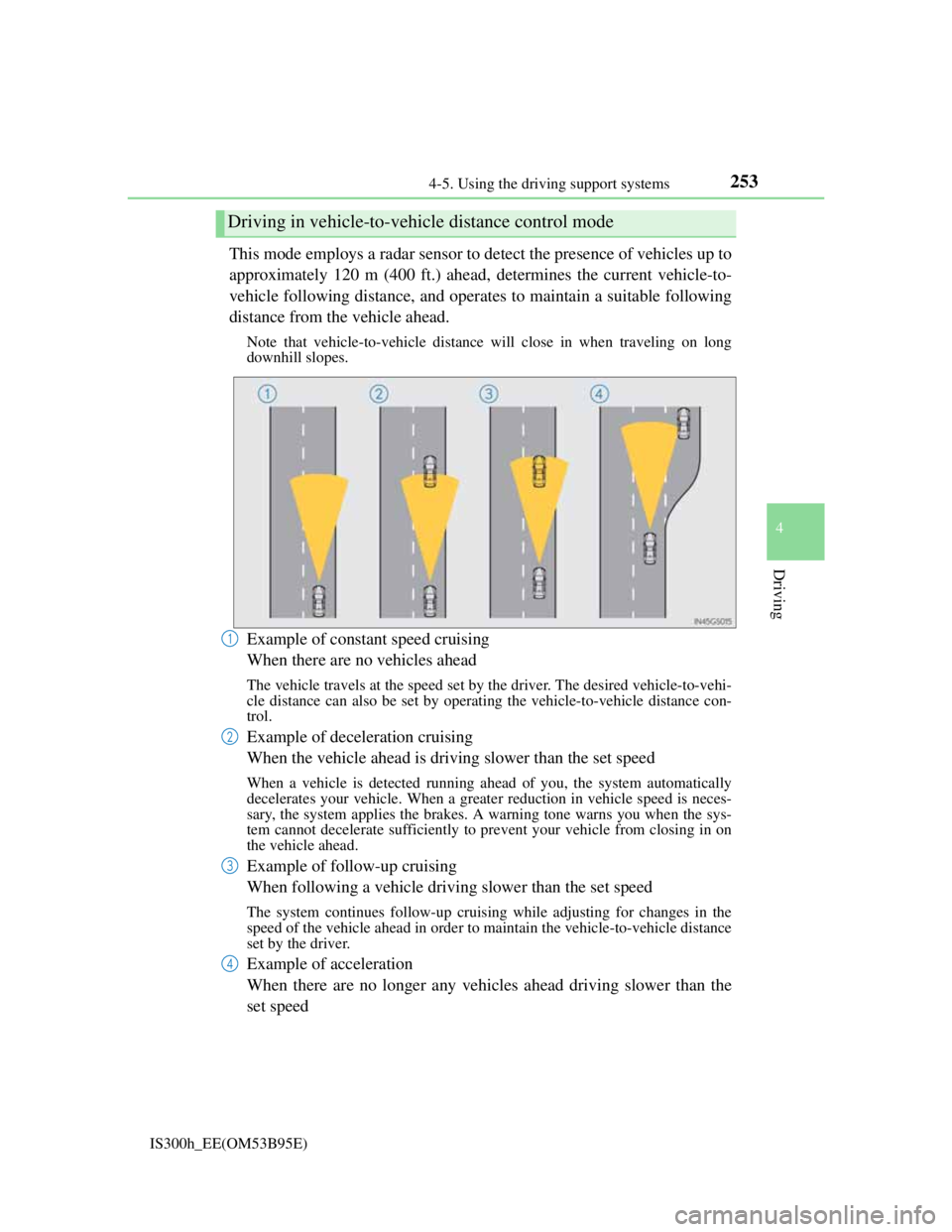
This mode employs a radar sensor to detect the presence of vehicles up to
approximately 120 m (400 ft.) ahead, determines the current vehicle-to-
vehicle following distance, and operates to maintain a suitable following
distance from the vehicle ahead.
Note that vehicle-to-vehicle distance will close in when traveling on long
downhill slopes.
Example of constant speed cruising
When there are no vehicles ahead
The vehicle travels at the speed set by the driver. The desired vehicle-to-vehi-
cle distance can also be set by operating the vehicle-to-vehicle distance con-
trol.
Example of deceleration cruising
When the vehicle ahead is driving slower than the set speed
When a vehicle is detected running ahead of you, the system automatically
decelerates your vehicle. When a greater reduction in vehicle speed is neces-
sary, the system applies the brakes. A warning tone warns you when the sys-
tem cannot decelerate sufficiently to prevent your vehicle from closing in on
the vehicle ahead.
Example of follow-up cruising
When following a vehicle driving slower than the set speed
The system continues follow-up cruising while adjusting for changes in the
speed of the vehicle ahead in order to maintain the vehicle-to-vehicle distance
set by the driver.
Example of acceleration
When there are no longer any vehicles ahead driving slower than the
set speed
Driving in vehicle-to-vehicle distance control mode
1
2
3
4
Page 256 of 628
2544-5. Using the driving support systems
IS300h_EE(OM53B95E)The system accelerates until the set speed is reached. The system then returns
to constant speed cruising.
When your vehicle is too close to a vehicle ahead, and sufficient auto-
matic deceleration via the cruise control is not possible, the display will
flash and the buzzer will sound to alert the driver. An example of this
would be if another driver cuts in front of you while you are following a
vehicle. Apply the brakes to ensure an appropriate vehicle-to-vehicle dis-
tance.
Warnings may not occur when
In the following instances, there is a possibility that the warnings will
not occur:
When the speed of the vehicle ahead matches or exceeds your vehi-
cle speed
When the vehicle ahead is traveling at an extremely slow speed
Immediately after the cruise control speed was set
At the instant the accelerator is applied
When constant speed control mode is selected, your vehicle will maintain
a set speed without controlling the vehicle-to-vehicle distance. Select this
mode only when vehicle-to-vehicle distance control mode does not func-
tion correctly due to dirt etc.
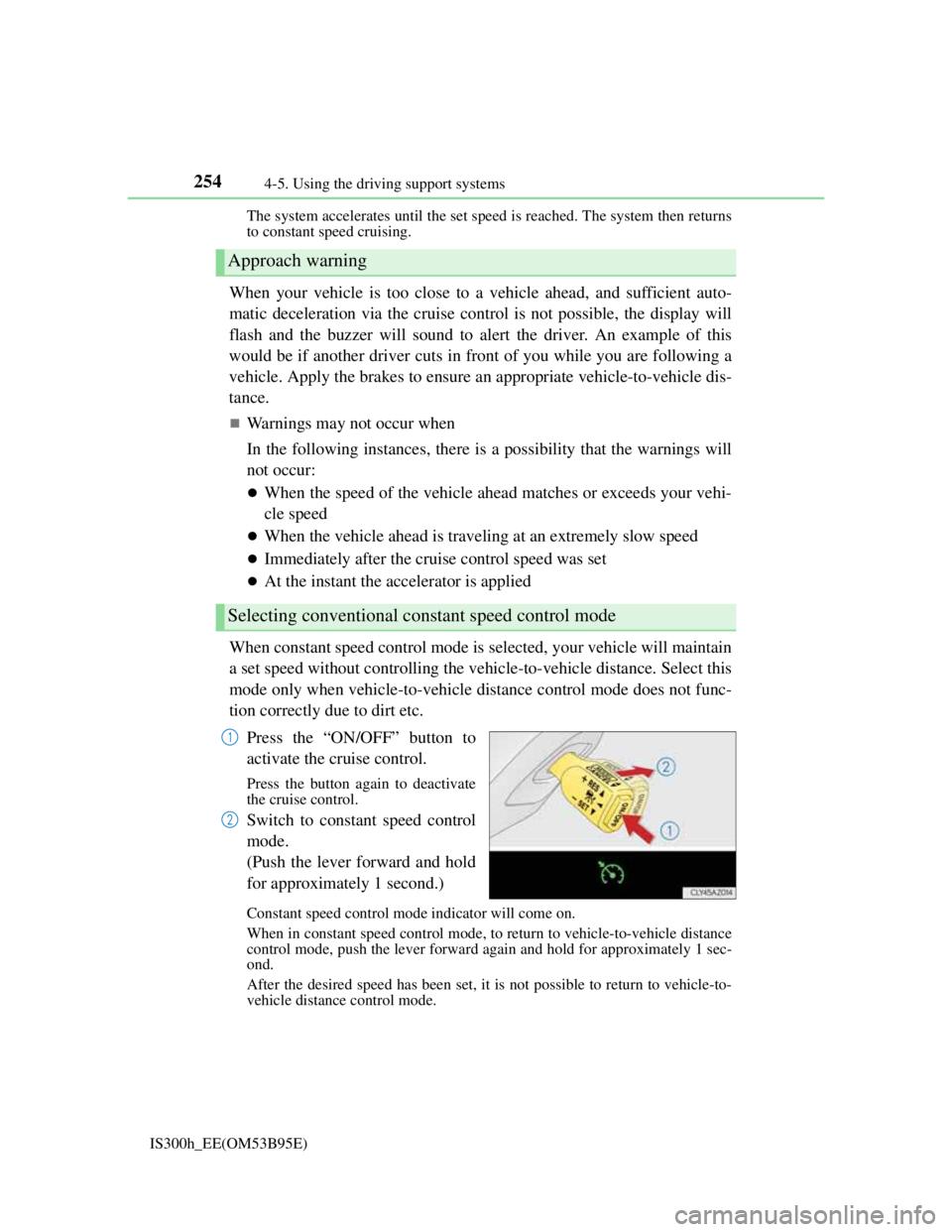
Press the “ON/OFF” button to
activate the cruise control.
Press the button again to deactivate
the cruise control.
Switch to constant speed control
mode.
(Push the lever forward and hold
for approximately 1 second.)
Constant speed control mode indicator will come on.
When in constant speed control mode, to return to vehicle-to-vehicle distance
control mode, push the lever forward again and hold for approximately 1 sec-
ond.
After the desired speed has been set, it is not possible to return to vehicle-to-
vehicle distance control mode.
Approach warning
Selecting conventional constant speed control mode
1
2