ECU Lexus IS300h 2013 Service Manual
[x] Cancel search | Manufacturer: LEXUS, Model Year: 2013, Model line: IS300h, Model: Lexus IS300h 2013Pages: 628, PDF Size: 20.23 MB
Page 91 of 628
90
IS300h_EE(OM53B95E)1-3. Theft deterrent system
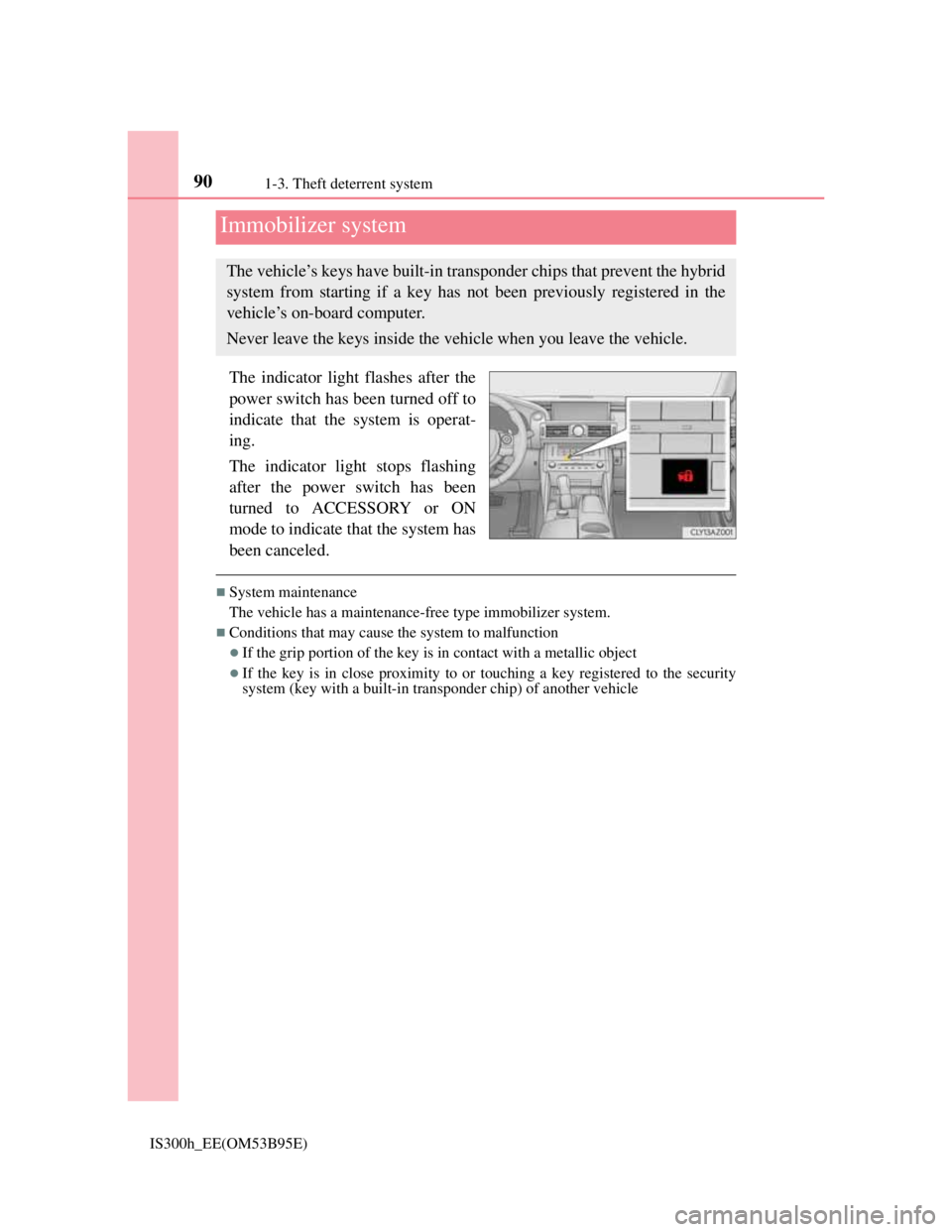
The indicator light flashes after the
power switch has been turned off to
indicate that the system is operat-
ing.
The indicator light stops flashing
after the power switch has been
turned to ACCESSORY or ON
mode to indicate that the system has
been canceled.
System maintenance
The vehicle has a maintenance-free type immobilizer system.
Conditions that may cause the system to malfunction
If the grip portion of the key is in contact with a metallic object
If the key is in close proximity to or touching a key registered to the security
system (key with a built-in transponder chip) of another vehicle
Immobilizer system
The vehicle’s keys have built-in transponder chips that prevent the hybrid
system from starting if a key has not been previously registered in the
vehicle’s on-board computer.
Never leave the keys inside the vehicle when you leave the vehicle.
Page 92 of 628
911-3. Theft deterrent system
1
For safety and security
IS300h_EE(OM53B95E)
Certifications for the immobilizer system
Page 94 of 628
931-3. Theft deterrent system
1
For safety and security
IS300h_EE(OM53B95E)
Page 96 of 628
951-3. Theft deterrent system
1
For safety and security
IS300h_EE(OM53B95E)
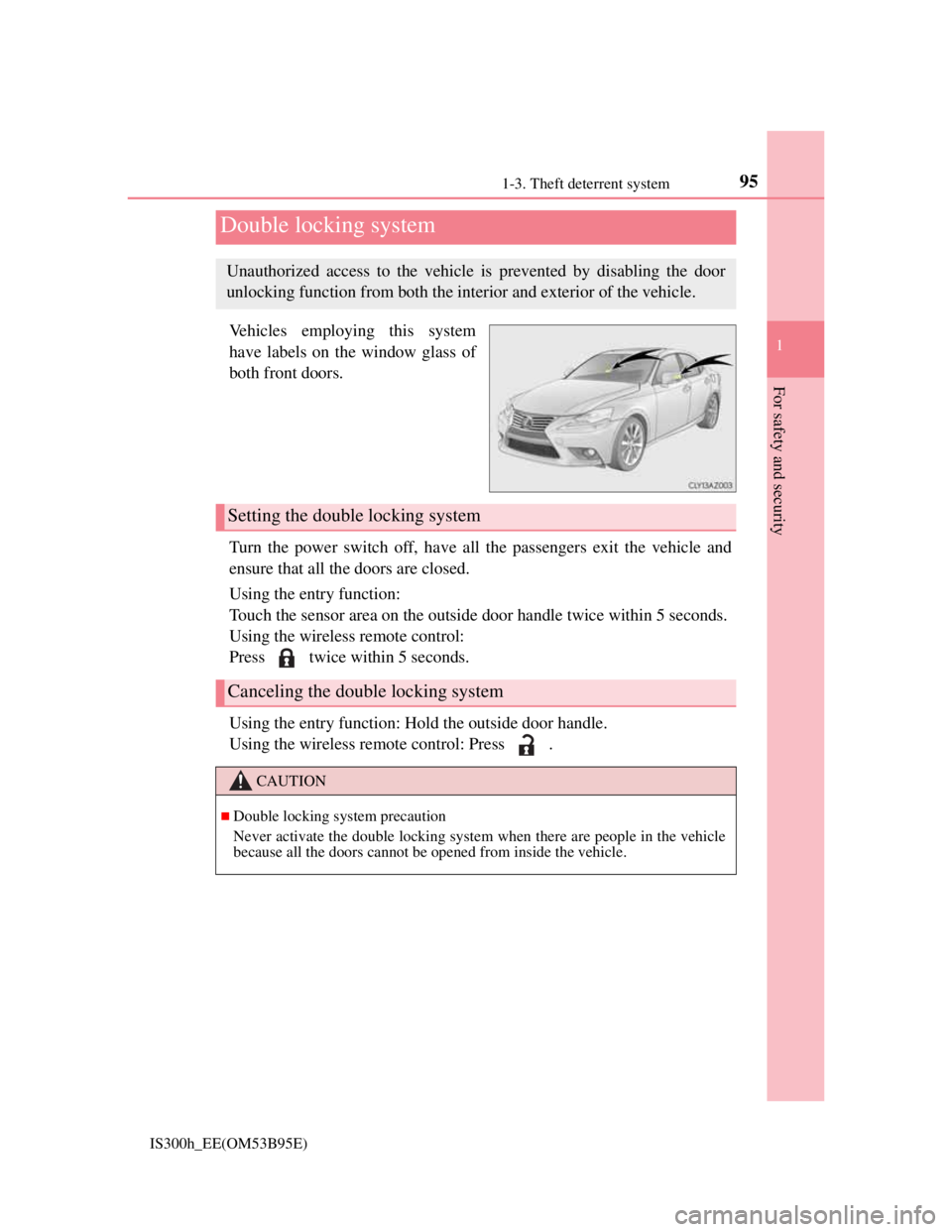
Vehicles employing this system
have labels on the window glass of
both front doors.
Turn the power switch off, have all the passengers exit the vehicle and
ensure that all the doors are closed.
Using the entry function:
Touch the sensor area on the outside door handle twice within 5 seconds.
Using the wireless remote control:
Press twice within 5 seconds.
Using the entry function: Hold the outside door handle.
Using the wireless remote control: Press .
Double locking system
Unauthorized access to the vehicle is prevented by disabling the door
unlocking function from both the interior and exterior of the vehicle.
Setting the double locking system
Canceling the double locking system
CAUTION
Double locking system precaution
Never activate the double locking system when there are people in the vehicle
because all the doors cannot be opened from inside the vehicle.
Page 98 of 628

971-3. Theft deterrent system
1
For safety and security
IS300h_EE(OM53B95E)
Do one of the following to deactivate or stop the alarm:
Unlock the doors or open the trunk using the entry function or wireless
remote control.
Start the hybrid system. (The alarm will be deactivated or stopped after
a few seconds.)
System maintenance
The vehicle has a maintenance-free type alarm system.
Items to check before locking the vehicle
To prevent unexpected triggering of the alarm and vehicle theft, make sure of the
following:
Nobody is in the vehicle.
The windows and moon roof (if equipped) are closed before the alarm is set.
No valuables or other personal items are left in the vehicle.
Deactivating or stopping the alarm
Page 100 of 628
991-3. Theft deterrent system
1
For safety and security
IS300h_EE(OM53B95E)
The intrusion sensor detects intruders or movement in the vehicle.
The tilt sensor detects changes in vehicle inclination, such as when the
vehicle is towed away.
This system is designed to deter and prevent vehicle theft but does not
guarantee absolute security against all intrusions.
Setting the intrusion sensor and tilt sensor
The intrusion sensor and tilt sensor will be set automatically when the
alarm is set. (P. 9 6 )
Canceling the intrusion sensor and tilt sensor
If you are leaving pets or other moving things inside the vehicle, make
sure to disable the intrusion sensor and tilt sensor before setting the
alarm, as they will respond to movement inside the vehicle.
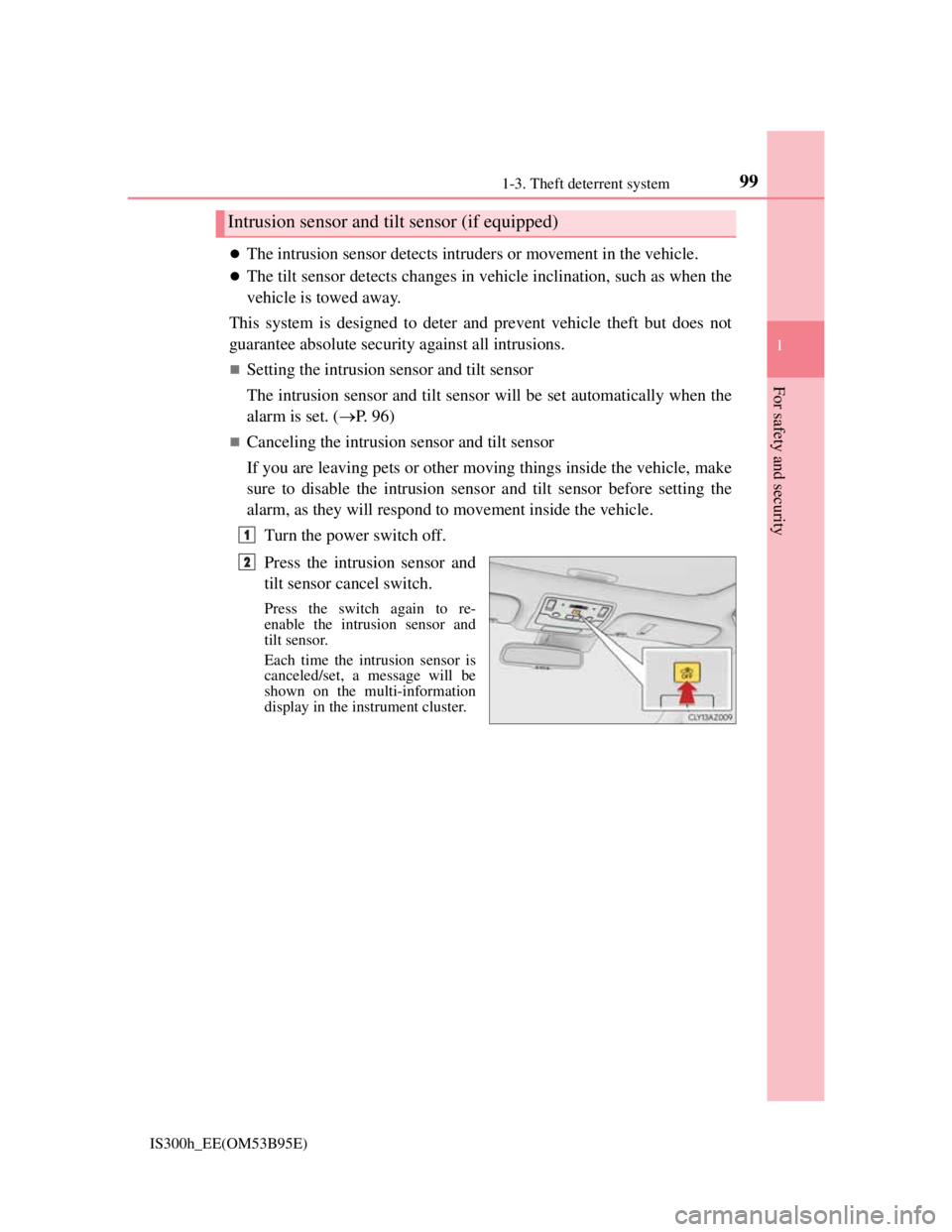
Turn the power switch off.
Press the intrusion sensor and
tilt sensor cancel switch.
Press the switch again to re-
enable the intrusion sensor and
tilt sensor.
Each time the intrusion sensor is
canceled/set, a message will be
shown on the multi-information
display in the instrument cluster.
Intrusion sensor and tilt sensor (if equipped)
1
2
Page 102 of 628
1011-3. Theft deterrent system
1
For safety and security
IS300h_EE(OM53B95E)
Tilt sensor detection considerations (if equipped)
The sensor may trigger the alarm in the following situations:
The vehicle is transported by a ferry, trailer, train, etc.
The vehicle is parked in a parking garage.
The vehicle is inside a car wash that moves the vehicle.
Any of the tires loses air pressure.
The vehicle is jacked up.
An earthquake occurs or the road caves in.
NOTICE
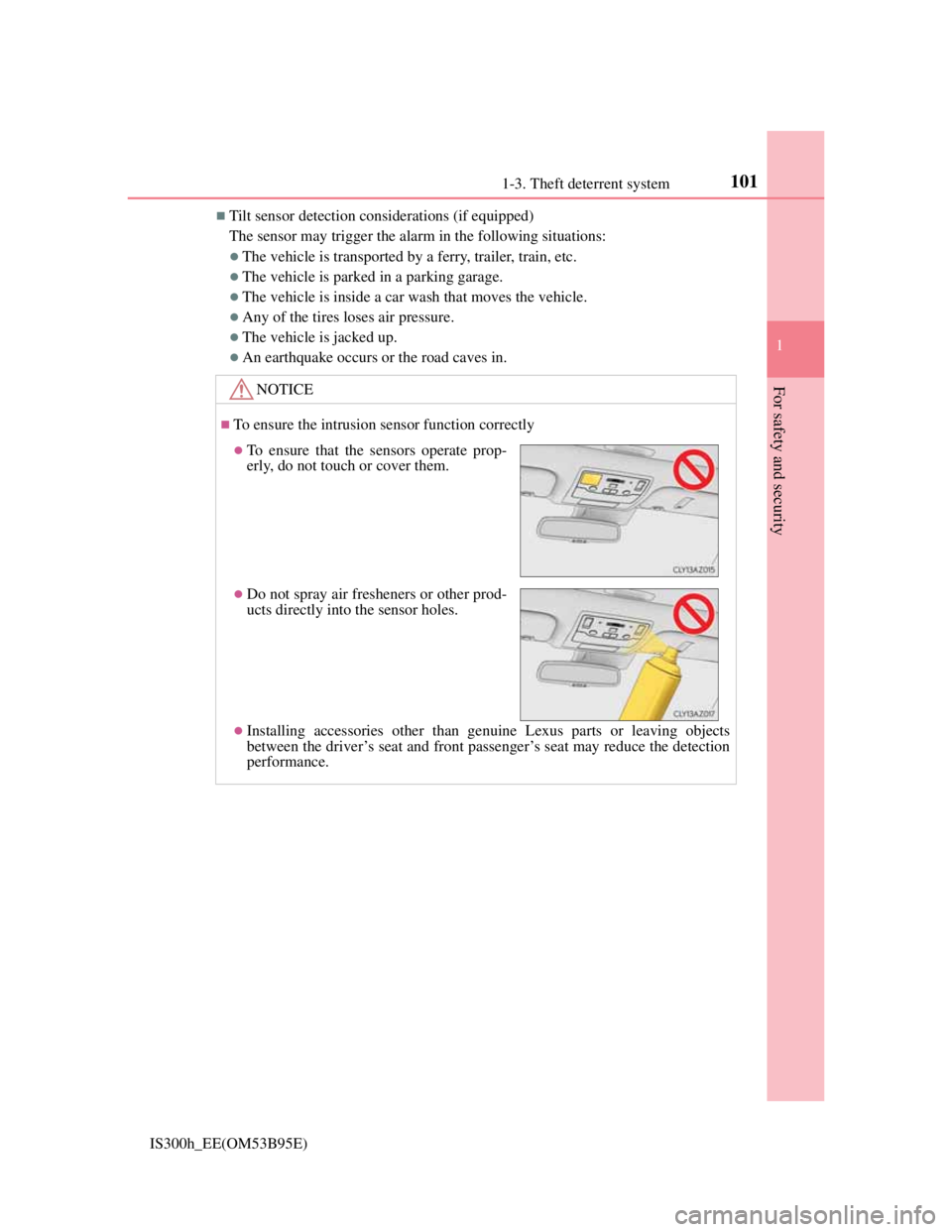
To ensure the intrusion sensor function correctly
Installing accessories other than genuine Lexus parts or leaving objects
between the driver’s seat and front passenger’s seat may reduce the detection
performance.
To ensure that the sensors operate prop-
erly, do not touch or cover them.
Do not spray air fresheners or other prod-
ucts directly into the sensor holes.
Page 107 of 628
1062. Instrument cluster
IS300h_EE(OM53B95E)
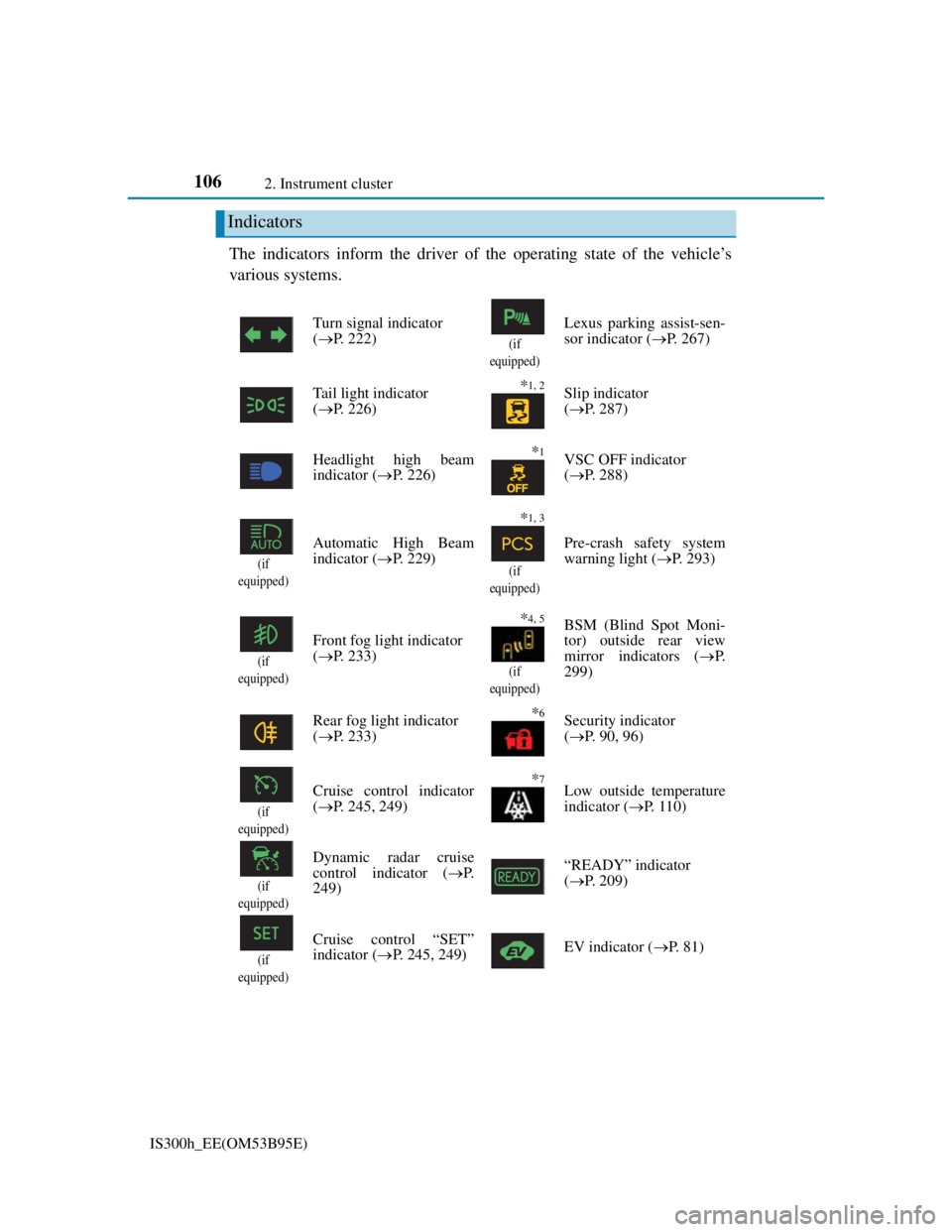
The indicators inform the driver of the operating state of the vehicle’s
various systems.
Indicators
Turn signal indicator
(P. 222)
(if
equipped)
Lexus parking assist-sen-
sor indicator (P. 267)
Tail light indicator
(P. 226)
*1, 2 Slip indicator
(P. 287)
Headlight high beam
indicator (P. 226)
*1VSC OFF indicator
(P. 288)
(if
equipped)
Automatic High Beam
indicator (P. 229)
*1, 3
(if
equipped)
Pre-crash safety system
warning light (P. 293)
(if
equipped)
Front fog light indicator
(P. 233)
*4, 5
(if
equipped)
BSM (Blind Spot Moni-
tor) outside rear view
mirror indicators (P.
299)
Rear fog light indicator
(P. 233)
*6Security indicator
(P. 90, 96)
(if
equipped)
Cruise control indicator
(P. 245, 249)*7Low outside temperature
indicator (P. 1 1 0 )
(if
equipped)
Dynamic radar cruise
control indicator (P.
249)“READY” indicator
(P. 209)
(if
equipped)
Cruise control “SET”
indicator (P. 245, 249)EV indicator (P. 81)
Page 134 of 628
1323-1. Key information
IS300h_EE(OM53B95E)
Card key (if equipped)
The card key is not waterproof.
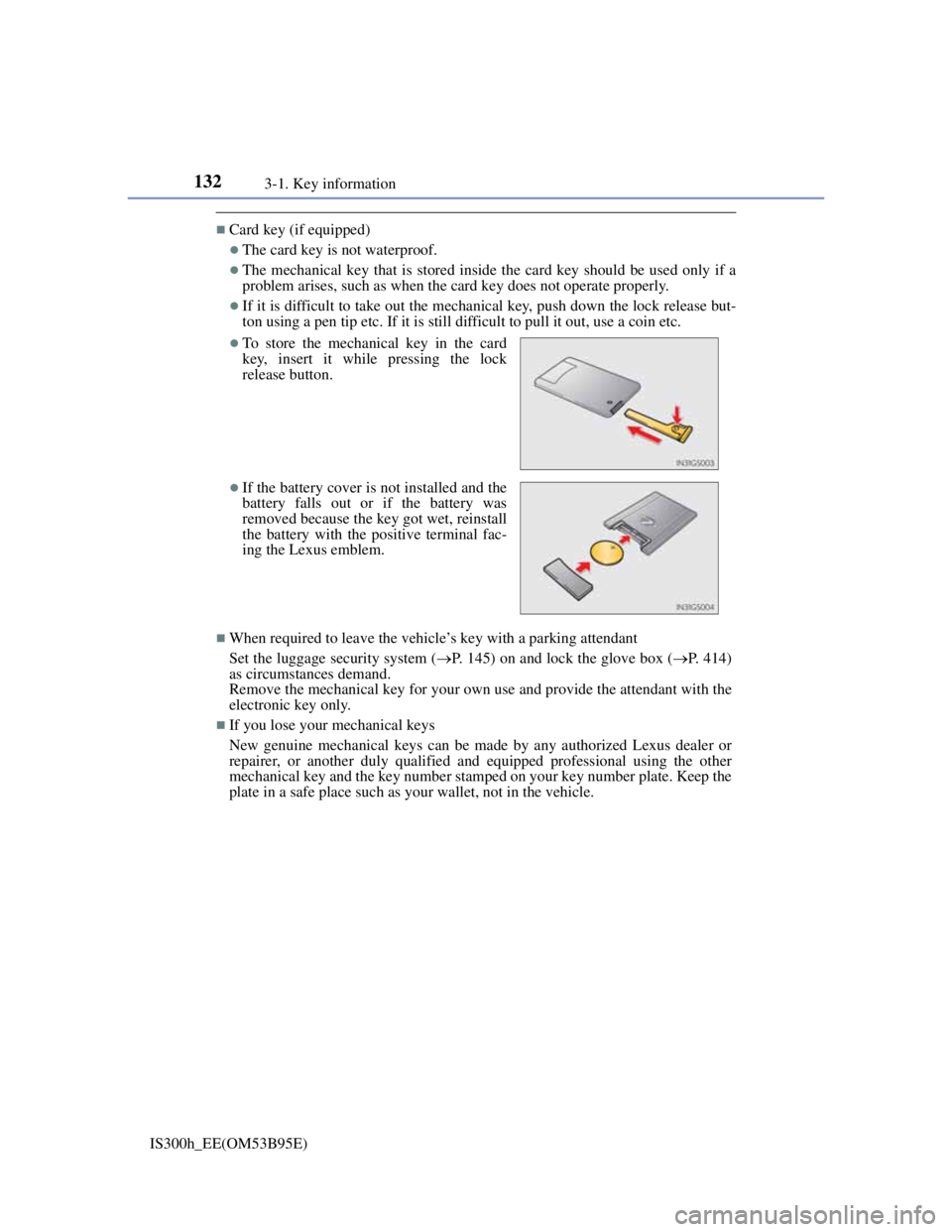
The mechanical key that is stored inside the card key should be used only if a
problem arises, such as when the card key does not operate properly.
If it is difficult to take out the mechanical key, push down the lock release but-
ton using a pen tip etc. If it is still difficult to pull it out, use a coin etc.
When required to leave the vehicle’s key with a parking attendant
Set the luggage security system (P. 145) on and lock the glove box (P. 414)
as circumstances demand.
Remove the mechanical key for your own use and provide the attendant with the
electronic key only.
If you lose your mechanical keys
New genuine mechanical keys can be made by any authorized Lexus dealer or
repairer, or another duly qualified and equipped professional using the other
mechanical key and the key number stamped on your key number plate. Keep the
plate in a safe place such as your wallet, not in the vehicle.
To store the mechanical key in the card
key, insert it while pressing the lock
release button.
If the battery cover is not installed and the
battery falls out or if the battery was
removed because the key got wet, reinstall
the battery with the positive terminal fac-
ing the Lexus emblem.
Page 139 of 628
1373-2. Opening, closing and locking the doors and trunk
3
Operation of each component
IS300h_EE(OM53B95E)
Operation signals
The emergency flashers flash to indicate that the doors have been locked/
unlocked. (Locked: once; Unlocked: twice)
A buzzer sounds to indicate that the windows and moon roof are operating.
Security feature
If a door is not opened within approximately 30 seconds after the vehicle is
unlocked, the security feature automatically locks the vehicle again.
Welcome light illumination control
The front position, tail and license plate lights automatically turn on at night
when the doors are unlocked using the entry function or wireless remote control
if the light switch is in the “AUTO” position.
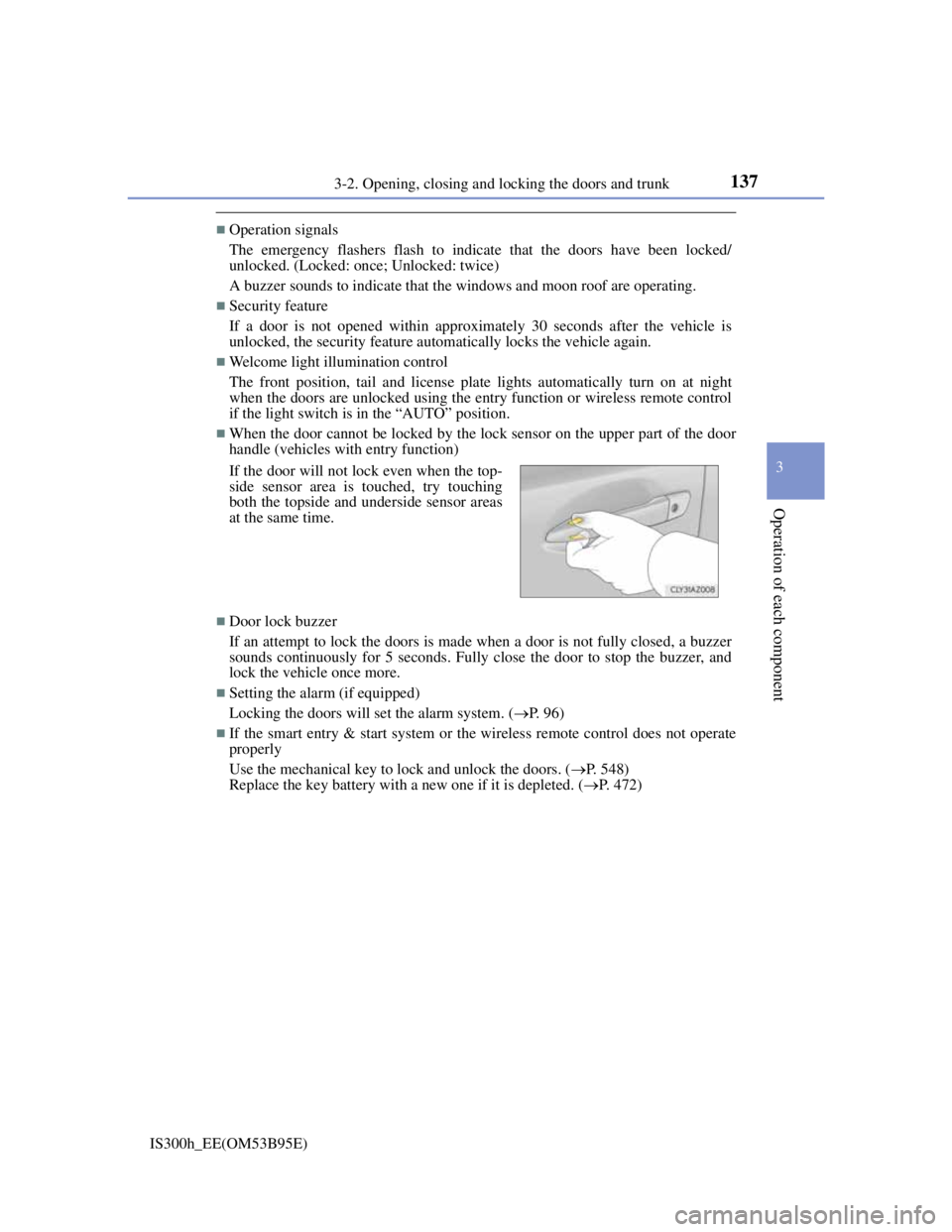
When the door cannot be locked by the lock sensor on the upper part of the door
handle (vehicles with entry function)
Door lock buzzer
If an attempt to lock the doors is made when a door is not fully closed, a buzzer
sounds continuously for 5 seconds. Fully close the door to stop the buzzer, and
lock the vehicle once more.
Setting the alarm (if equipped)
Locking the doors will set the alarm system. (P. 96)
If the smart entry & start system or the wireless remote control does not operate
properly
Use the mechanical key to lock and unlock the doors. (P. 548)
Replace the key battery with a new one if it is depleted. (P. 472) If the door will not lock even when the top-
side sensor area is touched, try touching
both the topside and underside sensor areas
at the same time.