alarm Lexus IS300h 2014 User Guide
[x] Cancel search | Manufacturer: LEXUS, Model Year: 2014, Model line: IS300h, Model: Lexus IS300h 2014Pages: 612, PDF Size: 111.33 MB
Page 141 of 612

1413-2. Opening, closing and locking the doors and trunk
3
Operation of each component
IS300h_EE(OM53C61E)
■Switching the door unlock function (vehicles with entry function)
It is possible to set which doors the entry function unlocks using the wireless remote con-
trol.
Turn the power switch off.
Cancel the intrusion sensor and tilt sensor of the alarm system to prevent unintended
triggering of the alarm while changing the settings. (if equipped) (→P. 9 9 )
When the indicator light on the key surface is not on, press and hold , or
for approximately 5 seconds while pressing and holding .
The setting changes each time an operation is performed, as shown below. (When
changing the setting continuously, release the buttons, wait for at least 5 seconds, and
repeat step .)
For vehicles with an alarm: To prevent unintended triggering of the alarm, unlock the
doors using the wireless remote control and open and close a door once after the set-
tings have been changed. (If a door is not opened within 30 seconds after is
pressed, the doors will be locked again and the alarm will automatically be set.)
In a case that the alarm is triggered, immediately stop the alarm. (→P. 9 7 )
1
2
3
3
Multi-information
displayUnlocking functionBeep
(Left-hand drive
vehicles)
(Right-hand drive
vehicles)
Holding the driver’s door handle
unlocks only the driver’s door.
Exterior: Beeps 3 times
Interior: Pings onceHolding the front passenger’s
door handle unlocks all the
doors.
Holding either front door handle
unlocks all the doors.Exterior: Beeps twice
Interior: Pings once
IS300h_EE_OM53C61E.book 141 ページ 2014年5月20日 火曜日 午後5時40分
Page 146 of 612

1463-2. Opening, closing and locking the doors and trunk
IS300h_EE(OM53C61E)
■Trunk light (if equipped)
The trunk light turns on when the trunk is opened.
■Function to prevent the trunk being locked with the electronic key inside
●When all doors are locked, closing the trunk lid with the electronic key left inside the
trunk will sound an alarm.
In this case, the trunk lid can be opened pressing the trunk release button on the trunk
lid.
●If the spare electronic key is put in the trunk with all the doors locked, the key confine-
ment prevention function is activated so the trunk can be opened. In order to prevent
theft, take all electronic keys with you when leaving the vehicle.
●If the electronic key is put in the trunk with all the doors locked, the key may not be
detected depending on the location of the key and the surrounding radio wave condi-
tions. In this case, the key confinement prevention function cannot be activated, causing
the doors to lock when the trunk is closed. Make sure to check where the key is before
closing the trunk.
●The key confinement prevention function cannot be activated if any one of the doors is
unlocked. In this case, open the trunk using the trunk opener.
■Using the mechanical key
The trunk can be also opened using the mechanical key. (→P. 544)
■If the smart entry & start system or the wireless remote control does not operate prop-
erly
Use the mechanical key to unlock the trunk. (→P. 544)
Replace the key battery with a new one if it is depleted. (→P. 4 7 1 )
■When leaving a key to the vehicle with a parking attendant
→P. 1 3 2
■Customization
The trunk unlocking operation can be changed. (Customizable features: →P. 5 7 3 )
IS300h_EE_OM53C61E.book 146 ページ 2014年5月20日 火曜日 午後5時40分
Page 152 of 612

1523-2. Opening, closing and locking the doors and trunk
IS300h_EE(OM53C61E)
■Note for the entry function (if equipped)
●Even when the electronic key is within the effective range (detection areas), the system
may not operate properly in the following cases:
• The electronic key is too close to the window or outside door handle, near the
ground, or in a high place when the doors are locked or unlocked.
• The electronic key is near the ground or in a high place, or too close to the rear
bumper center when the trunk is opened.
●Do not leave the electronic key on top of the instrument panel or near the door pockets
when exiting the vehicle. Depending on the radio wave reception conditions, it may be
detected by the antenna outside the cabin and the doors will become lockable from the
outside, possibly trapping the electronic key inside the vehicle.
●As long as the electronic key is within the effective range, the doors may be locked or
unlocked by anyone. However, only the doors detecting the electronic key can be used
to unlock the vehicle.
●The doors may unlock or lock if a large amount of water splashes on the door handle,
such as in the rain or in a car wash, when the electronic key is within the effective range.
(The doors will automatically be locked after approximately 30 seconds if the doors
are not opened and closed.)
●If the wireless remote control is used to lock the doors when the electronic key is near
the vehicle, there is a possibility that the door may not be unlocked by the entry func-
tion. (Use the wireless remote control to unlock the doors.)
●Touching the door lock or unlock sensor while wearing gloves may prevent lock or
unlock operation.
●If the door handle becomes wet while the electronic key is within the effective range,
the door may lock and unlock repeatedly. In this case, follow the following correction
procedures to wash the vehicle:
• Place the electronic key in a location 2 m (6 ft.) or more away from the vehicle. (Take
care to ensure that the key is not stolen.)
• Set the electronic key to battery-saving mode to disable the smart entry & start sys-
tem. (→P. 1 5 0 )
●If the electronic key is inside the vehicle and a door handle becomes wet during a car
wash, a message may be shown on the multi-information display and a buzzer will
sound outside the vehicle. To turn off the alarm, lock all the doors.
●The lock sensor may not work properly if it comes into contact with ice, snow, mud, etc.
Clean the lock sensor and attempt to operate it again, or use the lock sensor on the
lower part of the door handle.
●A sudden handle operation or a handle operation immediately after entering the effec-
tive range may prevent the doors from being unlocked. Touch the door unlock sensor
and check that the doors are unlocked before pulling the door handle again.
●Unlocking the vehicle may take more time if another electronic key is within the effec-
tive range.
IS300h_EE_OM53C61E.book 152 ページ 2014年5月20日 火曜日 午後5時40分
Page 153 of 612

1533-2. Opening, closing and locking the doors and trunk
3
Operation of each component
IS300h_EE(OM53C61E)
■Note for the push-start function
●Even when the electronic key is within the effective range (detection areas), the system
may not operate properly when the electronic key is on the instrument panel, rear
package tray or floor, or in the door pockets or glove box when the hybrid system is
started or power switch modes are changed.
●Even if the electronic key is not inside the vehicle, it may be possible to start the hybrid
system if the electronic key is near the window.
■When the vehicle is not driven for extended periods
●Vehicles with entry function: To prevent theft of the vehicle, do not leave the electronic
key within 2 m (6 ft.) of the vehicle.
●The smart entry & start system can be deactivated in advance. (→P. 5 7 3 )
■To operate the system properly
●Make sure to carry the electronic key when operating the system. Do not get the elec-
tronic key too close to the vehicle when operating the system from the outside of the
vehicle.
Depending on the position and holding condition of the electronic key, the key may not
be detected correctly and the system may not operate properly. (The alarm may go off
accidentally, or the door lock prevention function may not operate.)
●Do not leave the electronic key inside the luggage compartment.
The key confinement prevention function may not operate, depending on the location
of the key (close to a spare tire [if equipped], the inside edge of the luggage compart-
ment), conditions (inside a metal bag, close to metallic objects) and the radio waves in
the surrounding area. (→P. 1 4 6 )
■If the smart entry & start system does not operate properly
●Locking and unlocking the doors and opening the trunk: Use the mechanical key.
(→P. 544)
●Starting the hybrid system: →P. 5 4 5
■Customization
Settings (e. g. smart entry & start system) can be changed.
(Customizable features: →P. 5 7 3 )
■If the smart entry & start system has been deactivated in a customized setting
●Locking and unlocking the doors and opening the trunk:
Use the wireless remote control or mechanical key. (→P. 136, 144, 544)
●Starting the hybrid system and changing power switch modes: →P. 5 4 5
●Stopping the hybrid system: →P. 2 1 0
IS300h_EE_OM53C61E.book 153 ページ 2014年5月20日 火曜日 午後5時40分
Page 298 of 612
2984-5. Using the driving support systems
IS300h_EE(OM53C61E)
CAUTION
■Limitations of the pre-crash safety system
Do not overly rely on the pre-crash safety system. Always drive safely, taking care to
observe your surroundings and checking for any obstacles or other road hazards.
Failure to do so may cause an accident resulting in death or serious injury.
■Handling the radar sensor
Observe the following to ensure the pre-crash safety system can function effectively.
Otherwise, the system may not function correctly and could result in an accident.
●Keep the sensor and grille cover clean at all times.
Clean the sensor and grille cover with a soft cloth so you do not mark or damage
them.
●Do not subject the sensor or surrounding area to a strong impact.
If the sensor moves even slightly off position, the system may malfunction. If the sen-
sor or surrounding area is subject to a strong impact, always have the area inspected
and adjusted by any authorized Lexus dealer or repairer, or another duly qualified
and equipped professional.
●Do not disassemble the sensor.
●Do not attach accessories or stickers to the sensor, grille cover or surrounding area.
●Do not modify or paint the sensor and grille cover.
●Do not replace them with non-genuine parts.
■Cautions regarding the assist contents of the system
By means of alarms and brake control, the pre-crash safety system is intended to assist
the driver in avoiding collisions through the process of LOOK-JUDGE-ACT. There are
limits to the degree of assistance the system can provide, so please keep in mind the
following important points.
●Assisting the driver in watching the road
The pre-crash safety system is only able to detect obstacles directly in front of the
vehicle, and only within a limited range. It is not a mechanism that allows careless or
inattentive driving, and it is not a system that can assist the driver in low-visibility con-
ditions. It is still necessary for the driver to pay close attention to the vehicle’s sur-
roundings.
●Assisting the driver in making correct judgment
When attempting to estimate the possibility of a collision, the only data available to
the pre-crash safety system is that from obstacles it has detected directly in front of
the vehicle. Therefore, it is absolutely necessary for the driver to remain vigilant and
to determine whether or not there is a possibility of collision in any given situation.
●Assisting the driver in taking action
The pre-crash safety system’s braking assist feature is designed to help reduce the
severity of a collision, and so only acts when the system has judged that a collision is
unavoidable. This system by itself is not capable of automatically avoiding a collision
or bringing the vehicle to a stop safely. For this reason, when encountering a danger-
ous situation the driver must take direct and immediate action in order to ensure the
safety of all involved.
IS300h_EE_OM53C61E.book 298 ページ 2014年5月20日 火曜日 午後5時40分
Page 546 of 612
5468-2. Steps to take in an emergency
IS300h_EE(OM53C61E)
■Stopping the hybrid system
Shift the shift lever to P and press the power switch as you normally do when stopping the
hybrid system.
■Replacing the key battery
As the above procedure is a temporary measure, it is recommended that the electronic
key battery be replaced immediately when the battery is depleted. (→P. 4 7 1 )
■Alarm (if equipped)
Using the mechanical key to lock the doors will not set the alarm system.
If a door is unlocked using the mechanical key when the alarm system is set, the alarm
may be triggered.
■Changing power switch modes
Release the brake pedal and press the power switch in step above.
The hybrid system does not start and modes will be changed each time the switch is
pressed. (→P. 2 1 0 )
■When the electronic key does not work properly
●Make sure that the smart entry & start system has not been deactivated in the customi-
zation setting. If it is off, turn the function on.
(Customizable features →P. 5 7 3 )
●Check if battery-saving mode is set. If it is set, cancel the function. (→P. 1 5 0 )
CAUTION
■When using the mechanical key and operating the power windows and moon roof
Operate the power window or moon roof after checking to make sure that there is no
possibility of any passenger having any of their body parts caught in the window or
moon roof. Also, do not allow children to operate the mechanical key. It is possible for
children and other passengers to get caught in power window and moon roof.
3
IS300h_EE_OM53C61E.book 546 ページ 2014年5月20日 火曜日 午後5時40分
Page 549 of 612
5498-2. Steps to take in an emergency
8
When trouble arises
IS300h_EE(OM53C61E)
Once the hybrid system has started, remove the jumper cables in the exact
reverse order from which they were connected.
Once the hybrid system starts, have the vehicle inspected at any authorized
Lexus dealer or repairer, or another duly qualified and equipped professional as
soon as possible.
■Starting the hybrid system when the 12-volt battery is discharged
The hybrid system cannot be started by push-starting.
■To prevent 12-volt battery discharge
●Turn off the headlights and the audio system while the hybrid system is off.
●Turn off any unnecessary electrical components when the vehicle is running at a low
speed for an extended period, such as in heavy traffic.
■Charging the 12-volt battery
The electricity stored in the 12-volt battery will discharge gradually even when the vehicle
is not in use, due to natural discharge and the draining effects of certain electrical appli-
ances. If the vehicle is left for a long time, the 12-volt battery may discharge, and the
hybrid system may be unable to start. (The 12-volt battery recharges automatically while
the hybrid system is operating.)
■When recharging or replacing the 12-volt battery
●For vehicles with an alarm: Make sure that the key is not inside the vehicle when
recharging or replacing the 12-volt battery. The key may be locked in the vehicle if the
alarm is activated. (→P. 9 8 )
●In some cases, it may not be possible to unlock the doors using the smart entry & start
system when the 12-volt battery is discharged. Use the wireless remote control or the
mechanical key to lock or unlock the doors.
●The hybrid system may not start on the first attempt after the 12-volt battery has
recharged but will start normally after the second attempt. This is not a malfunction.
●The power switch mode is memorized by the vehicle. When the 12-volt battery is
reconnected, the system will return to the mode it was in before the 12-volt battery was
discharged. Before disconnecting the 12-volt battery, turn the power switch off.
If you are unsure what mode the power switch was in before the 12-volt battery dis-
charged, be especially careful when reconnecting the 12-volt battery.
8
IS300h_EE_OM53C61E.book 549 ページ 2014年5月20日 火曜日 午後5時40分
Page 588 of 612
588What to do if... (Troubleshooting)
IS300h_EE(OM53C61E)
●Is the window lock switch pressed?
The power window except for the one at the driver’s seat cannot be operated
if the window lock switch is pressed. (→P. 1 8 4 )
●The auto power off function will be operated if the vehicle is left in ACCES-
SORY or ON mode (the hybrid system is not operating) for a period of time.
(→P. 211)
●The seat belt reminder light is flashing
Are the driver and the front passenger wearing the seat belts? (→P. 505)
●The parking brake indicator is on
Is the parking brake released? (→P. 2 2 4 )
Depending on the situation, other types of warning buzzer may also sound.
(→P. 503, 509)
●Did anyone inside the vehicle open a door or anything move inside the vehicle
during setting the alarm?
The sensor detects them and the alarm sounds. (→P. 9 6 )
To stop the alarm, turn the power switch to ON mode or start the hybrid system.The windows do not open or close by operating the power window
switches
The power switch is turned off automatically
A warning buzzer sounds during driving
An alarm is activated and the horn sounds (if equipped)
IS300h_EE_OM53C61E.book 588 ページ 2014年5月20日 火曜日 午後5時40分
Page 591 of 612
591Alphabetical index
IS300h_EE(OM53C61E)
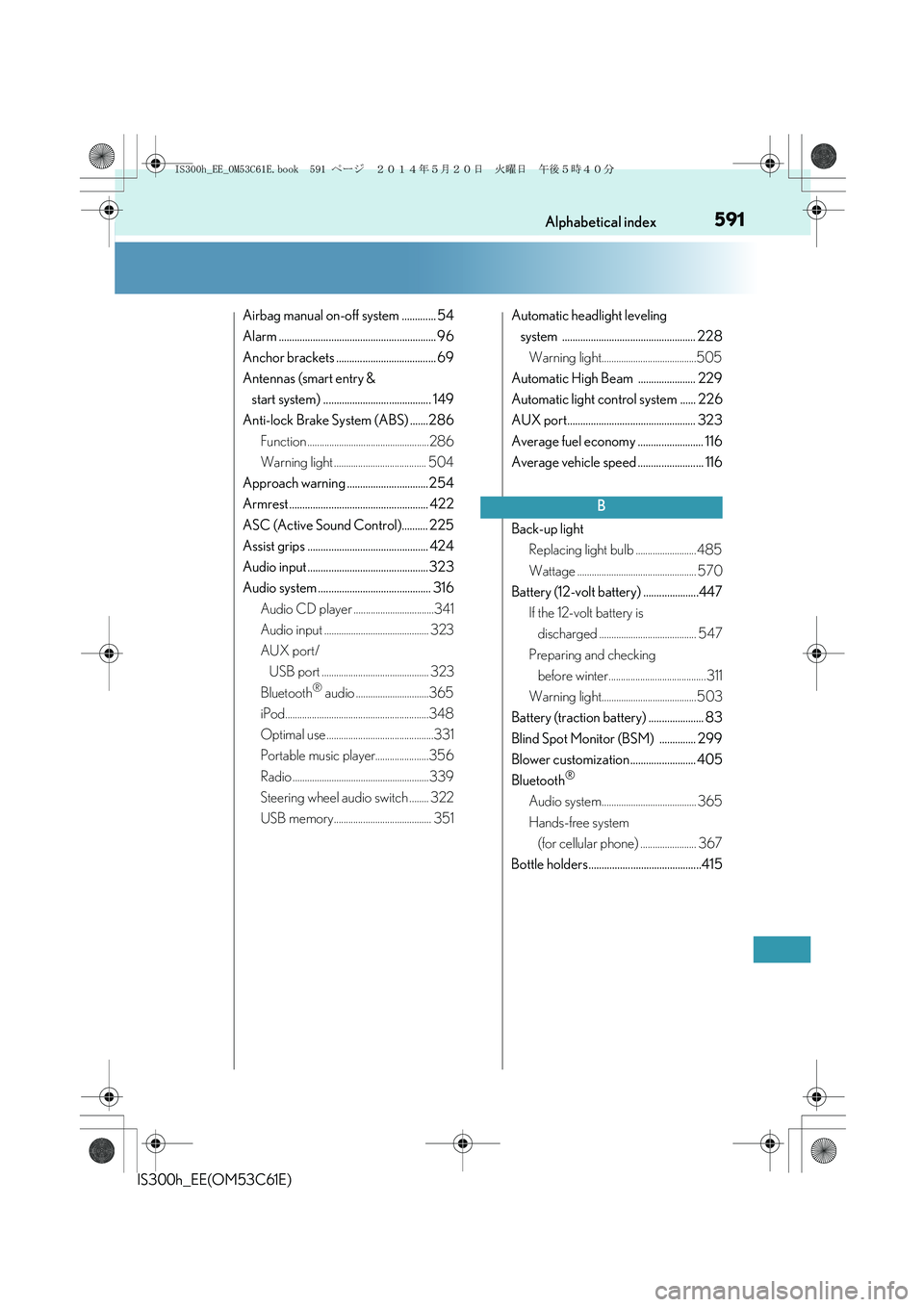
Airbag manual on-off system ............. 54
Alarm ............................................................ 96
Anchor brackets ...................................... 69
Antennas (smart entry &
start system) ......................................... 149
Anti-lock Brake System (ABS) .......286
Function ..................................................286
Warning light ...................................... 504
Approach warning ............................... 254
Armrest ..................................................... 422
ASC (Active Sound Control).......... 225
Assist grips .............................................. 424
Audio input .............................................. 323
Audio system ........................................... 316
Audio CD player .................................341
Audio input ........................................... 323
AUX port/
USB port ............................................ 323
Bluetooth
® audio ..............................365
iPod...........................................................348
Optimal use ............................................331
Portable music player......................356
Radio ........................................................339
Steering wheel audio switch ........ 322
USB memory........................................ 351Automatic headlight leveling
system ................................................... 228
Warning light.......................................505
Automatic High Beam ...................... 229
Automatic light control system ...... 226
AUX port................................................. 323
Average fuel economy ......................... 116
Average vehicle speed ......................... 116
Back-up light
Replacing light bulb ......................... 485
Wattage ................................................. 570
Battery (12-volt battery) .....................447
If the 12-volt battery is
discharged ........................................ 547
Preparing and checking
before winter........................................ 311
Warning light....................................... 503
Battery (traction battery) ..................... 83
Blind Spot Monitor (BSM) .............. 299
Blower customization......................... 405
Bluetooth
®
Audio system....................................... 365
Hands-free system
(for cellular phone) ....................... 367
Bottle holders...........................................415
B
IS300h_EE_OM53C61E.book 591 ページ 2014年5月20日 火曜日 午後5時40分
Page 608 of 612

608Alphabetical index
IS300h_EE(OM53C61E)
Outside rear view mirror
switches................................................ 180
Paddle shift switches ......................... 218
PCS OFF switch ................................ 293
Power door lock switch ...................139
Power switch .......................................209
Power window switches ................. 184
Rear sunshade switch...................... 422
Rear window and outside rear
view mirror defoggers
switch....................................................404
Seat heater switches ......................... 410
Seat ventilator switches ................... 410
Snow mode switch ............................. 217
Talk switch ............................................. 378
Telephone switches.......................... 378
Tilt and telescopic steering
control switch .....................................176
Tire pressure warning reset
switch.................................................... 452
Trunk opener switch ..........................143
Trunk opener main switch ..............145
Vehicle-to-vehicle distance
button ................................................... 252
VSC OFF switch .............................. 288
Window lock switch.......................... 184
Windshield wiper de-icer
switch................................................... 405
Windshield wipers
and washer switch ......................... 235Tachometer ............................................. 109
Tachometer settings .............................. 117
Tail lights................................................... 226
Light switch............................................226
Replacing light bulbs ....................... 490
Talk switch ............................................... 378
Telephone switches ............................. 378
Theft deterrent system
Alarm .......................................................... 96
Double locking system...................... 95
Immobilizer system ............................. 90
Intrusion sensor and tilt sensor...... 99
Tire inflation pressure ......................... 465
Maintenance data .............................568
Tire inflation pressure display
function ................................................. 451
Warning light.......................................505
Tire pressure warning system ...........451
Function.................................................... 451
Initializing ................................................. 451
Installing tire pressure warning
valves and transmitters ................. 451
Registering ID codes....................... 452
Tire pressure warning reset
switch ................................................... 452
Warning light.......................................505T
IS300h_EE_OM53C61E.book 608 ページ 2014年5月20日 火曜日 午後5時40分