indicator Lexus IS300h 2014 Repair Manual
[x] Cancel search | Manufacturer: LEXUS, Model Year: 2014, Model line: IS300h, Model: Lexus IS300h 2014Pages: 612, PDF Size: 111.33 MB
Page 368 of 612
3685-9. Bluetooth® Phone
IS300h_EE(OM53C61E)
◆Te l e p h o n e s w i t c h (→P. 3 7 8 )
◆Microphone
The vehicle’s built-in microphone is
used when talking on the phone.
The person you are speaking to can be
heard from the front speakers.
To use the hands-free system, you must register your Bluetooth
® phone in the
system. (→P. 3 5 9 )
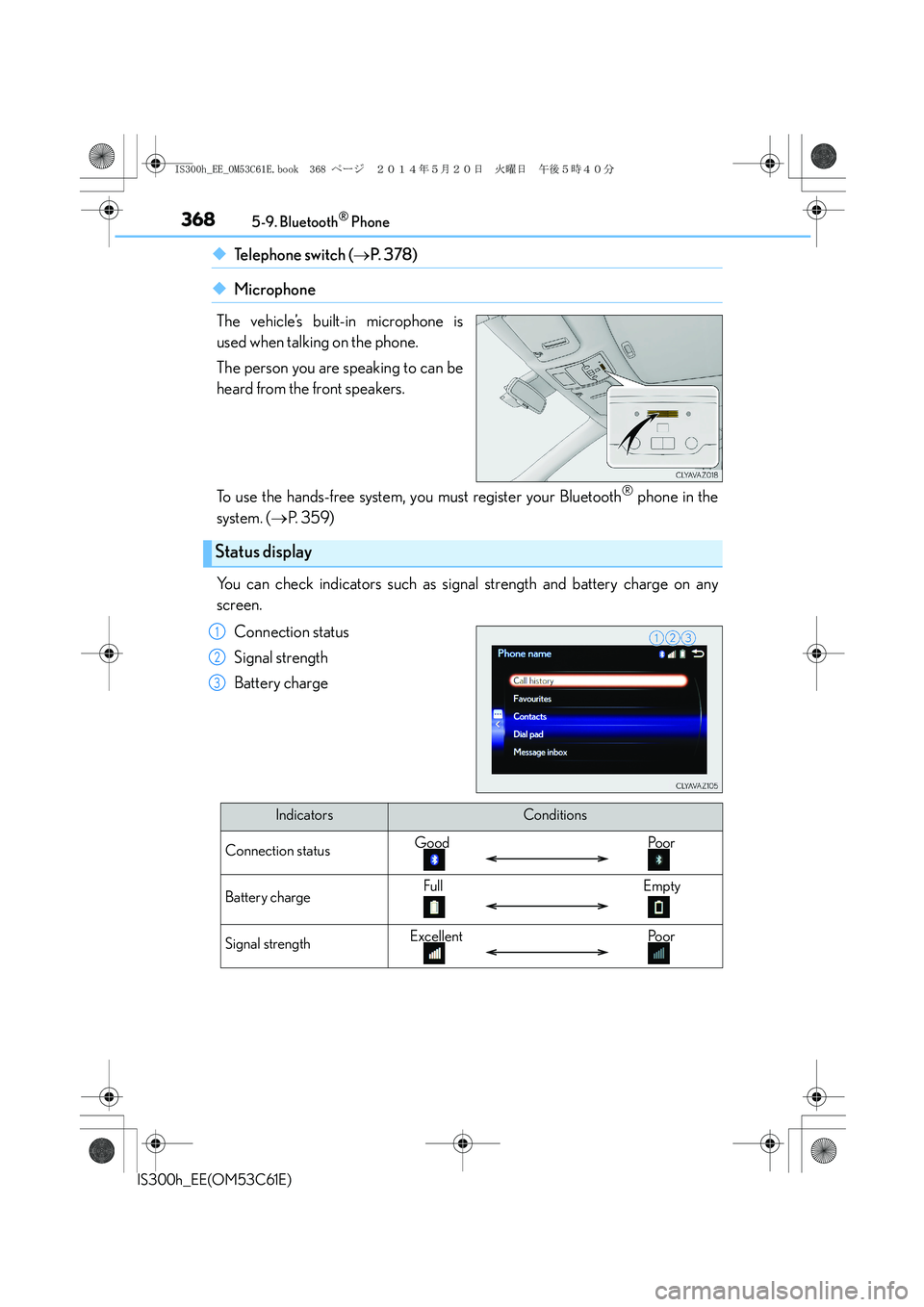
You can check indicators such as signal strength and battery charge on any
screen.
Connection status
Signal strength
Battery charge
Status display
1
2
3
IndicatorsConditions
Connection statusGood Poor
Battery chargeFull Empty
Signal strengthExcellent Poor
IS300h_EE_OM53C61E.book 368 ページ 2014年5月20日 火曜日 午後5時40分
Page 400 of 612
4006-1. Using the air conditioning system
IS300h_EE(OM53C61E)
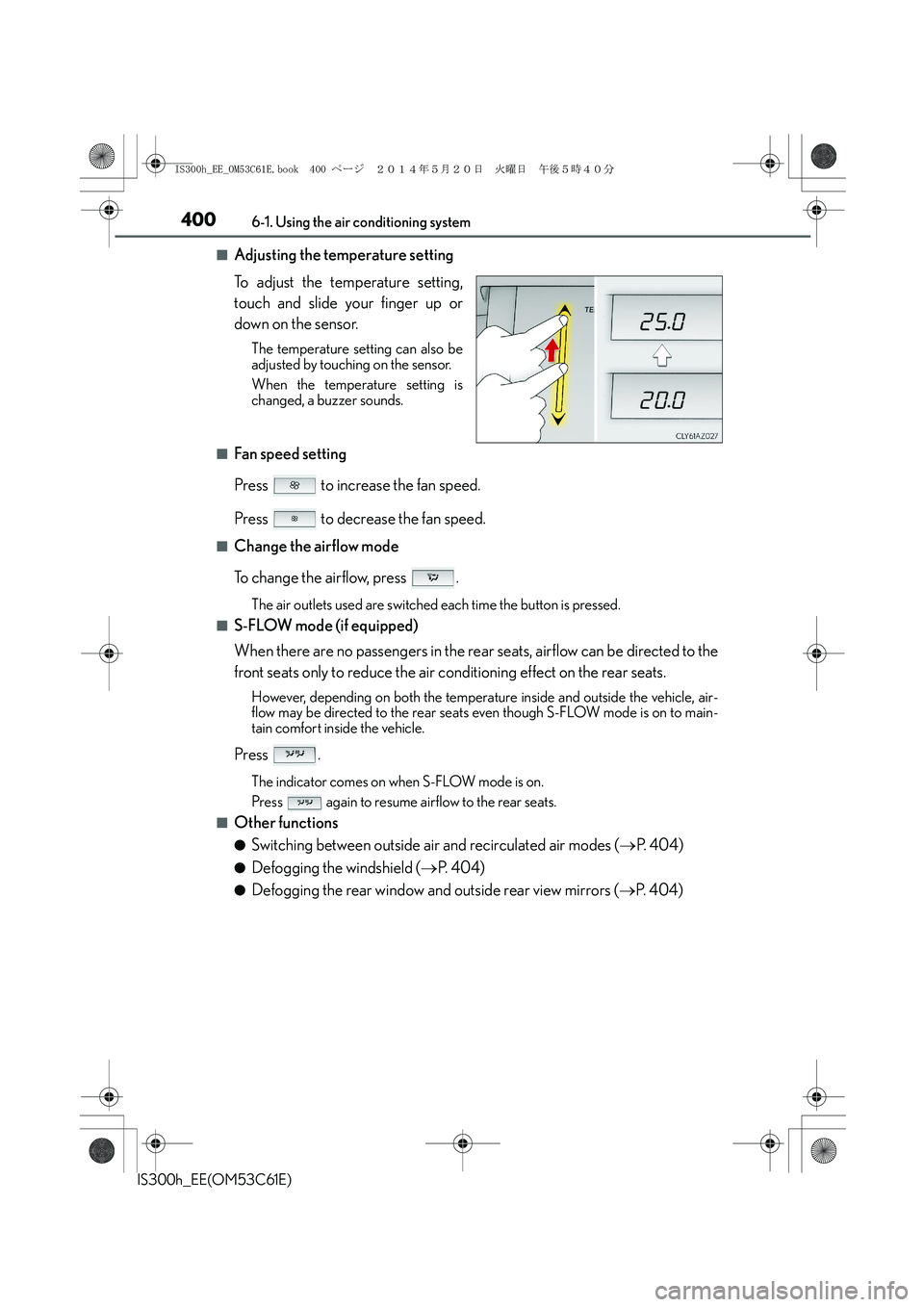
■Adjusting the temperature setting
To adjust the temperature setting,
touch and slide your finger up or
down on the sensor.
The temperature setting can also be
adjusted by touching on the sensor.
When the temperature setting is
changed, a buzzer sounds.
■Fan speed setting
Press to increase the fan speed.
Press to decrease the fan speed.
■Change the airflow mode
To change the airflow, press .
The air outlets used are switched each time the button is pressed.
■S-FLOW mode (if equipped)
When there are no passengers in the rear seats, airflow can be directed to the
front seats only to reduce the air conditioning effect on the rear seats.
However, depending on both the temperature inside and outside the vehicle, air-
flow may be directed to the rear seats even though S-FLOW mode is on to main-
tain comfort inside the vehicle.
Press .
The indicator comes on when S-FLOW mode is on.
Press again to resume airflow to the rear seats.
■Other functions
●Switching between outside air and recirculated air modes (→P. 4 0 4 )
●Defogging the windshield (→P. 404)
●Defogging the rear window and outside rear view mirrors (→P. 404)
IS300h_EE_OM53C61E.book 400 ページ 2014年5月20日 火曜日 午後5時40分
Page 403 of 612
4036-1. Using the air conditioning system
6
Interior features
IS300h_EE(OM53C61E)
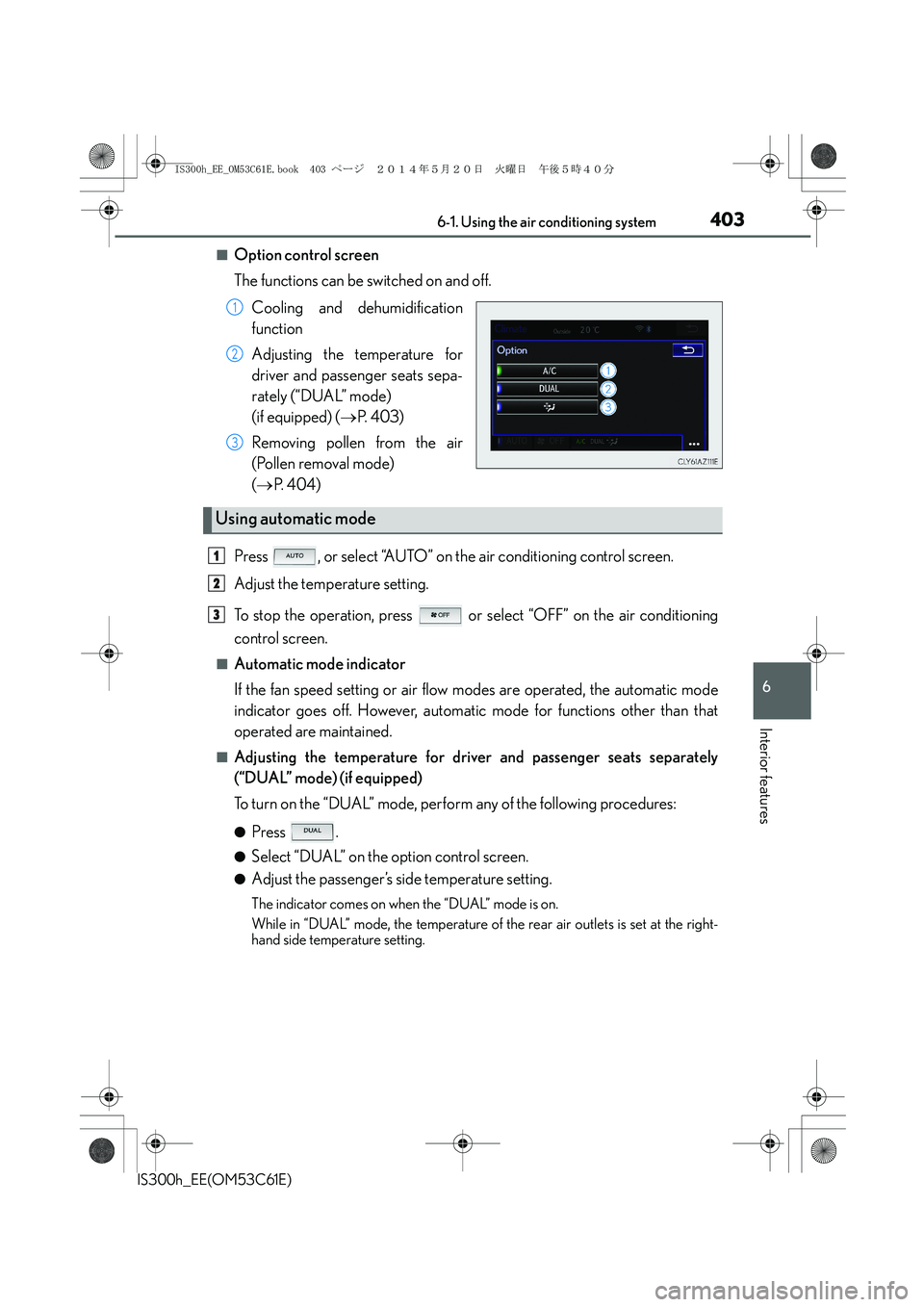
■Option control screen
The functions can be switched on and off.
Cooling and dehumidification
function
Adjusting the temperature for
driver and passenger seats sepa-
rately (“DUAL” mode)
(if equipped) (→P. 4 0 3 )
Removing pollen from the air
(Pollen removal mode)
(→P. 404)
Press , or select “AUTO” on the air conditioning control screen.
Adjust the temperature setting.
To stop the operation, press or select “OFF” on the air conditioning
control screen.
■Automatic mode indicator
If the fan speed setting or air flow modes are operated, the automatic mode
indicator goes off. However, automatic mode for functions other than that
operated are maintained.
■Adjusting the temperature for driver and passenger seats separately
(“DUAL” mode) (if equipped)
To turn on the “DUAL” mode, perform any of the following procedures:
●Press .
●Select “DUAL” on the option control screen.
●Adjust the passenger’s side temperature setting.
The indicator comes on when the “DUAL” mode is on.
While in “DUAL” mode, the temperature of the rear air outlets is set at the right-
hand side temperature setting.
1
2
3
Using automatic mode
1
2
3
IS300h_EE_OM53C61E.book 403 ページ 2014年5月20日 火曜日 午後5時40分
Page 404 of 612
4046-1. Using the air conditioning system
IS300h_EE(OM53C61E)
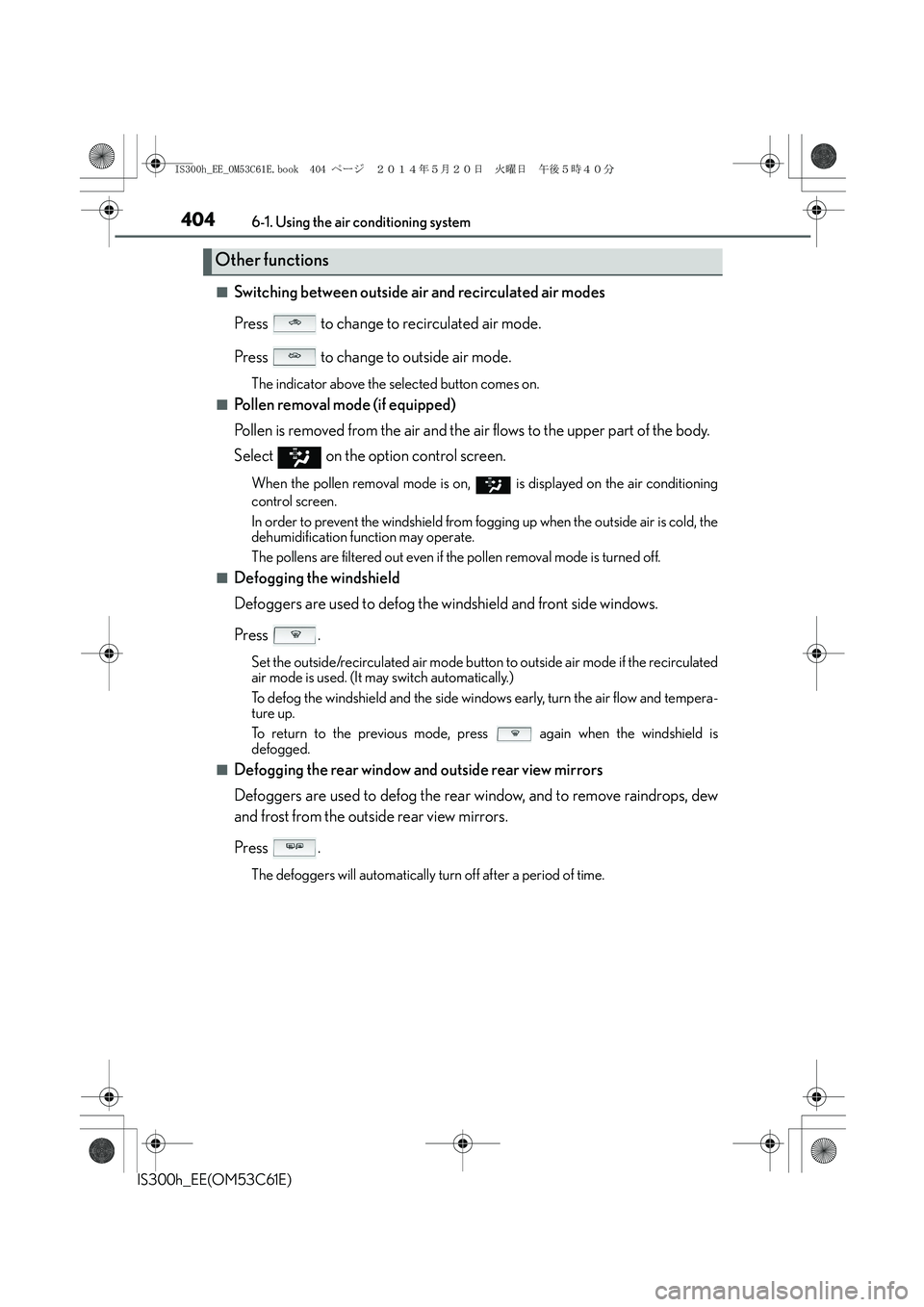
■Switching between outside air and recirculated air modes
Press to change to recirculated air mode.
Press to change to outside air mode.
The indicator above the selected button comes on.
■Pollen removal mode (if equipped)
Pollen is removed from the air and the air flows to the upper part of the body.
Select
on the option control screen.
When the pollen removal mode is on, is displayed on the air conditioning
control screen.
In order to prevent the windshield from fogging up when the outside air is cold, the
dehumidification function may operate.
The pollens are filtered out even if the pollen removal mode is turned off.
■Defogging the windshield
Defoggers are used to defog the windshield and front side windows.
Press .
Set the outside/recirculated air mode button to outside air mode if the recirculated
air mode is used. (It may switch automatically.)
To defog the windshield and the side windows early, turn the air flow and tempera-
ture up.
To return to the previous mode, press again when the windshield is
defogged.
■Defogging the rear window and outside rear view mirrors
Defoggers are used to defog the rear window, and to remove raindrops, dew
and frost from the outside rear view mirrors.
Press .
The defoggers will automatically turn off after a period of time.
Other functions
IS300h_EE_OM53C61E.book 404 ページ 2014年5月20日 火曜日 午後5時40分
Page 405 of 612
4056-1. Using the air conditioning system
6
Interior features
IS300h_EE(OM53C61E)
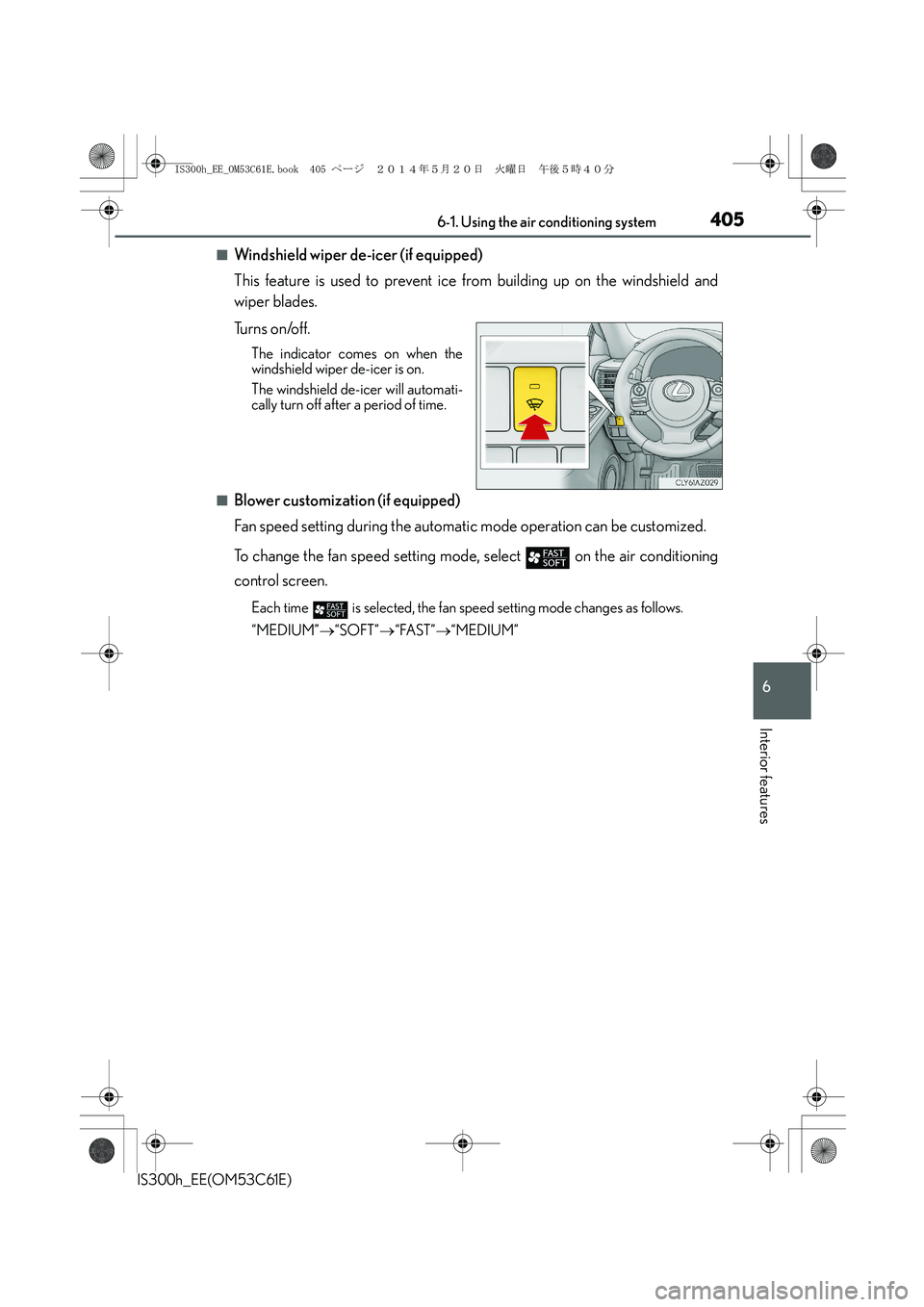
■Windshield wiper de-icer (if equipped)
This feature is used to prevent ice from building up on the windshield and
wiper blades.
Tu r n s o n /o f f .
The indicator comes on when the
windshield wiper de-icer is on.
The windshield de-icer will automati-
cally turn off after a period of time.
■Blower customization (if equipped)
Fan speed setting during the automatic mode operation can be customized.
To change the fan speed setting mode, select
on the air conditioning
control screen.
Each time is selected, the fan speed setting mode changes as follows.
“MEDIUM”→“SOFT”→“FAST”→“MEDIUM”
IS300h_EE_OM53C61E.book 405 ページ 2014年5月20日 火曜日 午後5時40分
Page 409 of 612
4096-1. Using the air conditioning system
6
Interior features
IS300h_EE(OM53C61E)
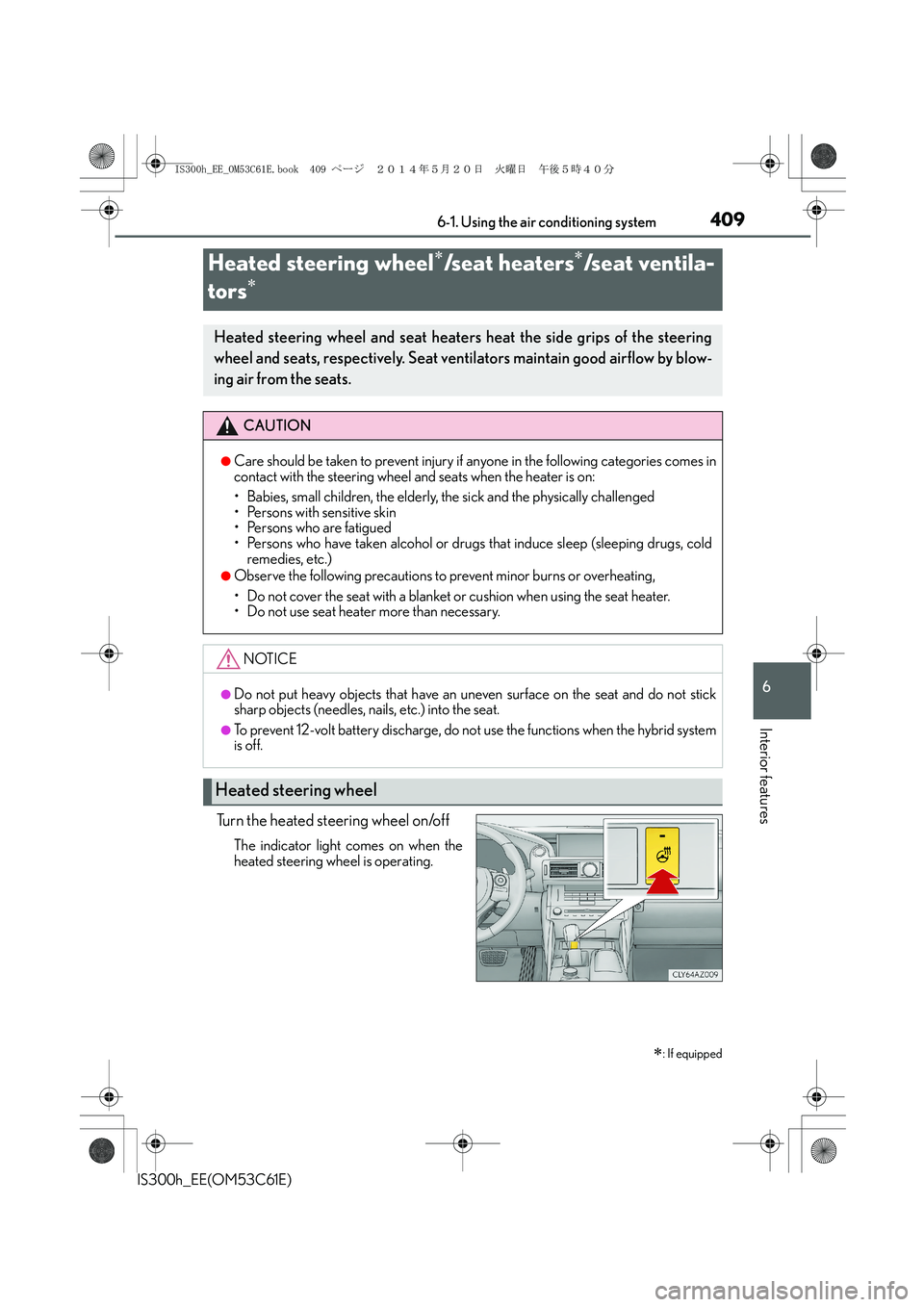
Turn the heated steering wheel on/off
The indicator light comes on when the
heated steering wheel is operating.
Heated steering wheel∗/seat heaters∗/seat ventila-
tors
∗
∗
: If equipped
Heated steering wheel and seat heaters heat the side grips of the steering
wheel and seats, respectively. Seat ventilators maintain good airflow by blow-
ing air from the seats.
CAUTION
●Care should be taken to prevent injury if anyone in the following categories comes in
contact with the steering wheel and seats when the heater is on:
• Babies, small children, the elderly, the sick and the physically challenged
• Persons with sensitive skin
• Persons who are fatigued
• Persons who have taken alcohol or drugs that induce sleep (sleeping drugs, cold
remedies, etc.)
●Observe the following precautions to prevent minor burns or overheating,
• Do not cover the seat with a blanket or cushion when using the seat heater.
• Do not use seat heater more than necessary.
NOTICE
●Do not put heavy objects that have an uneven surface on the seat and do not stick
sharp objects (needles, nails, etc.) into the seat.
●To prevent 12-volt battery discharge, do not use the functions when the hybrid system
is off.
Heated steering wheel
IS300h_EE_OM53C61E.book 409 ページ 2014年5月20日 火曜日 午後5時40分
Page 410 of 612
4106-1. Using the air conditioning system
IS300h_EE(OM53C61E)
●The heated steering wheel can be used when the power switch is in ON mode.
●The heated steering wheel will automatically turn off after about 30 minutes.
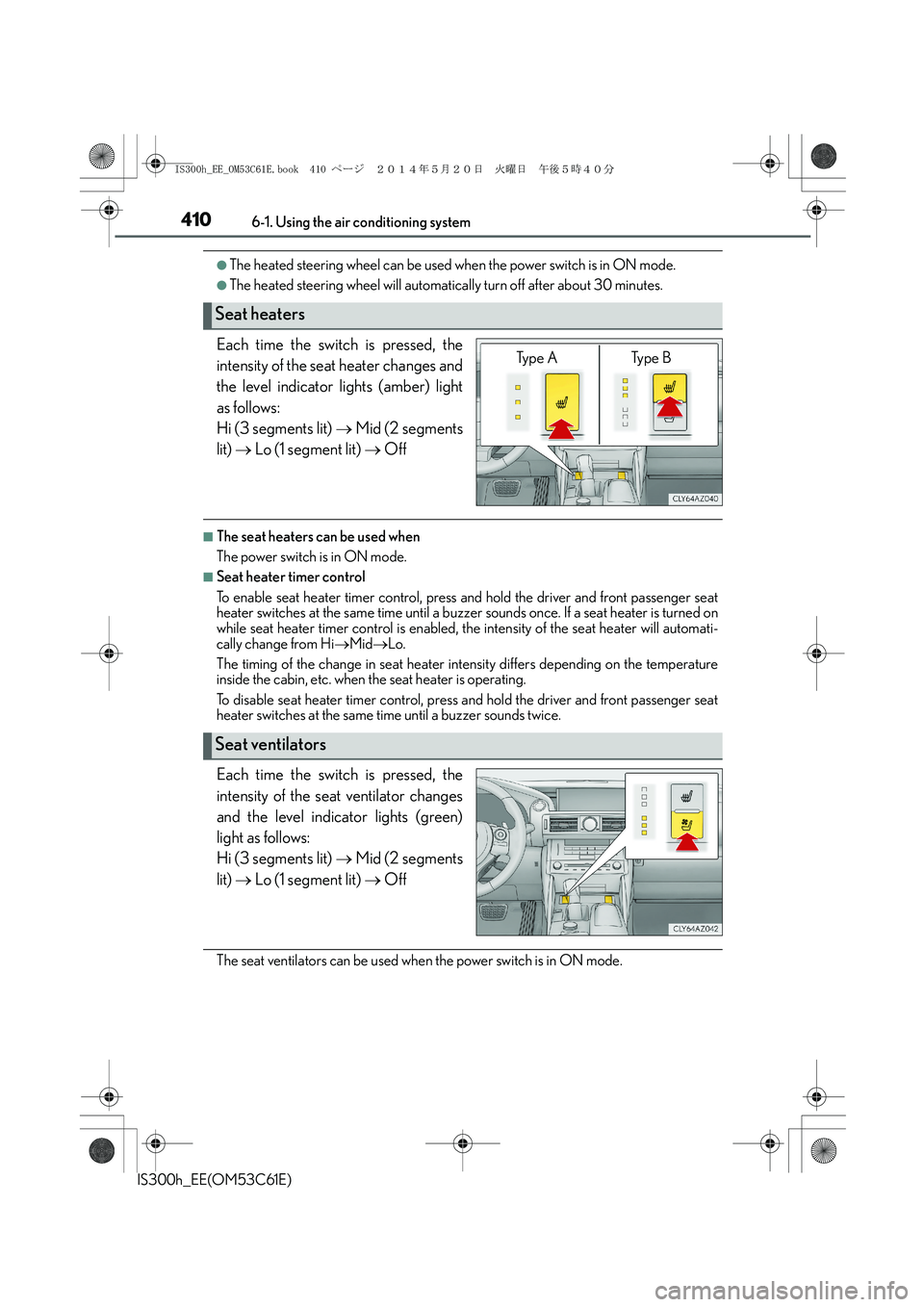
Each time the switch is pressed, the
intensity of the seat heater changes and
the level indicator lights (amber) light
as follows:
Hi (3 segments lit) → Mid (2 segments
lit) → Lo (1 segment lit) → Off
■The seat heaters can be used when
The power switch is in ON mode.
■Seat heater timer control
To enable seat heater timer control, press and hold the driver and front passenger seat
heater switches at the same time until a buzzer sounds once. If a seat heater is turned on
while seat heater timer control is enabled, the intensity of the seat heater will automati-
cally change from Hi→Mid→Lo.
The timing of the change in seat heater intensity differs depending on the temperature
inside the cabin, etc. when the seat heater is operating.
To disable seat heater timer control, press and hold the driver and front passenger seat
heater switches at the same time until a buzzer sounds twice.
Each time the switch is pressed, the
intensity of the seat ventilator changes
and the level indicator lights (green)
light as follows:
Hi (3 segments lit) → Mid (2 segments
lit) → Lo (1 segment lit) → Off
The seat ventilators can be used when the power switch is in ON mode.
Seat heaters
Ty p e A Ty p e B
Seat ventilators
IS300h_EE_OM53C61E.book 410 ページ 2014年5月20日 火曜日 午後5時40分
Page 436 of 612
4367-3. Do-it-yourself maintenance
IS300h_EE(OM53C61E)
CAUTION
The engine compartment contains many mechanisms and fluids that may move suddenly,
become hot, or become electrically energized. To avoid death or serious injury, observe
the following precautions.
■When working on the engine compartment
●Make sure that the “ACCESSORY” or “IGNITION ON” on the multi-information
display and the “READY” indicator are both off.
●Keep hands, clothing and tools away from the moving fan and engine drive belt.
●Be careful not to touch the engine, power control unit, radiator, exhaust manifold, etc.
right after driving as they may be hot. Oil and other fluids may also be hot.
●Do not leave anything that may burn easily, such as paper and rags, in the engine
compartment.
●Do not smoke, cause sparks or expose an open flame to fuel. Fuel fumes are flamma-
ble.
●Take care because brake fluid can harm your hands or eyes and damage painted sur-
faces. If fluid gets on your hands or in your eyes, flush the affected area with clean
water immediately.
If you still experience discomfort, consult a doctor.
■When working near the electric cooling fans or radiator grille
Be sure the power switch is off.
With the power switch in ON mode, the electric cooling fans may automatically start to
run if the air conditioning is on and/or the coolant temperature is high. (→P. 446)
■Safety glasses
Wear safety glasses to prevent flying or falling material, fluid spray, etc. from getting in
your eyes.
NOTICE
■If you remove the air cleaner filter
Driving with the air cleaner filter removed may cause excessive engine wear due to dirt
in the air.
■If the fluid level is low or high
It is normal for the brake fluid level to go down slightly as the brake pads wear or when
the fluid level in the accumulator is high.
If the reservoir needs frequent refilling, it may indicate a serious problem.
IS300h_EE_OM53C61E.book 436 ページ 2014年5月20日 火曜日 午後5時40分
Page 450 of 612
4507-3. Do-it-yourself maintenance
IS300h_EE(OM53C61E)
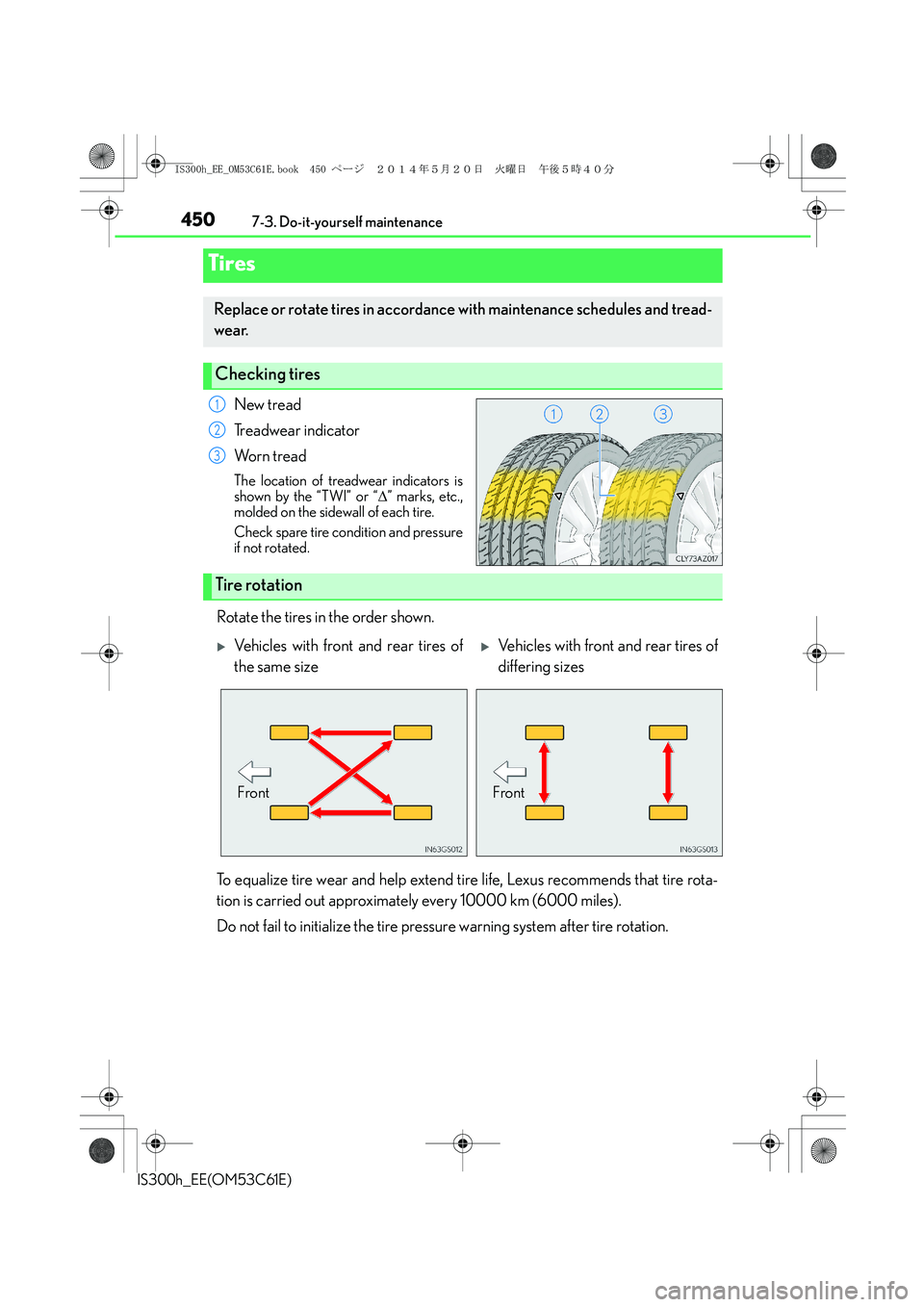
New tread
Treadwear indicator
Wo r n t r e a d
The location of treadwear indicators is
shown by the “TWI” or “∆” marks, etc.,
molded on the sidewall of each tire.
Check spare tire condition and pressure
if not rotated.
Rotate the tires in the order shown.
To equalize tire wear and help extend tire life, Lexus recommends that tire rota-
tion is carried out approximately every 10000 km (6000 miles).
Do not fail to initialize the tire pressure warning system after tire rotation.
Tires
Replace or rotate tires in accordance with maintenance schedules and tread-
wear.
Checking tires
1
2
3
Tire rotation
XVehicles with front and rear tires of
the same sizeXVehicles with front and rear tires of
differing sizes
FrontFront
IS300h_EE_OM53C61E.book 450 ページ 2014年5月20日 火曜日 午後5時40分
Page 494 of 612
494
IS300h_EE(OM53C61E)8-1. Essential information
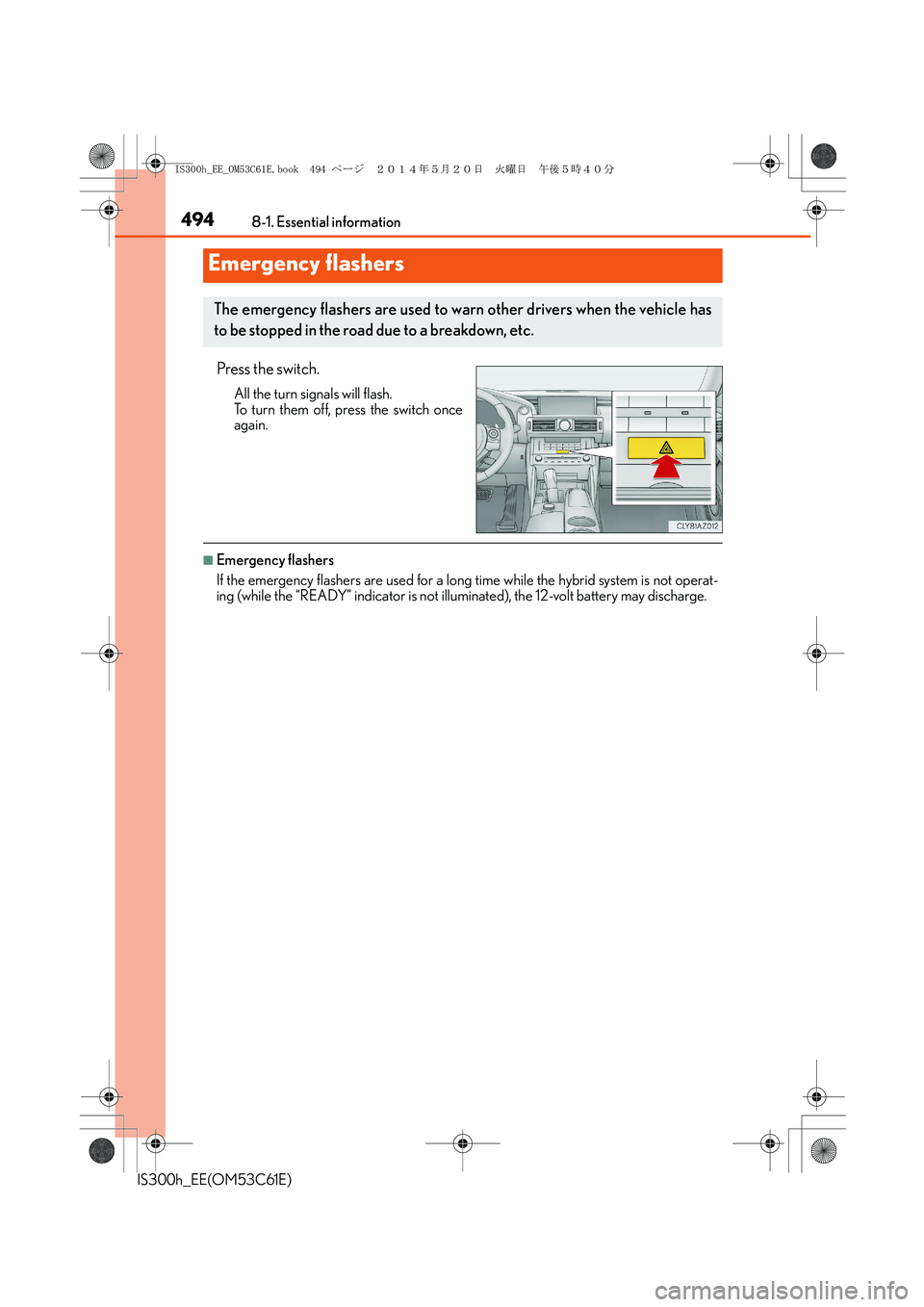
Press the switch.
All the turn signals will flash.
To turn them off, press the switch once
again.
■Emergency flashers
If the emergency flashers are used for a long time while the hybrid system is not operat-
ing (while the “READY” indicator is not illuminated), the 12-volt battery may discharge.
Emergency flashers
The emergency flashers are used to warn other drivers when the vehicle has
to be stopped in the road due to a breakdown, etc.
IS300h_EE_OM53C61E.book 494 ページ 2014年5月20日 火曜日 午後5時40分