Can Lexus IS300h 2015 Owner's Manual
[x] Cancel search | Manufacturer: LEXUS, Model Year: 2015, Model line: IS300h, Model: Lexus IS300h 2015Pages: 628, PDF Size: 137.89 MB
Page 400 of 628
4005-11. Bluetooth®
IS300h_EE(OM53D56E)
■Compatible models
The Bluetooth® audio system supports portable audio players with the following specifi-
cations
●Bluetooth® specifications:
Ver. 2.0, or higher (Recommended: Ver. 3.0 +EDR or higher)
●Profiles:
• A2DP (Advanced Audio Distribution Profile) Ver. 1.0, or higher (Recommended: Ver. 1.2 or higher)
This is a profile to transmit stereo audio or high quality sound to the audio system.
• AVRCP (Audio/Video Remote Control Profile) Ver. 1.0 or higher (Recommended: Ver. 1.4 or higher)
This is a profile to allow remote control the A/V equipment.
However, please note that some functions may be limited depending on the type of por-
table audio player connected.
The hands-free system supports cellular phones with the following specifications.
●Bluetooth® specification:
Ver. 2.0 or higher (Recommended: Ver. 3.0 +EDR or higher)
●Profiles:
• HFP (Hands Free Profile) Ver. 1.0 or higher (Recommended: Ver. 1.6 or higher) This is a profile to allow hands-free phone calls using a cellular phone or head set. It
has outgoing and incoming call functions.
• OPP (Object Push Profile) Ver. 1.1 or higher (Recommended: Ver. 1.1) This is a profile to transfer phonebook data. When a Bluetooth
® compatible cellular
phone has both PBAP and OPP, OPP cannot be used.
• PBAP (Phone Book Access Profile) Ver. 1.0 or higher (Recommended: Ver. 1.1) This is a profile to tr ansfer phonebook data.
• MAP (Message Access Profile) Ver.1.0 or higher This is a profile to using phone message.
If the cellular phone does not support HFP, you cannot register it with the hands-free sys-
tem. OPP, PBAP or MAP services must be selected individually.
■Reconnecting the portable audio player
If the portable audio player is disconnected due to poor reception when the power
switch is in ACCESSORY or ON mode, the system automatically reconnects the porta-
ble audio player.
If you have switched off the portable audio player yourself, follow the instructions below
to reconnect:
●Select the portable audio player again
●Enter the portable audio player
■When you sell your car
Be sure to delete your personal data. ( →P. 3 4 0 )
Page 405 of 628
4055-12. Other function
5
Lexus Display Audio system
IS300h_EE(OM53D56E)
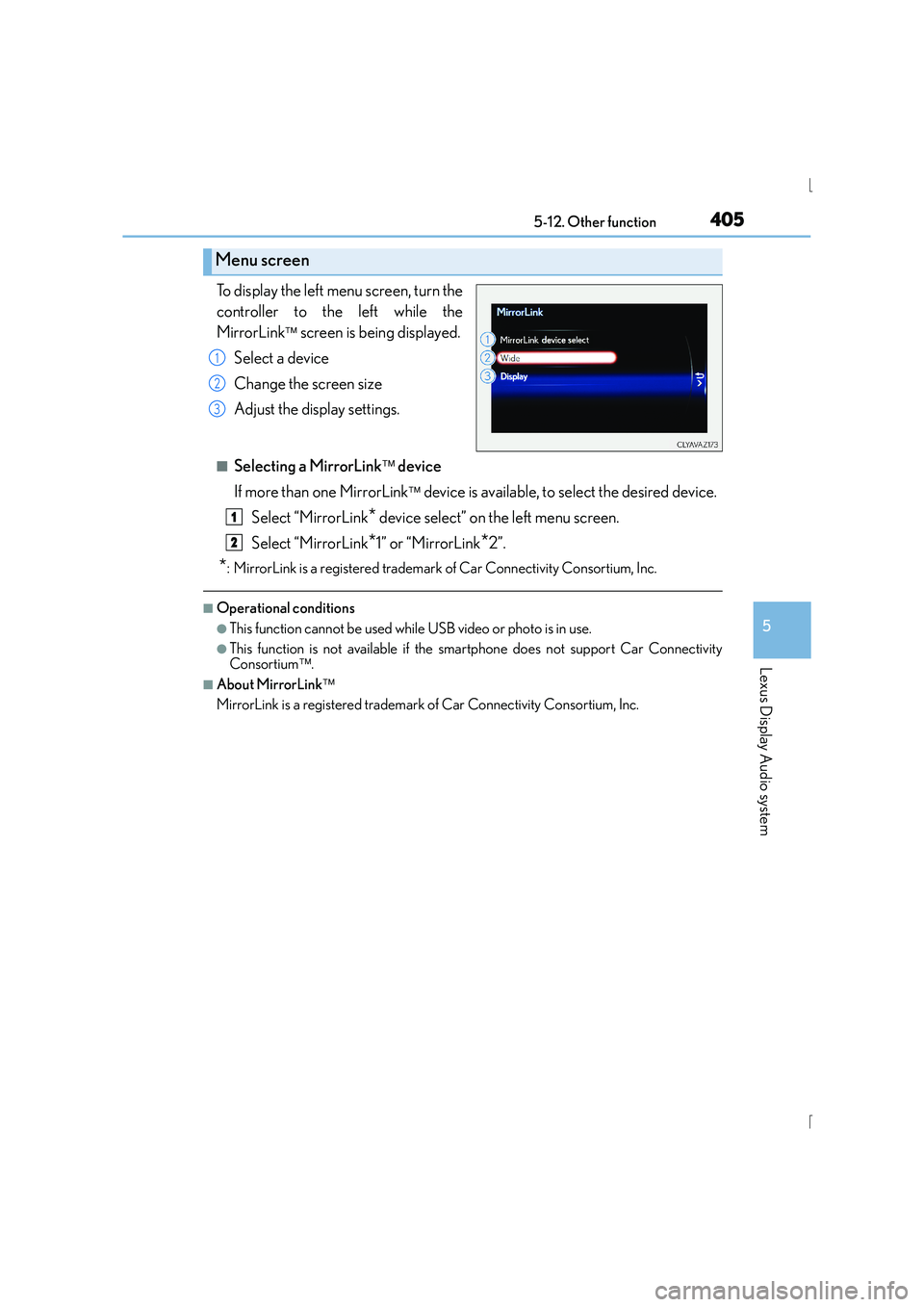
To display the left menu screen, turn the
controller to the left while the
MirrorLink
screen is being displayed.
Select a device
Change the screen size
Adjust the display settings.
■Selecting a MirrorLink device
If more than one MirrorLink
device is available, to select the desired device.
Select “MirrorLink
* device select” on the left menu screen.
Select “MirrorLink
*1” or “MirrorLink*2”.
*: MirrorLink is a registered trademark of Car Connectivity Consortium, Inc.
■Operational conditions
●This function cannot be used while USB video or photo is in use.
●This function is not available if the smartphone does not support Car Connectivity
Consortium.
■About MirrorLink
MirrorLink is a registered trademark of Car Connectivity Consortium, Inc.
Menu screen
1
2
3
1
2
Page 407 of 628
4075-12. Other function
5
Lexus Display Audio system
IS300h_EE(OM53D56E)
■USB memory functions
→P. 3 6 5
■USB memory
●Compatible devices
USB memory device that can be used for JPEG display.
●Compatible device formats
The following device format can be used:
• USB communication format: USB2.0 FS (480 Mbps)
• File system format: FAT16/32 (Windows)
• Correspondence class: Mass storage class
●JPEG file compatibility
• Compatible image size: Maximum 10 MB
• Compatible pixel size: Maximum 10,000,000 pixels
NOTICE
■If the console box lid cannot be fully closed
→P. 3 6 8
■To prevent damage to the USB memory device or its terminals
→P. 3 6 8
Page 408 of 628
4085-12. Other function
IS300h_EE(OM53D56E)
You can register desired contacts to enable the speech command system. Up to
50 contacts per phone can be registered.Go to “Voice tags”: → “Setup” → “Telephone” → “Contact/call history
settings” → “Voice tag” → “New” or “Edit”
Select the desired contact.
Move the controller to the left and then select “REC”.
Say the registered voice.
To play the registered voice, select “Play”.
■Deleting a voice tag Display the “Voice tags” screen.
Select “Delete” and then the desired contact.
Move the controller to the left and then select “Delete”.
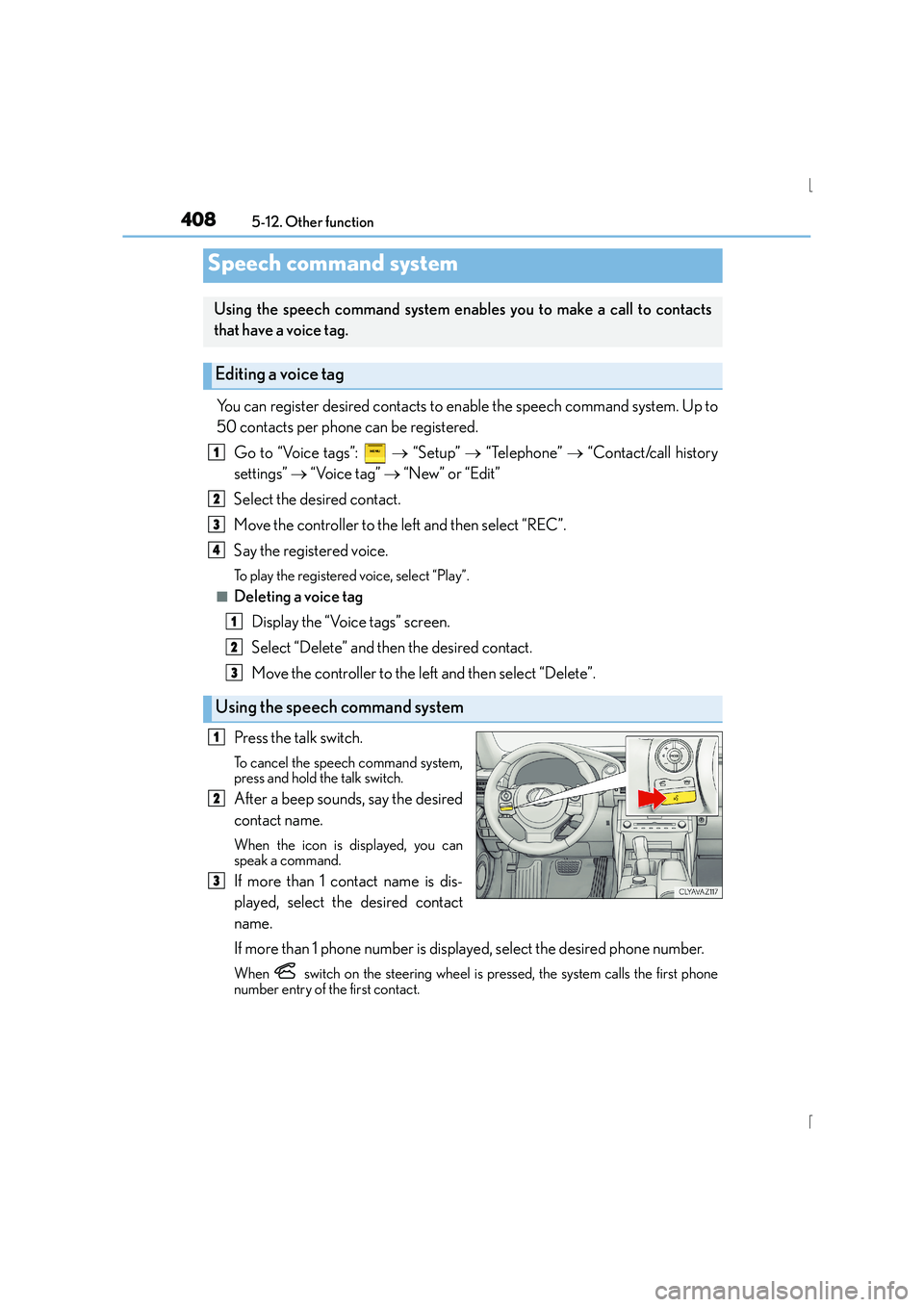
Press the talk switch.
To cancel the speech command system,
press and hold the talk switch.
After a beep sounds, say the desired
contact name.
When the icon is displayed, you can
speak a command.
If more than 1 contact name is dis-
played, select the desired contact
name.
If more than 1 phone number is displayed, select the desired phone number.
When switch on the steering wheel is pressed, the system calls the first phone
number entry of the first contact.
Speech command system
Using the speech command system enab les you to make a call to contacts
that have a voice tag.
Editing a voice tag
Using the speech command system
1
2
3
4
1
2
3
1
2
3
Page 414 of 628
4146-1. Using the air conditioning system
IS300h_EE(OM53D56E)
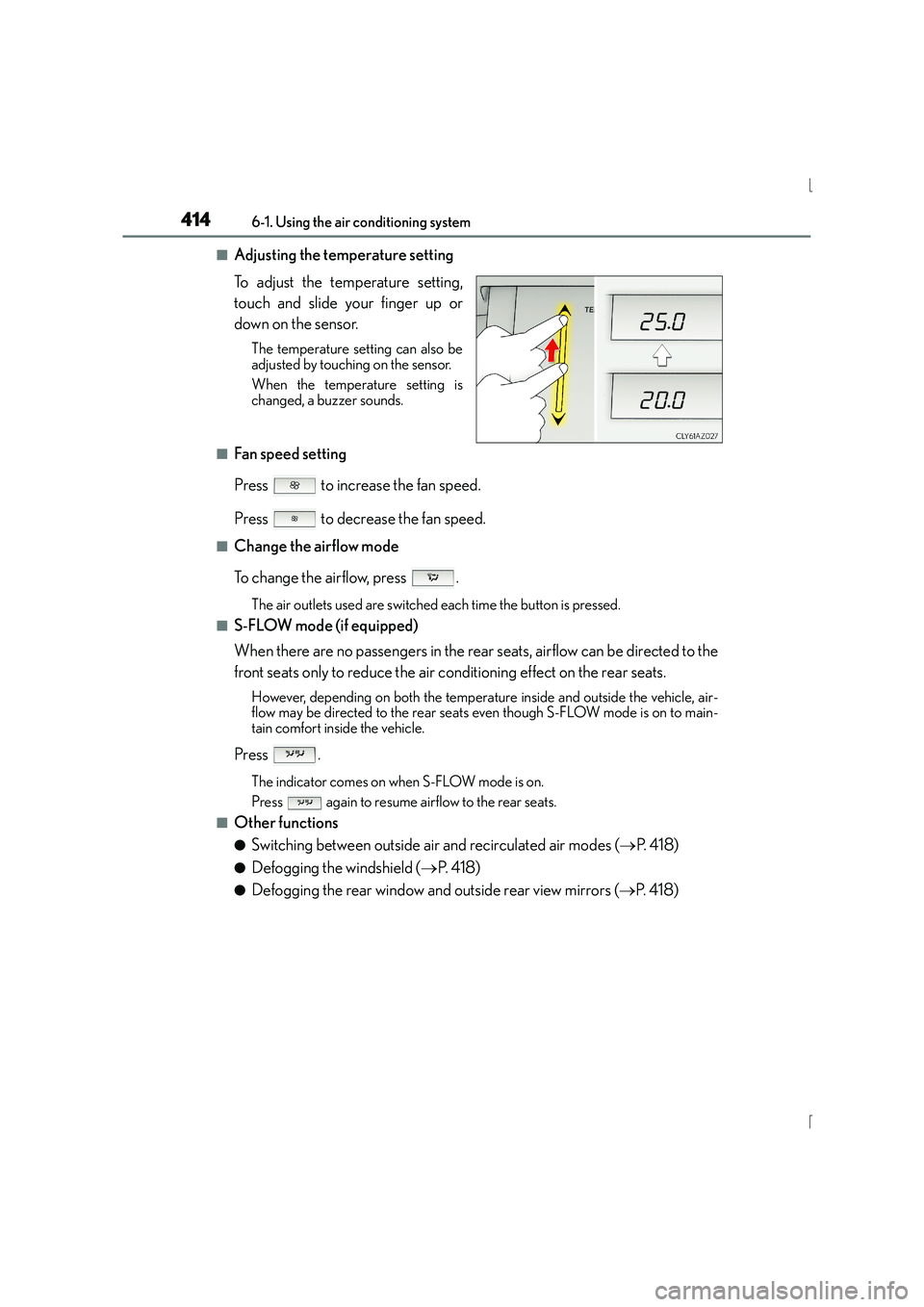
■Adjusting the temperature setting
To adjust the temperature setting,
touch and slide your finger up or
down on the sensor.
The temperature setting can also be
adjusted by touching on the sensor.
When the temperature setting is
changed, a buzzer sounds.
■Fan speed setting
Press to increase the fan speed.
Press to decrease the fan speed.
■Change the airflow mode
To change the airflow, press .
The air outlets used are switched each time the button is pressed.
■S-FLOW mode (if equipped)
When there are no passengers in the rear seats, airflow can be directed to the
front seats only to reduce the air conditioning effect on the rear seats.
However, depending on both the temperature inside and outside the vehicle, air-
flow may be directed to the rear seats even though S-FLOW mode is on to main-
tain comfort inside the vehicle.
Press .
The indicator comes on when S-FLOW mode is on.
Press again to resume airflow to the rear seats.
■Other functions
●Switching between outside air and recirculated air modes (→P. 4 1 8 )
●Defogging the windshield ( →P. 4 1 8 )
●Defogging the rear window and outside rear view mirrors ( →P. 4 1 8 )
Page 417 of 628
4176-1. Using the air conditioning system
6
Interior features
IS300h_EE(OM53D56E)
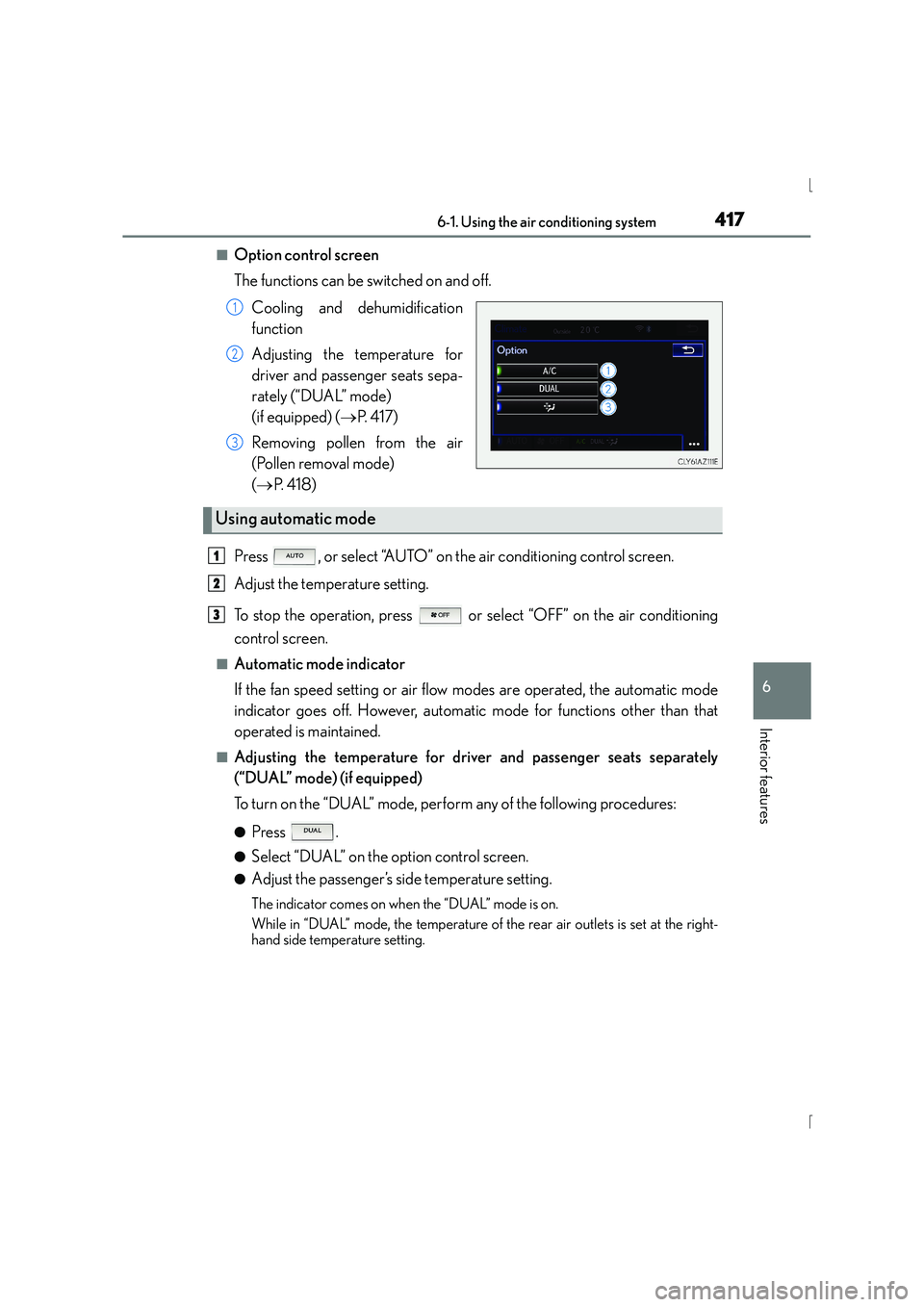
■Option control screen
The functions can be switched on and off.Cooling and dehumidification
function
Adjusting the temperature for
driver and passenger seats sepa-
rately (“DUAL” mode)
(if equipped) ( →P. 4 1 7 )
Removing pollen from the air
(Pollen removal mode)
( → P. 4 1 8 )
Press , or select “AUTO” on the air conditioning control screen.
Adjust the temperature setting.
To stop the operation, press or select “OFF” on the air conditioning
control screen.
■Automatic mode indicator
If the fan speed setting or air flow modes are operated, the automatic mode
indicator goes off. However, automatic mode for functions other than that
operated is maintained.
■Adjusting the temperature for driv er and passenger seats separately
(“DUAL” mode) (if equipped)
To turn on the “DUAL” mode, perform any of the following procedures:
●Press .
●Select “DUAL” on the option control screen.
●Adjust the passenger’s side temperature setting.
The indicator comes on when the “DUAL” mode is on.
While in “DUAL” mode, the temperature of the rear air outlets is set at the right-
hand side temperature setting.
1
2
3
Using automatic mode
1
2
3
Page 419 of 628
4196-1. Using the air conditioning system
6
Interior features
IS300h_EE(OM53D56E)
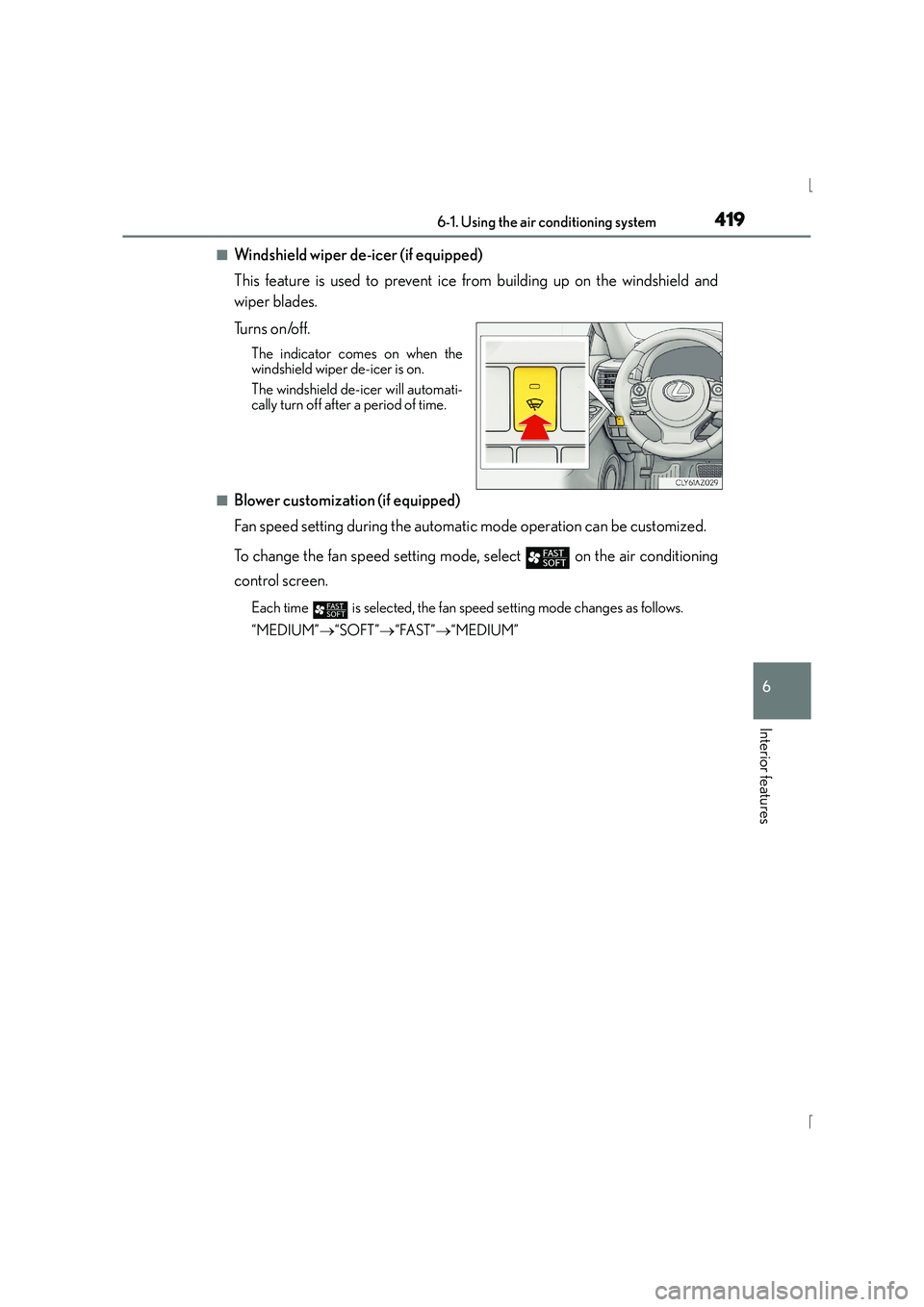
■Windshield wiper de-icer (if equipped)
This feature is used to prevent ice from building up on the windshield and
wiper blades.
Tu r n s o n /o f f .
The indicator comes on when the
windshield wiper de-icer is on.
The windshield de-icer will automati-
cally turn off after a period of time.
■Blower customization (if equipped)
Fan speed setting during the automatic mode operation can be customized.
To change the fan speed setting mode, select
on the air conditioning
control screen.
Each time is selected, the fan speed setting mode changes as follows.
“MEDIUM” →“SOFT” →“FAST” →“MEDIUM”
Page 421 of 628

4216-1. Using the air conditioning system
6
Interior features
IS300h_EE(OM53D56E)
■Registering air conditioning settings to electronic keys (vehicles with driving position
memory)
●Unlocking the vehicle using an electronic key and turning the power switch to ON
mode will recall that key’s regist ered air conditioning settings.
●When the power switch is turned off, the cu rrent air conditioning settings will automati-
cally be registered to the electronic key that was used to unlock the vehicle.
●The system may not operate correctly if more than one electronic key is in the vicinity or
if the smart entry & start system is used to unlock a passenger door.
●The doors that can recall the air conditioni ng setting when unlocked using the smart
entry & start system can be changed.* For details, contact any authorized Lexus dealer
or repairer, or another duly qualified and equipped professional.
*: The doors that can recall the driving position memory are changed at the same time.
■Using automatic mode
Fan speed is adjusted automatically according to the temperature setting and the ambi-
ent conditions.
Therefore, the fan may stop for a while until wa rm or cool air is ready to flow immediately
after is pressed or “AUTO” is selected.
■Fogging up of the windows
The windows will easily fog up when the humidity in the vehicle is high. Turning
(“A/C”) on will dehumidify the air from the outlets and defog the windshield effectively.
●If you turn (“A/C”) off, the windows may fog up more easily.
●The windows may fog up if the recirculated air mode is used.
■Outside/recirculated air mode
●When driving on dusty roads such as tunnels or in heavy traffic, set the outside/recircu-
lated air mode button to the recirculated air mode. This is effective in preventing out-
side air from entering the vehicle interior. During cooling operation, setting the
recirculated air mode will also cool the vehicle interior effectively.
●Outside/recirculated air mode may automatically switch depending on the tempera-
ture setting or the inside temperature.
■Operation of the air conditioning system in Eco drive mode
In Eco drive mode, the air conditioning system is controlled as follows to prioritize fuel
efficiency:
●Engine speed and compressor operation controlled to restrict heating/cooling capac-
ity
●Fan speed restricted when automatic mode is selected
To improve air conditioning performance, perform the following operations:
●Adjust the fan speed
●Turn off Eco drive mode
Page 422 of 628
4226-1. Using the air conditioning system
IS300h_EE(OM53D56E)
■Ventilation and air conditioning odors
●To let fresh air in, set the air conditioning system to the outside air mode.
●During use, various odors from inside and outside the vehicle may enter into and accu-
mulate in the air conditioning system. This may then cause odor to be emitted from the
vents.
●To reduce potential odors from occurring:
• It is recommended that the air conditioning system be set to outside air mode priorto turning the vehicle off.
• The start timing of the blower may be delayed for a short period of time immediately
after the air conditioning system is started in automatic mode.
■Air conditioning filter
→ P. 4 8 6
■Customization
Settings (e.g. A/C Auto switch operation) can be changed.
(Customizable features →P. 5 9 8 )
CAUTION
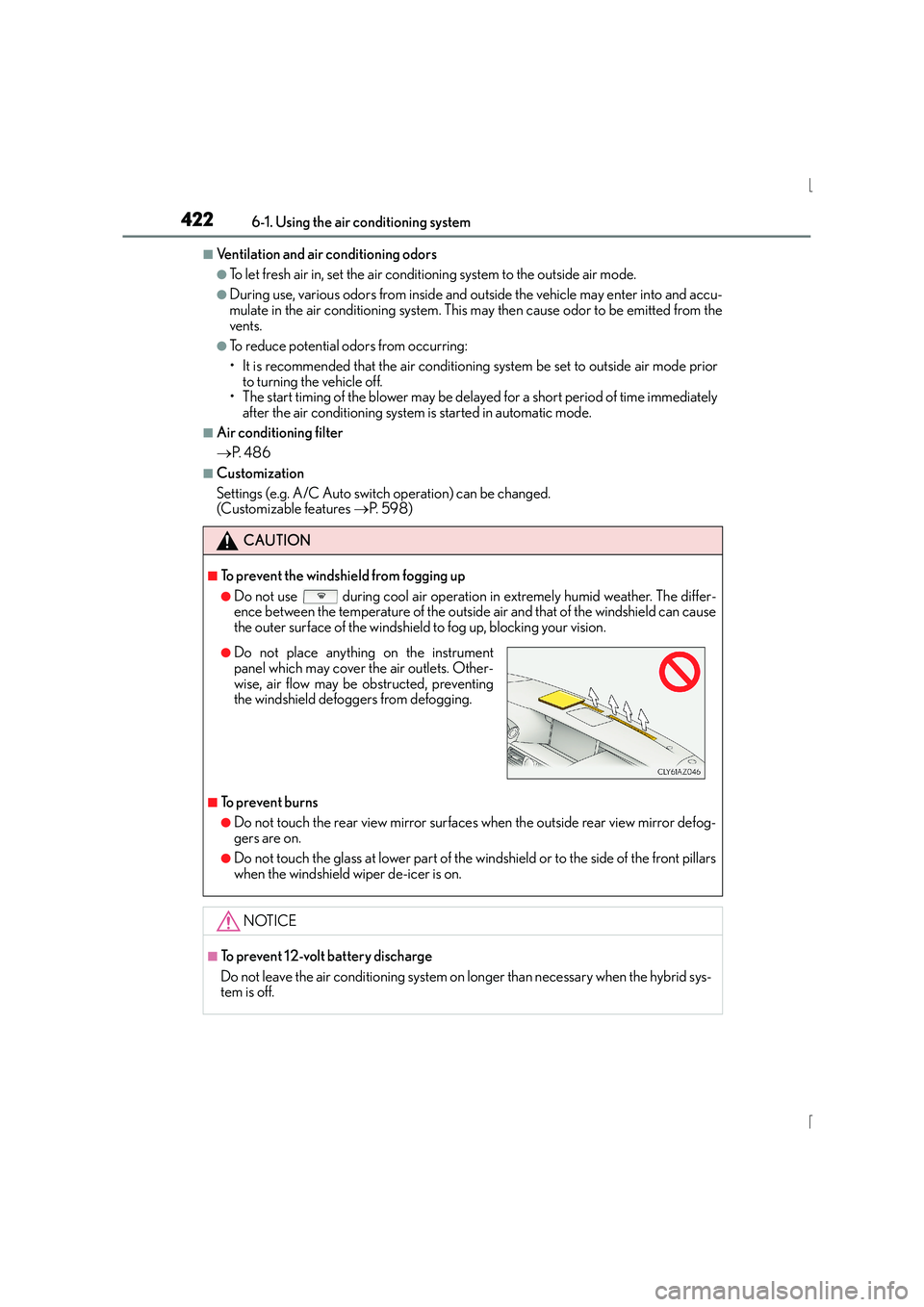
■To prevent the windshield from fogging up
●Do not use during cool air operation in extremely humid weather. The differ-
ence between the temperature of the outside air and that of the windshield can cause
the outer surface of the windshield to fog up, blocking your vision.
■To prevent burns
●Do not touch the rear view mirror surfaces when the outside rear view mirror defog-
gers are on.
●Do not touch the glass at lower part of the windshield or to the side of the front pillars
when the windshield wiper de-icer is on.
NOTICE
■To prevent 12-volt battery discharge
Do not leave the air conditioning system on longer than necessary when the hybrid sys-
tem is off.
●Do not place anything on the instrument
panel which may cover the air outlets. Other-
wise, air flow may be obstructed, preventing
the windshield defoggers from defogging.
Page 424 of 628
4246-1. Using the air conditioning system
IS300h_EE(OM53D56E)
●The heated steering wheel can be used when the power switch is in ON mode.
●The heated steering wheel will automatically turn off after about 30 minutes.
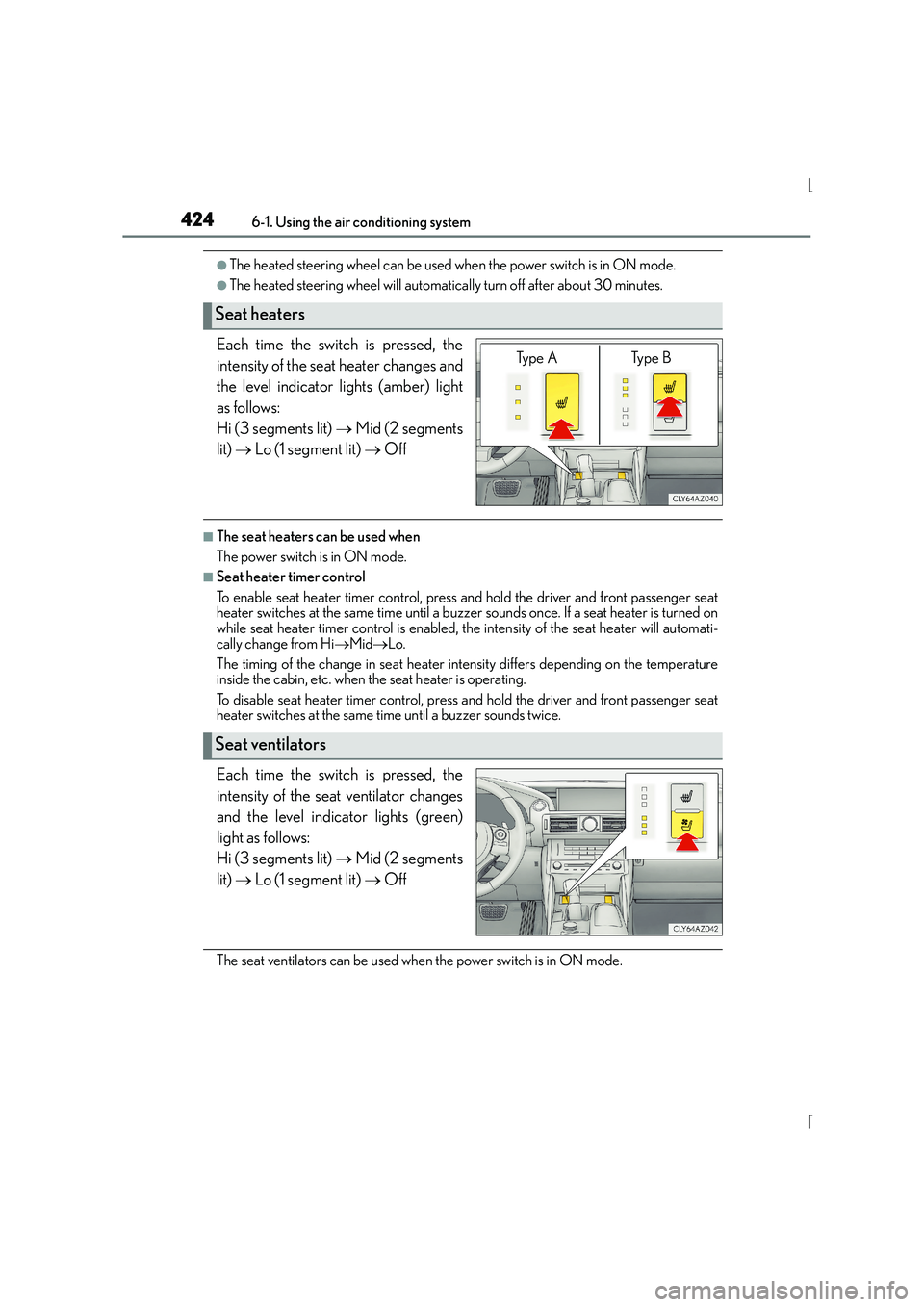
Each time the switch is pressed, the
intensity of the seat heater changes and
the level indicator lights (amber) light
as follows:
Hi (3 segments lit) → Mid (2 segments
lit) → Lo (1 segment lit) → Off
■The seat heaters can be used when
The power switch is in ON mode.
■Seat heater timer control
To enable seat heater timer control, press and hold the driver and front passenger seat
heater switches at the same time until a buzzer sounds once. If a seat heater is turned on
while seat heater timer control is enabled, th e intensity of the seat heater will automati-
cally change from Hi →Mid →Lo.
The timing of the change in seat heater intensity differs depending on the temperature
inside the cabin, etc. when the seat heater is operating.
To disable seat heater timer control, press and hold the driver and front passenger seat
heater switches at the same time until a buzzer sounds twice.
Each time the switch is pressed, the
intensity of the seat ventilator changes
and the level indicator lights (green)
light as follows:
Hi (3 segments lit) → Mid (2 segments
lit) → Lo (1 segment lit) → Off
The seat ventilators can be used when the power switch is in ON mode.
Seat heaters
Ty p e A Ty p e B
Seat ventilators