mode select switch Lexus IS300h 2015 Owner's Guide
[x] Cancel search | Manufacturer: LEXUS, Model Year: 2015, Model line: IS300h, Model: Lexus IS300h 2015Pages: 628, PDF Size: 137.89 MB
Page 374 of 628
3745-7. Connecting Bluetooth®
IS300h_EE(OM53D56E)
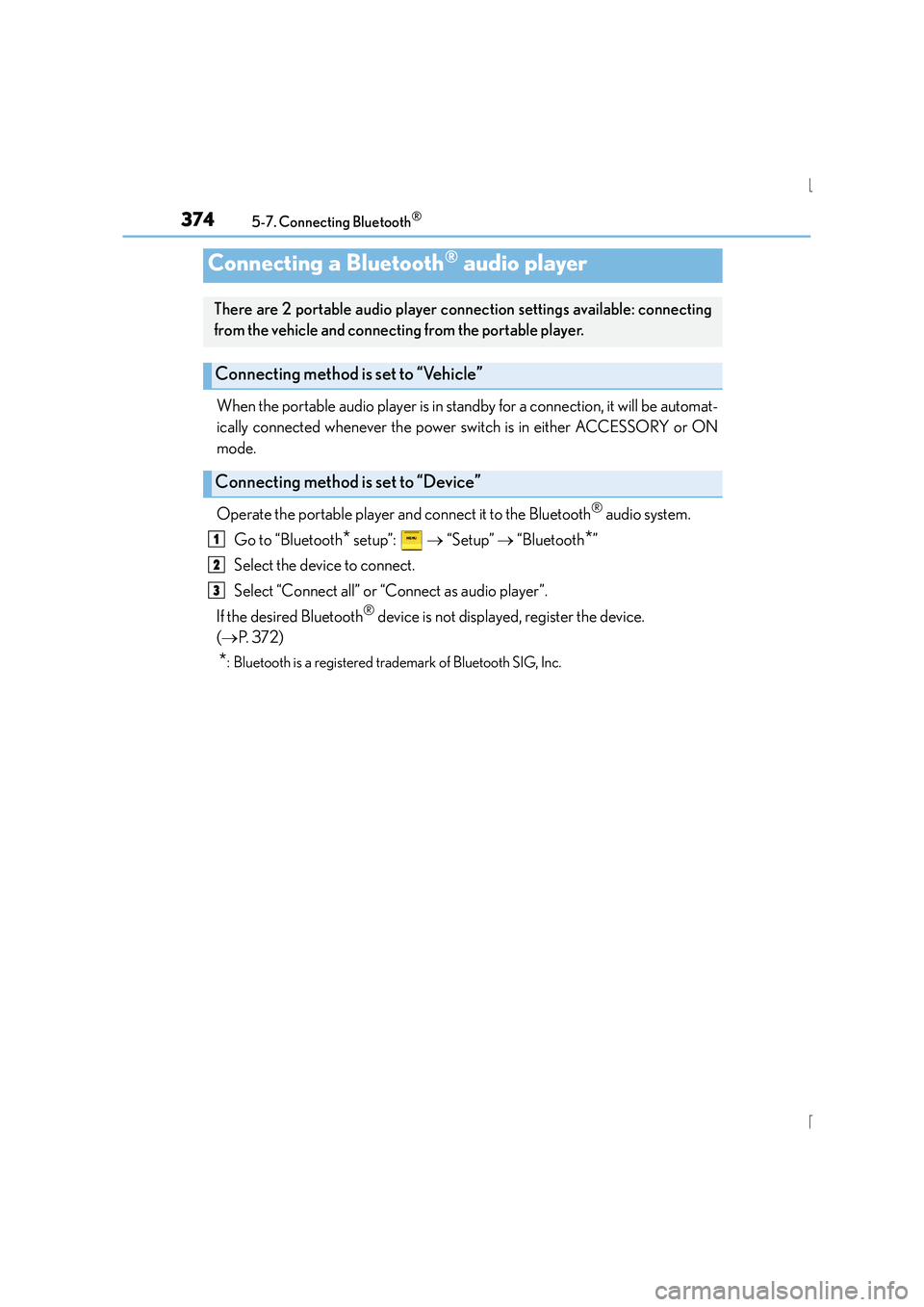
When the portable audio player is in standby for a connection, it will be automat-
ically connected whenever the power switch is in either ACCESSORY or ON
mode.
Operate the portable player and connect it to the Bluetooth
® audio system.
Go to “Bluetooth
* setup”: → “Setup” → “Bluetooth*”
Select the device to connect.
Select “Connect all” or “Connect as audio player”.
If the desired Bluetooth
® device is not displayed, register the device.
( → P. 3 7 2 )
*: Bluetooth is a registered trademark of Bluetooth SIG, Inc.
Connecting a Bluetooth® audio player
There are 2 portable audio player conn ection settings available: connecting
from the vehicle and connecting from the portable player.
Connecting method is set to “Vehicle”
Connecting method is set to “Device”
1
2
3
Page 375 of 628
3755-7. Connecting Bluetooth®
5
Lexus Display Audio system
IS300h_EE(OM53D56E)
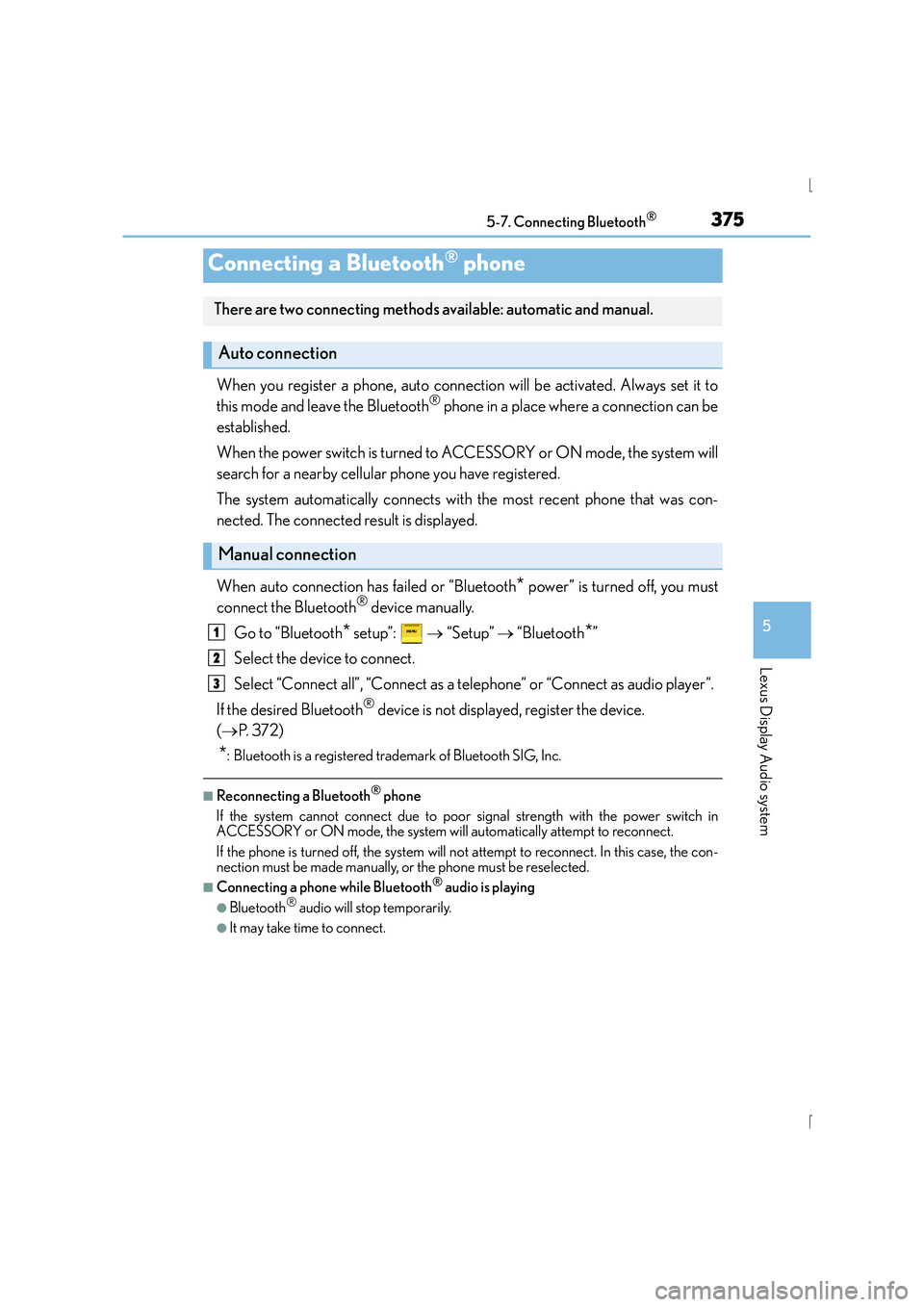
When you register a phone, auto connection will be activated. Always set it to
this mode and leave the Bluetooth® phone in a place where a connection can be
established.
When the power switch is turned to ACCESSORY or ON mode, the system will
search for a nearby cellular phone you have registered.
The system automatically connects with the most recent phone that was con-
nected. The connected result is displayed.
When auto connection has failed or “Bluetooth
* power” is turned off, you must
connect the Bluetooth® device manually.
Go to “Bluetooth
* setup”: → “Setup” → “Bluetooth*”
Select the device to connect.
Select “Connect all”, “Connect as a telephone” or “Connect as audio player”.
If the desired Bluetooth
® device is not displayed, register the device.
( → P. 3 7 2 )
*: Bluetooth is a registered trademark of Bluetooth SIG, Inc.
■Reconnecting a Bluetooth® phone
If the system cannot connect due to poor signal strength with the power switch in
ACCESSORY or ON mode, the system will automatically attempt to reconnect.
If the phone is turned off, the system will no t attempt to reconnect. In this case, the con-
nection must be made manually, or the phone must be reselected.
■Connecting a phone while Bluetooth® audio is playing
●Bluetooth® audio will stop temporarily.
●It may take time to connect.
Connecting a Bluetooth® phone
There are two connecting methods available: automatic and manual.
Auto connection
Manual connection
1
2
3
Page 387 of 628
3875-9. Bluetooth® Phone
5
Lexus Display Audio system
IS300h_EE(OM53D56E)
XPhone number containing a “w” symbol
When the “w” symbol is dialed in an outgoing call, you need to go to the
“Release tones” screen to dial the following digits. Move the controller to the
left and then select “Release tones”.
Select “Handset mode” to change from a hands-free call to a cellular phone call
or vice versa.
Press the switch on the steering wheel or select .
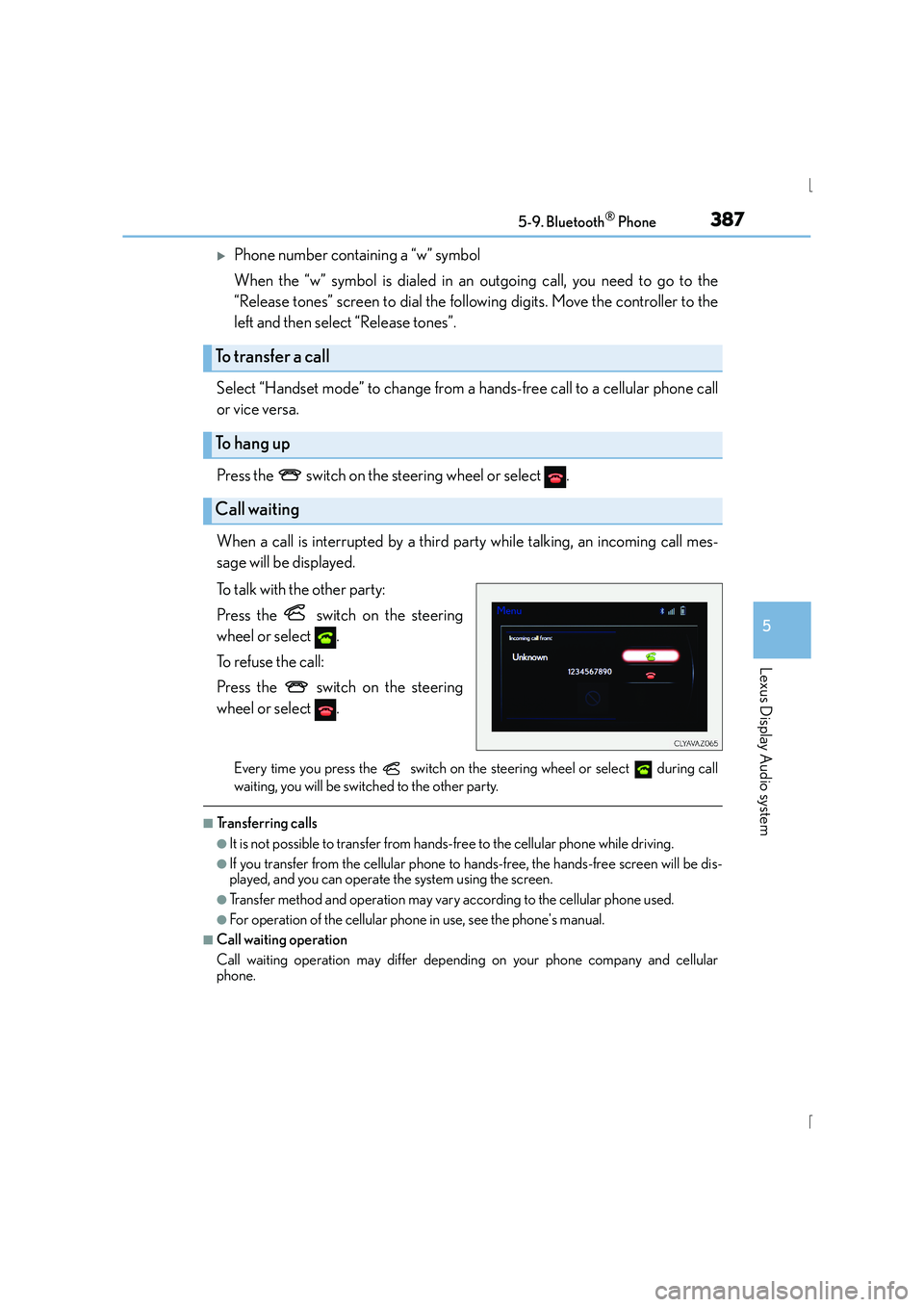
When a call is interrupted by a third party while talking, an incoming call mes-
sage will be displayed.
To talk with the other party:
Press the switch on the steering
wheel or select .
To refuse the call:
Press the switch on the steering
wheel or select .
Every time you press the switch on the steering wheel or select during call
waiting, you will be switched to the other party.
■Tr a n s f e r r i n g c a l l s
●It is not possible to transfer from hand s-free to the cellular phone while driving.
●If you transfer from the cellular phone to ha nds-free, the hands-free screen will be dis-
played, and you can operate the system using the screen.
●Transfer method and operation may vary according to the cellular phone used.
●For operation of the cellular phone in use, see the phone's manual.
■Call waiting operation
Call waiting operation may differ depending on your phone company and cellular
phone.
To transfer a call
To h a n g u p
Call waiting
Page 400 of 628
4005-11. Bluetooth®
IS300h_EE(OM53D56E)
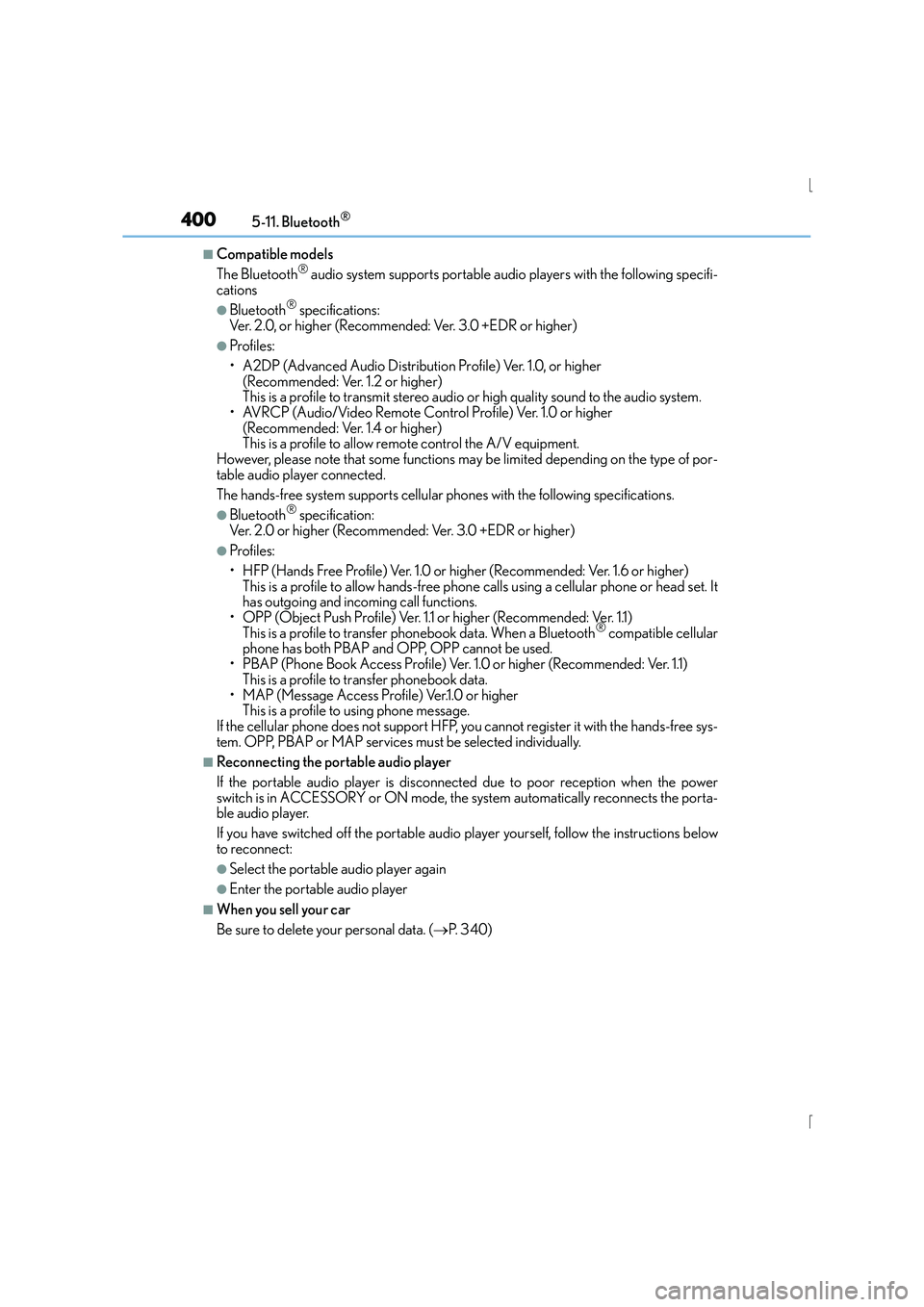
■Compatible models
The Bluetooth® audio system supports portable audio players with the following specifi-
cations
●Bluetooth® specifications:
Ver. 2.0, or higher (Recommended: Ver. 3.0 +EDR or higher)
●Profiles:
• A2DP (Advanced Audio Distribution Profile) Ver. 1.0, or higher (Recommended: Ver. 1.2 or higher)
This is a profile to transmit stereo audio or high quality sound to the audio system.
• AVRCP (Audio/Video Remote Control Profile) Ver. 1.0 or higher (Recommended: Ver. 1.4 or higher)
This is a profile to allow remote control the A/V equipment.
However, please note that some functions may be limited depending on the type of por-
table audio player connected.
The hands-free system supports cellular phones with the following specifications.
●Bluetooth® specification:
Ver. 2.0 or higher (Recommended: Ver. 3.0 +EDR or higher)
●Profiles:
• HFP (Hands Free Profile) Ver. 1.0 or higher (Recommended: Ver. 1.6 or higher) This is a profile to allow hands-free phone calls using a cellular phone or head set. It
has outgoing and incoming call functions.
• OPP (Object Push Profile) Ver. 1.1 or higher (Recommended: Ver. 1.1) This is a profile to transfer phonebook data. When a Bluetooth
® compatible cellular
phone has both PBAP and OPP, OPP cannot be used.
• PBAP (Phone Book Access Profile) Ver. 1.0 or higher (Recommended: Ver. 1.1) This is a profile to tr ansfer phonebook data.
• MAP (Message Access Profile) Ver.1.0 or higher This is a profile to using phone message.
If the cellular phone does not support HFP, you cannot register it with the hands-free sys-
tem. OPP, PBAP or MAP services must be selected individually.
■Reconnecting the portable audio player
If the portable audio player is disconnected due to poor reception when the power
switch is in ACCESSORY or ON mode, the system automatically reconnects the porta-
ble audio player.
If you have switched off the portable audio player yourself, follow the instructions below
to reconnect:
●Select the portable audio player again
●Enter the portable audio player
■When you sell your car
Be sure to delete your personal data. ( →P. 3 4 0 )
Page 417 of 628
4176-1. Using the air conditioning system
6
Interior features
IS300h_EE(OM53D56E)
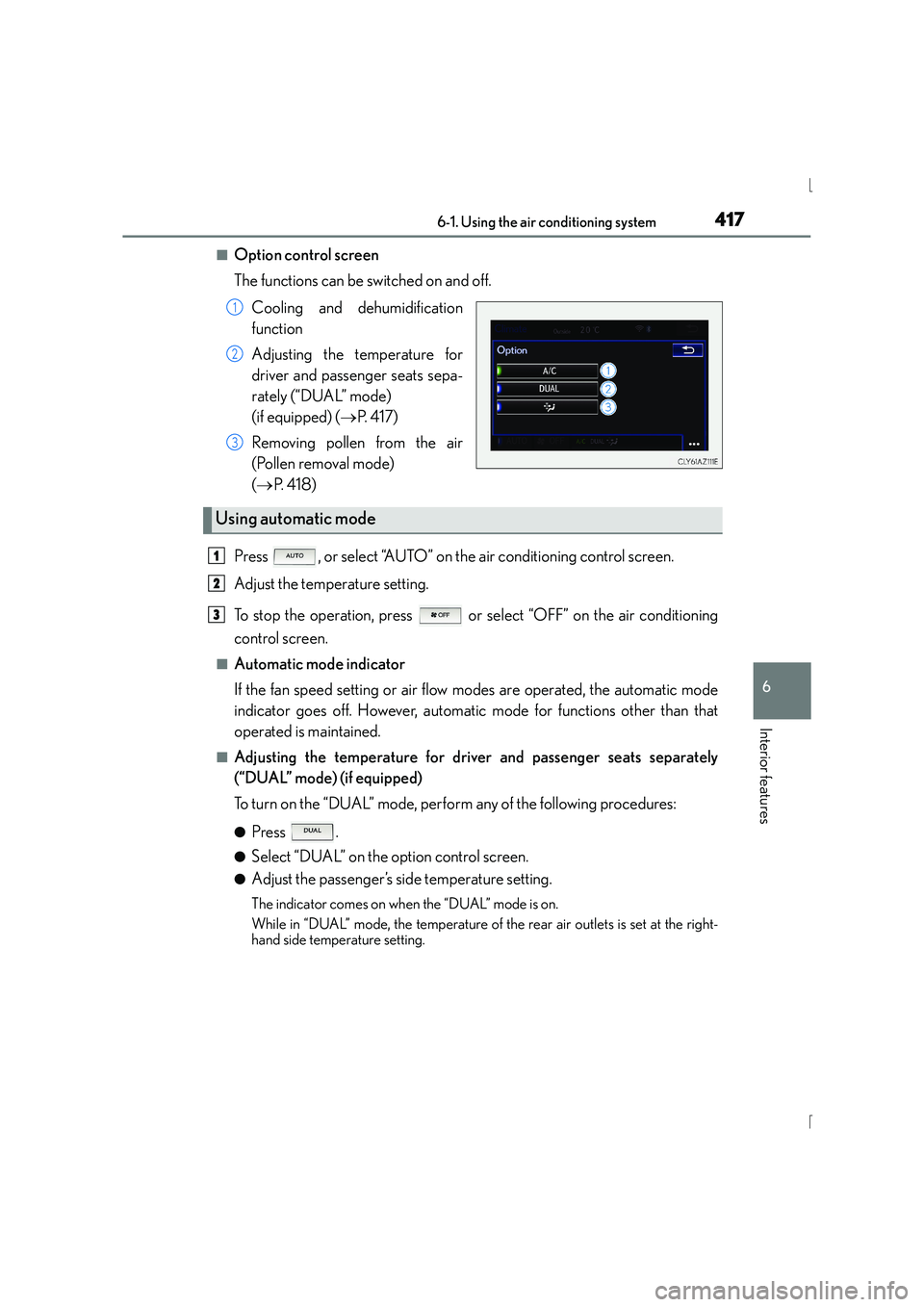
■Option control screen
The functions can be switched on and off.Cooling and dehumidification
function
Adjusting the temperature for
driver and passenger seats sepa-
rately (“DUAL” mode)
(if equipped) ( →P. 4 1 7 )
Removing pollen from the air
(Pollen removal mode)
( → P. 4 1 8 )
Press , or select “AUTO” on the air conditioning control screen.
Adjust the temperature setting.
To stop the operation, press or select “OFF” on the air conditioning
control screen.
■Automatic mode indicator
If the fan speed setting or air flow modes are operated, the automatic mode
indicator goes off. However, automatic mode for functions other than that
operated is maintained.
■Adjusting the temperature for driv er and passenger seats separately
(“DUAL” mode) (if equipped)
To turn on the “DUAL” mode, perform any of the following procedures:
●Press .
●Select “DUAL” on the option control screen.
●Adjust the passenger’s side temperature setting.
The indicator comes on when the “DUAL” mode is on.
While in “DUAL” mode, the temperature of the rear air outlets is set at the right-
hand side temperature setting.
1
2
3
Using automatic mode
1
2
3
Page 418 of 628
4186-1. Using the air conditioning system
IS300h_EE(OM53D56E)
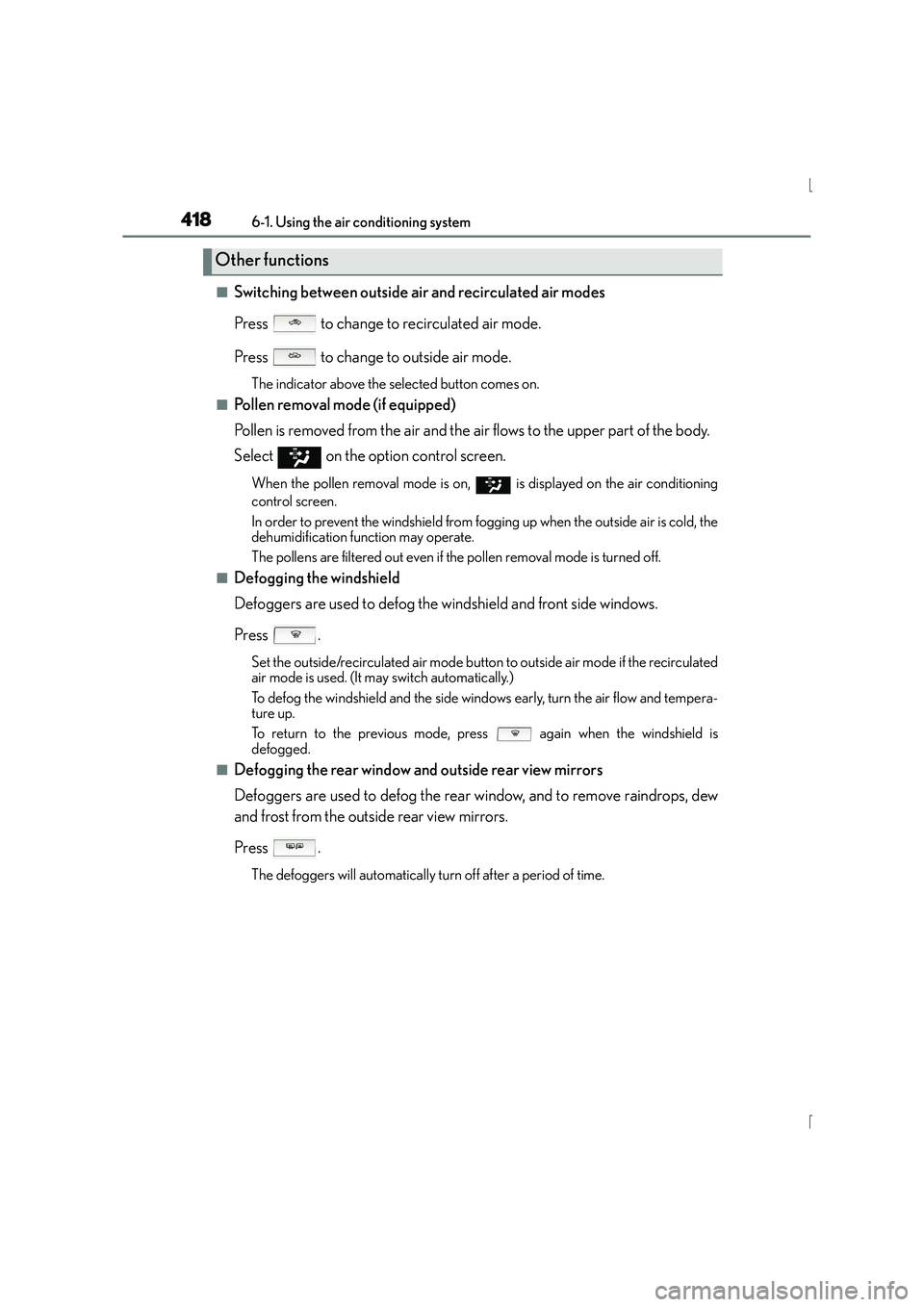
■Switching between outside air and recirculated air modes
Press to change to recirculated air mode.
Press to change to outside air mode.
The indicator above the selected button comes on.
■Pollen removal mode (if equipped)
Pollen is removed from the air and the air flows to the upper part of the body.
Select
on the option control screen.
When the pollen removal mode is on, is displayed on the air conditioning
control screen.
In order to prevent the windshield from fogging up when the outside air is cold, the
dehumidification function may operate.
The pollens are filtered out even if the pollen removal mode is turned off.
■Defogging the windshield
Defoggers are used to defog the windshield and front side windows.
Press .
Set the outside/recirculated air mode button to outside air mode if the recirculated
air mode is used. (It may switch automatically.)
To defog the windshield and the side windows early, turn the air flow and tempera-
ture up.
To return to the previous mode, press again when the windshield is
defogged.
■Defogging the rear window and outside rear view mirrors
Defoggers are used to defog the rear window, and to remove raindrops, dew
and frost from the outside rear view mirrors.
Press .
The defoggers will automatically turn off after a period of time.
Other functions
Page 421 of 628

4216-1. Using the air conditioning system
6
Interior features
IS300h_EE(OM53D56E)
■Registering air conditioning settings to electronic keys (vehicles with driving position
memory)
●Unlocking the vehicle using an electronic key and turning the power switch to ON
mode will recall that key’s regist ered air conditioning settings.
●When the power switch is turned off, the cu rrent air conditioning settings will automati-
cally be registered to the electronic key that was used to unlock the vehicle.
●The system may not operate correctly if more than one electronic key is in the vicinity or
if the smart entry & start system is used to unlock a passenger door.
●The doors that can recall the air conditioni ng setting when unlocked using the smart
entry & start system can be changed.* For details, contact any authorized Lexus dealer
or repairer, or another duly qualified and equipped professional.
*: The doors that can recall the driving position memory are changed at the same time.
■Using automatic mode
Fan speed is adjusted automatically according to the temperature setting and the ambi-
ent conditions.
Therefore, the fan may stop for a while until wa rm or cool air is ready to flow immediately
after is pressed or “AUTO” is selected.
■Fogging up of the windows
The windows will easily fog up when the humidity in the vehicle is high. Turning
(“A/C”) on will dehumidify the air from the outlets and defog the windshield effectively.
●If you turn (“A/C”) off, the windows may fog up more easily.
●The windows may fog up if the recirculated air mode is used.
■Outside/recirculated air mode
●When driving on dusty roads such as tunnels or in heavy traffic, set the outside/recircu-
lated air mode button to the recirculated air mode. This is effective in preventing out-
side air from entering the vehicle interior. During cooling operation, setting the
recirculated air mode will also cool the vehicle interior effectively.
●Outside/recirculated air mode may automatically switch depending on the tempera-
ture setting or the inside temperature.
■Operation of the air conditioning system in Eco drive mode
In Eco drive mode, the air conditioning system is controlled as follows to prioritize fuel
efficiency:
●Engine speed and compressor operation controlled to restrict heating/cooling capac-
ity
●Fan speed restricted when automatic mode is selected
To improve air conditioning performance, perform the following operations:
●Adjust the fan speed
●Turn off Eco drive mode
Page 612 of 628
612Alphabetical index
IS300h_EE(OM53D56E)
Doors .......................................................... 136Automatic door locking and
unlocking system............................. 140
Door lock.................................................139
Open door warning buzzer .......... 137
Open door warning
light ........................................................ 523
Outside rear view mirrors................ 181
Rear door child-protector ............ 140
Side windows........................................ 185
Drive information..................................... 116
Drive info 1/Drive info 2........................ 117
Driver’s and front passenger’s seat belt reminder light ...................523
Driver’s seat position memory ......... 169
Driving ........................................................ 194 Break-in tips .......................................... 195
Correct driving posture .................... 36
Driving mode select switch .......... 293
Hybrid vehicle driving tips ............320
Procedures .............................................194
Winter drive tips................................. 322
Dynamic radar cruise control.......... 254 E-mail ........................................................388
Eco drive mode ..................................... 293
Elapsed time .............................................. 116
Electric motor (traction motor) ..........79
Electric Power Steering (EPS) ....... 296
Function.................................................. 296
Warning light........................................522
Electronic key ......................................... 130 Battery-saving function ....................150
If the electronic key does not operate properly ............................ 563
Replacing the battery ......................488
Emergency, in case of
If a warning message is displayed .............................................527
If the 12-volt battery is discharged ........................................ 566
If the electronic key does not operate properly ............................ 563
If the hybrid system will not start .......................................................560
If the shift lever cannot be shifted from P................................... 562
If the warning buzzer sounds........ 521
If the warning light turns on ............ 521E
Page 623 of 628
623Alphabetical index
IS300h_EE(OM53D56E)
Snow mode ............................................. 220
Snow tires................................................. 324
Spark plug............................................... 583
Specifications .........................................578
Speech command system ............... 408
Speedometer .......................................... 109
Speed indicator ........................................ 117
Sport mode.............................................. 293
Steering lock ............................................ 215Column lock release..........................215
Steering wheel .........................................177 Adjustment.............................................. 177
Audio switches.................................... 334
Heated steering wheel.................... 423
Power easy access system ............ 169
Steering wheel position
memory................................................ 169
Stop lights
Emergency brake signal ................ 297
Replacing light bulbs........................507
Storage feature......................................428
Stuck If the vehicle becomes stuck ........575
Sun visors ................................................. 435
Sun shade Rear .......................................................... 437
Roof ........................................................... 190 switch settings ................................... 117
Switches
ASC (Active Sound Control)..... 228
Audio remote control switches .............................................. 334
Automatic High Beam switch......232
BSM (Blind Spot Monitor) switch .....................................................310
Cruise control switch ....................................... 250, 254
Door lock switches............................. 139
Driving mode select switch.......... 293
Driving position memory switches ................................................ 169
Emergency flashers switch............. 512
EV drive mode switch ...................... 217
Fog light switch................................... 236
Heated steering wheel switch ....................................................423
Ignition switch ....................................... 212
LDA (Lane Departure Alert) switch ..................................................... 271
Lexus parking assist-sensor switch ....................................................276
Light switch............................................229
Meter control switches.......................116
Moon roof switches ...........................189
Page 625 of 628
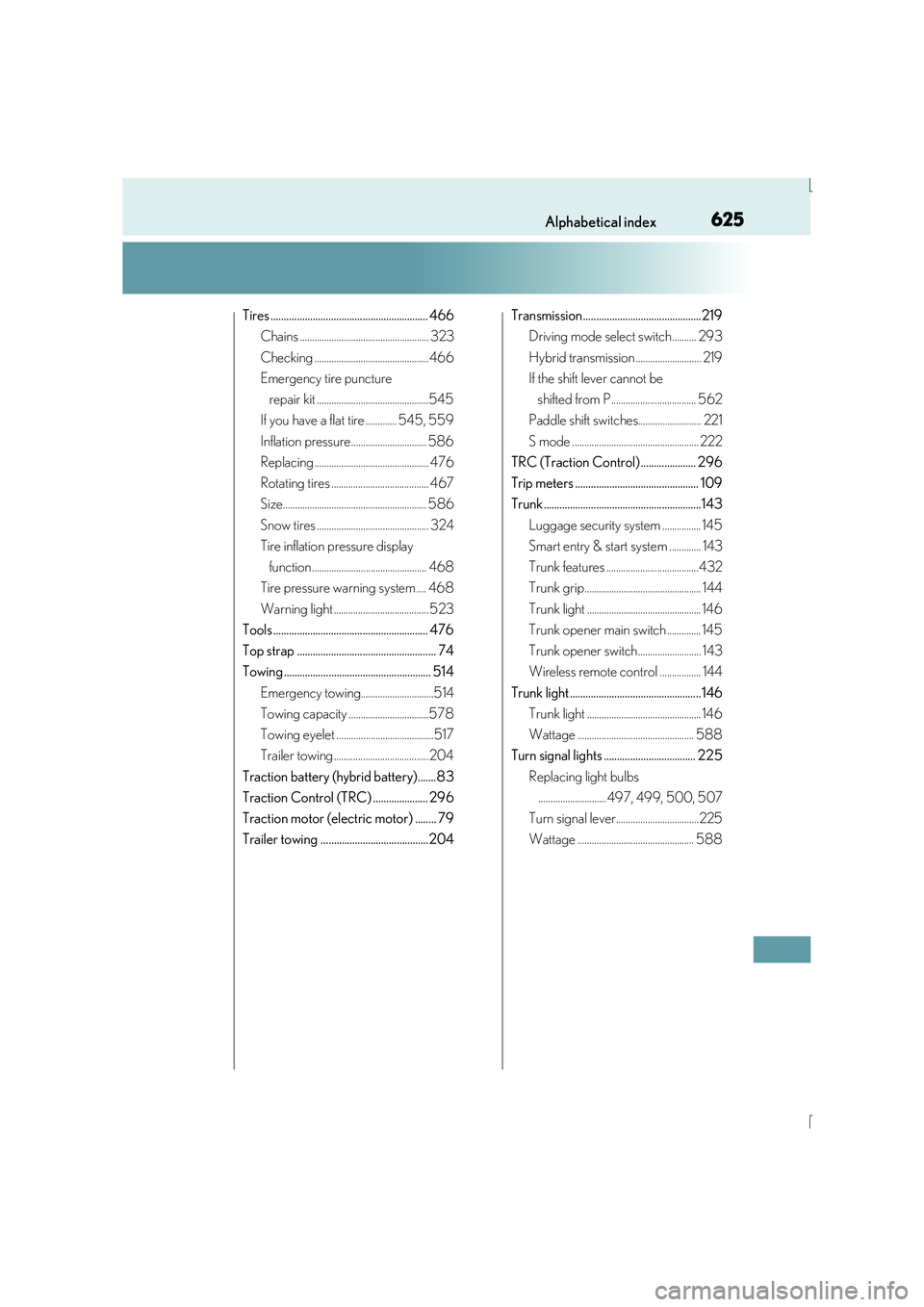
625Alphabetical index
IS300h_EE(OM53D56E)
Tires ............................................................ 466Chains ..................................................... 323
Checking ...............................................466
Emergency tire puncture
repair kit ..............................................545
If you have a flat tire ............. 545, 559
Inflation pressure............................... 586
Replacing ............................................... 476
Rotating tires ........................................ 467
Size........................................................... 586
Snow tires .............................................. 324
Tire inflation pressure display
function ............................................... 468
Tire pressure warning system .... 468
Warning light ....................................... 523
Tools ........................................................... 476
Top strap ..................................................... 74
Towing ........................................................ 514
Emergency towing..............................514
Towing capacity .................................578
Towing eyelet ........................................517
Trailer towing ....................................... 204
Traction battery (hybrid battery).......83
Traction Control (TRC) ..................... 296
Traction motor (electric motor) ........ 79
Trailer towing .........................................204 Transmission.............................................219
Driving mode select switch.......... 293
Hybrid transmission ........................... 219
If the shift lever cannot be
shifted from P................................... 562
Paddle shift switches.......................... 221
S mode .................................................... 222
TRC (Traction Control) ..................... 296
Trip meters ............................................... 109
Trunk ............................................................143
Luggage security system ................ 145
Smart entry & start system ............. 143
Trunk features ......................................432
Trunk grip................................................ 144
Trunk light ............................................... 146
Trunk opener main switch .............. 145
Trunk opener switch.......................... 143
Wireless remote control ................. 144
Trunk light .................................................. 146 Trunk light ............................................... 146
Wattage ................................................ 588
Turn signal lights ................................... 225
Replacing light bulbs............................497, 499, 500, 507
Turn signal lever..................................225
Wattage ................................................ 588