warning Lexus IS300h 2017 Owner's Manual
[x] Cancel search | Manufacturer: LEXUS, Model Year: 2017, Model line: IS300h, Model: Lexus IS300h 2017Pages: 692, PDF Size: 163.7 MB
Page 288 of 692
2884-5. Using the driving support systems
IS300h_EE(OM53D89E)
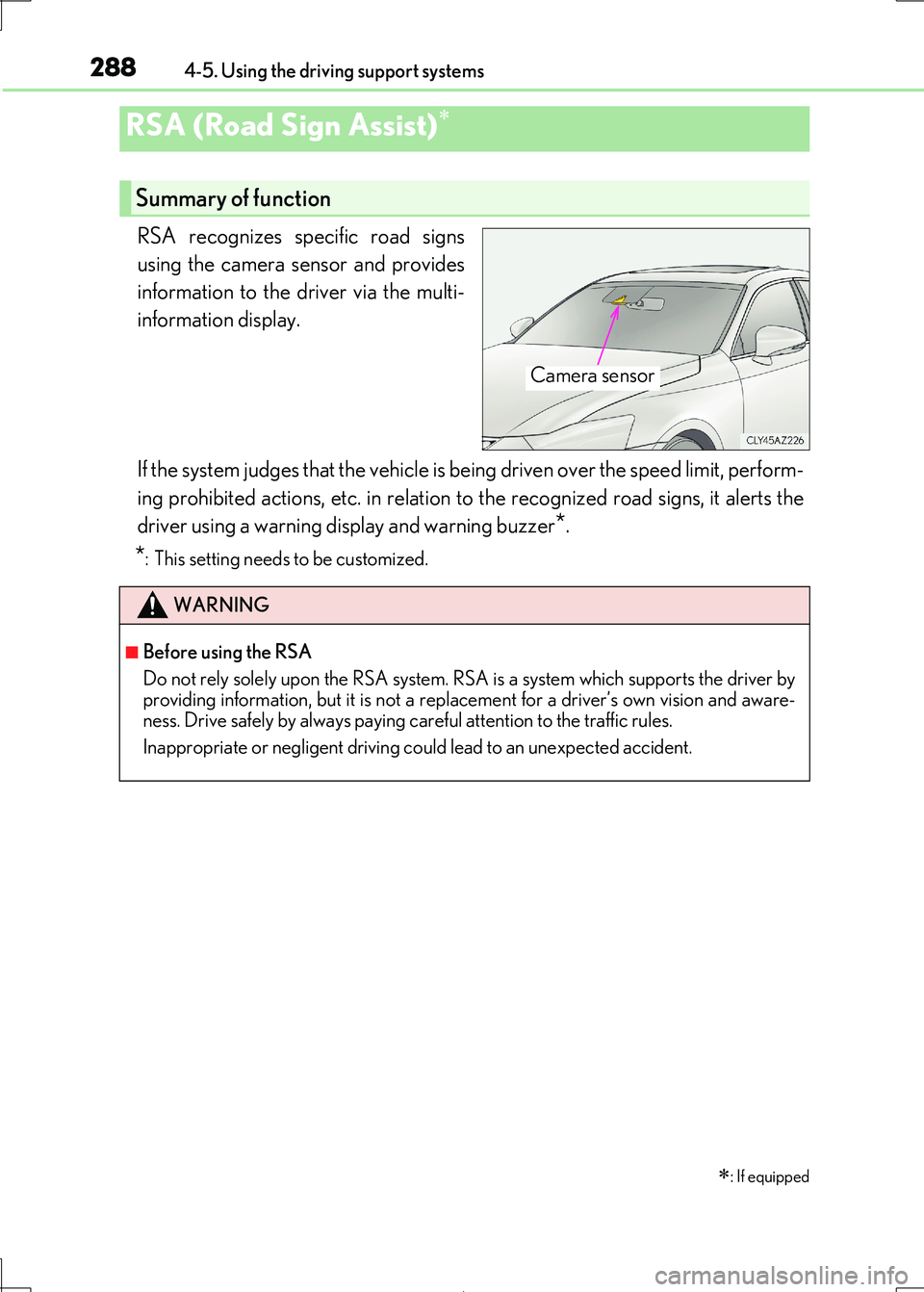
RSA recognizes specific road signs
using the camera sensor and provides
information to the driver via the multi-
information display.
If the system judges that the vehicle is being driven over the speed limit, perform-
ing prohibited actions, etc. in relation to the recognized road signs, it alerts the
driver using a warning di splay and warning buzzer*.
*: This setting needs to be customized.
RSA (Road Sign Assist)
: If equipped
Summary of function
Camera sensor
WARNING
■Before using the RSA
Do not rely solely upon the RSA system. RS A is a system which supports the driver by
providing information, but it is not a repl acement for a driver’s own vision and aware- ness. Drive safely by always paying careful attention to the traffic rules.
Inappropriate or negligent driving co uld lead to an unexpected accident.
Page 291 of 692
2914-5. Using the driving support systems
4
Driving
IS300h_EE(OM53D89E)
*1: If the turn signal indicator is not operated when changing lanes, the mark does not dis-
play.
*2: Vehicles with a navigation system
In the following situations, the RSA system alerts the driver using a warning dis-
play.
●When the vehicle speed exceeds the sp eed warning threshold applied to the
speed limit of the sign displayed on the multi-information display, the sign
color becomes inverted.
●If it is detected that your vehicle is overtaking when a no overtaking sign is dis-
played on the multi-information display, the sign flashes.
●Vehicles with a navigation system: When the RSA system recognizes a no-
entry sign and detects that the vehicl e has entered a no-entry area based on
the map information of the navigation system, the no-entry sign flashes.
Depending on the situation, traffic envi ronment (traffic direction, speed, unit)
may be detected incorrectly and a warn ing display may not operate properly.
■Automatic turn-off of RSA sign display
One or more signs automatically turn off in the following situations.
●A new sign is not recognized for a certain distance.
●The road changes due to a left or right turn, etc.
■Conditions in which the function may not operate or detect correctly
In the following situations, RSA does not op erate normally and may not recognize signs,
display the incorrect sign, etc. However, this does not indicate a malfunction.
●The camera sensor is misaligned due to a strong impact being applied to the sensor, etc.
●Dirt, snow, stickers, etc. are on th e windshield near the camera sensor.
●In inclement weather such as heavy rain, fog, snow or sand storms
●Light from an oncoming vehicle, the sun, etc. enters the camera sensor.
●The sign is dirty, faded, tilted or bent, and if an electronic sign, the contrast is poor.
●All or part of the sign is hidden by the leaves of a tree, a pole, etc.
●The sign is only visible to the camera sensor for a short amount of time.
●The driving scene (turning, lane change, etc.) is judged incorrectly.
●Even if it is a sign not appropriate for the currently traveled lane, such a sign exists
directly after a freeway branches, or in an adjacent lane just before merging.
●Stickers are attached to the rear of the preceding vehicle.
●A sign resembling a system compatible sign is recognized.
●The vehicle is driven in a country with a different direction of traffic.
Warning display
Page 292 of 692
2924-5. Using the driving support systems
IS300h_EE(OM53D89E)
●Side road speed signs may be detected and displayed (if positioned in sight of the cam-
era sensor) while the vehicle is traveling on the main road.
●Roundabout exit road speed signs may be detected and displayed (if positioned in sight
of the camera sensor) while traveling on a roundabout.
■When driving vehicle in country with different speed unit
Since RSA recognizes signs based on the set un it of the meter, it is necessary to change
the set unit of the meter. Adjust the set unit of the meter to the speed unit of signs in the
current location. ( P. 657)
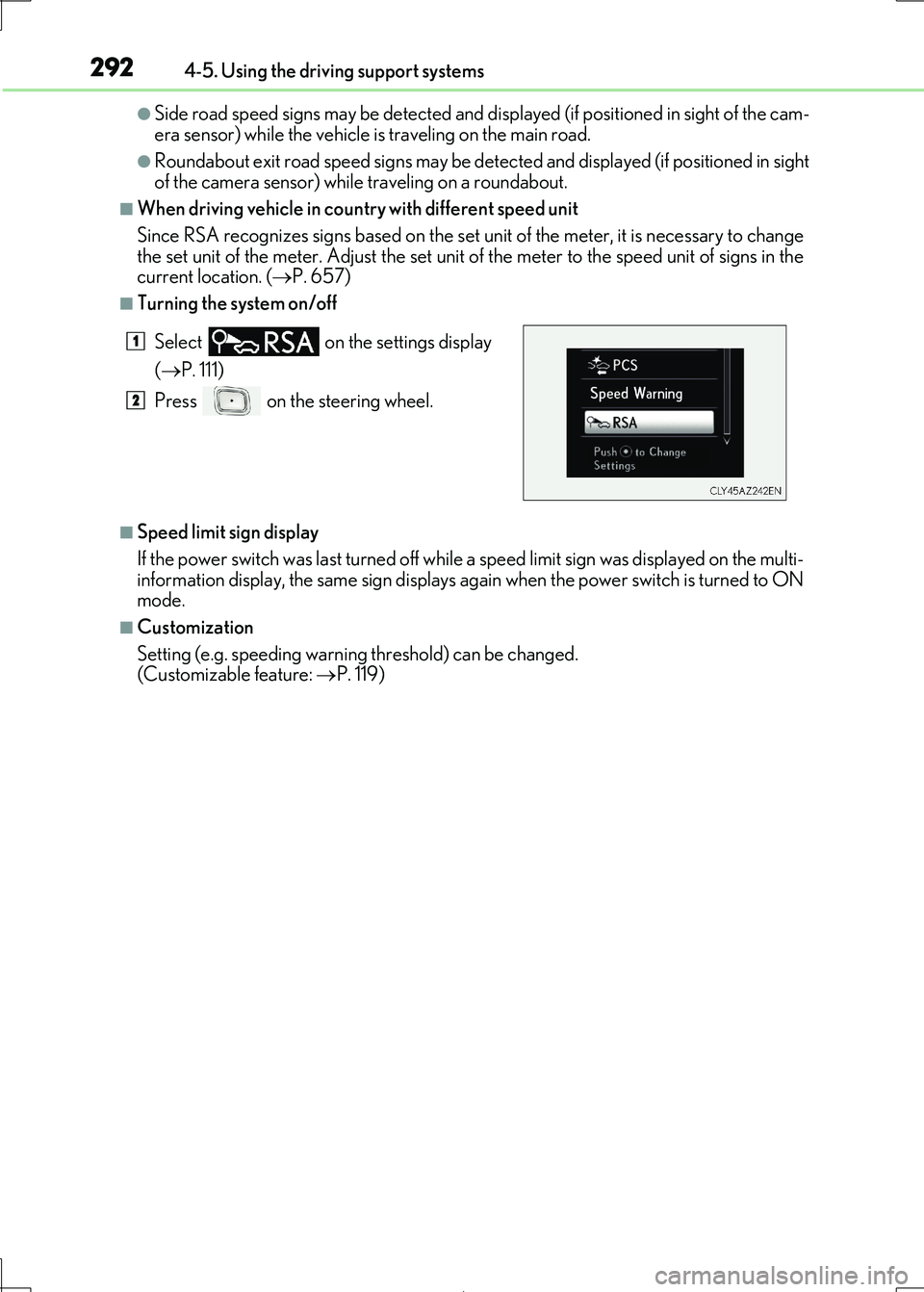
■Turning the system on/off
■Speed limit sign display
If the power switch was last turned off while a speed limit sign was displayed on the multi- information display, the same sign displays again when the power switch is turned to ON
mode.
■Customization
Setting (e.g. speeding warning threshold) can be changed.
(Customizable feature: P. 119)
Select on the settings display
( P. 111)
Press on the steering wheel.
1
2
Page 294 of 692
2944-5. Using the driving support systems
IS300h_EE(OM53D89E)
WARNING
■Before using dynamic radar cruise control
Driving safely is the sole responsibility of th e driver. Do not rely solely on the system,
and drive safely by always paying careful attention to your surroundings.
The dynamic radar cruise control provides driving assistance to reduce the driver’s burden. However, there are limitations to the assistance provided.
Even when the system is functioning norma lly, the condition of the preceding vehicle as
detected by the system may differ from the condition observed by the driver. There- fore, the driver must always remain alert, assess the danger of each situation and drive
safely. Relying on this system or assuming the system ensures safety while driving can
lead to an accident, resultin g in death or serious injury.
■Cautions regarding the driving assist systems
Observe the following precautions, as there are limitations to the assistance provided
by the system. Failure to do so may cause an accident resulting in death or serious injury.
●Assisting the driver to measure following distance
The dynamic radar cruise control is only in tended to help the driver in determining the following distance between the driver’s own vehicle and a designated vehicle
traveling ahead. It is not a mechanism that allows careless or inattentive driving, and it
is not a system that can assist the driver in low-visibility conditions. It is still necessary for driver to pay close attention to the vehicle’s surroundings.
●Assisting the driver to judge proper following distance
The dynamic radar cruise control determines whether the following distance between the driver’s own vehicle and a design ated vehicle traveling ahead is within a
set range. It is not capable of making any other type of judgement. Therefore, it is
absolutely necessary for the driver to remain vigilant and to determine whether or not there is a possibility of danger in any given situation.
●Assisting the driver to operate the vehicle
The dynamic radar cruise cont rol has limited capability to prevent or avoid a collision with a vehicle traveling ahead. Therefore, if there is ever any danger, the driver must
take immediate and direct control of the vehicle and act appropriately in order to
ensure the safety of all involved.
■To avoid inadvertent dynamic radar cruise control activation
Switch the dynamic radar cruise control off using the “ON/OFF” button when not in
use.
Page 295 of 692
2954-5. Using the driving support systems
4
Driving
IS300h_EE(OM53D89E)
WARNING
■Situations unsuitable for dynamic radar cruise control
Do not use dynamic radar cruise contro l in any of the following situations.
Doing so may result in inappropriate speed control and could cause an accident result-
ing in death or serious injury.
●Roads where there are pede strians, cyclists, etc.
●In heavy traffic
●On roads with sharp bends
●On winding roads
●On slippery roads, such as those covered with rain, ice or snow
●On steep downhills, or where there are sudden changes between sharp up and down gradients
Vehicle speed may exceed the set speed when driving down a steep hill.
●At entrances to freeways and highways
●When weather conditions are bad enough that they may prevent the sensors from
detecting correctly (fog, snow, sandstorm, heavy rain, etc.)
●When there is rain, snow, etc. on the front surface of the radar sensor or camera sen- sor
●In traffic conditions that require frequent repeated acceleration and deceleration
●When your vehicle is towing a trailer or during emergency towing
●When an approach warning buzzer is heard often
Page 300 of 692
3004-5. Using the driving support systems
IS300h_EE(OM53D89E)
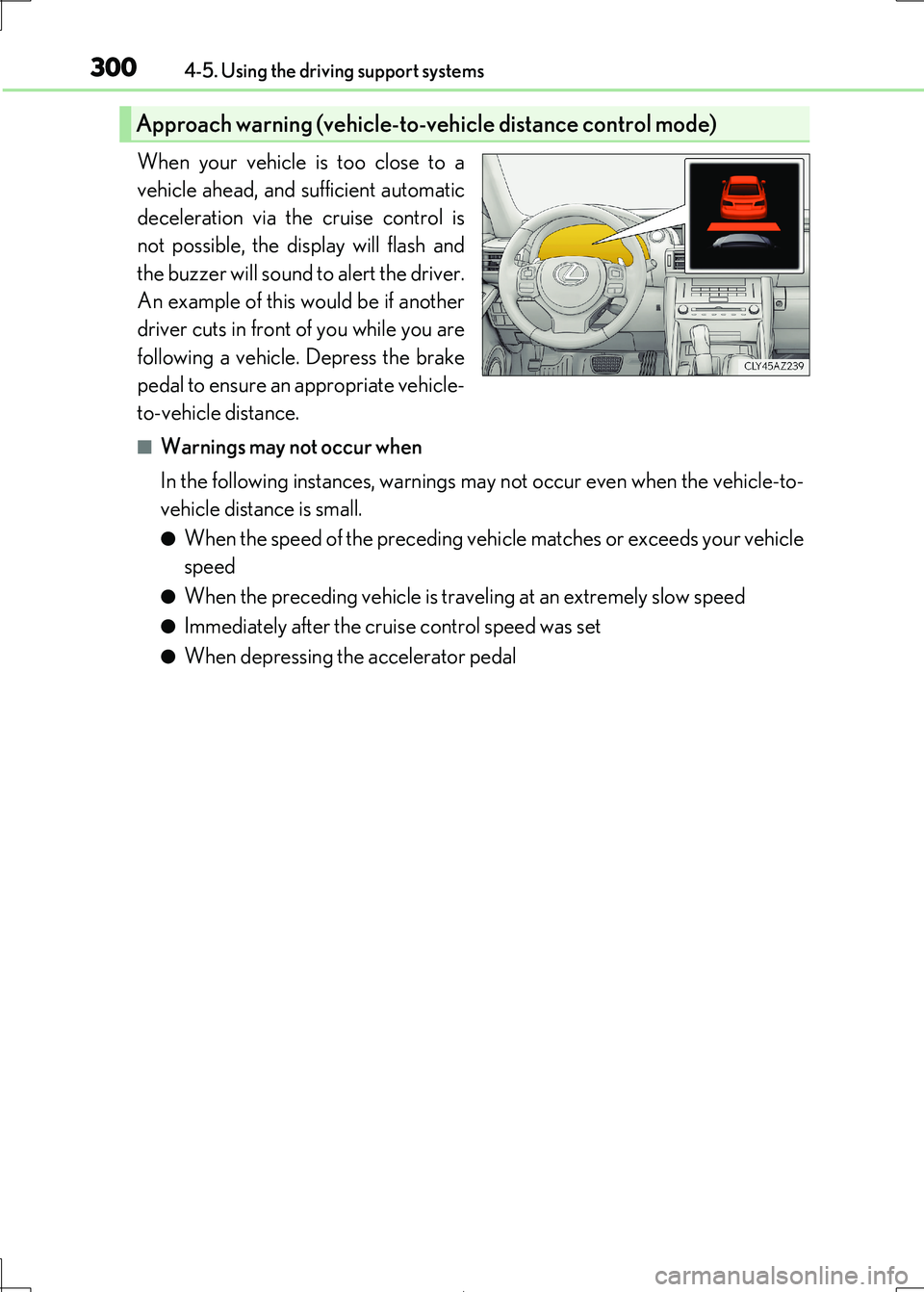
When your vehicle is too close to a
vehicle ahead, and sufficient automatic
deceleration via the cruise control is
not possible, the display will flash and
the buzzer will sound to alert the driver.
An example of this would be if another
driver cuts in front of you while you are
following a vehicle. Depress the brake
pedal to ensure an appropriate vehicle-
to-vehicle distance.
■Warnings may not occur when
In the following instances, warnings ma y not occur even when the vehicle-to-
vehicle distance is small.
●When the speed of the preceding vehi cle matches or exceeds your vehicle
speed
●When the preceding vehicle is traveling at an extremely slow speed
●Immediately after the crui se control speed was set
●When depressing the accelerator pedal
Approach warning (vehicle-to-vehicle distance control mode)
Page 303 of 692
3034-5. Using the driving support systems
4
Driving
IS300h_EE(OM53D89E)
■Automatic cancelation of constant speed control mode
Constant speed control mode is automatica lly canceled in the following situations:
●Actual vehicle speed is more than approximately 16 km/h (10 mph) below the set vehi-
cle speed.
●Actual vehicle speed falls below approximately 40 km/h (25 mph).
●VSC is activated.
●TRC is activated for a period of time.
●When the VSC or TRC system is turned off by pressing the VSC OFF switch.
●Pre-collision braking is activated.
If constant speed control mode is automati cally canceled for any other reason, there may
be a malfunction in the syst em. Contact any authorized Lexus retailer or Lexus autho- rized repairer, or an y reliable repairer.
■Warning messages and buzzers for dynamic radar cruise control
Warning messages and buzzers are used to indicate a system malfunction or to inform the driver of the need for ca ution while driving. If a warning message is shown on the
multi-information display, read the message and follow the instructions.
■When the sensor may not be correctly detecting the vehicle ahead
In the case of the following and depending on the conditions, operate the brake pedal
when deceleration of the system is insuff icient or operate the accelerator pedal when
acceleration is required. As the sensor may not be able to correctly detect these types of vehicles, the approach
warning ( P. 300) may not be activated.
●Vehicles that cut in suddenly
●Vehicles traveling at low speeds
●Vehicles that are not moving in the same lane
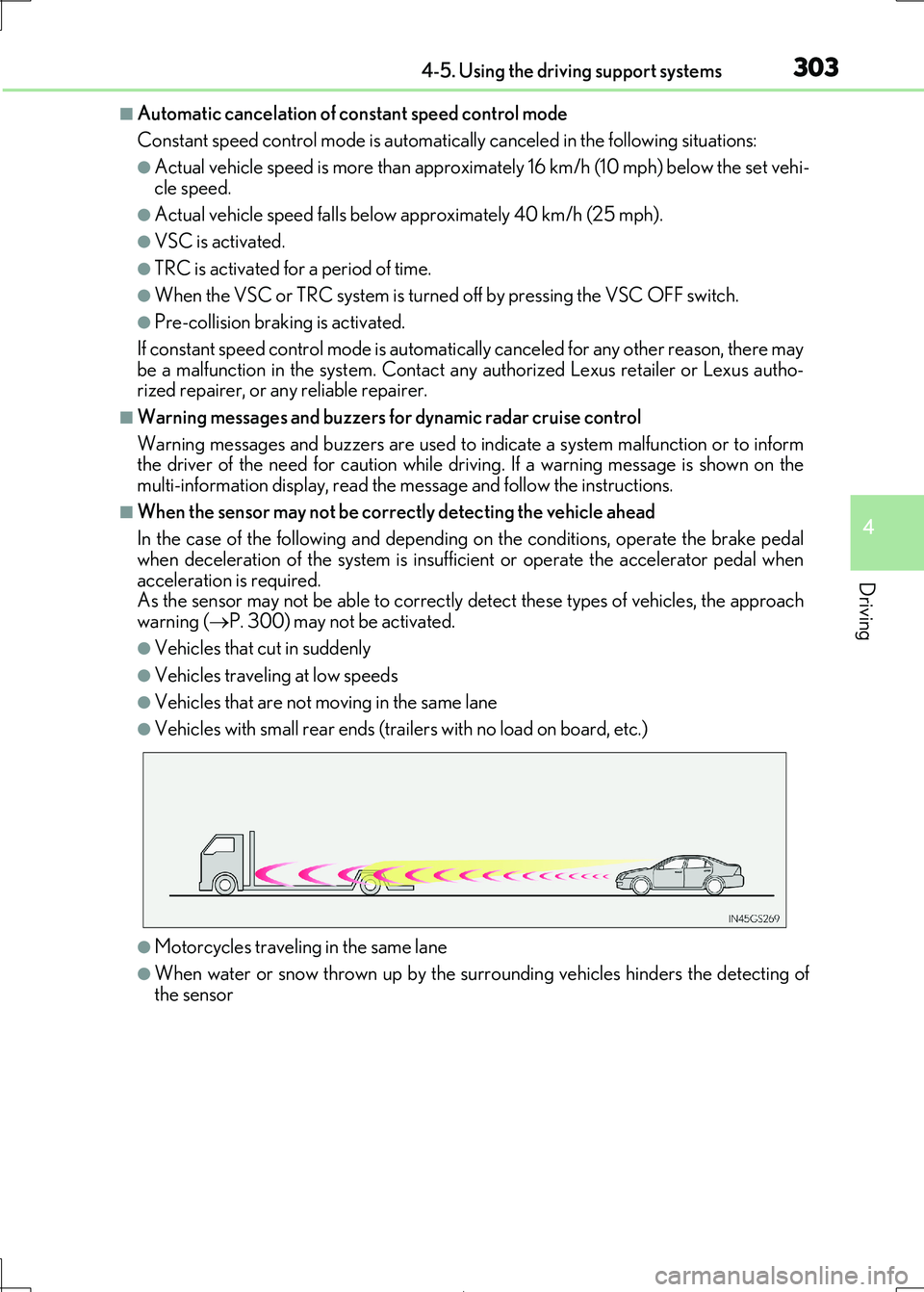
●Vehicles with small rear ends (trailers with no load on board, etc.)
●Motorcycles traveling in the same lane
●When water or snow thrown up by the surrounding vehicles hinders the detecting of
the sensor
Page 307 of 692
3074-5. Using the driving support systems
4
Driving
IS300h_EE(OM53D89E)
■Cruise control can be set when
●The shift lever is in D or range 4 or higher of S has been selected.
●Range 4 or higher of D has been selected by using the paddle shift.
●Vehicle speed is above approximately 40 km/h (25 mph).
■Accelerating after setting the vehicle speed
●The vehicle can be accelerated normally. After acceleration, the set speed resumes.
●Even without canceling the cruise control, the set speed can be increased by first accel-
erating the vehicle to the desired speed and then pushing the lever down to set the new
speed.
■Automatic cruise control cancelation
Cruise control will stop maintaining the vehi cle speed in any of the following situations.
●Actual vehicle speed falls more than approximately 16 km/h (10 mph) below the preset vehicle speed.
At this time, the memorized set speed is not retained.
●Actual vehicle speed is below approximately 40 km/h (25 mph).
●VSC is activated.
●TRC is activated for a period of time.
●When the VSC or TRC system is turned off by pressing the VSC OFF switch.
■If the warning message for the cruise control is shown on the multi-information display
Press the “ON/OFF” button once to deactiv ate the system, and then press the button
again to reactivate the system. If the cruise control speed cannot be set or if the cruise control cancels immediately after
being activated, there may be a malfunction in the cruise control system. Have the vehi-
cle inspected by any authorized Lexus retailer or Lexus authorized repairer, or any reli- able repairer.
Page 308 of 692
3084-5. Using the driving support systems
IS300h_EE(OM53D89E)
WARNING
■To avoid operating the cruise control by mistake
Switch the cruise control off using t he “ON/OFF” button when not in use.
■Situations unsuitable for cruise control
Do not use cruise control in any of the following situations. Doing so may result in loss of control and could cause an accident resulting in death or
serious injury.
●In heavy traffic
●On roads with sharp bends
●On winding roads
●On slippery roads, such as thos e covered with rain, ice or snow
●On steep hills
Vehicle speed may exceed the set speed when driving down a steep hill.
●When your vehicle is towing a trailer or during emergency towing
Page 315 of 692

3154-5. Using the driving support systems
4
Driving
IS300h_EE(OM53D89E)
■The Lexus parking assist-sensor can be operated when
●Front corner sensors:
• The power switch is in ON mode. • The shift lever is in other than P.
• The vehicle speed is less th an about 10 km/h (6 mph).
(At any speed when the shift lever is in R)
●Front center sensors:
• The power switch is in ON mode. • The shift lever is in other than P or R.
• The vehicle speed is less th an about 10 km/h (6 mph).
●Rear corner and rear center sensors:
• The power switch is in ON mode.
• The shift lever is in R.
■Lexus parking assist-sensor display
Vehicles with a Lexus Display Audio system: When an obstacle is detected while the
Lexus parking assist monitor is in use, the warning indicator will appear in the upper part of the screen even if the disp lay setting has been set to off.
■If a message is displayed on the multi-information display
P. 581
■Customization
Some functions can be customized. ( P. 314,657)
WARNING
■When using the Lexus parking assist-sensor
Observe the following precautions.
Failing to do so may result in the vehicle be ing unable to be driven safely and possibly
cause an accident.
●Do not use the sensor at speeds in excess of 10 km/h (6 mph).
●The sensors’ detection areas and reaction times are limited. When moving forward or
reversing, check the areas surrounding the vehicle (especially the sides of the vehi- cle) for safety, and drive slowly, using the brake to control the vehicle’s speed.
●Do not install accessories within the sensors’ detection areas.