audio lexus LC500 2019 Owner's Manual / LEXUS 2019 LC 500,LC 500H OWNER'S MANUAL (OM11471U)
[x] Cancel search | Manufacturer: LEXUS, Model Year: 2019, Model line: LC500, Model: Lexus LC500 2019Pages: 432, PDF Size: 13.82 MB
Page 15 of 432
15Pictorial index
Applying/releasing ........................................................................................................... P.168
Precautions against winter season ............................................................................ P.239
Warning buzzer/message................................................................................ P.338, 345
Turn signal lever ...................................................................................................... P.167
Headlight switch...................................................................................................... P.173
Headlights/parking lights/tail lights/daytime running lights ............................P.173
Windshield wiper and washer switch ................................................................ P.178
Usage.......................................................................................................................... ............ P.178
Adding washer fluid .........................................................................................................P.2 98
Warning messages .......................................................................................................... P.345
Emergency flasher switch ...................................................................................P.326
Hood lock release lever ...................................................................................... P.290
Tilt and telescopic steering contro l switch................................ ...................... P.127
Adjustment ..................................................................................................................... ....... P.127
Driving position memory .................................................................................................P.122
Air conditioning system ...................................................................................... P.248
Usage..................................................................................................................................... P.248
Rear window defogger................................................................................................... P.249
Audio system
*
Trunk opener main switch ..................................................................................... P.113
*: Refer to “NAVIGATION SYSTEM OWNER’S MANUAL”.
F
G
H
I
J
K
L
M
Page 17 of 432
17Pictorial index
Driving position memory switches..................................................................... P.122
Outside rear view mirror switches .................................................................... P.129
Window lock switch ...............................................................................................P.133
Power window switches ........................................................................................P.132
Door lock switches ................................................................................................ P.108
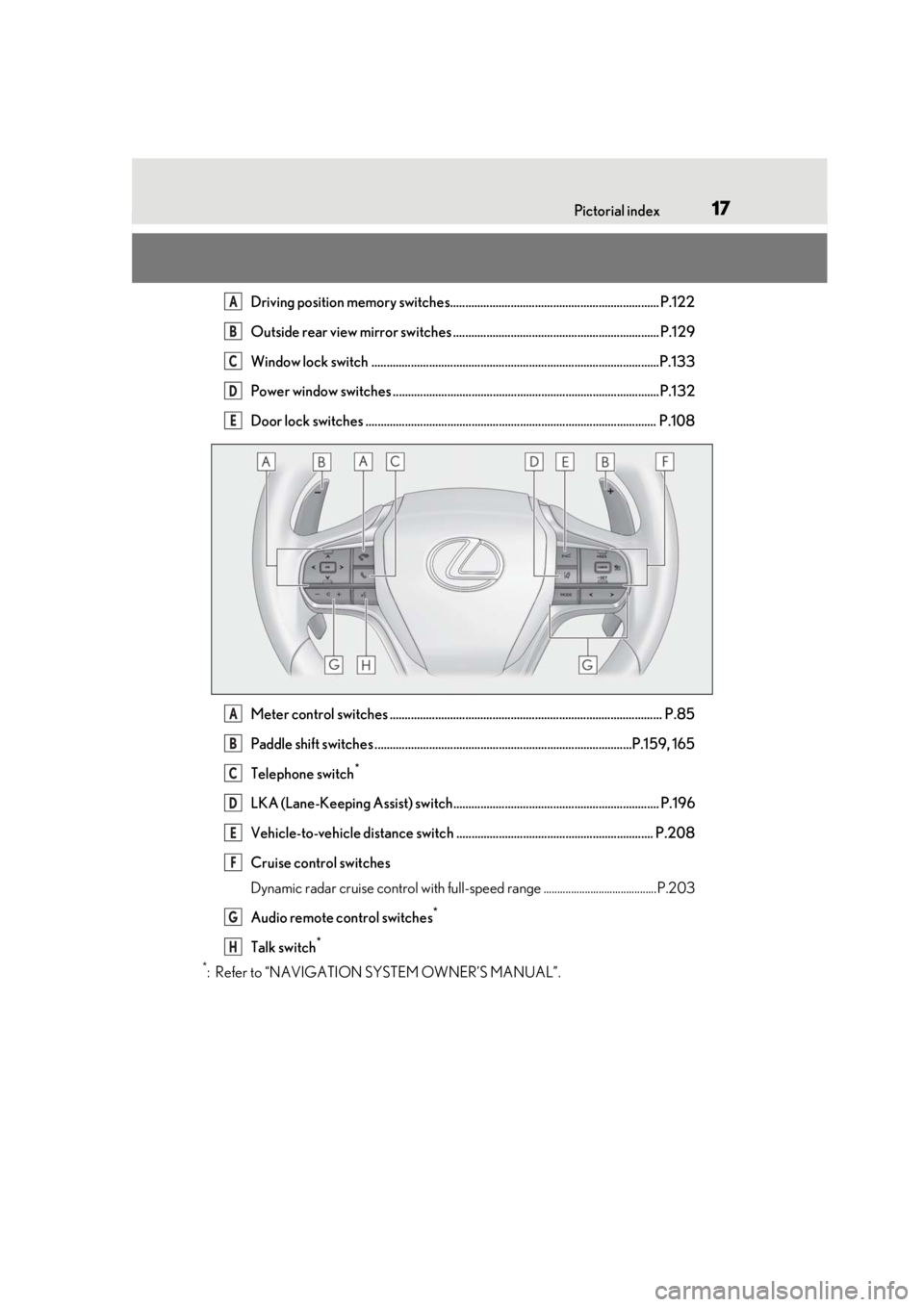
Meter control switches .......................................................................................... P.85
Paddle shift switches .....................................................................................P.159, 165
Telephone switch
*
LKA (Lane-Keeping Assist) switch.................................................................... P.196
Vehicle-to-vehicle distance switch ................................................................. P.208
Cruise control switches
Dynamic radar cruise control with full-speed range .........................................P.203
Audio remote control switches
*
Talk switch*
*
: Refer to “NAVIGATION SYSTEM OWNER’S MANUAL”.
A
B
C
D
E
A
B
C
D
E
F
G
H
Page 18 of 432
18Pictorial index
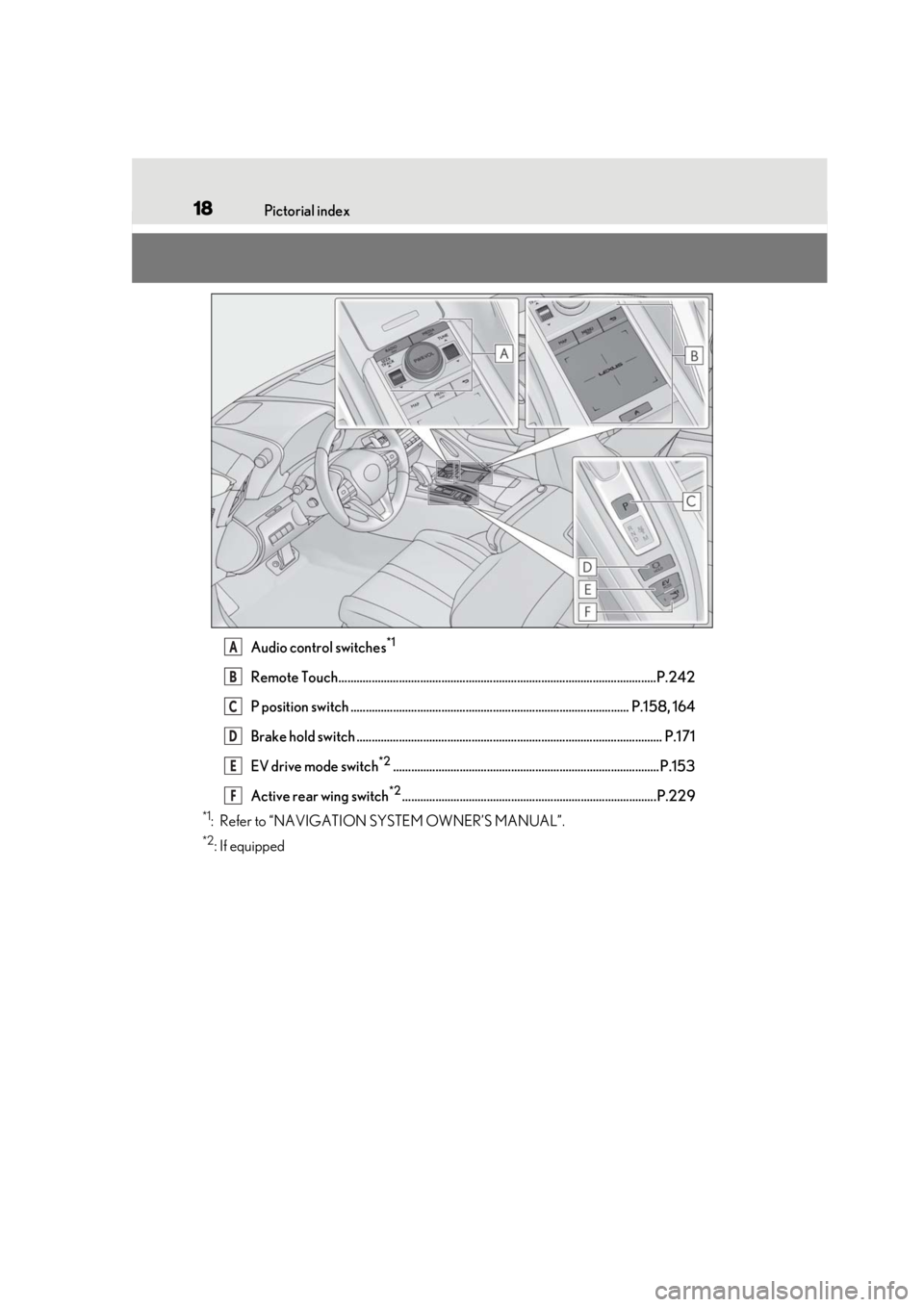
Audio control switches*1
Remote Touch.........................................................................................................P.242
P position switch ............................................................................................ P.158, 164
Brake hold switch ..................................................................................................... P.171
EV drive mode switch
*2........................................................................................P.153
Active rear wing switch
*2....................................................................................P.229
*1: Refer to “NAVIGATION SYSTEM OWNER’S MANUAL”.
*2: If equipped
A
B
C
D
E
F
Page 84 of 432
842-1. Instrument cluster
■Display
When the main meter is in the cen-
ter position
Displays various drive information on
the main meter.
Some of the contents which are dis-
played when the main meter is in the
side position cannot be displayed.
( P.85)
When the main meter is in the side
position
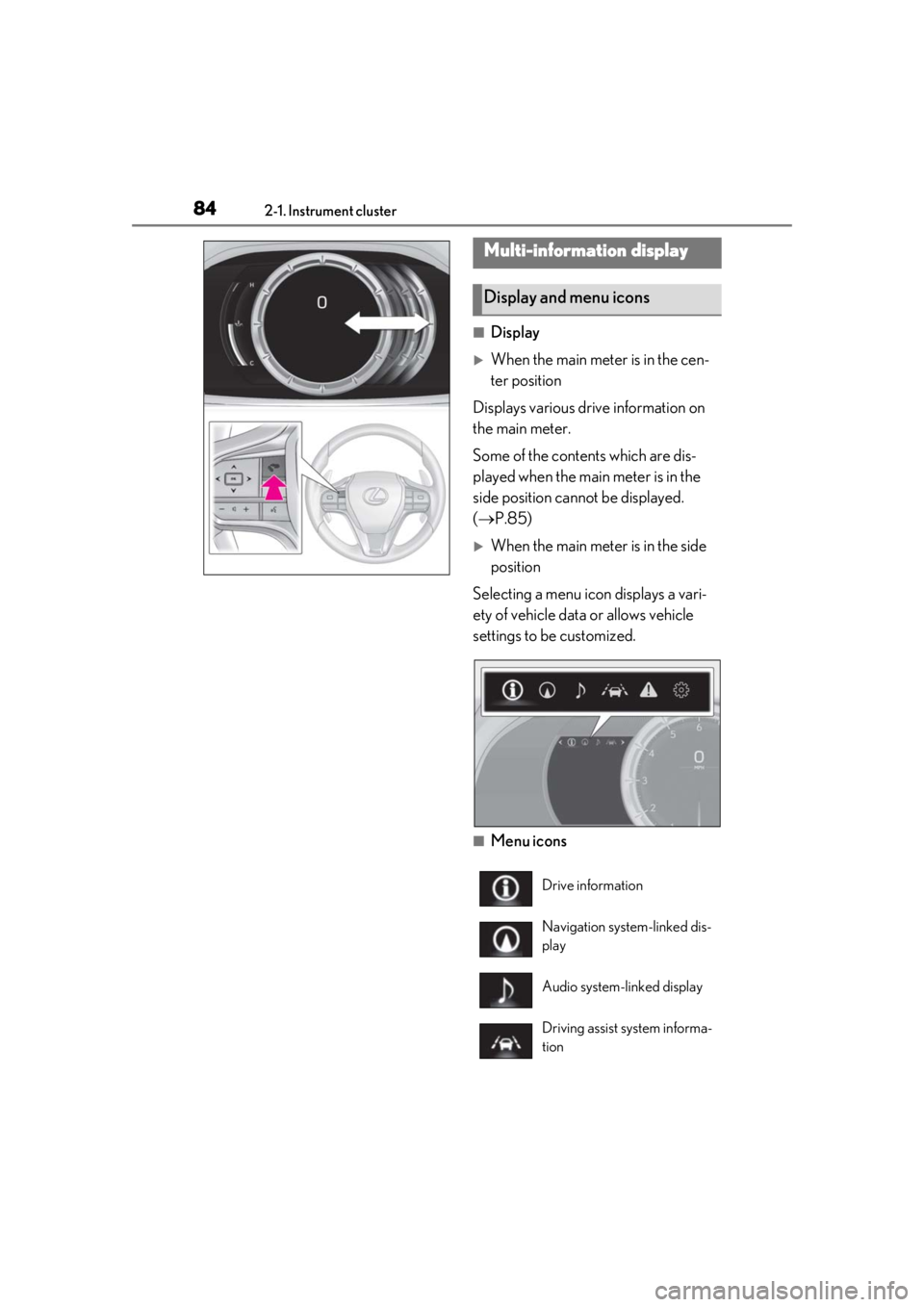
Selecting a menu icon displays a vari-
ety of vehicle data or allows vehicle
settings to be customized.
■Menu icons
Multi-information display
Display and menu icons
Drive information
Navigation system-linked dis-
play
Audio system-linked display
Driving assist system informa-
tion
Page 88 of 432
882-1. Instrument cluster
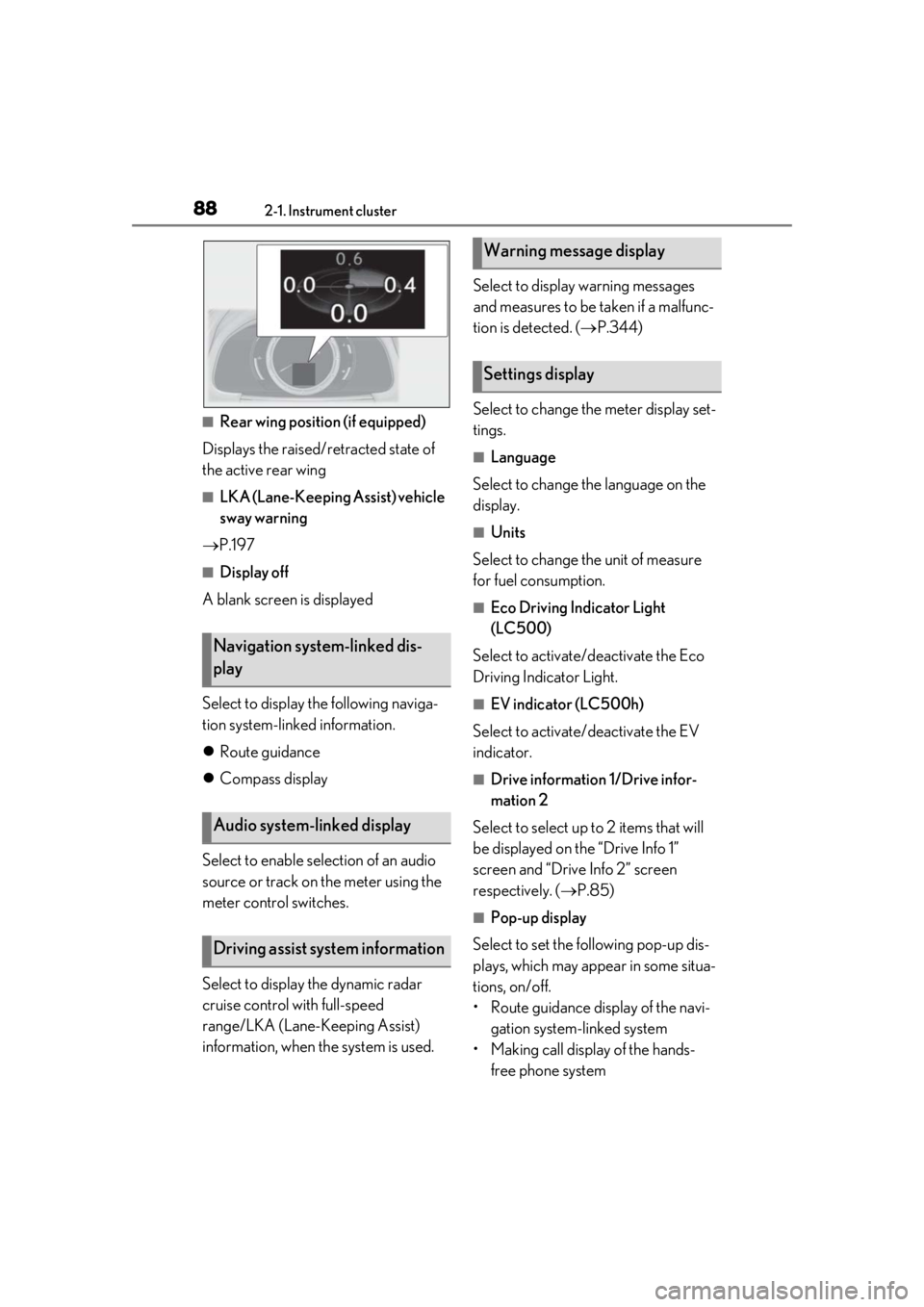
■Rear wing position (if equipped)
Displays the raised/retracted state of
the active rear wing
■LKA (Lane-Keeping Assist) vehicle
sway warning
P.197
■Display off
A blank screen is displayed
Select to display the following naviga-
tion system-linked information.
Route guidance
Compass display
Select to enable selection of an audio
source or track on the meter using the
meter control switches.
Select to display the dynamic radar
cruise control with full-speed
range/LKA (Lane-Keeping Assist)
information, when the system is used. Select to display warning messages
and measures to be taken if a malfunc-
tion is detected. (
P.344)
Select to change the meter display set-
tings.
■Language
Select to change the language on the
display.
■Units
Select to change the unit of measure
for fuel consumption.
■Eco Driving Indicator Light
(LC500)
Select to activate/deactivate the Eco
Driving Indicator Light.
■EV indicator (LC500h)
Select to activate/deactivate the EV
indicator.
■Drive information 1/Drive infor-
mation 2
Select to select up to 2 items that will
be displayed on the “Drive Info 1”
screen and “Drive Info 2” screen
respectively. ( P.85)
■Pop-up display
Select to set the following pop-up dis-
plays, which may appear in some situa-
tions, on/off.
• Route guidance display of the navi- gation system-linked system
• Making call display of the hands- free phone system
Navigation system-linked dis-
play
Audio system-linked display
Driving assist system information
Warning message display
Settings display
Page 89 of 432
892-1. Instrument cluster
2
Vehicle status information and indicators
• Audio system operation display
• Voice recognition display
• Instrument panel brightness adjust-ment display
■Ring position memory
Select to change the meter ring posi-
tion when the engine
started.
The position before the engine
tion can be selected.
■Accent color
Select to change the accent color on
the screen, such as the cursor color.
■Rev indicator
Select to set the rev indicator on/off.
When set to on, proceed to select the
engine speed at which the rev indicator
will be displayed.
■Rev peak
Select to set the rev peak on/off.
■Clock
Select to switch between 12-hour dis-
play and 24-hour display.
■Initialization
Select to reset the meter display set-
tings.
■Suspension of the settings display
In the following situations, operation of the
settings display will be temporarily sus-
pended.
●When a warning message appears on the
multi-information display
●When the vehicle begins to move
■Customization
The settings can be changed on of the
multi-information display.
●Settings of the driving assist systems
( P.391)
●Vehicle settings ( P.91, 283, 306, 308,
391)
Displays suggestions to the driver in
the following situations. For some sug-
gestions, a response to a displayed
suggestion can be selected. To select a
response, use the meter control
switches.
■Suggestion to turn on the head-
lights
If the headlight switch is in other than
or position, and the vehicle
speed is 3 mph (5 km/h) or higher for
a certain amount of time when the sur-
WARNING
■Cautions during setting up the dis-
play
As the engine
be running
the display, ensure that the vehicle is
parked in a place with adequate ventila-
tion. In a closed area such as a garage,
exhaust gases including harmful carbon
monoxide (CO) may collect and enter
the vehicle. This may lead to death or a
serious health hazard.
NOTICE
■While setting up the display
To prevent 12-volt battery discharge,
ensure that the engine is running
display features.
Suggestion function
Page 91 of 432
912-1. Instrument cluster
2
Vehicle status information and indicators
range/gear position, or the operational sta-
tus of the following systems:
• Pre-collision warning (Pre-Collision Sys-tem) ( P.189)
• Dynamic radar cruise control with full- speed range ( P.203)
• LKA (Lane-Keeping Assist) ( P.196)
• Intuitive parking assist ( P.214)
Displayed content is the same as that dis-
played on the multi-information display. For
details, refer to the ex planations of each
system.
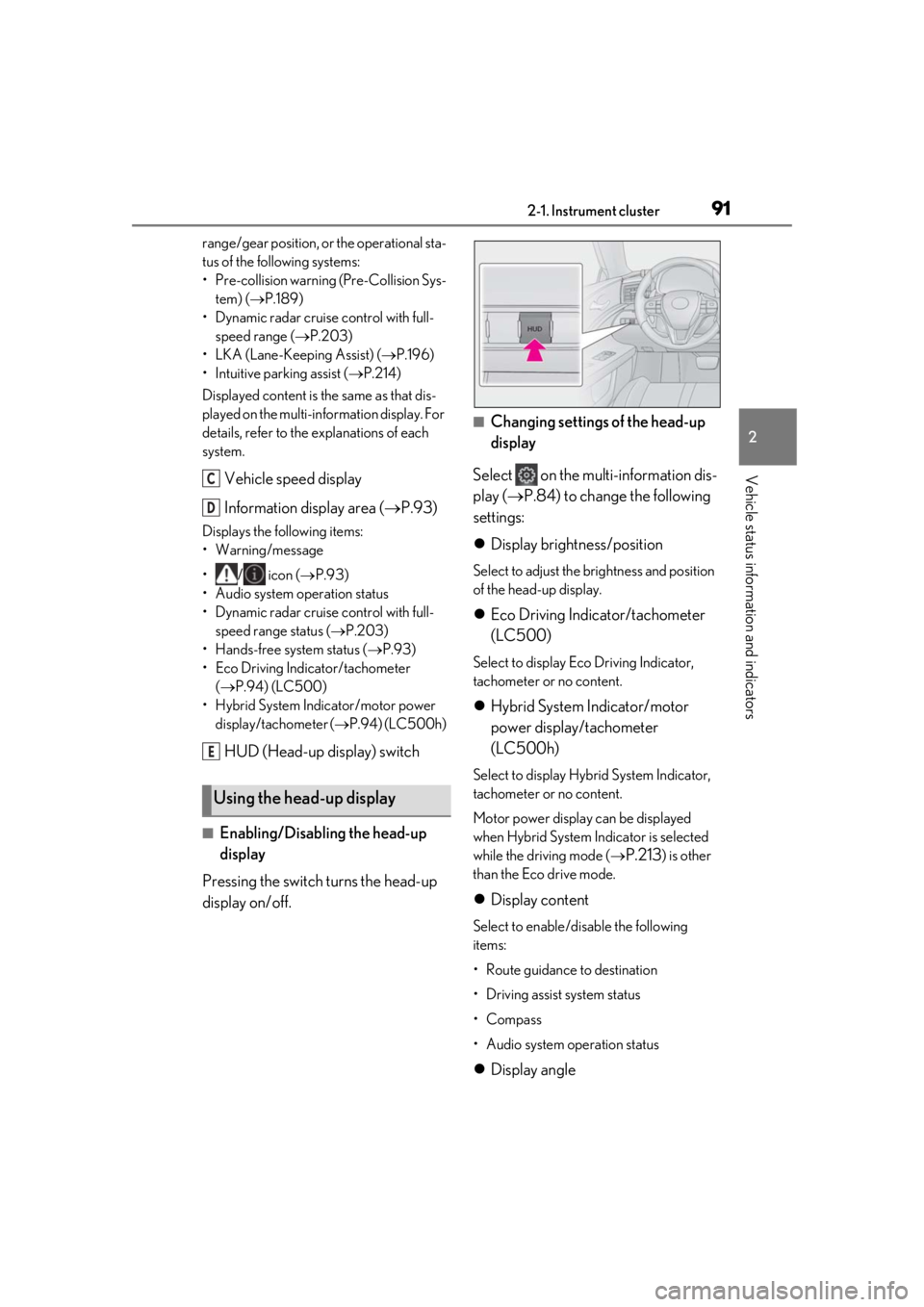
Vehicle speed display
Information display area ( P.93)
Displays the following items:
• Warning/message
•/ icon ( P.93)
• Audio system operation status
• Dynamic radar cruise control with full- speed range status ( P.203)
• Hands-free system status ( P.93)
• Eco Driving Indicator/tachometer ( P.94) (LC500)
• Hybrid System Indicator/motor power display/tachometer ( P.94) (LC500h)
HUD (Head-up display) switch
■Enabling/Disabling the head-up
display
Pressing the switch turns the head-up
display on/off.
■Changing settings of the head-up
display
Select on the multi-information dis-
play ( P.84) to change the following
settings:
Display brightness/position
Select to adjust the brightness and position
of the head-up display.
Eco Driving Indicator/tachometer
(LC500)
Select to display Eco Driving Indicator,
tachometer or no content.
Hybrid System Indicator/motor
power display/tachometer
(LC500h)
Select to display Hybrid System Indicator,
tachometer or no content.
Motor power display can be displayed
when Hybrid System Indicator is selected
while the driving mode (
P.213) is other
than the Eco drive mode.
Display content
Select to enable/disable the following
items:
• Route guidance to destination
• Driving assist system status
•Compass
• Audio system operation status
Display angle
Using the head-up display
C
D
E
Page 93 of 432
932-1. Instrument cluster
2
Vehicle status information and indicators
Displays the following items in the
appropriate situation:
■Warning/message
Displays the following warning/mes-
sages:
• Master warning message
• Notification message (Dynamic radar cruise control with full-speed
range)
• Other messages
■/ icons
Displays the following multi-informa-
tion display linked icons:
: Master warning icon
Displayed when a warning message is dis-
played on the multi-information display.
( P.344)
: Information icon
Displayed when a suggestion/advice pop-
up display is displayed on the multi-infor-
mation display. ( P.89)
■Hands-free system status
Displayed when the hands-free system
is operated.
■Audio system operation status
Displayed when the audio system is
operated.
■Eco Driving Indicator/tachometer
(LC500)
Displays either of Eco Driving Indica-
tor or the tachometer.
■Hybrid System Indicator/motor
power display/tachometer
(LC500h)
Displays either of Hybrid System Indi-
cator or the tachometer.
Motor power display can be displayed
when Hybrid System Indicator is
selected while the driving mode
( P.213) is other than the Eco drive
mode.
Displays the following items which are
linked to the navigation system:
■Speed limit
Displays the speed limit on the current
road.
■Street name
When the navigation system is per-
forming route guidance, the name of
the next street will be displayed on the
top of the display area.
■Route guidance to destination
Displayed when the navigation system
is performing route guidance. When
approaching an intersection, an arrow
will be displayed to indicate the sug-
NOTICE
●Do not touch the inside of the head-up
display projector or thrust sharp edges
or the like into the projector.
Doing so could cause mechanical mal-
functions.
■When changing the settings of the
head-up display
To prevent battery discharge, ensure that
the engine is running while changing the
settings of the head-up display.
Information display area
Navigation system-linked dis-
play area
Page 103 of 432
1033-1. Key information
3
Before driving
radio waves, the battery will become
depleted even if the electronic key is not
used. The following symptoms indicate
that the electronic key battery may be
depleted. Replace the battery when nec-
essary. (P.318)
• The smart access system with push-but- ton start or the wireless remote control
does not operate.
• The detection area becomes smaller.
•The LED indicator on the key surface does not turn on.
●To avoid serious deterioration, do not
leave the electronic ke y within 3 ft. (1 m)
of the following electr ical appliances that
produce a magnetic field:
•TVs
• Personal computers
• Cellular phones, cordless phones and battery chargers
• Recharging cellular phones or cordless
phones
• Table lamps
• Induction cookers
■Replacing the battery
P.318
■Confirmation of the registered key
number
The number of keys already registered to
the vehicle can be confirmed. Ask your
Lexus dealer for details.
■If “A New Key has been Registered
Contact Your Dealer for Details” is
shown on the multi-information display
This message will be displayed each time
the driver’s door is opened when the doors
are unlocked from the outside for approxi-
mately 10 days after a new electronic key
has been registered.
If this message is disp layed but you have not
had a new electronic key registered, ask
your Lexus dealer to check if an unknown
electronic key (other than those in your
possession) has been registered.
NOTICE
■To prevent key damage
●Do not drop the keys, subject them to
strong shocks or bend them.
●Do not expose the keys to high tem-
peratures for long periods of time.
●Do not get the keys wet or wash them
in an ultrasonic washer etc.
●Do not attach metallic or magnetic
materials to the keys or place the keys
close to such materials.
●Do not disassemble the keys.
●Do not attach a sticker or anything else
to the surface of the electronic key.
●Do not place the keys near objects that
produce magnetic fields, such as TVs,
audio systems and induction cookers.
●Do not place the keys near medical
electrical equipment such as low-fre-
quency therapy equipment or micro-
wave therapy equipment, and do not
receive medical attent ion with the keys
on your person.
■Carrying the electronic key on your
person
Carry the electronic key 3.9 in. (10 cm)
or more away from electric appliances
that are turned on. Radio waves emitted
from electric applianc es within 3.9 in. (10
cm) of the electronic key may interfere
with the key, causing the key to not func-
tion properly.
■In case of a smart access system with
push-button start malfunction or
other key-rela ted problems
P.355
■When an electronic key is lost
P.354
■Handling the card key (if equipped)
●Do not apply excess force when insert-
ing the mechanical key into the card
key. Doing so may damage the card
key.
Page 115 of 432
1153-2. Opening, closing and locking the doors and trunk
3
Before driving
■Battery-saving function
The battery-saving fu nction will be acti-
vated in order to prevent the electronic key
battery and the 12-volt battery from being
discharged while the vehicle is not in opera-
tion for a long time.
●In the following situations, the smart
access system with pu sh-button start may
take some time to unlock the doors.
• The electronic key has been left within
approximately 6 ft. (2 m) of the outside of
the vehicle for 10 minutes or longer.
• The smart access system with push-but-
ton start has not been used for 5 days or
longer.
●If the smart access system with push-but-
ton start has not been used for 14 days or
longer, the doors cannot be unlocked at
the passenger door. In this case, push the
depression on the front edge the driver’s
door handle, or use the wireless remote
control or mechanical key, to unlock the
doors.
■Turning an electronic key to battery-
saving mode
When battery-saving mode is set, battery
depletion is minimized by stopping the elec-
tronic key from re ceiving radio waves.
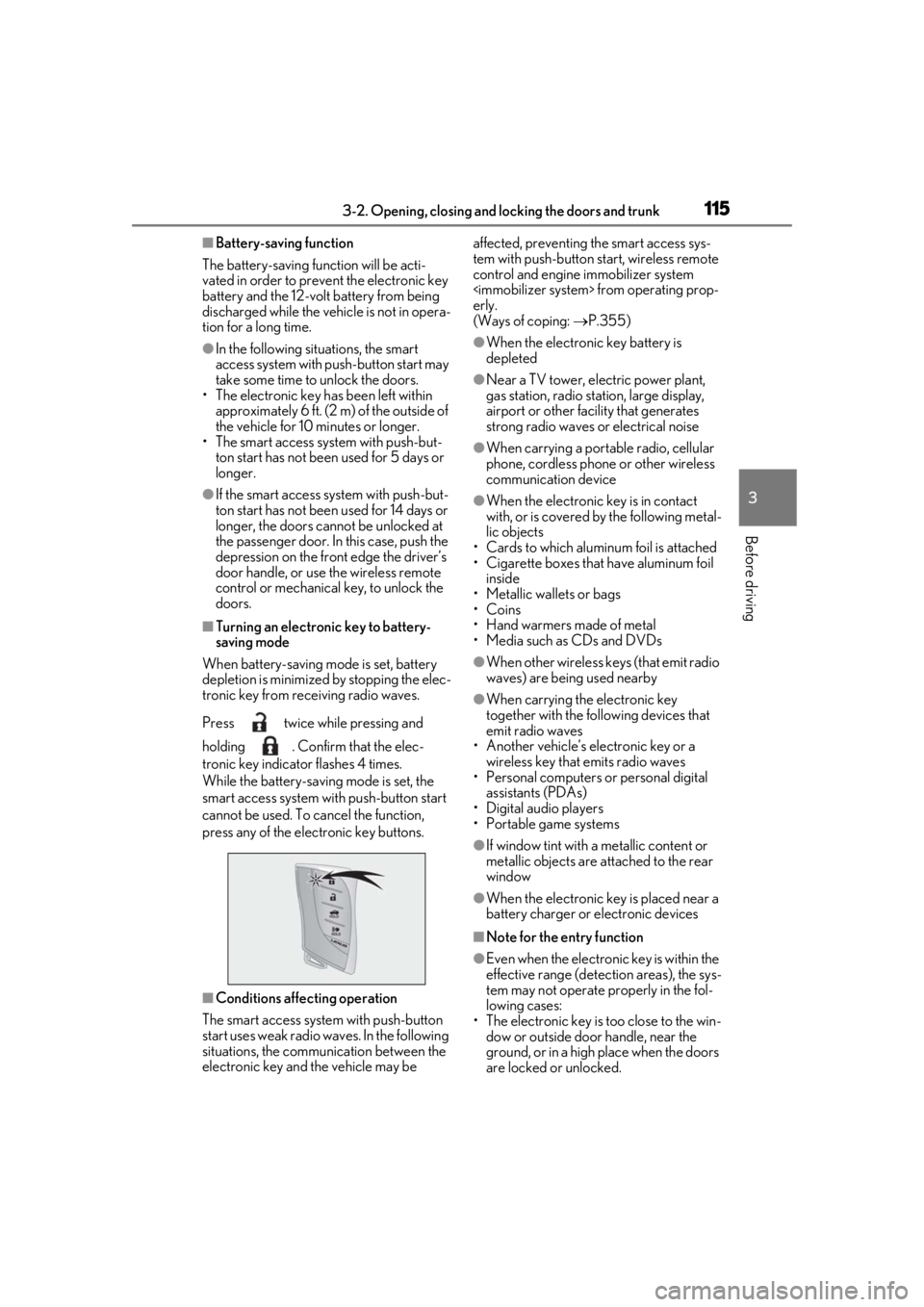
Press twice while pressing and
holding . Confirm that the elec-
tronic key indicator flashes 4 times.
While the battery-saving mode is set, the
smart access system with push-button start
cannot be used. To cancel the function,
press any of the electronic key buttons.
■Conditions affe cting operation
The smart access system with push-button
start uses weak radio waves. In the following
situations, the communication between the
electronic key and the vehicle may be affected, preventing
the smart access sys-
tem with push-button start, wireless remote
control and engine immobilizer system
erly.
(Ways of coping: P.355)
●When the electronic key battery is
depleted
●Near a TV tower, electric power plant,
gas station, radio stat ion, large display,
airport or other fac ility that generates
strong radio waves or electrical noise
●When carrying a portable radio, cellular
phone, cordless phone or other wireless
communication device
●When the electronic key is in contact
with, or is covered by the following metal-
lic objects
• Cards to which aluminum foil is attached
• Cigarette boxes that have aluminum foil inside
• Metallic wallets or bags
•Coins
• Hand warmers made of metal
• Media such as CDs and DVDs
●When other wireless keys (that emit radio
waves) are being used nearby
●When carrying the electronic key
together with the following devices that
emit radio waves
• Another vehicle’s electronic key or a wireless key that emits radio waves
• Personal computers or personal digital
assistants (PDAs)
• Digital audio players
• Portable game systems
●If window tint with a metallic content or
metallic objects are attached to the rear
window
●When the electronic key is placed near a
battery charger or electronic devices
■Note for the entry function
●Even when the electronic key is within the
effective range (detection areas), the sys-
tem may not operate properly in the fol-
lowing cases:
• The electronic key is too close to the win-
dow or outside door handle, near the
ground, or in a high place when the doors
are locked or unlocked.