reset LEXUS LS430 2006 User Guide
[x] Cancel search | Manufacturer: LEXUS, Model Year: 2006, Model line: LS430, Model: LEXUS LS430 2006Pages: 419, PDF Size: 11.19 MB
Page 192 of 419
176
3-2. Using the audio system
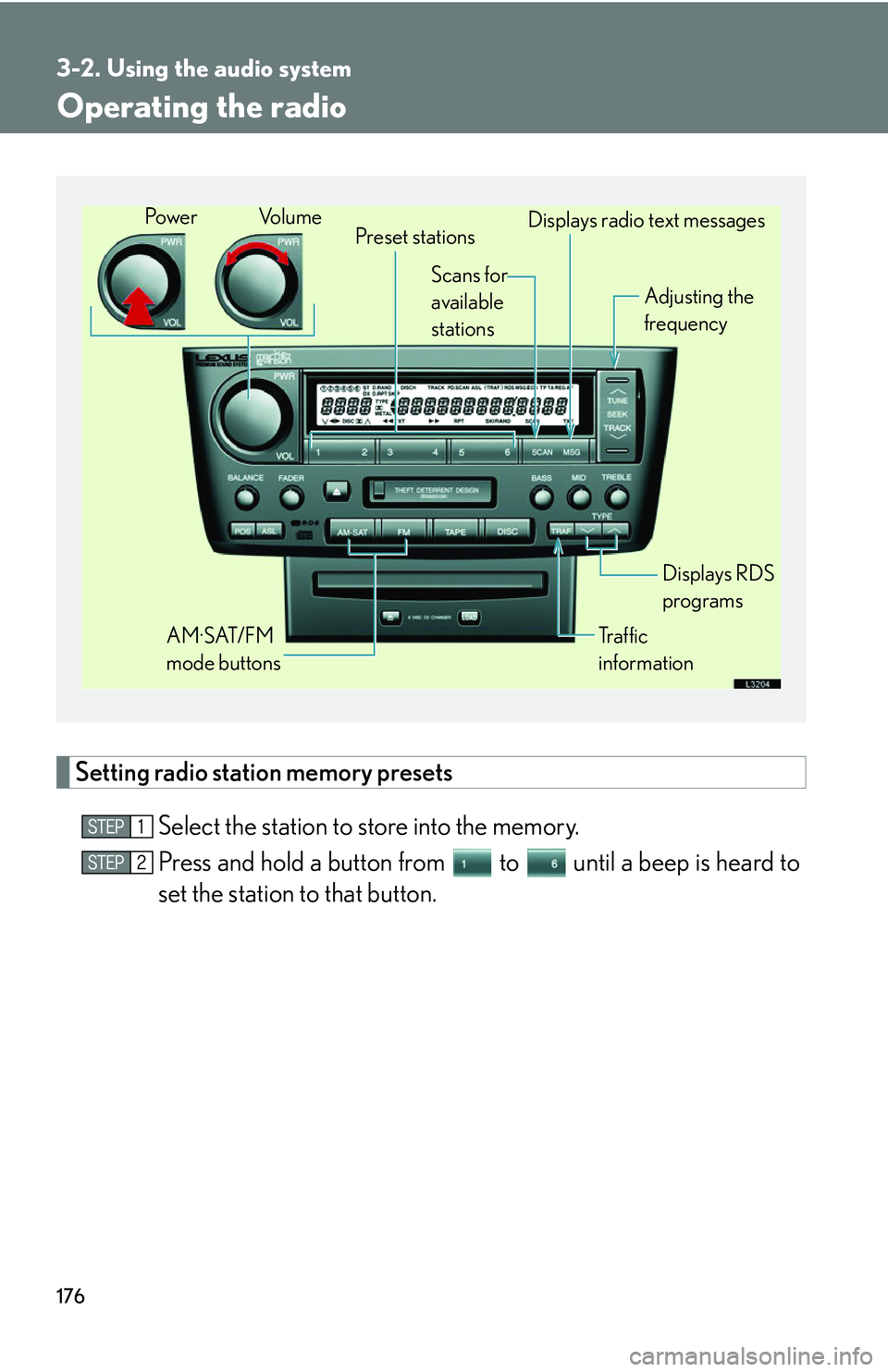
Operating the radio
Setting radio station memory presets
Select the station to store into the memory.
Press and hold a button from to until a beep is heard to
set the station to that button.
Preset stations
Tr a f f i c
information Adjusting the
frequency
AM·SAT/FM
mode buttons Displays RDS
programs
Po w e r Vo l u m e
Scans for
available
stations Displays radio text messages
Page 194 of 419
178
3-2. Using the audio system
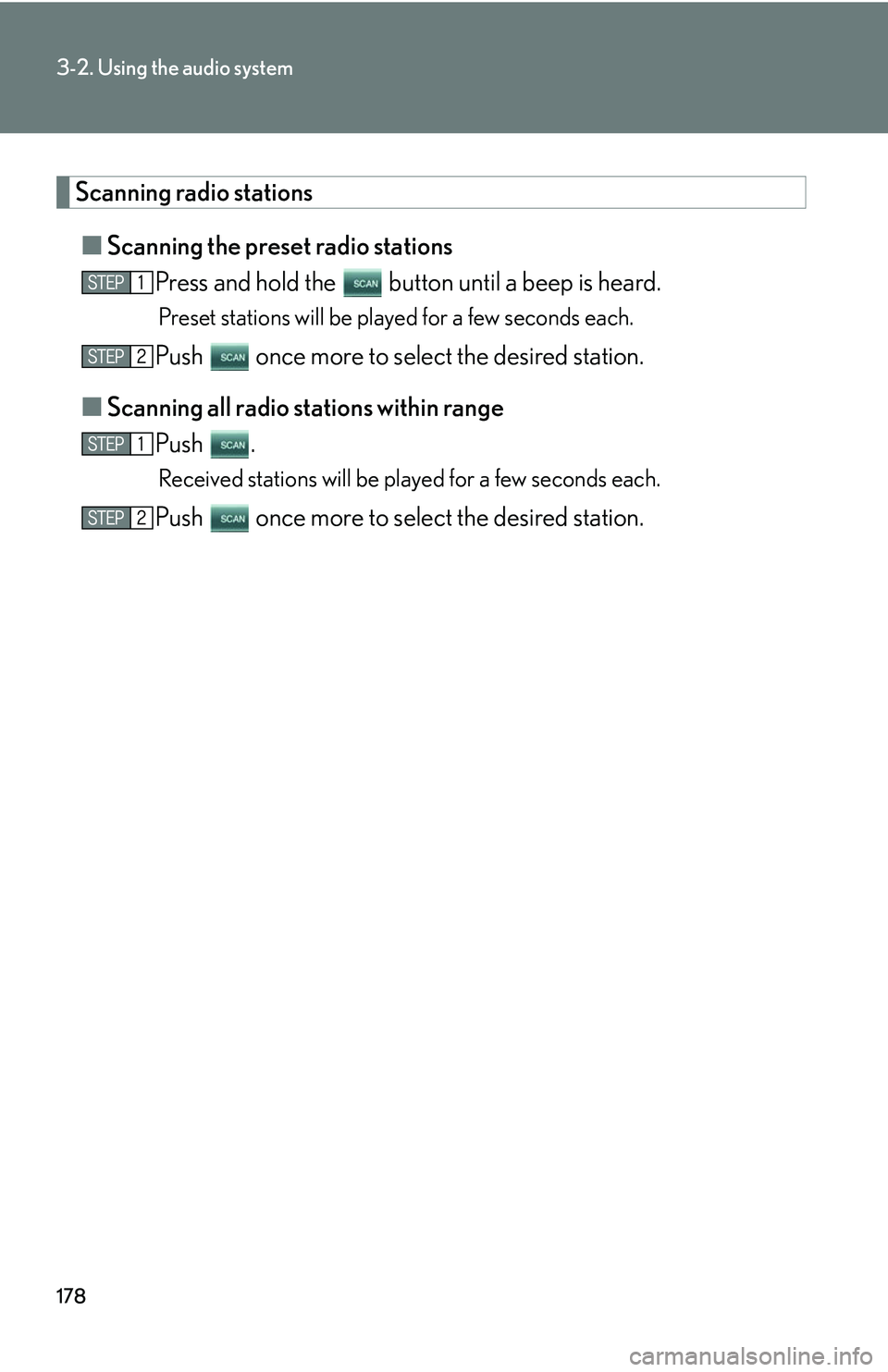
Scanning radio stations
■Scanning the preset radio stations
Press and hold the button until a beep is heard.
Preset stations will be played for a few seconds each.
Push once more to select the desired station.
■ Scanning all r
adio stations within range
Push .
Received stations will be played for a few seconds each.
Push once more to select the desired station.
Page 197 of 419
181
3-2. Using the audio system
3
Interior features
■Certifications for the radio tuner
This equipment has been tested and found to comply with the limits for a class B
di
gital device, pursuant to Part 15 of the FCC Rules. These limits are designed to
provide reasonable protection against harmful interference in a residential installa -
tion. This equipment generate s
, uses and can radiate radio frequency energy and, if
not installed and used in accordance with the instructions, may cause harmful inter -
ference to radio communications. However, there is no guarantee that interference
wi
ll not occur in a particular installation.
If this equipment does cause harmful interference to radio or television reception,
whi
ch can be determined by turning the equipment off and on, the user is encour -
aged to try to correct the interference by one or more of the following measures:
• Reorient or relocate the receiving antenna.
• Increase the separation between the equipment and receiver.
• Connect the equipment into an outlet on a cir
cuit different from that to which
the receiver is connected.
• Consult the dealer or an experienced radio/TV technician for help.
Information to user
Alternation or modifications carried ou t
without appropriate authorization may
invalidate the user’s right to operate the equipment.
■When the battery is disconnected
Stations saved in the memory presets are deleted.
■Reception sensitivity
Maintaining perfect radio reception at all times is
difficult due to the continually
changing position of the antenna, differ ences in signal strength and surrounding
objects, such as trains, transmitters, etc.
Page 226 of 419
210
3-5. Other interior features
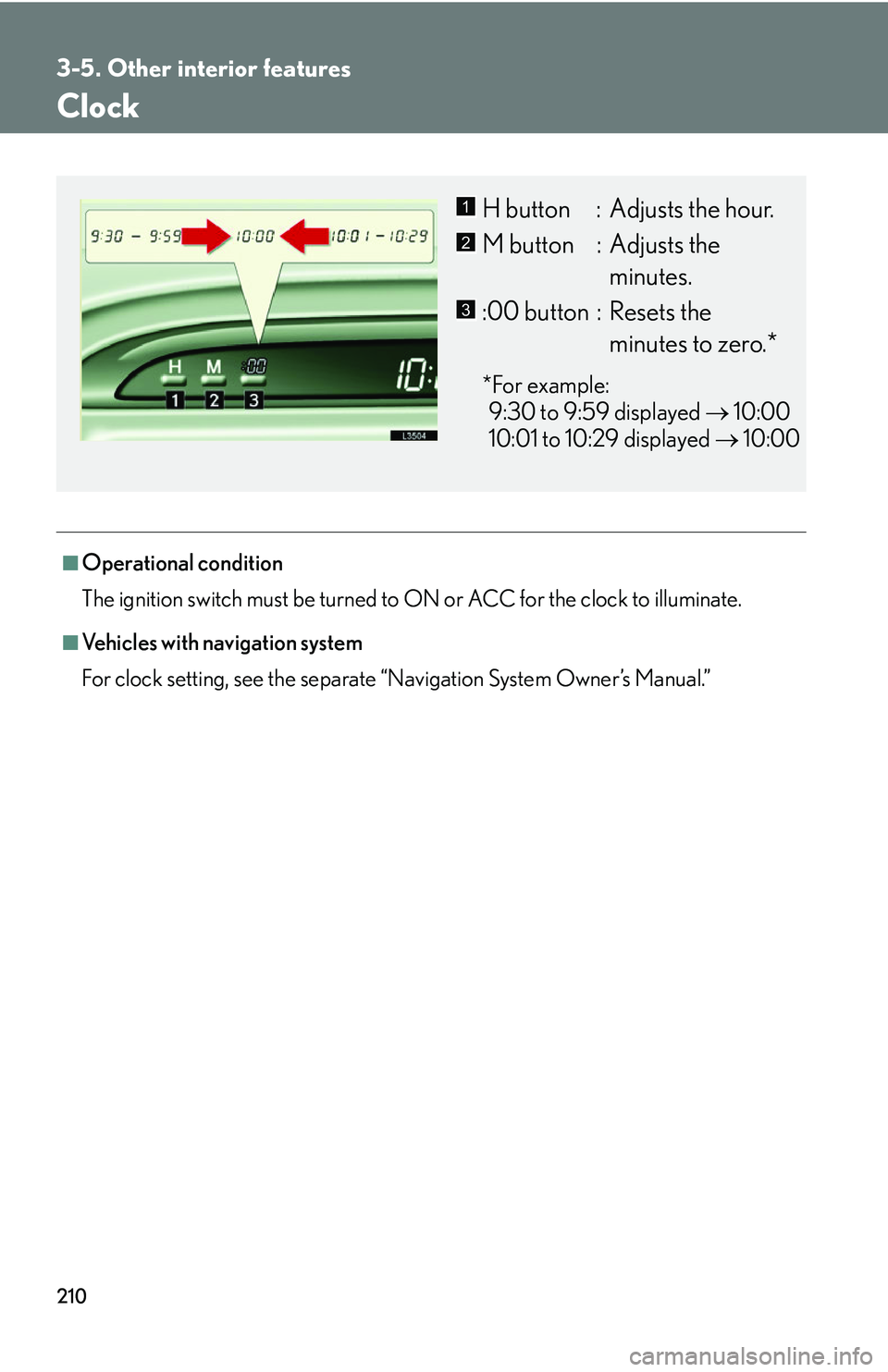
Clock
■Operational condition
The ignition switch must be turned to ON or ACC for the clock to illuminate.
■Vehicles with navigation system
For clock setting, see the separate “
Navigation System Owner’s Manual.”
H button : Adjusts the hour.
M button : Adjusts the
minutes.
:00 button : Resets the
minutes to zero.*
*For example:
9:30 to 9:59 displayed 10
:00
10:01 to 10:29 displayed 10
:00
1
2
3
Page 281 of 419
265
4-3. Do-it-yourself maintenance
4
Maintenance and care
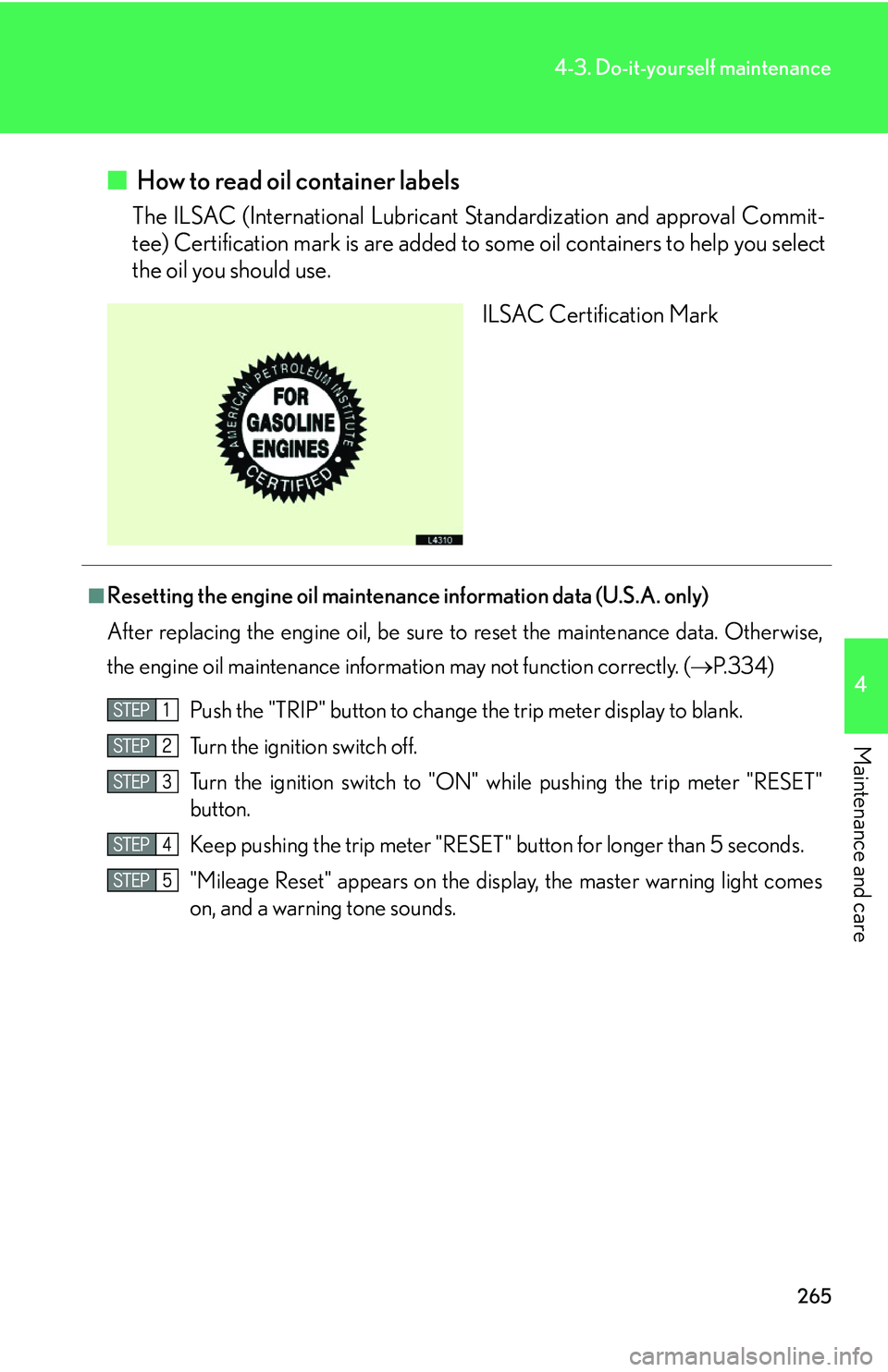
■ How to read oil container labels
The ILSAC (International Lubricant Standardization and approval Commit -
tee) Certification mark is are added to some oil
containers to help you select
the oil you should use.
ILSAC Certification Mark
■Resetting the engine oil maintenance information data (U.S.A. only)
After replacing the engine oil, be sure to
reset the maintenance data. Otherwise,
the engine oil maintenance information may not function correctly. ( P.334 )
Push the "TRIP" button to change t
he trip meter display to blank.
Turn the ignition switch off.
Turn the ignition switch to "ON" while pushing
the trip meter "RESET"
button.
Keep pushing the trip meter "RESET " button for lon
ger than 5 seconds.
"Mileage Reset" appears on
the display, the master warning light comes
on, and a warning tone sounds.
Page 295 of 419
279
4-3. Do-it-yourself maintenance
4
Maintenance and care
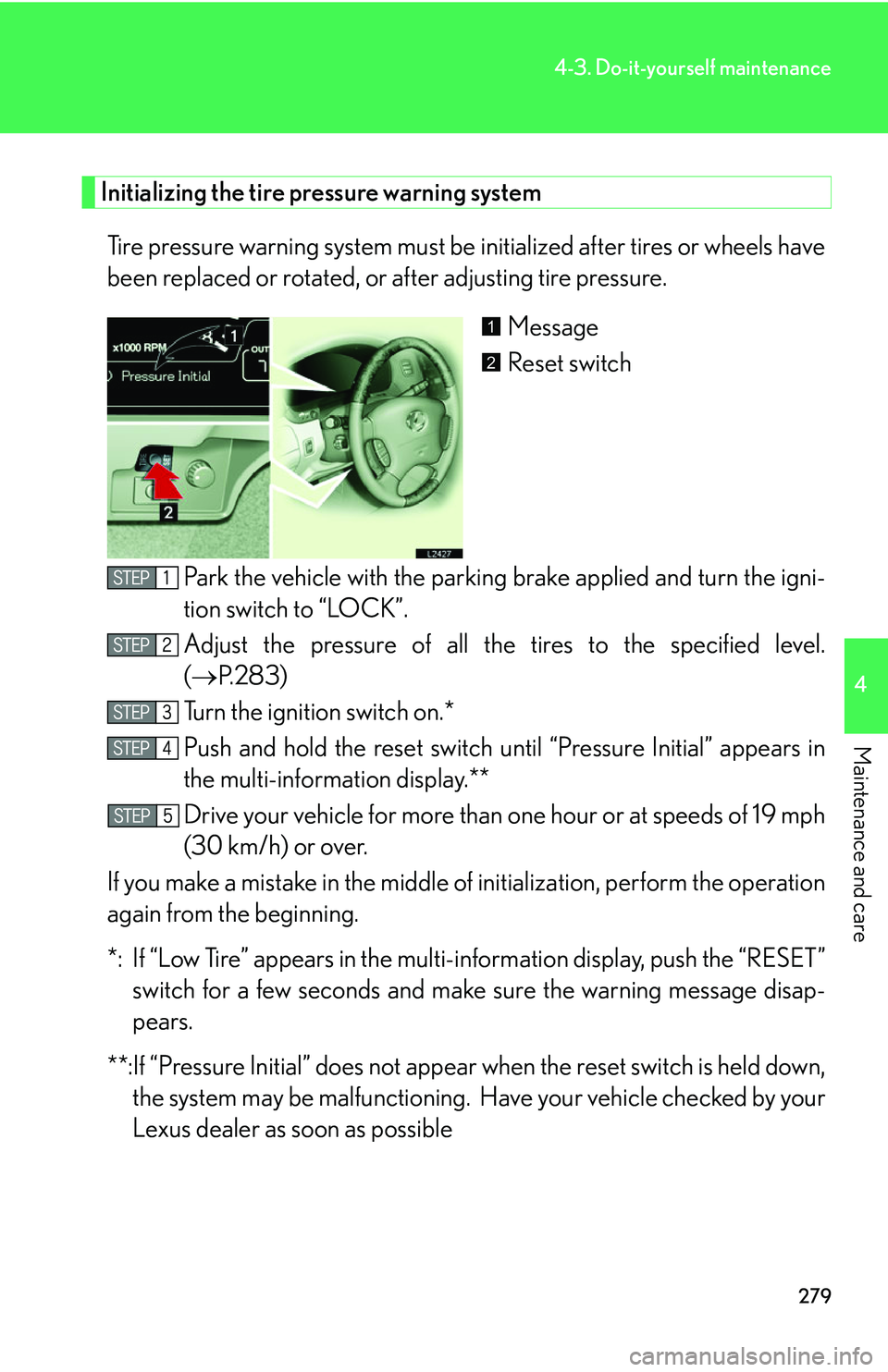
Initializing the tire pressure warning system
Tire pressure warning system must be initialized after tires or wheels have
been replaced or rotated, or after adjusting tire pressure.
Message
Reset switch
Park the vehicle with the parking br
ake applied and turn the igni-
tion switch to “LOCK”.
Adjust the pressure of all the tir
es to the specified level.
( P.283 )
Turn the ignition switch on.*
Push and hold the reset switch until “P
ressure Initial” appears in
the multi-information display.**
Drive your vehicle for more than one hour or at speeds of 1
9 mph
(30 km/h) or over.
If you make a mistake in the middle of initialization, per
form the operation
again from the beginning.
*: If “Low Tire” appears in the multi- information display
, push the “RESET”
switch for a few seconds and make sure the warning message disap-
pears.
**:If “Pressure Initial” does not appear when the r
eset switch is held down,
the system may be malfunctioning. Ha ve your vehicle checked by your
Lexus dealer as soon as possible
1
2
Page 298 of 419
282
4-3. Do-it-yourself maintenance
+
CAUTION
■When inspecting or replacing tires
Observe the following instructions, as failure to do so may cause dangerous han-
dling characteristics resulting in loss of contr
ol and could cause death or serious
injury.
• Do not mix radial, bias belted, or bias-ply tir
es on your vehicle, or use tires other
than the manufacturer’s recommended size.
• Do not mix summer and all season tires on your vehicle.
• Do not use tires other than the manufact ur
er’s designated tires, and never mix
tires or wheels of different size to the originals.
NOTICE
■To prevent malfunction of the tire pressure warning system
Do not push the reset switch without adjusting the tire inflation pressure to the spec-
ified level. Otherwise, the low tire pressure warning may not function correctly.
( P.334 )
■If tire pressure becomes low while driving
Do not continue driving, your ti r
es and/or wheels may be ruined.
Page 309 of 419
293
4-3. Do-it-yourself maintenance
4
Maintenance and care
■Changing interval for the front air conditioning filter
Inspect and replace the air conditioning filter according to the maintenance
schedule. In dusty areas or areas with heavy traffic flow, such as inner city or
desert areas, early replacement may be required. (For scheduled mainte -
nance information, please refer to the "Owner's Manual Supplement/Sched-
uled Maintenance".)
■If air flow decreases dramatically
The filter may be blocked. Check the filter and replace if necessary.
CAUTION
■Air purifier precautions
●Do not look into the xenon tube or directly expose your skin to the light in the
tube's light. The tube emits less than 300nm of ultraviolet light, however some
people may experience symptoms such as sore eyes, vision trouble, skin inflam-
mation, etc.
●Do not disassemble the air purifier. Some parts contain high voltage, and there is
also the possibility of causing a malfunction.
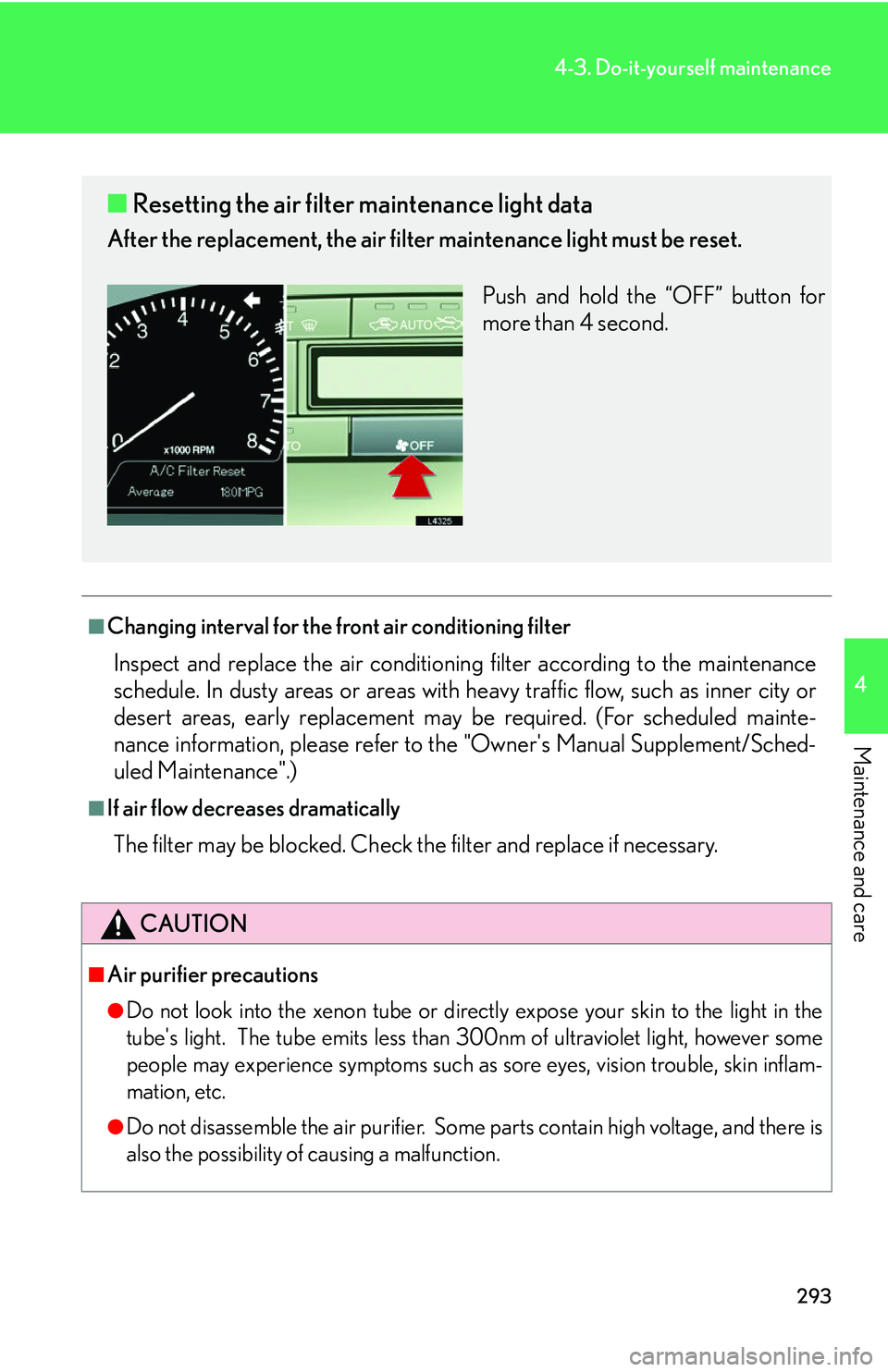
■ Resetting the air filter maintenance light data
After the replacement, the air filter maintenance light must be reset.
Push and hold the “OFF” button for
mor
e than 4 second.
Page 352 of 419
336
5-2. Steps to take in an emergency
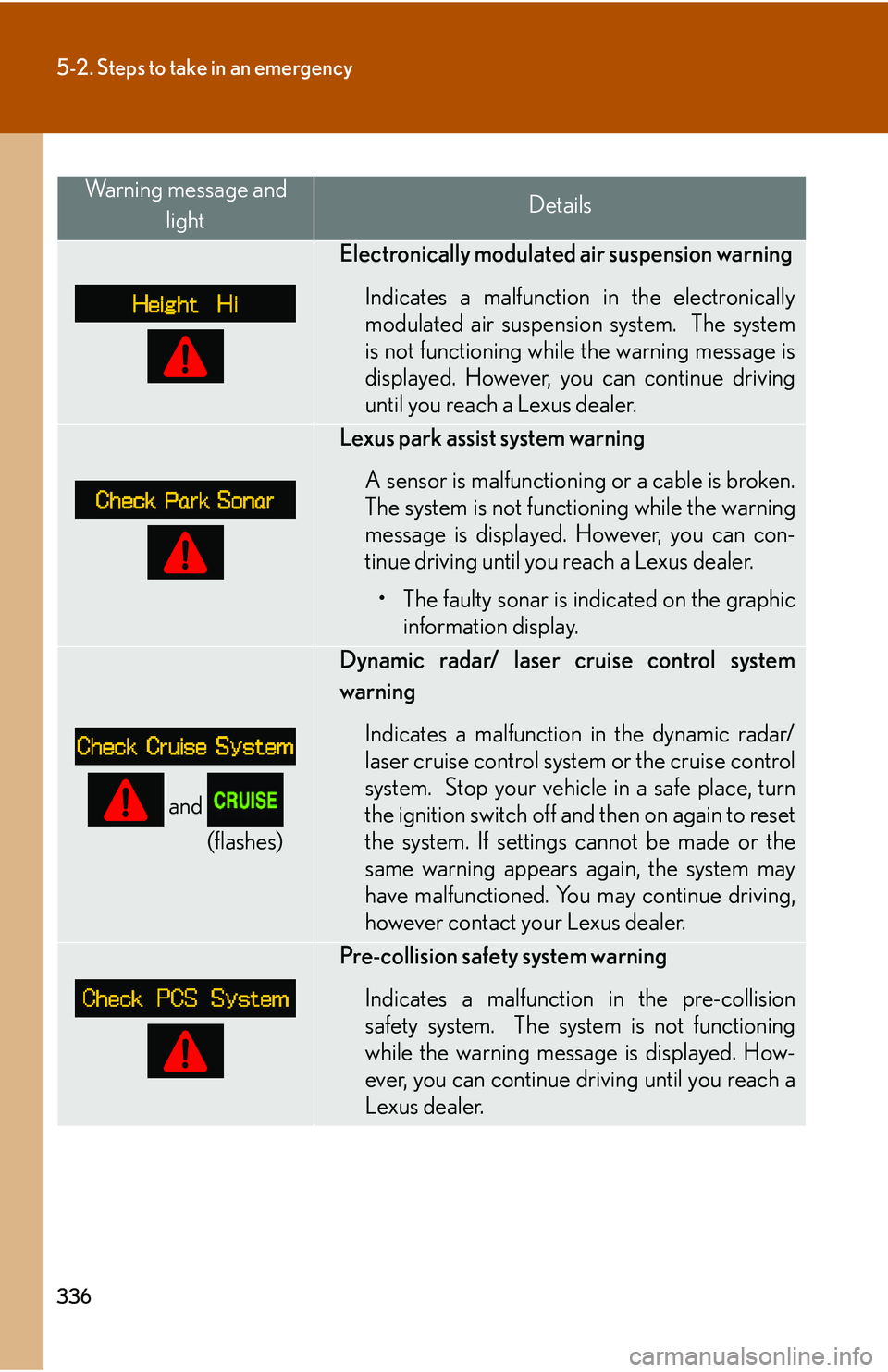
Warning message and lightDetails
Electronically modulated air suspension warning
Indicates a malfunction in the electronically
modulated air suspension system. The system
is not functioning while the warning message is
displayed. However, you can continue driving
until you reach a Lexus dealer.
Lexus park assist system warning
A sensor is malfunctioning or a cable is broken.
Th
e system is not functioning while the warning
message is displayed. However, you can con -
tinue driving until you reach a Lexus dealer.
• The faulty sonar is indicated on the graphic information display.
and
(flashes)
Dynamic radar/ laser cruise control system
warning
Indicates a malfunction in the dynamic radar/
laser cruise control system or the cruise control
system. Stop your vehicle in a safe place, turn
the ignition switch off and then on again to reset
the system. If settings cannot be made or the
same warning appears again, the system may
have malfunctioned. You may continue driving,
however contact your Lexus dealer.
Pre-collision safety system warning
Indicates a malfunction in the pre-collision
safety
system. The system is not functioning
while the warning message is displayed. How -
ever, you can continue driving until you reach a
Lex
us dealer.
Page 358 of 419
342
5-2. Steps to take in an emergency
■Resetting the tire pressure warning data
After adjusting the tire inflation pressur
e, be sure to initialize the data. (P. 2 7 9 )
If the message remains on, the system may have malfunctioned. Have the vehicle
inspected b
y your Lexus dealer as soon as possible
■The tire pressure warning system may not function properly in the following con -
ditions
●Tires other than the sp ecified sizes are used, or if tires of different sizes or tread
pattern are mixed, or the degree of tread wear is very different among the
installed tires.
●A compact spare tire, snow tires, or tire chains are used.
●The tire inflation pressure is excessively higher than specified, or tire inflation
pressure suddenly drops due to buresting or other causes.
●Driving on slippery road surfaces such as rough or frozen roads.
●Driving under 19 mph (30 km/h) or above 62 mph (100 km/h), or less than 5
minutes drive.
●Initialization was not performed correctly after replacing or rotating tires or
wheels.
●The outside temperature is below 32 °F (0 °C) or above 104 °F(40 °C).
CAUTION
■When the low tire pressure warning message appears
Avoid abrupt maneuvering and braking. If th
e vehicle’s tires have deteriorated, you
could lose control of the vehicle, resulting in death or serious injury.