audio LEXUS LS430 2006 Owner's Manual
[x] Cancel search | Manufacturer: LEXUS, Model Year: 2006, Model line: LS430, Model: LEXUS LS430 2006Pages: 419, PDF Size: 11.19 MB
Page 204 of 419
188
3-2. Using the audio system
■About your changer
Your automatic changer can store up to 6 CDs
■If you accidentally push the button
Push the DISC or LOAD button to insert a
gain. Do not push in the CD which is
being ejected forcibly
■When LOAD, ERROR or WAIT are shown on the display.
LOAD : The CD changer is preparing to playback a CD. Wait for a short while.
ERROR 1: Make sure the label of the displayed disc is facing up and reinsert it into
the ch
anger.
ERROR 3 or 4: There is a problem with the changer.
WAIT : Operation is stopped due to a hi gh temp
erature inside the changer.
Remove the CD from the player and allow the player to cool down.
If the malfunction persists, take yo ur v
ehicle to your Lexus dealer.
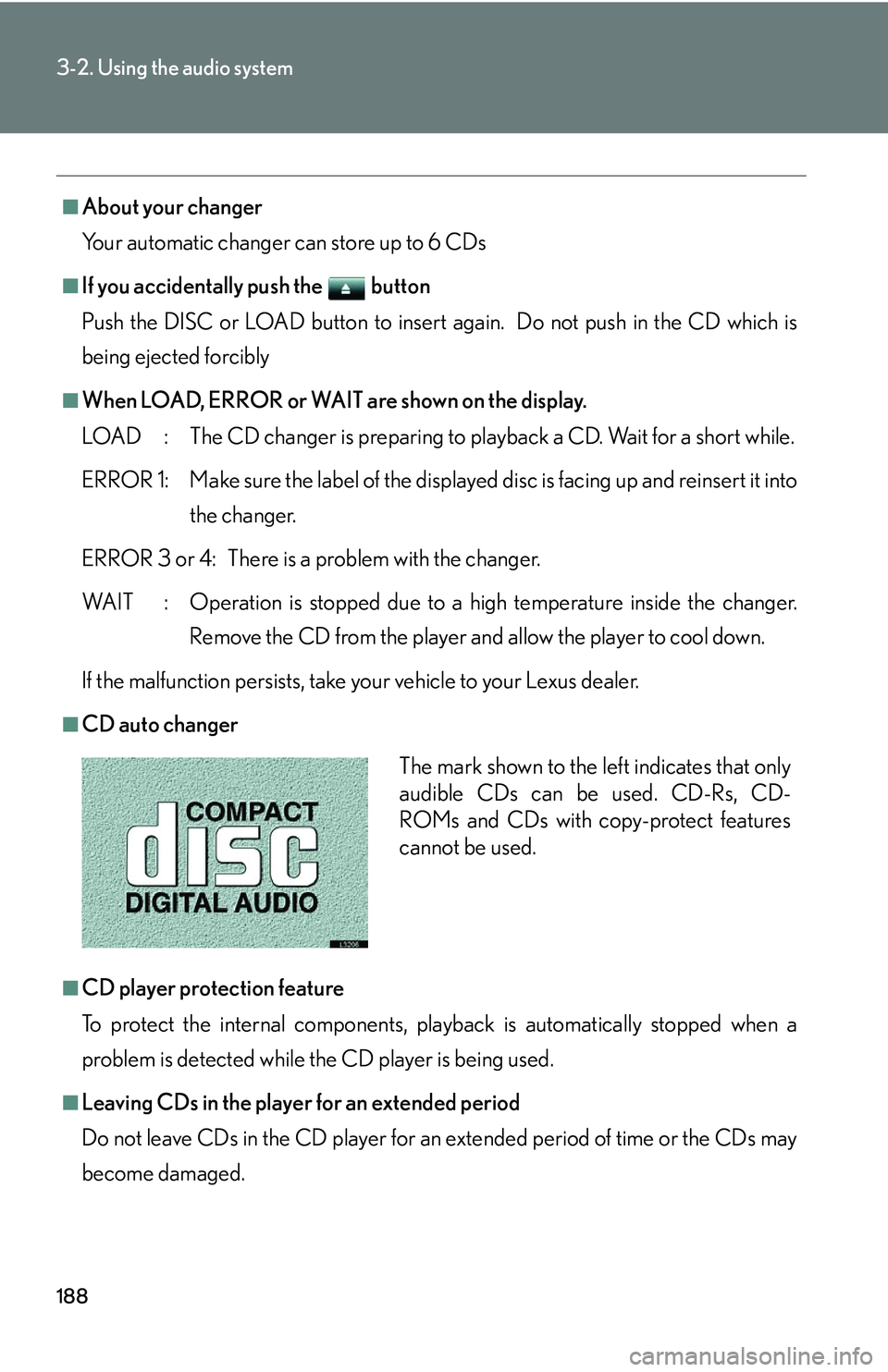
■CD auto changer
■CD player protection feature
To protect the internal components, play back
is automatically stopped when a
problem is detected while the CD player is being used.
■Leaving CDs in the player for an extended period
Do not leave CDs in the CD player for an e
xtended period of time or the CDs may
become damaged.
The mark shown to the left indicates that only
audible CDs can be used. CD-Rs, CD-
ROMs and CDs with copy-protect features
cannot be used.
Page 205 of 419
189
3-2. Using the audio system
3
Interior features
■Lens cleaners
Do not use lens cleaners. Doing so may damage the CD player.
NOTICE
■To prevent CDs getting stuck in the player
Insert CDs one at a time.
Do not feed CDs in continuously.
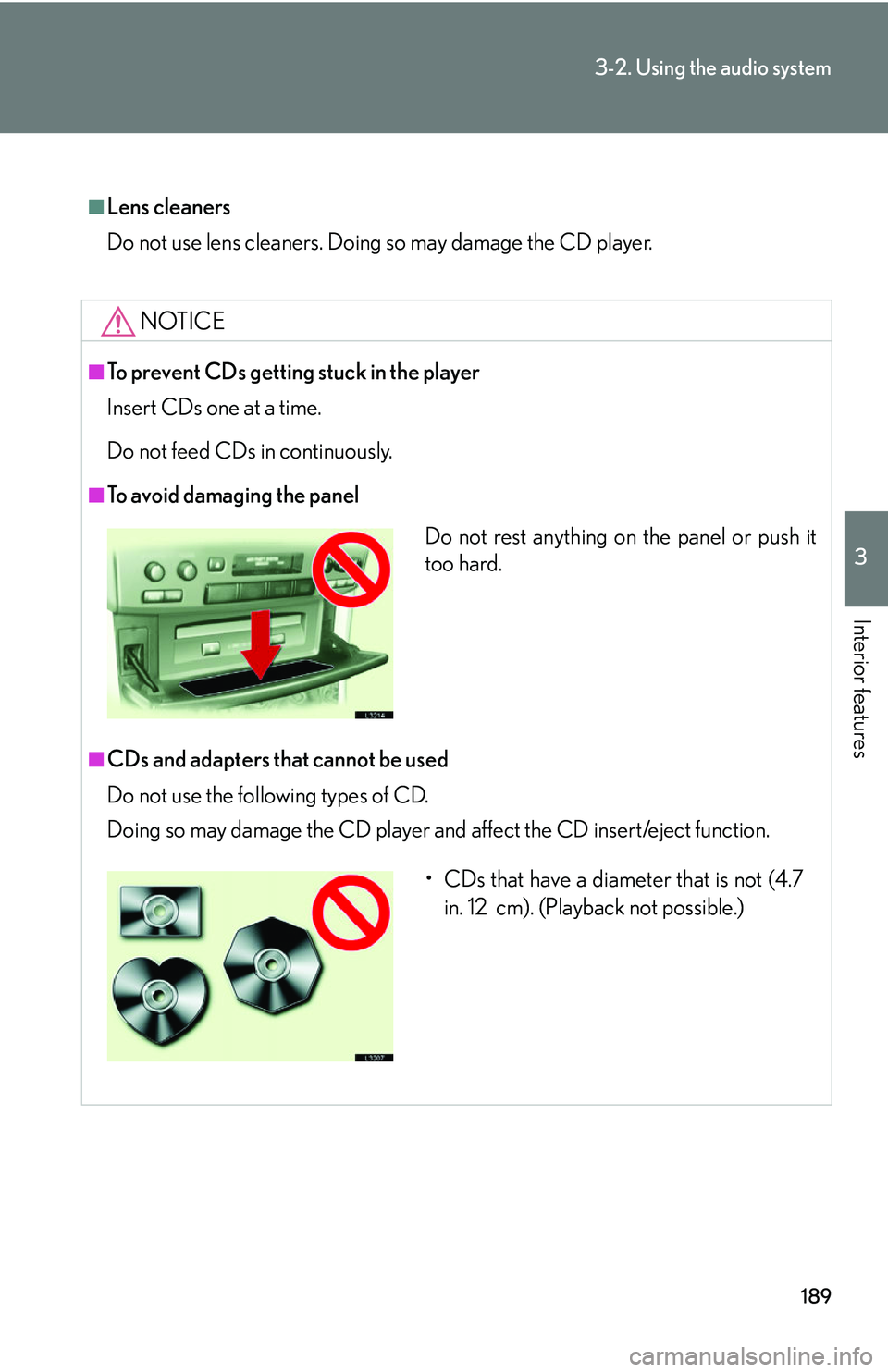
■To avoid damaging the panel
■CDs and adapters that cannot be used
Do not use the following types of CD.
Doing so may damage the CD player and af
fect the CD insert/eject function.
Do not rest anything on the panel or push it
too hard.
• CDs that have a diameter that is not (4.7
in. 12 cm). (Playback not possible.)
Page 206 of 419
190
3-2. Using the audio system
NOTICE
■CD player precautions
Failing observe the following precautions may result in CDs being unplayable or
ca
use the player to function abnormally.
• Do not insert anything other than CDs into the CD player.
• Do not apply oil to the CD player.
• Store CDs away from direct sunlight.
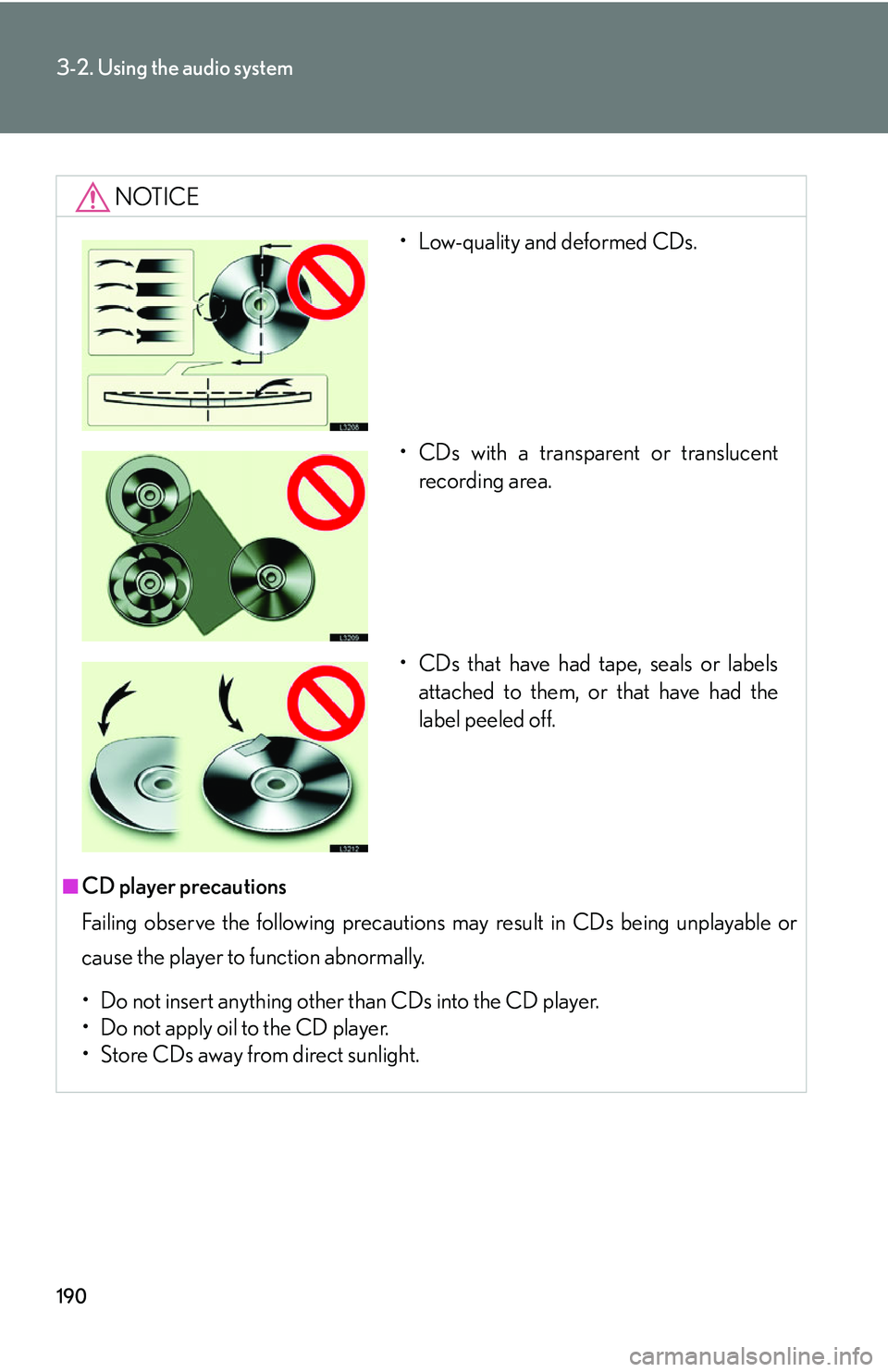
• Low-quality and deformed CDs.
• CDs with a transparent or translucent recording area.
• CDs that have had tape, seals or labels attached to them, or that have had the
label peeled off.
Page 207 of 419
191
3-2. Using the audio system
3
Interior features
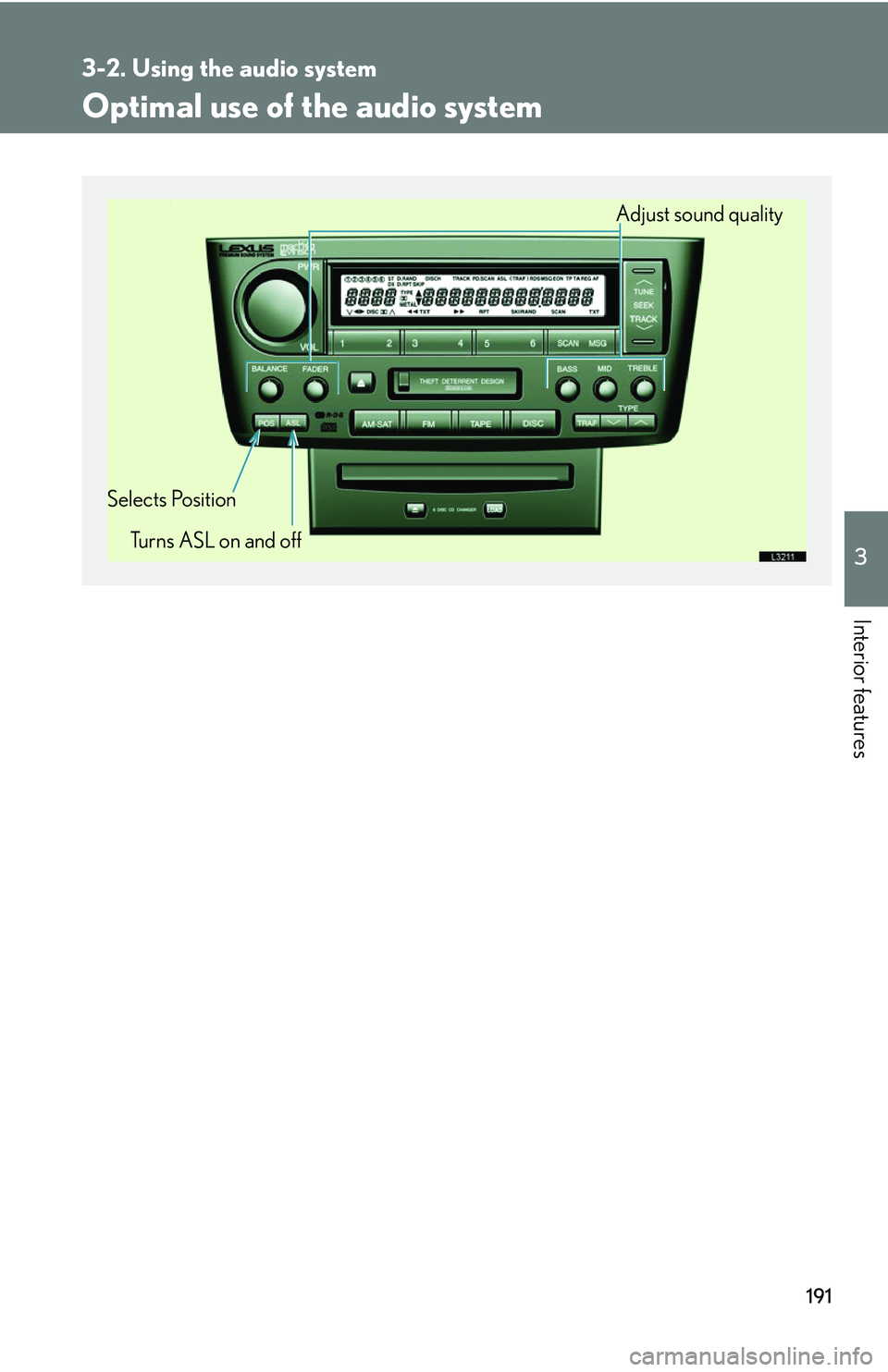
Optimal use of the audio system
Adjust sound quality
Selects Position Turns ASL on and off
Page 208 of 419
192
3-2. Using the audio system
Adjusting sound quality, volume, balance and sound level
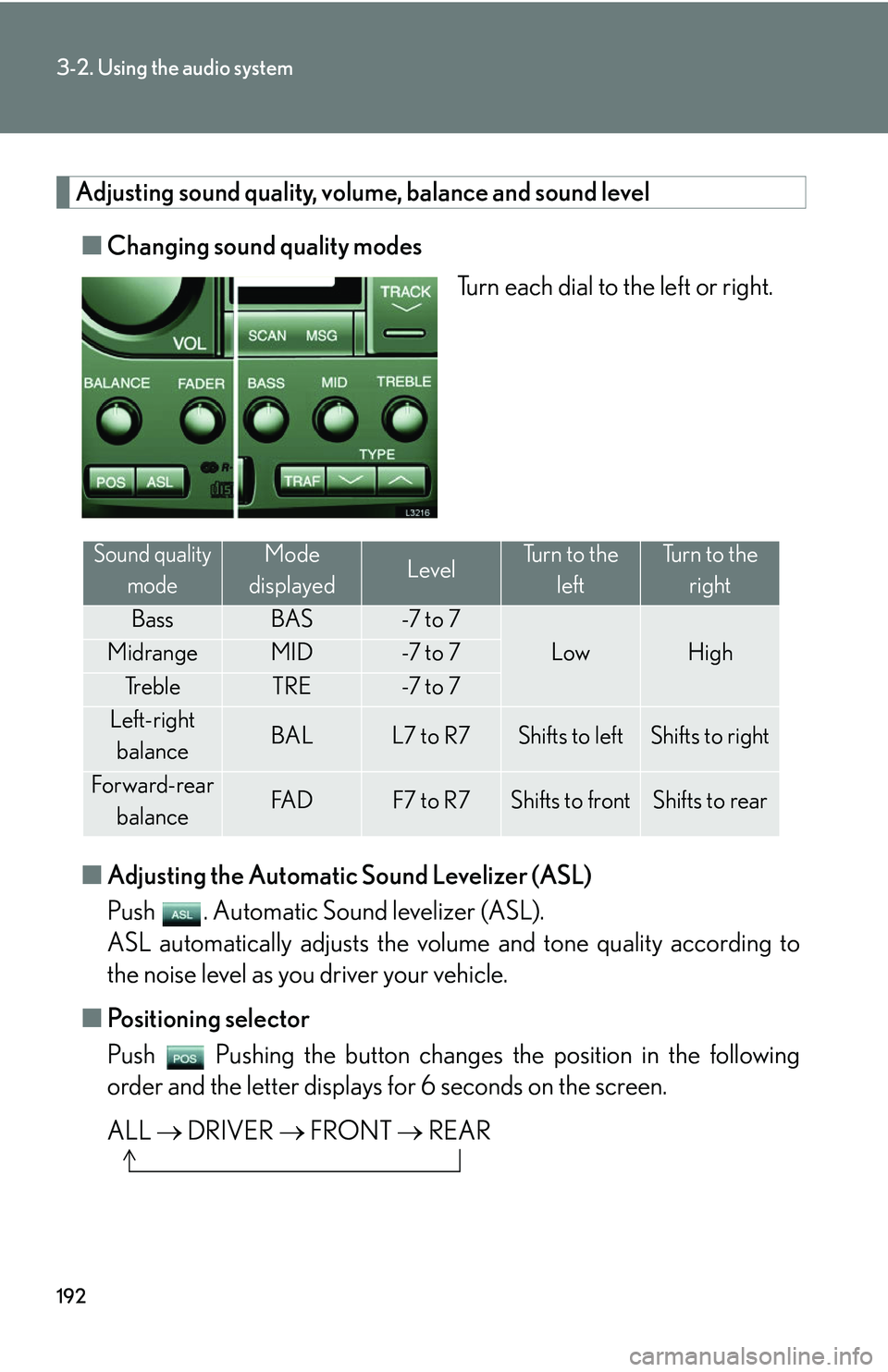
■Changing sound quality modes
Turn each dial to the left or right.
■ A
djusting the Automatic Sound Levelizer (ASL)
Push . Automatic Sound levelizer (ASL).
ASL automatically adjusts the volu me and tone quality accor
ding to
the noise level as you driver your vehicle.
■ P
ositioning selector
Push Pushing the button changes th e position in the follo
wing
order and the letter displays fo r 6 seconds on the scr
een.
ALL DRI
VER FRONT REAR
Sound quality
modeMode
displayedLevelTurn to the leftTurn to the right
BassBAS-7 t o 7
LowHighMidrangeMID-7 t o 7
Tr e b l eTRE-7 t o 7
Left-right balanceBALL7 to R7Shifts to leftShifts to right
Forward-rear
balanceFA DF7 to R7Shifts to frontShifts to rear
Page 209 of 419
193
3-2. Using the audio system
3
Interior features
Using the rear controller
Turning on the power and selecting audio modes
■Pow e r
Push when the audio system is turned OFF.
■ Cha
nging modes
Push when the audio system is turned ON. P
ushing the button
changes the sound mode in the fo llo
wing order: AM, FM, cassette
deck, (CD changer).
Adjusting the volume
Push .
Continual adjustment is possible if the button is held for more than one
second.
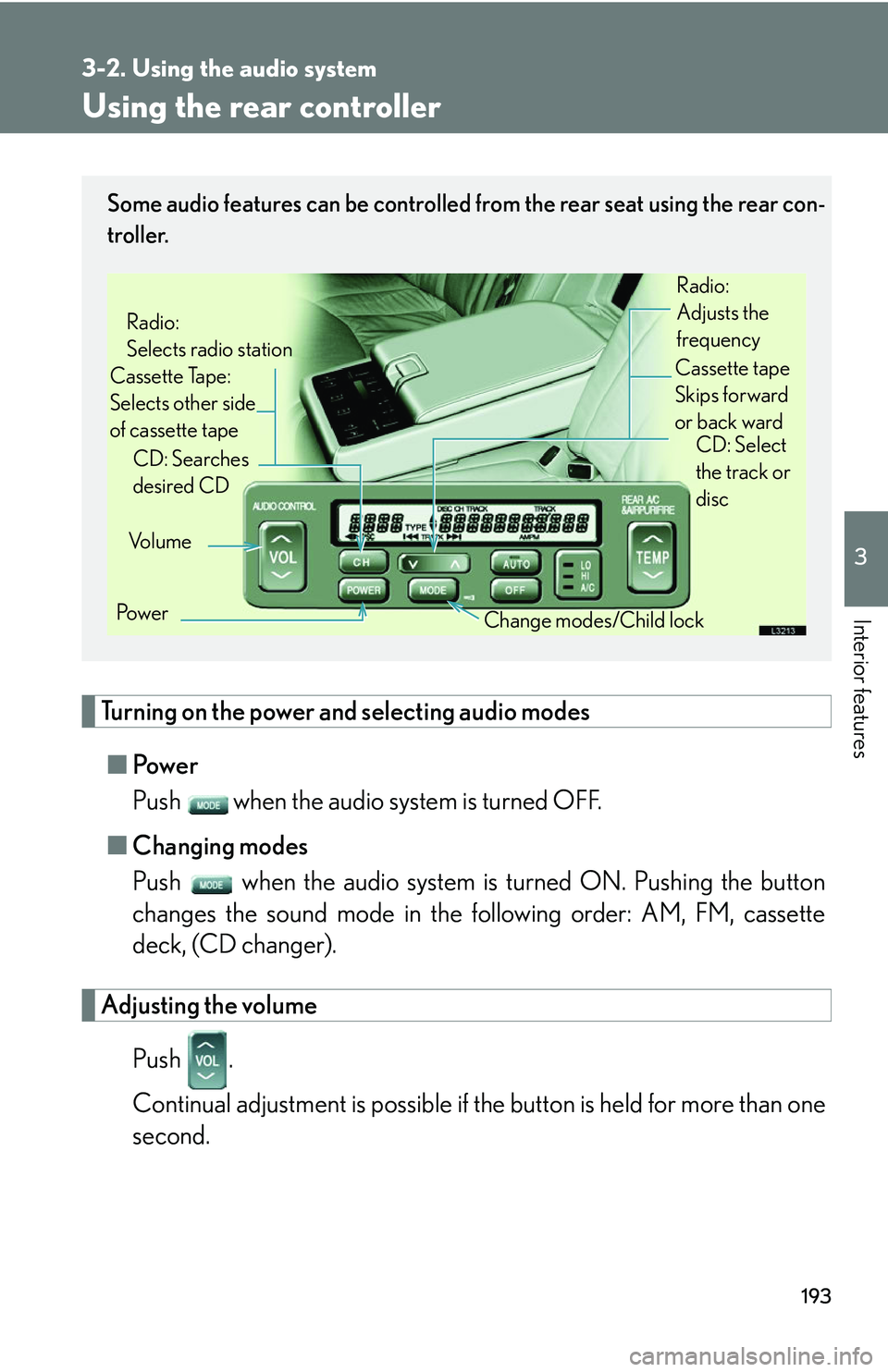
Some audio features can be controlled from the rear seat using the rear con-
troller.
Vo l u m e
Cassette Tape:
Selects other side
of cassette tape Radio:
Selects radio station
Po w e r Change modes/Child lock
CD: Searches
desired CD
Radio:
Adjusts the
frequency
Cassette tape
Skips forward
or back ward CD: Select
the track or
disc
Page 210 of 419
194
3-2. Using the audio system
Selecting a radio station
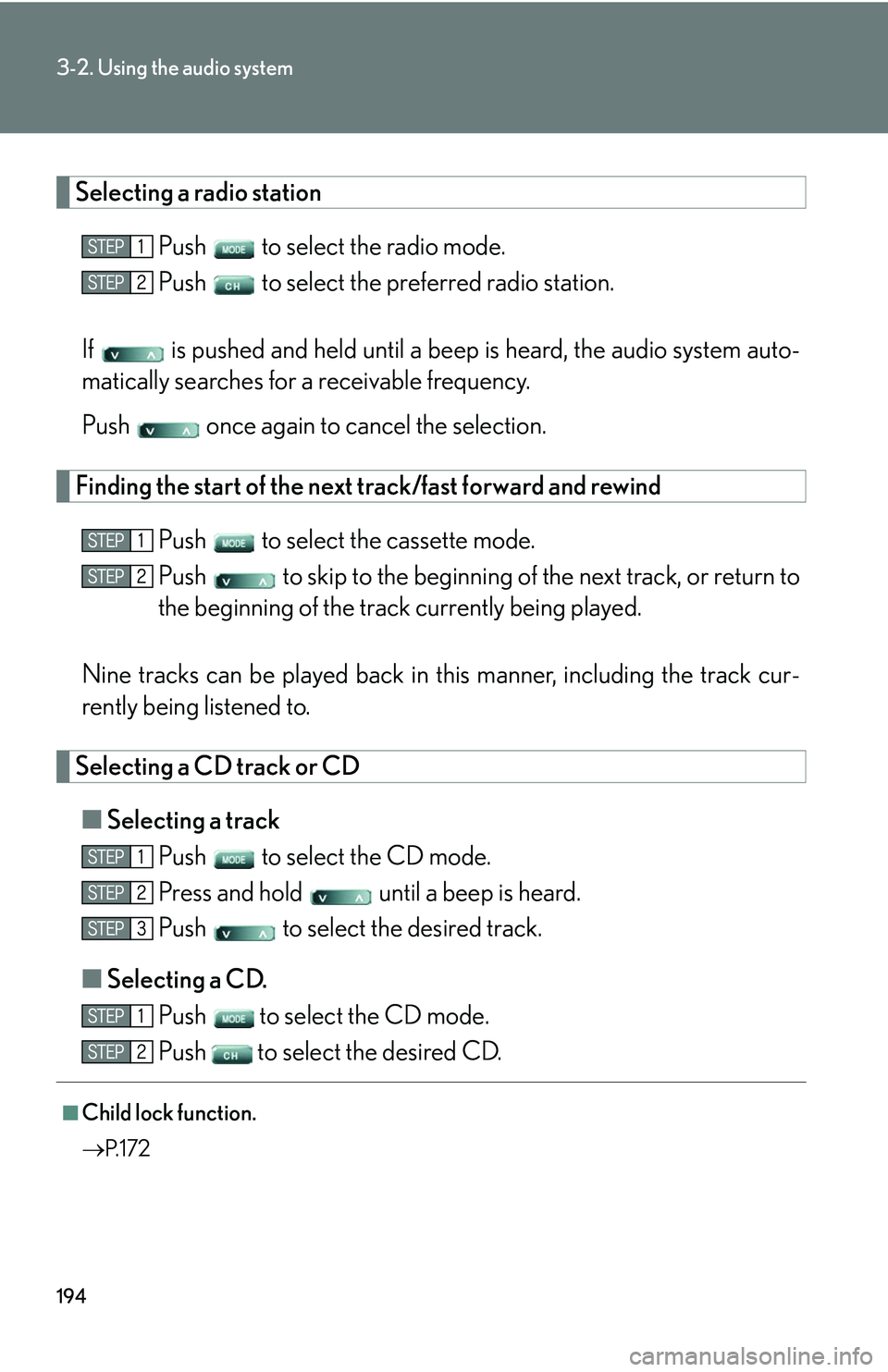
Push to select the radio mode.
Push to select the preferred radio station.
If is pushed and held until a beep is hear
d, the audio system auto -
matically searches for a receivable frequency.
Push once again to cancel the selection.
Finding the start of the next track/fast forward and rewind
Push to select the cassette mode.
Push to skip to the beginning of th e ne
xt track, or return to
the beginning of the trac k curr
ently being played.
Nine tracks can be played back in this manner
, including the track cur-
rently being listened to.
Selecting a CD track or CD
■ Selecting a track
Push to select the CD mode.
Press and hold until a beep is heard.
Push to select the desired track.
■ Selecting a CD
.
Push
to select the CD mode.
Push
to select the desired CD.
■Child lock function.
P. 1 7 2
Page 211 of 419
195
3-2. Using the audio system
3
Interior features
Using the steering switches
Turning on the power and selecting audio modes
■Pow e r
Push when the audio system is turned OFF.
■ Cha
nging modes
Push when the audio system is turned ON. Pushing the button
changes the audio mode in the following order: AM, FM, cassette
deck (CD changer).
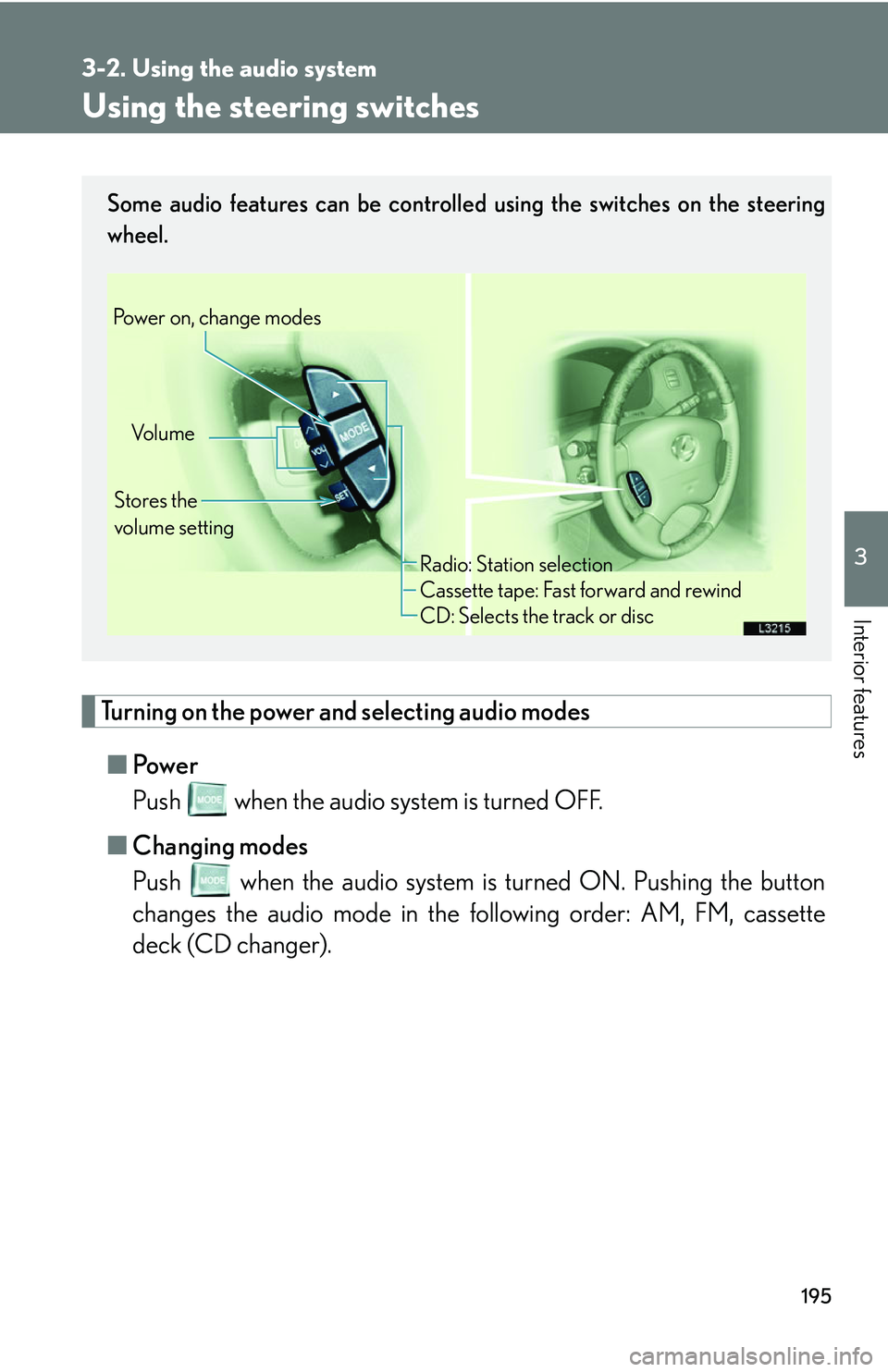
Some audio features can be controlled using the switches on the steering
wheel.
Vo l u m e
Stores the
volume setting
Power on, change modes
Radio: Station selection
Cassette tape: Fast forward and rewind
CD: Selects the track or disc
Page 212 of 419
196
3-2. Using the audio system
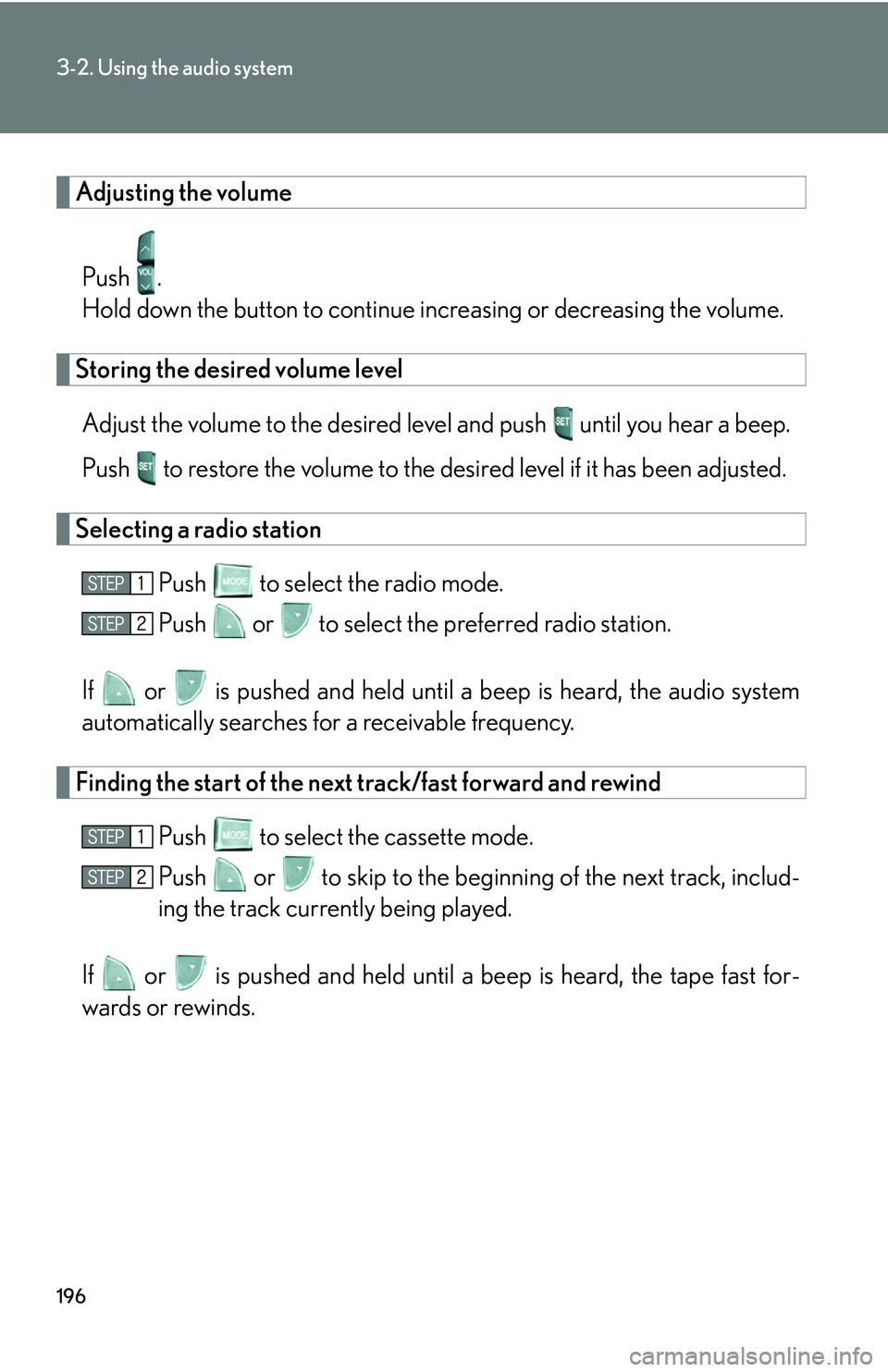
Adjusting the volume
Push .
Hold down the button to continue incr
easing or decreasing the volume.
Storing the desired volume level
Adjust the volume to the desired level and push until you hear a beep.
Push to restore the volume to the desir
ed level if it has been adjusted.
Selecting a radio station
Push to select the radio mode.
Push or to select the preferred radio station.
If or is pushed and held until a b eep is hear
d, the audio system
automatically searches for a receivable frequency.
Finding the start of the next track/fast forward and rewind
Push to select the cassette mode.
Push or to skip to the beginning of the ne
xt track, includ-
ing the track currently being played.
If or is pushed and held until a beep is heard, the tape fast for -
wards or rewinds.
Page 213 of 419
197
3-2. Using the audio system
3
Interior features
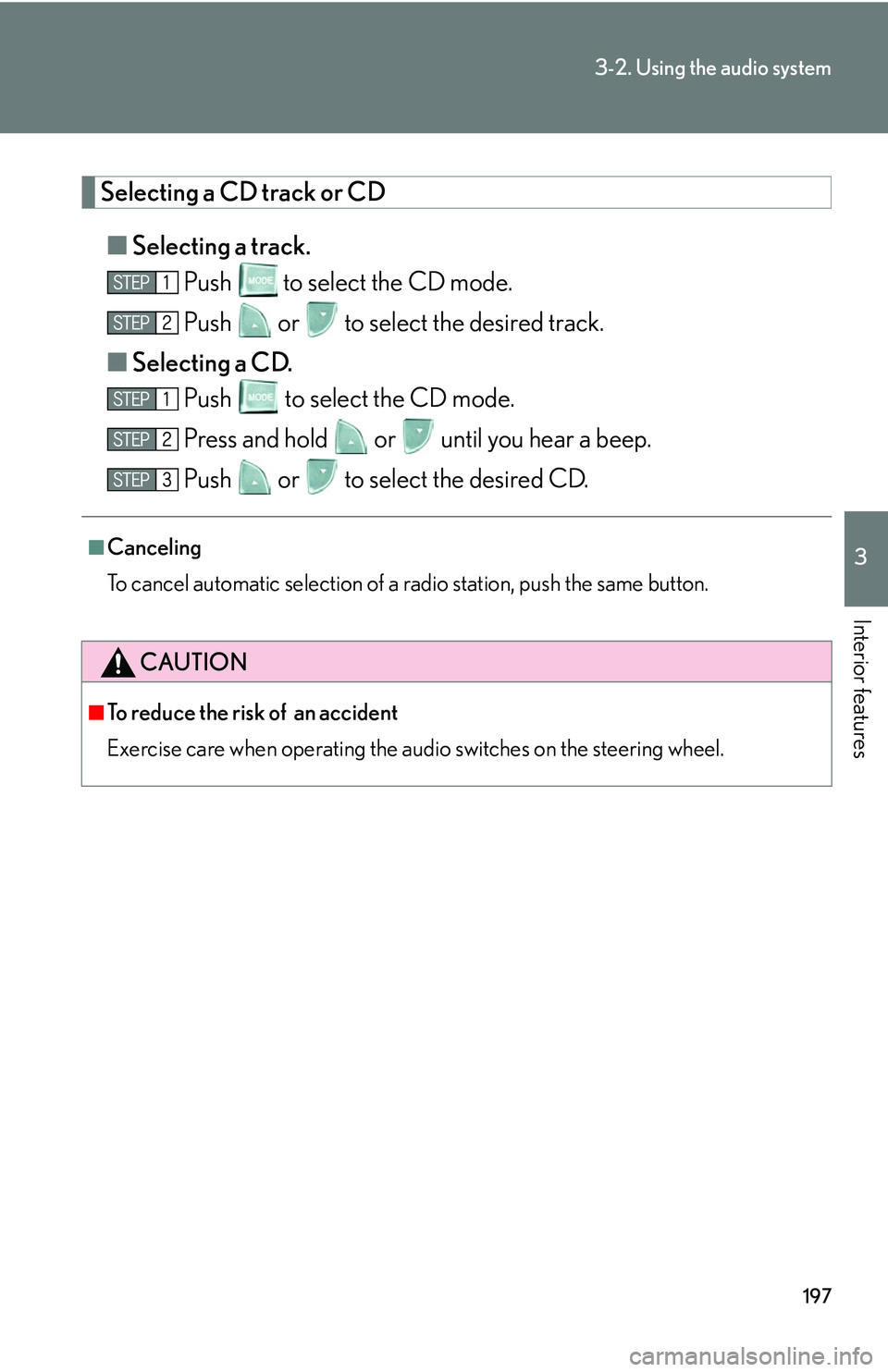
Selecting a CD track or CD
■Selecting a track.
Push
to select the CD mode.
Push or to select the desired track.
■ Selecting a CD
.
Push to select the CD mode.
Press and hold or until you hear a beep.
Push or to select the desired CD.
■Canceling
To cancel automatic selection of a radio station, push the same button.
CAUTION
■To reduce the risk of an accident
Exercise care when operating the audio switches on the steering wheel.