display LEXUS LS430 2006 Owner's Manual
[x] Cancel search | Manufacturer: LEXUS, Model Year: 2006, Model line: LS430, Model: LEXUS LS430 2006Pages: 419, PDF Size: 11.19 MB
Page 179 of 419
163
3-1. Using the air conditioning system and defogger
3
Interior features
Using the automatic mode
Push .
The air conditioning system will begin to oper
ate. Air intake
and fan speed are automatically adjusted accor
ding to the
temperature setting.
Adjust the temperature setting using or .
The temperature for the driver and passenger seats can be set sepa -
rately. ( P.164
)
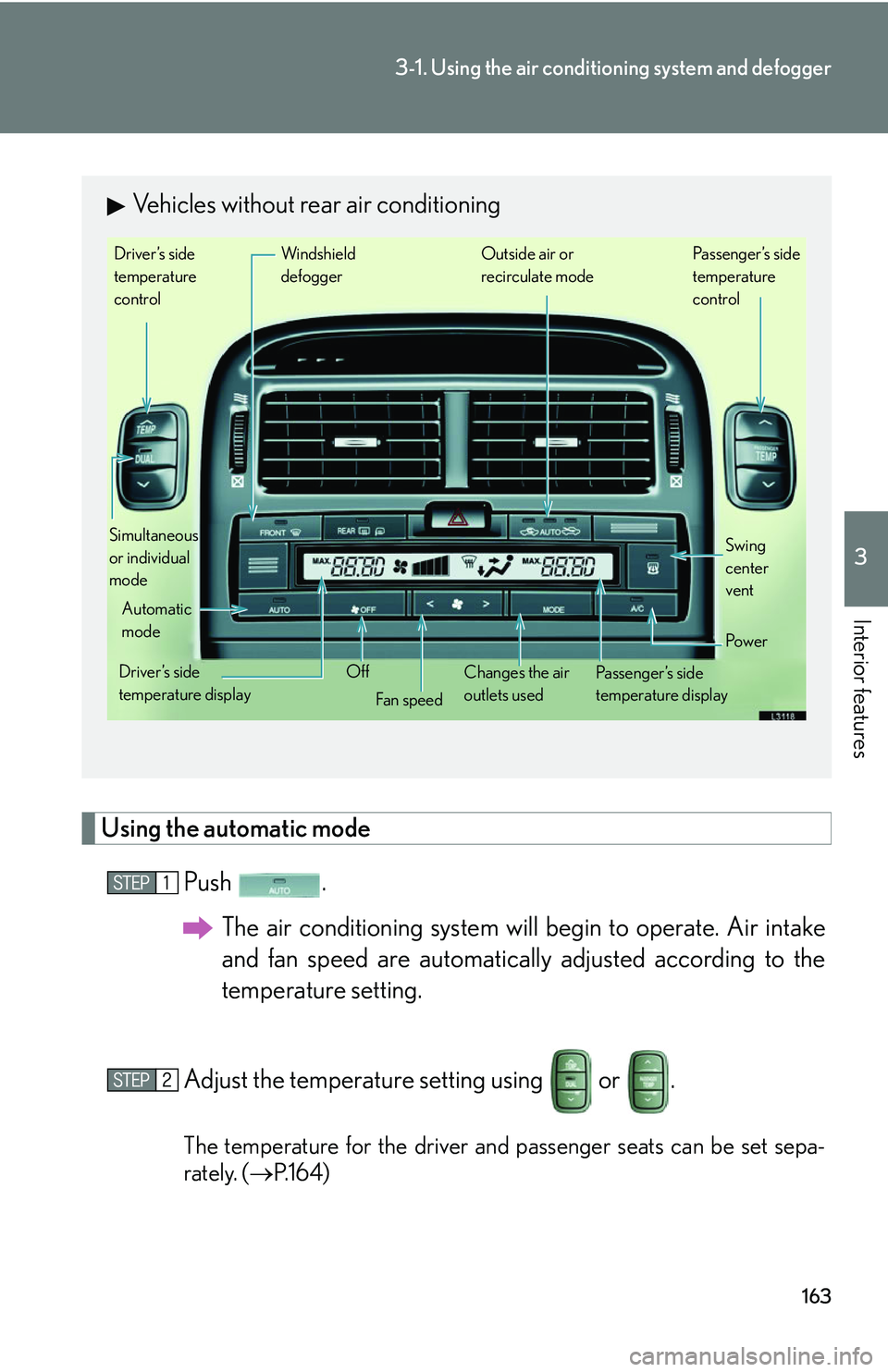
Vehicles without rear air conditioning
Driver’s side
temperature
control
Simultaneous
or individual
mode Windshield
defogger Outside air or
recirculate mode
Automatic
mode
Driver’s side
temperature display Off
Fan speed Changes the air
outlets used Passenger’s side
temperature display Po w e r
Passenger’s side
temperature
control
Swing
center
vent
Page 185 of 419
169
3-1. Using the air conditioning system and defogger
3
Interior features
■Notes regarding outside temperature display
If it is extremely hot or cold outside the vehicle, the outside temperature displayed
may not be accurate.
CAUTION
■To prevent the windshield fogging up
Do not use during cooled air operation in extremely humid weather. The
difference between the temperature of the outsi
de air and that of the windshield
could cause the outer surface of the windsh ield to fog up, blocking your vision.
NOTICE
■To prevent battery discharge
Do not leave the automatic climate control on longer than necessary when the
engine is
stopped.
Page 192 of 419
176
3-2. Using the audio system
Operating the radio
Setting radio station memory presets
Select the station to store into the memory.
Press and hold a button from to until a beep is heard to
set the station to that button.
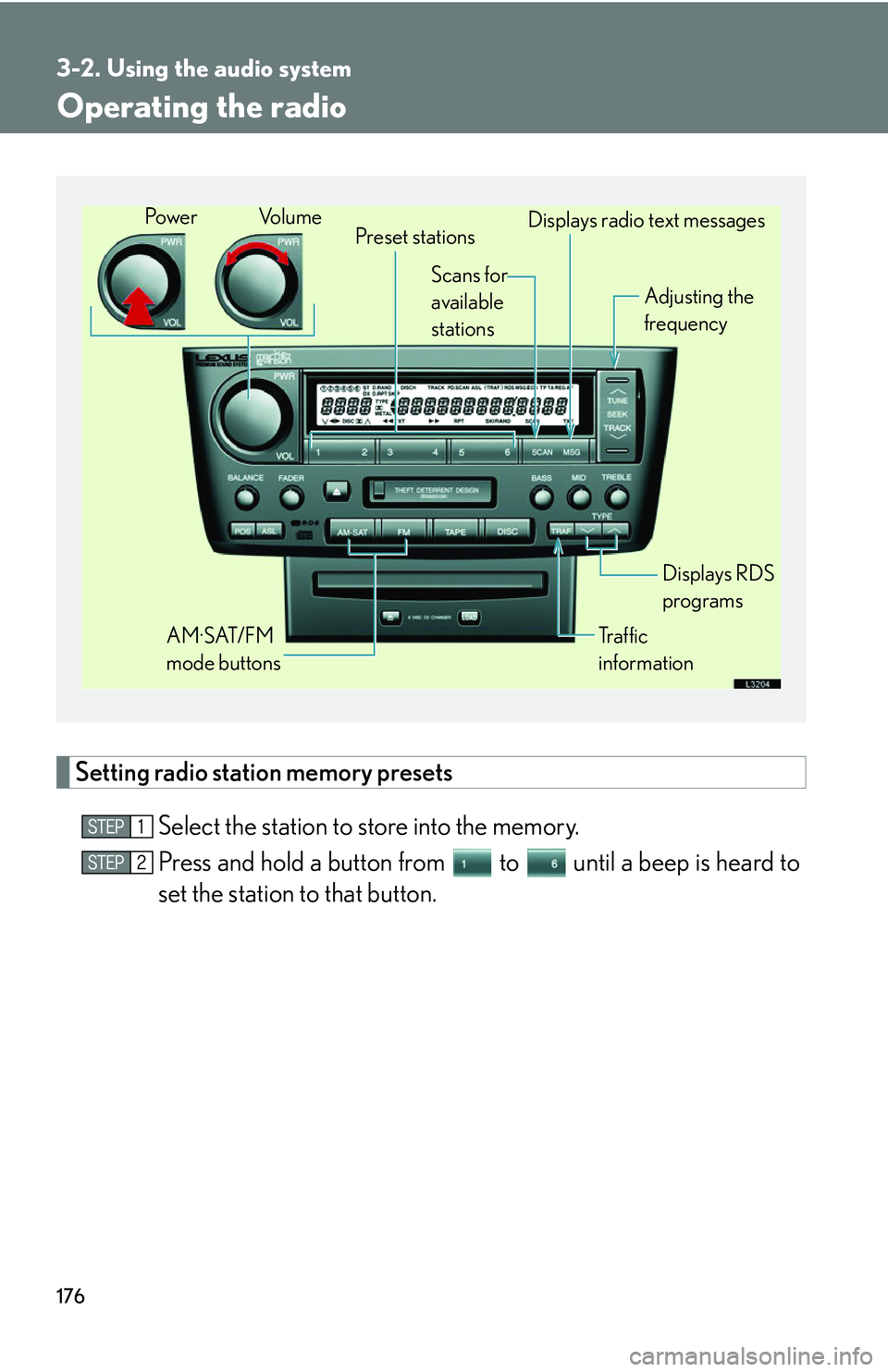
Preset stations
Tr a f f i c
information Adjusting the
frequency
AM·SAT/FM
mode buttons Displays RDS
programs
Po w e r Vo l u m e
Scans for
available
stations Displays radio text messages
Page 193 of 419
177
3-2. Using the audio system
3
Interior features
Receiving RDS (Radio Data System) broadcasts
This feature allows your radio to receive station identification information
and program information (classical, ja zz, etc.) from radio stations which
broadcast this information.
■ R
eceiving RDS broadcasts
Push either of
while receiving FM broadcasts.
■ Changing the type of pr
ogram displayed
Push either of to display the type of programs.
The type of program changes each time the button is pushed.
•ROCK
• EASY LIS (Easy listening)
• CLS/JAZZ (Classical music and Jazz)
• R & B (Rhythm and Blues)
• INFORM (Information)
• RELIGION
• MISC
• ALERT (Emergency message)
■ Display
s radio text messages
Push while receiving radio text messages to r
edisplay a message.
Page 195 of 419
179
3-2. Using the audio system
3
Interior features
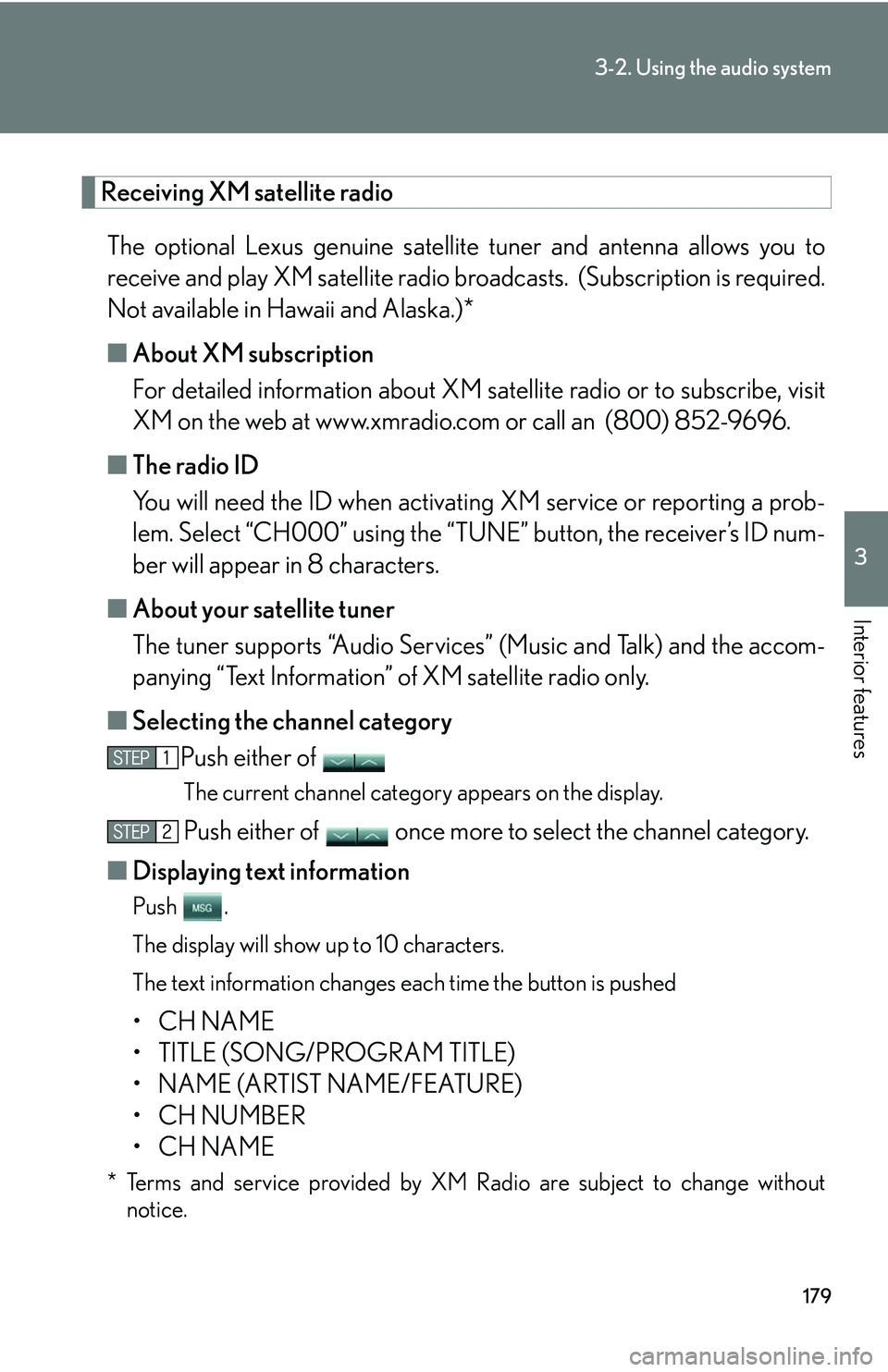
Receiving XM satellite radio
The optional Lexus genuine satellite tuner and antenna allows you to
receive and play XM satellite radio br oadcasts. (Subscription is required.
Not available in Hawaii and Alaska.)*
■ About XM subscription
For detailed information about XM satellite radio or to subscribe, visit
XM on the w
eb at www.xmradio.com or call an (800) 852-9696.
■ The r
adio ID
You will need the ID when activati ng XM ser
vice or reporting a prob-
lem. Select “CH000” using the “TUNE” button, the r
eceiver’s ID num-
ber will appear in 8 characters.
■ About y
our satellite tuner
The tuner supports “Audio Services ” (Music and T
alk) and the accom-
panying “Text Information” of XM satellite radio only.
■ Selecting the channel categor
y
Push either of
The current channel category appears on the display.
Push either of once more to select the channel category.
■ Displaying te
xt information
Push .
The display will show up to 10 characters.
The text information changes each time the button is pushed
• CH NAME
• TITLE (SONG/PROGRAM TITLE)
• NAME (ARTIST NAME/FEATURE)
• CH NUMBER
• CH NAME
* Terms and service provided by XM Radio are subject to change without notice.
Page 196 of 419
180
3-2. Using the audio system
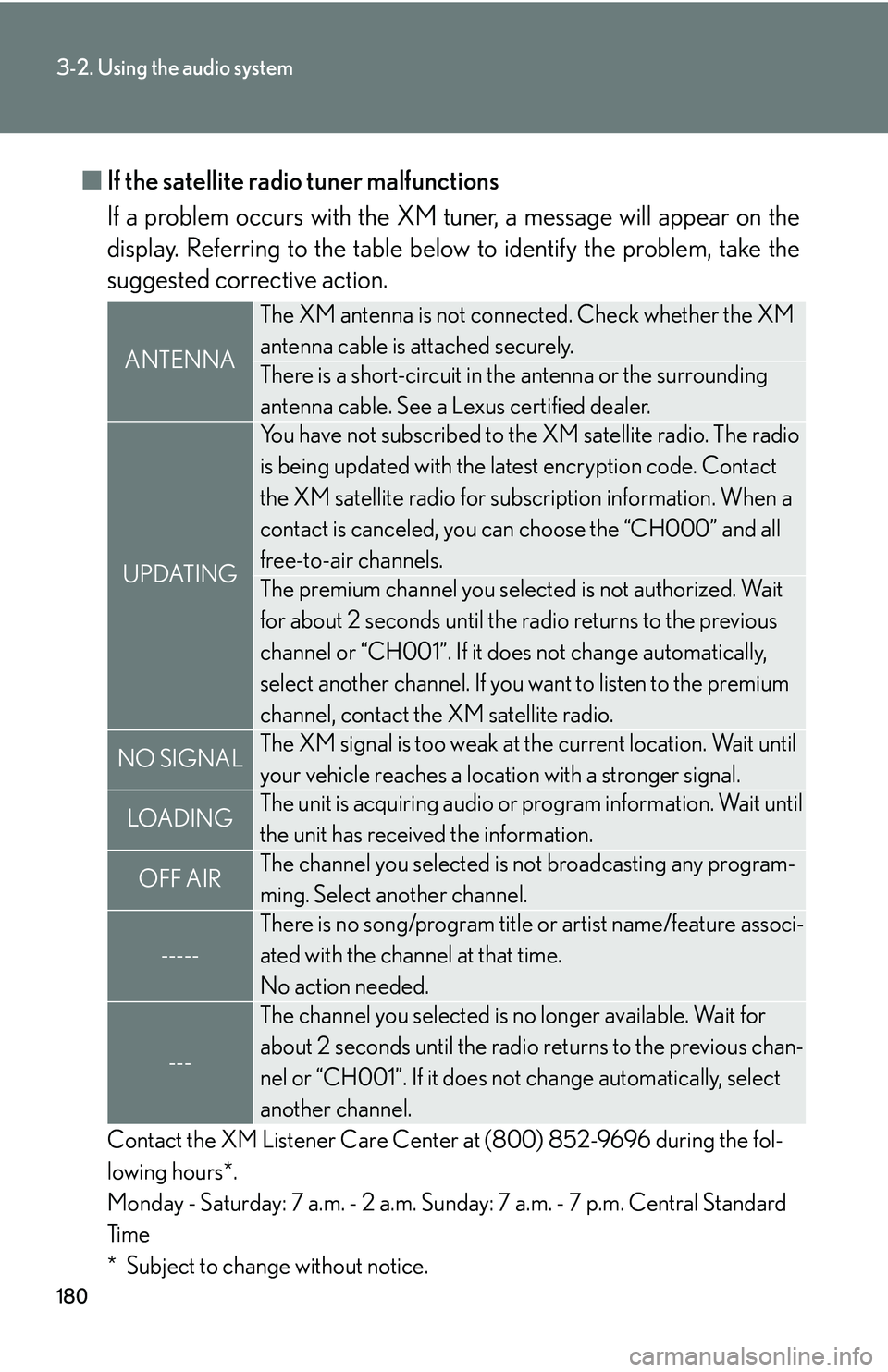
■If the satellite radio tuner malfunctions
If a problem occurs with the XM tuner
, a message will appear on the
display. Referring to the table below to identify the problem, take the
suggested corrective action.
Contact the XM Listener Care Center at (800) 852-9696 during the fol -
lowing hours*.
Monday - Saturday: 7 a.m. - 2 a.m. Sunday: 7 a.m. - 7 p.m. Central Standard
Ti
m e
* Subject to change without notice.
ANTENNA
The XM antenna is not connected. Check whether the XM
antenna cable is attached securely.
There is a short-circuit in th e antenna or the surrounding
antenna cable. See a Lexus certified dealer.
UPDATING
You have not subscribed to the XM satellite radio. The radio
is being updated with the latest encryption code. Contact
the XM satellite radio for subscr iption information. When a
contact is canceled, you can choose the “CH000” and all
free-to-air channels.
The premium channel you selected is not authorized. Wait
for about 2 seconds until the radio returns to the previous
channel or “CH001”. If it does not change automatically,
select another channel. If you want to listen to the premium
channel, contact the XM satellite radio.
NO SIGNALThe XM signal is too weak at the current location. Wait until
your vehicle reaches a location with a stronger signal.
LOADIN GThe unit is acquiring audio or program information. Wait until
the unit has received the information.
OFF AIRThe channel you selected is not broadcasting any program -
ming. Select another channel.
-----
There is no song/program title or artist name/feature associ -
ated with the channel at that time.
No action needed.
---
The channel you selected is no longer available. Wait for
about 2 seconds until the radio returns to the previous chan -
nel or “CH001”. If it does not change automatically
, select
another channel.
Page 201 of 419
185
3-2. Using the audio system
3
Interior features
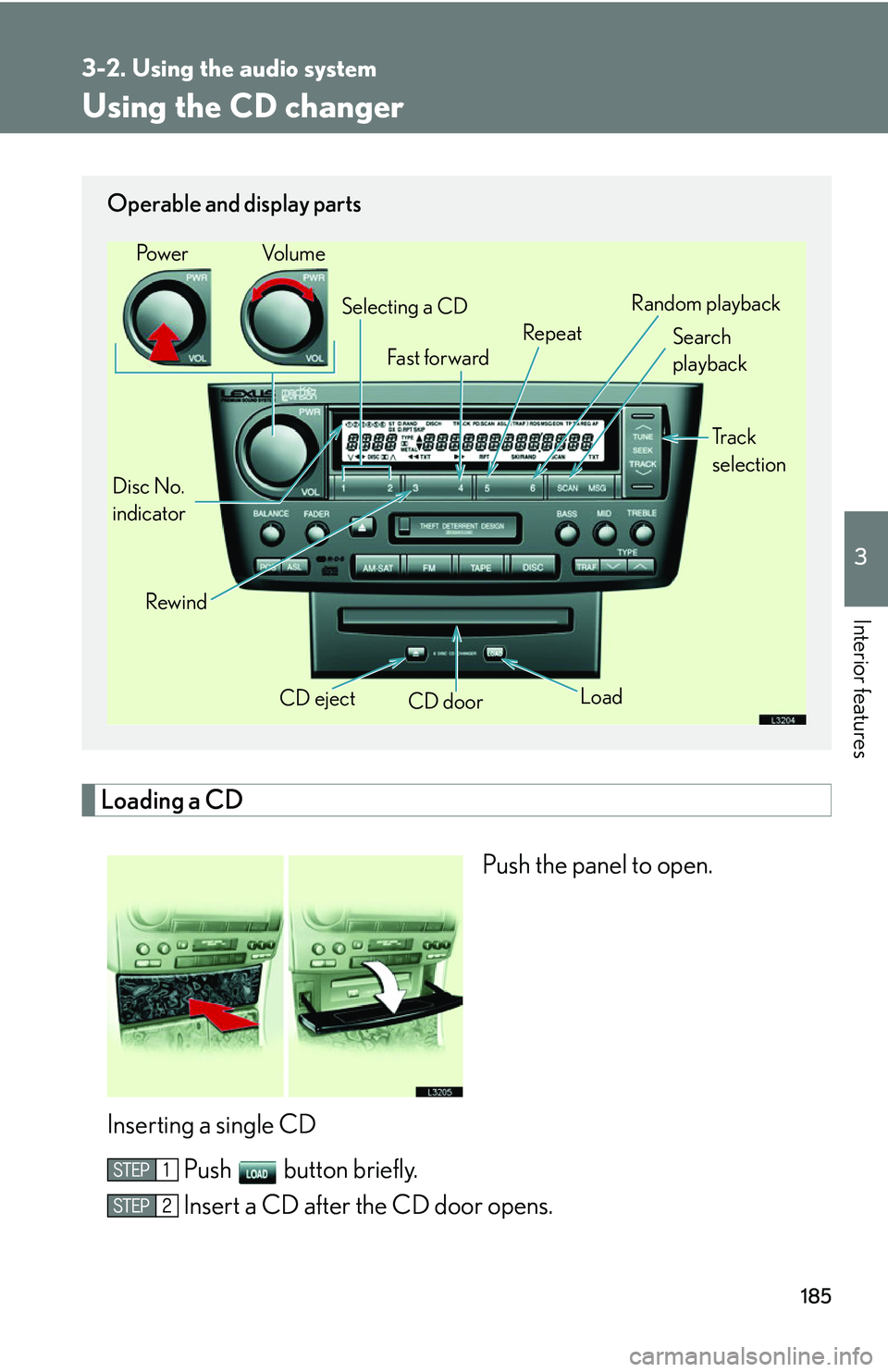
Using the CD changer
Loading a CD
Push the panel to open.
Inserting a single CD Push button briefly.
Insert a CD after the CD door opens.
Operable and display parts
CD eject
CD door
Disc No.
indicator Search
playback
Rewind LoadTr a c k
selection
Selecting a CD
Fa st for wa rd RepeatRandom playback
Po w e r Vo l u m e
Page 202 of 419
186
3-2. Using the audio system
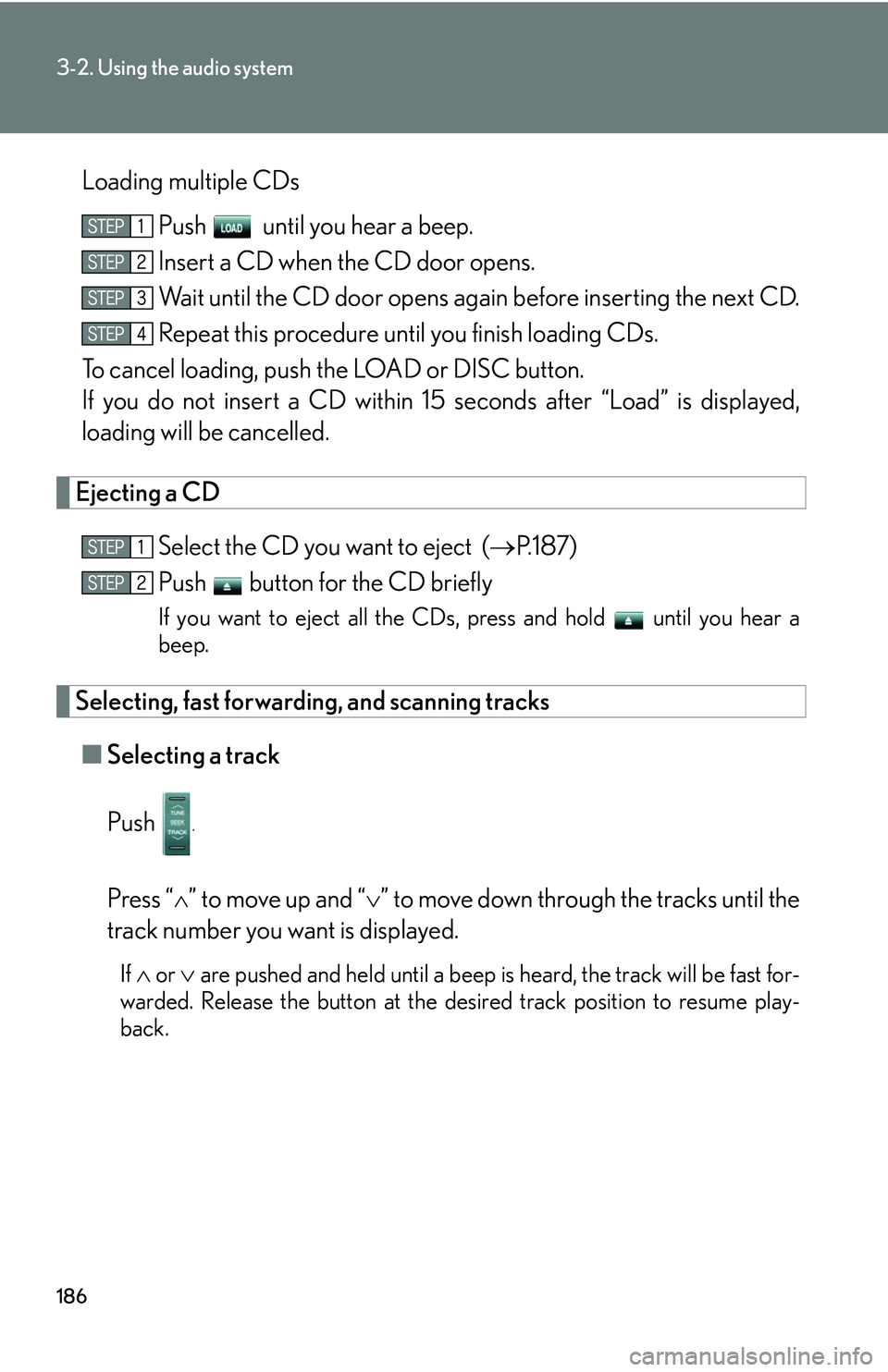
Loading multiple CDsPush until you hear a beep.
Insert a CD when the CD door opens.
Wait until the CD door opens again before inserting the next CD.
Repeat this procedure until you finish loading CDs.
To cancel loading, push the LOAD or DISC button.
If you do not insert a CD within 15 seconds af
ter “Load” is displayed,
loading will be cancelled.
Ejecting a CD
Select the CD you want to eject ( P.187)
Push button for the CD briefly
If you want to eject all the CDs, press and hold until you hear a
beep.
Selecting, fast forwarding, and scanning tracks
■ Selecting a track
Push
.
Press “” to move up and “” to move down throu gh the tracks until the
track number you want is displayed.
If or are pushed and held until a beep is heard, the track will be fast for-
warded. Release the button at the desired track position to resume play -
back.
Page 204 of 419
188
3-2. Using the audio system
■About your changer
Your automatic changer can store up to 6 CDs
■If you accidentally push the button
Push the DISC or LOAD button to insert a
gain. Do not push in the CD which is
being ejected forcibly
■When LOAD, ERROR or WAIT are shown on the display.
LOAD : The CD changer is preparing to playback a CD. Wait for a short while.
ERROR 1: Make sure the label of the displayed disc is facing up and reinsert it into
the ch
anger.
ERROR 3 or 4: There is a problem with the changer.
WAIT : Operation is stopped due to a hi gh temp
erature inside the changer.
Remove the CD from the player and allow the player to cool down.
If the malfunction persists, take yo ur v
ehicle to your Lexus dealer.
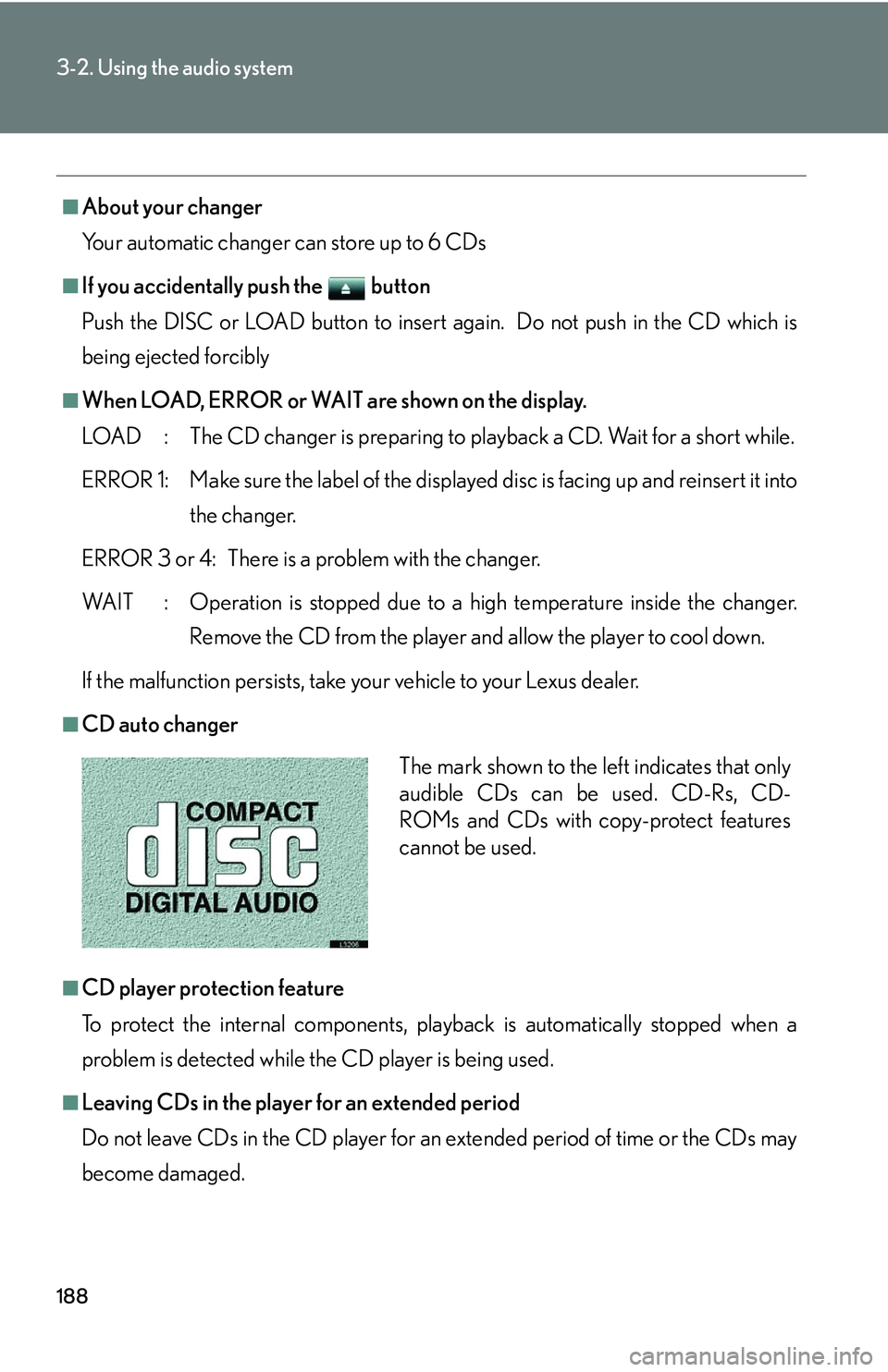
■CD auto changer
■CD player protection feature
To protect the internal components, play back
is automatically stopped when a
problem is detected while the CD player is being used.
■Leaving CDs in the player for an extended period
Do not leave CDs in the CD player for an e
xtended period of time or the CDs may
become damaged.
The mark shown to the left indicates that only
audible CDs can be used. CD-Rs, CD-
ROMs and CDs with copy-protect features
cannot be used.
Page 208 of 419
192
3-2. Using the audio system
Adjusting sound quality, volume, balance and sound level
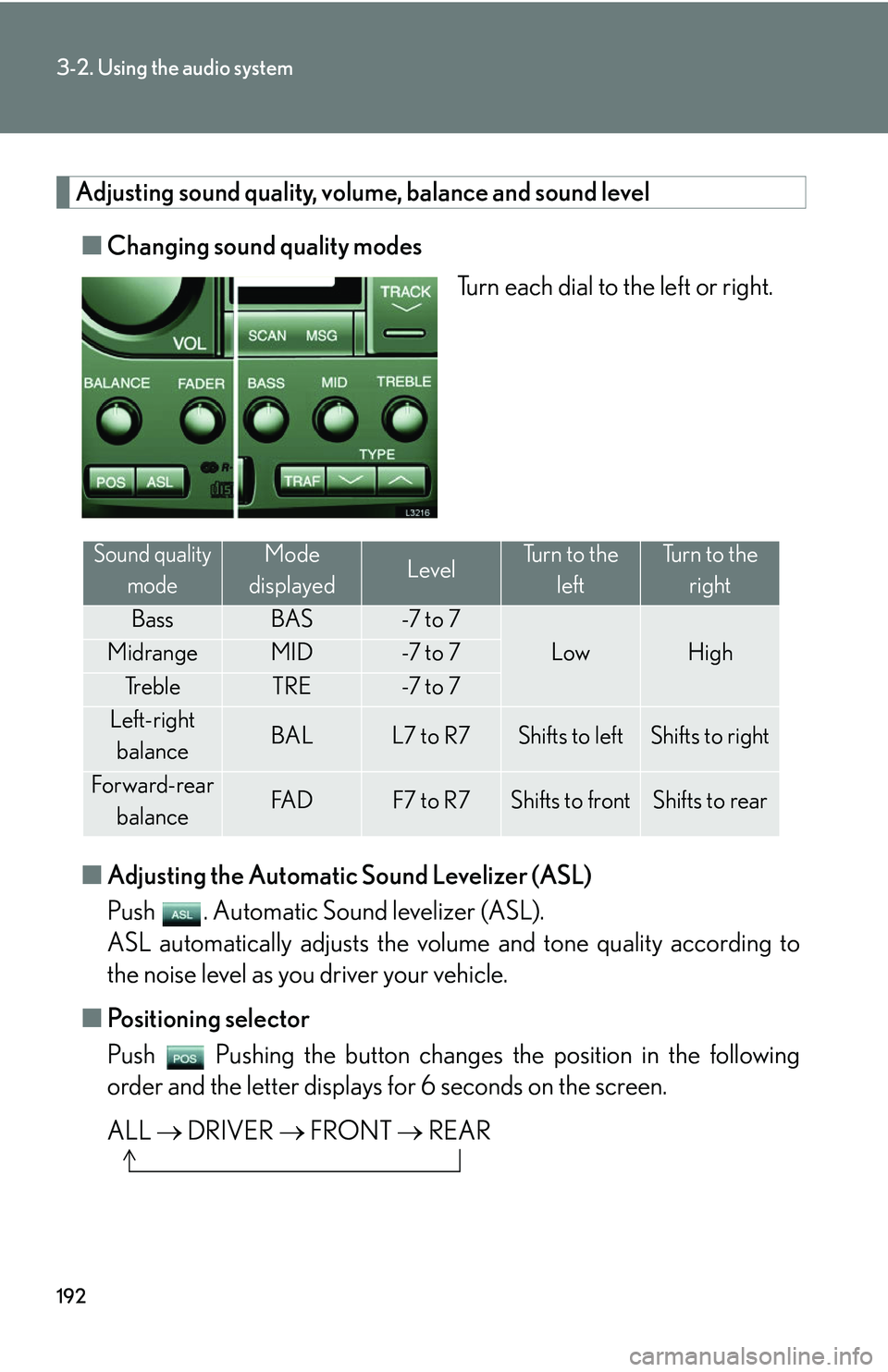
■Changing sound quality modes
Turn each dial to the left or right.
■ A
djusting the Automatic Sound Levelizer (ASL)
Push . Automatic Sound levelizer (ASL).
ASL automatically adjusts the volu me and tone quality accor
ding to
the noise level as you driver your vehicle.
■ P
ositioning selector
Push Pushing the button changes th e position in the follo
wing
order and the letter displays fo r 6 seconds on the scr
een.
ALL DRI
VER FRONT REAR
Sound quality
modeMode
displayedLevelTurn to the leftTurn to the right
BassBAS-7 t o 7
LowHighMidrangeMID-7 t o 7
Tr e b l eTRE-7 t o 7
Left-right balanceBALL7 to R7Shifts to leftShifts to right
Forward-rear
balanceFA DF7 to R7Shifts to frontShifts to rear