ignition LEXUS LS430 2006 Owner's Guide
[x] Cancel search | Manufacturer: LEXUS, Model Year: 2006, Model line: LS430, Model: LEXUS LS430 2006Pages: 419, PDF Size: 11.19 MB
Page 132 of 419
116
2-3. Operating the headlight and windshield wipers
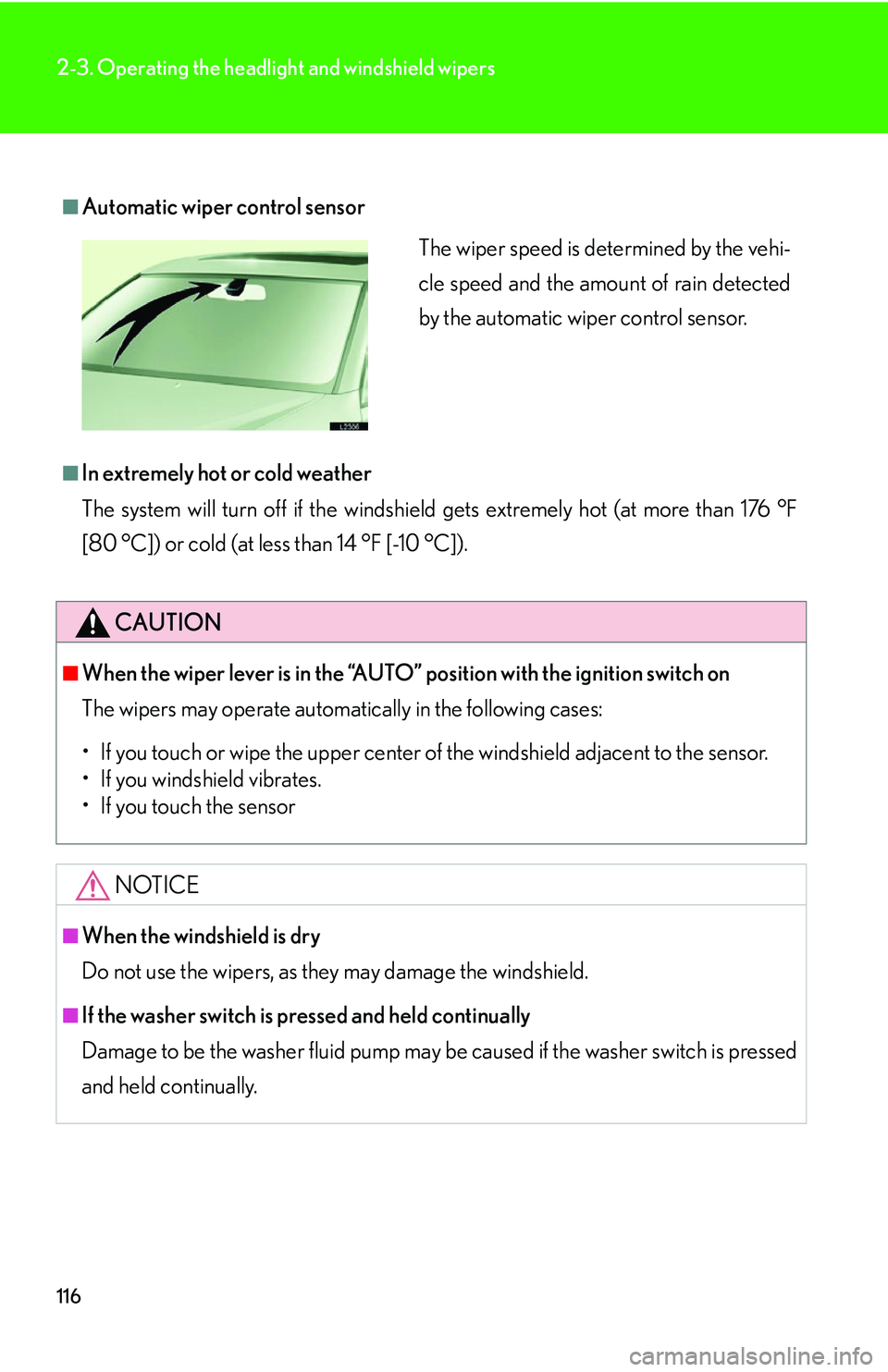
■Automatic wiper control sensor
■In extremely hot or cold weather
The system will turn off if the windshield gets extremely hot (at more than 176 °F
[80 °C]) or cold (at less than 14 °F [-10 °C]).
CAUTION
■When the wiper lever is in the “AUTO” position with the ignition switch on
The wipers may operate automatically in the following cases:
• If you touch or wipe the uppe
r center of the windshield adjacent to the sensor.
• If you windshield vibrates.
• If you touch the sensor
NOTICE
■When the windshield is dry
Do not use the wipers, as they may damage the windshield.
■If the washer switch is pressed and held continually
Damage to be the washer fluid pump may be caused if the washer switch is pressed
and he
ld continually.
The wiper speed is determined by the vehi-
cle speed and the amount of rain detected
by the automatic wiper control sensor.
Page 133 of 419
117
2-3. Operating the headlight and windshield wipers
2
When driving
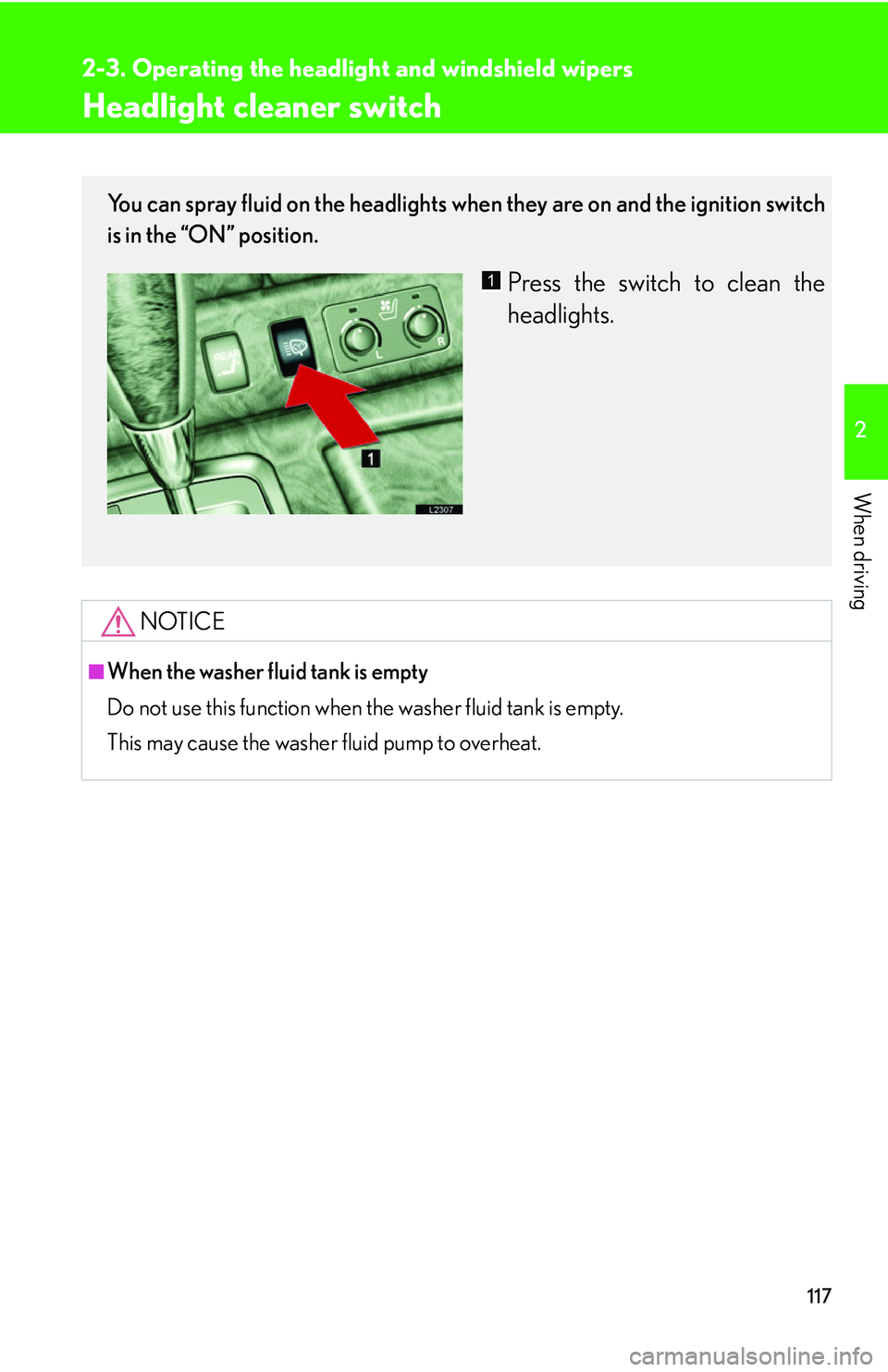
Headlight cleaner switch
NOTICE
■When the washer fluid tank is empty
Do not use this function when the washer fluid tank is empty.
This may cause the washer fluid pump to overheat.
You can spray fluid on the headlights when they are on and the ignition switch
is in the “ON” position.
Press the switch to clean the
headlights.1
Page 137 of 419
121
2-4. Using other driving systems
2
When driving
■Objects which may not be detected
●Wires or ropes.
●Objects with a surface area too small to reflect ultrasonic waves such as a
chain-link fence.
●Sound wave absorbing objects such as cotton or snow.
●Objects with a sharp edge.
●Shorter objects.
●Tall objects with the upper part projected.
■Operating condition
The ignition switch must b
e turned to ON.
■Park assist graphics (vehicles equippe d with the Navigation system) System
The park assist graphics also appear on the n
avigation display. For details, see the
separate “Navigation System Owner’s Manual”.
■Certification for the Lexus park assist system (Canada)
This ISM device complies with Canadian ICES-001.
■Failure warnings
If a system error is detected, the master warning light comes on, 5 beeps sound, the
fo
llowing warning message appears, and gr aphic information indicates the faulty
sensor. ( P.334 )
■Customization
The volume of the beeps can be changed. ( P. 3 8 4 )
Page 145 of 419
129
2-4. Using other driving systems
2
When driving
Dynamic radar/ laser cruise control
The vehicle-to-vehicle distance control mode allows the vehicle to follow
another vehicle, adjusting to the leading vehicle’s speed variations, and the
conventional cruise control mode allows for driving at a preset speed, both
without the need to press the accelerator pedal.
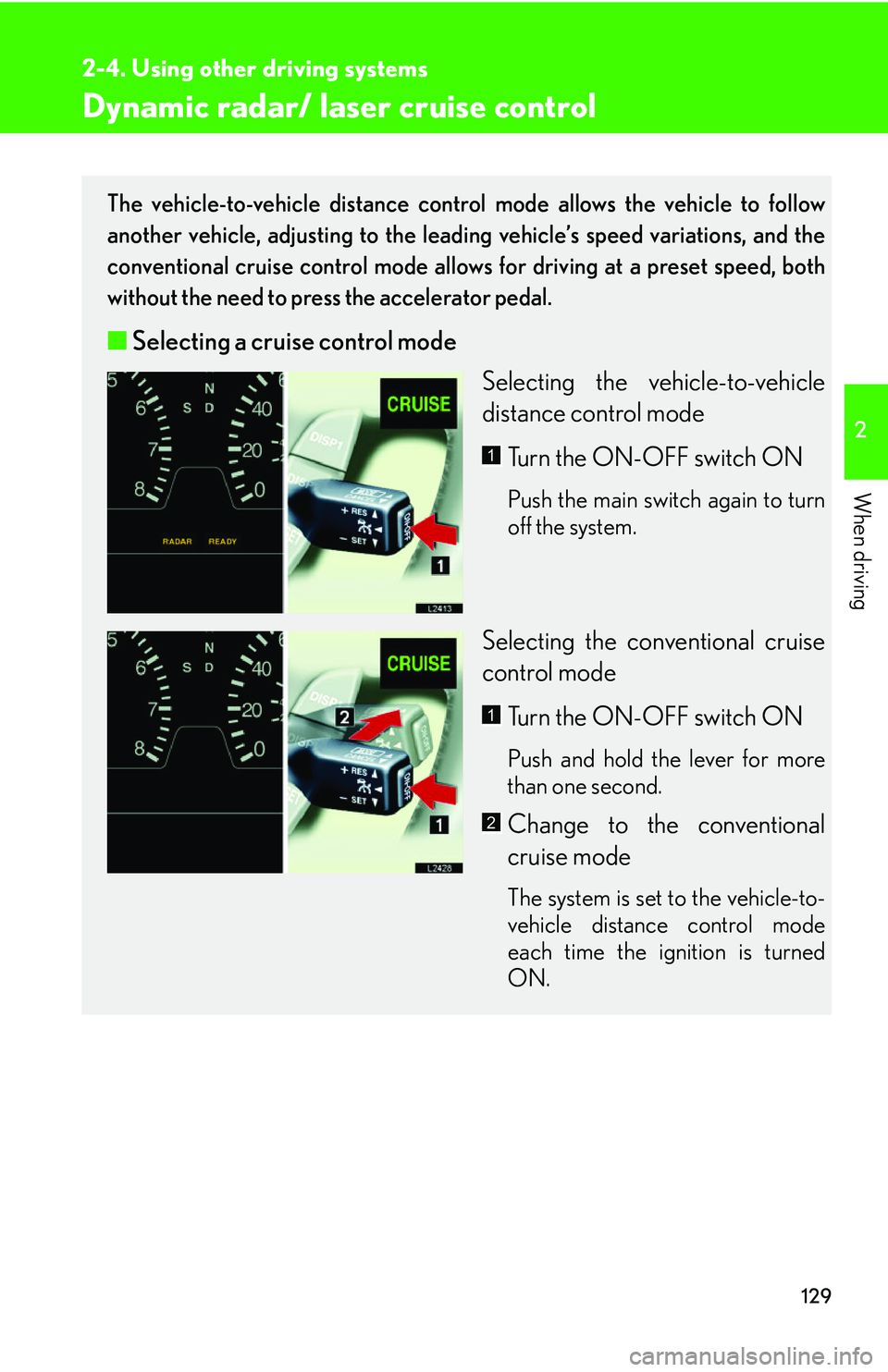
■ Selecting a cruise control mode
Selecting the vehicle-to-vehicle
distance contr
ol mode
Turn the ON-OFF switch ON
Push the main switch again to turn
off the system.
Selecting the conventional cruise
control mode Turn the ON-OFF switch ON
Push and hold the lever for more
than one second.
Change to the conventional
cruise mode
The system is set to the vehicle-to-
vehicle distance control mode
each time the ignition is turned
ON.
1
1
2
Page 146 of 419
130
2-4. Using other driving systems
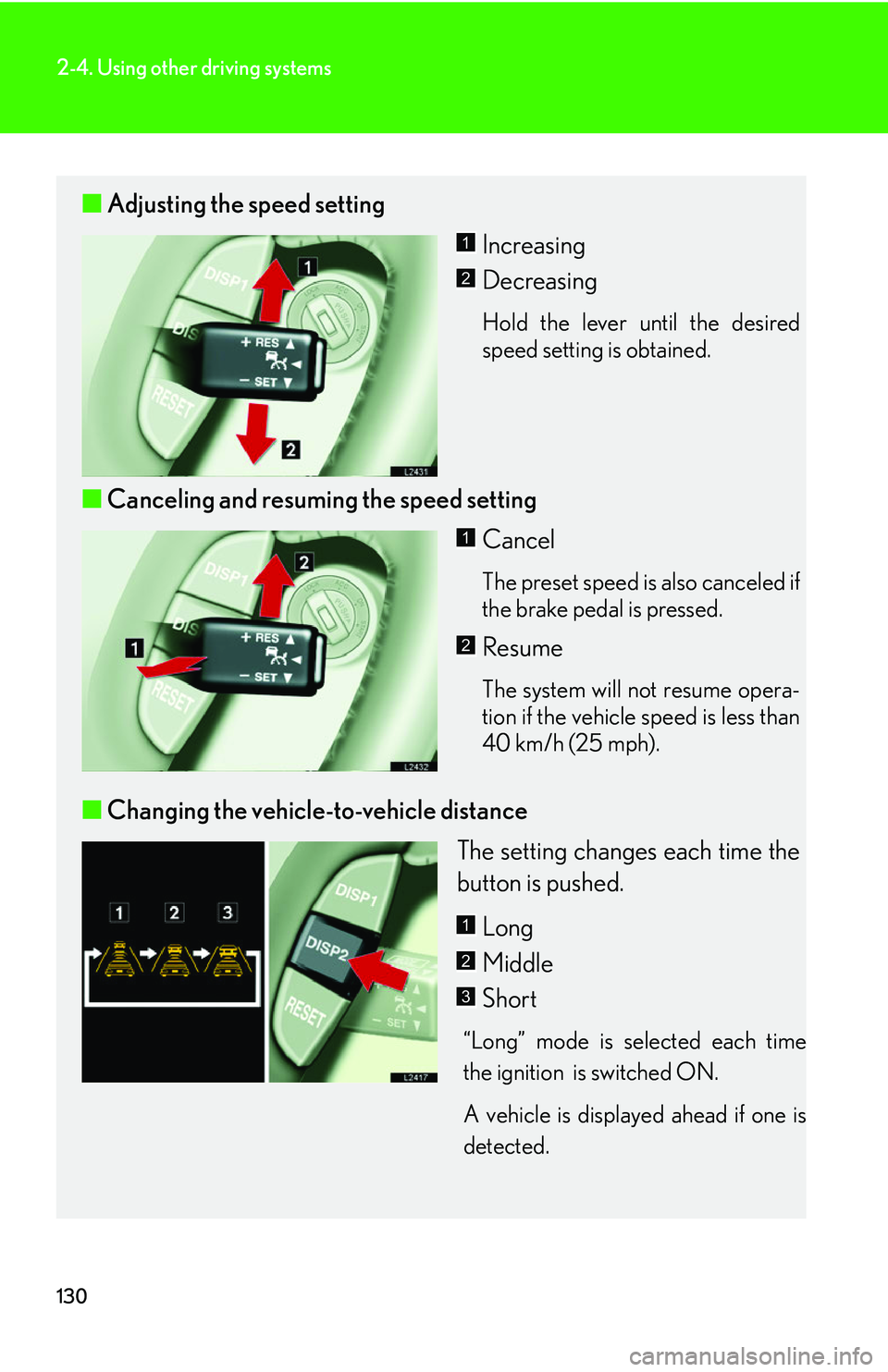
■Adjusting the speed setting
Increasing
Decreasing
Hold the lever until the desired
speed setting is obtained.
■Canceling and resuming the speed setting
Cancel
The preset speed is also canceled if
the brake pedal is pressed.
Resume
The system will not resume opera-
tion if the vehicle speed is less than
40 km/h (25 mph).
■ Changing the vehicle-to-vehicle distance
The setting changes each time the
button is pushed.
Long
Middle
Short
“Long” mode is selected each time
the ignition is switched ON.
A vehicle is displayed ahead if one is
detected
.
1
2
1
2
1
2
3
Page 214 of 419
198
3-3. Turning on interior lights
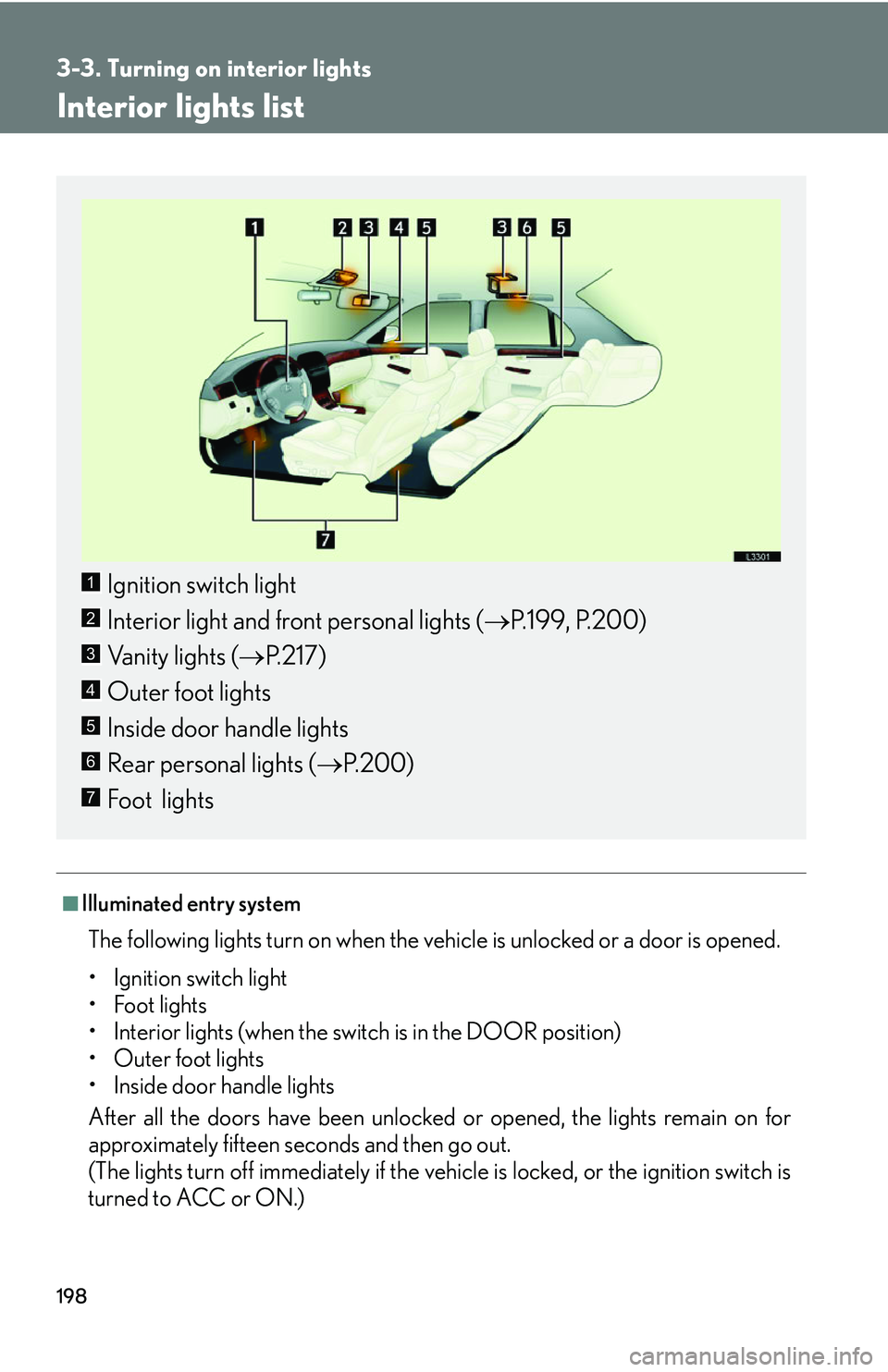
Interior lights list
■Illuminated entry system
The following lights turn on when the vehicle is unlocked or a door is opened.
• Ignition switch light
• Foot lights
• Interior lights (when the switch is in the DOOR position)
• Outer foot lights
• Inside door handle lights
After all the doors have been unlocked or
opened, the lights remain on for
approximately fifteen seconds and then go out.
(The lights turn off immediately if the vehicle is locked, or the ignition switch is
turned to A
CC or ON.)
Ignition switch light
Interior light and front personal lights ( P.199 , P.200)
Vanity lights ( P
.217)
Outer foot lights
Inside door handle lights
Rear personal lights ( P.200 )
Foot lights
1
2
3
4
5
6
7
Page 226 of 419
210
3-5. Other interior features
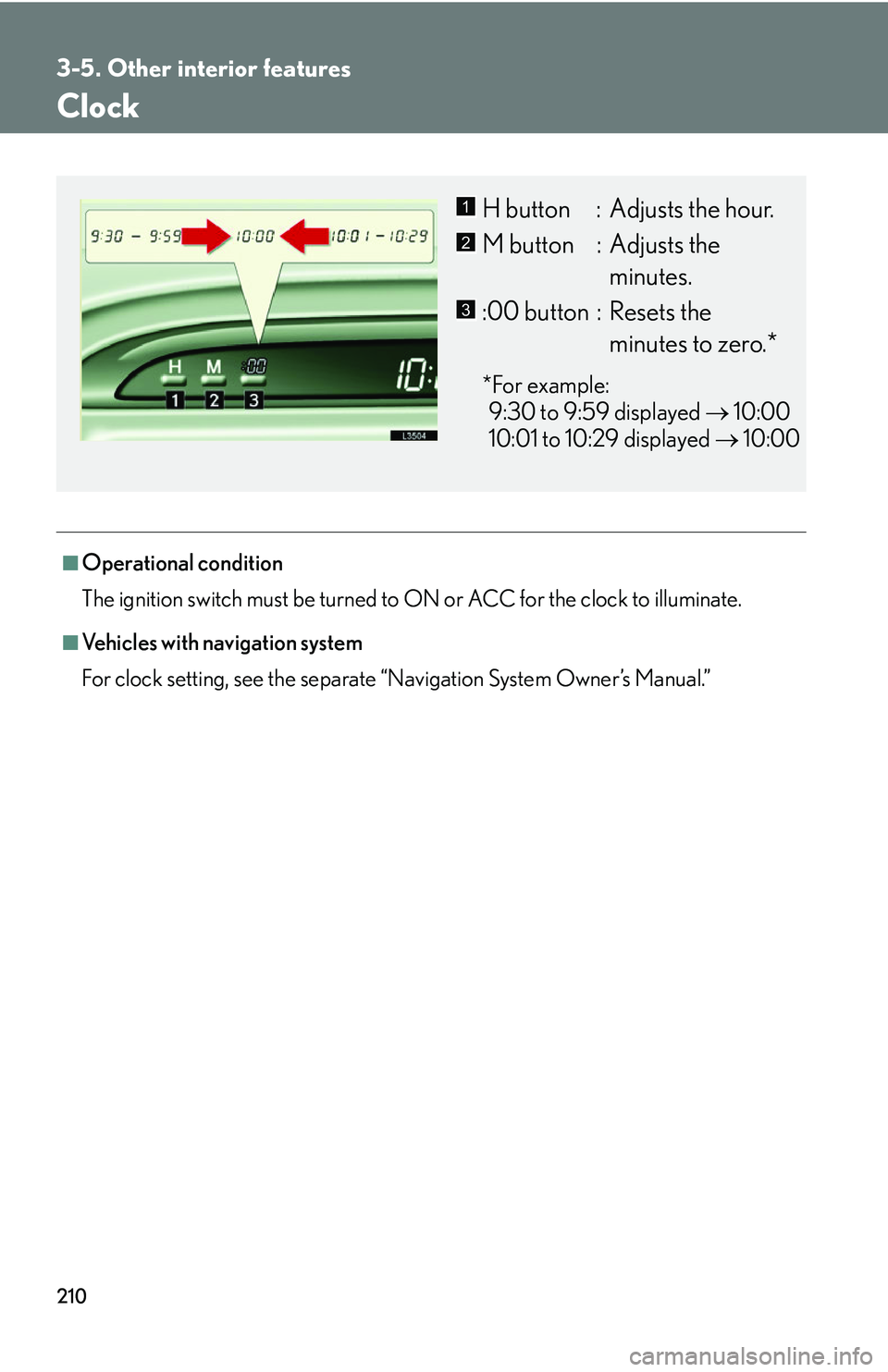
Clock
■Operational condition
The ignition switch must be turned to ON or ACC for the clock to illuminate.
■Vehicles with navigation system
For clock setting, see the separate “
Navigation System Owner’s Manual.”
H button : Adjusts the hour.
M button : Adjusts the
minutes.
:00 button : Resets the
minutes to zero.*
*For example:
9:30 to 9:59 displayed 10
:00
10:01 to 10:29 displayed 10
:00
1
2
3
Page 229 of 419
213
3-5. Other interior features
3
Interior features
Cigarette lighter
■Cigarette lighter operating conditions
The ignition switch must be in the ACC or ON position for the cigarette lighter to
operate.
CAUTION
■To avoid burns and fires
●Do not touch the metal portio ns of the cigarette lighter.
●Do not hold the cigarette lighter down. It could overheat and cause a fire.
●Do not insert anything other than the cigarette lighter provided into the outlet.
( P.214 )
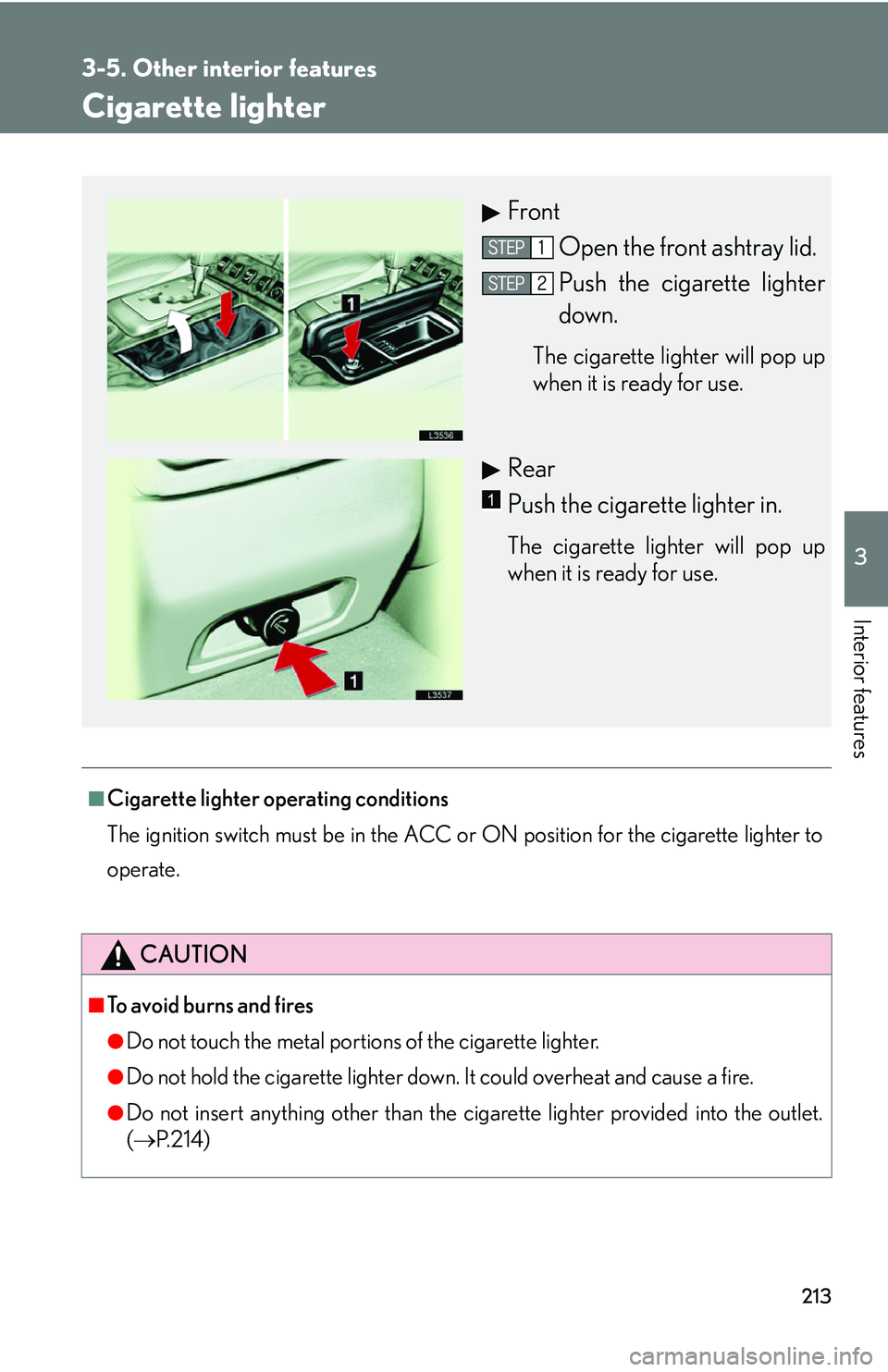
Front
Open the front ashtray lid.
Push the cigarette lighter
down.
The cigarette lighter will pop up
when it is ready for use.
Rear
Push the cigarette lighter in.
The cigarette lighter will pop up
when it is ready for use.
1
Page 230 of 419
214
3-5. Other interior features
Power outlets
■Power outlet operating conditions
The ignition switch must be in
the ACC or ON position.
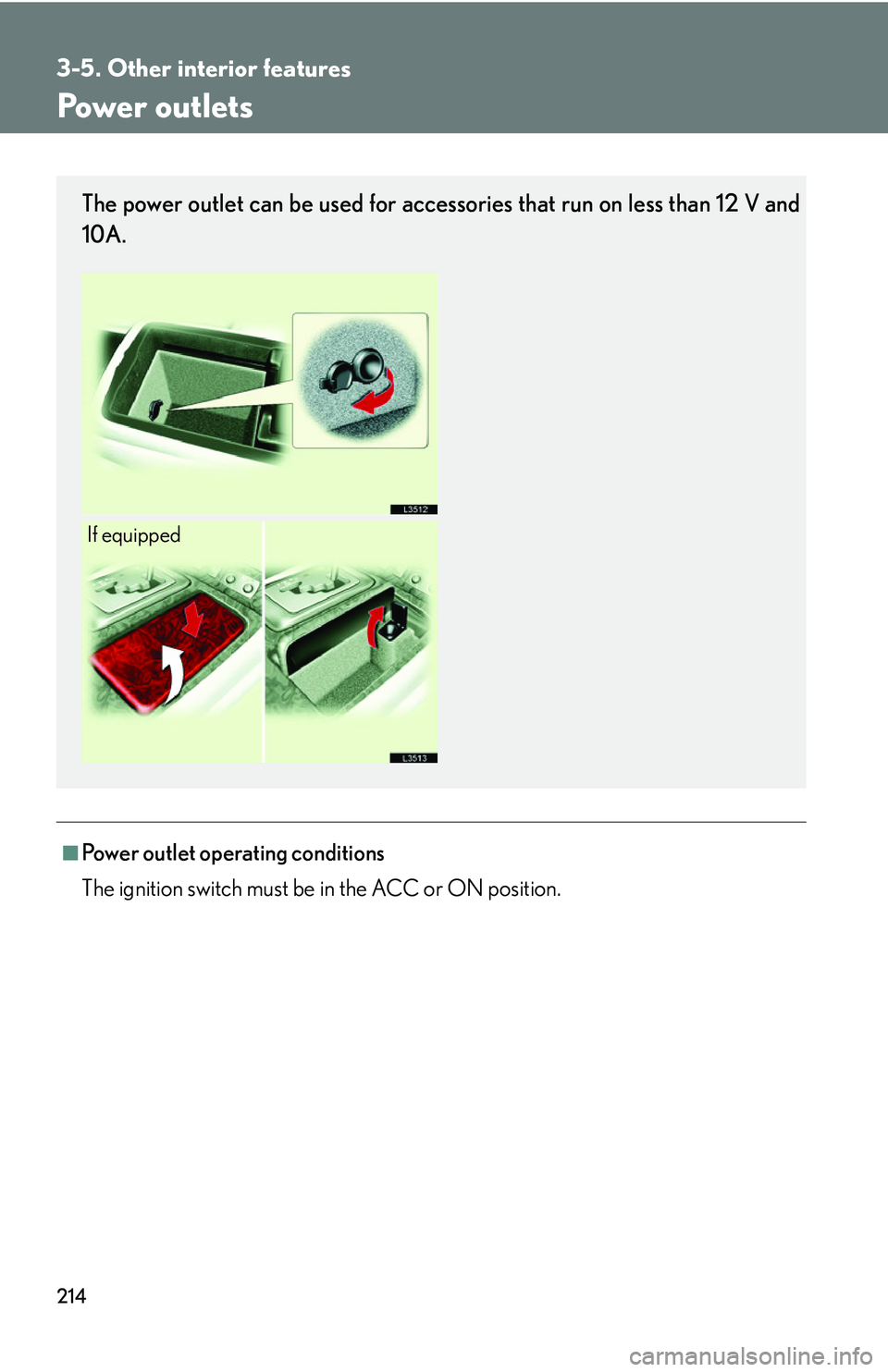
The power outlet can be used for accessories that run on less than 12 V and
10A.
If equipped
Page 233 of 419
217
3-5. Other interior features
3
Interior features
■Operating conditions
The ignition switch must be in the ON position.
■Display
●Ranges: -22°F (-30°C) to -122°F (50°C).
●If it reads “- - - ” or blanks, take vehicle to your Lexus dealer.