ignition LEXUS LS430 2006 Service Manual
[x] Cancel search | Manufacturer: LEXUS, Model Year: 2006, Model line: LS430, Model: LEXUS LS430 2006Pages: 419, PDF Size: 11.19 MB
Page 234 of 419
218
3-5. Other interior features
Seat heaters
■Operating conditions
The ignition switch must be in the ON position.
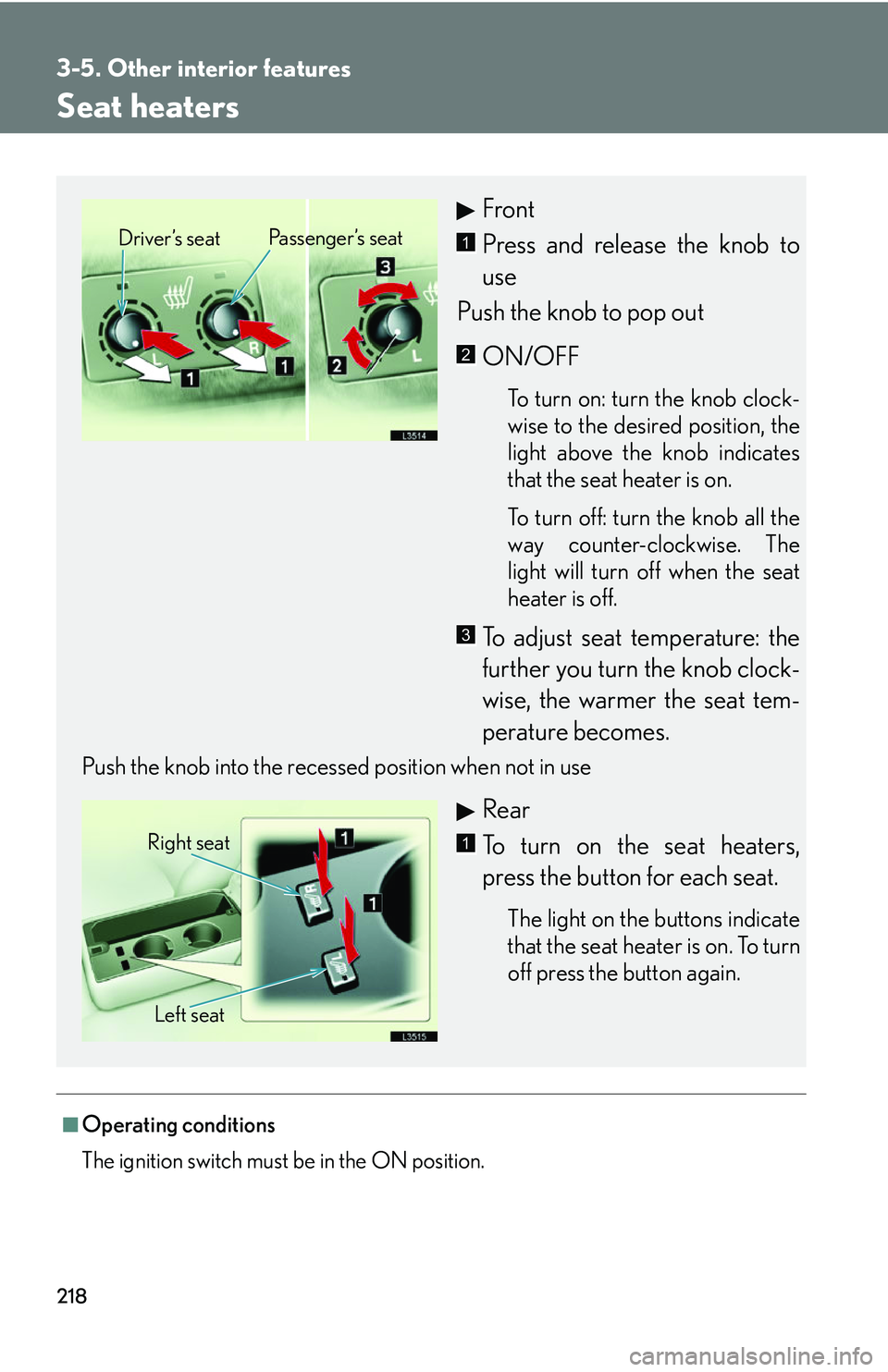
Front
Press and release the knob to
use
Push the knob to pop out
ON/OFF
To turn on: turn the knob clock -
wise to the desired position, the
light abo
ve the knob indicates
that the seat heater is on.
To turn off: turn the knob all the
w
ay counter-clockwise. The
light will turn off when the seat
heater is off.
To adjust seat temperature: the
further you turn the knob clock -
wise, the warmer the seat tem -
perature becomes.
Push the knob into the recessed position when not in use
Rear
To turn on the seat heaters,
press the button for each seat.
The light on the buttons indicate
that the seat heater is on. To turn
off press the button again.
Driver’s seat Passenger’s seat1
2
3
Right seat
Left seat1
Page 236 of 419
220
3-5. Other interior features
Climate control seat switches
■Operating conditions
The ignition switch must be in the ON position.
■Replacing the air filters
Regularly inspect the seat climate control air filters and replace them if necessary to
ma
intain the efficiency of the climate controlled seats. ( P. 2 9 3 )
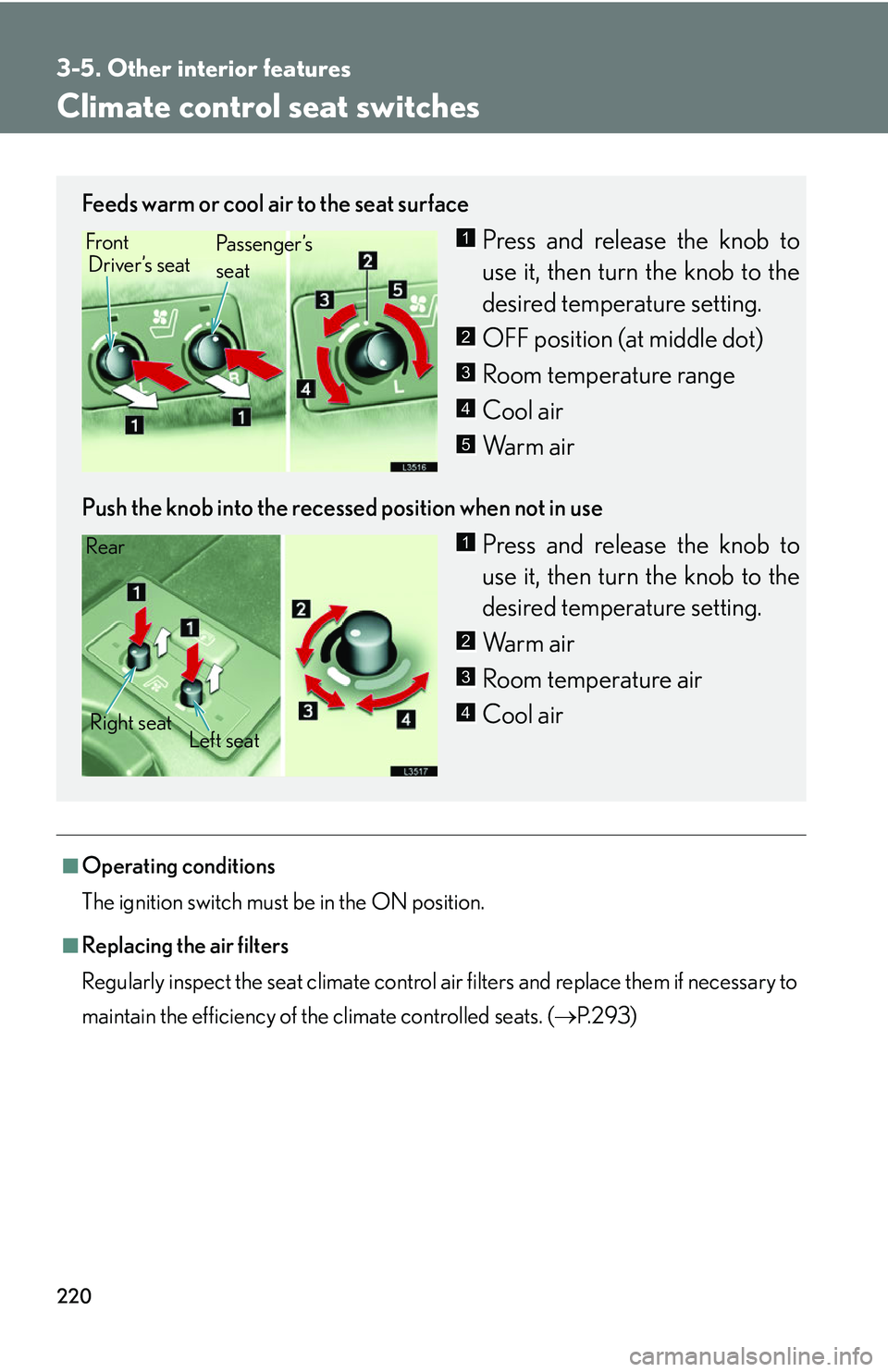
Feeds warm or cool air to the seat surface
Press and release the knob to
use it, then turn the knob to the
desir
ed temperature setting.
OFF position (at middle dot)
Room temperature range
Cool air
Warm air
Push the knob into the recessed position when not in use
Press and release the knob to
use it, then turn the knob to the
desir
ed temperature setting.
Warm air
Room temperature air
Cool air
Front Driver’s seat Pa s s e n g e r ’s
seat1
2
3
4
5
Rear
Right seat Left seat1
2
3
4
Page 238 of 419
222
3-5. Other interior features
Refreshing rear seat switches
■Operating conditions
The ignition switch must be in the ON position.
CAUTION
■Using the refresh function
●Those who are pregnant, have recently given birth, or suffer from ailments requir-
ing rest (heart disease etc.), should consult a doctor before use.
●Do not allow children to use the refresh function.
●Do not use immediately after meals or for extended periods
●If you feel sick while using the refresh function, immediately discontinue use.
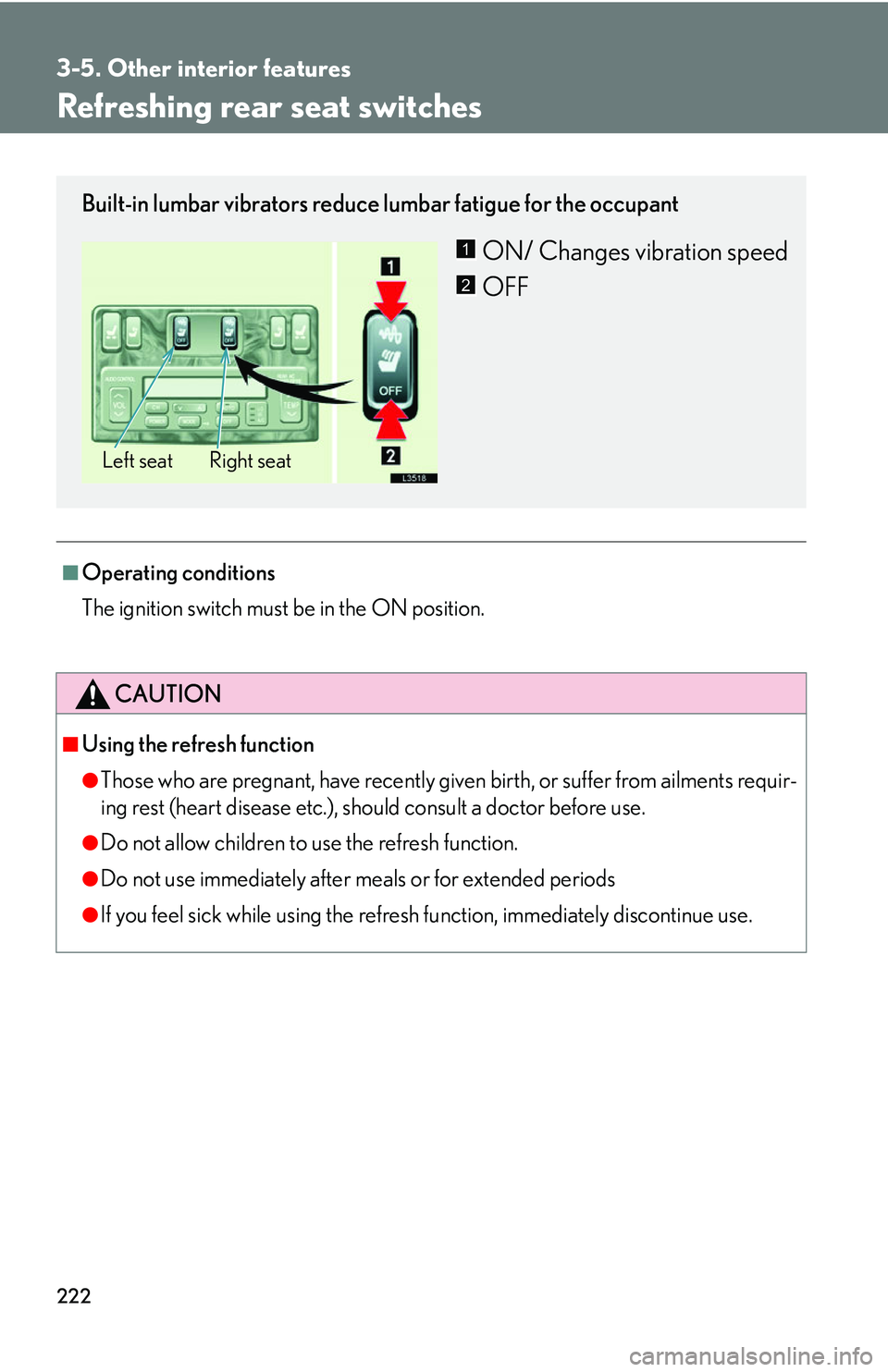
Built-in lumbar vibrators reduce lumbar fatigue for the occupant
ON/ Changes vibration speed
OFF
Right seat
Left seat
1
2
Page 241 of 419
225
3-5. Other interior features
3
Interior features
Sunshades
■Rear power sunshade operating conditions
The ignition switch must be in the ON position
■Automatic operation
●When the transmission selector lever is shifted into the “R” position while the
sunshade is up, the sunshade will be automatically lowered.
●To raise the sunshade again, perform any of the following operations:
• Shift the transmission selector lever in “P” position
• Push the switch again
• Move the transmission selector lever out of
“R” position and drive your vehi-
cle over 9 mph (15 km/h)
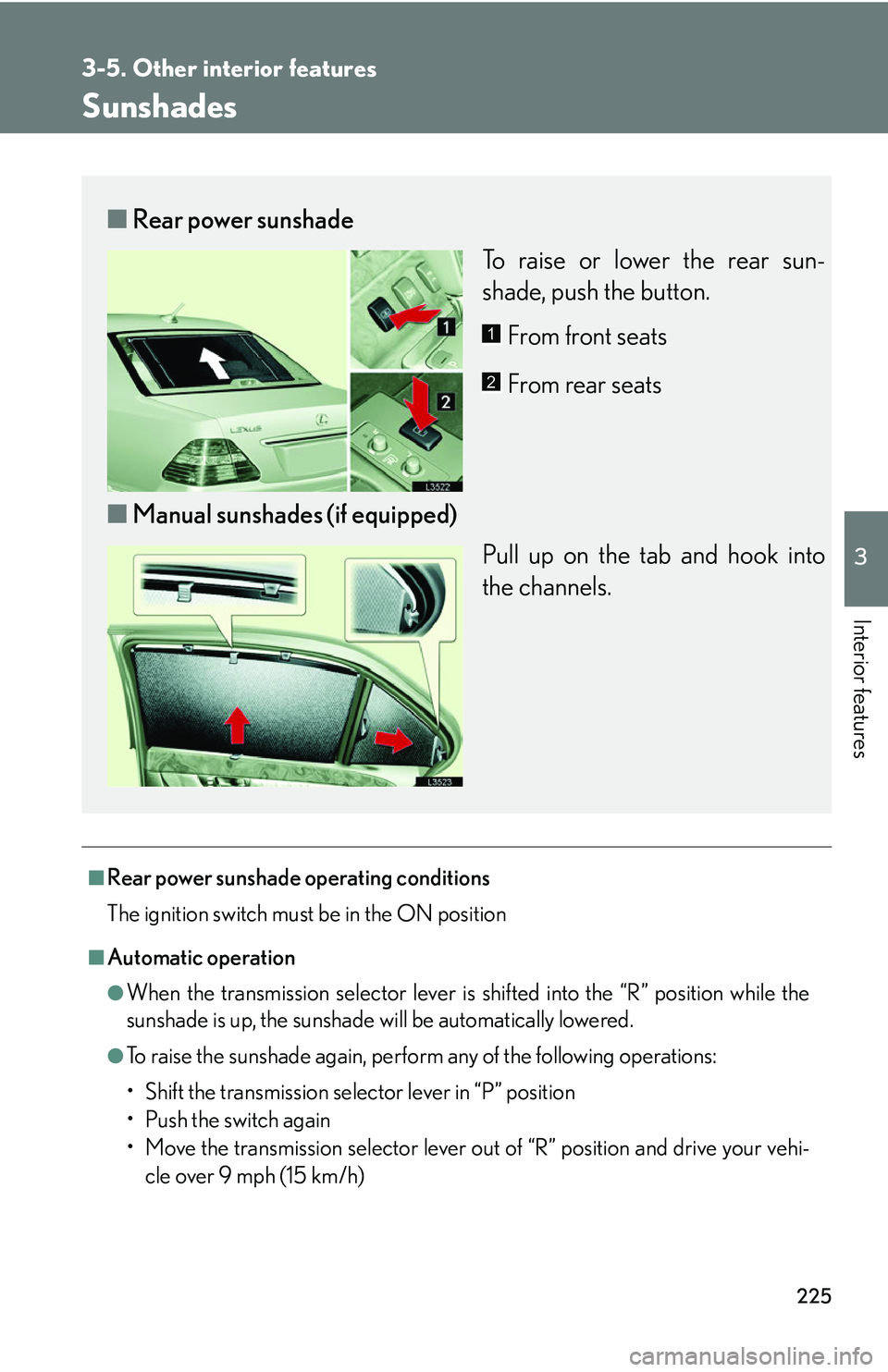
■ Rear power sunshade
To raise or lower the rear sun-
shade, push the button.
From front seats
From rear seats
■ Manual sunshades (if equipped)
Pull up on the tab and hook into
the channels.
1
2
Page 242 of 419
226
3-5. Other interior features
■Retained accessory power
The rear power sunshade can be operated for approximately 60 seconds after the
ignition switch is turned to ACC or LOCK position.
CAUTION
■To a v o i d i n j u r y
●Do not touch the brackets fastening the power sunshade.
●Do not put your fingers in the power sunshade groove during operation.
NOTICE
■To prevent the battery from being discharged
Always operate the shade while the engine is running.
■To avoid damage or malfunction
●Do not overload the shade motor and othe r parts (for instance by pushing down
on the sunshade bracket during operation).
●Do not place objects where they may hinder the opening/closing of the shade.
●Do not affix anything to the shade.
●Clean the shade groove if there is any foreign matter or dust on it.
●Do not operate the power sunshade repeatedly for a long time.
■To avoid damage to the sunshade
Do not place anything in the sunshade groove.
Page 246 of 419
230
3-5. Other interior features
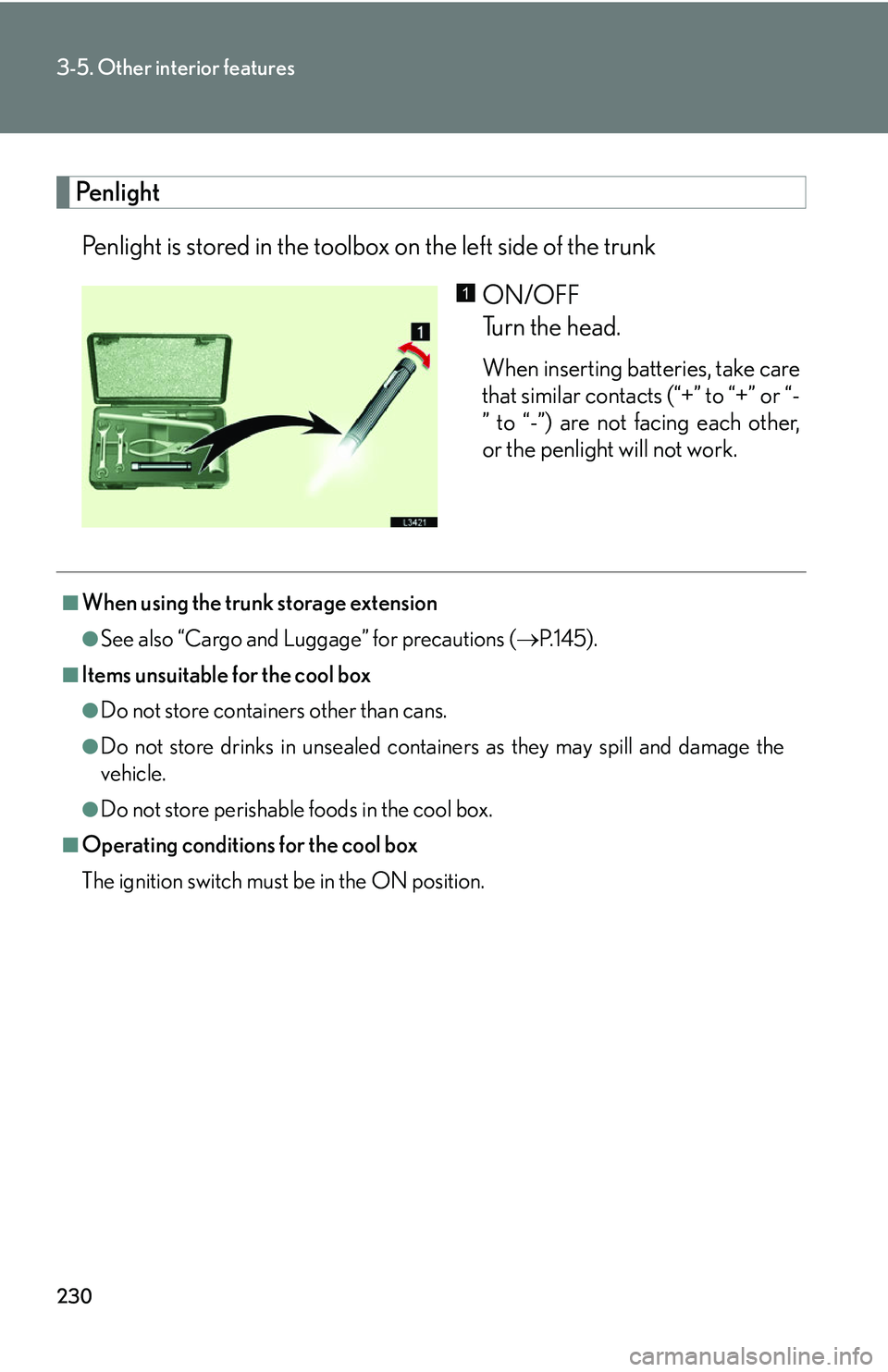
Penlight
Penlight is stored in the toolbox on the left side of the trunkON/OFF
Turn the head.
When inserting batteries, take care
that similar contacts (“+” to “+” or “-
” to “-”) are not facing each other,
or the penlight will not work.
1
■When using the trunk storage extension
●See also “Cargo and Luggage” for precautions ( P.145 ).
■Items unsuitable for the cool box
●Do not store containers other than cans.
●Do not store drinks in unsealed containers as they may spill and damage the
vehicle.
●Do not store perishable foods in the cool box.
■Operating conditions for the cool box
The ignition switch must be in the ON position.
Page 274 of 419
258
4-3. Do-it-yourself maintenance
CAUTION
The engine compartment contains many mechanisms and fluids that many move
suddenly, become hot, or become electrically energized. To avoid death or serious
injury:
■When working in the engine compartment:
●Keep hands, clothing, and tools away from the moving fan and engine drive belt.
●Be careful not to touch the engine, radiator, exhaust manifold and power steering
fluid reservoir, etc. right after driving as they may be hot. Oil and other fluids may
also be hot.
●Do not leave anything that may burn easily , such as paper or rags, in the engine
compartment.
●Do not smoke, cause sparks or expose an open flame to fuel or the battery.
Fuel and battery fumes are flammable.
●Be extremely cautious when working on the battery.
It contains poisonous and corrosive sulfuric acid.
■When the engine is running
Perform maintenance checks with adequate ventilation
■When working near the electric cooling fan or radiator grill:
Be sure the ignition is off. With the igni tion on, th
e electric cooling fan may automat-
ically start to run if the air conditioning is on and/
or if the coolant temperature is
high. ( P.262 )
■When working on or under the vehicle:
●Do not get under the vehicle with just the jack supporting it.
Always use automotive jack stands or other solid supports.
●Use eye protection to prevent flying or falling material, fluid spray, etc. from get -
ting in your eyes.
Page 281 of 419
265
4-3. Do-it-yourself maintenance
4
Maintenance and care
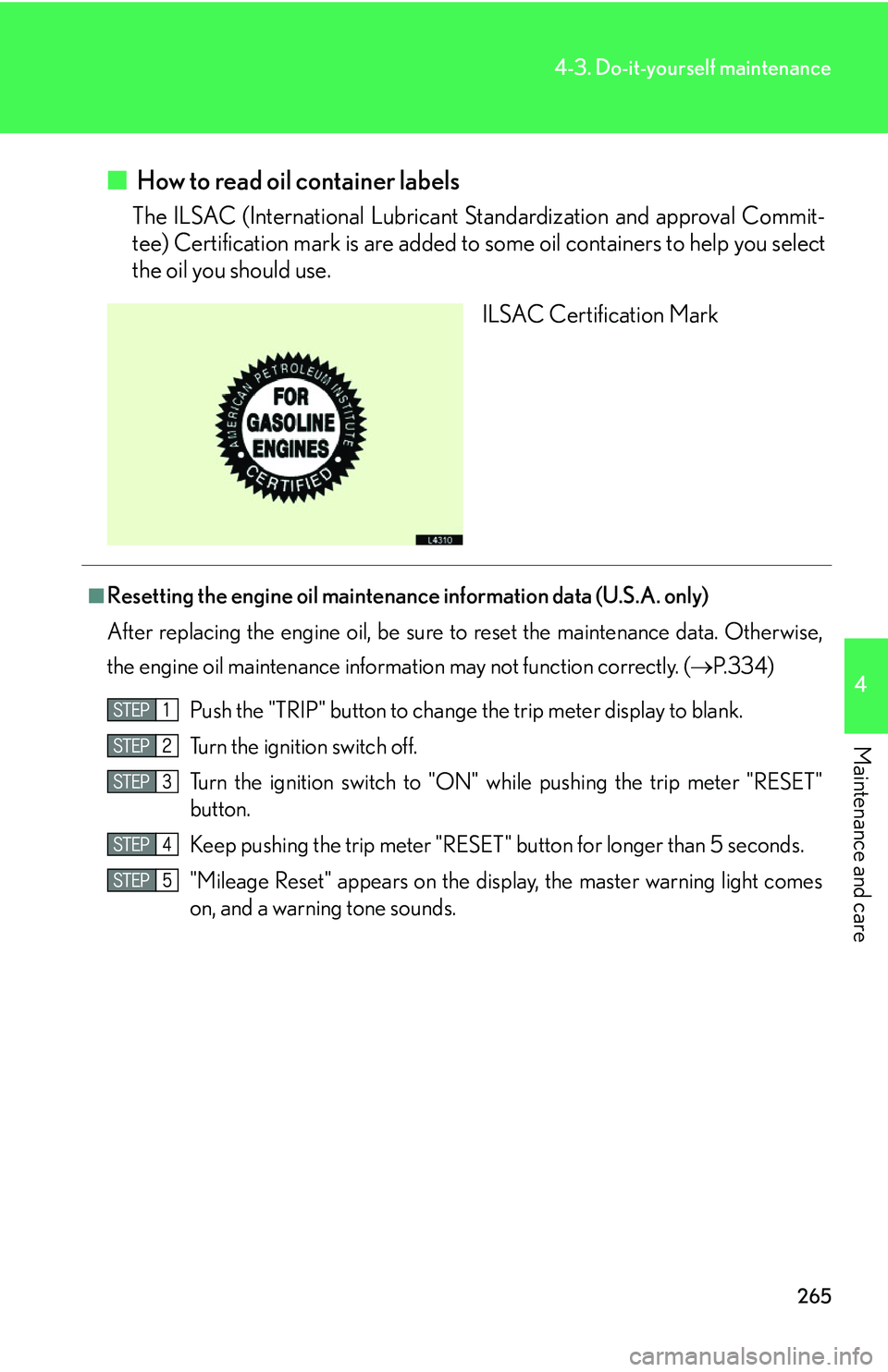
■ How to read oil container labels
The ILSAC (International Lubricant Standardization and approval Commit -
tee) Certification mark is are added to some oil
containers to help you select
the oil you should use.
ILSAC Certification Mark
■Resetting the engine oil maintenance information data (U.S.A. only)
After replacing the engine oil, be sure to
reset the maintenance data. Otherwise,
the engine oil maintenance information may not function correctly. ( P.334 )
Push the "TRIP" button to change t
he trip meter display to blank.
Turn the ignition switch off.
Turn the ignition switch to "ON" while pushing
the trip meter "RESET"
button.
Keep pushing the trip meter "RESET " button for lon
ger than 5 seconds.
"Mileage Reset" appears on
the display, the master warning light comes
on, and a warning tone sounds.
Page 286 of 419
270
4-3. Do-it-yourself maintenance
Brake fluid
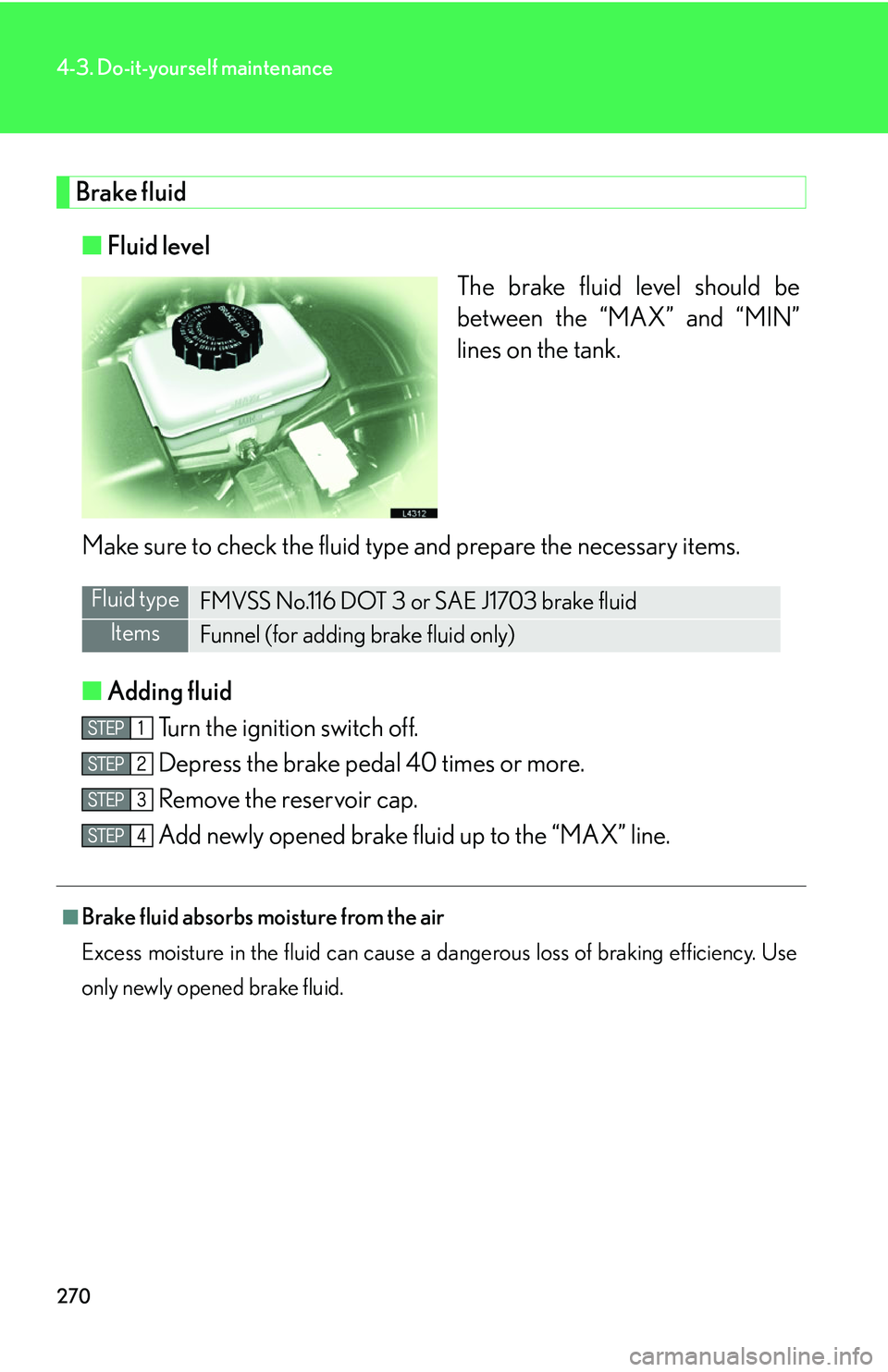
■Fluid level
The brake fluid level should be
betw
een the “MAX” and “MIN”
lines on the tank.
Make sure to check the fluid type and prepare the necessary items.
■ A
dding fluid
Turn the ignition switch off.
Depress the brake pedal 40 times or more.
Remove the reservoir cap.
Add newly opened brake fluid up to the “MAX” line.
Fluid typeFMVSS No.116 DOT 3 or SAE J1703 brake fluid
ItemsFunnel (for adding brake fluid only)
■Brake fluid absorbs moisture from the air
Excess moisture in the fluid can cause a dangerous loss of braking efficiency. Use
o
nly newly opened brake fluid.
Page 295 of 419
279
4-3. Do-it-yourself maintenance
4
Maintenance and care
Initializing the tire pressure warning system
Tire pressure warning system must be initialized after tires or wheels have
been replaced or rotated, or after adjusting tire pressure.
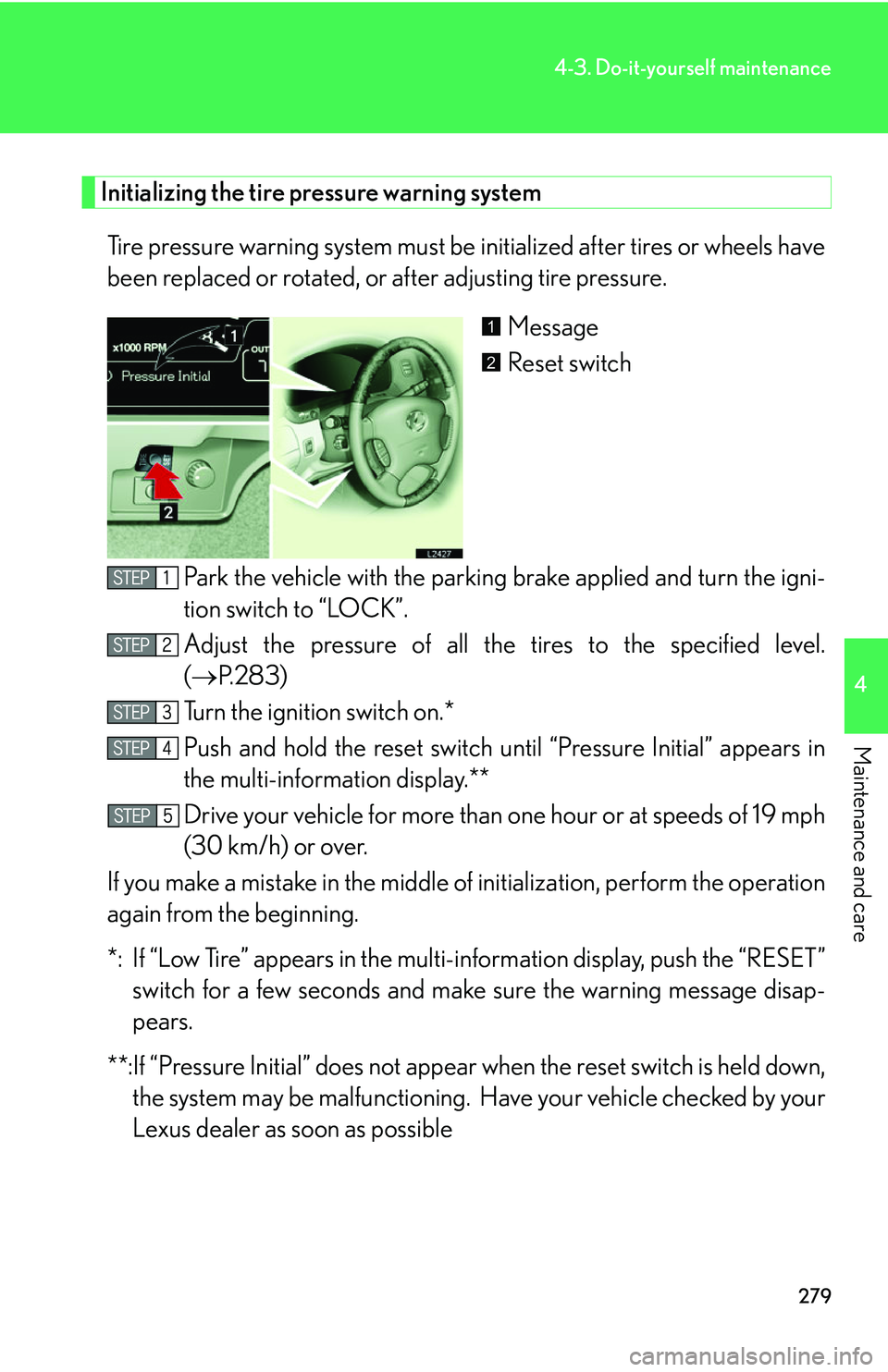
Message
Reset switch
Park the vehicle with the parking br
ake applied and turn the igni-
tion switch to “LOCK”.
Adjust the pressure of all the tir
es to the specified level.
( P.283 )
Turn the ignition switch on.*
Push and hold the reset switch until “P
ressure Initial” appears in
the multi-information display.**
Drive your vehicle for more than one hour or at speeds of 1
9 mph
(30 km/h) or over.
If you make a mistake in the middle of initialization, per
form the operation
again from the beginning.
*: If “Low Tire” appears in the multi- information display
, push the “RESET”
switch for a few seconds and make sure the warning message disap-
pears.
**:If “Pressure Initial” does not appear when the r
eset switch is held down,
the system may be malfunctioning. Ha ve your vehicle checked by your
Lexus dealer as soon as possible
1
2