air filter LEXUS LS430 2006 Owners Manual
[x] Cancel search | Manufacturer: LEXUS, Model Year: 2006, Model line: LS430, Model: LEXUS LS430 2006Pages: 419, PDF Size: 11.19 MB
Page 4 of 419
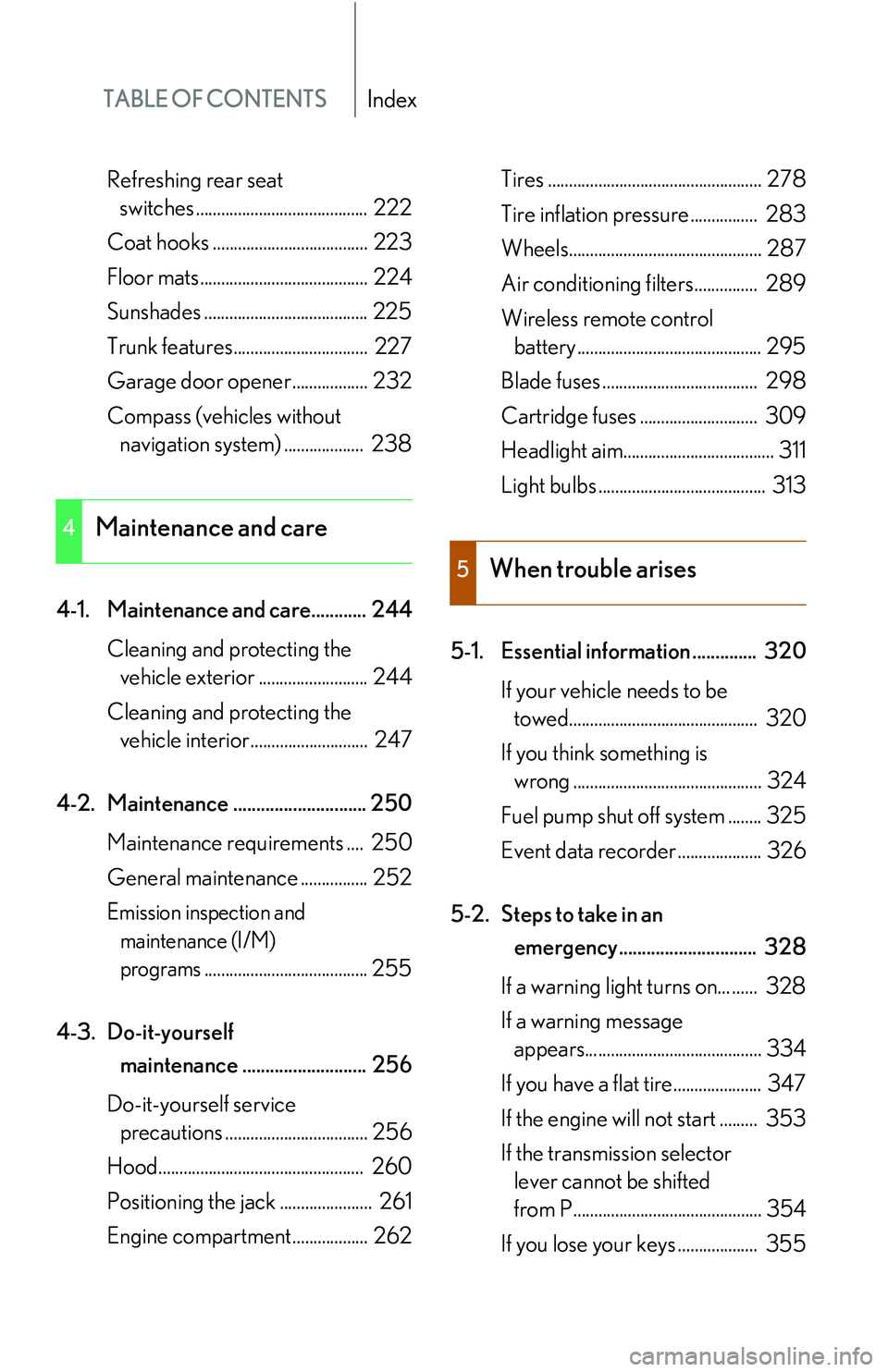
TABLE OF CONTENTSIndex
Refreshing rear seat
switches ......................................... 222
Coat hooks ..................................... 223
Floor mats........................................ 224
Sunshades ....................................... 225
Trunk features................................ 227
Garage door opener .................. 232
Compass (vehicles without
navigation syst em)
................... 238
4-1. Maintenance and care............ 244 Cleaning and protecting the
vehicle exterior .......................... 244
Cleaning and protecting the
vehicle interior............................ 247
4-2. Maintenance ............................. 250 Maintenance requ irements
.... 250
General maintenance ................ 252
Emission inspection and
maintenance (I/M)
programs....................................... 255
4-3. Do-it-yourself
maintenance ........................... 256
Do-it-yourself service
precautions .................................. 256
Hood................................................. 260
Positioning the jack ...................... 261
Engine compartment.................. 262 Tires ................................................... 278
Tire inflation pressure................ 283
Wheels.............................................. 287
Air conditioning filters............... 289
Wireless remote control
battery ............................................ 295
Blade fuses ..................................... 298
Cartridge fuses ............................ 309
Headlight aim.................................... 311
Light bulbs ........................................ 313
5-1. Essential information .............. 320 If your vehicle needs to be
towed............................................. 320
If you think something is
wrong ............................................. 324
Fuel pump shut off system ........ 325
Event data recorder .................... 326
5-2. Steps to take in an
emergency .............................. 328
If a warning light turns on... ...... 328
If a warning message
appears.......................................... 334
If you have a flat tire..................... 347
If the engine will not start ......... 353
If the transmission selector
lever cannot be shifted
from P............................................. 354
If you lose your keys ................... 355
4Maintenance and care
5When trouble arises
Page 189 of 419
173
3-1. Using the air conditioning system and defogger
3
Interior features
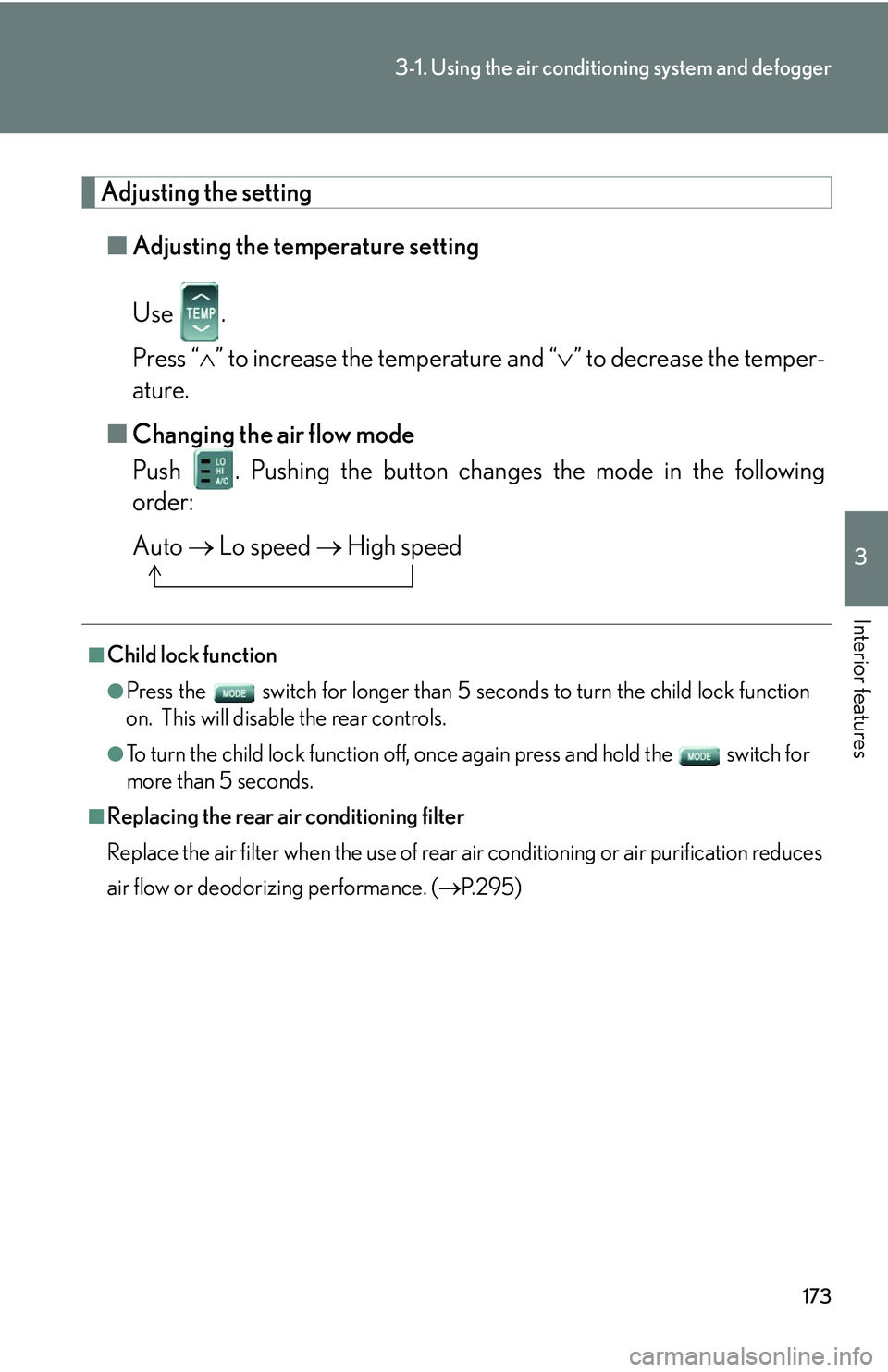
Adjusting the setting
■Adjusting the temperature setting
Use .
Press “ ” to increase the temperature and “ ” to decrease the temper -
ature.
■ Changing the air flo
w mode
Push . Pushing the button changes the mode in the following
order:
Auto Lo speed High speed
■Child lock function
●Press the switch for longer than 5 seconds t o turn the child lock function
on. This will disable the rear controls.
●To turn the child lock function off, once again press and hold the switch for
more than 5 seconds.
■Replacing the rear air conditioning filter
Replace the air filter when the use of rear air conditioning or air purification reduces
air
flow or deodorizing performance. ( P. 2 9 5 )
Page 236 of 419
220
3-5. Other interior features
Climate control seat switches
■Operating conditions
The ignition switch must be in the ON position.
■Replacing the air filters
Regularly inspect the seat climate control air filters and replace them if necessary to
ma
intain the efficiency of the climate controlled seats. ( P. 2 9 3 )
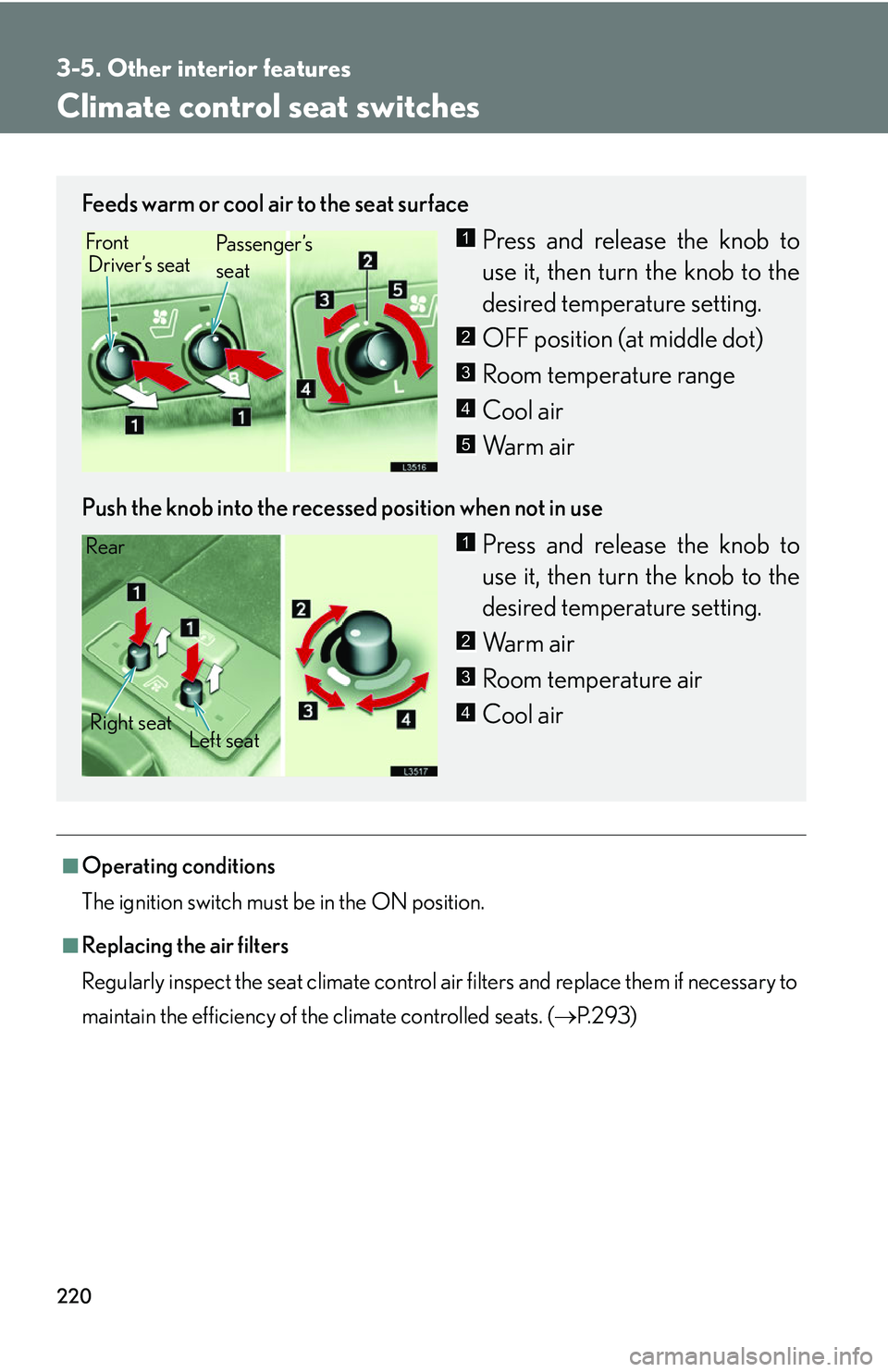
Feeds warm or cool air to the seat surface
Press and release the knob to
use it, then turn the knob to the
desir
ed temperature setting.
OFF position (at middle dot)
Room temperature range
Cool air
Warm air
Push the knob into the recessed position when not in use
Press and release the knob to
use it, then turn the knob to the
desir
ed temperature setting.
Warm air
Room temperature air
Cool air
Front Driver’s seat Pa s s e n g e r ’s
seat1
2
3
4
5
Rear
Right seat Left seat1
2
3
4
Page 259 of 419
4Maintenance and care
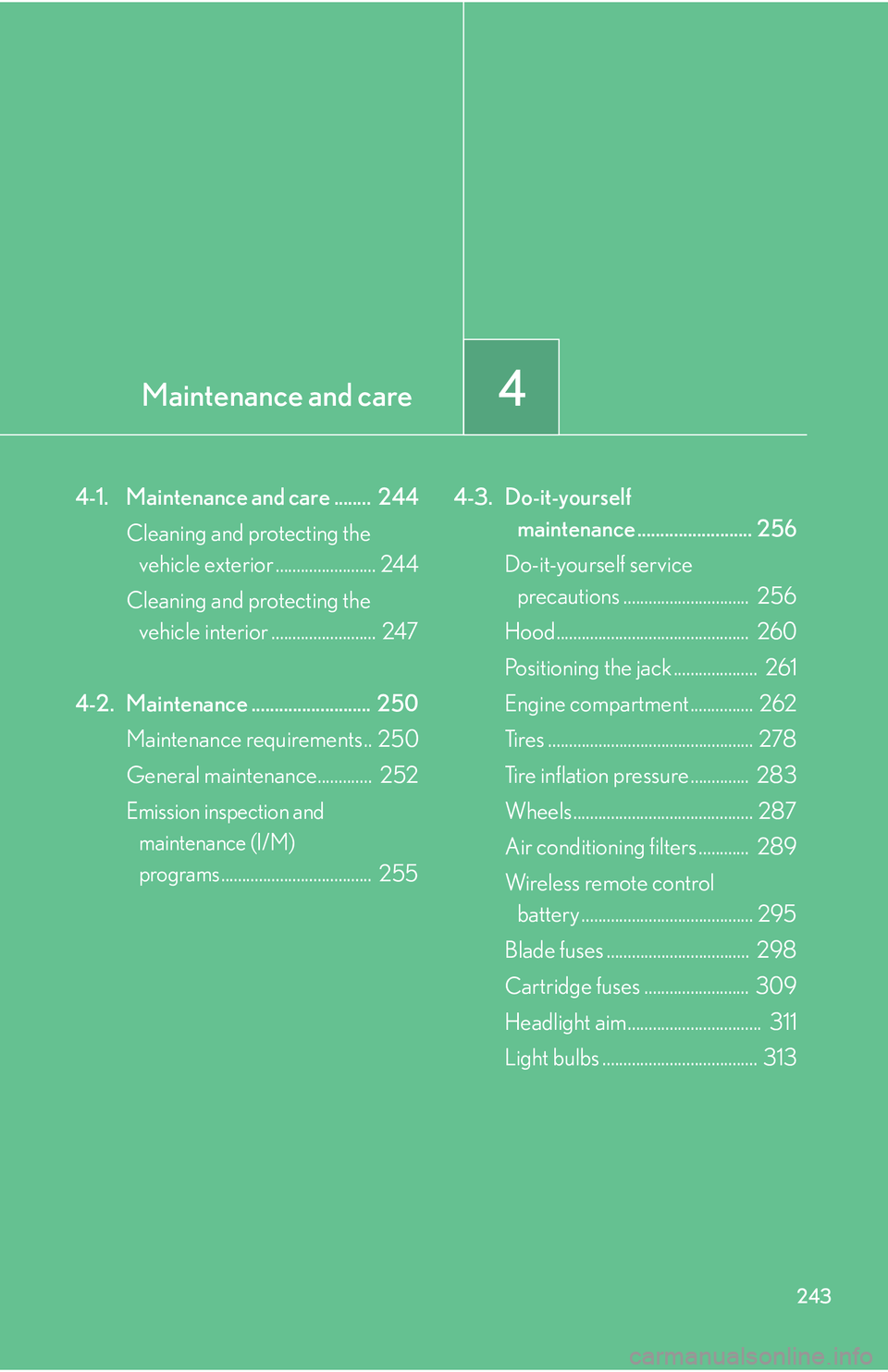
243
4-1. Maintenance and care ........ 244
Cleaning and protecting the vehicle exterior ........................ 244
Cleaning and protecting the vehicle interior ......................... 247
4-2. Maintenance .......................... 250 Maintenance requirements.. 250
General maintenance............. 252
Emission inspection and
maintenance (I/M)
programs.................................... 255 4-3. Do-it-yourself
maintenance ......................... 256
Do-it-yourself service
precautions .............................. 256
Hood.............................................. 260
Positioning the jack .................... 261
Engine compartment ............... 262
Tires ................................................. 278
Tire inflation pressure .............. 283
Wheels ........................................... 287
Air conditioning filters
............ 289
Wireless remote control battery ......................................... 295
Blade fuses .................................. 298
Cartridge fuses ......................... 309
Headlight aim................................ 311
Light bulbs ..................................... 313
Page 275 of 419
259
4-3. Do-it-yourself maintenance
4
Maintenance and care
NOTICE
■If you remove the engine air filter:
Driving with the engine air filter removed may cause e
xcessive engine wear due to
dirt in the air.
Also, a backfire could cause a fire in the engine compartment.
Page 305 of 419
289
4-3. Do-it-yourself maintenance
4
Maintenance and care
Air conditioning filters
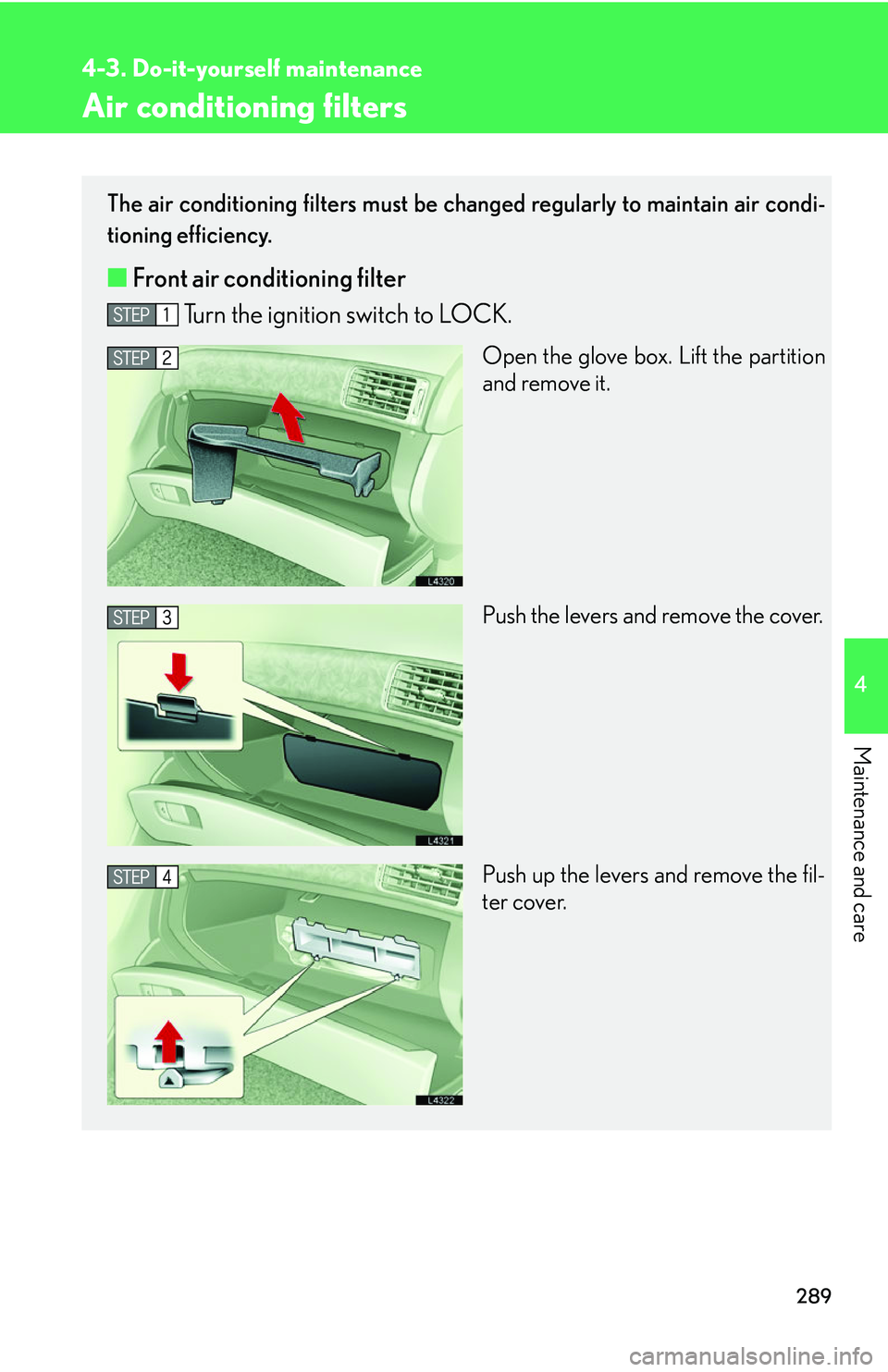
The air conditioning filters must be changed regularly to maintain air condi-
tioning efficiency.
■ Front air conditioning filter
Turn the ignition switch to LOCK.
Open the glove box. Lift the partition
and remove it.
Push the levers and remove the cover.
Push up the levers and remove the fil -
ter cover.
Page 306 of 419
290
4-3. Do-it-yourself maintenance
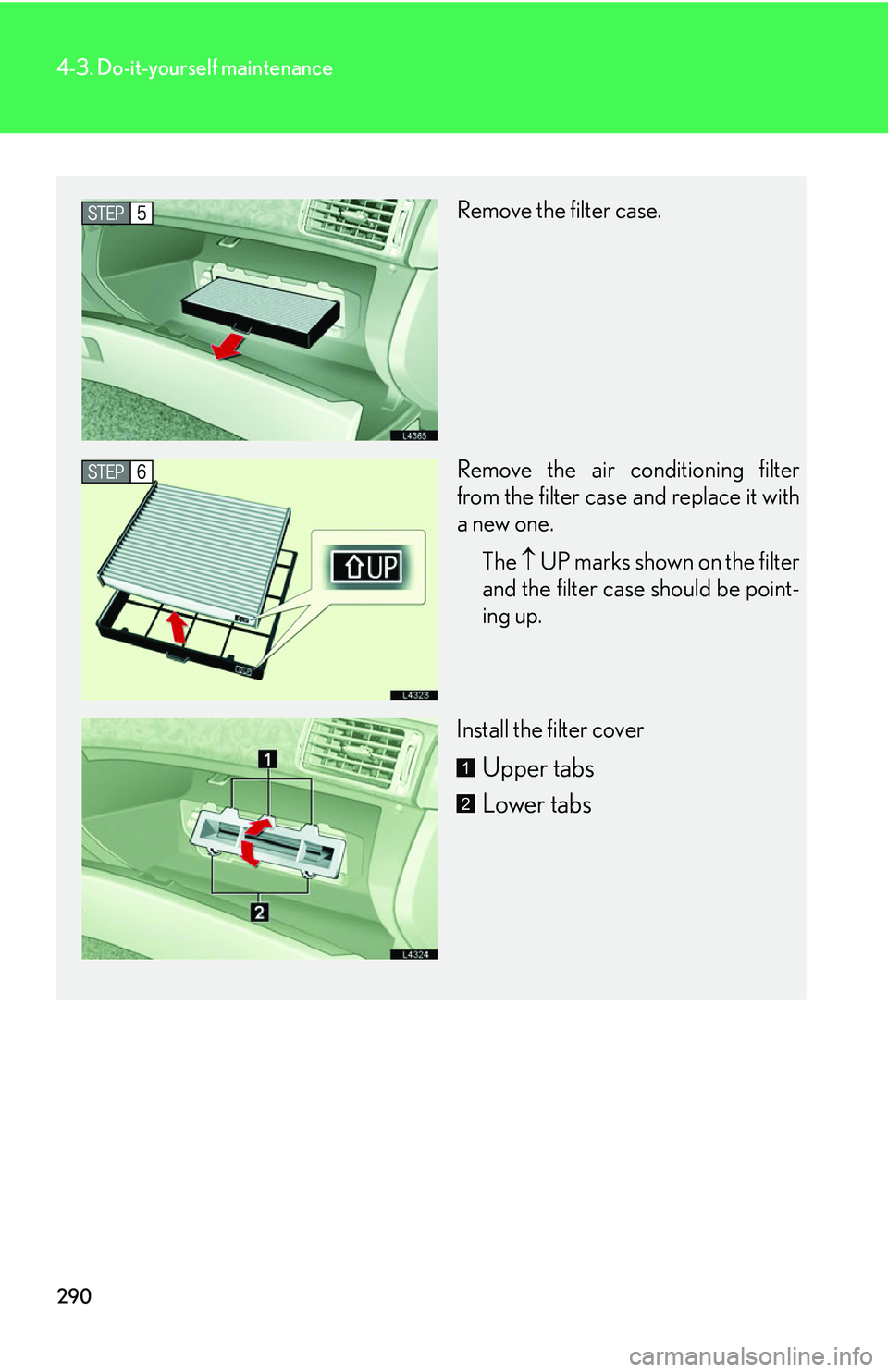
Remove the filter case.
Remove the air conditioning filter
from the filter case and replace it with
a new one.The UP
marks shown on the filter
and the filter case should be point -
ing up.
Install the filter cover
Upper tabs
Lower tabs1
2
Page 307 of 419
291
4-3. Do-it-yourself maintenance
4
Maintenance and care
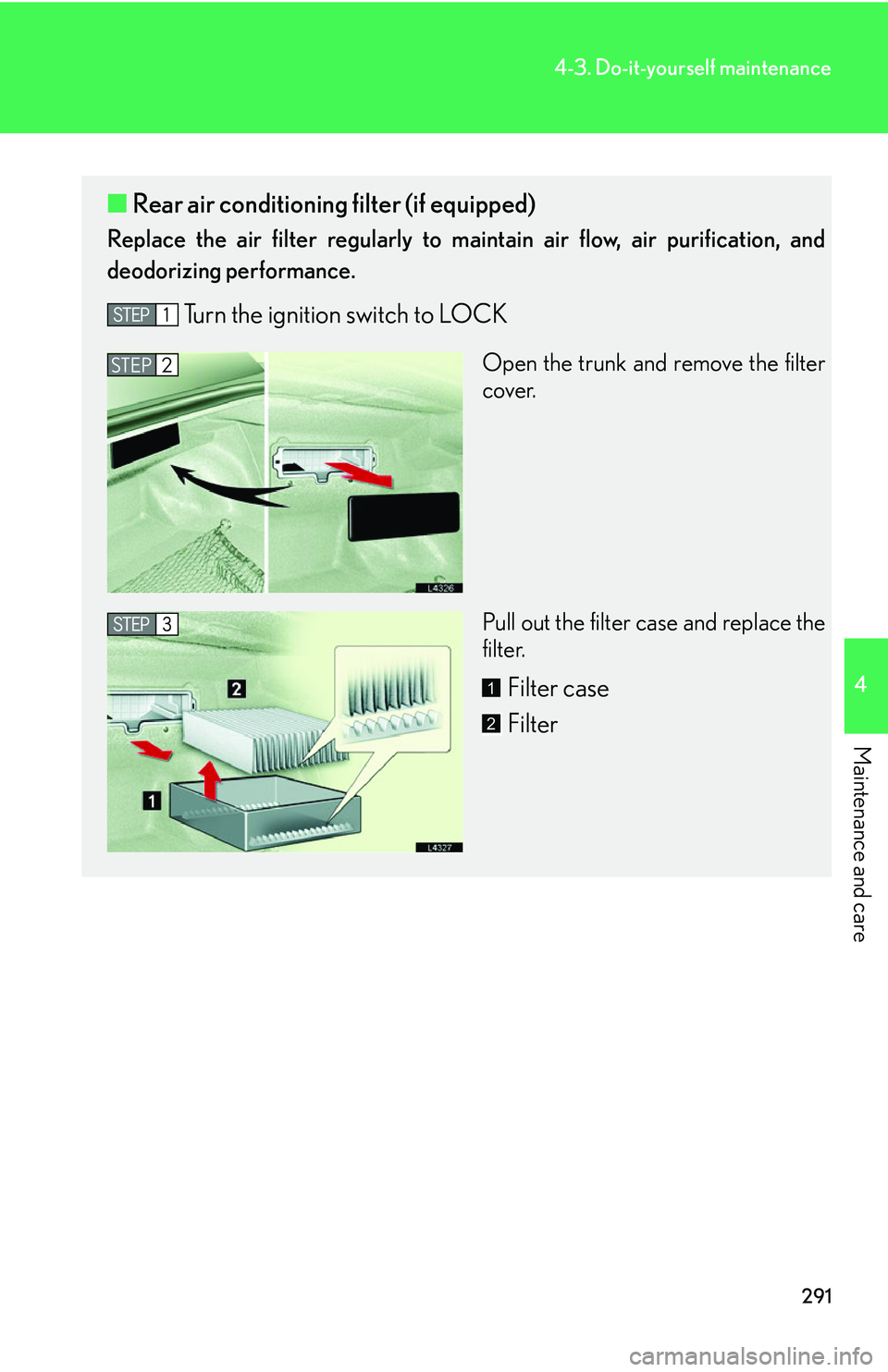
■Rear air conditioning filter (if equipped)
Replace the air filter regularly to ma intain air flow, air purification, and
deodorizing performance.
Turn the ignition switch to LOCK
Open the trunk and remove the filter
cover.
Pull out the filter case and replace the
fil
ter.
Filter case
Filter
STEP2
1
2
Page 308 of 419
292
4-3. Do-it-yourself maintenance
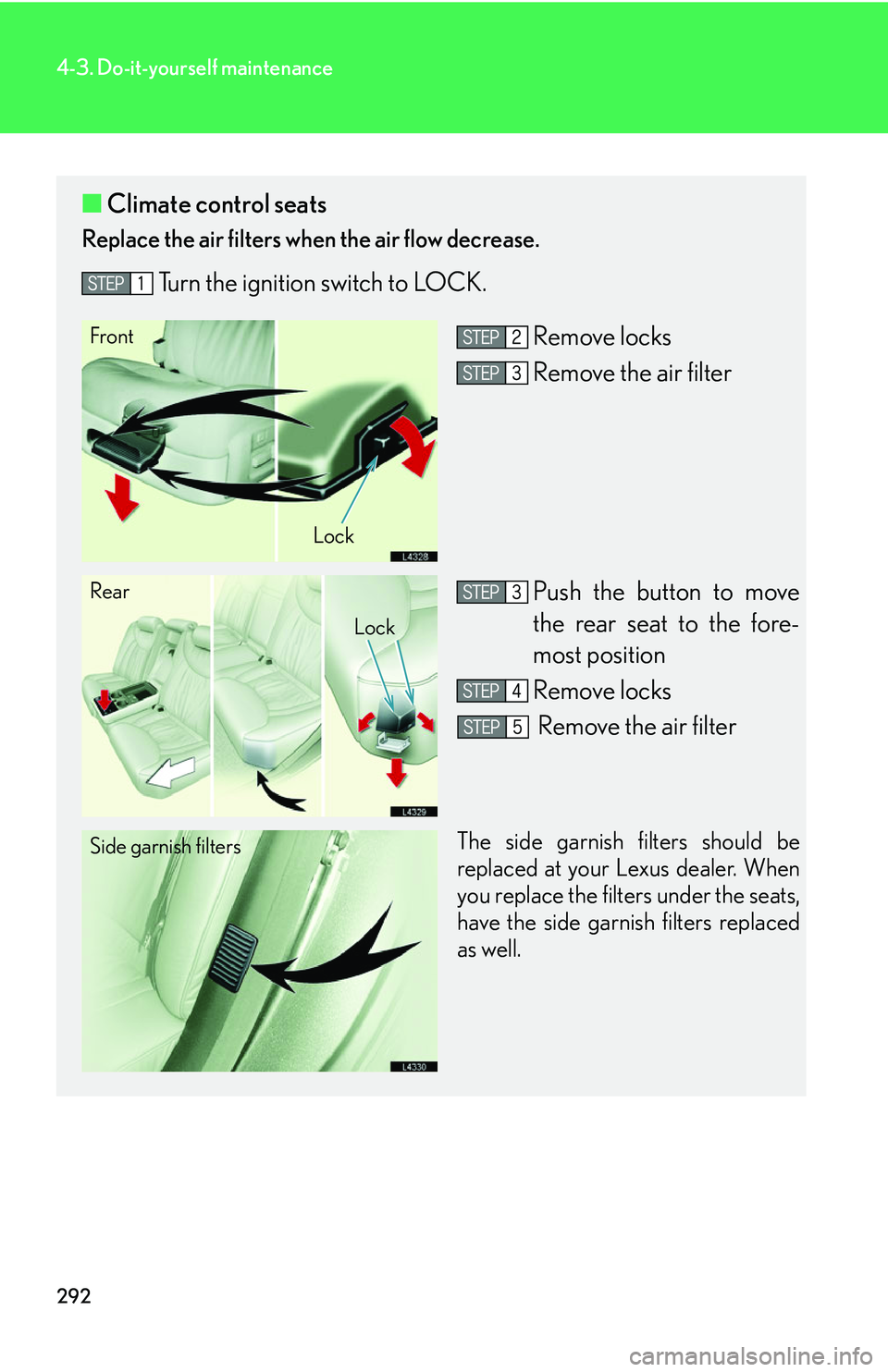
■Climate control seats
Replace the air filters when the air flow decrease.
Turn the ignition switch to LOCK.
Remove locks
Remove the air filter
Push the button to move
the rear seat to the fore-
most position
Remove locks
Remove the air filter
The side garnish filters should be
replaced at your Lexus dealer. When
you replace the filters under the seats,
have the side garnish filters replaced
as well.
Front
Lock
Rear
Lock
Side garnish filters
Page 309 of 419
293
4-3. Do-it-yourself maintenance
4
Maintenance and care
■Changing interval for the front air conditioning filter
Inspect and replace the air conditioning filter according to the maintenance
schedule. In dusty areas or areas with heavy traffic flow, such as inner city or
desert areas, early replacement may be required. (For scheduled mainte -
nance information, please refer to the "Owner's Manual Supplement/Sched-
uled Maintenance".)
■If air flow decreases dramatically
The filter may be blocked. Check the filter and replace if necessary.
CAUTION
■Air purifier precautions
●Do not look into the xenon tube or directly expose your skin to the light in the
tube's light. The tube emits less than 300nm of ultraviolet light, however some
people may experience symptoms such as sore eyes, vision trouble, skin inflam-
mation, etc.
●Do not disassemble the air purifier. Some parts contain high voltage, and there is
also the possibility of causing a malfunction.
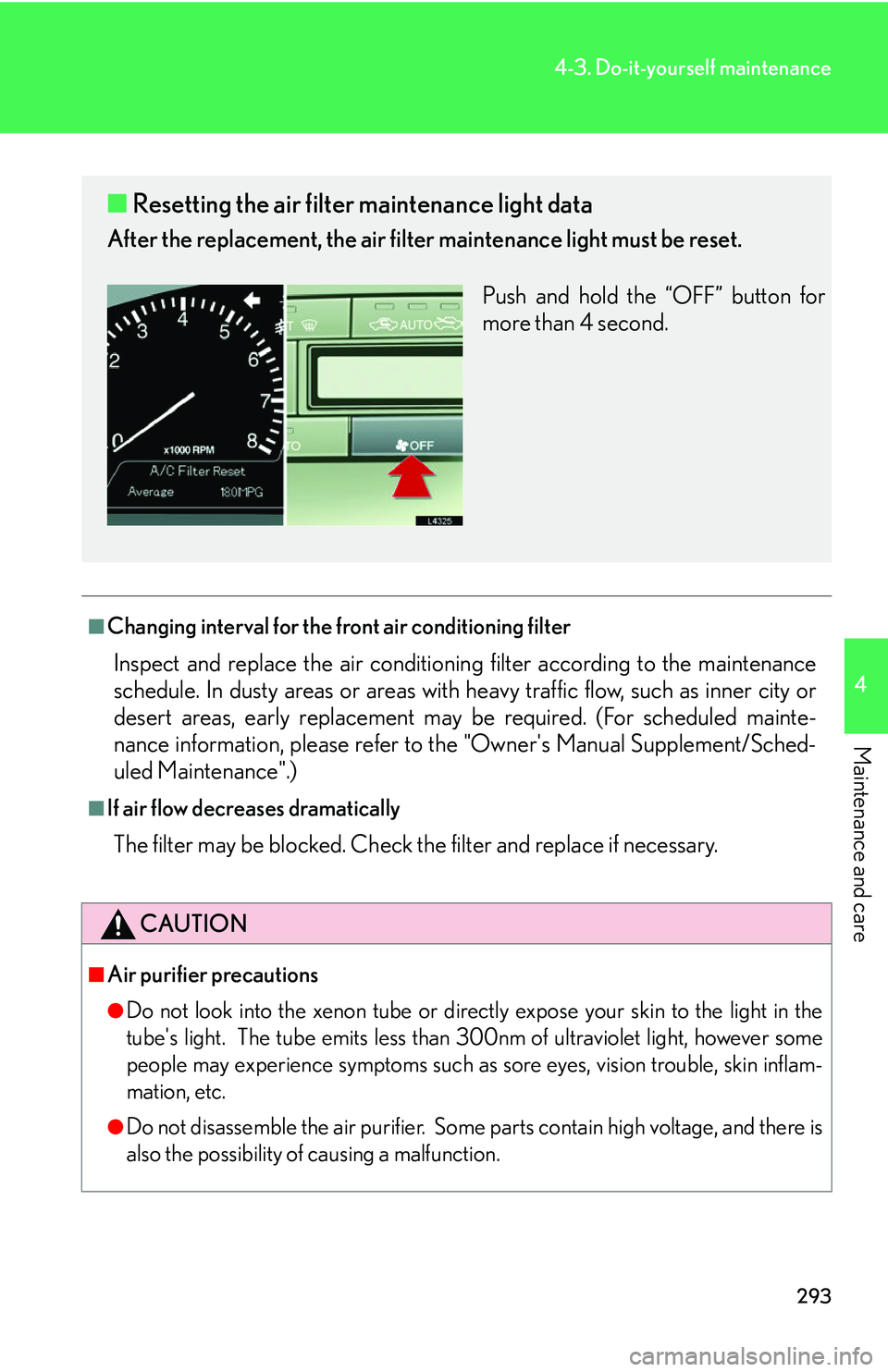
■ Resetting the air filter maintenance light data
After the replacement, the air filter maintenance light must be reset.
Push and hold the “OFF” button for
mor
e than 4 second.