fuel LEXUS LS460L 2016 User Guide
[x] Cancel search | Manufacturer: LEXUS, Model Year: 2016, Model line: LS460L, Model: LEXUS LS460L 2016Pages: 708, PDF Size: 36.57 MB
Page 122 of 708
1222. Instrument cluster
LS460/LS460L_GE (OM50G06E)
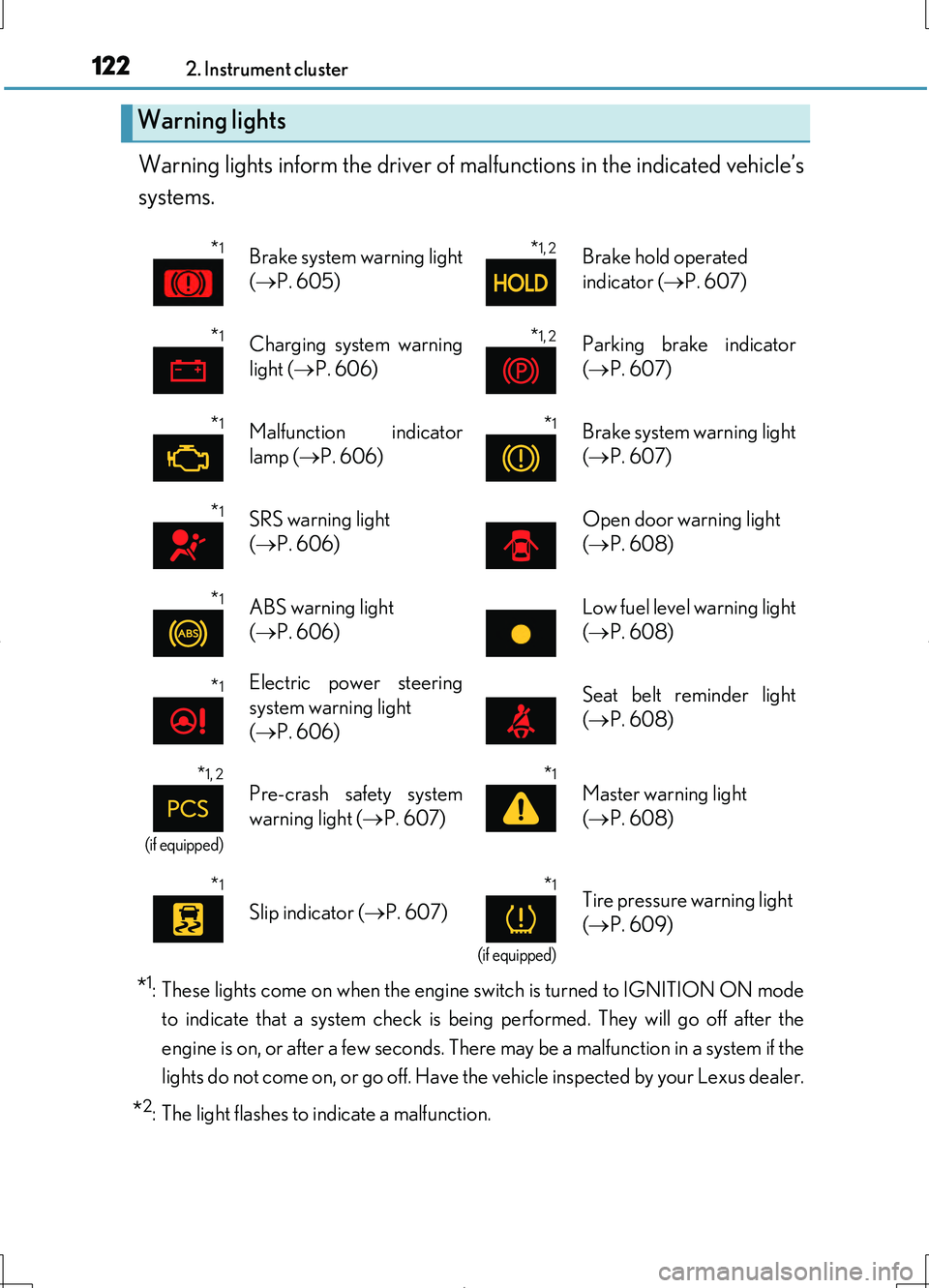
Warning lights inform the driver of malfunctions in the indicated vehicle’s
systems.
*1: These lights come on when the engine switch is turned to IGNITION ON mode
to indicate that a system check is being performed. They will go off after the
engine is on, or after a few seconds. There may be a malfunction in a system if the
lights do not come on, or go off. Have the vehicle inspected by your Lexus dealer.
*2: The light flashes to indicate a malfunction.
Warning lights
*1Brake system warning light
( P. 605)
*1, 2Brake hold operated
indicator ( P. 607)
*1Charging system warning
light ( P. 606)
*1, 2Parking brake indicator
( P. 607)
*1Malfunction indicator
lamp ( P. 606)
*1Brake system warning light
( P. 607)
*1SRS warning light
( P. 606)
Open door warning light
( P. 608)
*1ABS warning light
( P. 606)
Low fuel level warning light
( P. 608)
*1Electric power steering
system warning light
( P. 606)
Seat belt reminder light
( P. 608)
*1, 2
(if equipped)
Pre-crash safety system
warning light ( P. 607)
*1
Master warning light
( P. 608)
*1
Slip indicator (P. 607)
*1
(if equipped)
Tire pressure warning light
( P. 609)
Page 125 of 708
1252. Instrument cluster
2
Instrument cluster
LS460/LS460L_GE (OM50G06E)
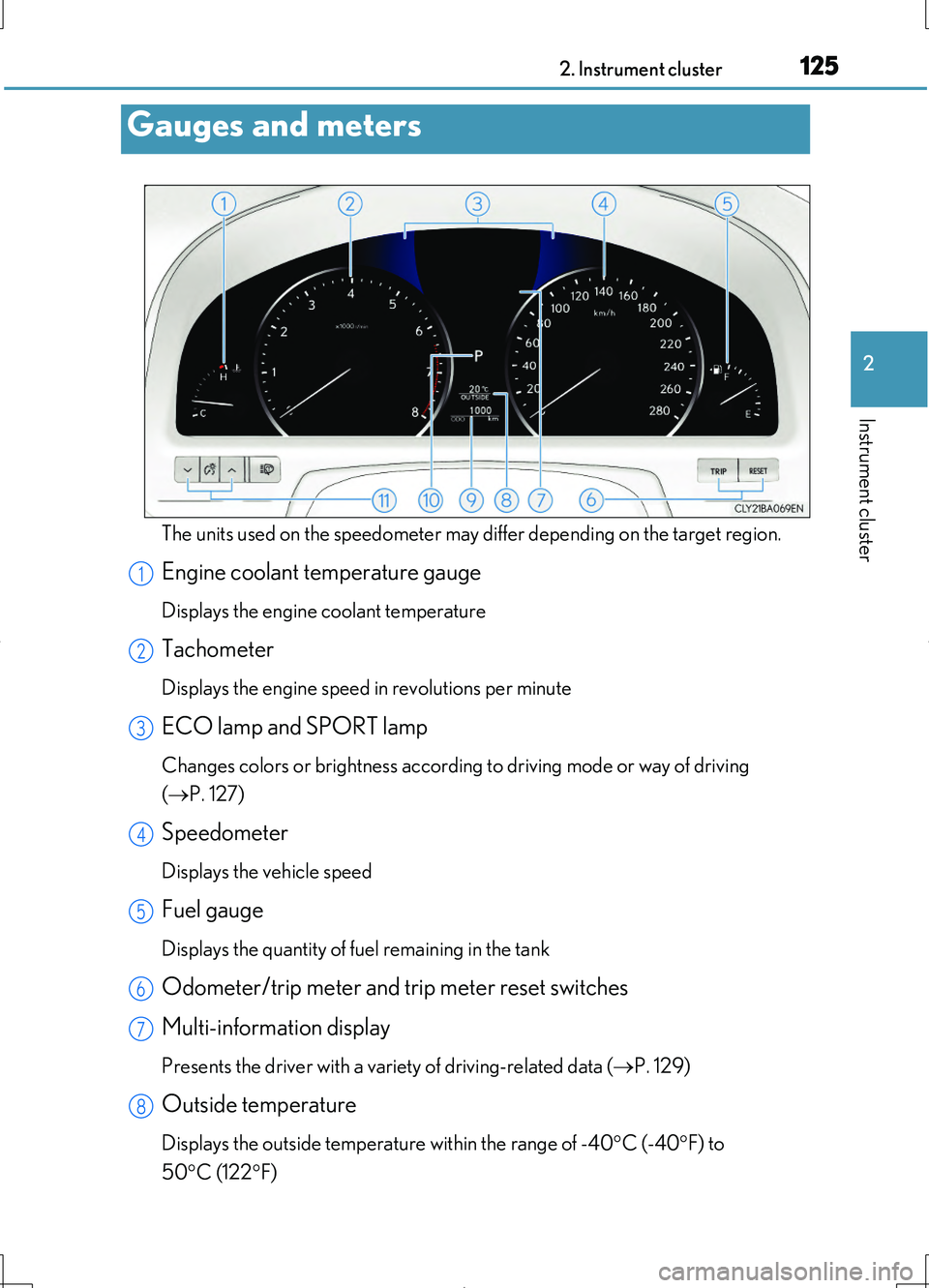
The units used on the speedometer may differ depending on the target region.
Engine coolant temperature gauge
Displays the engine coolant temperature
Tachometer
Displays the engine speed in revolutions per minute
ECO lamp and SPORT lamp
Changes colors or brightness according to driving mode or way of driving
( P. 127)
Speedometer
Displays the vehicle speed
Fuel gauge
Displays the quantity of fuel remaining in the tank
Odometer/trip meter and trip meter reset switches
Multi-information display
Presents the driver with a variety of driving-related data ( P. 129)
Outside temperature
Displays the outside temperature within the range of -40C (-40F) to
50 C (122F)
Gauges and meters
1
2
3
4
5
6
7
8
Page 129 of 708
1292. Instrument cluster
2
Instrument cluster
LS460/LS460L_GE (OM50G06E)
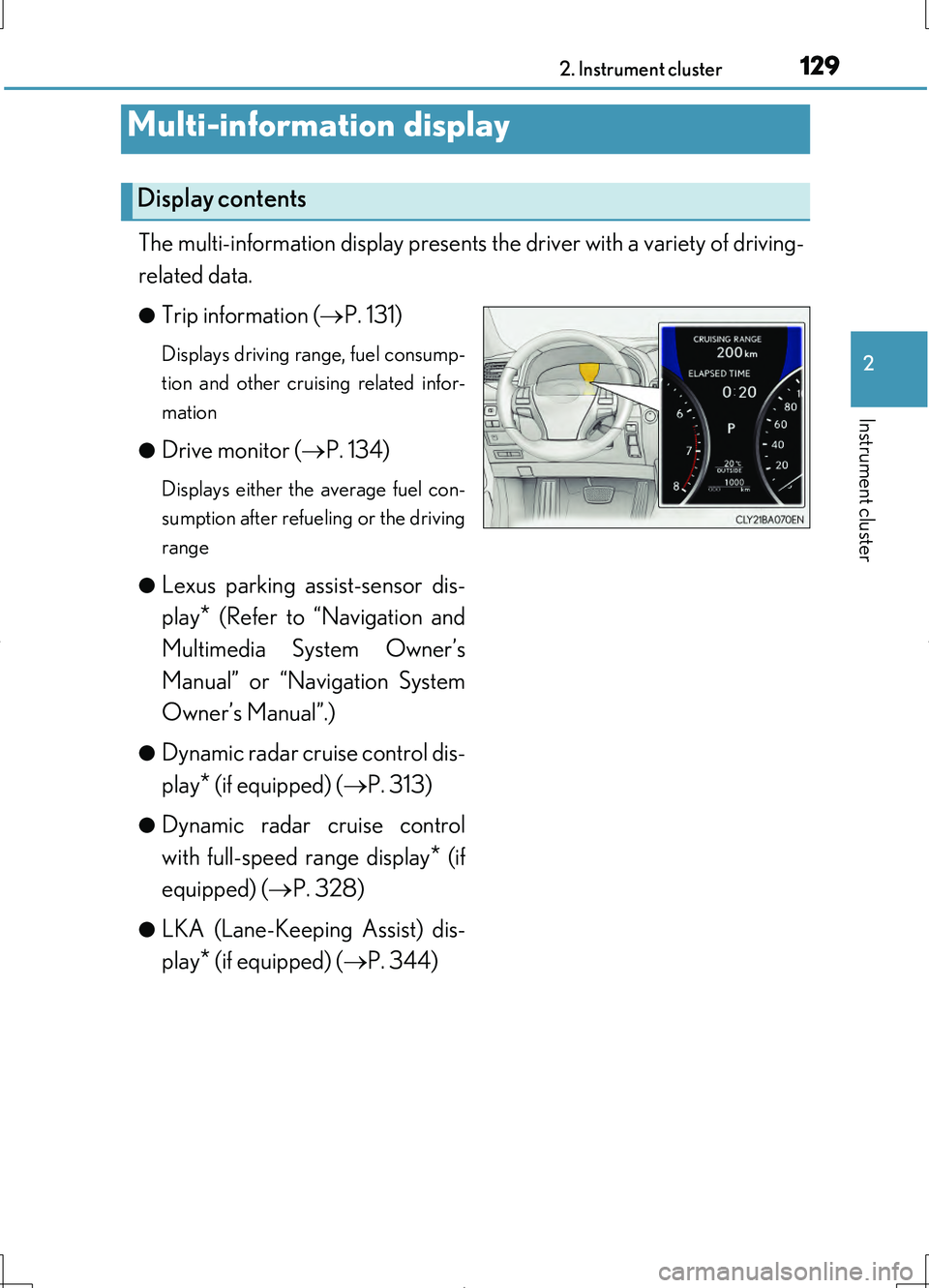
The multi-information display presents the driver with a variety of driving-
related data.
●Trip information ( P. 131)
Displays driving range, fuel consump-
tion and other cruising related infor-
mation
●Drive monitor ( P. 134)
Displays either the average fuel con-
sumption after refueling or the driving
range
●Lexus parking assist-sensor dis-
play* (Refer to “Navigation and
Multimedia System Owner’s
Manual” or “Navigation System
Owner’s Manual”.)
●Dynamic radar cruise control dis-
play* (if equipped) ( P. 313)
●Dynamic radar cruise control
with full-speed range display* (if
equipped) ( P. 328)
●LKA (Lane-Keeping Assist) dis-
play* (if equipped) ( P. 344)
Multi-information display
Display contents
Page 131 of 708
1312. Instrument cluster
2
Instrument cluster
LS460/LS460L_GE (OM50G06E)
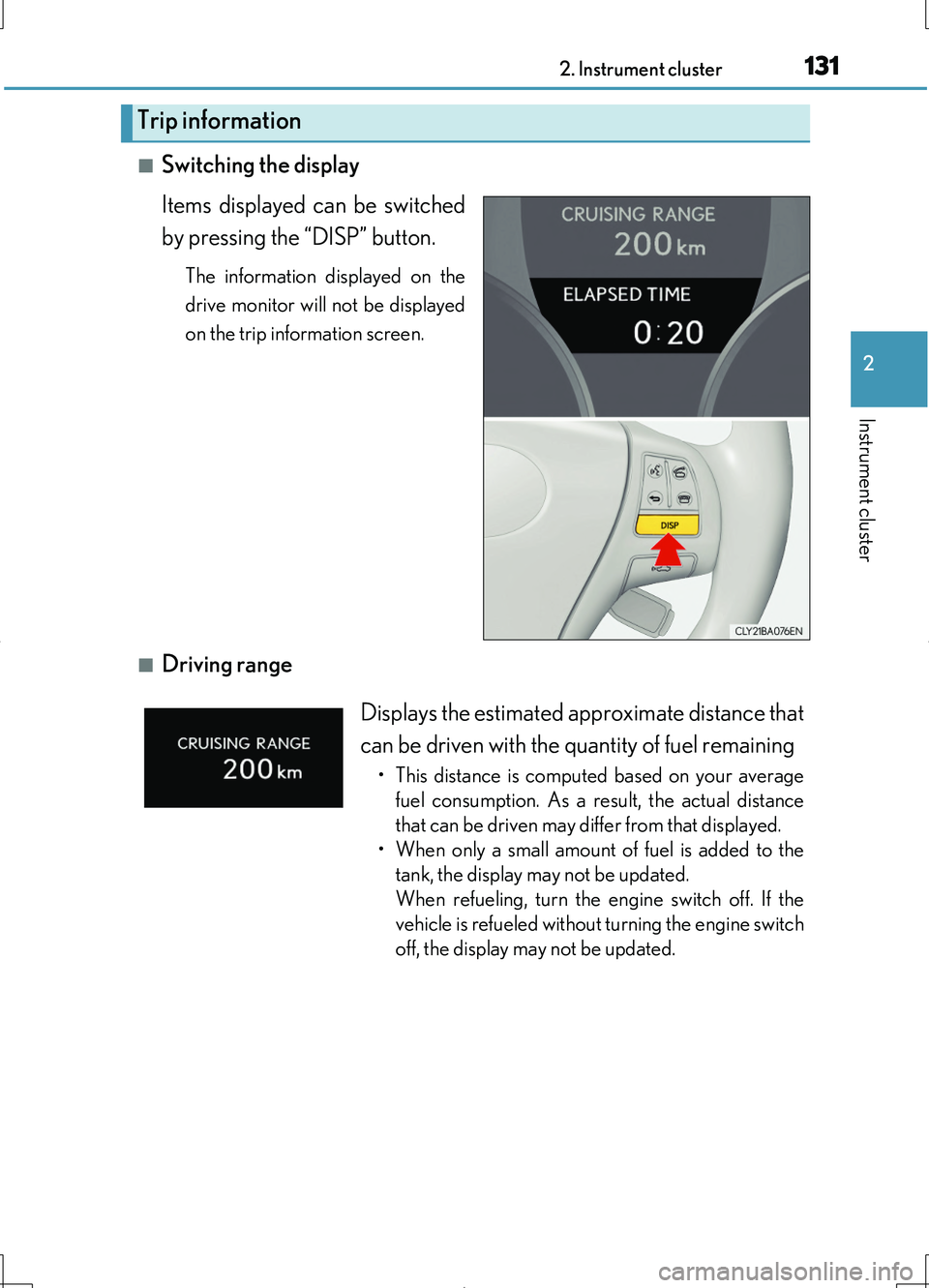
■Switching the display
Items displayed can be switched
by pressing the “DISP” button.
The information displayed on the
drive monitor will not be displayed
on the trip information screen.
■Driving range
Trip information
Displays the estimated approximate distance that
can be driven with the quantity of fuel remaining
• This distance is computed based on your average
fuel consumption. As a result, the actual distance
that can be driven may differ from that displayed.
• When only a small amount of fuel is added to the
tank, the display may not be updated.
When refueling, turn the engine switch off. If the
vehicle is refueled without turning the engine switch
off, the display may not be updated.
Page 132 of 708
1322. Instrument cluster
LS460/LS460L_GE (OM50G06E)
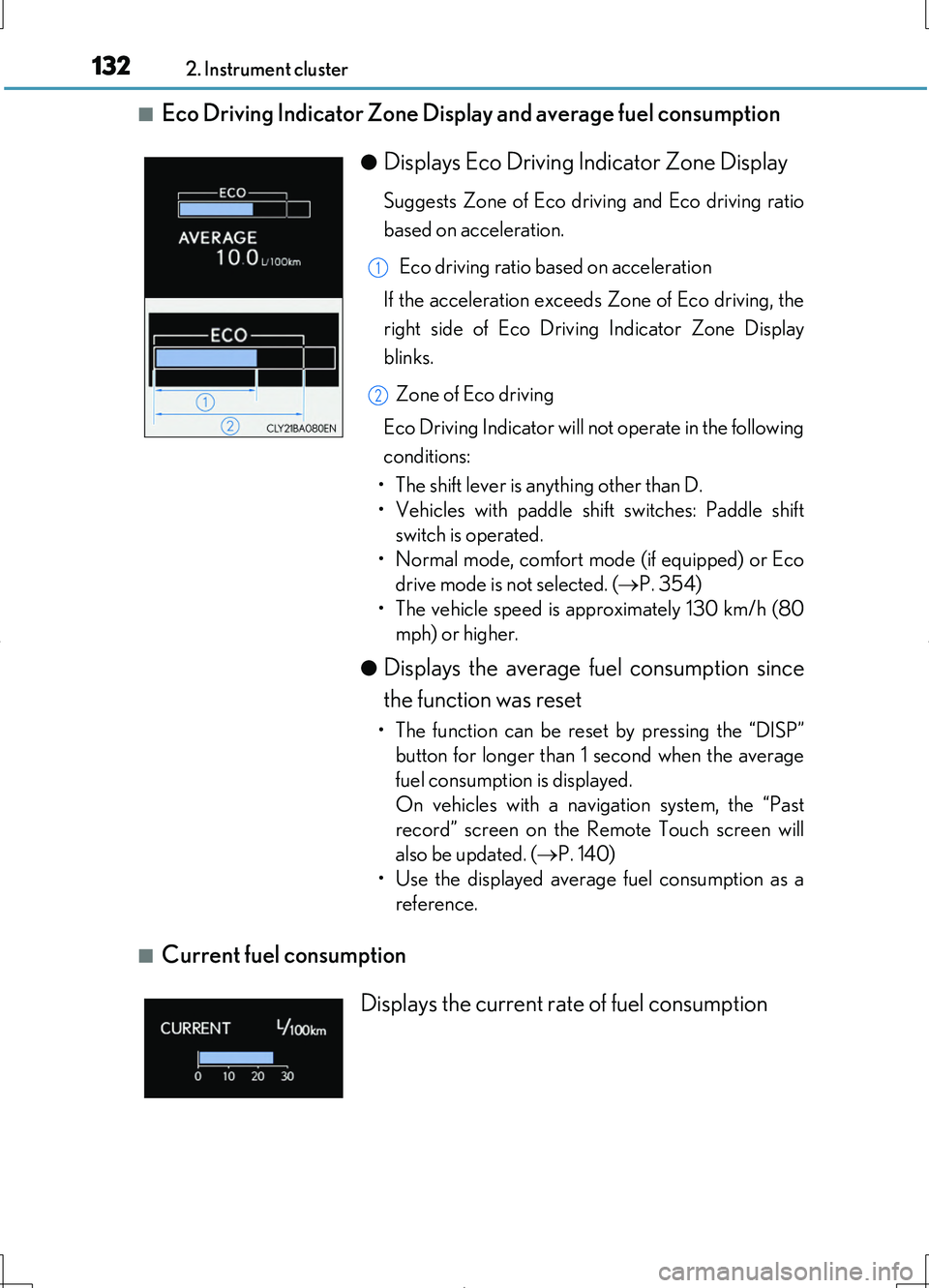
■Eco Driving Indicator Zone Display and average fuel consumption
■Current fuel consumption
●Displays Eco Driving Indicator Zone Display
Suggests Zone of Eco driving and Eco driving ratio
based on acceleration.
Eco driving ratio based on acceleration
If the acceleration exceeds Zone of Eco driving, the
right side of Eco Driving Indicator Zone Display
blinks.
Zone of Eco driving
Eco Driving Indicator will not operate in the following
conditions:
• The shift lever is anything other than D.
• Vehicles with paddle shift switches: Paddle shift
switch is operated.
• Normal mode, comfort mode (if equipped) or Eco
drive mode is not selected. ( P. 354)
• The vehicle speed is approximately 130 km/h (80
mph) or higher.
●Displays the average fuel consumption since
the function was reset
• The function can be reset by pressing the “DISP”
button for longer than 1 second when the average
fuel consumption is displayed.
On vehicles with a navigation system, the “Past
record” screen on the Remote Touch screen will
also be updated. ( P. 140)
• Use the displayed average fuel consumption as a
reference.
1
2
Displays the current rate of fuel consumption
Page 133 of 708
1332. Instrument cluster
2
Instrument cluster
LS460/LS460L_GE (OM50G06E)
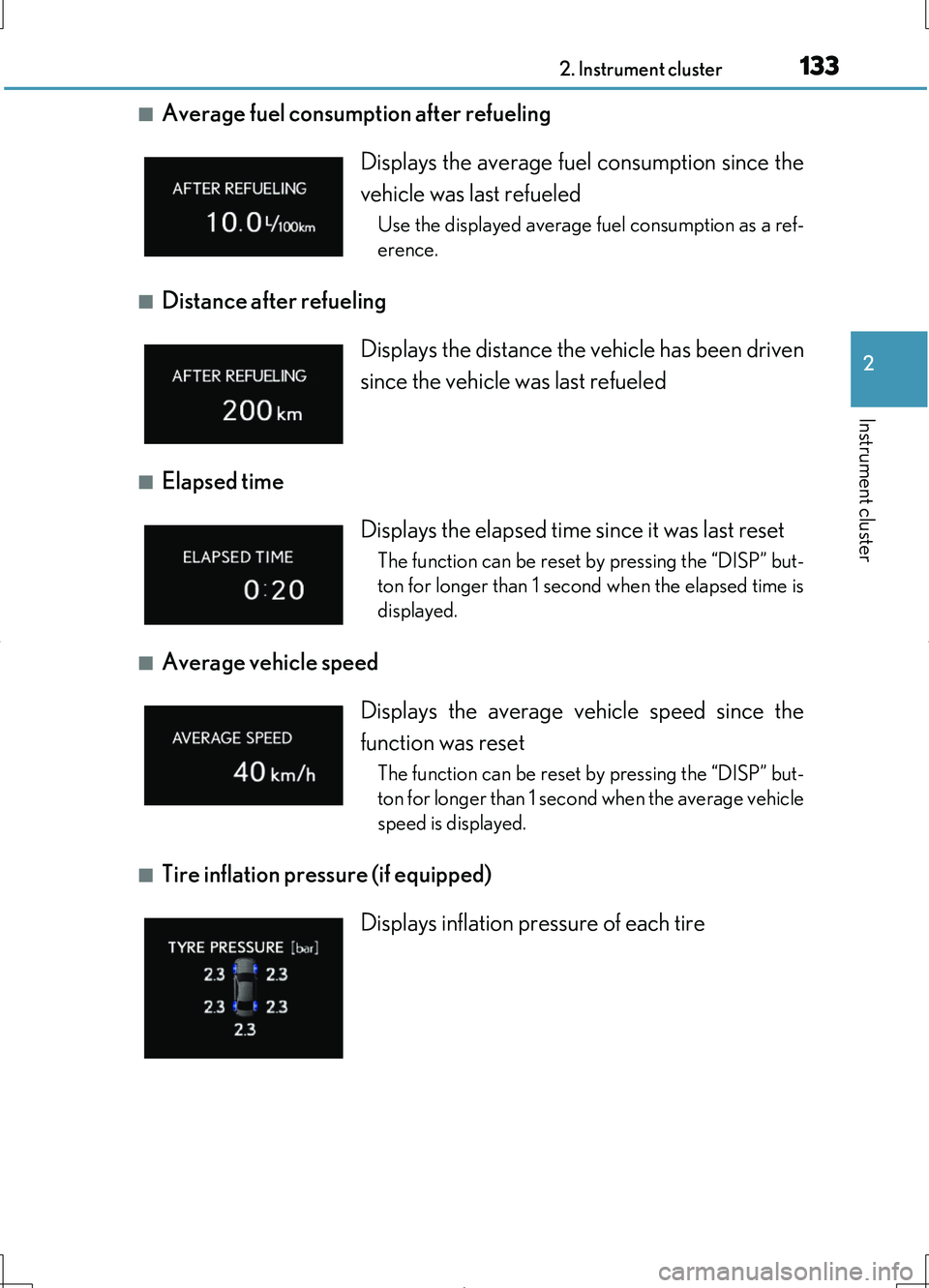
■Average fuel consumption after refueling
■Distance after refueling
■Elapsed time
■Average vehicle speed
■Tire inflation pressure (if equipped)
Displays the average fuel consumption since the
vehicle was last refueled
Use the displayed average fuel consumption as a ref-
erence.
Displays the distance the vehicle has been driven
since the vehicle was last refueled
Displays the elapsed time since it was last reset
The function can be reset by pressing the “DISP” but-
ton for longer than 1 second when the elapsed time is
displayed.
Displays the average vehicle speed since the
function was reset
The function can be reset by pressing the “DISP” but-
ton for longer than 1 second when the average vehicle
speed is displayed.
Displays inflation pressure of each tire
Page 134 of 708
1342. Instrument cluster
LS460/LS460L_GE (OM50G06E)
■Customization
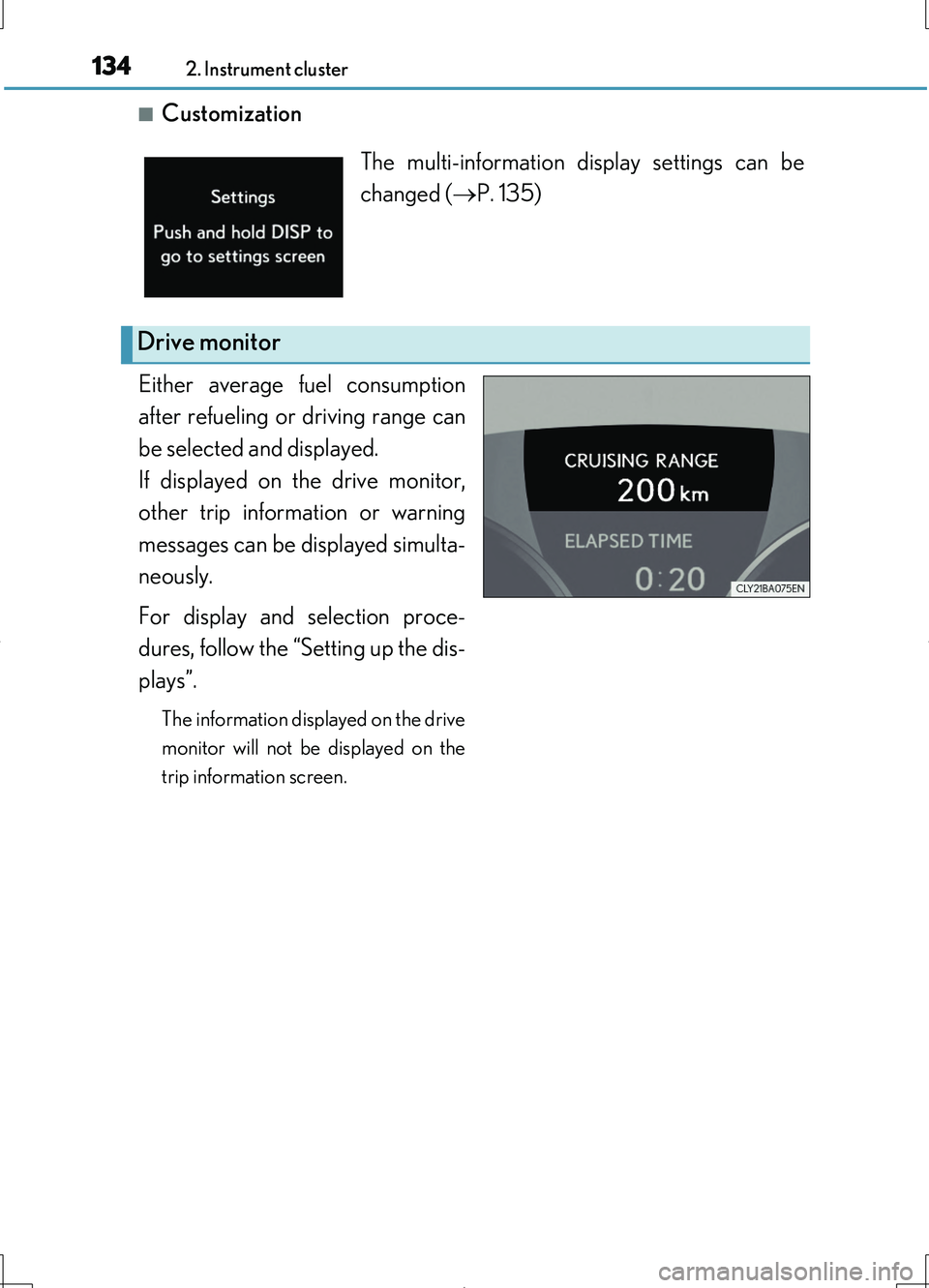
Either average fuel consumption
after refueling or driving range can
be selected and displayed.
If displayed on the drive monitor,
other trip information or warning
messages can be displayed simulta-
neously.
For display and selection proce-
dures, follow the “Setting up the dis-
plays”.
The information displayed on the drive
monitor will not be displayed on the
trip information screen.
The multi-information display settings can be
changed ( P. 135)
Drive monitor
Page 136 of 708
1362. Instrument cluster
LS460/LS460L_GE (OM50G06E)
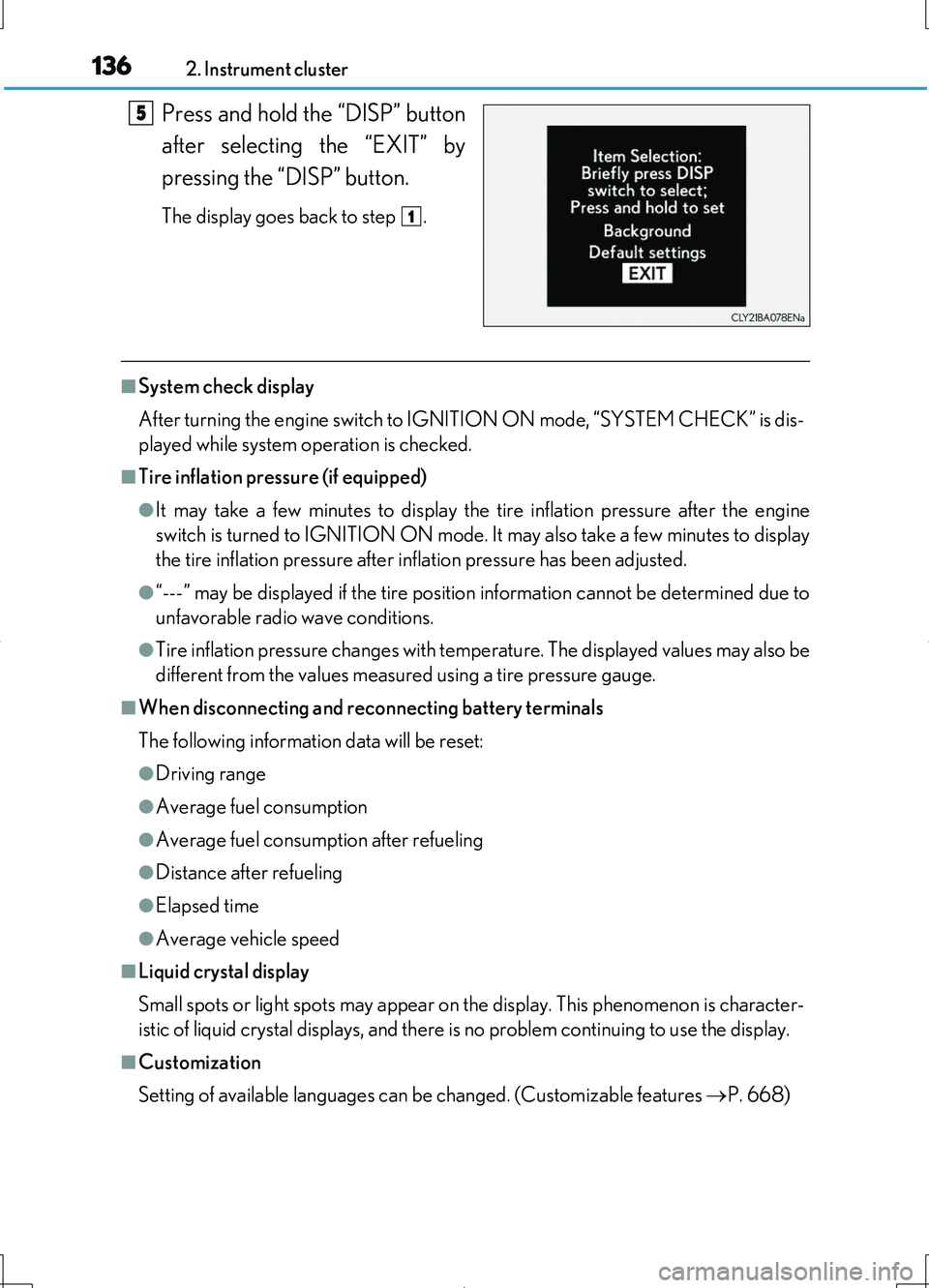
Press and hold the “DISP” button
after selecting the “EXIT” by
pressing the “DISP” button.
The display goes back to step .
■System check display
After turning the engine switch to IGNITION ON mode, “SYSTEM CHECK” is dis-
played while system operation is checked.
■Tire inflation pressure (if equipped)
●It may take a few minutes to display the tire inflation pressure after the engine
switch is turned to IGNITION ON mode. It may also take a few minutes to display
the tire inflation pressure after inflation pressure has been adjusted.
●“---” may be displayed if the tire position information cannot be determined due to
unfavorable radio wave conditions.
●Tire inflation pressure changes with temperature. The displayed values may also be
different from the values measured using a tire pressure gauge.
■When disconnecting and reconnecting battery terminals
The following information data will be reset:
●Driving range
●Average fuel consumption
●Average fuel consumption after refueling
●Distance after refueling
●Elapsed time
●Average vehicle speed
■Liquid crystal display
Small spots or light spots may appear on the display. This phenomenon is character-
istic of liquid crystal displays, and there is no problem continuing to use the display.
■Customization
Setting of available languages can be changed. (Customizable features P. 668)
5
1
Page 138 of 708
1382. Instrument cluster
LS460/LS460L_GE (OM50G06E)
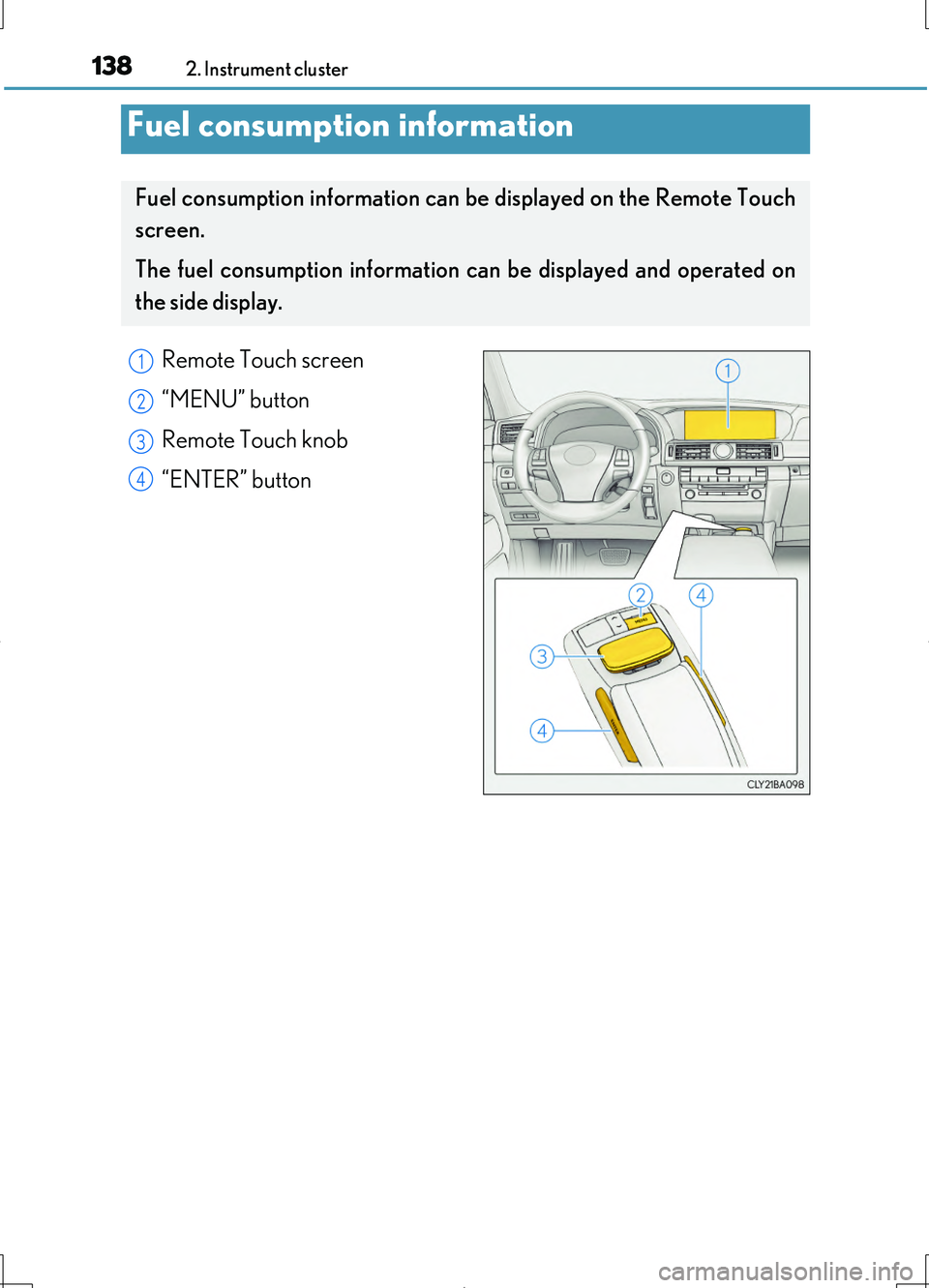
Remote Touch screen
“MENU” button
Remote Touch knob
“ENTER” button
Fuel consumption information
Fuel consumption information can be displayed on the Remote Touch
screen.
The fuel consumption information can be displayed and operated on
the side display.
1
2
3
4
Page 139 of 708
1392. Instrument cluster
2
Instrument cluster
LS460/LS460L_GE (OM50G06E)
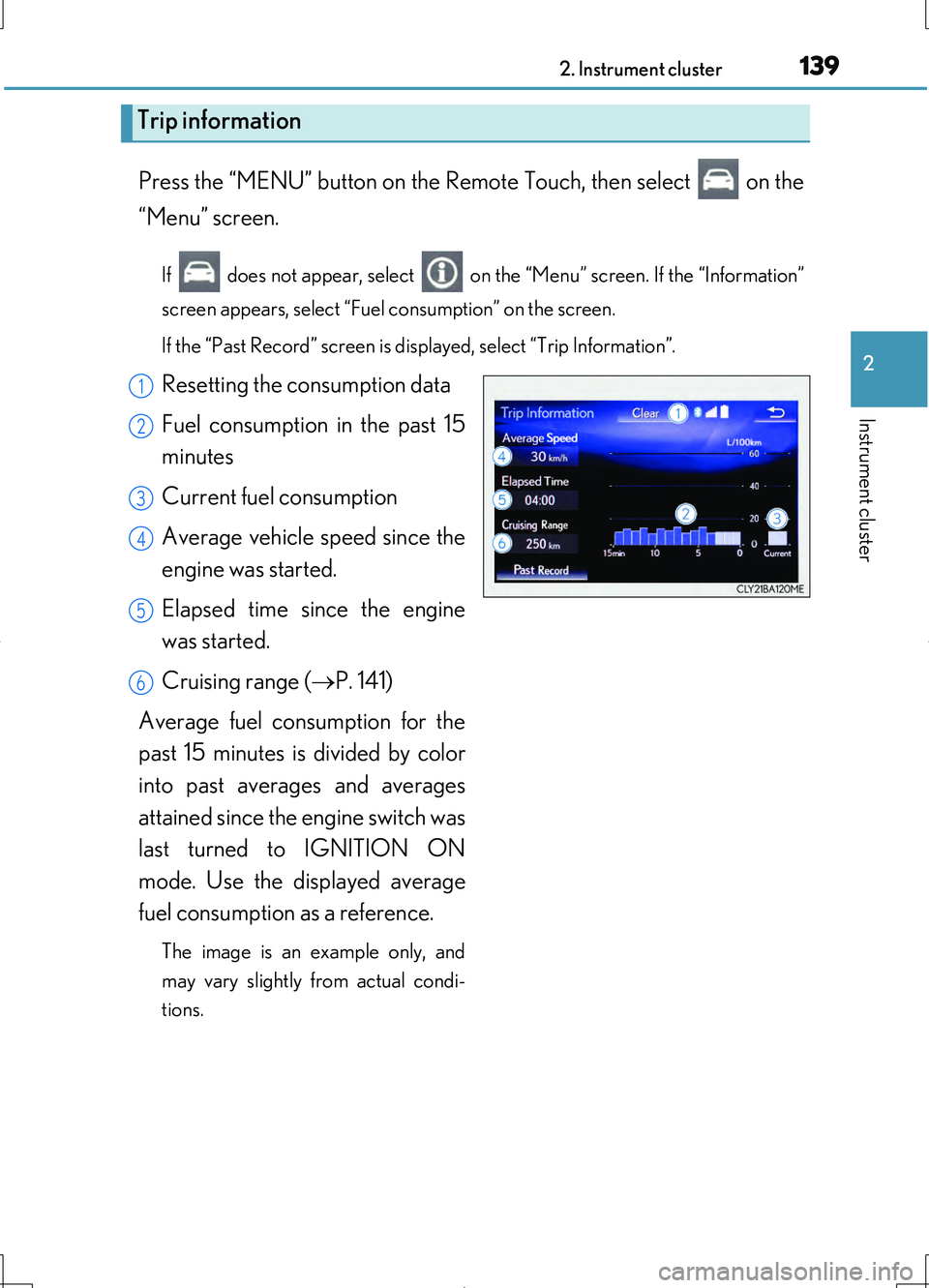
Press the “MENU” button on the Remote Touch, then select on the
“Menu” screen.
If does not appear, select on the “Menu” screen. If the “Information”
screen appears, select “Fuel consumption” on the screen.
If the “Past Record” screen is displayed, select “Trip Information”.
Resetting the consumption data
Fuel consumption in the past 15
minutes
Current fuel consumption
Average vehicle speed since the
engine was started.
Elapsed time since the engine
was started.
Cruising range ( P. 141)
Average fuel consumption for the
past 15 minutes is divided by color
into past averages and averages
attained since the engine switch was
last turned to IGNITION ON
mode. Use the displayed average
fuel consumption as a reference.
The image is an example only, and
may vary slightly from actual condi-
tions.
Trip information
1
2
3
4
5
6