fuel LEXUS LS460L 2016 Owner's Guide
[x] Cancel search | Manufacturer: LEXUS, Model Year: 2016, Model line: LS460L, Model: LEXUS LS460L 2016Pages: 708, PDF Size: 36.57 MB
Page 307 of 708
3074-4. Refueling
4
Driving
LS460/LS460L_GE (OM50G06E)
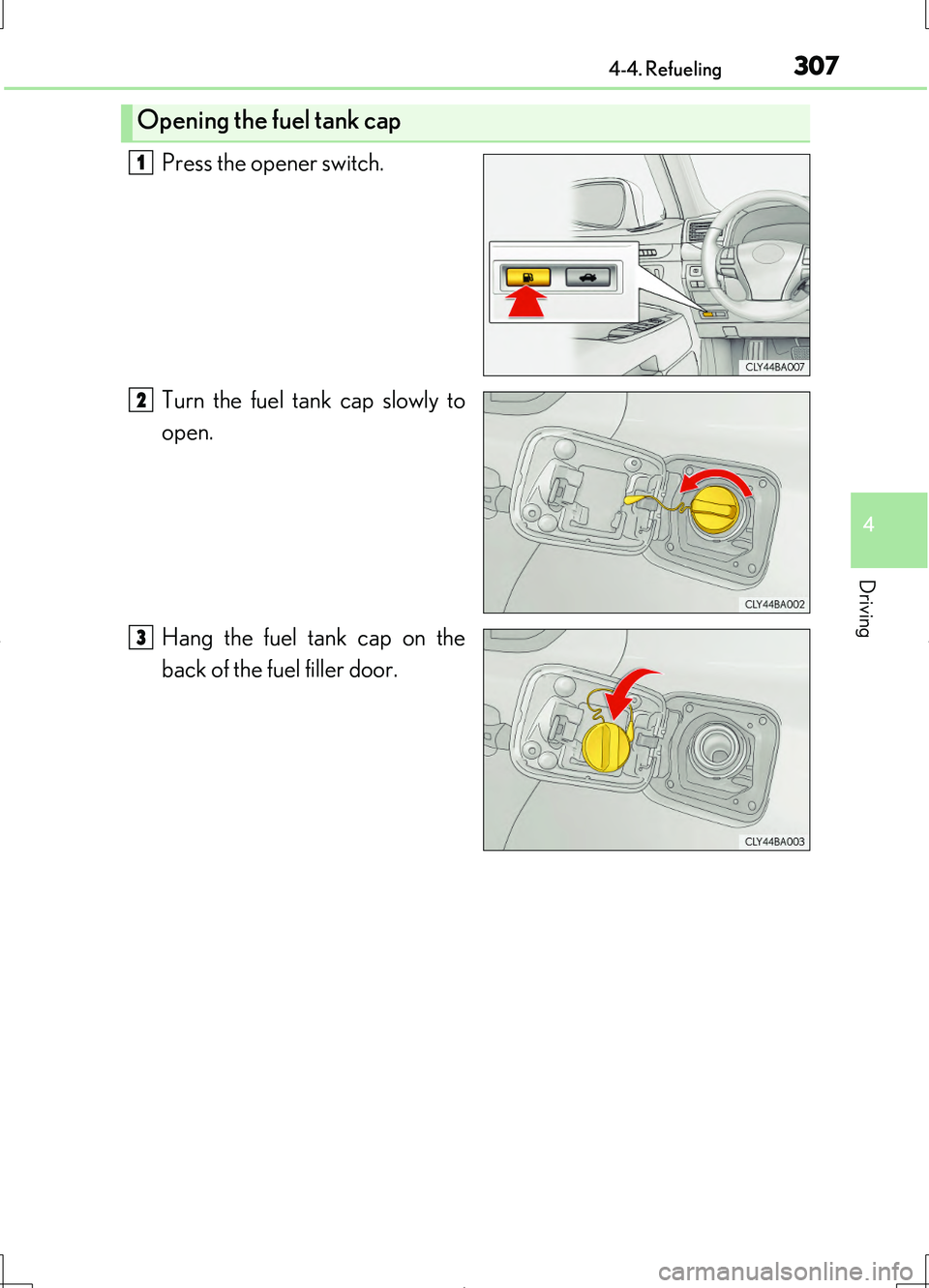
Press the opener switch.
Turn the fuel tank cap slowly to
open.
Hang the fuel tank cap on the
back of the fuel filler door.
Opening the fuel tank cap
1
2
3
Page 308 of 708
3084-4. Refueling
LS460/LS460L_GE (OM50G06E)
■When the fuel filler door cannot be opened by pressing the inside switch
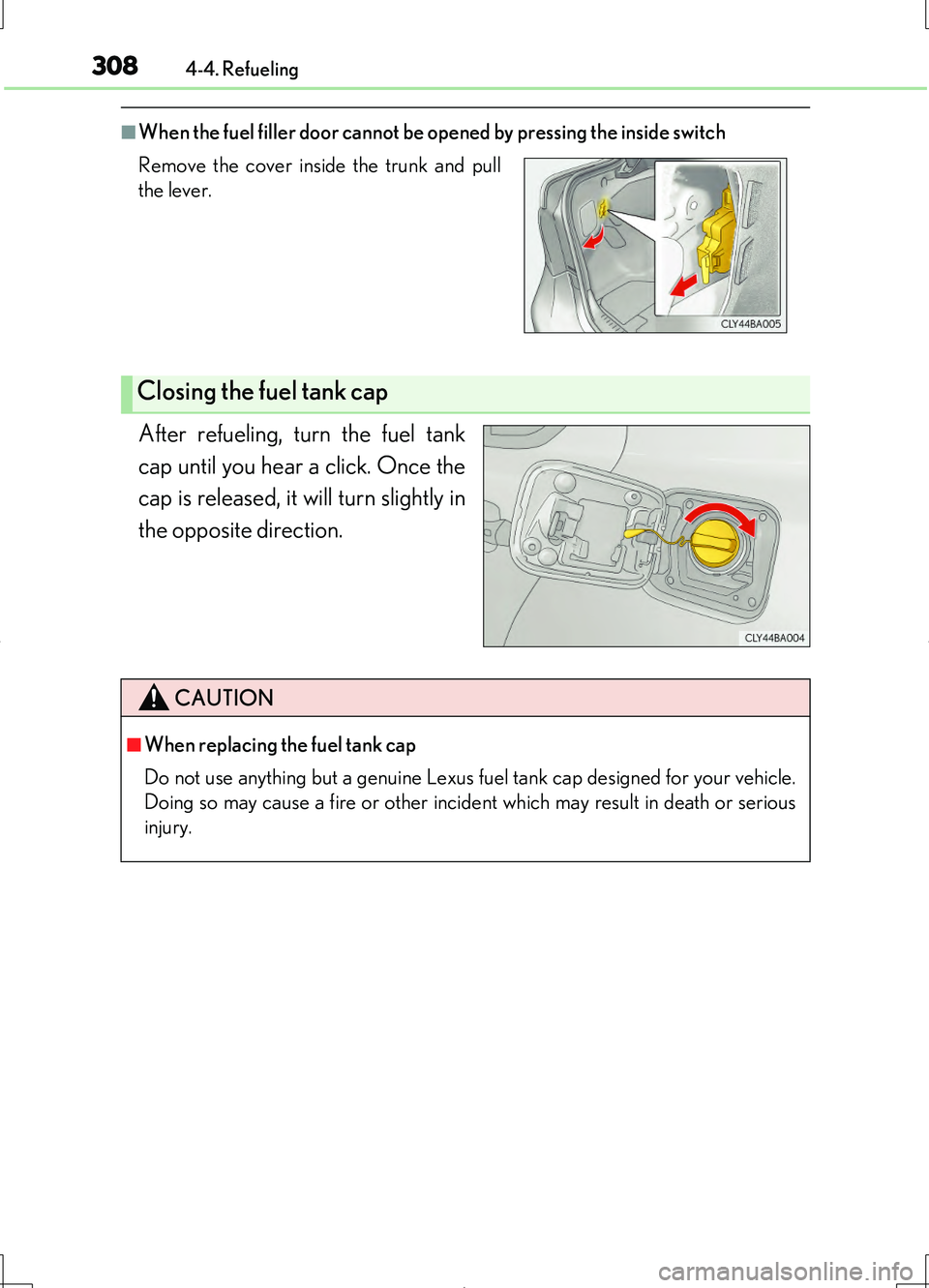
After refueling, turn the fuel tank
cap until you hear a click. Once the
cap is released, it will turn slightly in
the opposite direction.
Remove the cover inside the trunk and pull
the lever.
Closing the fuel tank cap
CAUTION
■When replacing the fuel tank cap
Do not use anything but a genuine Lexus fuel tank cap designed for your vehicle.
Doing so may cause a fire or other incident which may result in death or serious
injury.
Page 354 of 708
3544-5. Using the driving support systems
LS460/LS460L_GE (OM50G06E)
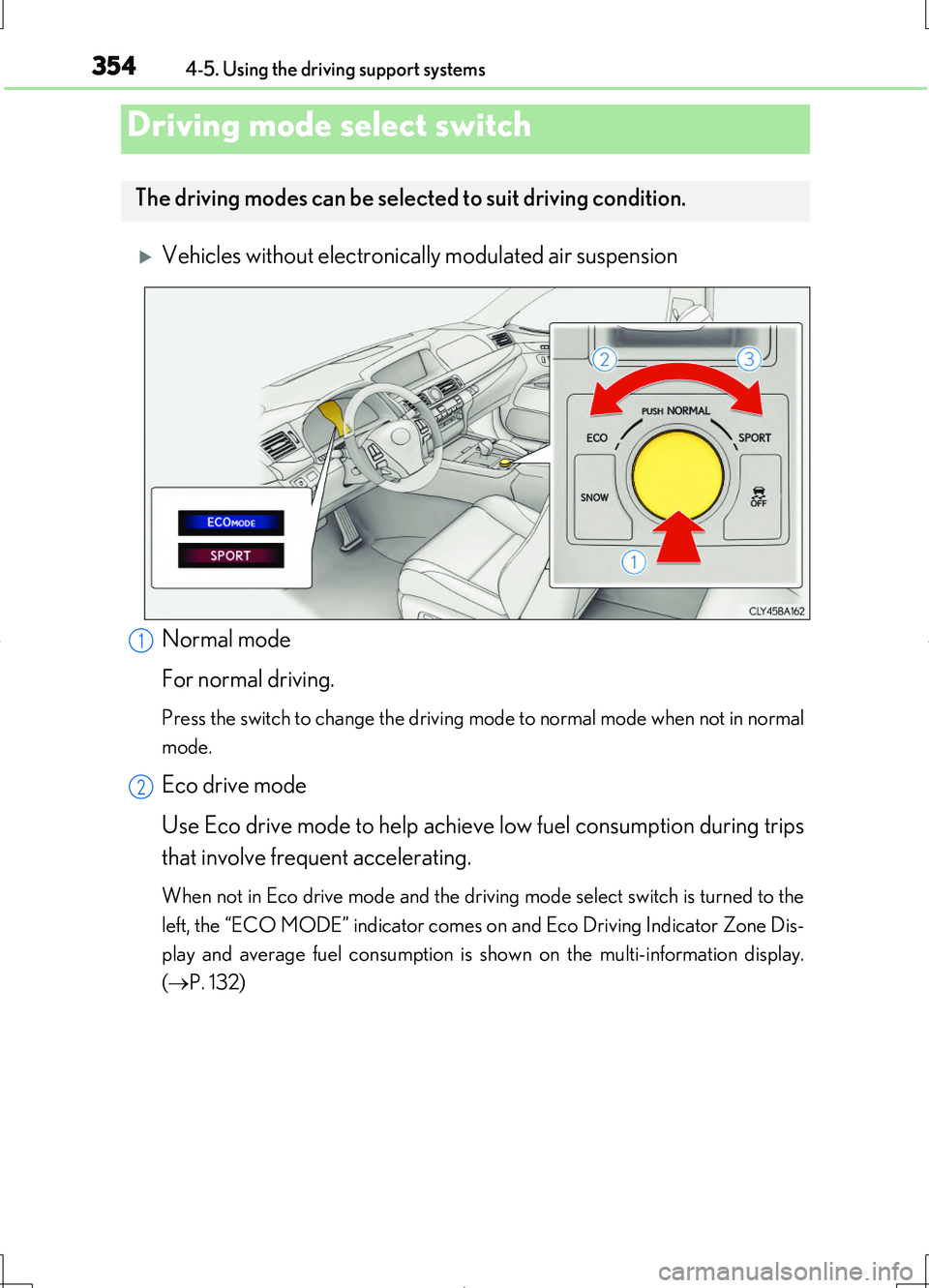
Vehicles without electronically modulated air suspension
Normal mode
For normal driving.
Press the switch to change the driving mode to normal mode when not in normal
mode.
Eco drive mode
Use Eco drive mode to help achieve low fuel consumption during trips
that involve frequent accelerating.
When not in Eco drive mode and the driving mode select switch is turned to the
left, the “ECO MODE” indicator comes on and Eco Driving Indicator Zone Dis-
play and average fuel consumption is shown on the multi-information display.
( P. 132)
Driving mode select switch
The driving modes can be selected to suit driving condition.
1
2
Page 356 of 708
3564-5. Using the driving support systems
LS460/LS460L_GE (OM50G06E)
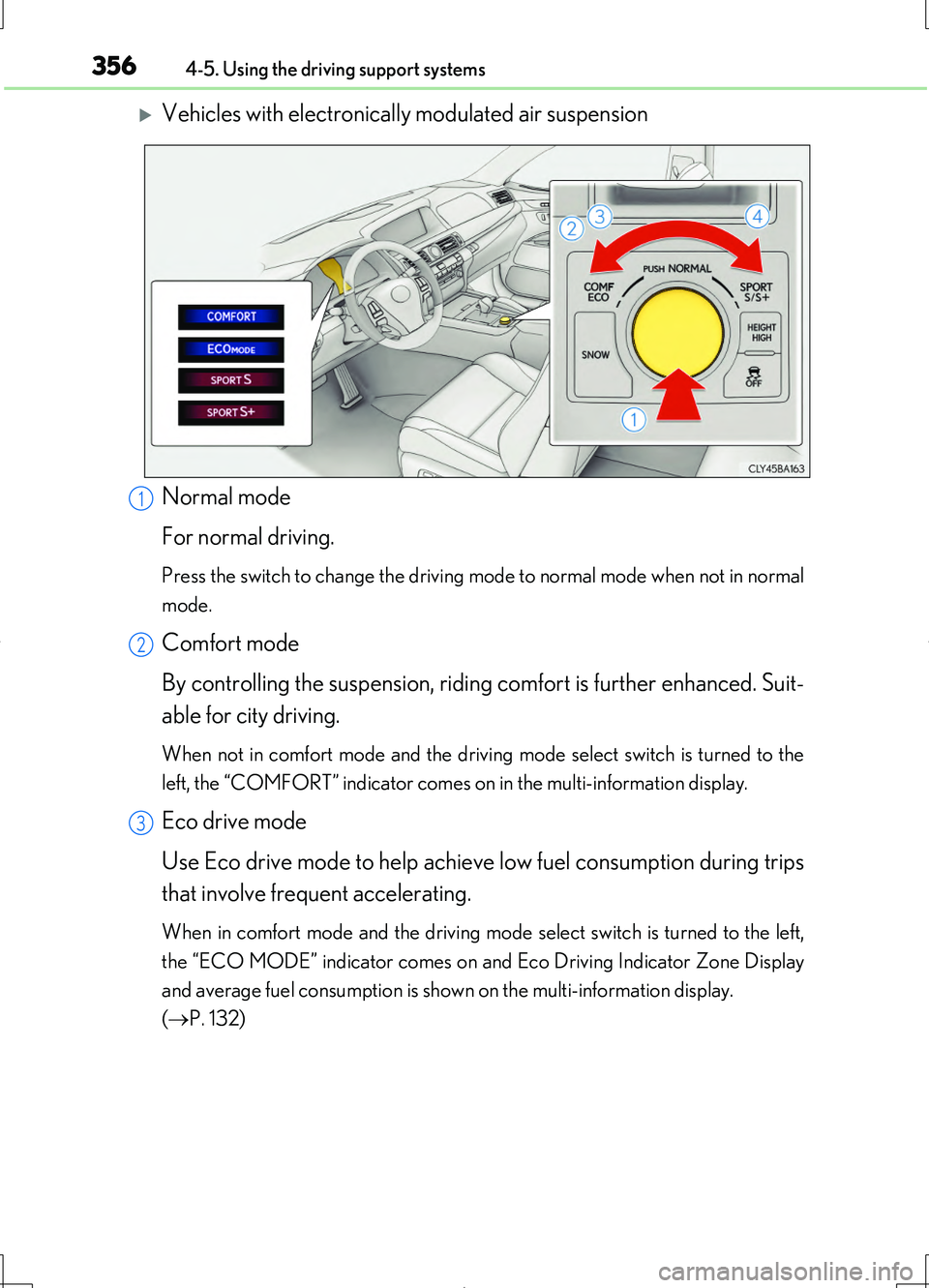
Vehicles with electronically modulated air suspension
Normal mode
For normal driving.
Press the switch to change the driving mode to normal mode when not in normal
mode.
Comfort mode
By controlling the suspension, riding comfort is further enhanced. Suit-
able for city driving.
When not in comfort mode and the driving mode select switch is turned to the
left, the “COMFORT” indicator comes on in the multi-information display.
Eco drive mode
Use Eco drive mode to help achieve low fuel consumption during trips
that involve frequent accelerating.
When in comfort mode and the driving mode select switch is turned to the left,
the “ECO MODE” indicator comes on and Eco Driving Indicator Zone Display
and average fuel consumption is shown on the multi-information display.
( P. 132)
1
2
3
Page 357 of 708
3574-5. Using the driving support systems
4
Driving
LS460/LS460L_GE (OM50G06E)
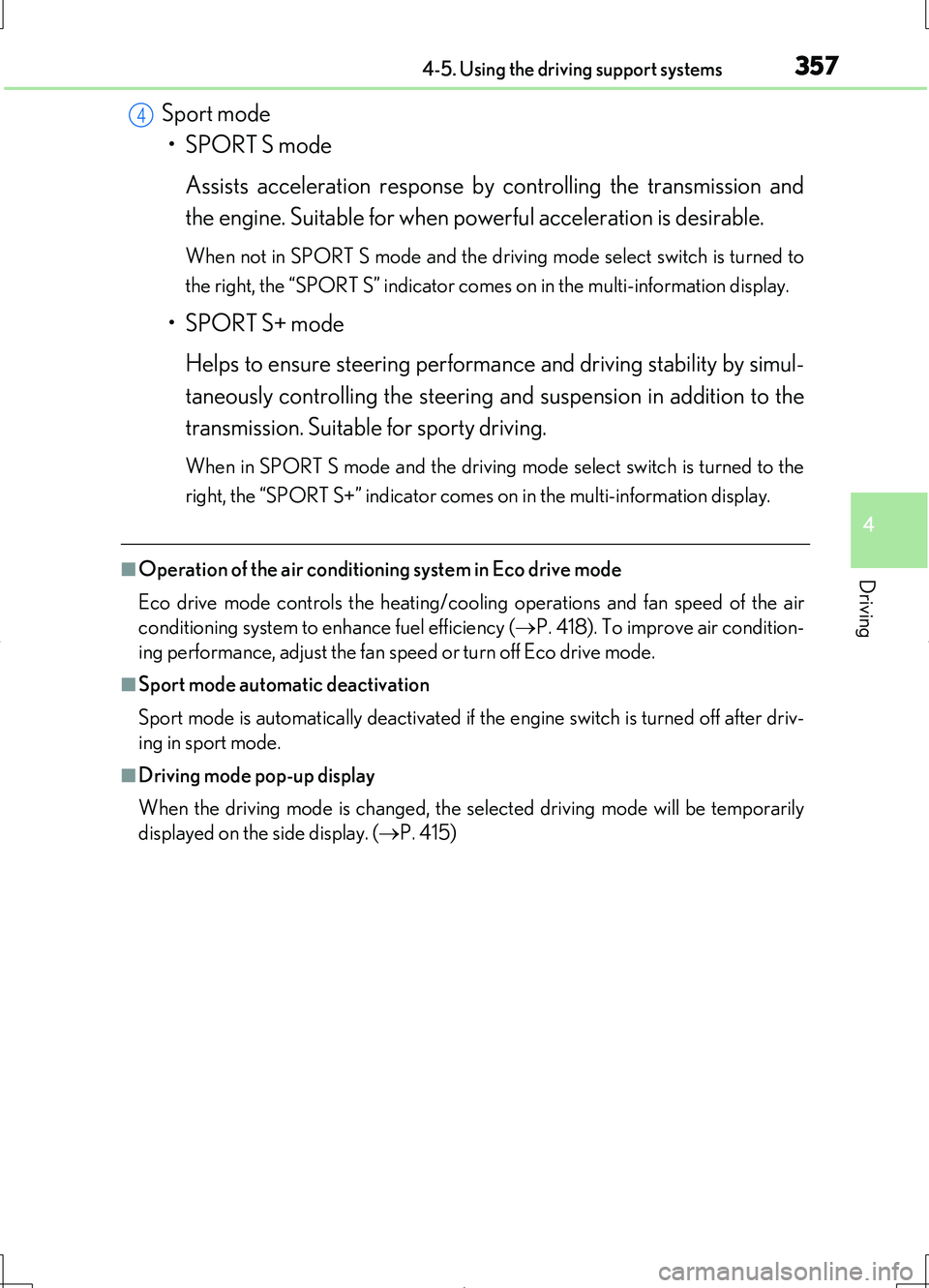
Sport mode
• SPORT S mode
Assists acceleration response by controlling the transmission and
the engine. Suitable for when powerful acceleration is desirable.
When not in SPORT S mode and the driv ing mode select switch is turned to
the right, the “SPORT S” indicator comes on in the multi-information display.
• SPORT S+ mode
Helps to ensure steering performance and driving stability by simul-
taneously controlling the steering and suspension in addition to the
transmission. Suitable for sporty driving.
When in SPORT S mode and the driving mo de select switch is turned to the
right, the “SPORT S+” indicator comes on in the multi-information display.
■Operation of the air conditioni ng system in Eco drive mode
Eco drive mode controls the heating/cooling operations and fan speed of the air
conditioning system to enhance fuel efficiency ( P. 418). To improve air condition-
ing performance, adjust the fan speed or turn off Eco drive mode.
■Sport mode automatic deactivation
Sport mode is automatically deactivated if the engine switch is turned off after driv-
ing in sport mode.
■Driving mode pop-up display
When the driving mode is changed, the selected driving mode will be temporarily
displayed on the side display. ( P. 415)
4
Page 403 of 708
4034-6. Driving tips
4
Driving
LS460/LS460L_GE (OM50G06E)
◆Using Eco drive mode
When using Eco drive mode, the torque corresponding to the accelerator
pedal depression amount can be generate d more smoothly than it is in normal
conditions. In addition, the operation of the air conditioning system (heating/
cooling) will be minimized, improving the fuel economy. ( P. 354)
◆Use of Eco Driving Indicator
The Eco-friendly driving is possible by keeping the bar display of the Eco Driv-
ing Indicator shown in the multi-information display within the Zone of Eco
driving. ( P. 132)
◆Accelerator pedal/brake pedal operation
Drive your vehicle smoothly. Avoid abrupt acceleration and deceleration.
Gradual acceleration and deceleration will help reduce excessive fuel con-
sumption.
◆When braking
Observe conditions in front of and ar ound the vehicle, and estimate your
stopping position. Release the accelerator pedal early and continue coasting.
Use the brake pedal to adjust your stopping position. Make sure to operate
the brake pedal gently.
◆Delays
Repeated acceleration and deceleration, as well as long waits at traffic lights,
will lead to bad fuel economy. Check traffic reports before leaving and avoid
delays as much as possible.
◆Highway driving
Control and maintain the vehicle at a constant speed. Before stopping at a toll
booth or similar, allow plenty of time to release the accelerator pedal and gen-
tly apply the brakes.
Eco-friendly driving tips
For improved fuel economy and reduced CO2 emissions, pay attention to the
following points:
Page 404 of 708
4044-6. Driving tips
LS460/LS460L_GE (OM50G06E)
◆Air conditioning
Use the air conditioning only when necessary. Doing so can help reduce
excessive fuel consumption.
In summer: When the ambient temperature is high, use the recirculated air
mode. Doing so will help to reduce the burden on the air conditioning system
and reduce fuel consumption as well.
In winter: Turn the A/C switch on only when both heating and dehumidifying
are needed, and if only heating is needed, turn the A/C switch off. Turning the
A/C switch on when unnecessary leads to excessive fuel consumption.
◆Performing idling stops
●Avoid unnecessary idling. Stop the engine when parking the vehicle to
reduce excessive fuel consumption, even it is only for a short period of time.
●Except in severe environment, such as when the outside temperature is
extremely low, warming up the engine before driving is unnecessary.
Rather than idling, it is more efficien t to drive the vehicle gently to warm up
each part while avoiding increasing the engine revolutions unnecessarily
and accelerating or decelerating suddenly.
◆Luggage
Carrying heavy luggage will lead to poor fuel economy. Avoid carrying
unnecessary luggage. Installing a large roof rack will also cause poor fuel
economy.
◆Regular maintenance
●Make sure to check the tire inflation pressure frequently. Improper tire
inflation pressure can cause poor fuel economy. Also, as snow tires can
cause large amounts of friction, their us e on dry roads can lead to poor fuel
economy. Use tires that are appropri ate for the season and road condi-
tions.
●Use oil and fluid of the recommended quality, which affect fuel consump-
tion and the life of the vehicle. Also, check oil and fluid periodically.
( P. 520)
Page 411 of 708
4115-1. Remote Touch screen
5
Interior features
LS460/LS460L_GE (OM50G06E)
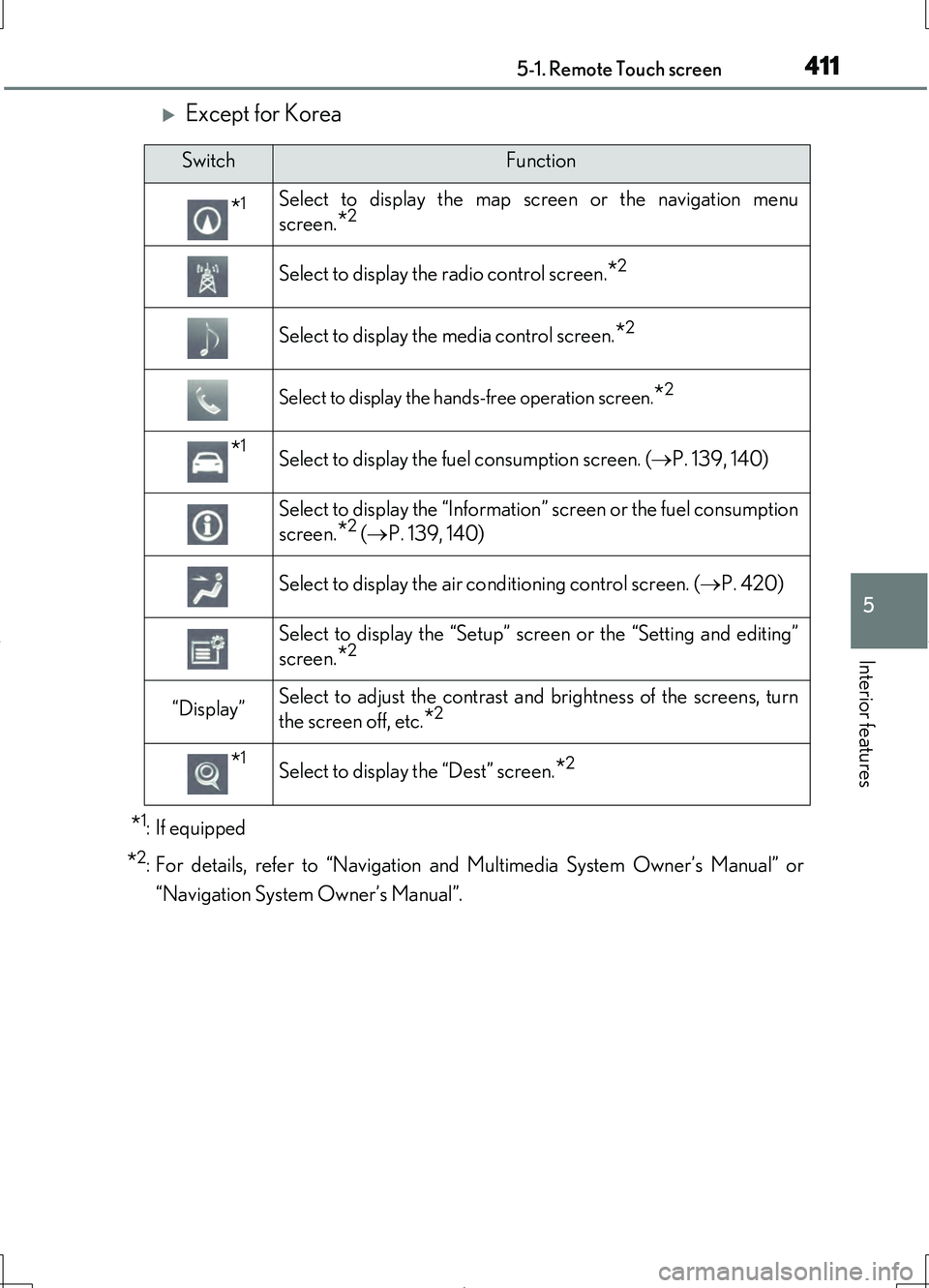
Except for Korea
*1: If equipped
*2:For details, refer to “Navigation and Multimedia System Owner’s Manual” or
“Navigation System Owner’s Manual”.
SwitchFunction
*1Select to display the map screen or the navigation menu
screen.
*2
Select to display the radio control screen.*2
Select to display the media control screen.*2
Select to display the hand s-free operation screen.*2
*1Select to display the fuel consumption screen. ( P. 139, 140)
Select to display the “Information” screen or the fuel consumption
screen.
*2 ( P. 139, 140)
Select to display the air conditioning control screen. ( P. 420)
Select to display the “Setup” screen or the “Setting and editing”
screen.
*2
“Display”Select to adjust the contrast and brightness of the screens, turn
the screen off, etc.
*2
*1Select to display the “Dest” screen.*2
Page 412 of 708
4125-1. Remote Touch screen
LS460/LS460L_GE (OM50G06E)
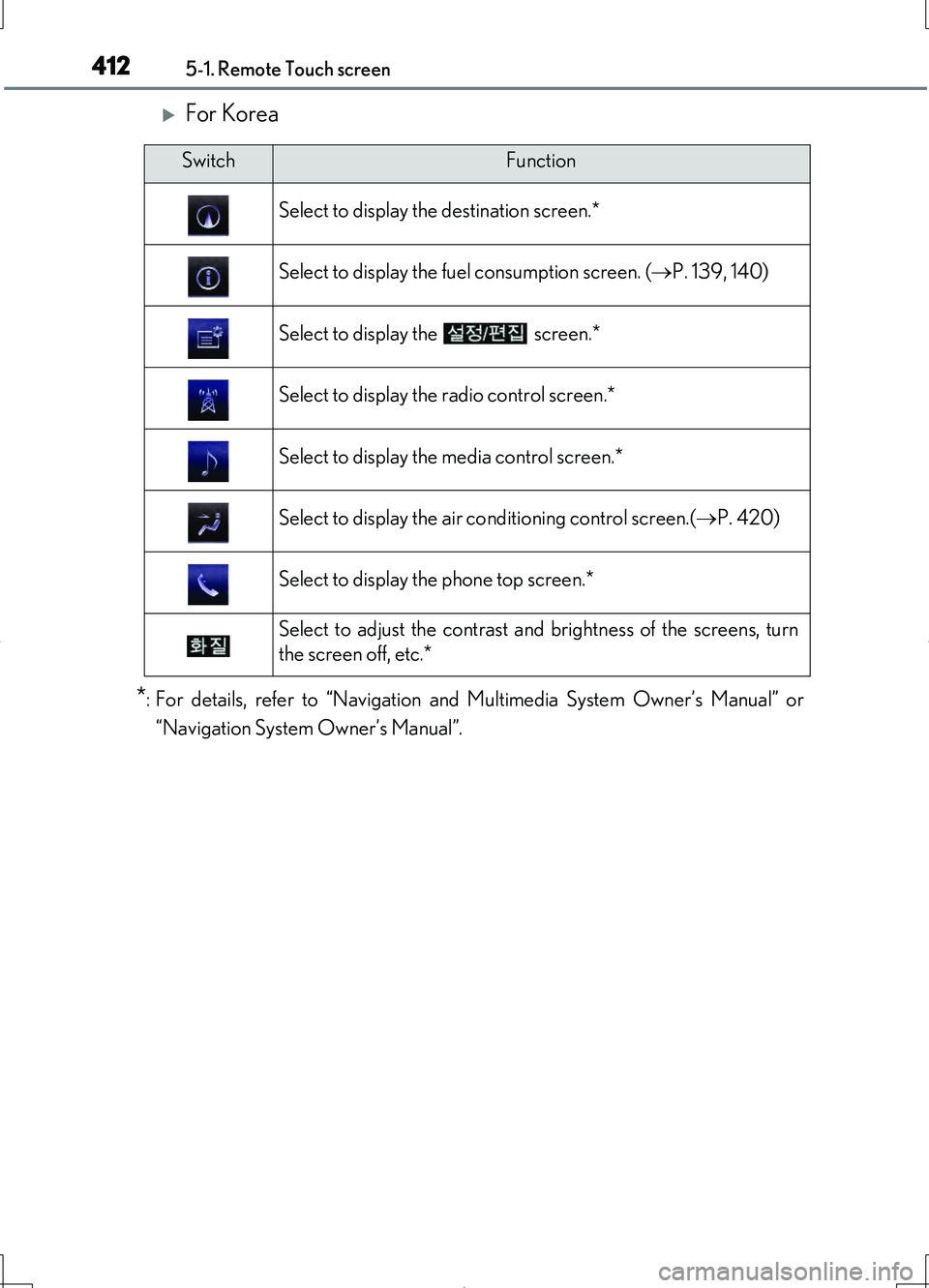
For Korea
*:For details, refer to “Navigation and Multimedia System Owner’s Manual” or
“Navigation System Owner’s Manual”.
SwitchFunction
Select to display the destination screen.*
Select to display the fuel consumption screen. ( P. 139, 140)
Select to display the screen.*
Select to display the radio control screen.*
Select to display the media control screen.*
Select to display the air conditioning control screen.( P. 420)
Select to display the phone top screen.*
Select to adjust the contrast and brightness of the screens, turn
the screen off, etc.*
Page 413 of 708
4135-1. Remote Touch screen
5
Interior features
LS460/LS460L_GE (OM50G06E)
■Full screen display
The following functions can be displayed full screen:
• Initial screen
•“Menu” screen ( P. 410)
•Map screen*1
•Audio screen*1,2
• Fuel consumption screen*2 ( P. 138)
• Air conditioning control screen*2 ( P. 418)
*1: For details, refer to “Navigation and Multimedia System Owner’s Manual” or
“Navigation System Owner’s Manual”.
*2: Except for Hong Kong and Macau
12.3-inch display
12.3-inch display operation